www.crystalgraphics.com CrystalGraphics
  • Ultimate Combo
  • Templates
  • Diagrams
  • Characters
  • Quizzes
  • shopping cart
  • Sign Out Sign Out Sign In
Home > Templates > Engineering > Aeronautical Engineering Category
search icon
advanced icon

9 Best Aeronautical Engineering-Themed Templates for PowerPoint and Google Slides

CrystalGraphics creates templates designed to make even average presentations look incredible. Below you’ll see thumbnail sized previews of the title slides of a few of our 9 best aeronautical engineering templates for PowerPoint and Google Slides. The text you’ll see in in those slides is just example text. The aeronautical engineering-related image or video you’ll see in the background of each title slide is designed to help you set the stage for your aeronautical engineering-related topics and it is included with that template. In addition to the title slides, each of our templates comes with 17 additional slide layouts that you can use to create an unlimited number of presentation slides with your own added text and images. And every template is available in both widescreen and standard formats. With over 6 million presentation templates available for you to choose from, CrystalGraphics is the award-winning provider of the world’s largest collection of templates for PowerPoint and Google Slides. So, take your time and look around. You’ll like what you see! Whether you want 1 great template or an ongoing subscription, we've got affordable purchasing options and 24/7 download access to fit your needs. Thanks to our unbeatable combination of quality, selection and unique customization options, CrystalGraphics is the company you can count on for your presentation enhancement needs. Just ask any of our thousands of satisfied customers from virtually every leading company around the world. They love our products. We think you will, too!

Features & Pricing

Widescreen (16:9) Presentation Templates. Change size...
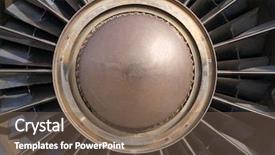
 Presentation with aeronautical engineering - Slide deck consisting of aeronautical engineering - vintage jet engine turbine detail background and a violet colored foreground

Vintage Jet Engine Turbine Detail

The thrill of flight, where steel meets sky and high speed engines roar to life. The moment the plane takes off, it's not just about soaring through the clouds, but about feeling the rush of adrenaline as you witness the intricate details of the aircraft take shape. Our Corner Title template, designed for a Widescreen presentation, brings this exhilarating experience to life with its rich saddle brown color palette and classic steel and alloy design elements. The high resolution images in our background feature stunning vistas of planes at different stages of flight, while showcasing the intricate mechanisms within the jet engines that power them. This template is specifically crafted for presentations where you want to highlight the precision engineering and cutting edge technology behind the scenes of aviation. With its downloadable format and compatibility with Google Slides, this template makes it easy to create professional looking presentations on the go. The Corner Title template is more than just a pretty face; it's also packed with advanced features that enhance your presentation experience. Featuring our seamless transition effects and including a background with subtle gradients, we've got you covered for any complex transitions you may need.

 Presentation with aeronautical engineering - Colorful PPT layouts enhanced with aeronautical engineering - portrait of an handsome engineer backdrop and a white colored foreground

Portrait Handsome Engineer

PPT layouts enhanced with portrait of an handsome engineer

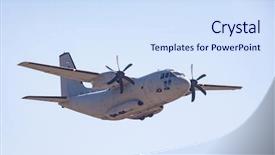
 Presentation with aeronautical engineering - Colorful presentation theme enhanced with aeronautical engineering - military cargo plane backdrop and a sky blue colored foreground

Military Cargo Plane

The thrill of flying high is on full display in this Split Title template, designed to transport your audience to the world of airshow action. This widescreen masterpiece features an immersive Alice Blue color palette that will have your viewers feeling as if they're soaring through the skies. The background images are high resolution and perfectly suited for adding a dynamic touch to your presentation. Whether you're showcasing a plane taking off or landing, these backgrounds provide the perfect canvas for your aerial action. The Split Title template is fully compatible with Google Slides, allowing you to easily enhance your visuals and add more depth to your slides. The download link includes all four How To slides, which are designed to get you up and running quickly. With an arrow step layout that includes a background with a clear theme, having a cohesive look from start to finish is made easy. This template is perfect for anyone looking to feature an airshow or military cargo plane theme, whether it's for a business presentation or a creative project. Including a background with a high quality image of a plane taking off or landing will add the perfect touch of authenticity. Having a large and detailed background will enhance your visuals and make your slides more engaging. With this Split Title template, you'll be able to create presentations that are both visually stunning and easy to understand. Featuring an Alice Blue color palette, this template is sure to impress your audience with its professionalism and style. Including a high resolution image of a plane in the background will add the perfect level of realism to your slides. Getting started can seem daunting, but don't worry our four How To slides are designed to help you get up and running quickly. The first three slides cover setting up your presentation, creating new slides, and formatting your text. With these steps included, you'll be able to jump straight into designing your template without any hiccups. The final slide is all about customization featuring a custom background with a clear theme will allow you to tailor the look of your template perfectly to your needs. Have a great time working with this Split Title template and exploring its features for yourself."

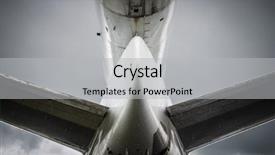
 Presentation with aeronautical engineering - Slide set with aeronautical engineering - airplane tail seen from underneath background and a light gray colored foreground

Airplane Tail Seen Underneath Cloudy

Imagine cruising through the skies on a powerful plane, navigating through dense clouds and rain, with the warm glow of headlights illuminating your path. The sound of engines roaring to life as you soar into the air, leaving the ground far behind. This is the world of aviation, where every detail matters. The Wide Title template from CrystalGraphics features high resolution images for a seamless Widescreen experience. With a theme of airplanes and flight, this template is perfect for presentations that need to convey a sense of movement and energy. The olive color palette provides a warm and inviting background, while the keywords Fuselage, Plane, Flight, Motor, and Commercial are strategically placed throughout the design. As you explore the template, you'll notice how it's enhanced with elements such as plane icons, flight routes, and air traffic control symbols. Featuring a 5 point layout diagram that illustrates the anatomy of an airplane, this template is designed to help you understand complex concepts in a clear and concise manner. Including background images with a subtle texture that adds depth and visual interest, having a theme of aviation, Enhanced With animated effects that bring the design to life, it's no wonder that this template will leave your audience captivated. For example, you could use this template to create a presentation about air traffic control systems, featuring detailed diagrams and illustrations of airport layouts, runways, and air traffic management systems. Having a clear structure with 5 sections (Departure, Arrival, Taxiway, Runway, Air Traffic Control) will make it easy for your audience to follow along and understand the complex concepts involved. Whether you're presenting about commercial aviation or aircraft safety regulations, this template is sure to enhance your presentation with its sleek design and engaging visuals. With its compatible format for Google Slides, you can easily share your presentation with others and collaborate on projects in real time.

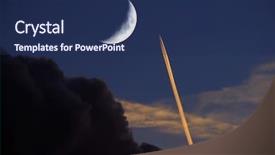
 Presentation with aeronautical engineering - Audience pleasing PPT theme consisting of aeronautical engineering - airplane soaring through sky jet backdrop and a navy blue colored foreground

Airplane Soaring Through Sky Jet

As you sit in front of your computer screen waiting to unleash your creative vision on the world, take off with Corner Title the ultimate PowerPoint template for those who crave excitement and adventure. This majestic masterpiece is tailored to transport you to an atmosphere of serenity, yet electrifying energy. With its sleek design and versatile features, it's a feast for the eyes that will leave audiences breathless. The Midnight Blue color palette shines like a beacon on your screen, beckoning you to explore the rich world of aerodynamics and commercial aviation. This template is not just a static representation it's a dynamic canvas waiting to be brought to life with high resolution images galore, including high speed planes soaring through the sky, jet trails leaving a trail of glory, and the majestic crescent moon gazing down at you. The possibilities are endless! Featuring an innovative 4 x 4 Org Chart Layout slide that showcases your organizational prowess, this template ensures that everyone knows who's in charge. Including a Background With stunning imagery that will elevate your presentation to new heights, this is the perfect accompaniment to enhance your message and engage your audience. Having a Theme of Professionalism and style, it's the ultimate finishing touch for any commercial or aerodynamics themed presentation.

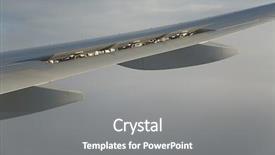
 Presentation with aeronautical engineering - Theme consisting of aeronautical engineering - modern airliner wing with spoilers background and a gray colored foreground

Modern Airliner Wing Spoilers Extended

Theme consisting of modern airliner wing with spoilers extended

 Presentation with aeronautical engineering - Colorful PPT layouts enhanced with aeronautical engineering - portrait of an engineer backdrop and a teal colored foreground

Portrait Engineer Factory

PPT layouts enhanced with portrait of an engineer in a factory

 Presentation with aeronautical engineering - Cool new PPT theme with aeronautical engineering - technician backdrop and a sky blue colored foreground

Technician

PPT theme with technician

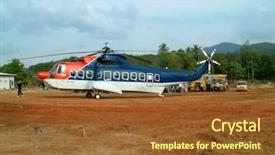
 Presentation with aeronautical engineering - PPT theme consisting of aeronautical engineering - emergency helicopter transporting forensic doctors background and a tawny brown colored foreground

Emergency Helicopter Transporting Forensic Doctors

PPT theme consisting of emergency helicopter transporting forensic doctors to khao lak thailand

▼Key features of this template

  • They are compatible with both PowerPoint and Google Slides running on either Windows PCs or Macs.

  • They are available in both standard and widescreen slide formats. You can choose your preferred format by clicking on the "Widescreen" check box or icon.

  • Each template includes a beautiful high-resolution background image or video to visually reinforce the theme of your presentation.

  • In addition, each template includes designer-created graphics and modern fonts to give your presentations an up-to-date, professional look.

  • Each template's default design and title text position have been carefully selected to complement its background without covering faces or other key elements.

  • All text includes backdrops whose transparency level is mathematically calculated to maximize text readability while still allowing the background to be seen.

  • And all the text, text backdrops and graphics in every slide are colored with a palette designed to beautifully complement the colors in the background.

  • Our Premium templates (those with the descriptor “Premium” in their subtitle) include over 64 slide layouts to give you maximum flexibility as you create your presentations.

    • Those layouts are available to you whenever you create a new slide or when you want to change the layout of an existing slide.
    • They include everything you need to make all sorts of presentations. In addition to the layouts for the title slide and the usual title and content slide, they include many other layouts for slide types including table of contents slides, org charts, charts, diagrams, infographics, photo slides, thank you slides and more.
    • While creating these layouts our template designers have ensured that all text in every layout adjusts as gracefully as possible to various numbers of words.
  • Customizable templates (those with the descriptor “Customizable” in their subtitle) may be easily modified online before you download them.

    • To modify them, simply click on the pencil editing icon, then select your choice of ready to go designs and title text positions.
    • The editing tool also makes it easy to reposition and scale the background image or video to best suit your needs.

▼FAQs

Please review these FAQs to see if your question is answered. Contact us for more info

  • What is a PowerPoint template?

    • A well designed PowerPoint template is a file that can tell PowerPoint how to make your ordinary templates look extraordinary. They won’t change what your words or numbers say. But they might change their size, color, font and placement. And, overall, they can give your presentations a professionally-designed look that will give your content more credibility and give you more confidence.
  • How many PowerPoint templates do you offer?

    • We have over 32,000 artist-created presentation templates in our PowerPlugs collection With a subscription, PowerPlugs templates are easy to download. Just sign in, find a template and click on the green Download button. ready for you to download. That alone offers you more variety to choose from than any of our competitors can offer. And, as if that weren’t enough, we also offer over 6 million templates in our Crystal collection. Crystal brand templates are our line of templates that have customization options. They have the word "CRYSTAL" on their web page images. You can customize several aspects of the templates. These templates include high-resolution background images from Shutterstock’s vast image collection matched up with artist-created presentation designs customized by our own proprietary AI software.
  • How many templates can I download as a subscriber?

    • You can download an unlimited number of PowerPlugs-brand With a subscription, PowerPlugs templates are easy to download. Just sign in, find a template and click on the green Download button. templates every day for an entire year. (Actually, by default, we set a limit of 25 templates per day to prevent our competitors from stealing our templates. But, if that is not enough, just let us know and we’ll try to accommodate you.) On top of that, with a subscription or an Ultimate Combo, you can also download any 50 Crystal-brand Crystal brand templates are our line of templates that have customization options. They have the word "CRYSTAL" on their web page images. You can customize several aspects of the templates. templates per year selected from our huge Crystal collection. Crystal brand templates are our line of templates that have customization options. They have the word "CRYSTAL" on their web page images. You can customize several aspects of the templates. .
  • Why should I choose your templates instead of the competition’s?

    • We’ve got a larger selection of professionally-designed PowerPoint templates than anyone else in the world.
    • Each template includes a high-resolution background image or video to visually inspire your audiences while reinforcing your message.
    • Each template includes 64 slide layouts to give you maximum flexibility as you create your presentations.
    • Our templates are available in both standard and widescreen slide formats. And our website lets you preview the slides each way.
    • Our free Template Finder™ plugin lets subscribers select and - with a single click - download and insert our templates into their presentations right from within PowerPoint.
    • We’ve been creating designer presentation templates for over 20 years. During that time we’ve won several awards and 5-star ratings for product quality. See About Us for more.
  • Do you offer a money-back guarantee?

    • Yes we do! We offer full 30-day money-back guarantee if you are not 100% satisfied with your purchase.
  • Can I still use my downloaded templates after my subscription runs out?

    • Yes. After your subscription expires, you won't lose any rights or ability to use your PowerPlugs: Templates for PowerPoint. You won't be able to download any new non-watermarked templates. But the non-watermarked templates you've already downloaded will still work and you can still use them as before.
  • Can I share my downloaded templates or passwords with friends or coworkers?

    • Sorry but no. You are authorized to download each paid-for template to up to 3 of your personal devices and to use the templates you download in as many presentations as you want. But you are not authorized to share the templates, themselves, with others. That said, we do offer highly discounted site licenses to suit the needs of both small and large teams. Just tell us your needs and we’ll give you a quote!
  • System requirements:

    • The templates use the standard POTX format. So they are compatible with Google Slides and all PC, Mac and mobile devices running any version of PowerPoint from PowerPoint 2007 up through and including Office 365 desktop.
    • Please note: Google Slides does not currently support background videos. It treats them as still images.
    • For PowerPoint for the Web, first open your template into a desktop version of PowerPoint, then save it back out as a PPTX file. Then you can open that in PowerPoint for the Web.
  • End user license agreement:

    • Click here to view.
  • How will I get my purchased templates?

    • You may download your selected templates as soon as your payment is received by PayPal. If you purchased an individual template, you will be provided with a download link both onscreen and via email. Just click on that link to begin the download process. If you purchased a subscription, you will receive an email containing a password to use along with your email address to sign in to any of the templates pages on CrystalGraphics.com. Once you are signed in, you can immediately start downloading your selected templates.
  • How do I use my templates after I download them?

    • You can either open a template to start a new presentation or you can add a template to an existing presentation. To open a template, just double click on it or use PowerPoint's File > Open tool. To add a template to an existing presentation, on the Design tab, in the Themes group, click Browse for Themes... then browse to select your template.

More Aeronautical Engineering presentation templates

93% of Fortune 1000
companies use our
PowerPoint Products
Templates Secure

Standing Ovation Award
Winner: Best PowerPoint
Template Collection
Fortune Logos
200,000+ satisfied
customers worldwide!
Guarantee
100% satisfaction guaranteed
- or send it back for a refund!

Sign up for our free newsletter! You'll get news about our PowerPoint-enhancing product line – including free updates, new product announcements and exclusive special offers. Plus you'll get a link to a free PowerPoint template with every newsletter you receive.
Privacy Policy
Loading...


Help

Contact Us
Product FAQs
Product License Agreements

Company Info

About Us
Privacy Policy
CrystalGraphics, Inc. 1999 S. Bascom Avenue Suite 700 Campbell, CA 95008 USA
© 2025 CrystalGraphics, Inc. All rights Reserved.    |     PowerPlugs is a trademark of CrystalGraphics, Inc.
Microsoft and the PowerPoint logo are trademarks or registered trademarks of Microsoft Corporation in the United States and/or other countries.
Loading...
Loading...