www.crystalgraphics.com CrystalGraphics
  • Ultimate Combo
  • Templates
  • Diagrams
  • Characters
  • Quizzes
  • shopping cart
  • Sign Out Sign Out Sign In
Home > Templates > Bim Category
search icon
advanced icon

26 Best Bim-Themed Templates
for PowerPoint & Google Slides

CrystalGraphics creates templates designed to make even average presentations look incredible. Below you’ll see thumbnail sized previews of the title slides of a few of our 26 best bim templates for PowerPoint and Google Slides. The text you’ll see in in those slides is just example text. The bim-related image or video you’ll see in the background of each title slide is designed to help you set the stage for your bim-related topics and it is included with that template. In addition to the title slides, each of our templates comes with 17 additional slide layouts that you can use to create an unlimited number of presentation slides with your own added text and images. And every template is available in both widescreen and standard formats. With over 6 million presentation templates available for you to choose from, CrystalGraphics is the award-winning provider of the world’s largest collection of templates for PowerPoint and Google Slides. So, take your time and look around. You’ll like what you see! Whether you want 1 great template or an ongoing subscription, we've got affordable purchasing options and 24/7 download access to fit your needs. Thanks to our unbeatable combination of quality, selection and unique customization options, CrystalGraphics is the company you can count on for your presentation enhancement needs. Just ask any of our thousands of satisfied customers from virtually every leading company around the world. They love our products. We think you will, too!

Features & Pricing

Widescreen (16:9) Presentation Templates. Change size...
 Presentation with bim - Audience pleasing PPT layouts consisting of businessman-drawing-colorful-light-bulb backdrop and a gray colored foreground

Businessman Drawing Colorful Light Bulb

You've landed on the Corner Title template from CrystalGraphics, and at first glance, this sleek design stands out with its warm olive color palette that exudes a sense of professionalism. This stunning Widescreen template is perfect for presenting your best ideas to clients or showcasing your innovative solutions. The background image of a businessman drawing colorful light bulbs with BIM abbreviation in the corner will grab anyone's attention instantly, setting the tone for an engaging presentation. The Corner Title template features a clean and modern design that seamlessly integrates 4 How To slides at the start of the deck to help you get up and running quickly. The Section Header Layout slide is enhanced by including a background with subtle textures and patterns, giving it a high end feel. As you navigate through the slides, you'll find that each one incorporates a key theme of hands, achievement, bim, paint, and solution, making for an engaging visual experience. The background images in this template are truly eye catching, featuring detailed illustrations of light bulbs, BIM models, and vibrant colors. For instance, you could use the image "Bright Idea" on the Section Header Layout slide to highlight your innovative solutions. Having a theme of hands on creativity is reflected throughout the design, making it easy for viewers to see how you approach problem solving. The Corner Title template also includes an Enhanced With background feature, which allows you to add more dynamic elements to each slide. This not only enhances visual appeal but also provides an interactive experience for your audience. The comprehensive image library from CrystalGraphics ensures that you have access to a vast array of images to match your unique style and branding. The template is downloadable and compatible with Google Slides, making it easy to import into your preferred presentation software. What's more, the high resolution images ensure that your slides look stunning on any screen. Overall, the Corner Title template offers an exceptional blend of style, functionality, and creativity, making it a fantastic starting point for creating engaging presentations.

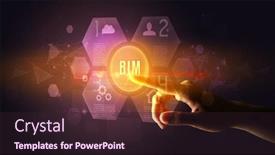
 Presentation with bim - Slides featuring hand-touching-bim-inscription-new background and a teal colored foreground

Hand Touching Bim Inscription New

The Corner Title template is a stunning Widescreen presentation design that will set your audience at ease with its sleek and modern look. This template is perfect for professionals who need to communicate complex ideas in an engaging way. The Dodger Blue color palette adds a touch of sophistication, while the High Resolution images on the background create a sense of depth and visual interest. This template features a unique combination of select and bim elements, creating a dynamic and interactive experience. The sign is prominently displayed, signaling that this presentation is about to take off. As you scroll through the template, you'll notice the various keywords included select, bim, sign, screen, networking which will help your audience understand the context. The template is downloadable and compatible with Google Slides, making it easy to incorporate into your workflow. The four How To slides at the start of the deck will get you up and running quickly, providing a solid foundation for any presentation. Take it back further, and consider featuring a background with a subtle texture that enhances the overall look. The Gears in Sync Layout slide is an innovative element that showcases this template's capabilities. This layout allows you to easily rotate images and animations, creating an engaging display of your content. Have fun using it the enhanced theme of presentation design will surely impress your audience.

 Presentation with bim - Slide set featuring technology-engineer-in-hard-hat background and a light gray colored foreground

Technology Engineer Hard Hat Bim

Imagine yourself standing in front of a sleek and modern building, surrounded by high resolution images of cutting edge technology and innovative design. You're dressed in a hard hat and holding a tablet with the latest BIM software, ready to tackle the day's challenges. The background is a vibrant cornflower blue that sets the tone for a professional and creative presentation. The Split Title template is designed to help you stand out from the crowd with its unique blend of style and functionality. This widescreen format is perfect for showcasing your expertise in data analysis and BIM, while the cornflower blue color palette provides a clean and professional look. The keywords "data", "bim", "concept", "icon", and "industry" are all included to help you connect with your audience. The template is downloadable and compatible with Google Slides, making it easy to share with colleagues or clients. You can enhance the visuals with additional images and icons to make your presentation truly stand out. The Who We Are Bio Layout slide provides a glimpse into your background story, highlighting your experience and expertise in the field of technology engineering. This template is perfect for anyone looking to showcase their skills and knowledge in data analysis and BIM. Whether you're presenting at an industry conference or sharing with colleagues, this template will help you make a lasting impression. With its sleek design and vibrant color palette, it's sure to feature prominently on any screen.

 Presentation with bim - Colorful slides enhanced with businessman-drawing-colorful-light-bulb backdrop and a coral colored foreground

Businessman Drawing Colorful Light Bulb

Imagine a bustling office where innovation and creativity reign supreme the perfect setting for your presentation. The Corner Title template is designed to showcase your professional side with its richly detailed background featuring high resolution images that will transport your audience to a world of excitement and possibility. This stunning design, perfect for presentations, projects, or any other creative endeavor, is characterized by its distinctive olive green color palette that exudes warmth and sophistication. The Corner Title template's Widescreen format ensures an immersive viewing experience, perfectly capturing the energy and dynamism of your ideas. When used on Google Slides, it will be available to download in high resolution, making it ideal for presentations with complex graphics and animations. This template is also compatible with PowerPoint and other industry standard software. This template is truly enhanced when included a Background With our unique background, featuring colorful light bulbs, BIM abbreviation, and innovative technology concepts all carefully crafted to spark your audience's imagination and inspire their creativity. Having a Theme of, the Corner Title template is perfect for showcasing success stories, achievements, and innovative solutions that require a vibrant and engaging visual identity. The high resolution images used in this template will give you a sense of what it could look like when featuring them on your presentation slides Including a Background With our stunning light bulb concept, having a theme of innovation and creativity is sure to captivate your audience. The Corner Title template is truly an excellent choice for any professional who wants to convey their message in a visually appealing and effective manner, showcasing their expertise and passion with confidence and finesse.

 Presentation with bim - Presentation theme consisting of female-hand-holding-smartphone background and a navy blue colored foreground

Female Hand Holding Smartphone Bim

In a world where technology has become an integral part of our daily lives, a powerful and visually stunning template is needed to showcase its capabilities. This Corner Title template is designed to be the centerpiece of any presentation, featuring a striking image that sets the tone for a professional and engaging visual experience. The template is available in Widescreen format, perfect for showcasing high resolution images on smartphones or laptops. The Steel Blue color palette provides a sleek and modern look, while the keywords "virtual", "blank", "smartphone", "woman", and "bim" give it a unique twist. This template is ideal for creating presentations that feature virtual reality experiences, blank templates, smartphone apps, women in technology, or business innovation. The high resolution images on the background will add depth and dimension to your presentation, making it more engaging and interactive. The template is downloadable and compatible with Google Slides, allowing you to easily import and customize it to fit your needs. As inspiration for this template, consider featuring a modern technology concept, such as a female hand holding a smartphone with BIM abbreviation, or showcasing a woman in a professional setting with a sleek and modern background. The 2 Member Bio Layout slide can include images of the designer themselves, highlighting their expertise and experience in creating stunning templates like this one. This template is perfect for anyone looking to enhance their presentation with a unique and visually striking design. With its steel blue color palette, high resolution images, and versatile keywords, it's sure to make your presentations stand out from the crowd.

 Presentation with bim - Audience pleasing presentation design consisting of hand-touching-bim-inscription-new backdrop and a wine colored foreground

Hand Touching Bim Inscription New

As you begin your journey to create stunning presentations with CrystalGraphics Corner Title template, imagine yourself standing in front of a sleek and modern interface, surrounded by high resolution images that showcase the latest advancements in BIM technology. The Dark Goldenrod color palette adds a touch of sophistication, while featuring a clean and minimalistic design aesthetic that will elevate any presentation. With a theme of "select, bim, sign, screen, networking", this template is designed to help you convey complex ideas with ease and precision. The Corner Title template comes in Widescreen format, perfect for showcasing your high resolution images and videos. As you explore the downloadable version on Google Slides, you'll be able to customize it to fit your unique style and branding needs. The Dark Goldenrod color palette is a great backdrop for highlighting key points, making it easier for your audience to focus. The template includes four easy to follow slides that will get you up and running quickly: "How To" guides on creating engaging presentations, the 3 Member Bio Layout slide, which showcases your team's expertise, and featuring a background with a dynamic design element. The 3 Member Bio Layout is an excellent opportunity to highlight each member's unique skills and contributions, making it easier for attendees to connect with one another.

 Presentation with bim - Slide deck featuring hand-drawing-bim-abbreviation background and a dark gray colored foreground

Hand Drawing Bim Abbreviation White

As you begin your educational journey, you're about to embark on a new chapter that's full of possibilities and opportunities. Imagine yourself standing in front of a blank blackboard, chalk in hand, ready to unleash your creativity and bring your ideas to life. The world is waiting for you, and with this template, you'll be well equipped to take it by storm. This Wide Title template is designed specifically for college students like you, featuring a warm and inviting Sienna color palette that sets the tone for a engaging and informative presentation. The Widescreen format ensures that your content takes center stage, while the high resolution images for the background will transport you to a world of data and idea. The template's design name is Wide Title, and it's perfect for creating a visually appealing signpost layout that guides your audience through your message. You can include a Background With a subtle texture or pattern to add depth and interest, or have a Theme of featuring high quality images from around the world to showcase your creativity. This template is downloadable and compatible with Google Slides, making it easy to import into your favorite presentation software. The four How To slides at the start of the deck will help you get up and running quickly, but for now, let's focus on showcasing what this template can do. Imagine presenting your ideas in a way that's both engaging and informative, with a clear theme and design that sets you apart from the rest.

 Presentation with bim - Amazing presentation having close-up-of-a-hand backdrop and a tawny brown colored foreground

Close-up Hand Holding Tablet Bim

Imagine a sleek and modern presentation that brings your data driven ideas to life, transforming them into a dynamic and engaging virtual experience. Our design name is "Virtual Insight," featuring a high resolution image of a hand holding tablet with BIM abbreviation integrated seamlessly throughout the template. This captivating template format, available in widescreen, boasts an impressive Steel Blue color palette that evokes feelings of innovation and sophistication. Compatible with Google Slides, Virtual Insight is the perfect choice for those seeking to elevate their presentation game. This template is not just a download; it's a valuable resource that enhances your content with features like including a background with stunning high resolution images. Delivering an exceptional visual experience, Virtual Insight includes four easy to follow How To slides at the start of the deck to help you get up and running quickly. These interactive lessons will guide you through the process of customizing and enhancing your presentation, providing ample opportunities for exploration and discovery. As you embark on this creative journey, take note of the "Content with Caption Layout" slide, where key elements are carefully arranged to provide a clear visual flow. This thoughtful design choice allows for maximum impact and encourages audience engagement. Featuring a theme of "Presenting Ideas" and having a rich, inviting color scheme that complements your data driven content. By downloading Virtual Insight, you'll gain access to an array of visuals, from abstract concepts to interactive elements, all designed to bring your digital vision to life. With its seamless integration with Google Slides, you can create a professional yet modern presentation in no time.

 Presentation with bim - Slides consisting of bim-inscription-coming-out background and a tawny brown colored foreground

Bim Inscription Coming Out Open

The Corner Title PowerPoint template is designed to provide a professional and modern look that resonates with users who value digital innovation. This template is perfect for showcasing notes, documents, and BIM files in a sleek and secure environment. The Steel Blue color palette offers a high contrast background that provides ample space for writing and visual content. The Corner Title template is available as a widescreen format, ideal for use on large screens such as presentation boards or meeting rooms. To enhance the overall experience, this template comes with 4 How To slides at the start of the deck to help users get started quickly. At its core, the template features a dynamic BIM inscription coming out from an open book, symbolizing digital technology and innovation. The background images are high resolution, providing an immersive visual experience that complements the Steel Blue color palette. To add a touch of sophistication, Featuring a Background With subtle texture and patterns can be included to enhance the overall look. Having a Theme of Modern Design ensures that the template stays on trend with the latest design trends. Enhanced With 3 Step Funnel Layout allows users to organize their content in a clear and structured manner. This layout is particularly useful for creating a clear hierarchy of information, making it easier to navigate through complex documents or notes. The template can be easily customized to fit individual needs by including additional keywords such as "secure", "bim", "experience" to ensure that the user's brand identity aligns with their digital workspace. Overall, the Corner Title PowerPoint template is an excellent choice for anyone looking to present high quality content in a professional and modern environment.

 Presentation with bim - PPT theme enhanced with magician-is-showing-magic-trick background and a ocean colored foreground

Magician Showing Magic Trick Bim

The art of magic has always been a spectacle that captivates audiences worldwide, and now with the latest innovation in technology, the boundaries of this enchanting world are about to be pushed further. Imagine being able to conjure up an entire show within minutes, featuring high resolution images for your background, all seamlessly integrated into a sleek and modern template. The Split Title design is perfect for creating a visually striking presentation that sets the tone for your magic trick with BIM abbreviation, modern tech concept. This template is available in Widescreen format, ideal for showcasing your content on large screens or even small devices. The Slate Gray color palette provides a sophisticated backdrop for your creative expression. The Split Title template includes four How To slides to help you get up and running quickly. These slides are designed to be easy to navigate, with clear instructions and concise information that will guide you through the process of creating your own magic show. But don't just take our word for it this template is also compatible with Google Slides, making it a versatile choice for anyone looking to enhance their presentation. The Social Media Concept Layout slide is where things get really exciting. Imagine featuring high quality images from social media platforms like Instagram or Facebook, and having a theme of "Magic Tricks" that ties everything together. You could even include a background with subtle animations or effects to give your presentation an extra boost of magic. The possibilities are endless, and this template is the perfect starting point for you to create your own unique content.

 Presentation with bim - Audience pleasing slide deck consisting of magician-is-showing-magic-trick backdrop and a ocean colored foreground

Magician Showing Magic Trick Bim

Slide deck consisting of magician is showing magic trick with bim abbreviation modern tech concept

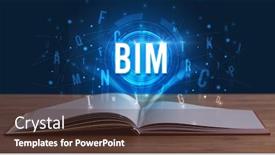
 Presentation with bim - Cool new theme with open-book-with-bim-abbreviation backdrop and a sky blue colored foreground

Open Book Bim Abbreviation Modern

Theme with open book with bim abbreviation modern technology concept

 Presentation with bim - Slides enhanced with hand-drawing-bim-abbreviation background and a tawny brown colored foreground

Hand Drawing Bim Abbreviation White

Slides enhanced with hand drawing bim abbreviation with white chalk on blackboard background

 Presentation with bim - PPT theme enhanced with hand-drawing-bim-abbreviation background and a dark gray colored foreground

Hand Drawing Bim Abbreviation White

Imagine stepping back to reveal the raw ideas, concepts and creativity that students once scribbled on blackboards, now in stunning Widescreen format with crisp high resolution images for the background. Our Wide Title template is designed to bring these visual elements to life on Google Slides. The Brown color palette is inspired by traditional college settings, reminiscent of chalk scrawls on dusty blackboards. This warm and inviting theme sets the tone for an engaging education experience. Featuring a combination of educational icons such as textbooks, charts and graphs, our template incorporates a background with a subtle wooden texture to enhance the theme. The Wide Title can be customized with various fonts and colors to fit your specific needs, making it easy to include a Background With a collage of high resolution images showcasing diverse topics in data analysis. Having a Theme of Educational Insights, this template offers endless possibilities for presentations on various subjects such as science, technology, engineering, and mathematics (STEM).

 Presentation with bim - Audience pleasing slide deck consisting of hand-touching-bim-inscription-new backdrop and a wine colored foreground

Hand Touching Bim Inscription New

The Corner Title template by CrystalGraphics is a stunning visual representation that sets the tone for any presentation. The design name itself says it all Corner Title it's a title that grabs attention and demands to be noticed. The template features a dark goldenrod color palette that provides a sleek and sophisticated background for your content. This Widescreen template is designed specifically for use on widescreen monitors, making it perfect for presentations where you need to showcase high resolution images or videos. The template is compatible with Google Slides and offers enhanced functionality, including the ability to include backgrounds with your own images or add text overlays. The Corner Title template has a unique 6x6 Org Chart Layout slide that features a simple yet effective design. This layout provides a clear view of the organization structure and can be used as a standalone slide or incorporated into your presentation. The background image of a modern cityscape adds a touch of professionalism, while the text features a bold and modern font. This template is perfect for BIM (Building Information Modeling) sign makers, architects, and designers who need to showcase their work in a creative and engaging way. With its dark goldenrod color palette and sleek design, this template is sure to enhance your presentation and leave a lasting impression on your audience.

 Presentation with bim - Presentation theme having technology-engineer-in-hard-hat background and a sky blue colored foreground

Technology Engineer Hard Hat Bim

This Split Title PowerPoint template is designed to grab attention and set the tone for your presentation, transporting viewers into the world of data analysis and BIM (Building Information Modeling). The Widescreen format is perfect for showcasing high resolution images that add texture and depth to your content. The template's Wheat color palette provides a neutral base that can be enhanced with various shades and tones to match your industry specific theme. As you begin, you'll find the 4 How To slides at the start of the deck, providing a clear roadmap for getting up and running quickly. However, this Slide is actually more like a pre made Presentation so lets get into the details: The template features a clean and minimalist design that can be easily customized to fit your brand's unique style. Upon initial glance, the background image in this Split Title template appears as a high resolution render of a construction site at sunset, with a faint glow of neon lights illuminating the steel beams. The Chart with Caption Layout slide is particularly noteworthy, offering a seamless integration of visual elements that will elevate your presentation to the next level. With its bold font and eye catching graphics, this slide becomes a focal point in the room, drawing attention away from any distractions. As you explore the template's features, you'll discover how it can be enhanced with various Background Images, including 3D renderings of cityscapes or futuristic architecture. Having a theme that resonates with your industry is also key, as we've carefully curated a selection of BIM related icons and graphics to help you stand out from the crowd. With its diverse range of options, this Split Title template offers endless possibilities for creative expression.

 Presentation with bim - PPT theme with close-up-of-a-hand background and a ocean colored foreground

Close-up Hand Holding Tablet Bim

As you begin your journey with CrystalGraphics to create engaging presentations and infographics, imagine yourself standing in front of a sleek, high resolution image of a modern cityscape at sunset. The steel blue color palette that sets the tone for this template is not just aesthetically pleasing but also professional and sophisticated. This template is designed specifically for virtual and data driven professionals who crave creativity and innovation. With its focus on virtual reality and BIM (Building Information Modeling), it's perfect for presentations that need to showcase complex ideas in a clear and concise manner. Featuring a hand holding tablet with the BIM abbreviation, this template provides a thought provoking starting point for your creative projects. The Widescreen format ensures that every detail is showcased, from the high resolution images of modern technology concepts to the seamless layout that complements the steel blue color scheme. This template is downloadable and compatible with Google Slides, making it easy to import into your preferred presentation software. In terms of design elements, this template incorporates a circular step layout, providing a visually appealing structure for your content. The included background images will give you the perfect starting point for creating visually stunning presentations that include virtual reality elements. Having a theme of creativity and innovation, this template is sure to inspire your next project.

 Presentation with bim - Beautiful theme featuring hand-holdig-futuristic-tablet backdrop and a light blue colored foreground

Hand Holdig Futuristic Tablet Bim

Theme featuring hand holdig futuristic tablet with bim inscription modern technology concept backdrop

 Presentation with bim - Slide deck consisting of open-book-with-bim-abbreviation background and a sky blue colored foreground

Open Book Bim Abbreviation Modern

As you begin your educational journey, whether it's preparing for a new project or diving into the world of BIM and experience management, having a reliable and visually appealing template is essential. Imagine starting with an open book that seamlessly blends technology and learning. This is what the Wide Title PowerPoint template offers a modern and dynamic design that perfectly captures your attention. The template features a Widescreen format, ideal for presentations and lectures. The Light Blue color palette provides a clean and approachable background, while the 5 P's of Marketing Diagram Layout slide are cleverly woven throughout the template to enhance its versatility. These five elements Featuring, Including a Background With, Having a Theme Of, and Enhanced With add depth and functionality to your presentation. For instance, imagine using this template to launch an online course on BIM management, featuring high resolution images of 3D models and virtual reality experiences. The Light Blue background would provide a visually appealing backdrop for your content, while the Widescreen format ensures that it's easy to see and navigate. Having a theme of modern technology would also make your presentation stand out from the crowd. By leveraging this template, you can create engaging and informative presentations that captivate your audience. With its customizable design and high resolution images, you're free to add your own flair and make it truly unique.

 Presentation with bim - Amazing presentation design having close-up-of-a-touchscreen backdrop and a wine colored foreground

Close-up Touchscreen Bim Abbreviation Modern

Presentation design having close-up of a touchscreen with bim abbreviation modern technology concept backdrop

 Presentation with bim - Slides having close-up-of-a-touchscreen background and a wine colored foreground

Close-up Touchscreen Bim Abbreviation Modern

Imagine launching your digital project with confidence and precision, knowing that you have all the tools you need to create stunning presentations with ease. The Corner Title template is specifically designed for developers who want to bring their ideas to life on the big screen. This widescreen template features a high resolution image of a touchscreen, bringing together elements of software and virtual reality in one beautiful package. The midnight blue color palette provides a sophisticated backdrop for your creative work, making it easy to feature high quality images that will enhance your presentations. This template is compatible with Google Slides, allowing you to easily add content and customize the layout as needed. With its Arrowheads Layout slide, you'll have all the space you need to include complex graphics and symbols, while also having a clear and organized design that makes it easy to see what's at stake. The template includes features like including a background with a subtle texture and having a theme of data visualization, making it perfect for presentations about software development or other topics related to technology. As you start creating your presentation, you'll want to know how quickly you can get up and running. Luckily, the first four How To slides provide all the support you need to launch your project with confidence. These slides will walk you through everything from setting up your Google Slides account to importing images and customizing your template. The Corner Title template is an excellent choice for anyone looking to elevate their presentation game with ease. Its sleek design, high resolution images, and versatile layout make it perfect for showcasing software development projects or any other topic that requires visual storytelling. Whether you're a seasoned pro or just starting out, this template will help you create stunning presentations that leave a lasting impression on your audience.

More Bim templates for PowerPoint and Google Slides:

previous 1 2 next
93% of Fortune 1000
companies use our
PowerPoint Products
Templates Secure

Standing Ovation Award
Winner: Best PowerPoint
Template Collection
Fortune Logos
200,000+ satisfied
customers worldwide!
Guarantee
100% satisfaction guaranteed
- or send it back for a refund!

Sign up for our free newsletter! You'll get news about our PowerPoint-enhancing product line – including free updates, new product announcements and exclusive special offers. Plus you'll get a link to a free PowerPoint template with every newsletter you receive.
Privacy Policy
Loading...


Help

Contact Us
Product FAQs
Product License Agreements

Company Info

About Us
Privacy Policy
CrystalGraphics, Inc. 1999 S. Bascom Avenue Suite 700 Campbell, CA 95008 USA
© 2025 CrystalGraphics, Inc. All rights Reserved.    |     PowerPlugs is a trademark of CrystalGraphics, Inc.
Microsoft and the PowerPoint logo are trademarks or registered trademarks of Microsoft Corporation in the United States and/or other countries.
Loading...
Loading...