www.crystalgraphics.com CrystalGraphics
  • Ultimate Combo
  • Templates
  • Diagrams
  • Characters
  • Quizzes
  • shopping cart
  • Sign Out Sign Out Sign In
Home > Templates > Child Eat Category
search icon
advanced icon

25 Best Child Eat-Themed Templates for PowerPoint and Google Slides

CrystalGraphics creates templates designed to make even average presentations look incredible. Below you’ll see thumbnail sized previews of the title slides of a few of our 25 best child eat templates for PowerPoint and Google Slides. The text you’ll see in in those slides is just example text. The child eat-related image or video you’ll see in the background of each title slide is designed to help you set the stage for your child eat-related topics and it is included with that template. In addition to the title slides, each of our templates comes with 17 additional slide layouts that you can use to create an unlimited number of presentation slides with your own added text and images. And every template is available in both widescreen and standard formats. With over 6 million presentation templates available for you to choose from, CrystalGraphics is the award-winning provider of the world’s largest collection of templates for PowerPoint and Google Slides. So, take your time and look around. You’ll like what you see! Whether you want 1 great template or an ongoing subscription, we've got affordable purchasing options and 24/7 download access to fit your needs. Thanks to our unbeatable combination of quality, selection and unique customization options, CrystalGraphics is the company you can count on for your presentation enhancement needs. Just ask any of our thousands of satisfied customers from virtually every leading company around the world. They love our products. We think you will, too!

Features & Pricing

Widescreen (16:9) Presentation Templates. Change size...
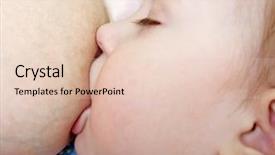
 Presentation with child eat - Cool new presentation with baby breastfeeding - newborn child eat backdrop and a lemonade colored foreground

Baby Breastfeeding Newborn Child

The sweet scent of innocence wafts through the air as a loving mother cradles her newborn child in her arms, basking in the warm glow of a cozy nursery filled with soft Peach Puff Colored hues and high resolution images that seem to dance across the walls. The Corner Title template, designed for those who crave a sense of calm and serenity, is the perfect starting point for creating stunning presentations that convey love, care, and devotion. This template features a 6 x 6 Org Chart Layout slide that provides a clear structure and visual hierarchy, ideal for outlining your organization's chart. The layout includes prominent labels, concise bullet points, and a spacious area for notes, making it easy to organize your thoughts and communicate complex ideas effectively. To enhance this layout further, you can include a Background With feature by embedding a crisp white or light colored image in the background of the chart. Throughout the deck, you'll find four How To slides that will guide you through the process of creating engaging presentations. Starting with these foundational elements, you'll be well on your way to crafting compelling content that resonates with your audience and leaves a lasting impression. As you build upon this template, consider including a Background With element by using a seamless image or clip art that complements the Peach Puff Colored theme. This will help create a cohesive visual identity for your presentations, making it easier for viewers to engage with your message.

 Presentation with child eat - Amazing presentation theme having friendship cartoon - illustration of a child backdrop and a yellow colored foreground

Illustration Child Eat Mushroom -

The Corner Title is a versatile template that can help you elevate your presentation to the next level. Designed with a warm and inviting atmosphere, this template features a charming illustration of a child about to eat a mushroom, set against a serene wheat background, creating a perfect blend of natural and modern elements. This template is available in wide screen format, ensuring an immersive experience for your audience. The template color palette is carefully curated to evoke feelings of comfort and approachability, with a soothing tone that invites interaction. Featuring a mix of earthy tones, pastel shades, and bold accents, this template has the perfect balance to capture attention without overwhelming. The Corner Title is designed to be used as a base for your presentation, allowing you to add your own flair with high resolution images throughout the various slides. The template's wheat color palette lends itself perfectly to showcasing beautiful illustrations or graphics, such as the child eating the mushroom illustration, featuring additional wheat tones and subtle texture. Including a background with warm, natural textures can enhance the overall ambiance of your presentation, while having a theme of "elevating" your content allows you to emphasize the importance of adding visual interest. Enhanced with a clean and modern design, this template is not only visually appealing but also easy to use, making it perfect for presentations on a variety of topics.

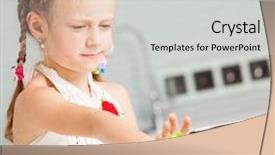
 Presentation with child eat - Beautiful slide deck featuring whimsical - little girl refuses to eat backdrop and a light gray colored foreground

Girl Refuses Eat Salad Child

In a world where health and wellness are a top priority, creating engaging visuals is crucial to communicating valuable information. The design name "FreshStart" perfectly encapsulates the theme of this PowerPoint template, which aims to inspire and educate users on making informed choices about their diet. The template format is Widescreen, providing an immersive experience for users. Its dark khaki color palette creates a sophisticated yet approachable atmosphere, perfect for presentations that require a touch of elegance. The template keywords are lunch, salad, bad, young, and Caucasian, hinting at the diverse demographics that may be interested in this theme. The background images will feature high resolution photos of healthy, colorful ingredients, such as fresh vegetables and whole grains. These images will be used consistently throughout the deck to enhance the overall design and provide visual interest. On a larger scale, users can include a Background With feature, allowing them to customize the template's colors and fonts to match their brand or presentation style. The theme is also enhanced with Having a Theme of Healthy Eating, making it easy for users to stay focused on the topic at hand. The In Summary Layout slide will provide an overview of the key points covered in the deck, including a brief description of the benefits of incorporating healthy eating habits into daily life. Featuring a prominent image of a balanced meal or a person enjoying their favorite salad can add visual appeal and emphasize the importance of making informed choices. This template is downloadable and compatible with Google Slides, allowing users to easily integrate it into their presentations.

 Presentation with child eat - Presentation design with whimsical - little girl refuses to eat background and a coral colored foreground

Girl Refuses Eat Salad Child

In a world where aesthetics matter most, and presentation is everything, one can't help but notice how a well designed template can elevate any content. The Corner Title template takes this concept to the next level with its attention grabbing background images, crisp white space, and harmonious color palette that sets it apart from the rest. This template is specifically designed for businesses and individuals who want to create visually appealing slideshows, whether it's for presentations, reports, or even social media updates. The Widescreen format ensures that your content is showcased in all its glory, from the high resolution images on the background to the clean typography throughout the design. The Pale Goldenrod color palette provides a soft, warm glow that's perfect for showcasing fresh ingredients, healthy meals, and perhaps even a rebellious attitude. Featuring this theme of wellness and nutrition is clear, as it encompasses everything from salads to lunch breaks. Including a Background With a simple yet effective background image, the template has multiple layout options available including Growth Layout which allows you to add a touch of innovation to your slideshows. Having a Theme of allowing users to customize their templates with ease is one of the standout features that set this apart from other similar templates available online.

 Presentation with child eat - Presentation featuring girls-sisters-eat-tasty-breakfast background and a coral colored foreground

Girls Sisters Eat Tasty Breakfast

Imagine you're sipping on a refreshing glass of orange juice with your closest sisters, feeling the warmth of the sun shining down on your faces as you enjoy a delicious breakfast together. The feeling is nothing short of blissful, and it's moments like these that remind you why life is too short to waste time on mundane routines. Whether you're starting your day off right or wrapping up one, this template is designed to enhance your morning routine with the perfect blend of beauty and functionality. The Corner Title template features a stunning Burly Wood Colored design that's sure to turn heads. Widescreen footage high res images are used throughout the template to create an immersive atmosphere, transporting you to a cozy apartment retreat where everything feels just right. From the inviting atmosphere to the mouth watering images of a favorite beverage and breakfast spread, this template is designed to make your presentation stand out. The Burly Wood Colored palette is rich and vibrant, making it perfect for featuring stunning how to slides that showcase step by step instructions on how to get up and running quickly. Imagine creating 4 Member Bio Layout slides that include high resolution images of each team member's personality, skills, and interests. This template can be used as a starting point to create engaging slide decks that highlight your team's unique strengths. Incorporating a Background With theme into this design is simple just select one of the 4 Member Bio Layout features from the corner title template and add some eye catching images to showcase each member's personality. Having a Theme of this design also makes it easy to enhance with additional graphics, such as fun animations or icons that match your company's brand. This Corner Title template is fully downloadable and compatible with Google Slides, making it an ideal choice for anyone looking to create high quality presentations that will impress their audience.

 Presentation with child eat - Slide set featuring little-girl-refuses-to-eat background and a light gray colored foreground

Girl Refuses Eat Salad Child

In a world where food choices are at the forefront of conversations, the image of a teenager turning up their nose at a salad is one that can evoke strong emotions. This Corner Title template is designed to grab your attention and make you think twice about taking on this challenge. Featuring high resolution images in a bold Pale Violet Red Colored background, this template gives you the perfect canvas to express your thoughts. The design Name Corner Title embodies the spirit of resistance, conveying the message that it's okay to stand out from the crowd. With its simple yet striking look, this template is sure to be noticed. Including a background with a subtle texture and a modern font, it adds an extra layer of depth to the overall design. Having a theme of bold statements, this template is perfect for those who want to make their point. Enhanced with creative illustrations, featuring the main character's struggles with food choices, you'll find yourself relatable. As inspiration from real life scenarios comes alive on your screen, highlighting the power of social media in shaping our perceptions. Featuring a mix of everyday moments and witty captions, this template is designed to spark conversations and get people thinking about their own food choices. With its simple yet effective design, it's no wonder that this Corner Title template has been downloaded thousands of times.

 Presentation with child eat - Beautiful PPT theme featuring little-girl-refuses-to-eat backdrop and a lemonade colored foreground

Girl Refuses Eat Salad Child

The world of branding is filled with nuances and subtleties that can elevate a design from ordinary to extraordinary. Corner Title, the latest template from CrystalGraphics, is a masterpiece of typography and aesthetics that promises to make a lasting impression on your audience. Corner Title is specifically designed for use in widescreen formats, where every pixel counts, and its Burly Wood Colored theme provides a rich and earthy backdrop for showcasing your content. The template's high resolution images will transport your viewers to the heart of the matter, whether it's a bustling lunchroom or a fresh salad bar. As you dive into the template, you'll discover that it's more than just a pretty face. Four easy to follow How To slides await, each one providing a valuable tutorial on how to maximize the template's features and make the most of its capabilities. But don't worry if you're new to creating engaging presentations – these slides will walk you through every step with clarity and ease. Corner Title is not just a template, it's an experience. With its rich Burly Wood Colored theme and high resolution images, it's the perfect canvas for featuring your brand's unique personality and style. Including a Background With stunning food photography, having a Theme of vibrant colors to match your brand identity – Enhanced With creative animations to bring your ideas to life.

 Presentation with child eat - Slides having girl child in autumn forest sit on yellow leaves eat apple and pumpkin background and a yellow colored foreground

Girl Child Autumn Forest Sit

The Wide Title template is designed to transport you into the serene world of autumn in the forest, where the vibrant hues of yellow and orange leaves create a warm and inviting atmosphere. This captivating design is perfect for presentations that showcase nature's beauty and warmth, and is sure to leave your audience in awe. The Widescreen format allows you to fill the screen with stunning images, from high resolution backgrounds featuring lush greenery to intricate details such as texture and pattern. The Tan color palette adds a sense of earthiness and coziness, while the Template Keywords forest, wool, young, Caucasian, fruit provide a clear theme that ties in perfectly with the autumnal scene. The template is ideal for showcasing high quality images, whether it's a photo of a young girl sitting on yellow leaves, enjoying an apple or pumpkin, or Featuring a majestic tree with its branches adorned with fall leaves. The accompanying How To slides will walk you through the process of getting started quickly, but one slide in particular stands out as a great example having a Theme of 'Getting Started' and including a Background With stunning high resolution images that showcase your presentation's key features. With 4 Member Bio Layout slides, this template provides a clear structure for showcasing your expertise. The First Member Bio slide is an excellent place to introduce yourself to the audience, while the Second Member Bio slide takes center stage with a clear call to action. Third and Fourth Member Bio slides can be used to provide additional information about your background or work experience.

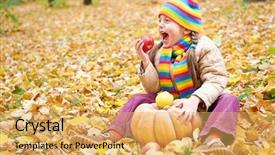
 Presentation with child eat - Slides featuring child eat apple and pumpkin in forest sit on autumn leaves background fall season background and a yellow colored foreground

Child Eat Apple Pumpkin Forest,

Imagine walking through a vibrant forest on a crisp autumn morning, surrounded by the soft crunch of fallen leaves beneath your feet and the warmth of a golden glow in the distance. The scent of ripe pumpkins and the gentle rustle of trees swaying in the breeze create an idyllic atmosphere that is sure to transport you to a world of serenity and natural beauty. The Wide Title template from CrystalGraphics is designed to capture this essence, featuring a beautiful forest scene with towering trees, twinkling fireflies, and a warm sun shining down on a young Caucasian boy sitting at the edge of a tree line, wearing a cozy scarf around his neck. The image is set against a beautifully rendered Burly Wood Colored background that is sure to enhance your presentation. The template format is Widescreen, which will ensure that your slides fit perfectly on any device. With its high resolution images and beautiful color palette, this template is the perfect choice for any presentation. And with CrystalGraphics' easy to use interface, you'll be able to create stunning presentations in no time.

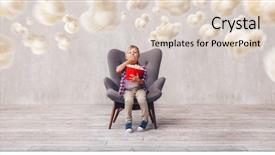
 Presentation with child eat - PPT theme with eating popcorn in the cinema background and a lemonade colored foreground

Child Eating Popcorn Cinema

In the heart of a bustling cinema, where laughter and excitement fill the air, a group of excited kids gather around a massive popcorn bucket, their eyes fixed on the gigantic screen displaying a thrilling movie. The warm glow of the stadium lights illuminates their happy faces as they await the opening credits to begin their cinematic adventure. As the lights dim, the anticipation builds, and soon the crowd erupts in cheers, shouting "Popcorn!" as the iconic movie theme song fills the air. This is where it all begins, the start of a magical journey that transports viewers to far off lands, fantastical worlds, and unforgettable experiences. For those new to using a PowerPoint template, getting started can be overwhelming but fear not! Our Corner Title template is designed to guide you through this process with ease, featuring four How To slides that make it simple to create stunning presentations. From showcasing your high resolution images for the background to including seamless transitions and animations, our template has got you covered. But what really sets us apart is the Panoramic Picture Layout slide a beautiful feature that allows you to display multiple images side by side, creating a stunning visual effect that adds depth and dimension to your presentation. For example, when featuring a movie trailer with multiple scenes from different movies, this layout would allow you to showcase each scene in its own box, giving viewers the ability to explore different aspects of the film. With our template available for download on Google Slides, you can customize it as needed, adding your own personal touch and making it truly unique. So why wait? Dive into our Corner Title template today and start creating presentations that are sure to captivate and inspire!

 Presentation with child eat - Audience pleasing PPT theme consisting of whimsical - little girl refuses to eat backdrop and a light gray colored foreground

Girl Refuses Eat Salad Child

The tiny tyrant refuses to eat her salad, leaving her parent to navigate through a mess of bad choices and young attitudes, all while maintaining a dignified façade with the help of golden tones that illuminate the room, providing a warm glow for our lunchtime conversations. Sidebar Title is a design name that evokes the idea of a side note, a thought provoking remark that breaks away from the main narrative to highlight the importance of this specific detail in the presentation's overall message. This template format offers crisp visuals and a sense of sophistication, perfect for showcasing your personality through high resolution images. The Goldenrod color palette is a masterstroke, blending warm tones with cool undertones to create a visually appealing contrast that adds depth and interest to any design. From the lunchroom scenes to the salad bar displays, this theme seamlessly weaves together different elements to craft an engaging narrative. The resulting artwork is sure to capture your audience's attention. Growth Layout slide sets the stage for our journey, featuring a clear progression from initial curiosity to confident decision making. This particular layout allows us to visualize how the presentation unfolds, providing a glimpse into what to expect on each step of the process. For instance, we could include a background image with a sunny day at the park, representing the start of our adventure and setting the tone for success. As you work through this template, feel free to get creative and enhance it with your own style, adding backgrounds that showcase your personality and incorporating elements like illustrations or textures to give it an extra boost. With these 4 How To slides as a starting point, you'll be well on your way to crafting a compelling presentation that showcases your unique voice and talents.

 Presentation with child eat - Beautiful theme featuring girl child in autumn forest sit on yellow leaves eat apple and pumpkin backdrop and a yellow colored foreground

Girl Child Autumn Forest Sit

In the heart of autumn's golden glow, where trees stand tall and bare, their branches etched against a brilliant blue sky, a young girl sits serene, surrounded by the vibrant colors of the forest floor. The crunch of leaves beneath her feet is music to her ears as she savors the sweet taste of fresh apples and pumpkins, the warm sunlight dancing across her face. It's a moment of perfect harmony, where nature and humanity blend in perfect sync. The Wide Title "Forest Delight" features a beautiful forest background with towering trees, lush foliage, and winding paths, creating a sense of immersion and tranquility. The Burly Wood Colored theme is rich and earthy, evoking the rustic charm of a bygone era. The combination of warm golden tones and deep greens creates a cozy atmosphere that invites the viewer to step into this idyllic world. This template is designed to be versatile and adaptable, making it easy to incorporate your own personal touch. It's perfect for showcasing beautiful high resolution images, such as those featuring wildlife or nature scenes, in a seamless and natural way. The Widescreen format ensures that all elements appear sharp and clear on any device, while the Burly Wood Colored palette adds depth and character to every slide. The template includes four How To slides that provide valuable tips and advice for getting started with your presentation. But don't worry, you can skip these if you prefer after all, the beauty of this template lies in its flexibility! To enhance the overall visual impact, featuring a stunning background image on each slide is perfectly fine, including a beautiful landscape shot or a cleverly designed graphic element. On a more practical note, having a theme of showcasing natural elements and outdoor activities can be incredibly effective. For example, incorporating images of forest walks, camping trips, or hiking excursions could add an extra layer of depth to your presentation and make it truly engaging for your audience. Having a background with subtle textures and patterns can also help to create a sense of atmosphere and mood, drawing the viewer into your world. With this template, you're all set to transport your audience to a magical forest realm, complete with its own unique characters and personalities. Whether you're looking to present about

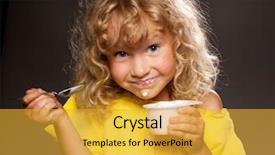
 Presentation with child eat - Presentation having little happy child eating yogurt background and a gold colored foreground

Happy Child Eating Yogurt

Presentation having little happy child eating yogurt

 Presentation with child eat - Slides featuring whimsical - little girl refuses to eat background and a light gray colored foreground

Girl Refuses Eat Salad Child

In a world where bad food choices are on full display, it's time to take control and showcase the power of healthy eating. From lunchtime classics to vibrant salads, today we're going to focus on the Caucasian demographic and explore some eye catching design elements that will elevate your presentation to new heights. The Corner Title template is designed in a sleek Burly Wood Colored style, perfect for presentations that require a touch of sophistication. This high resolution Widescreen format ensures that any image or graphic used is crisp and clear, without any distractions. When it comes to the Keywords, we've used "lunch", "salad", "bad" all words that resonate with our target audience. You'll notice that these keywords are woven throughout the template's design elements, from the background images featuring a bustling lunchtime scene to the text itself, which highlights the importance of making healthy choices. The Burly Wood Colored palette is both timeless and modern, suitable for any corporate presentation. The Hexagon Layout slide is a great example of how this style can be enhanced with interactive features, such as animations or pop ups, that add an extra layer of engagement to your audience. Incorporating images, including a Background With vibrant salad leaves and a young woman confidently holding a healthy lunch option, will draw your viewers in and make them want to learn more. Having a Theme of showcasing the benefits of healthy eating is another great way to engage your audience and encourage them to join you on this journey. Overall, the Corner Title template is a versatile and engaging solution for any presentation that needs to convey the message of healthy eating. With its Burly Wood Colored aesthetic and Hexagon Layout slide, it's sure to make an impression.

 Presentation with child eat - Presentation having still life with tulips and three pears on dark purple background background and a tawny brown colored foreground

Messy Child Eating Doughnuts White

Presentation having little messy child eating doughnuts on a white background background

 Presentation with child eat - Presentation theme featuring whimsical - little child refuses to eat background and a light gray colored foreground

Child Refuses Eat Salad Child

Presentation theme featuring little child refuses to eat salad child looks with disgust for food background

 Presentation with child eat - Slides featuring little child in 3d glasses background and a light gray colored foreground

Child 3d Glasses Eating Popcorn

In the world of entertainment, creativity knows no boundaries and excitement never ends. To bring this energy to your presentation, we present you with the Corner Title template, a stunning widescreen design that's sure to grab attention and leave a lasting impression. This Dark Salmon themed template is specifically designed for studios, TV shows, movies, and other forms of entertainment, featuring high resolution images of popcorn for a fun and lively background. The perfect starting point for your presentation, the Corner Title template offers 4 easy to follow slides that will help you get up and running quickly. From setting the tone to showcasing visuals, this template has got you covered. As you begin your slide deck, be sure to take advantage of the Growth Stages Layout, featuring a gradual transition from a simple background to a more complex design with interactive elements. This layout is perfect for highlighting key points or showcasing different sections of your presentation in a dynamic way. To give it an extra boost, having a theme of "Studio" could include incorporating film reels, cameras, or other visual elements that evoke the world of entertainment. The Enhanced With feature allows you to add more details and context to your slides, making them even more engaging and informative. By including background images with textures, colors, and effects, you can create a immersive experience for your audience, making your presentation feel like a movie within a movie.

 Presentation with child eat - Beautiful presentation design featuring african-child-eating-biscuits backdrop and a coral colored foreground

African Child Eating Biscuits Yard

In a world where small towns and vibrant cultures come alive on screens, this PowerPoint template is designed to bring the warmth and energy of Africa's rural areas into your presentations. Featuring a stunning background image that showcases traditional village architecture, this template promises to transport your audience to the heart of Botswana. With its Dark Khaki color palette, this template is as soothing as it is vibrant, providing a calm yet lively atmosphere that sets the tone for engaging content. The text is in a beautiful font with a slightly italicized effect, giving it a friendly and approachable feel. To give you an idea of what to expect, let's take a look at some of the features this template has to offer. As we delve into its design, notice how each slide is carefully crafted to include high resolution images that bring the scene to life. The Hexagon Layout slide is particularly noteworthy – with its symmetrical arrangement of elements and clever use of negative space, it creates a dynamic visual flow that draws the viewer's eye in. This template is more than just a pretty face; it's also highly compatible with Google Slides, making it easy to upload your own images or modify this design to fit your unique style. With its rich color palette and engaging layout, you'll be able to create presentations that are both visually stunning and easy to understand.

 Presentation with child eat - Cool new presentation theme with funny sequece with a child backdrop and a  colored foreground

Funny Sequece Child Eating Spaghetti

The moment you need to create a visually stunning presentation has arrived. Imagine a warm and inviting atmosphere that immediately puts your audience at ease. A background featuring high resolution images of a cozy Italian kitchen comes into view, complete with a retro style blender and a few scattered pasta dishes. This Wide Title template is designed to make any topic stand out in a crowd. With its focus on broad, attention grabbing statements, it's perfect for presentations that require some serious oomph. The Peru color palette brings in a sense of earthy warmth, while the Caucasian themed mix of colors adds a touch of sophistication. The Widescreen format is ideal for showcasing high quality images and making your content feel more immersive. With this template, you can include a Background With feature to highlight specific elements or scenes within your slide, adding an extra layer of depth and interest. As you work on your presentation, keep in mind that the Who We Are Bio Layout slide will be a great place to introduce yourself and establish your authority on the subject matter. This is where you get to showcase your expertise and make a strong first impression. The template itself is downloadable and compatible with Google Slides, making it easy to import into your presentation software of choice. With its customizable keywords and a theme that includes spaghetti as one of the featured words, this template has everything you need to create a engaging and memorable presentation.

 Presentation with child eat - Audience pleasing slides consisting of child eats burger on grey backdrop and a  colored foreground

Child Eats Burger Grey Background.

Slides consisting of child eats burger on grey background male child with hamburger backdrop

 Presentation with child eat - Slide deck consisting of child eats burger on grey background and a  colored foreground

Child Eats Burger Grey Background.

As you navigate through your lunch break, something catches your eye a juicy beef burger, perfectly cooked and waiting to be devoured. The warm glow of the sun sets slowly on the horizon, casting a golden light over the scene. In this serene atmosphere, a Caucasian child takes a big bite of the burger, their happy expression radiating joy. You can almost hear the sound of sizzling meat filling the air, mingling with the aroma of freshly baked bread. The Dark Salmon template is designed to bring a sense of sophistication and elegance to your presentation. The Widescreen format ensures that the image fills the entire screen, making it easy to focus on the details. The high resolution images for the background create a sharp and crisp visual effect, while the theme of featuring bold colors will help you stand out from the crowd. This template is perfect for showcasing your favorite foods or images, whether it's lunchtime or any other moment that calls for a delightful feast. With its Dark Salmon color palette, it's sure to make a statement. You can include a Background With rich textures and patterns to enhance the overall look of your presentation. Having a Theme of elegant typography will add an extra layer of sophistication to your content.

▼Key features of this template

  • They are compatible with both PowerPoint and Google Slides running on either Windows PCs or Macs.

  • They are available in both standard and widescreen slide formats. You can choose your preferred format by clicking on the "Widescreen" check box or icon.

  • Each template includes a beautiful high-resolution background image or video to visually reinforce the theme of your presentation.

  • In addition, each template includes designer-created graphics and modern fonts to give your presentations an up-to-date, professional look.

  • Each template's default design and title text position have been carefully selected to complement its background without covering faces or other key elements.

  • All text includes backdrops whose transparency level is mathematically calculated to maximize text readability while still allowing the background to be seen.

  • And all the text, text backdrops and graphics in every slide are colored with a palette designed to beautifully complement the colors in the background.

  • Our Premium templates (those with the descriptor “Premium” in their subtitle) include over 64 slide layouts to give you maximum flexibility as you create your presentations.

    • Those layouts are available to you whenever you create a new slide or when you want to change the layout of an existing slide.
    • They include everything you need to make all sorts of presentations. In addition to the layouts for the title slide and the usual title and content slide, they include many other layouts for slide types including table of contents slides, org charts, charts, diagrams, infographics, photo slides, thank you slides and more.
    • While creating these layouts our template designers have ensured that all text in every layout adjusts as gracefully as possible to various numbers of words.
  • Customizable templates (those with the descriptor “Customizable” in their subtitle) may be easily modified online before you download them.

    • To modify them, simply click on the pencil editing icon, then select your choice of ready to go designs and title text positions.
    • The editing tool also makes it easy to reposition and scale the background image or video to best suit your needs.

▼FAQs

Please review these FAQs to see if your question is answered. Contact us for more info

  • What is a PowerPoint template?

    • A well designed PowerPoint template is a file that can tell PowerPoint how to make your ordinary templates look extraordinary. They won’t change what your words or numbers say. But they might change their size, color, font and placement. And, overall, they can give your presentations a professionally-designed look that will give your content more credibility and give you more confidence.
  • How many PowerPoint templates do you offer?

    • We have over 32,000 artist-created presentation templates in our PowerPlugs collection With a subscription, PowerPlugs templates are easy to download. Just sign in, find a template and click on the green Download button. ready for you to download. That alone offers you more variety to choose from than any of our competitors can offer. And, as if that weren’t enough, we also offer over 6 million templates in our Crystal collection. Crystal brand templates are our line of templates that have customization options. They have the word "CRYSTAL" on their web page images. You can customize several aspects of the templates. These templates include high-resolution background images from Shutterstock’s vast image collection matched up with artist-created presentation designs customized by our own proprietary AI software.
  • How many templates can I download as a subscriber?

    • You can download an unlimited number of PowerPlugs-brand With a subscription, PowerPlugs templates are easy to download. Just sign in, find a template and click on the green Download button. templates every day for an entire year. (Actually, by default, we set a limit of 25 templates per day to prevent our competitors from stealing our templates. But, if that is not enough, just let us know and we’ll try to accommodate you.) On top of that, with a subscription or an Ultimate Combo, you can also download any 50 Crystal-brand Crystal brand templates are our line of templates that have customization options. They have the word "CRYSTAL" on their web page images. You can customize several aspects of the templates. templates per year selected from our huge Crystal collection. Crystal brand templates are our line of templates that have customization options. They have the word "CRYSTAL" on their web page images. You can customize several aspects of the templates. .
  • Why should I choose your templates instead of the competition’s?

    • We’ve got a larger selection of professionally-designed PowerPoint templates than anyone else in the world.
    • Each template includes a high-resolution background image or video to visually inspire your audiences while reinforcing your message.
    • Each template includes 64 slide layouts to give you maximum flexibility as you create your presentations.
    • Our templates are available in both standard and widescreen slide formats. And our website lets you preview the slides each way.
    • Our free Template Finder™ plugin lets subscribers select and - with a single click - download and insert our templates into their presentations right from within PowerPoint.
    • We’ve been creating designer presentation templates for over 20 years. During that time we’ve won several awards and 5-star ratings for product quality. See About Us for more.
  • Do you offer a money-back guarantee?

    • Yes we do! We offer full 30-day money-back guarantee if you are not 100% satisfied with your purchase.
  • Can I still use my downloaded templates after my subscription runs out?

    • Yes. After your subscription expires, you won't lose any rights or ability to use your PowerPlugs: Templates for PowerPoint. You won't be able to download any new non-watermarked templates. But the non-watermarked templates you've already downloaded will still work and you can still use them as before.
  • Can I share my downloaded templates or passwords with friends or coworkers?

    • Sorry but no. You are authorized to download each paid-for template to up to 3 of your personal devices and to use the templates you download in as many presentations as you want. But you are not authorized to share the templates, themselves, with others. That said, we do offer highly discounted site licenses to suit the needs of both small and large teams. Just tell us your needs and we’ll give you a quote!
  • System requirements:

    • The templates use the standard POTX format. So they are compatible with Google Slides and all PC, Mac and mobile devices running any version of PowerPoint from PowerPoint 2007 up through and including Office 365 desktop.
    • Please note: Google Slides does not currently support background videos. It treats them as still images.
    • For PowerPoint for the Web, first open your template into a desktop version of PowerPoint, then save it back out as a PPTX file. Then you can open that in PowerPoint for the Web.
  • End user license agreement:

    • Click here to view.
  • How will I get my purchased templates?

    • You may download your selected templates as soon as your payment is received by PayPal. If you purchased an individual template, you will be provided with a download link both onscreen and via email. Just click on that link to begin the download process. If you purchased a subscription, you will receive an email containing a password to use along with your email address to sign in to any of the templates pages on CrystalGraphics.com. Once you are signed in, you can immediately start downloading your selected templates.
  • How do I use my templates after I download them?

    • You can either open a template to start a new presentation or you can add a template to an existing presentation. To open a template, just double click on it or use PowerPoint's File > Open tool. To add a template to an existing presentation, on the Design tab, in the Themes group, click Browse for Themes... then browse to select your template.

View more Child Eat templates:

previous 1 2 next
93% of Fortune 1000
companies use our
PowerPoint Products
Templates Secure

Standing Ovation Award
Winner: Best PowerPoint
Template Collection
Fortune Logos
200,000+ satisfied
customers worldwide!
Guarantee
100% satisfaction guaranteed
- or send it back for a refund!

Sign up for our free newsletter! You'll get news about our PowerPoint-enhancing product line – including free updates, new product announcements and exclusive special offers. Plus you'll get a link to a free PowerPoint template with every newsletter you receive.
Privacy Policy
Loading...


Help

Contact Us
Product FAQs
Product License Agreements

Company Info

About Us
Privacy Policy
CrystalGraphics, Inc. 1999 S. Bascom Avenue Suite 700 Campbell, CA 95008 USA
© 2026 CrystalGraphics, Inc. All rights Reserved.    |     PowerPlugs is a trademark of CrystalGraphics, Inc.
Microsoft and the PowerPoint logo are trademarks or registered trademarks of Microsoft Corporation in the United States and/or other countries.
Loading...
Loading...