www.crystalgraphics.com CrystalGraphics
  • Ultimate Combo
  • Templates
  • Diagrams
  • Characters
  • Quizzes
  • shopping cart
  • Sign Out Sign Out Sign In
Home > Templates > Computer > Computer Components Category
search icon
advanced icon

52 Best Computer Components-Themed Templates
for PowerPoint & Google Slides

CrystalGraphics creates templates designed to make even average presentations look incredible. Below you’ll see thumbnail sized previews of the title slides of a few of our 52 best computer components templates for PowerPoint and Google Slides. The text you’ll see in in those slides is just example text. The computer components-related image or video you’ll see in the background of each title slide is designed to help you set the stage for your computer components-related topics and it is included with that template. In addition to the title slides, each of our templates comes with 17 additional slide layouts that you can use to create an unlimited number of presentation slides with your own added text and images. And every template is available in both widescreen and standard formats. With over 6 million presentation templates available for you to choose from, CrystalGraphics is the award-winning provider of the world’s largest collection of templates for PowerPoint and Google Slides. So, take your time and look around. You’ll like what you see! Whether you want 1 great template or an ongoing subscription, we've got affordable purchasing options and 24/7 download access to fit your needs. Thanks to our unbeatable combination of quality, selection and unique customization options, CrystalGraphics is the company you can count on for your presentation enhancement needs. Just ask any of our thousands of satisfied customers from virtually every leading company around the world. They love our products. We think you will, too!

Features & Pricing

Widescreen (16:9) Presentation Templates. Change size...
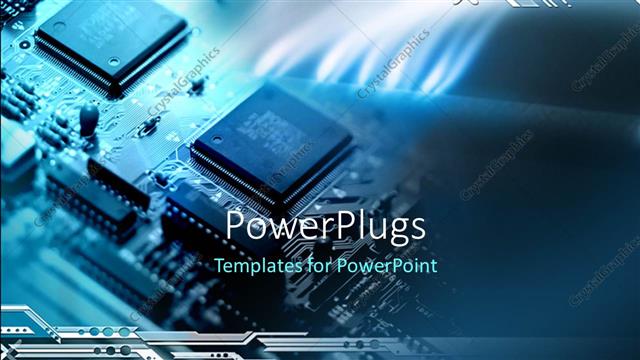
 Presentation with computer components - Abstract blue background with computer components and lines

Tech Background

Abstract blue background with computer components and lines

 Presentation with computer components - Presentation theme enhanced with high technology - computer electronics close background and a ocean colored foreground

High Technology Computer Electronics (

Creating a visually striking template that combines high resolution images with a metallic steel blue color palette can make any presentation stand out. The Wide Title design is a great starting point for presentations about electronics, collage, data, project, or output. This template features 4 How To slides at the start of the deck to help users get up and running quickly. These slides could include examples such as "Setting Up Your Presentation", "Adding Images and Text", "Customizing Your Template", and "Exporting Your Work". This layout allows users to easily navigate through your presentation and find what they need. To enhance the theme, I've included high resolution images of computer electronics in various settings. These images will add a dynamic touch to your presentation and help you visualize complex concepts. A similar style could be used for slides featuring diagrams or illustrations related to electronics. The template is also compatible with Google Slides, making it easy to create and edit your presentation on the go. The Widescreen format ensures that all elements remain clear and legible, even at high resolutions. To take it a step further, I've included a background image of a metallic steel blue table or console, giving your presentation an sleek and modern look. This template is perfect for anyone looking to create a professional looking presentation with a focus on electronics, data, project, or output. It's easy to customize and can be used in conjunction with other design elements such as images, charts, and tables. With this template, you'll be well on your way to creating engaging presentations that will leave a lasting impression on your audience.

 Presentation with computer components - Slide deck enhanced with electronic project or prototype making background and a tawny brown colored foreground

Electronic Project Prototype Making Bare

In the world of electronic projects and prototypes, where innovation meets technology, a well designed template is key to bringing your vision to life. A powerpoint template that stands out from the crowd is the Wide Title design, a stunning presentation that exudes sophistication and creativity. Featuring high resolution images for its background, this template is perfect for showcasing complex circuit boards or semiconductor components on a worktable. With its rich Sienna color palette, it's sure to enhance any project with a warm and inviting tone. This Widescreen format is ideal for showcasing multiple panels or slides in a single presentation, making it easy to keep your audience engaged. Whether you're working on a small repair project or a large scale server installation, this template provides the perfect canvas for showcasing your creations. For instance, if you were to create a prototype of an electronic device, the Wide Title design would be an excellent choice. Including a background with geometric shapes and lines that evoke a sense of technology, it's sure to feature a compelling theme. Having a theme of simplicity and elegance, it offers endless possibilities for customization and personalization. In addition to its professional look, this template is also downloadable and compatible with Google Slides, making it an excellent choice for anyone looking to enhance their presentations without breaking the bank. With its extensive keywords such as small repair server circuit semiconductor, you're sure to find a wealth of inspiration within the design.

 Presentation with computer components - Cool new presentation design with electronic components - technician fixing computer hardware backdrop and a white colored foreground

Technician Fixing Computer Hardware

As you delve into the world of computer hardware repair and maintenance, one must navigate through the intricacies of microchips, memory, and networks to ensure the smooth functioning of even the most complex systems. The Corner Title template is designed to be your guide, providing a foundation for a comprehensive presentation that showcases the inner workings of technology. The Widescreen format allows for an immersive experience, while the Light Steel Blue color palette provides a clean and professional look. This cohesive design will transport your audience into the world of high resolution images featuring microchips, memory modules, and networks in all their glory. Incorporating a Background With feature will enhance the visual appeal, providing a dynamic backdrop that showcases these complex components up close. The template's Circular Step Layout slide is particularly useful for highlighting key concepts such as repairing and maintaining computer hardware. By featuring this layout, you can clearly illustrate how different systems are interconnected, making it easier to understand even the most technical aspects of repair. Including a Background With element will further enhance its effectiveness in communicating complex ideas. The Corner Title template is designed to be downloadable and compatible with Google Slides, ensuring that your presentation is accessible on any device. The enhanced theme of technology makes it an ideal choice for presentations focused on computer hardware repair and maintenance, making it easier to create a cohesive and engaging narrative.

 Presentation with computer components - PPT layouts having white blank space and closeup of electronic components unit part circuit diagram computer equipment and digital microchip - diy kit for learning training and development of electric circuits background and a white colored foreground

White Blank Space Closeup Electronic

This DIY electronic circuit design template is perfect for anyone looking to learn and create their own electric circuits. The template features a blank canvas with a focus on high resolution images that evoke the feeling of exploring the world of electronics. The template format is Widescreen, ideal for showcasing detailed electronic components such as radio equipment, white digital microchips, and integrated circuit parts. A versatile template suitable for various learning environments, teaching DIY kits to aspiring electronics enthusiasts. This innovative design combines Cornflower Blue with subtle accents of white, creating a striking visual identity that inspires creativity and fosters curiosity. As you delve into the world of electric circuits, the background features high resolution images of close up electronic components, unit diagrams, parts, and circuit boards. These visuals will draw your attention and spark imagination. The template is downloadable and compatible with Google Slides, making it easily accessible to users worldwide. By featuring a unique layout that includes a Background With Electronic Components, Having a Theme Of Learning, and Enhanced With Digital Elements, the design ensures an engaging learning experience. Incorporating various keywords such as radio, white, DIY, copy space, integrated circuit, high resolution images for the background, and compatibility with Google Slides adds to the template's value. The SWOT Analysis Layout slide is a valuable addition, offering insight into the pros and cons of designing electronic circuits from scratch. For those looking to create their own DIY kit or develop an electric circuit project, this template provides a solid foundation. Including a Background With Electronic Components and Having a Theme Of Learning creates a cohesive learning environment that encourages creativity and experimentation.

 Presentation with computer components - Slide set with overhead-flat-lay-shot background and a dark gray colored foreground

Overhead Flat Lay Shot Electronic

In the world of electronic engineering and computer hardware design, there's no better way to showcase complex concepts than through visually striking images. Take the Split Title template from CrystalGraphics, featuring a high resolution image of circuit board components on a sleek black background, perfect for creating an immersive learning experience for students or professionals alike. This template is designed in Widescreen format, ideal for presentations and digital slideshows that require a large visual canvas. The Teal color palette adds a touch of sophistication, making it suitable for both professional and creative projects. With its comprehensive keywords, such as circuit board, computer part, components, electronics, and data, this template is sure to engage audiences from all walks of life. The Split Title template includes four How To slides that offer valuable insights into the design process. The first two slides provide a quick start guide, covering essential concepts and techniques for getting started with electronic engineering projects. For instance, on the "Getting Started" slide, you could include a Step Funnel Layout to help users visualize the project workflow. This would feature an illustration of a circuit board with various components connected in a logical order. As users progress through the template, they can enhance their skills by including a Background With high resolution images from the Split Title template on their presentations, making it easier for them to create engaging and informative content. Having a Theme of showcasing technical concepts in an accessible way is Enhanced With this template, making it an ideal choice for anyone looking to leverage its features.

 Presentation with computer components - Slide set having detail-of-a-cpu-processor background and a dark gray colored foreground

Detail Cpu Processor Over Socket

With every new microprocessor installation, there's no shortage of excitement as you uncover the intricate workings within. The intricacies of semiconductor components and how they fit together seamlessly on the motherboard surface are truly awe inspiring. Our template is designed to make your presentation pop with a rich sea green color palette that sets the tone for an informative and engaging discussion about microprocessors, their design, and how they work. Featuring high resolution images of computer motherboards and CPU processors over their sockets, our template will give you the perfect backdrop for showcasing complex technical concepts. This stunning template is compatible with Google Slides and can be easily downloaded to use on your presentation. To enhance the user experience, we've included a comprehensive design name Microprocessor Master Template that highlights its focus on microprocessors and semiconductor components. From the detailed close up images of computer motherboards and CPU processors, to the enhanced bulb puzzle layout slide that adds an interactive element to the presentation, every aspect has been carefully considered to ensure a captivating and informative viewing experience. The template is designed to be downloadable and compatible with Google Slides, making it easy to incorporate into your own presentations.

 Presentation with computer components - Audience pleasing slide set consisting of electronic components - using soldering tool backdrop and a light blue colored foreground

Using Soldering Tool Computer Parts.

Imagine walking into a dimly lit workshop, surrounded by rows of humming computers and wires, where the sweet scent of soldering oil fills the air. The flickering fluorescent lights above cast an eerie glow on the technicians tinkering with the machinery, their faces bathed in the soft blue light of their LED screens. The Corner Title template is designed to bring a touch of industrial chic to your presentations, particularly those focused on technology and repair. This Widescreen widescreen format ensures your slides will be easily visible on high resolution monitors, while the Light Steel Blue color palette provides a sleek and modern backdrop for showcasing technical information. The template's keywords are carefully curated to fit perfectly with various subjects, such as electricians repairing computers, rosin being applied to circuit boards, and soldering techniques. The four How To slides at the start of the deck will help you quickly get up and running with your presentation, featuring step by step guides that walk your audience through troubleshooting common issues or demonstrating complex technical concepts. The In Summary slide can highlight key takeaways from these short tutorials, providing an overview of what to expect. Overall, this template is a valuable addition to any presenter's toolkit, enhancing their content with a professional and engaging theme.

 Presentation with computer components - PPT theme having overhead-flat-lay-shot background and a dark gray colored foreground

Overhead Flat Lay Shot Electronic

To create a visually striking and informative PowerPoint template that showcases electronics and computer components, consider the Corner Title design. This modern yet timeless template features a dark slate gray color palette with high resolution images for the background, providing an excellent foundation for any presentation or project. TheCorner Title template is designed to be downloadable and compatible with Google Slides, making it easy to incorporate into your workflow. Its elegant style and clean layout are perfect for presentations that require a professional yet approachable tone, such as technical training sessions, product launches, or conference presentations. As you delve deeper into the presentation, you'll notice four key sections that provide a solid foundation for success. The first section features the 4 How To slides, each designed to guide your audience through a step by step process, helping them get up and running quickly with the template. These slides are perfect for tutorials or training materials. When building upon this design, consider including a background image featuring high resolution electronic components, such as circuit boards or computer parts. Having a theme of showcasing cutting edge technology can enhance your presentation's visual appeal and keep your audience engaged. The 5 Steps to Success layout slide is an ideal opportunity to include additional information that sets your template apart from others in the market. For example, you could provide a brief overview of the benefits of using this template, highlighting its compatibility with Google Slides and high resolution images.

 Presentation with computer components - Slides having closeup of electronic components printed circuit board unit part circuit diagram computer equipment and digital microchip - diy kit for learning training and development of electric circuits background and a coral colored foreground

Closeup Electronic Components Printed Circuit

In the heart of any electronic project lies a masterpiece of DIY skills and now, thanks to CrystalGraphics, the talented team behind Split Title, you can unlock your creativity with ease. This visually stunning template is a high resolution masterpiece, designed specifically for Googel Slides users. Featuring an exquisite combination of pale violet red colored hues, it brings to life the world of electronics in perfect harmony. Upon initial glance, the four slide starters – How To – Dive Into The Project, Guide To Integration Having A Theme Of Circuitry, Introduction Featuring High Resolution Images Incorporating A Background With a Printed Circuit Board And More, and Expert Tips For Training And Development Enhanced With Digital Microchip Graphics will catch your attention instantly. These slides are the perfect starting point for getting you up and running quickly, covering the essentials of creating an electronic circuit from scratch. The four slides at the start of this deck offer valuable guidance to help you navigate through the process, setting the tone for a seamless learning experience. The Four Arrows Layout on each slide provides a comprehensive overview of the project, making it easier for beginners to grasp and understand the intricacies involved. From guiding users through their first steps in creating a circuit to showcasing high resolution images featuring printed circuit boards, having a theme of digital microchips running throughout the slides adds an extra layer of depth, reinforcing the importance of this aspect of electronic projects. The template itself is a true delight for designers and tech enthusiasts alike, providing endless opportunities for customization with its versatile color palette and inclusion of various keywords such as radio, red, white, DIY, integrated circuit. With its simple yet effective design, Split Title is an unbeatable choice for anyone looking to create stunning presentations on Googel Slides that truly showcase their skills in electronics.

 Presentation with computer components - Colorful presentation design enhanced with overhead-flat-lay-shot backdrop and a dark gray colored foreground

Overhead Flat Lay Shot Electronic

In the heart of any modern computer system lies a complex web of interconnected components, each playing a vital role in the functioning of the device. From the subtle nuances of circuitry to the grandeur of high resolution graphics, every detail is crucial in creating an immersive and engaging visual experience. This template is designed to bring these elements together in a visually stunning way, featuring 4 How To slides at the start of the deck to help you get up and running quickly. With its Dark Slate Gray color palette and inclusion of a background with subtle textures, this template is sure to enhance your presentation with an already sleek theme. Imagine presenting a static image of electronic computer components on a black background, each component meticulously arranged in a thoughtful layout that showcases the intricate details of the gear. From the silhouettes of CPUs and GPUs to the whimsical designs of circuit boards, this template provides the perfect backdrop for showcasing your creations. To give you an idea of what it could look like, consider featuring 4 How To slides at the start of your deck, each one covering a different aspect of creating stunning presentations. For instance, you could Include a Background With subtle animations and transitions to enhance the user experience, Having a Theme of creativity and self expression, or Featuring high resolution images for added depth and texture. This template is designed to be downloaded and compatible with Google Slides, making it easy to bring your ideas to life in minutes.

 Presentation with computer components - Presentation consisting of data recovery - printed green computer circuit board background and a forest green colored foreground

Printed Green Computer Circuit Board

As you embark on your digital journey, imagine yourself standing in front of a sleek and modern computer setup, surrounded by the hum of machinery and the glow of high resolution screens. The air is thick with the scent of freshly soldered components and the sound of ticking clockwork. This is where it all begins, and our Corner Title template is here to guide you through the process. Our template features a dark green color palette that evokes the feeling of a high tech laboratory, complete with microprocessor like circuit boards and platter style backgrounds that resemble ancient data storage devices. The images are rich in detail, showcasing intricate mechanical components and futuristic designs that will transport you to a world of endless possibility. The template is designed for widescreen presentation, making it perfect for Google Slides. With its high resolution images, you'll be able to showcase your creations with crystal clarity. And the best part? You can download and use this template immediately, without any technical expertise required. To get started quickly, we've included four How To slides that will walk you through the process of creating a stunning presentation. These slides are designed to be easy to follow, even for those new to PowerPoint. On the Chart with Caption Layout slide, you'll find a beautiful background image featuring a stylized data chart, complete with captions and labels that highlight key statistics and trends. This template is perfect for anyone looking to showcase their data in a visually stunning way. Whether you're a data analyst, an engineer, or simply someone who loves technology, our Corner Title template has got you covered. With its dark green color palette, high resolution images, and easy to use design, this template is sure to enhance your presentation and leave a lasting impression on your audience.

 Presentation with computer components - Cool new theme with group of homemade cookies and a cup of warm cacao drink on a white background backdrop and a white colored foreground

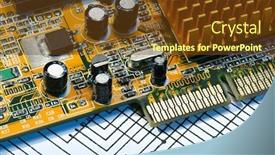
Computer Mainboard Many Electronic Components

Theme with computer mainboard with many electronic components

 Presentation with computer components - PPT theme consisting of white blank space and closeup of electronic components unit part circuit diagram computer equipment and digital microchip - diy kit for learning training and development of electric circuits background and a white colored foreground

White Blank Space Closeup Electronic

The allure of tinkering with electronics is undeniable. For those looking to dive into the world of DIY circuits and electric components, a comprehensive template is just what they need. The design name "Electronics Workshop" is short for its functionality, while "Raspberry Pi Companion" highlights its compatibility with this popular microcomputer. This PowerPoint template format, Widescreen, provides an immersive experience for learners and enthusiasts alike. The Peru color palette brings warmth and depth to the design, evoking a sense of creativity and experimentation. The template keywords radio, white, DIY, copy space, integrated circuit are carefully curated to reflect the cutting edge nature of electronics. A showcase of high resolution images is presented on the Background slide, featuring intricate close ups of electronic components, units, parts, and circuit diagrams. These detailed images make it easy for users to visualize the complex systems they're about to work with. The template's overall aesthetic is one of unity, blending seamlessly into any digital environment. Its compatibility with Google Slides ensures smooth integration into presentations, making it an ideal choice for those looking to enhance their learning and training processes. The four How To slides at the start of the deck offer a solid foundation for getting started quickly, but no specific steps are outlined allowing users to build upon this template as they see fit. The "Electronics Workshop" PowerPoint template is a valuable addition to any DIY enthusiast's toolkit, serving as a versatile and inspiring base for projects. Its Enhanced With theme provides an environment where creativity can flourish, making it the perfect choice for those looking to dive into the fascinating world of electronics.

 Presentation with computer components - Amazing presentation having computer motherboard electrical components backdrop and a teal colored foreground

Computer Motherboard Electrical Components

As you delve into the realm of computer hardware and electronics, your attention is drawn to the intricate web of components that make up the foundation of modern technology. The Wide Title template by CrystalGraphics is an exquisite choice for presentations that aim to showcase high quality visuals and convey complex information in a visually appealing manner. This 5 Part Presentation Layout (PPL) template features a Widescreen format, perfect for engaging audiences with high resolution images as its backdrop. The Cornflower Blue color palette provides a clean and professional foundation for your content, while the keywords electronics, high, IC, up, communication perfectly encapsulate the theme of the presentation. This template is downloadable and compatible with Google Slides, making it easy to incorporate into your presentations. Featuring a background image that showcases computer motherboards or electrical components, this template will enhance your audience's understanding of these complex topics. Including a theme of showcasing high quality visuals, this template will have a theme of "Computer Hardware and Electronics" and will feature illustrations and diagrams to illustrate the intricacies of modern technology. Having a focus on detailed information, this template is perfect for presenting technical data or explanations that require visual aids. Enhanced with 4 How To slides at the start of the deck, these slides provide helpful tips and guidance for getting started quickly and efficiently.

 Presentation with computer components - Colorful presentation theme enhanced with disassembled computer monitor with internal backdrop and a gray colored foreground

Disassembled Computer Monitor Internal Components,

Presentation theme enhanced with disassembled computer monitor with internal components close up backdrop

 Presentation with computer components - Slides enhanced with disassembled computer monitor with internal background and a light gray colored foreground

Disassembled Computer Monitor Internal Components,

Slides enhanced with disassembled computer monitor with internal components isolated on white

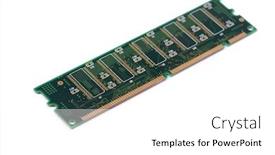
 Presentation with computer components - Cool new slides with green-stick-of-ram-memory backdrop and a white colored foreground

Green Stick Ram Memory Computer

In the midst of a digital world where data reigns supreme, one concept stands out megabytes and gigabytes, symbols of information overload. A well designed template can help users navigate this vast landscape with ease. Introducing Split Title, a versatile PowerPoint template that brings attention to the importance of digital literacy. The design name pays homage to its ability to split large amounts of data into manageable chunks. With Widescreen format, you'll have plenty of space to showcase high resolution images, creating an immersive experience for your audience. The medium turquoise color palette provides a calming background, ideal for focusing on key messages. Featuring a prominent image of computer components on the left side of the slide, Split Title emphasizes the importance of understanding data structures and connections between them. This template is downloadable and compatible with Google Slides, making it an excellent choice for businesses, educators, and anyone seeking to enhance their presentation skills. As users begin creating their own presentations using this template, they'll be able to easily add or remove sections as needed, thanks to the 4 How To slides at the start of the deck. These slides provide a solid foundation for any presentation, helping to get up and running quickly. Having a theme of data analysis and visual storytelling, Split Title offers an enhanced experience for users who want to convey complex information in an engaging manner. With its sleek design and customizable layout, Split Title is perfect for anyone looking to create informative and visually appealing presentations that leave a lasting impression on their audience.

 Presentation with computer components - Audience pleasing slide set consisting of overhead-flat-lay-shot backdrop and a dark gray colored foreground

Overhead Flat Lay Shot Electronic

Slide set consisting of overhead flat lay shot of electronic computer components on black background

 Presentation with computer components - Slides having disassembled computer monitor with internal background and a light gray colored foreground

Disassembled Computer Monitor Internal Components,

Slides having disassembled computer monitor with internal components isolated on white

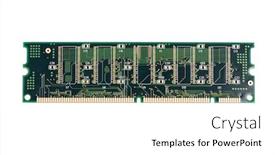
 Presentation with computer components - PPT layouts featuring green-stick-of-ram-memory background and a white colored foreground

Green Stick Ram Memory Computer

You've got a lot on your plate, but don't let it stick to the side of the computer screen. Design Name Corner Title is here to help you get up and running quickly with our Widescreen template featuring a stunning Medium Aquamarine color palette, perfect for showcasing high resolution images that include featuring some of the most important information about megabytes, white backgrounds, gigabytes, bit connection and more. This template is designed to be easy to use, even for those new to creating presentations. With its high resolution images, you'll have plenty of opportunities to include a background with a beautiful image on your grid layout slide. Take it as an example imagine having a stunning picture of a computer system plugged into a gigabyte cable, or a megabyte storage drive with some green RAM sticks adding visual interest. Corner Title is downloadable and compatible with Google Slides, so you can start creating your presentation right away. And the best part? You don't have to break the bank just head over to our website to download it and get started. With 4 How To slides at the beginning of the deck, you'll be able to get up and running quickly with minimal fuss. These slides are designed to help you set everything up in no time, so even if you're a beginner, you should be able to figure out how to use this template within just a few minutes. On the fourth slide, we've included some additional features that will make your presentation truly stand out. Take a look at how we've featured a list of key terms and definitions in a clear and easy to read format it's perfect for including a background with a bold title or subtitle to add emphasis. Whether you're looking for a template that's easy to use and customizable, or one that will help you stand out on the big stage, Corner Title is here to help. With its Medium Aquamarine color palette, high resolution images, and grid layout features, this template is sure to enhance your presentation in every way.

More Computer Components templates for PowerPoint and Google Slides:

previous 1 2 3 next
93% of Fortune 1000
companies use our
PowerPoint Products
Templates Secure

Standing Ovation Award
Winner: Best PowerPoint
Template Collection
Fortune Logos
200,000+ satisfied
customers worldwide!
Guarantee
100% satisfaction guaranteed
- or send it back for a refund!

Sign up for our free newsletter! You'll get news about our PowerPoint-enhancing product line – including free updates, new product announcements and exclusive special offers. Plus you'll get a link to a free PowerPoint template with every newsletter you receive.
Privacy Policy
Loading...


Help

Contact Us
Product FAQs
Product License Agreements

Company Info

About Us
Privacy Policy
CrystalGraphics, Inc. 1999 S. Bascom Avenue Suite 700 Campbell, CA 95008 USA
© 2025 CrystalGraphics, Inc. All rights Reserved.    |     PowerPlugs is a trademark of CrystalGraphics, Inc.
Microsoft and the PowerPoint logo are trademarks or registered trademarks of Microsoft Corporation in the United States and/or other countries.
Loading...
Loading...