www.crystalgraphics.com CrystalGraphics
  • Ultimate Combo
  • Templates
  • Diagrams
  • Characters
  • Quizzes
  • shopping cart
  • Sign Out Sign Out Sign In
Home > Templates > Data Backup Category
search icon
advanced icon

9 Best Data Backup-Themed Templates
for PowerPoint & Google Slides

CrystalGraphics creates templates designed to make even average presentations look incredible. Below you’ll see thumbnail sized previews of the title slides of a few of our 9 best data backup templates for PowerPoint and Google Slides. The text you’ll see in in those slides is just example text. The data backup-related image or video you’ll see in the background of each title slide is designed to help you set the stage for your data backup-related topics and it is included with that template. In addition to the title slides, each of our templates comes with 17 additional slide layouts that you can use to create an unlimited number of presentation slides with your own added text and images. And every template is available in both widescreen and standard formats. With over 6 million presentation templates available for you to choose from, CrystalGraphics is the award-winning provider of the world’s largest collection of templates for PowerPoint and Google Slides. So, take your time and look around. You’ll like what you see! Whether you want 1 great template or an ongoing subscription, we've got affordable purchasing options and 24/7 download access to fit your needs. Thanks to our unbeatable combination of quality, selection and unique customization options, CrystalGraphics is the company you can count on for your presentation enhancement needs. Just ask any of our thousands of satisfied customers from virtually every leading company around the world. They love our products. We think you will, too!

Features & Pricing

Widescreen (16:9) Presentation Templates. Change size...

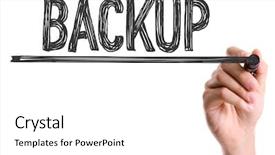
 Presentation with data backup - Cool new slide deck with meta data - hand with marker writing backdrop and a white colored foreground

Hand Marker Writing Word Backup

In the world of technology and data management, securing sensitive information is crucial to prevent loss or compromise. A well designed powerpoint template can play a vital role in helping users develop effective backup strategies. Introducing "DataGuardian" a customizable template that features high resolution images for a cloud like misty rose color palette. This template format is ideal for wide screen presentations, making it perfect for showcasing complex data management concepts to a large audience. The design name itself conveys the importance of safeguarding valuable information in today's digital landscape. For those new to presentation software, "DataGuardian" offers four valuable slides at the beginning of the deck to help users get up and running quickly. These slides provide an overview of the template's features, such as Enhanced With our high resolution images and Featuring a seamless circular approach layout that makes it easy to navigate through complex content. The Circular Approach Layout slide is particularly notable for its clean and intuitive design, featuring a stylized image of a marker writing the word Backup against a misty rose background. This type of layout has been included in various presentations to emphasize key points and provide visual interest. With "DataGuardian", users can include this style with confidence, enhancing their overall presentation experience. As an added bonus, downloading "DataGuardian" is easy, as it's compatible with Google Slides, making it a versatile tool for professionals and students alike.

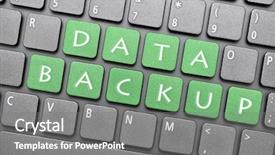
 Presentation with data backup - Slide deck consisting of data backup key on keyboard background and a gray colored foreground

Data Backup Key Keyboard

The power of data backup is only as strong as its weakest link, and that's where the keyboard comes in just like in this template, featuring a high resolution image of a broken keyboard on a dark sea green background, we want to highlight the importance of proper key management. This template is designed for widescreen presentation, ensuring a seamless viewing experience across devices. The overall style is inspired by 80s style fonts and graphics, with a modern twist to keep things fresh. The Dark Sea Green color palette provides a dramatic contrast, perfect for grabbing attention. The template keywords are clear, including "symbol", "backup", "communicate", "data", and "sign" all important phrases that will resonate with your audience. This high resolution image is sure to bring the message to life, featuring an iconic character or logo in the foreground. The background images included in this template are bold statements, such as a close up of a computer keyboard during data transfer. Having a theme of "digitization" and "information management" throughout the design will help your audience appreciate the importance of effective data backup techniques. As for the How To slides at the start of the deck, they're designed to be easy to get up and running quickly, with clear instructions on how to customize the template to fit your needs. This enhanced feature set is perfect for those who want to save time and focus on what matters most communicating critical data effectively. The template also includes an Arrow Stages Layout slide, featuring a simple diagram showcasing the different stages of the data backup process. This will help you visualize how these steps can be seamlessly integrated into your workflow.

 Presentation with data backup - Theme with system backup - detail of data center background and a dark gray colored foreground

Detail Data Center Hard Drives

Theme with detail of data center with hard drives

 Presentation with data backup - Slide deck consisting of vintage magnetic tape reel background and a white colored foreground

Vintage Magnetic Tape Reel Computer

Slide deck consisting of vintage magnetic tape reel for computer data storage isolated on white background background

 Presentation with data backup - Presentation enhanced with meta data - backup background and a  colored foreground

Backup

Presentation enhanced with backup

 Presentation with data backup - Cool new PPT theme with photographer-on-laptop-computer backdrop and a blonde colored foreground

Photographer Laptop Computer Photo Studio

PPT theme with photographer on laptop computer in the photo studio during image processing or data backup

 Presentation with data backup - Slide set consisting of close-up of backup hard background and a light blue colored foreground

Close-up Backup Hard Drives Rack

Slide set consisting of close-up of backup hard drives in a rack in data center

 Presentation with data backup - Amazing slide deck having photographer-on-laptop-computer-during backdrop and a lemonade colored foreground

Photographer Laptop Computer During Image

Slide deck having photographer on laptop computer during image processing or data backup backdrop

 Presentation with data backup - Cool new presentation design with senior-photographer-on-laptop-computer backdrop and a coral colored foreground

Senior Photographer Laptop Computer During

Presentation design with senior photographer on laptop computer during data backup or image editing

More Data Backup presentation templates

93% of Fortune 1000
companies use our
PowerPoint Products
Templates Secure

Standing Ovation Award
Winner: Best PowerPoint
Template Collection
Fortune Logos
200,000+ satisfied
customers worldwide!
Guarantee
100% satisfaction guaranteed
- or send it back for a refund!

Sign up for our free newsletter! You'll get news about our PowerPoint-enhancing product line – including free updates, new product announcements and exclusive special offers. Plus you'll get a link to a free PowerPoint template with every newsletter you receive.
Privacy Policy
Loading...


Help

Contact Us
Product FAQs
Product License Agreements

Company Info

About Us
Privacy Policy
CrystalGraphics, Inc. 1999 S. Bascom Avenue Suite 700 Campbell, CA 95008 USA
© 2025 CrystalGraphics, Inc. All rights Reserved.    |     PowerPlugs is a trademark of CrystalGraphics, Inc.
Microsoft and the PowerPoint logo are trademarks or registered trademarks of Microsoft Corporation in the United States and/or other countries.
Loading...
Loading...