www.crystalgraphics.com CrystalGraphics
  • Ultimate Combo
  • Templates
  • Diagrams
  • Characters
  • Quizzes
  • shopping cart
  • Sign Out Sign Out Sign In
Home > Templates > Death Scene Category
search icon
advanced icon

15 Best Death Scene-Themed Templates for PowerPoint and Google Slides

CrystalGraphics creates templates designed to make even average presentations look incredible. Below you’ll see thumbnail sized previews of the title slides of a few of our 15 best death scene templates for PowerPoint and Google Slides. The text you’ll see in in those slides is just example text. The death scene-related image or video you’ll see in the background of each title slide is designed to help you set the stage for your death scene-related topics and it is included with that template. In addition to the title slides, each of our templates comes with 17 additional slide layouts that you can use to create an unlimited number of presentation slides with your own added text and images. And every template is available in both widescreen and standard formats. With over 6 million presentation templates available for you to choose from, CrystalGraphics is the award-winning provider of the world’s largest collection of templates for PowerPoint and Google Slides. So, take your time and look around. You’ll like what you see! Whether you want 1 great template or an ongoing subscription, we've got affordable purchasing options and 24/7 download access to fit your needs. Thanks to our unbeatable combination of quality, selection and unique customization options, CrystalGraphics is the company you can count on for your presentation enhancement needs. Just ask any of our thousands of satisfied customers from virtually every leading company around the world. They love our products. We think you will, too!

Features & Pricing

Widescreen (16:9) Presentation Templates. Change size...

 Presentation with death scene - Cool new PPT theme with environmental engineering - small sprout on death land backdrop and a light gray colored foreground

Sprout Death Land Conceptual Scene.

As you unlock your creativity and unleash the magic that lies within, imagine yourself standing on the edge of a vibrant landscape teeming with life and growth. The air is filled with the sweet scent of blooming flowers and the warm glow of sunshine on newly sprouted greens. It's as if the earth itself is celebrating the arrival of spring. This template, Wide Title, is designed to transport you to a rural paradise where small wonders await discovery. With its whimsical feel and natural theme, it's sure to inspire your creativity and leave you feeling uplifted. As you work with this template, remember that it's not just a tool, but an extension of yourself a space to express your unique voice and perspective. The high resolution images on the background will transport you to a world of vibrant colors and textures, from the soft greens of the grass to the bright yellows of blooming flowers. You'll be featuring a stunning floral arrangement that's sure to impress your audience with its beauty and detail. This template is not just for presentations, but also perfect for projects where you need to showcase a small achievement or milestone. With its spring theme and rural flair, it's the perfect addition to any project that requires a touch of whimsy and delight.

 Presentation with death scene - Presentation featuring child death - crime scene in the forest background and a tawny brown colored foreground

Crime Scene Forest Yellow Police

As you step into the darkness of our Corner Title template, you'll find yourself surrounded by a sense of unease and foreboding. The Dark Olive Green color palette seems to seep into every corner, casting an ominous tone over the entire design. This is not just any ordinary presentation template, but one that's been carefully crafted to evoke the feeling of a crime scene in the forest the Yellow police line do not cross tape and doll, a gruesome reminder of the horrors that unfold. The high resolution images for the background are sure to feature a dramatic forest landscape, complete with twisted trees and a hint of something sinister lurking just out of sight. The template is downloadable and compatible with Google Slides, making it easy to bring this dark theme into your presentation. As you begin building your deck, remember that you have 4 How To slides at the start of things to help get you up and running quickly. These will feature a range of features and benefits tailored to your specific needs including Background With, Having a Theme of Forest and Enhanced With. But for now, let's focus on the 5 Year Calendar Timeline Layout slide. This dynamic timeline is sure to bring a sense of structure and organization to your presentation, helping you stay focused on the key messages you want to convey. The calendar layout will include highlighted dates, important milestones, and even some images to add visual interest. With this template as your guide, you'll be able to create a compelling narrative that draws your audience in and keeps them engaged until the very end.

 Presentation with death scene - Amazing presentation having child death - crime scene in the forest backdrop and a tawny brown colored foreground

Crime Scene Forest Yellow Police

The Corner Title template is designed to grab attention with its haunting and ominous forest setting, evoking the sense of unease and danger that can come with mysterious crimes. The widescreen format provides an immersive experience for your audience, drawing them into the dark and foreboding atmosphere. The Olive color palette is chosen to create a somber and intense tone, perfect for conveying the gravity of such events. The template's keywords boundary, forest, kidnapping, abuse, death are carefully selected to accurately capture the essence of crime scenes and the victims who fall victim to them. High resolution images for the background ensure that every element is crisp and clear, while the font is bold and eye catching, adding a sense of drama to the design. The template is downloadable and compatible with Google Slides, making it easy to import into your presentation software. The Corner Title template features an innovative "P" diagram layout, which emphasizes the 5 key elements: Presentation, Purpose, Productivity, Positioning, and Personality. This layout helps create a cohesive visual flow that keeps your audience engaged throughout the deck. For instance, if you were creating a slide on "Purpose", it would be enhanced with images of crime scene investigation equipment to highlight its importance in uncovering the truth. Including a Background With a subtle gradient effect to add depth and dimension. On How To slides, 4 tips can be featured, such as: *Choosing the right fonts for maximum impact*, *Optimizing images for better visuals*, *Creating engaging animations for an immersive experience*, and *Using templates as a starting point for custom branding*.

 Presentation with death scene - Presentation theme featuring child death - crime scene police line do background and a tawny brown colored foreground

Crime Scene Police Line Cross

A crime scene investigation is underway, and the police are searching for clues to solve the case. The police have set up a makeshift station with tape and romper suits as evidence, trying to catch a glimpse of what happened. But amidst all the chaos, there's a more intimate scene that needs attention the mother holding her baby close to her chest, looking worried and scared. In this case, we're not talking about a crime scene, but rather a tender moment between a mother and her child. The Wide Title template from CrystalGraphics features a massive, high resolution image of a rural landscape at sunset, with the title "Wide Title" written in bold, modern font. This background is a perfect match for the Olive color palette that we'll be using throughout the template. The template format is Widescreen, which means it will work seamlessly with any laptop or tablet. To give you an idea of what this looks like, imagine opening up a laptop and presenting your slides on a large screen, surrounded by empty space. The Olive color palette is rich and earthy, featuring shades of green and brown that evoke the feeling of a rural landscape. It's the perfect backdrop for our baby image from the previous slide. We're including a Background With feature to give you more control over how your slides look on different devices. Having a Theme of, we'll also be incorporating a subtle design element to tie everything together. The template is designed to enhance your presentation with ease. Here's an example of what it could be used for imagine presenting this slide on Google Slides, with a high resolution image of the rural landscape and Olive color palette. You could use Quotation Layout to emphasize key points, such as statistics or quotes that support your argument.

 Presentation with death scene - PPT theme featuring leather glove with blood background and a ocean colored foreground

Crime Scene Murder Killing Concept

As you delve into the world of high stakes crime scene investigations, you'll discover that the most unsavory elements often hide in plain sight a theme that resonates deeply with those who dare to explore the darker corners of human nature. Corner Title is your gateway to this uncharted territory, where the lines between reality and fantasy blur, and the pursuit of justice becomes a thrilling game of cat and mouse. Corner Title features a striking Widescreen design, perfect for capturing the intensity of a high resolution image showcasing a close up of a criminal's hand in a leather glove, clutching a knife over a dark cracked stone background staked out like a crime scene. The Dark Slate Gray template color palette is both ominous and intriguing, evoking a sense of foreboding that will keep you engaged from the very start. The template itself is downloadable and compatible with Google Slides, allowing you to unleash its full potential on your presentations. Take note of the 4 How To slides at the beginning of the deck, each designed to get you started quickly from learning how to create engaging visuals to mastering the art of using Venn Diagrams effectively. To showcase the template's versatility, consider incorporating a Background With feature where high resolution images can be easily inserted and styled. This will help enhance your presentations with a professional look and feel. Having a Theme of crime scene investigations is also well supported, as you can include images such as a wanted poster or a crime scene report to create an immersive experience for your audience. Including a Background With feature where high resolution images can be easily inserted and styled enhances the overall appearance of the slide and makes it easier for viewers to focus on the content.

 Presentation with death scene - Amazing PPT theme having cell death - hand of prison and sky backdrop and a light blue colored foreground

Hand Prison Sky Nature Background.

The walls tower above, their weathered facades worn by the relentless passage of time and the gentle caress of sunlight. The air is thick with hope, a sense of possibility that hangs in the balance like the faint scent of blooming flowers. In this reformed landscape, the palm trees stand sentinel, their curved trunks supporting the weight of dreams yet to be made. As you look out at the serene vista, your heart holds onto the promise of something more. The sky stretches above, a brilliant blue that seems almost otherworldly in its calmness. In the background, a high resolution image dominates the canvas, featuring a stylized reformed prison with crumbling walls and overgrown gardens. But it's not just any image it's a beautiful representation of hope and transformation. To enhance this scene, imagine incorporating a background with intricate details that bring the building to life. Having a theme of "inner peace" or "hope in darkness" would be fitting, highlighting the contrast between the harsh exterior and the serene interior. In contrast to the reformed landscape outside, the palm trees and sky nature are calming elements inside this space. Featuring a beautiful image of a palm tree swaying gently in the breeze would add a touch of serenity. Including a background with clouds or water features would further enhance the peaceful atmosphere. Having a theme of "calmness" or "serenity" would be perfect for showcasing the template's calming design. The high resolution images used throughout this template are sure to impress, featuring stunning backdrops that will inspire creativity and imagination. With its calming design and beautiful imagery, this corner title is the perfect choice for any presentation or project that requires a touch of hope and transformation.

 Presentation with death scene - Cool new slide set with criminal or murderer with blood backdrop and a wine colored foreground

Crime Scene Murder Killing Concept

The world of crime scene photography is as dark and twisted as the minds that commit atrocities, but with this Corner Title template from CrystalGraphics, you can take your presentation to the next level. Imagine a stark contrast between the seedy underbelly of human nature and the polished, high res images that feature in this template. The Saddle Brown color palette adds a sense of sophistication and danger, perfectly capturing the essence of a violent crime scene. The imagery used is dark and foreboding, with close up shots of the criminal or murderer holding a bloody knife over a dark gateway background. This template is not just for shock value; it's also designed to inform and engage your audience about the importance of addressing violent crimes. For instance, it could be included on a "Features" slide, showcasing the high resolution images that make up this template. The Gateway image in particular offers a striking contrast with the darker tones used elsewhere, highlighting the sense of foreboding that pervades the template. The Corner Title itself is the perfect focal point for your presentation, drawing attention to key points and creating a memorable visual element. Having a theme of "Creating a Compelling Visual Story" makes it easy to integrate this template into your existing presentation, enhancing its overall impact with features such as including a background image or having a specific layout that complements the content.

 Presentation with death scene - PPT layouts having oct-26-2022-scene background and a wine colored foreground

Oct 26 2022 Scene Star

In a galaxy far, far away, where heroes rise and fall, the fate of the universe hangs in the balance. The Admiral Thrawn's latest design is a masterpiece of strategy, with intricate details that reveal the inner workings of the Empire's most feared fortress: the Death Star. But what makes this particular design so unique? Featuring a bold, midnight blue color palette that evokes the mystery and power of space, this template brings the essence of the battle between good and evil to your PowerPoint deck. With its high resolution images for the background, this template is a masterclass in creating a cinematic experience. The combination of dramatic shadows and starry night skies will transport your audience to a world of wonder and awe. Whether you're presenting on the Battle of Endor or highlighting the intricacies of Imperial logistics, this template has got you covered. Incorporating the iconic Death Star design into your PowerPoint deck is simple just include a background with a dark, starry night sky, and feature high quality images of Moff Tarkin's plans for destruction. Having a theme of space exploration and the galaxy far, far away, this template brings everything together in style. Imagine presenting to an audience of thousands on the red carpet at a galaxy spanning premiere, featuring stunning visuals that showcase the grandeur of the Death Star. This template is the perfect way to do just that, with its high resolution images and bold midnight blue color palette creating a truly immersive experience.

 Presentation with death scene -

July 30 2019 Recreation Scene

The dark side is calling, and you're ready to unleash your creativity with thisCorner Titletemplate, featuring a Saddle Brown color palette that's as bold as the Star Wars universe. The widescreen format is perfect for capturing the epic drama of action packed scenes, like the iconic Death Star trash compactor scene from A New Hope. This template is designed to transport you to a galaxy far, far away, with high resolution images that will make your slides look like they're straight out of a movie poster. The Saddle Brown color scheme adds a warm and gritty touch, while the compact keywords help you quickly find what you need. Featuring four How To slides at the start of the deck will get you up and running in no time, but for now, let's dive into some other exciting features. The Signpost Layout slide is designed to keep things organized and easy to navigate, with clear headings and a simple design that lets your content shine. This template is truly enhanced when paired with high quality backgrounds and images, making it the perfect addition to any presentation or slideshow. Whether you're creating a presentation for work or a school project, thisCorner Titletemplate is sure to captivate your audience with its dramatic visuals and immersive atmosphere. Just imagine featuring a stunning image of the Death Star's interior, complete with debris and destruction, on your signpost slide it's a great way to set the tone for an epic presentation. With this template, you'll be able to create slides that are not only visually stunning but also engaging and interactive. The Saddle Brown color palette adds depth and warmth, while the high resolution images provide a level of detail that will make your content stand out. Having a theme of action packed scenes from Star Wars is perfect for this type of template, and with some creativity, you can enhance it even further by including additional elements, such as iconic characters or symbols from the franchise. This template is also designed to be downloadable and compatible with Google Slides, making it easy to use and share with others. So why wait? Download Corner Title today and start creating slides that will leave your audience breathless.

 Presentation with death scene - Presentation theme enhanced with oct-26-2022-scene background and a dark gray colored foreground

Oct 26 2022 Scene Star

In a galaxy far, far away, where the power of imagination knows no bounds, we present to you the "Wide Title" template, designed specifically for those who dare to be different, featuring action packed flair and a dash of rebellious spirit. This Widescreen template is perfect for creating high energy presentations that will leave your audience on the edge of their seats. The "Wide Title" template boasts a stunning Peru color palette, evoking the rich cultural heritage of this fascinating planet. The background images are carefully crafted to transport you and your viewers into the world of Star Wars, with dramatic landscapes and heroic scenes from the iconic franchise. Featuring high resolution images that will elevate your presentation, these 4 How To slides at the start will guide you through the process of creating a visually stunning and engaging deck. But don't just take our word for it this template is also fully downloadable and compatible with Google Slides, making it easy to incorporate into any digital platform. And when you're ready to showcase your creativity, simply enhance your presentation with additional elements that fit your unique style. Whether you're a seasoned designer or an aspiring pro, this "Wide Title" template has got you covered. To take your presentation to the next level, consider using the 3 Step Funnel Layout slide. This interactive design will help you structure your content in a logical and engaging way, ensuring that your audience follows along seamlessly. As an example, imagine featuring a dramatic image of the Death Star plans on the background slide, with text overlay highlighting key points for easy reference. Having a theme of visual storytelling, this template is designed to engage and inspire your viewers from start to finish. Enhanced with Googleshare's premium templates, this "Wide Title" template is the perfect choice for anyone looking to elevate their presentation game. With its unique blend of style and functionality, it's sure to leave a lasting impression on your audience.

 Presentation with death scene - Slide deck enhanced with july-30-2019-recreation background and a tawny brown colored foreground

July 30 2019 Recreation Scene

The ultimate powerpoint template for action packed presentations has arrived Corner Title is designed to transform any presentation into a cinematic experience its Widescreen format ensures that your visuals take center stage and the Crimson color palette adds a touch of drama and intensity the accompanying keywords action compactor death dianoga Disney are sure to grab your audience's attention This template features high resolution images for the background, with 4 featured images showcasing iconic scenes from Star Wars A New Hope and more including a recreation of a scene where Luke Skywalker battles against the Death Star trash compactor and the Dianoga monster. Whether you're pitching an idea, presenting research findings or sharing a compelling story this template is designed to enhance your message and leave a lasting impression The Growth Layout slide allows for easy navigation through your presentation while maintaining a consistent layout throughout Corner Title is downloadable and compatible with Google Slides, making it the perfect choice for sharing your ideas with colleagues or clients. The overall design has a strong theme of storytelling and cinematic flair Adding an extra layer of depth to your presentation some templates include including a background image that complements the color palette and setting this template features a dramatic scene of Luke Skywalker in action, complete with sound effects and music enhancing its impact .

 Presentation with death scene -

July 30 2019 Recreation Scene

In a world where the Force is strong with you, and the power of imagination knows no bounds, this CrystalGraphics template takes you on an epic journey through space and time, with a focus on action packed adventures featuring iconic characters from Disney's most memorable franchises. Imagine yourself standing at the controls of your trusty spaceship as it hurtles towards the fiery abyss of the Death Star trash compactor, ready to face off against the fearsome Dianoga monster all set to the beat of a high energy soundtrack that will keep you pumped up and energized throughout the ride. This stunning widescreen template is designed to deliver an immersive experience, with 4 How To slides at the start of the deck providing a solid foundation for getting started quickly. But it's not just about getting started it's about delivering results. Whether you're creating presentations that showcase your expertise or bringing your brand to life with a compelling narrative, this template is packed with features and tools to help you achieve your goals. On the template's own words, "the perfect starting point" for unlocking your full creative potential, as it seamlessly integrates with Google Slides, making it easy to enhance and customize. But what does that really mean? Imagine having a theme of "cinematic storytelling" woven throughout every element of this template from its featured background image of the Death Star trash compactor to the carefully curated keyword list that will help your slide stand out in the crowd. And when you're ready to take it to the next level, be sure to enhance your slides with additional design elements, such as dynamic animations and interactive effects. With its high resolution images and seamless integration with Google Slides, this template is the perfect companion for anyone looking to elevate their presentations from good to great.

 Presentation with death scene - Theme consisting of recreation-of-a-scene background and a tawny brown colored foreground

Recreation Scene Star Wars Episode

In the year 1977, Luke Skywalker and Han Solo embarked on a perilous mission to rescue Princess Leia Organa from the clutches of the evil Empire, but their journey would take them to the heart of darkness itself the Death Star. The iconic battle scene depicted in this recreation will transport you back in time to an era of adventure and rebellion, where the fate of a galaxy hangs in the balance. Featuring a nostalgic blend of 1970s retro flair and modern action packed energy, this template is designed to bring to life your own interpretations of Star Wars. With its sleek and stylish design, it's perfect for creating a visually stunning presentation that will leave your audience in awe. Incorporating high resolution images throughout the template, you'll be able to showcase your passion for the franchise with ease. The Widescreen format provides an immersive experience, while the Slate Gray color palette adds a sense of sophistication and elegance. The template is also compatible with Google Slides, making it easy to edit and customize. Whether you're looking to create a professional presentation or a fun and creative project, this template has everything you need to get started. Incorporating 3 Pictures + Captions Layout for seamless text display, this template offers ample space to showcase your favorite images. You can include a background with a high contrast image, such as a grainy black and white photo of a vintage spaceship or a dramatic shot of the Death Star's surface. Having a theme of "Action Figure" will also inspire you to feature your favorite collectible action figures throughout the presentation. For instance, you could use this template to recreate an epic battle scene featuring Luke Skywalker and his trusty X wing fighter, complete with detailed illustrations of the iconic characters and their surroundings. This template is the perfect starting point for any Star Wars project, providing the design elements needed to bring your imagination to life.

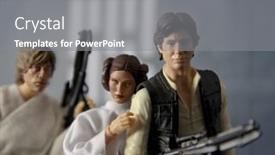
 Presentation with death scene - Presentation having recreation-of-a-scene background and a gray colored foreground

Recreation Scene Star Wars Episode

Imagine being transported back in time to 1977, when the iconic Star Wars film "A New Hope" revolutionized the galaxy with its groundbreaking special effects and memorable characters. The recreation depicted is one of the most beloved scenes from the movie, where Luke Skywalker and Han Solo embark on a daring mission to rescue Princess Leia Organa from the clutches of the evil Empire. In this corner title template, you'll find a stunning widescreen design that pays homage to the original film, featuring a high resolution image of the iconic Death Star as its centerpiece. The royal blue color palette brings a touch of elegance and sophistication to this action packed template, making it perfect for presentations about space battles or sci fi adventures. As you navigate through the PowerPoint presentation, you'll notice four How To slides at the start of the deck that will help you get up and running quickly. These templates include interactive elements such as animations and transitions, ensuring a smooth and engaging experience for your audience. The Thank You Layout slide is a great opportunity to express your gratitude to those who have contributed to your project's success. It can feature a personalized message, a photo of the team behind the template, or even a custom background image. This template is designed to enhance your presentations with a unique theme of action packed adventures and exciting space battles, while also including a background with a touch of retro flair. The high resolution images for the background are sure to impress, making it an ideal choice for those who want to add a professional touch to their slideshows. Including a Background With this template will allow you to showcase high quality visuals that complement your content perfectly. Enhancing the design with additional elements such as custom icons or shapes can further elevate your presentation and make it stand out from the crowd. This Corner Title template is not just a visually stunning design, but also an excellent tool for creating engaging presentations that captivate your audience's attention. As you work on your project, keep in mind the possibilities of this template, featuring its unique combination of retro flair and modern functionality, making it easy to create high quality slideshows with ease.

▼Key features of this template

  • They are compatible with both PowerPoint and Google Slides running on either Windows PCs or Macs.

  • They are available in both standard and widescreen slide formats. You can choose your preferred format by clicking on the "Widescreen" check box or icon.

  • Each template includes a beautiful high-resolution background image or video to visually reinforce the theme of your presentation.

  • In addition, each template includes designer-created graphics and modern fonts to give your presentations an up-to-date, professional look.

  • Each template's default design and title text position have been carefully selected to complement its background without covering faces or other key elements.

  • All text includes backdrops whose transparency level is mathematically calculated to maximize text readability while still allowing the background to be seen.

  • And all the text, text backdrops and graphics in every slide are colored with a palette designed to beautifully complement the colors in the background.

  • Our Premium templates (those with the descriptor “Premium” in their subtitle) include over 64 slide layouts to give you maximum flexibility as you create your presentations.

    • Those layouts are available to you whenever you create a new slide or when you want to change the layout of an existing slide.
    • They include everything you need to make all sorts of presentations. In addition to the layouts for the title slide and the usual title and content slide, they include many other layouts for slide types including table of contents slides, org charts, charts, diagrams, infographics, photo slides, thank you slides and more.
    • While creating these layouts our template designers have ensured that all text in every layout adjusts as gracefully as possible to various numbers of words.
  • Customizable templates (those with the descriptor “Customizable” in their subtitle) may be easily modified online before you download them.

    • To modify them, simply click on the pencil editing icon, then select your choice of ready to go designs and title text positions.
    • The editing tool also makes it easy to reposition and scale the background image or video to best suit your needs.

▼FAQs

Please review these FAQs to see if your question is answered. Contact us for more info

  • What is a PowerPoint template?

    • A well designed PowerPoint template is a file that can tell PowerPoint how to make your ordinary templates look extraordinary. They won’t change what your words or numbers say. But they might change their size, color, font and placement. And, overall, they can give your presentations a professionally-designed look that will give your content more credibility and give you more confidence.
  • How many PowerPoint templates do you offer?

    • We have over 32,000 artist-created presentation templates in our PowerPlugs collection With a subscription, PowerPlugs templates are easy to download. Just sign in, find a template and click on the green Download button. ready for you to download. That alone offers you more variety to choose from than any of our competitors can offer. And, as if that weren’t enough, we also offer over 6 million templates in our Crystal collection. Crystal brand templates are our line of templates that have customization options. They have the word "CRYSTAL" on their web page images. You can customize several aspects of the templates. These templates include high-resolution background images from Shutterstock’s vast image collection matched up with artist-created presentation designs customized by our own proprietary AI software.
  • How many templates can I download as a subscriber?

    • You can download an unlimited number of PowerPlugs-brand With a subscription, PowerPlugs templates are easy to download. Just sign in, find a template and click on the green Download button. templates every day for an entire year. (Actually, by default, we set a limit of 25 templates per day to prevent our competitors from stealing our templates. But, if that is not enough, just let us know and we’ll try to accommodate you.) On top of that, with a subscription or an Ultimate Combo, you can also download any 50 Crystal-brand Crystal brand templates are our line of templates that have customization options. They have the word "CRYSTAL" on their web page images. You can customize several aspects of the templates. templates per year selected from our huge Crystal collection. Crystal brand templates are our line of templates that have customization options. They have the word "CRYSTAL" on their web page images. You can customize several aspects of the templates. .
  • Why should I choose your templates instead of the competition’s?

    • We’ve got a larger selection of professionally-designed PowerPoint templates than anyone else in the world.
    • Each template includes a high-resolution background image or video to visually inspire your audiences while reinforcing your message.
    • Each template includes 64 slide layouts to give you maximum flexibility as you create your presentations.
    • Our templates are available in both standard and widescreen slide formats. And our website lets you preview the slides each way.
    • Our free Template Finder™ plugin lets subscribers select and - with a single click - download and insert our templates into their presentations right from within PowerPoint.
    • We’ve been creating designer presentation templates for over 20 years. During that time we’ve won several awards and 5-star ratings for product quality. See About Us for more.
  • Do you offer a money-back guarantee?

    • Yes we do! We offer full 30-day money-back guarantee if you are not 100% satisfied with your purchase.
  • Can I still use my downloaded templates after my subscription runs out?

    • Yes. After your subscription expires, you won't lose any rights or ability to use your PowerPlugs: Templates for PowerPoint. You won't be able to download any new non-watermarked templates. But the non-watermarked templates you've already downloaded will still work and you can still use them as before.
  • Can I share my downloaded templates or passwords with friends or coworkers?

    • Sorry but no. You are authorized to download each paid-for template to up to 3 of your personal devices and to use the templates you download in as many presentations as you want. But you are not authorized to share the templates, themselves, with others. That said, we do offer highly discounted site licenses to suit the needs of both small and large teams. Just tell us your needs and we’ll give you a quote!
  • System requirements:

    • The templates use the standard POTX format. So they are compatible with Google Slides and all PC, Mac and mobile devices running any version of PowerPoint from PowerPoint 2007 up through and including Office 365 desktop.
    • Please note: Google Slides does not currently support background videos. It treats them as still images.
    • For PowerPoint for the Web, first open your template into a desktop version of PowerPoint, then save it back out as a PPTX file. Then you can open that in PowerPoint for the Web.
  • End user license agreement:

    • Click here to view.
  • How will I get my purchased templates?

    • You may download your selected templates as soon as your payment is received by PayPal. If you purchased an individual template, you will be provided with a download link both onscreen and via email. Just click on that link to begin the download process. If you purchased a subscription, you will receive an email containing a password to use along with your email address to sign in to any of the templates pages on CrystalGraphics.com. Once you are signed in, you can immediately start downloading your selected templates.
  • How do I use my templates after I download them?

    • You can either open a template to start a new presentation or you can add a template to an existing presentation. To open a template, just double click on it or use PowerPoint's File > Open tool. To add a template to an existing presentation, on the Design tab, in the Themes group, click Browse for Themes... then browse to select your template.

More Death Scene presentation templates

93% of Fortune 1000
companies use our
PowerPoint Products
Templates Secure

Standing Ovation Award
Winner: Best PowerPoint
Template Collection
Fortune Logos
200,000+ satisfied
customers worldwide!
Guarantee
100% satisfaction guaranteed
- or send it back for a refund!

Sign up for our free newsletter! You'll get news about our PowerPoint-enhancing product line – including free updates, new product announcements and exclusive special offers. Plus you'll get a link to a free PowerPoint template with every newsletter you receive.
Privacy Policy
Loading...


Help

Contact Us
Product FAQs
Product License Agreements

Company Info

About Us
Privacy Policy
CrystalGraphics, Inc. 1999 S. Bascom Avenue Suite 700 Campbell, CA 95008 USA
© 2026 CrystalGraphics, Inc. All rights Reserved.    |     PowerPlugs is a trademark of CrystalGraphics, Inc.
Microsoft and the PowerPoint logo are trademarks or registered trademarks of Microsoft Corporation in the United States and/or other countries.
Loading...
Loading...