www.crystalgraphics.com CrystalGraphics
  • Ultimate Combo
  • Templates
  • Diagrams
  • Characters
  • Quizzes
  • shopping cart
  • Sign Out Sign Out Sign In
Home > Templates > Digital > Digital Boarding Category
search icon
advanced icon

17 Best Digital Boarding-Themed Templates
for PowerPoint & Google Slides

CrystalGraphics creates templates designed to make even average presentations look incredible. Below you’ll see thumbnail sized previews of the title slides of a few of our 17 best digital boarding templates for PowerPoint and Google Slides. The text you’ll see in in those slides is just example text. The digital boarding-related image or video you’ll see in the background of each title slide is designed to help you set the stage for your digital boarding-related topics and it is included with that template. In addition to the title slides, each of our templates comes with 17 additional slide layouts that you can use to create an unlimited number of presentation slides with your own added text and images. And every template is available in both widescreen and standard formats. With over 6 million presentation templates available for you to choose from, CrystalGraphics is the award-winning provider of the world’s largest collection of templates for PowerPoint and Google Slides. So, take your time and look around. You’ll like what you see! Whether you want 1 great template or an ongoing subscription, we've got affordable purchasing options and 24/7 download access to fit your needs. Thanks to our unbeatable combination of quality, selection and unique customization options, CrystalGraphics is the company you can count on for your presentation enhancement needs. Just ask any of our thousands of satisfied customers from virtually every leading company around the world. They love our products. We think you will, too!

Features & Pricing

Widescreen (16:9) Presentation Templates. Change size...
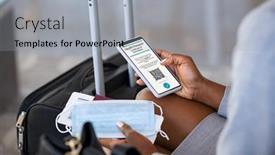
 Presentation with digital boarding - PPT theme enhanced with close-up-of-black-hands background and a light gray colored foreground

Close Up Black Hands Woman

As you step into the world of digital health passports and vaccination records, one important aspect stands out: safety. Imagine being able to easily verify your COVID 19 vaccination status on the go, or instantly access your digital documents from anywhere. This is exactly what a high resolution image of an airport terminal screen featuring a prominent display case for electronic health records showcases a seamless blend of functionality and style. Our Wide Title template, aptly named "Wide Title", is designed to take you through the world of digital health passports in style and sophistication. Presented in a Widescreen format, this template presents your content with the perfect balance of clarity and visual appeal. From high resolution images of airport terminals for an immersive experience, to a Two Content Layout that features both your main title and supporting details, this template is designed to enhance your presentation while keeping your audience engaged. With its Cornflower Blue color palette that includes shades of sky blue and pale lavender, our template will help create a professional yet approachable atmosphere. This theme of enhanced branding ensures that every element of the design complements the overall message. And as you navigate through four How To slides at the start of your presentation, these features make it easy for your audience to get up and running quickly. Including a Background With vibrant colors, adding depth and visual interest to your slides, while Having a Theme of premium feel ensures that your presentation stands out from the crowd. This template is not only visually appealing but also designed with accessibility in mind, making it easy to download and use on Google Slides for presentations.

 Presentation with digital boarding - Audience pleasing PPT layouts consisting of male-passenger-in-airport-departure backdrop and a white colored foreground

Male Passenger Airport Departure Lounge

As you step into the airport departure lounge, you're immediately struck by the high energy atmosphere that pulses through every inch of this immersive scene. The walls are adorned with sleek skyscrapers and bustling runways, while the floors are lined with rows of comfortable chairs and gleaming metallic consoles. It's a scene that's equal parts futuristic and grounded the perfect backdrop for an experience that's all about scanning, scan, screen, aeroplane, cell. The Corner Title template is designed to grab your attention from the very first glance. Widescreen format means you'll be taking in a stunning high resolution image of the airport, with the entire scene stretched across your screen. The Thistle color palette is used throughout, adding a touch of warmth and earthiness to every element. From the bright accents on the skyscrapers to the deep greens of the trees outside, this theme is all about contrast and depth. As you begin building your presentation, consider including a 6 x 6 Org Chart Layout slide that outlines the key roles and responsibilities of each team member. This could include icons or graphics to help illustrate their positions, such as airport staff, airlines, or tech companies. Having a clear structure like this will help keep your audience engaged and informed. You might even consider including some high quality images featuring these professionals in action perhaps with laptops or tablets, or standing outside the airport gates. This template is also enhanced with the ability to include a Background With feature, allowing you to add intricate details such as airline logos, airport maps, or even custom graphics. Having a theme of Enhanced With means that every element is tailored to create an immersive experience for your viewers think 3D elements, animations, and interactive effects. It's

 Presentation with digital boarding - Colorful slide deck enhanced with close-up-of-passenger backdrop and a light gray colored foreground

Close Up Passenger Airport Departure

In the world of travel and tech, the airport is a hub where passengers come to scan and connect with the digital world. The Split Title template is designed to take you on this journey from the ground up. This template features a design name that's as sleek and modern as the high resolution images that will be used throughout. Widescreen format means you can fit more content on your slides, making it easier to keep your audience engaged. When it comes to color palette, Pale Violet Red is a striking combination that adds a touch of sophistication to any presentation. The template's theme is centered around scanning and scan, as passengers navigate the digital landscape in their smartphones. The high resolution images for the background will transport you to the airport departure lounge, where you can see the hustle and bustle of the busy terminal. Featuring high quality visuals like these will make your slides stand out from the crowd. Including a Background With dramatic lighting effects will add depth and dimension to your presentations. Having a Theme of enhancing real time data will give your content an extra layer of authenticity. Enhanced With interactive elements, you can take your audience on an immersive journey, one slide at a time. To get started quickly, four How To slides will guide you through the process of launching your new template. But don't worry, these steps are designed to be intuitive and easy to follow. As you dive into the world of Split Title, remember that high resolution images are key to creating an immersive experience. The template is downloadable and compatible with Google Slides, making it easy to share with colleagues or clients alike. To showcase your content in the best possible way, consider using the Dart Layout slide as a starting point for your presentation. This design will feature a clean and modern interface that showcases your brand's unique style. Having a Theme of showcasing high quality visuals will ensure that you're always producing engaging and informative content.

 Presentation with digital boarding - Theme enhanced with businesswoman-in-airport-departure-lounge background and a wine colored foreground

Businesswoman Airport Departure Lounge Scanning

As people from all over the world embark on their daily journeys, they're constantly scanning the digital landscape for information to plan their next move. And what better way to do that than by showcasing high resolution images in a visually stunning template? The Corner Title is designed with precision and elegance in mind, featuring a unique blend of Blue Violet color palette and aeroplane inspired visuals that will capture your audience's attention. The template format is Widescreen, optimized for the latest Google Slides, allowing you to create presentations that are both engaging and easy to read. This is made possible by high resolution images for the background, ensuring a professional finish from start to finish. The Color Palette is carefully curated to evoke feelings of trust and professionalism, perfect for any business or marketing project. The template's keywords are clear: woman, scanning, scan, screen, aeroplane giving you all the inspiration you need to bring your ideas to life. With its 5 Step Layout, featuring a Level Pyramid Structure that perfectly balances content and visual hierarchy, this template is designed to help you get up and running quickly. Imagine presenting your businesswoman in airport departure lounge scenario on Google Slides, incorporating a background with a stunning image of an aeroplane, having a theme of showcasing high quality visuals. This template's perfect for any marketing or branding project that requires a touch of elegance and sophistication. Whether you're looking to enhance your presentation with a professional feel or include a Background With visually appealing images, the Corner Title is the ultimate solution.

 Presentation with digital boarding - Colorful slide deck enhanced with male-passenger-in-airport-departure backdrop and a sky blue colored foreground

Male Passenger Airport Departure Lounge

As you prepare to launch your new PowerPoint template, consider how you can set it apart from the rest with a design that exudes sophistication and innovation. Introducing "High Tech Hopper" a versatile template that perfectly captures the essence of modern travel and digital connectivity. Featuring a sleek and modern medium purple color palette, High Tech Hopper is tailored to evoke feelings of cutting edge technology and streamlined efficiency. The high resolution images on its background provide a visually stunning foundation for this airport departure lounge scene, complete with scanning digital boarding passes and smart phone activity. The template's design language is rooted in the theme of aeroplanes and cell phones, effortlessly merging these disparate elements into a cohesive whole. Venn Diagram Layout slides allow you to organize your content thoughtfully, featuring key phrases and images that reinforce the narrative of high tech travel. A downloadable and compatible with Google Slides option makes it an ideal tool for professionals looking to enhance their presentations with visual flair.

 Presentation with digital boarding - Slides having close-up-of-male-passenger background and a lemonade colored foreground

Close Up Male Passenger Airport

You're about to embark on a digital journey that will take your presentations to new heights. Imagine being able to scan any document or image and instantly transform it into a stunning visual display that will grab your audience's attention and leave a lasting impression. The Corner Title template is designed for high resolution images, perfect for showcasing your expertise in scanning, scan, screen, aeroplane, and cell technology. This wide screen template features a unique blue violet color palette that will give your presentations an otherworldly feel, making them stand out from the crowd. The template includes keywords like "scanning", "scan", "screen", "aeroplane", and "cell" to help you highlight key concepts in your content. One of the standout features of this template is its seamless integration with Google Slides, making it easy to customize and personalize your presentations on the fly. You can also enhance your slides with features like Adding a Background With Photos or Videos, Including a Map, and Having a Theme of Personalized Design. The Corner Title template is perfect for professionals who want to showcase their expertise in these areas without breaking the bank. As you navigate through this template, you'll discover four handy How To slides that will help you get up and running quickly, featuring tips on optimizing your presentations, using high resolution images, and more. With the Corner Title template as your guide, you'll be well on your way to creating visually stunning and engaging presentations that leave a lasting impression on your audience.

 Presentation with digital boarding - Beautiful slides featuring close-up-of-passenger backdrop and a sky blue colored foreground

Close Up Passenger Airport Departure

Slides featuring close up of passenger in airport departure lounge scanning digital boarding pass on smart phone

 Presentation with digital boarding - Amazing PPT layouts having businesswoman-in-airport-departure-lounge backdrop and a cream colored foreground

Businesswoman Airport Departure Lounge Scanning

As you prepare to create your PowerPoint template based on the provided design concept, focus on establishing a clear and captivating visual narrative that draws in viewers. Imagine yourself standing in front of an airport departure lounge, scanning digital boarding passes on a smartphone the perfect blend of high end technology and everyday life. The template features a medium purple color palette, reminiscent of luxury and sophistication, which perfectly complements the woman theme. The design name is short and to the point, while the keywords convey a sense of utility and functionality. For instance, including high resolution images for backgrounds adds an extra layer of realism, making the experience feel more immersive. The template format is widescreen, providing ample space for visuals and text, ensuring that every element is in focus. The medium purple color palette flows beautifully through each slide, creating a cohesive and polished look. This design approach also makes it easy to incorporate additional elements into the template, such as having a theme of airport culture or featuring bold graphics. The template keywords are designed to help users quickly get started with their presentation, whether they're planning a business meeting or showcasing their work online. Having a downloadable template in Google Slides format adds an extra layer of versatility, allowing users to customize and tailor the design to fit their specific needs. To enhance the user experience, consider adding a layout slide that provides guidance on how to organize content and structure your presentation effectively. This could include features such as including background images with text overlays, having a clear theme or branding throughout, and using a consistent layout style. The Pros and Cons slide could also be included to help users weigh the benefits and drawbacks of different design elements. A great example of incorporating this template into a presentation is a businesswoman showcasing her job search profile on a laptop screen, scanning digital resumes with ease an excellent representation of how the template can enhance real world applications.

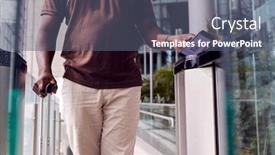
 Presentation with digital boarding - Slide deck featuring male-passenger-in-airport-departure background and a ocean colored foreground

Male Passenger Airport Departure Lounge

Slide deck featuring male passenger in airport departure lounge scanning digital boarding pass on smart phone

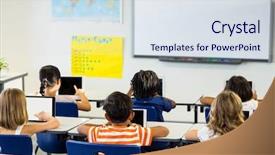
 Presentation with digital boarding - Theme featuring boarding school - rear view of children using background and a sky blue colored foreground

Rear View Children Using Digital

Imagine being able to create stunning presentations that grab your audience's attention and leave a lasting impression. That's exactly what the Wide Title template from CrystalGraphics is designed to deliver. This template features a royal blue color palette that exudes luxury and sophistication, making it perfect for educational settings or any context where you want to make a statement. The Widescreen format ensures that your content takes center stage, with high resolution images of children using digital tablets in a classroom serving as a beautiful background. The theme is clear: education, focus, and attention to detail are the keys to success. Featuring a range of educational settings and activities, this template has something for everyone. The design name "Wide Title" suggests a broad and expansive approach, which is exactly what you get with this template. It's not just about looking good; it's also about conveying confidence and authority. The opposite directional arrows layout adds a touch of sophistication, making it easy to navigate the various slides. Having a theme of showcasing your best work or accomplishments can be enhanced with features such as including background images or having a special section dedicated to testimonials. The template is downloadable and compatible with Google Slides, ensuring that you can easily create presentations without any hassle. Whether you're a teacher looking to promote education in your classroom, an entrepreneur seeking to showcase your brand, or anyone else who wants to make a statement, this Wide Title template from CrystalGraphics has got you covered.

 Presentation with digital boarding - Slide set consisting of close-up-of-passenger background and a lemonade colored foreground

Close Up Passenger Airport Departure

Slide set consisting of close up of passenger in airport departure lounge scanning digital boarding pass on smart phone background

 Presentation with digital boarding - Colorful theme enhanced with portrait-of-young-attractive-businesswoman backdrop and a gray colored foreground

Portrait Young Attractive Businesswoman Using

Theme enhanced with portrait of young attractive businesswoman using digital tablet with earphones on while waiting for boarding in airport with lens flare

 Presentation with digital boarding - Beautiful presentation design featuring board with do it yourself backdrop and a  colored foreground

Digital Composite Smiling Couple Holding

Presentation design featuring digital composite of smiling couple holding bill board with do it yourself text on it

 Presentation with digital boarding - Beautiful PPT theme featuring bill board with business icon backdrop and a lemonade colored foreground

Digital Composite Businessman Arms Raised

PPT theme featuring digital composite of businessman with arms raised standing against bill board with business icons backdrop

 Presentation with digital boarding - Presentation theme consisting of successful-business-man-sitting background and a tawny brown colored foreground

Successful Business Man Sitting Airport

Presentation theme consisting of successful business man sitting in airport lounge working on digital tablet mature businessman using digital tablet while sitting and waiting for boarding at international airport gate

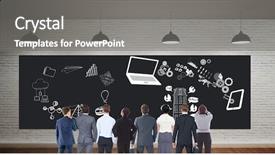
 Presentation with digital boarding - Amazing slide deck having ftp - digital composite of colleagues looking backdrop and a gray colored foreground

Digital Composite Colleagues Looking Bill

The perfect centerpiece of your presentation is at hand a stunning Corner Title template that will leave your audience in awe. This eye catching design is set against a backdrop of high resolution images for the background, perfectly complemented by the Saddle Brown color palette, which exudes warmth and sophistication. The template's Widescreen format allows you to present your content with ease, while the Caucasian friendly theme ensures that everyone can easily read your text. The inclusion of the mechanic keywords is clear, featuring a laptop as the main subject, and the mobile phone icon adds a modern touch. The Caucasian design also lends itself well to showcasing data and high resolution images. The template's layout is enhanced with the Dart on Target Layout slide, which provides an engaging visual representation of your team's efforts. This slide could be used to demonstrate how different projects come together, with each member playing their part in the grand scheme. Alternatively, it could feature a dynamic graphic showcasing individual achievements or milestones reached. To make the most of this template, four valuable How To slides are included at the start of the deck to help you get up and running quickly. These slides cover essential topics such as creating custom shapes, including backgrounds with images, adding text and graphics, and even exporting your presentation for further use. With its sleek design, high resolution images, and modern layout, this template is sure to impress both visually and digitally savvy audiences.

 Presentation with digital boarding - Presentation theme enhanced with image of connecting pie charts background and a ocean colored foreground

Digital Composite Image Connecting Pie

Presentation theme enhanced with digital composite image of connecting pie charts and graphs against blackboard with copy space on wooden board

More Digital Boarding presentation templates

93% of Fortune 1000
companies use our
PowerPoint Products
Templates Secure

Standing Ovation Award
Winner: Best PowerPoint
Template Collection
Fortune Logos
200,000+ satisfied
customers worldwide!
Guarantee
100% satisfaction guaranteed
- or send it back for a refund!

Sign up for our free newsletter! You'll get news about our PowerPoint-enhancing product line – including free updates, new product announcements and exclusive special offers. Plus you'll get a link to a free PowerPoint template with every newsletter you receive.
Privacy Policy
Loading...


Help

Contact Us
Product FAQs
Product License Agreements

Company Info

About Us
Privacy Policy
CrystalGraphics, Inc. 1999 S. Bascom Avenue Suite 700 Campbell, CA 95008 USA
© 2025 CrystalGraphics, Inc. All rights Reserved.    |     PowerPlugs is a trademark of CrystalGraphics, Inc.
Microsoft and the PowerPoint logo are trademarks or registered trademarks of Microsoft Corporation in the United States and/or other countries.
Loading...
Loading...