www.crystalgraphics.com CrystalGraphics
  • Ultimate Combo
  • Templates
  • Diagrams
  • Characters
  • Quizzes
  • shopping cart
  • Sign Out Sign Out Sign In
Home > Templates > Emergency > Emergency Services Category
search icon
advanced icon

31 Best Emergency Services-Themed Templates for PowerPoint and Google Slides

CrystalGraphics creates templates designed to make even average presentations look incredible. Below you’ll see thumbnail sized previews of the title slides of a few of our 31 best emergency services templates for PowerPoint and Google Slides. The text you’ll see in in those slides is just example text. The emergency services-related image or video you’ll see in the background of each title slide is designed to help you set the stage for your emergency services-related topics and it is included with that template. In addition to the title slides, each of our templates comes with 17 additional slide layouts that you can use to create an unlimited number of presentation slides with your own added text and images. And every template is available in both widescreen and standard formats. With over 6 million presentation templates available for you to choose from, CrystalGraphics is the award-winning provider of the world’s largest collection of templates for PowerPoint and Google Slides. So, take your time and look around. You’ll like what you see! Whether you want 1 great template or an ongoing subscription, we've got affordable purchasing options and 24/7 download access to fit your needs. Thanks to our unbeatable combination of quality, selection and unique customization options, CrystalGraphics is the company you can count on for your presentation enhancement needs. Just ask any of our thousands of satisfied customers from virtually every leading company around the world. They love our products. We think you will, too!

Features & Pricing

Widescreen (16:9) Presentation Templates. Change size...
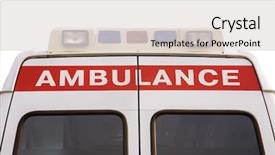
 Presentation with emergency services - Cool new presentation design with emergency services vehicle - ambulance backdrop and a light gray colored foreground

Ambulance

In the heat of the moment, when time is of the essence and the fate of lives hangs in the balance, a swift response is needed. The sirens of urgency blare through the air, drawing attention to the need for speedy action. Amidst this chaos, an ambulance appears on the scene, its bright lights shining like a beacon, warning all who pass by of the danger lurking within. The Split Title template from CrystalGraphics is designed to deliver just that – a swift and decisive response to the situation at hand. This Widescreen format allows for maximum impact, with high resolution images serving as the perfect backdrop for this urgent message. The Indian Red color palette adds a touch of sophistication to the design, while also evoking feelings of trust and reliability. This template is more than just a visually striking piece – it's a tool that can be used in a variety of situations, from insurance companies to medical facilities looking to enhance their branding with a bold and eye catching siren. Whether you're featuring an ambulance or using this template as a starting point for your own design, the result is always dramatic and attention grabbing. The template itself is downloadable and compatible with Google Slides, making it easy to incorporate into your presentation. The 4 How To slides at the start of the deck will help users quickly get up and running, providing valuable guidance on how to customize the template to suit their needs.

 Presentation with emergency services - PPT layouts consisting of emergency medical services - paramedic team pulling stretcher background and a ocean colored foreground

Paramedic Team Pulling Stretcher Out

In the midst of a chaotic cityscape, a paramedic team springs into action, their bright yellow and black uniforms a stark contrast to the dark shadows that loom over the streets. The sirens wail, a cacophony of sound that echoes through the air as they rush towards the emergency call. The scene is one of high stress drama, where seconds count and every moment matters. This template, Wide Title, is designed for medical professionals who want to create engaging presentations with a professional and friendly tone. Featuring a dark goldenrod color palette, this template provides a sleek and modern background that will enhance any presentation. Including a background with subtle texture, it adds depth and visual interest to the slide. Having a theme of medical emergencies, this template is perfect for showcasing important information in a clear and concise manner. With 4 How To slides at the start of the deck, users can quickly get up and running, ensuring their presentations are complete and ready to go. Managed Process Layout provides a structured format, making it easy to organize ideas and create visually appealing designs. Enhanced with some simple graphics and icons, this template is perfect for adding visual interest to any presentation. The managed process layout allows for clear separation of content into sections, making it easy to focus on key points. Featuring a clean and modern design, this template is ideal for medical professionals who want to convey complex information in an approachable way. Including a background with a subtle pattern, it adds texture and visual interest to the slide. The enhanced version also includes some additional elements, such as a quote or image that reinforces the message of the presentation. Having a friendly tone and a professional theme, this template is perfect for medical professionals who want to create engaging presentations that convey important information in an approachable way.

 Presentation with emergency services - Slides featuring emergency medical services - two women ambulance workers background and a tawny brown colored foreground

Two Women Ambulance Workers Stretcher

The moment you click on the crystal clear visuals presented by CrystalGraphics, you're immediately drawn into a world that's both harrowing and heartwarming. The split screen image of two women, their faces etched with concern, stands as a powerful reminder of the dedication and selflessness of those who dedicate their lives to the medical field. The template, Split Title, is designed to transport your audience to the rugged, yet beautiful landscape of rural areas where these brave individuals ply their trade. The dark olive green color palette creates a moody atmosphere that's both soothing and striking, perfect for emphasizing the seriousness of the occupation. You'll notice that the background images are high resolution, showcasing dramatic scenery that perfectly complements the mature tone of the template. The key to success lies in its 5 Steps to Success Layout slide, which is sure to provide valuable insights and guidance to those embarking on this journey. This innovative layout features a striking, curved shape that creates a sense of movement, making it an ideal choice for adding visual interest to your presentation. Having a theme of 'Medical Rescue' will help to enhance the overall feel of your slides, while incorporating high quality images will ensure they're visually stunning. The template is also downloadable and compatible with Google Slides, making it easy to integrate into your existing workflow. With its modern design and comprehensive features, Split Title is poised to become a standout in any presentation or digital project.

 Presentation with emergency services - PPT layouts with white vintage bicycle with a wedding bouquet in a basket background and a gray colored foreground

Paramedic Symbol Yellow Ambulance Car

In the midst of chaos, a beacon of hope flickers to life, symbolizing the heroic efforts of those who rescue us from the depths of uncertainty. The paramedic symbol perched atop a gleaming yellow ambulance car, its golden accents shining like beacons in the night, is more than just a graphic it's a visual representation of the high stakes world of emergency medicine. The Wide Title template, designed specifically for Widescreen presentations, will transport your audience to a world of medical drama and high octane action. This stunning template features a rich Gold color palette that exudes luxury and sophistication, perfect for presentations that require a touch of elegance. The 4 How To slides at the start of the deck are designed to help you get up and running quickly, featuring actionable tips on how to create a compelling narrative, enhance your slides with a dynamic background, incorporating images that showcase a variety of medical scenarios, and having a theme of conveying complex information in an engaging way. The template's high resolution images for the background will feature dramatic moments from medical emergencies, such as rescuing someone from a burning building or delivering life saving oxygen to a patient in critical care. These images are sure to grab your audience's attention and set the tone for the rest of your presentation. On this template, you can create slides that include a Background With dynamic animations, Enhanced With interactive elements, Including a Theme of showcasing various medical procedures.

 Presentation with emergency services - PPT theme having beautiful young female emergency background and a violet colored foreground

Close Up Portrait Beautiful Young

The Corner Title template is a stunning creation that brings to life the theme of emergency medical technicians, showcasing their vital role in saving lives with its high resolution images and bright, inviting color palette. This template features a beautiful close up portrait of a Caucasian young female emergency medical technician, standing confidently amidst lush greenery, emphasizing her heroic profession. The image is rendered in exquisite detail, ensuring that every aspect of the model is meticulously crafted to convey a sense of professionalism and expertise. The background of the template is adorned with a high resolution image featuring a cityscape at sunset, highlighting the variety of emergency medical scenarios this technician may face during her daily work. The vibrant colors of the sunsets blend seamlessly into the pale violet red color palette used throughout the template, creating a visually appealing and harmonious contrast. The Corner Title template includes an intuitive 3x3 Org Chart Layout slide that features a clear hierarchy of roles within the medical team. This layout allows users to easily visualize the structure of emergency response teams and understand the importance of collaboration among healthcare professionals. As an example, this slide could be used to present information on the organizational chart for a hospital's emergency department, facilitating quick reference and decision making. The template is designed to enhance the user experience by featuring a bright, cheerful theme that promotes feelings of energy, optimism, and motivation, making it ideal for presentations related to healthcare, medical research, or any other field where inspiring visuals are crucial.

 Presentation with emergency services - Presentation theme enhanced with emergency medical services health - ambulance background and a sky blue colored foreground

Ambulance

The world of insurance and medical services is often shrouded in mystery, but with the right visuals, it can be transformed into an engaging and informative presentation. Imagine walking through the doors of a hospital, where the sound of sirens echoes through the halls, signaling the arrival of emergency responders. This is what your audience will experience when they see your Wide Title template, featuring high resolution images of medical equipment and insurance policies in action. The Wide Title template is designed to be stunning, with a light steel blue color palette that evokes feelings of trust and reliability. The Widescreen format ensures that the content takes center stage, while the 4 How To slides at the start of the deck will help you get up and running quickly, providing valuable tips and tricks to enhance your presentation. The template is downloadable and compatible with Google Slides, making it easy to incorporate into your existing workflow. As inspiration for this design, think ambulance a symbol of speed and urgency that demands attention. The Growth Layout slide could be used to showcase the most important information, such as key statistics or testimonials from satisfied clients. Featuring high quality images and including a background with subtle animations can make the data more engaging and memorable. Having a theme of "Transforming Complex Concepts into Engaging Visuals" is at the heart of this template, which includes enhanced backgrounds that bring your presentation to life. The template's color palette is carefully curated to ensure that it complements any brand or design style, making it easy to incorporate into your existing branding.

 Presentation with emergency services - Slides enhanced with team of emergency medical services background and a tawny brown colored foreground

Team Emergency Medical Services Work,

As you start creating your new Corner Title template for Google Slides, think about capturing the essence of emergency medical services in action, where teams are working together to provide life saving care. TheCornerTitle template is designed with high resolution images that will transport your audience to a world of precision and urgency. The Widescreen format ensures that all elements, from the bleeding images to the carriage and stretcher strapping, are perfectly aligned and take center stage. The Royal Blue color palette adds a sense of professionalism and authority, while the keywords "bleeding", "carriage", "stretcher", "straps" will help you quickly categorize and search your content. By including high resolution images of medical professionals in action, such as strapping an injured driver to a stretcher, you can create a powerful visual narrative that enhances your presentation. For example, you could feature a stunning image with the caption "First Responders: Saving Lives, One Rescue at a Time" or "The Team That Rescues The Unrescueable". To make it even more engaging, you could include a Background With section where you can include images from medical emergencies to give your audience an idea of what they're working with. Have a theme of providing life saving care and use the word "Enhanced" to describe your template's capabilities. TheCornerTitle template is downloadable and compatible with Google Slides, making it easy for you to get started quickly. With its stunning visuals and professional design elements, this template is sure to boost the impact of your presentations and meetings.

 Presentation with emergency services - Presentation with emergency medical services - elderly woman loaded in ambulance background and a ocean colored foreground

Elderly Woman Loaded Ambulance Being

With the eye catching scene of an elderly woman being loaded into an ambulance in high definition, your audience's attention is instantly captured. As they gaze upon this intense moment, their hearts might sink with concern for the patient and those around them. The medical professionals working diligently to save a life are the stars of the show, but the true heroes behind the scenes, holding the hands of the elderly woman, who is struggling to breathe, need our attention as well. The goldenrod theme provides a warm and inviting atmosphere, perfect for conveying a sense of care and compassion. The high resolution images featured throughout the template will make it easy to recreate this dramatic scene in your own home or office. Having a theme of "Emergency Preparedness" allows users to focus on the importance of staying prepared and having essential items readily available. As they delve into this world, they'll likely notice that the elderly woman being loaded onto an ambulance has been given oxygen by medical professionals. The images of doctors administering oxygen might be included in various slides throughout the template, such as "Emergency Oxygen Delivery" or "Using Medical Equipment to Save a Life". Having a theme of "Medical Emergencies" will make it easy to navigate through these critical scenarios and take action accordingly. As users progress through the PowerPoint template provided by CrystalGraphics, they'll find 4 How To slides that can help them get up and running quickly. These slides are designed to be concise and informative, covering topics such as "Importing High Resolution Images", "Creating a Custom Background", "Selecting the Perfect Colors", and "Making it Work with Google Slides". By following these steps, users will be able to enhance their presentation with ease. With this attention grabbing opening scene, the elderly woman being loaded into an ambulance, your audience is already invested in the story. The high resolution images throughout the template, combined with a goldenrod color palette and a medical theme, make it easy for them to visualize and relate to the scenario.

 Presentation with emergency services - Presentation design featuring ambulance team transporting accident victim background and a ocean colored foreground

Emergency Doctor Nurse Ambulance Team

The scene is set in a high stakes medical emergency, with a German doctor and nurse expertly guiding an accident victim onto a stretcher, amidst the chaos of sirens blaring and flashing lights illuminating the darkened hospital hallway. The tension is palpable as they rush to get the patient to safety, their faces set in determined expressions. The Corner Title template is designed for a dramatic and attention grabbing opening that sets the tone for the rest of the presentation. This Widescreen template features a crisp, high resolution background image that showcases a medical setting, complete with a stretcher and emergency equipment. The Crimson color palette adds a sense of urgency and importance to the design. The template is specifically tailored for German speaking audiences, incorporating keywords like "German" and "medical" into the design elements. Featuring a prominent auto theme throughout, this template includes icons and graphics that evoke the idea of vehicles and transportation, while also highlighting the medical aspect of the presentation. The 5 x 5 Org Chart Layout slide is a valuable addition to any PowerPoint deck, providing a clear visual representation of the organizational structure within an ambulance team or hospital department. This layout can be customized with various background images and colors to match your specific needs, making it easy to enhance the overall design and theme of your presentation. The template includes four How To slides at the start of the deck, designed to help you get up and running quickly. These slides provide a comprehensive guide on how to create a professional looking PowerPoint presentation, from selecting images and colors to formatting text and adding animations.

 Presentation with emergency services - Audience pleasing PPT theme consisting of emergency medical professionals assessing backdrop and a wine colored foreground

Emergency Medical Professionals Assessing Injured

Imagine being in the midst of a chaotic emergency room, surrounded by life or death decisions and urgent medical procedures. The sound of sirens blaring and beeping machines fills the air as paramedics rush to save the day. This is what it's like for medical professionals on the front lines, who must make split second decisions to save lives. The Corner Title template is designed to capture this intensity and energy with a bold Crimson background that sets the tone for high stakes scenarios. The template format is Widescreen, perfect for showcasing dramatic images of emergency situations. Featuring a 3x3 Org Chart Layout slide, which can include a logo or image representing the medical team's expertise, having a theme of "Collaboration" and including a Background With feature that allows you to add a subtle gradient effect, giving it an extra layer of depth. With this template, you'll be able to create engaging slides that transport your audience into the midst of emergency situations. Whether you're showcasing medical procedures, highlighting expertise, or sharing stories of heroic actions, the Corner Title template is here to help. Downloadable and compatible with Google Slides, it's an excellent choice for anyone looking to enhance their presentations with a professional and attention grabbing look. The 4 How To slides at the start of the deck will get you up and running quickly, providing valuable tips and tricks to help you master the template. From adjusting font sizes and colors to customizing backgrounds and adding text overlays, these steps will walk you through the process of creating stunning presentations that captivate your audience. As you work with the Corner Title template, remember the high resolution images that come with it crisp and clear 4K goodness for an immersive experience. With Enhanced With features like including a Background With option or having a theme of "Medical Emergency" added to the Org Chart Layout slide, this is the perfect tool to take your presentations to the next level. Whether you're a seasoned pro or just starting out, the Corner Title template has everything you need to create engaging and informative content that will leave your audience in awe.

 Presentation with emergency services - Presentation featuring emergency - customer services answering your call background and a light blue colored foreground

Customer Services Answering Call

Imagine walking into a modern customer service office where every interaction is friendly and efficient. This is the perfect scenario to showcase CrystalGraphics' new template design, designed for insurance agents to help them stand out from the crowd. Meet "Customer First", a Widescreen template that brings together Cornflower Blue and high resolution images of friendly faces, creating an immersive experience. The background image includes a subtle gradient that gives it a sense of depth, while the text is clear and easy to read. This template is fully downloadable and compatible with Google Slides, making it a versatile tool for insurance agents looking to enhance their presentations. As you navigate through the four How To slides at the start of the deck, learn how to create a Signpost Layout that grabs attention, including an example of how to feature a critical message in a prominent spot. A perfect blend of style and functionality, "Customer First" is designed to have a theme of exceptional customer service, with every element carefully crafted to enhance your presentations. Featuring high quality images, clear typography, and a range of layout options, this template is the perfect starting point for any insurance agent looking to take their presentation to the next level.

 Presentation with emergency services - Beautiful presentation featuring emergency medical services - paramedics and a fireman strapping backdrop and a coral colored foreground

Paramedics Fireman Strapping Wounded Woman

The Corner Title template from CrystalGraphics is designed to grab attention with its dramatic and heartwarming image. It's a high resolution widescreen design that perfectly captures the essence of medical emergencies as seen in paramedics and firefighters rescuing a wounded woman from a stretcher. The Green Yellow color palette creates a calming yet intense atmosphere, setting the tone for an emergency situation. This template is ideal for creating presentations that require a professional and serious demeanor. The Corner Title template includes a Member Bio Layout slide that can be enhanced with a Background With feature to include more details about the person being featured in your presentation. For example, you could include images of medical uniforms or equipment, highlighting the hard work and dedication of paramedics like Emily Wilson who has been working as an EMT for over 10 years. The template is fully downloadable and compatible with Google Slides, making it easy to share and collaborate on presentations. The Green Yellow color palette can be mixed and matched with other templates from CrystalGraphics to create a unique look that matches your brand or style.

 Presentation with emergency services - Beautiful presentation theme featuring emergency medical professionals backdrop and a violet colored foreground

Emergency Medical Professionals Good Assessment

As the situation unfolds in the emergency medical field, a swift and accurate diagnosis is crucial to saving lives. A well designed template can enhance the overall experience, making it easier for healthcare professionals to focus on what matters most providing the best possible care. The Wide Title design features a bold, crimson colored title that dominates the screen. This attention grabbing element sets the tone for the rest of the presentation, drawing viewers in and encouraging them to learn more. The template format is Widescreen, perfect for showcasing high resolution images or videos. The color palette is Crimson, providing a dramatic and intense background that complements the subject matter. The template keywords are medical, occupation, emergency, expertise, and injury, making it an ideal choice for presentations about these topics. When using the Puzzle Pieces Layout slide, the image of various pieces can be arranged in a collage like format, with each piece featuring different shades of crimson. This adds depth and visual interest to the slide. The template is downloadable and compatible with Google Slides, allowing users to easily import high resolution images for the background or use it as a standalone presentation. The inclusion of a Background With feature ensures that the image is fully integrated into the design, creating an immersive experience. Having a Theme of Enhanced With implies that the template has been carefully crafted to provide a consistent and polished look, making it easier to create engaging content. The emergency medical professionals in this scenario are likely familiar with the importance of accurate diagnoses, and the puzzle pieces layout slide can be used to illustrate how different pieces come together to form a complete picture. Including high resolution images for the background can feature stunning real world footage or photographs, providing viewers with a tangible representation of the subject matter. By featuring images of medical equipment, patients, and healthcare professionals, the template provides a rich visual context that enhances the learning experience.

 Presentation with emergency services - Slides enhanced with serious emergency medical professional background and a gray colored foreground

Serious Emergency Medical Professional Ambulance

The scene is set in a high stakes medical emergency, where a seasoned paramedic is navigating through the crowded ambulance bay with precision and care. The fluorescent lights overhead cast an unforgiving glare on the dimly lit room, illuminated only by the flashing screens and beeping machines. In this intense environment, one thing remains constant the need for accuracy, attention to detail, and a keen sense of urgency. As the paramedic expertly manages the senior female patient's vitals, they are surrounded by 4 How To slides that will guide you through the process with ease. These slides feature high resolution images of medical equipment and procedures, providing a clear visual representation of the steps involved in every situation. The template is designed to work seamlessly on any widescreen format, ensuring an immersive experience for users regardless of their device or screen size. The Steel Blue color palette provides a professional and calming background that sets the tone for the emergency procedures that follow. This template includes the Who We Are Bio Layout slide, which introduces your team and emphasizes your commitment to providing top notch care in high pressure situations. You can use this example as an illustration of how you present yourself and your organization, showcasing your professionalism and expertise. The Enhanced With and Featuring themes will help bring your content to life with additional design elements such as subtle animations, transitions, and formatting changes. The template's compatibility with Google Slides ensures smooth integration into your workflow, from creating presentations to sharing them with colleagues or clients. By including these features, you can enhance the user experience and make it easier for others to follow along with your emergency medical procedures. Whether you're a seasoned professional or an educator, this template provides a solid foundation for delivering clear instructions and engaging content.

 Presentation with emergency services - PPT theme consisting of emergency doctor and nurse background and a coral colored foreground

Emergency Doctor Nurse Ambulance Team

In the high pressure world of emergency medicine, saving lives is no easy feat. But one doctor's life saving skills are put to the test every second they're on duty. From paramedics who risk it all to save victims of accidents to medical professionals who work tirelessly in hospitals to tend to patients, this template showcases the key figures involved in emergency situations. This Wide Title Widescreen template features a crimson color palette that screams urgency and crisis management. The high resolution images for the background will make you feel like you're right there with the rescuers, providing oxygen to those in need. The template is designed specifically for Google Slides users, making it easy to incorporate into your workflow. The four How To slides at the start of the deck will help you get up and running quickly, covering topics such as creating a consistent branding system, selecting suitable images, and crafting engaging animations. But here's the best part this template is not just for business professionals; anyone can use it to enhance their presentations, be it in a medical setting or any other industry. The In Summary Layout slide will give you an idea of how the different components of the template come together to create a cohesive and effective presentation. It will feature a background image with a catchy headline that sets the tone for your entire deck, including images and text that work beautifully together. Having a theme of "Rescuing Lives" this template is not just about aesthetics; it's also about conveying the message that in emergency situations, every second counts. The Enhanced With section could be used to mention specific features of the template such as having pre made templates for common presentations or giving users the option to customize their content. The Feature image showcases a dramatic rescue scene with an ambulance making its way through traffic while the paramedics inside work together to save someone's life.

 Presentation with emergency services - PPT theme featuring senior woman receiving emergency medical background and a ocean colored foreground

Senior Woman Receiving Emergency Medical

As you begin your journey to create a stunning PowerPoint template with Corner Title, imagine yourself in the high stakes world of emergency medicine, where seconds count and every moment matters. The Dark Slate Gray design shines bright, evoking the feeling of trust and professionalism that only a top notch template can provide. The Widescreen format allows for an expansive view of your hero image, featuring a senior woman receiving emergency medical care in an ambulance. High resolution images add depth and texture to the background, creating a immersive experience that draws the viewer in. The Dark Slate Gray color palette is both dramatic and sophisticated, setting the tone for a template that exudes style and sophistication. As you embark on this project, remember the 5 P's of Marketing Diagram Layout: Purpose (what do you want your template to achieve?), Positioning (who is your target audience?), People (whom do you want to feature), Product (what features will make it stand out?), and Pages (how many slides will it have?). By focusing on these key elements, you'll create a template that resonates with healthcare professionals and medical institutions alike. To enhance the overall look and feel of your template, consider featuring a dynamic image that showcases the care and compassion required in emergency medicine. Including a Background With a subtle gradient or texture can add depth and visual interest to the design. Having a Theme of High Quality Graphics and crisp fonts ensures the template is both visually appealing and easy to read. By incorporating these elements into your Corner Title template, you'll create a standout piece that will leave a lasting impression on your audience.

 Presentation with emergency services - PPT layouts with ambulance treatment aid emergency background and a mint green colored foreground

Paramedics Checking Iv Drip Patient

The scene is set in a chaotic hospital emergency room, where paramedics are rushing to save lives amidst the sound of sirens and the smell of disinfectant. The tension is palpable as they carefully maneuver IV drips into patients' veins, their faces set with determined expressions. Amidst the chaos, one patient's eyes flutter open, and a faint smile crosses their lips, giving hope that survival is on the horizon. But even in the face of uncertainty, the paramedics remain steadfast, their training and expertise guiding them through the intense scene. The Split Title template is designed to capture the intensity and emotion of this scenario, with four key slides at the start of the deck that will help you get up and running quickly: Introduction, Timeline Layout, Medical Emergency, and High Resolution Images. The first slide, featuring a high resolution image of a medical equipment setup in the ER, sets the tone for the rest of the presentation. As you begin to build your slides, remember that this template is all about enhancing the visual impact with colorful backgrounds, crisp typography, and eye catching graphics. The Template Format is Widescreen, which will ensure that your content takes center stage on any slide or screen. The Template Color Palette, featuring a bold Salmon scheme, adds a pop of color to your slides and creates a striking visual contrast with the medical equipment. To add an extra layer of depth, you can include a Background With section where you can feature a separate image showcasing a hospital environment, such as a lobby or patient room. The Template Keywords are Medical, Caucasian, Suffering, Threatening, and Emergency, which will help to ensure that your presentation is accessible and engaging for a wide range of audiences. By including these keywords in your slide titles and descriptions, you can cater to different viewer preferences while maintaining the overall focus on medical emergencies.

 Presentation with emergency services - Colorful slide deck enhanced with emergency medical services - portrait of a male emt backdrop and a ocean colored foreground

Portrait Male Emt Inside Ambulance

Imagine walking through a bustling city street, surrounded by the sounds and smells of emergency services, as you navigate to your next destination a busy EMT station, where you will be responding to life or death situations. The familiar cadence of sirens in the distance, the hum of engines and chatter of dispatchers, all blend together in perfect harmony, creating an immersive experience that sets the tone for what's about to unfold. The Corner Title template is designed specifically with this urban landscape in mind, bringing a dynamic and high energy feel to your presentations. The widescreen format offers a commanding view, while the Dodger Blue color palette provides a sense of sophistication and professionalism, perfect for showcasing the importance of medical emergencies. Inspired by real life scenarios, this template features stunning imagery that captures the intensity and urgency of these situations. From the rugged beauty of nature to the majestic grandeur of urban landscapes, each image has been carefully curated to enhance your presentation's overall impact. High resolution images are showcased throughout the template, creating a visually striking display that will leave viewers engaged and motivated. When featuring a background with high quality graphics and animations, this template takes it to the next level having a theme of versatility and creativity, making it easy to adapt to any situation. With its circular step layout, you'll be able to easily add interactive elements and customize your presentation to suit your needs. Whether you're presenting on emergency services or simply looking for a new way to engage your audience, this template is sure to make a lasting impression. When including a background with complex graphics or animations, the Enhanced With feature makes it easy to unlock new levels of interactivity. And when having a theme of customization and flexibility, every slide can be tailored to meet your specific requirements.

 Presentation with emergency services - PPT theme featuring emergency medical services - portrait of paramedics standing background and a wine colored foreground

Portrait Paramedics Standing Front Medevac

In the world of healthcare and emergency services, where life or death decisions are made in the heat of the moment, one must be prepared at all times. The paramedics stand ready, their faces set with determination as they prepare to save lives. A striking image of four medical professionals in a field setting against a stunning backdrop of a lush Peruvian landscape would make for an unforgettable scene. The "Woman Care" template is designed to evoke feelings of compassion and empathy, while also showcasing the strength and resilience of women in the face of adversity. The Peruvian color palette adds a rich and vibrant touch to the design, with warm earthy tones that will transport users to a tropical paradise. Featuring high resolution images throughout the template ensures that it looks stunning in any resolution. The "Medical" keyword is woven seamlessly into every aspect of this template, from the logo at the top to the medical terminology used throughout the slides. The At Camera feature allows for dynamic camera movements and effects, making it ideal for presentations where you need to convey emotion and intensity. Including a background with subtle animations can enhance the overall visual experience, while having a theme of "Stress Free" lets users know that this is a calming and professional environment. Enhanced With features like custom fonts and graphics add an extra layer of sophistication to the template, making it perfect for corporate presentations or medical settings. Whether you're looking to create a promotional product, such as a reusable tote bag, or simply want to boost your professional image with a sleek and modern design, this Peruvian inspired template is sure to impress.

 Presentation with emergency services - Theme consisting of emergency medical services - injured woman receiving first aid background and a ocean colored foreground

Injured Woman Receiving First Aid

Theme consisting of injured woman receiving first aid assistance background

 Presentation with emergency services - Presentation theme with emergency medical services health - two female ambulance professionals background and a light gray colored foreground

Two Female Ambulance Professionals Vehicle

In the world of emergency services, where bravery and compassion know no bounds, medical professionals are the unsung heroes who risk their lives to save others. With the Corner Title template, you can create a stunning presentation that pays tribute to these courageous individuals. This unique Widescreen template features crimson hues that evoke feelings of urgency and importance, making it perfect for showcasing high resolution images of female ambulance professionals in action. The Crimson theme is not just about aesthetics; it's also about conveying a sense of professionalism and trustworthiness. From the medical industry to various occupations, this template is designed to be inclusive and versatile. With 4 How To slides at the start of your deck, you'll be able to get up and running quickly, setting the tone for an engaging presentation that showcases your expertise. The Corner Title template has a distinct 5 Point Piramid Layout that adds visual interest and depth to your content. The Level 1 Point is centered, followed by Levels 2, 3, and 4, creating a clear hierarchy of information. This layout is perfect for featuring key statistics or graphics, including a background image with a subtle texture to enhance the overall look. This template includes an Enhanced Background With feature that allows you to add high resolution images of medical equipment, ambulances, or emergency vehicles to create a realistic and immersive environment. Having a Theme of features in your presentation will help to maintain consistency and make it easy for viewers to understand the context. By using this template, you'll be able to create a compelling narrative that showcases the importance of medical professionals in emergency services. From showcasing their bravery and skill to highlighting their dedication and commitment, this Corner Title template is sure to make a lasting impression on your audience.

▼Key features of this template

  • They are compatible with both PowerPoint and Google Slides running on either Windows PCs or Macs.

  • They are available in both standard and widescreen slide formats. You can choose your preferred format by clicking on the "Widescreen" check box or icon.

  • Each template includes a beautiful high-resolution background image or video to visually reinforce the theme of your presentation.

  • In addition, each template includes designer-created graphics and modern fonts to give your presentations an up-to-date, professional look.

  • Each template's default design and title text position have been carefully selected to complement its background without covering faces or other key elements.

  • All text includes backdrops whose transparency level is mathematically calculated to maximize text readability while still allowing the background to be seen.

  • And all the text, text backdrops and graphics in every slide are colored with a palette designed to beautifully complement the colors in the background.

  • Our Premium templates (those with the descriptor “Premium” in their subtitle) include over 64 slide layouts to give you maximum flexibility as you create your presentations.

    • Those layouts are available to you whenever you create a new slide or when you want to change the layout of an existing slide.
    • They include everything you need to make all sorts of presentations. In addition to the layouts for the title slide and the usual title and content slide, they include many other layouts for slide types including table of contents slides, org charts, charts, diagrams, infographics, photo slides, thank you slides and more.
    • While creating these layouts our template designers have ensured that all text in every layout adjusts as gracefully as possible to various numbers of words.
  • Customizable templates (those with the descriptor “Customizable” in their subtitle) may be easily modified online before you download them.

    • To modify them, simply click on the pencil editing icon, then select your choice of ready to go designs and title text positions.
    • The editing tool also makes it easy to reposition and scale the background image or video to best suit your needs.

▼FAQs

Please review these FAQs to see if your question is answered. Contact us for more info

  • What is a PowerPoint template?

    • A well designed PowerPoint template is a file that can tell PowerPoint how to make your ordinary templates look extraordinary. They won’t change what your words or numbers say. But they might change their size, color, font and placement. And, overall, they can give your presentations a professionally-designed look that will give your content more credibility and give you more confidence.
  • How many PowerPoint templates do you offer?

    • We have over 32,000 artist-created presentation templates in our PowerPlugs collection With a subscription, PowerPlugs templates are easy to download. Just sign in, find a template and click on the green Download button. ready for you to download. That alone offers you more variety to choose from than any of our competitors can offer. And, as if that weren’t enough, we also offer over 6 million templates in our Crystal collection. Crystal brand templates are our line of templates that have customization options. They have the word "CRYSTAL" on their web page images. You can customize several aspects of the templates. These templates include high-resolution background images from Shutterstock’s vast image collection matched up with artist-created presentation designs customized by our own proprietary AI software.
  • How many templates can I download as a subscriber?

    • You can download an unlimited number of PowerPlugs-brand With a subscription, PowerPlugs templates are easy to download. Just sign in, find a template and click on the green Download button. templates every day for an entire year. (Actually, by default, we set a limit of 25 templates per day to prevent our competitors from stealing our templates. But, if that is not enough, just let us know and we’ll try to accommodate you.) On top of that, with a subscription or an Ultimate Combo, you can also download any 50 Crystal-brand Crystal brand templates are our line of templates that have customization options. They have the word "CRYSTAL" on their web page images. You can customize several aspects of the templates. templates per year selected from our huge Crystal collection. Crystal brand templates are our line of templates that have customization options. They have the word "CRYSTAL" on their web page images. You can customize several aspects of the templates. .
  • Why should I choose your templates instead of the competition’s?

    • We’ve got a larger selection of professionally-designed PowerPoint templates than anyone else in the world.
    • Each template includes a high-resolution background image or video to visually inspire your audiences while reinforcing your message.
    • Each template includes 64 slide layouts to give you maximum flexibility as you create your presentations.
    • Our templates are available in both standard and widescreen slide formats. And our website lets you preview the slides each way.
    • Our free Template Finder™ plugin lets subscribers select and - with a single click - download and insert our templates into their presentations right from within PowerPoint.
    • We’ve been creating designer presentation templates for over 20 years. During that time we’ve won several awards and 5-star ratings for product quality. See About Us for more.
  • Do you offer a money-back guarantee?

    • Yes we do! We offer full 30-day money-back guarantee if you are not 100% satisfied with your purchase.
  • Can I still use my downloaded templates after my subscription runs out?

    • Yes. After your subscription expires, you won't lose any rights or ability to use your PowerPlugs: Templates for PowerPoint. You won't be able to download any new non-watermarked templates. But the non-watermarked templates you've already downloaded will still work and you can still use them as before.
  • Can I share my downloaded templates or passwords with friends or coworkers?

    • Sorry but no. You are authorized to download each paid-for template to up to 3 of your personal devices and to use the templates you download in as many presentations as you want. But you are not authorized to share the templates, themselves, with others. That said, we do offer highly discounted site licenses to suit the needs of both small and large teams. Just tell us your needs and we’ll give you a quote!
  • System requirements:

    • The templates use the standard POTX format. So they are compatible with Google Slides and all PC, Mac and mobile devices running any version of PowerPoint from PowerPoint 2007 up through and including Office 365 desktop.
    • Please note: Google Slides does not currently support background videos. It treats them as still images.
    • For PowerPoint for the Web, first open your template into a desktop version of PowerPoint, then save it back out as a PPTX file. Then you can open that in PowerPoint for the Web.
  • End user license agreement:

    • Click here to view.
  • How will I get my purchased templates?

    • You may download your selected templates as soon as your payment is received by PayPal. If you purchased an individual template, you will be provided with a download link both onscreen and via email. Just click on that link to begin the download process. If you purchased a subscription, you will receive an email containing a password to use along with your email address to sign in to any of the templates pages on CrystalGraphics.com. Once you are signed in, you can immediately start downloading your selected templates.
  • How do I use my templates after I download them?

    • You can either open a template to start a new presentation or you can add a template to an existing presentation. To open a template, just double click on it or use PowerPoint's File > Open tool. To add a template to an existing presentation, on the Design tab, in the Themes group, click Browse for Themes... then browse to select your template.

View more Emergency Services templates:

previous 1 2 next
93% of Fortune 1000
companies use our
PowerPoint Products
Templates Secure

Standing Ovation Award
Winner: Best PowerPoint
Template Collection
Fortune Logos
200,000+ satisfied
customers worldwide!
Guarantee
100% satisfaction guaranteed
- or send it back for a refund!

Sign up for our free newsletter! You'll get news about our PowerPoint-enhancing product line – including free updates, new product announcements and exclusive special offers. Plus you'll get a link to a free PowerPoint template with every newsletter you receive.
Privacy Policy
Loading...


Help

Contact Us
Product FAQs
Product License Agreements

Company Info

About Us
Privacy Policy
CrystalGraphics, Inc. 1999 S. Bascom Avenue Suite 700 Campbell, CA 95008 USA
© 2025 CrystalGraphics, Inc. All rights Reserved.    |     PowerPlugs is a trademark of CrystalGraphics, Inc.
Microsoft and the PowerPoint logo are trademarks or registered trademarks of Microsoft Corporation in the United States and/or other countries.
Loading...
Loading...