www.crystalgraphics.com CrystalGraphics
  • Ultimate Combo
  • Templates
  • Diagrams
  • Characters
  • Quizzes
  • shopping cart
  • Sign Out Sign Out Sign In
Home > Templates > Army > Polish Army Category
search icon
advanced icon

19 Best Polish Army-Themed Templates for PowerPoint and Google Slides

CrystalGraphics creates templates designed to make even average presentations look incredible. Below you’ll see thumbnail sized previews of the title slides of a few of our 19 best polish army templates for PowerPoint and Google Slides. The text you’ll see in in those slides is just example text. The polish army-related image or video you’ll see in the background of each title slide is designed to help you set the stage for your polish army-related topics and it is included with that template. In addition to the title slides, each of our templates comes with 17 additional slide layouts that you can use to create an unlimited number of presentation slides with your own added text and images. And every template is available in both widescreen and standard formats. With over 6 million presentation templates available for you to choose from, CrystalGraphics is the award-winning provider of the world’s largest collection of templates for PowerPoint and Google Slides. So, take your time and look around. You’ll like what you see! Whether you want 1 great template or an ongoing subscription, we've got affordable purchasing options and 24/7 download access to fit your needs. Thanks to our unbeatable combination of quality, selection and unique customization options, CrystalGraphics is the company you can count on for your presentation enhancement needs. Just ask any of our thousands of satisfied customers from virtually every leading company around the world. They love our products. We think you will, too!

Features & Pricing

Widescreen (16:9) Presentation Templates. Change size...
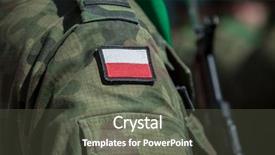
 Presentation with polish army - Presentation theme enhanced with flag patch on polish soldier background and a dark gray colored foreground

Flag Patch Polish Soldier Uniform

The flag patch on the Polish soldier uniform is a striking visual representation of patriotism and national pride, evoking feelings of unity and courage. The Corner Title template, aptly named Corner Title, offers a visually appealing solution for creating engaging slideshows that capture attention quickly. This template is ideal for use in presentations where you want to convey a sense of grandeur and celebration, such as patriotic events or ceremonial speeches. Featuring high resolution images of flags, soldiers, and crowd scenes from around the world, this template provides a dynamic backdrop for your content. Including a background with vibrant colors that evoke a sense of excitement and energy, Corner Title is sure to grab viewers' attention. With its sleek sea green color palette, this template seamlessly blends patriotism and professionalism, making it an excellent choice for various applications. Having a theme of showcasing individual country flags or national symbols, Corner Title can be easily customized with your own content to create unique presentations that reflect your brand's identity.

 Presentation with polish army - Theme with polish navy warship patroling polish background and a light gray colored foreground

Polish Navy Warship Patroling Polish

In the heart of Eastern Europe's Baltic Sea, where the sun dips into the horizon and paints the sky with hues of crimson and gold, there lies a tale of Polish Navy warships patrolling the waters, their sleek designs undulating in the gentle waves. The Wide Title template, designed specifically for CrystalGraphics' Widescreen format, is the perfect canvas to bring this moment to life. This template boasts a Light SlateGray color palette that evokes the crispness of snowflakes gently falling on the Polish Baltic coast. Featuring a blend of navy blues and whites, this theme will transport you to the high seas battleships, warships, and naval vessels that call this region home. Including a Background With subtle texture, Having a Theme of naval warfare is not just possible, but Enhanced With crisp image details to bring the scene to life. In Summary Layout slide, imagine featuring a dramatic aerial view of the Polish Navy's flagship, patrolling the Baltic Sea, with high resolution images of warships and coastal scenery. The template is designed to be downloadable and compatible with Google Slides, making it easy to incorporate into your presentations. This Widescreen template is sure to impress your audience, whether you're showcasing a dramatic naval battle scene or highlighting the rich history and culture of Poland's Baltic coast. With four How To slides at the start of the deck, helping you get up and running quickly, you'll be well on your way to creating engaging presentations that capture the attention of your viewers. The template is ready to use, featuring a crisp design with plenty of room for creative expression. So why wait? Click the download link now and get ready to take your presentations to the next level.

 Presentation with polish army - Colorful slide deck enhanced with peace war - polish army backdrop and a tawny brown colored foreground

Polish Army

In a world where power is authority, and tradition meets innovation, the image of the polished army stands tall. A symbol of strength, discipline, and honor, it's no wonder that this image has been revered for centuries. The Wide Title template, designed in Widescreen format, will transport your audience to a realm of high resolution images, evoking the grandeur of a bygone era. With its Saddle Brown color palette, reminiscent of polished leather and rich wood, it exudes warmth and sophistication. A true gem for any slide, featuring a background with deep, earthy tones that seem to unfold like a vintage poster. As we delve into this template's features, you'll discover how to Incorporate a Background With a striking navy blue accent, perfect for adding depth and visual interest to your presentation. Having a Theme of Enhanced With modern elements is not an option here, but Featuring an included image of a traditional officer uniform, complete with medals and insignia, will make it easy to create a cohesive look. For the Social Media Concept Layout slide, consider featuring a bold, graphic representation of the polished army's crest, set against a blurred background that gives the impression of movement. This will not only showcase your template's style but also provide a seamless integration with other social media platforms.

 Presentation with polish army - Audience pleasing PPT theme consisting of polish army - plane in aviation museum exhibition backdrop and a light blue colored foreground

Plane Aviation Museum Exhibition Krakow

The sleek and modern Corner Title is a powerful design element that elevates any presentation to new heights. This stunning template features a high resolution image of the Aviation Museum in Krakow, Poland, as its backdrop, transporting you to a world of aviation magic. Its widescreen format ensures an immersive viewing experience, making it perfect for presentations that require visual impact. The Corner Title's Alice Blue color palette adds a touch of sophistication and elegance, setting the tone for a professional yet approachable design. The template's keywords plane, flight, steel, Poland, cabin seamlessly integrate into the design, showcasing the high resolution images throughout. For example, you can include a Background With photo of an Airbus A320 at the beginning of your presentation to grab attention. To make the most of this template, start with four How To slides that will have your audience up and running quickly: a slide on how to create your first slide deck, another on how to set up your PowerPoint presentation, featuring a key take away message about using templates effectively.

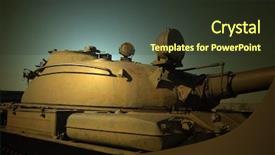
 Presentation with polish army - PPT theme featuring polish army - abandoned military base near kiev background and a  colored foreground

Abandoned Military Base Near Kiev.

The abandoned military base near Kiev stands as a haunting reminder of the devastating consequences of war, its crumbling structures and overgrown vegetation a stark testament to the decay that can result from conflict. As you delve into this eerie landscape, imagine yourself standing at the entrance of a foreboding fortress, the wind whipping through your hair as you take in the ominous atmosphere. The Corner Title template is designed to transport you to this desolate world, with its dark slate gray color palette and distressed background images that evoke a sense of foreboding. The high resolution images used throughout the template are carefully selected to create an immersive experience, featuring ruins, overgrown vegetation, and makeshift structures that seem to sprout out of the ground. The template is downloadable and compatible with Google Slides, making it easy to incorporate into your presentation. The Dark Slate Gray color palette provides a sophisticated backdrop for showcasing 5 x 5 Org Chart Layout, where the intricate details of positions and responsibilities are showcased in bold font. Featuring a strong theme of hierarchy and organization, this layout will help you establish clear lines of authority and structure. The template includes four How To slides to get you up and running quickly: "Powerpoint Template Setup", "Customizing Your Content", "Adding Images and Graphics", and "Optimizing for Best Performance". Having a Theme of customization options allows users to tailor the template to their specific needs, while Enhancements like high resolution images and sleek font styles add an extra layer of sophistication. With its Dark Slate Gray color palette and distressed background images, this template is sure to deliver an authentic historical feel that will leave your audience in awe.

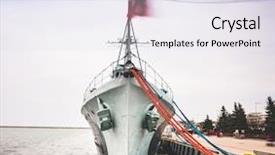
 Presentation with polish army - Beautiful PPT theme featuring destroyer serving in the polish backdrop and a sky blue colored foreground

Warship Destroyer Serving Polish Navy

Imagine yourself standing on the deck of a majestic warship destroyer, its hull weathered to a rich lavender hue, as you gaze out at the vast Polish harbor stretching before you. The sun beats down upon your canvas, casting a warm glow over the entire scene. This is where it all begins, with CrystalGraphics' Corner Title template, a masterpiece of design that brings to life the iconic image of a battleship serving in the Polish Navy during World War II. The template features high resolution images for its background, carefully curated to transport you back in time. The result is an immersive experience that immerses your audience in the sights and sounds of a bygone era. With CrystalGraphics' Corner Title template, you're not just creating a slide deck – you're crafting a story that will captivate and inspire. This template includes four easy to use slides at the start of your deck, designed to get you up and running quickly: an Introduction slide featuring a stunning image, an About Us slide highlighting the battleship's storied history, a Featured Image slide showcasing high quality images from around the world, and an Additional Information slide providing context and details. With CrystalGraphics' Corner Title template, you're also able to customize your background with ease, having a theme of enhancing your presentation.

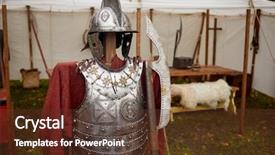
 Presentation with polish army - Presentation design featuring polish army - metal hussar armour of seventeenth background and a tawny brown colored foreground

Metal Hussar Armour Seventeenth Century

In the heart of every warrior's arsenal, there lies a majestic symbol of power the hussar armor of the seventeenth century, its intricate design and precision engineering a testament to human ingenuity. This stunning template is designed to evoke the grandeur of the metal hussar armour, with a rich Peru color palette that will transport you to a bygone era. This Wide Title Widescreen template features a high resolution image of a steel tent in the background, its canvas walls adorned with a majestic rope motif. The font used for the title is bold and dramatic, fitting for a warrior's emblem. To enhance this theme, you can include a background with a subtle gradient effect to give it an ethereal glow. As you explore this template, you'll notice four How To slides at the start of the deck that will help you get up and running quickly. But don't worry, we've got you covered from creating a compelling hero's image to customizing your design with ease, these steps are designed to guide you through the process. The opposite directional arrows layout is one of our favorite features in this template. Imagine placing arrowheads pointing towards the hero, highlighting their martial prowess and unwavering dedication to their craft. It's a simple yet effective technique that will add a touch of dynamism to your presentation. You can feature high resolution images from our extensive library or include background images with text overlays to enhance your presentation further. Having a theme of "Action Packed" will keep your audience engaged and motivated, while Enhanced With is an excellent way to take your design to the next level.

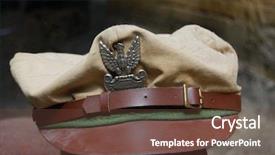
 Presentation with polish army - PPT theme with polish military cap of ww2 background and a  colored foreground

Polish Military Cap Ww2

The rich history and politics of Poland are often overlooked, but one aspect that has captivated the world is its uniforms, particularly during World War II. The Polish military played a crucial role in the war effort, and their uniforms are some of the most iconic in history. From the sleek to the rugged, these uniforms tell a story of resilience and determination. The Wide Title template from CrystalGraphics is a stunning showcase of Polish military caps of WW2, featuring high resolution images that transport you back in time. With its Dark Goldenrod color palette, this template is sure to make your presentations stand out. As a downloadable template compatible with Google Slides, it's the perfect solution for anyone looking to elevate their presentation game. This template is not just about visuals; it's also designed with functionality in mind. The Widescreen format ensures that your slides will look amazing on any screen size, and the Dark Goldenrod color palette will add a touch of sophistication to your presentations. The template includes four How To slides at the start of the deck, but don't worry, you won't need them right away. Just start with what makes sense for your presentation, and the rest will fall into place. As you work on your project, remember that this template is not just a pretty face; it's also packed with features like Gears in Sync Layout, which allows you to design your slides with ease. For example, the Enhanced Background With slide enables you to add a stunning background image to any of your slides, making them truly unique. Having a Theme of dress and politics doesn't mean that your presentations will be dry or boring; it simply means that you'll be able to incorporate images and keywords from both categories seamlessly into your templates. In this case, the Historical keyword adds an extra layer of depth to your presentations, allowing you to explore topics like Poland's tumultuous past. Whether you're looking to showcase a dress outfit with historical context or highlight a politician's uniform, this template is the perfect choice. With its Dark Goldenrod color palette and Widescreen format, you'll be able to create stunning visuals that will leave your audience in awe. So why wait? Download this template now and start creating presentations that truly tell a story.

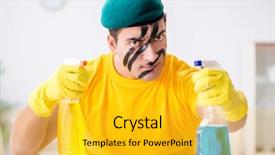
 Presentation with polish army - Colorful slide set enhanced with polish army - man in military style cleaning backdrop and a yellow colored foreground

Man Military Style Cleaning House

In the midst of chaos, a man in military style stands tall, his rugged features etched with frustration as he surveys the dusty housekeeping. His paratrooper background shines through in the high resolution images that pepper the template, while the Burly Wood Colored design palette provides a sturdy foundation for this makeover. The corner title Corner Title is set against a warm, wooden like background featuring a distressed image of an old fashioned cleaning cart, adding to the theme of taking control of one's space. This style is sure to grab attention with its bold and rugged vibe, making it perfect for those who refuse to accept a messy home as a sign of their marital status. The housekeeping can be put in order, no matter how messy it may seem. This template is designed to be high resolution, ensuring that every detail is crisp and clear. Featuring an Enhanced With Background image of a freshly cleaned kitchen, the Corner Title template includes a Background With theme, making it ideal for presentations that require a professional touch. For instance, you could use this template to create a compelling presentation on "Getting Your Home Back in Order". Having a Theme of Including a Background With this template would be perfect as it showcases high quality images that evoke feelings of cleanliness and organization. By Including a Background image with an added theme, the presenter can engage their audience and leave them feeling motivated to tackle their own to do lists.

 Presentation with polish army - PPT layouts having polish army - man in military style cleaning background and a gold colored foreground

Man Military Style Cleaning House

Imagine you're sitting in your military style uniform, staring at a messy house with no idea where to start from cleaning the floors to organizing the closets. As you gaze out the window at the paratrooper's training site outside, you feel frustrated and overwhelmed by the thought of tackling this household mess alone. As you begin to tackle the task at hand, you realize that your husband is away on a deployment, and you're left to take care of everything by yourself. You start with the basics making beds, putting away dishes but it's clear that high resolution images for the background will add an extra layer of depth and realism to this template. The Burly Wood Colored template features a warm and inviting theme, with elements like wooden furniture and rustic accents. To get you started quickly, there are four How To slides on the deck that feature detailed instructions on how to create a modern presentation slide using the template. These slides will guide you through the process of customizing your presentation, including adding images, colors, fonts, and effects to enhance its overall look and feel. You'll also be able to include a background with a simple map or image to give your presentation some context. The Corner Title is a versatile design that can fit into various themes, from corporate presentations to social media posts. Its distressed wood texture and rugged colors will add a touch of industrial chic to your slide deck. With its adjustable width and height, you'll be able to customize the template to suit your specific needs.

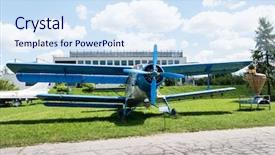
 Presentation with polish army - Slides having polish army - blue plane with propeller background and a sky blue colored foreground

Blue Plane Propeller Aviation Museum

The city of Krakow in Poland is a treasure trove of aviation history and culture, and this Widescreen PowerPoint template is designed to take you on a journey through the world of flight. The Wide Title "Wide Sky" sets the tone for an immersive experience, featuring a beautiful blue plane with propeller soaring above the iconic Museum of Aviation. The high resolution images in the background will transport you to the runway, where planes are taking off and landing, amidst a backdrop of steel skyscrapers that seem to stretch up to the sky. The template's Widescreen format ensures that every detail is preserved, from the textures on the aircraft to the reflections on the water. The theme of this template is centered around the Polish aviation industry, with features including a plane taking off into the distance and a group of pilots in their uniforms walking down a runway. Having a Theme of Aviation showcases the unique aspects of Poland's air travel heritage, while Enhanced With High Resolutions highlights the attention to detail that goes into creating each element. A section dedicated to Who We Are could include images of famous Polish aviators, including Andrzej Zawiercinski and Władysław Strzegowski. This would add a personal touch to the template, showcasing the rich history and cultural significance of aviation in Poland.

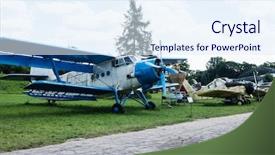
 Presentation with polish army - Slides with polish army - plane in aviation museum exhibition background and a sky blue colored foreground

Plane Aviation Museum Exhibition Krakow

Imagine stepping into the heart of Aviation History at the Krakow's Aviation Museum in Poland. The sound of roaring engines and the sight of sleek planes take you on an unforgettable journey through the world of flight. The Corner Title template features a stunning Widescreen design, with 4 How To slides at the start to get you started quickly. But don't worry, it's not just about getting off the ground this template is designed to enhance your Google Slides experience and integrate seamlessly into your presentation flow. The Dodger Blue color palette provides a sleek and sophisticated backdrop for your plane themed content. The background images are high resolution and perfectly complemented by the metallic tones of steel, evoking the feeling of aircraft landing on a runway. For example, you could feature a close up shot of a vintage airplane at the Social Media Concept Layout slide, showcasing the seamless integration of digital elements with traditional media. The template is downloadable and compatible with Google Slides, making it easy to integrate into your existing workflow. With the Corner Title template, you'll have everything you need to create an engaging and immersive presentation that will leave your audience in awe.

 Presentation with polish army - Amazing presentation theme having polish army - man in military style cleaning backdrop and a white colored foreground

Man Military Style Cleaning House

In the midst of chaos, a man in military style emerges from behind the scenes, leaving a trail of spotless floors and tidy rooms, as he tackles the never ending task of housekeeping to care for his loving husband. Corner Title is designed to bring this image to life, presenting a striking contrast between a chaotic scene and a perfectly organized one. The overall design aims to convey the sense of frustration that often accompanies domestic duties. The template features a Widescreen format, perfect for showcasing high resolution images as part of its background. This attention grabbing feature is particularly effective in creating an immersive experience for viewers. The Medium Turquoise color palette provides a calming yet energetic atmosphere, ideal for a household cleaning theme. Corner Title's keywords are carefully curated to align with this context: frustrated occupation, paratrooper, husband, housekeeping, and high resolution images are all included in its design. This template is downloadable and compatible with Google Slides, making it an excellent choice for those looking to enhance their presentation skills. The three column layout slide allows for easy navigation and organization of content within the deck. It's a great starting point for creating a seamless user experience, featuring examples such as including a background with a dramatic image, having a theme of cleaning up messy rooms, or enhancing with interactive elements like animations.

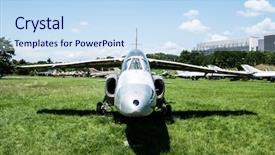
 Presentation with polish army - Amazing slides having polish army - jet model in aviation museum backdrop and a sky blue colored foreground

Jet Model Aviation Museum Krakow

As you step into the cockpit of your aircraft, the sleek steel plane soars into the light sky blue background, setting the tone for an exhilarating journey. The high resolution images on this template are sure to transport you to the heart of aviation, with details such as airplane wings and engines creating a sense of movement and energy. From the bustling airport tarmac to the comfortable cabin of your aeroplane, every element is carefully designed to immerse you in the world of flight. The Split Title design offers a unique blend of layout features that enhance the overall user experience. With three main sections, each with its own distinct theme, this template provides ample opportunities for creative presentation and customization. The @Pictures With Captions Layout slide can be used to include high quality images on the plane, such as logos or advertisements, while providing context through captions that add depth and interest. The lightweight yet sturdy steel framework of this template makes it easy to download and install on your preferred platform, including Google Slides. Compatibility ensures seamless integration with a variety of presentation tools, allowing you to create stunning slideshows tailored to your specific needs.

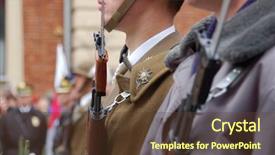
 Presentation with polish army - Theme consisting of polish army - closeup of soldiers performing duty background and a tawny brown colored foreground

Closeup Soldiers Performing Duty Honor

In a moment that embodies patriotism and unity, Corner Title is the ideal template to elevate your presentation from ordinary to extraordinary. Created using high resolution images, this visually stunning template is designed for maximum impact on any slide or deck. The Corner Title template features a widescreen format, perfect for showcasing your message in all its glory. The Tan color palette adds a warm and inviting tone, while the patriotic theme ensures that your presentation exudes enthusiasm and pride. For those looking to incorporate advanced features into their template, there are four How To slides available at the start of the deck to help you get up and running quickly. The Corner Title also includes a layout with Pictures With Captions that will enhance the storytelling aspect of your presentation. This means that each image can be used as the basis for a compelling story, making it an excellent choice for persuasive and engaging presentations. When combined with high quality images from @Pictures With Captions, this template is sure to captivate your audience. For example, imagine using the "Features" slide to showcase a dramatic photo of the American flag waving in the wind on a sunny November day. The detailed image would be a great addition to your presentation, making it more than just a simple topic. And with the Corner Title's advanced theme and Tan color palette, you'll have everything you need to create an unforgettable experience for your viewers.

 Presentation with polish army - Colorful PPT theme enhanced with polish army - abandoned military base near kiev backdrop and a  colored foreground

Abandoned Military Base Near Kiev.

The abandoned military base near Kiev stands as a haunting testament to the ravages of time and human error, its once majestic structures now overgrown with weeds and weathered by the elements. As you step into this eerie landscape, you're transported back in time to a era when power and control were the ultimate desires. The atmosphere is heavy with an air of decay, as if the very foundations of society have crumbled beneath your feet. The Corner Title template is designed for the bold and the fearless, perfect for those who dare to challenge the status quo. With its dark goldenrod color palette, this template is sure to make a lasting impression on your audience. Featuring intricate details that evoke a sense of history and nostalgia, the background images are high resolution and rich in texture, adding depth and dimension to any slide. The Corner Title template is also enhanced with a theme of boldness and confidence, making it ideal for presentations that require a level of sophistication and authority. Including a background with a subtle gradient effect, this template adds an extra layer of visual interest to each slide, creating a seamless flow from one image to the next. Having a clear and concise design language, this template is easy to read and understand, making it perfect for slides that require clear instructions or step by step guidance. The Corner Title template comes with 4 How To slides at the start of the deck, designed to help you get up and running quickly. These slides provide essential guidelines for setting up your presentation, including how to add a title slide, customize colors, and select images from CrystalGraphics' vast library. As you delve deeper into the template, you'll notice that it's fully convertible to Google Slides, allowing you to easily export and share your content with others. A simple click of the download button will get you started on creating a presentation that's both visually striking and engaging, making it perfect for any subject matter or audience.

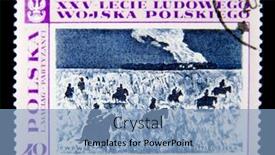
 Presentation with polish army -

Poland Circa 1968 Stamp

In the heart of modern warfare, a bygone era of grandeur still echoes through time, transporting us to the vibrant streets of 1968 Poland, where the sound of horses' hooves and cannons still reverberates in our collective memory. This is not just a historical artifact; it's a powerful visual representation that continues to captivate audiences worldwide. The Polish army's iconic stamp featuring Group of the armed horsemen is an enduring symbol of military strength and discipline. Imagine being transported back in time to the tumultuous 1960s, surrounded by the imposing figure of Soviet troops, their steel blue uniforms adorned with gold accents, dominating the cityscape like a behemoth. The background image would be a high resolution photograph of Warsaw's City Hall, its grandeur juxtaposed against the stark reality of war torn Poland. The Wide Title "Wide Title" is designed to dominate the screen, setting the tone for a presentation that will take audiences on a thrilling ride through the world of military communications. Featuring a bold, metallic blue background with accents of silver, this template is sure to grab attention and establish an instant connection with your audience. Including a Background With a cityscape in the foreground, this design combines the steel blue and silver tones seamlessly, creating a cohesive and visually appealing theme. This Wide Title template is engineered for Googleslide compatibility, making it easy to import into Google Slides without compromising image quality. Having a Theme of Military History, Enhanced With high resolution images and detailed background designs, this template offers an unparalleled level of detail, perfect for presentations that require authenticity and accuracy.

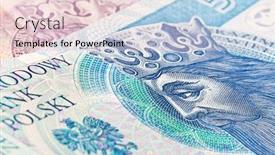
 Presentation with polish army - Theme having fifty polish zloty banknote close up background and a lemonade colored foreground

Fifty Polish Zloty Banknote Close

Imagine starting your presentation with a stunning image that sets the tone for the entire content, and that's exactly what you'll get with this Widescreen Wide Title template from CrystalGraphics. This high resolution background is designed to feature a crisp image of fifty Polish zloty banknote close up, which will draw in your audience and make them want to know more about the financial world. The Light SlateGray color palette used throughout the template adds a touch of sophistication and professionalism to the design, while keeping it neutral enough for any presentation style. The template is compatible with Google Slides and features four How To slides that get you up and running quickly. These slides will walk your audience through the process of creating their own Widescreen Wide Title templates, from designing the layout to incorporating background images. The Oposite Directional Arrows Layout slide is a great place to include some visual interest in your presentation, as it features arrows pointing upwards, creating a sense of progression and momentum. This slide could be used to demonstrate how to create a compelling title section that grabs attention and draws viewers in. For example, you could show an image with the title "Financial Insights" and point out how the arrow is pointing upwards, conveying upward momentum. The Enhanced With slide is great for including background images or other visual elements that enhance your presentation. This slide could be used to include a high resolution image of the same fifty Polish zloty banknote close up as the template's background, but with some creative editing to make it stand out more. The Having a Theme of feature allows you to incorporate this idea into your presentation, whether it's through a consistent color scheme or design elements that tie everything together. Overall, this Widescreen Wide Title template is designed to deliver high quality visuals and engaging content, making it perfect for financial presentations or any other type of content where attention grabbing images are essential.

▼Key features of this template

  • They are compatible with both PowerPoint and Google Slides running on either Windows PCs or Macs.

  • They are available in both standard and widescreen slide formats. You can choose your preferred format by clicking on the "Widescreen" check box or icon.

  • Each template includes a beautiful high-resolution background image or video to visually reinforce the theme of your presentation.

  • In addition, each template includes designer-created graphics and modern fonts to give your presentations an up-to-date, professional look.

  • Each template's default design and title text position have been carefully selected to complement its background without covering faces or other key elements.

  • All text includes backdrops whose transparency level is mathematically calculated to maximize text readability while still allowing the background to be seen.

  • And all the text, text backdrops and graphics in every slide are colored with a palette designed to beautifully complement the colors in the background.

  • Our Premium templates (those with the descriptor “Premium” in their subtitle) include over 64 slide layouts to give you maximum flexibility as you create your presentations.

    • Those layouts are available to you whenever you create a new slide or when you want to change the layout of an existing slide.
    • They include everything you need to make all sorts of presentations. In addition to the layouts for the title slide and the usual title and content slide, they include many other layouts for slide types including table of contents slides, org charts, charts, diagrams, infographics, photo slides, thank you slides and more.
    • While creating these layouts our template designers have ensured that all text in every layout adjusts as gracefully as possible to various numbers of words.
  • Customizable templates (those with the descriptor “Customizable” in their subtitle) may be easily modified online before you download them.

    • To modify them, simply click on the pencil editing icon, then select your choice of ready to go designs and title text positions.
    • The editing tool also makes it easy to reposition and scale the background image or video to best suit your needs.

▼FAQs

Please review these FAQs to see if your question is answered. Contact us for more info

  • What is a PowerPoint template?

    • A well designed PowerPoint template is a file that can tell PowerPoint how to make your ordinary templates look extraordinary. They won’t change what your words or numbers say. But they might change their size, color, font and placement. And, overall, they can give your presentations a professionally-designed look that will give your content more credibility and give you more confidence.
  • How many PowerPoint templates do you offer?

    • We have over 32,000 artist-created presentation templates in our PowerPlugs collection With a subscription, PowerPlugs templates are easy to download. Just sign in, find a template and click on the green Download button. ready for you to download. That alone offers you more variety to choose from than any of our competitors can offer. And, as if that weren’t enough, we also offer over 6 million templates in our Crystal collection. Crystal brand templates are our line of templates that have customization options. They have the word "CRYSTAL" on their web page images. You can customize several aspects of the templates. These templates include high-resolution background images from Shutterstock’s vast image collection matched up with artist-created presentation designs customized by our own proprietary AI software.
  • How many templates can I download as a subscriber?

    • You can download an unlimited number of PowerPlugs-brand With a subscription, PowerPlugs templates are easy to download. Just sign in, find a template and click on the green Download button. templates every day for an entire year. (Actually, by default, we set a limit of 25 templates per day to prevent our competitors from stealing our templates. But, if that is not enough, just let us know and we’ll try to accommodate you.) On top of that, with a subscription or an Ultimate Combo, you can also download any 50 Crystal-brand Crystal brand templates are our line of templates that have customization options. They have the word "CRYSTAL" on their web page images. You can customize several aspects of the templates. templates per year selected from our huge Crystal collection. Crystal brand templates are our line of templates that have customization options. They have the word "CRYSTAL" on their web page images. You can customize several aspects of the templates. .
  • Why should I choose your templates instead of the competition’s?

    • We’ve got a larger selection of professionally-designed PowerPoint templates than anyone else in the world.
    • Each template includes a high-resolution background image or video to visually inspire your audiences while reinforcing your message.
    • Each template includes 64 slide layouts to give you maximum flexibility as you create your presentations.
    • Our templates are available in both standard and widescreen slide formats. And our website lets you preview the slides each way.
    • Our free Template Finder™ plugin lets subscribers select and - with a single click - download and insert our templates into their presentations right from within PowerPoint.
    • We’ve been creating designer presentation templates for over 20 years. During that time we’ve won several awards and 5-star ratings for product quality. See About Us for more.
  • Do you offer a money-back guarantee?

    • Yes we do! We offer full 30-day money-back guarantee if you are not 100% satisfied with your purchase.
  • Can I still use my downloaded templates after my subscription runs out?

    • Yes. After your subscription expires, you won't lose any rights or ability to use your PowerPlugs: Templates for PowerPoint. You won't be able to download any new non-watermarked templates. But the non-watermarked templates you've already downloaded will still work and you can still use them as before.
  • Can I share my downloaded templates or passwords with friends or coworkers?

    • Sorry but no. You are authorized to download each paid-for template to up to 3 of your personal devices and to use the templates you download in as many presentations as you want. But you are not authorized to share the templates, themselves, with others. That said, we do offer highly discounted site licenses to suit the needs of both small and large teams. Just tell us your needs and we’ll give you a quote!
  • System requirements:

    • The templates use the standard POTX format. So they are compatible with Google Slides and all PC, Mac and mobile devices running any version of PowerPoint from PowerPoint 2007 up through and including Office 365 desktop.
    • Please note: Google Slides does not currently support background videos. It treats them as still images.
    • For PowerPoint for the Web, first open your template into a desktop version of PowerPoint, then save it back out as a PPTX file. Then you can open that in PowerPoint for the Web.
  • End user license agreement:

    • Click here to view.
  • How will I get my purchased templates?

    • You may download your selected templates as soon as your payment is received by PayPal. If you purchased an individual template, you will be provided with a download link both onscreen and via email. Just click on that link to begin the download process. If you purchased a subscription, you will receive an email containing a password to use along with your email address to sign in to any of the templates pages on CrystalGraphics.com. Once you are signed in, you can immediately start downloading your selected templates.
  • How do I use my templates after I download them?

    • You can either open a template to start a new presentation or you can add a template to an existing presentation. To open a template, just double click on it or use PowerPoint's File > Open tool. To add a template to an existing presentation, on the Design tab, in the Themes group, click Browse for Themes... then browse to select your template.

More Polish Army presentation templates

93% of Fortune 1000
companies use our
PowerPoint Products
Templates Secure

Standing Ovation Award
Winner: Best PowerPoint
Template Collection
Fortune Logos
200,000+ satisfied
customers worldwide!
Guarantee
100% satisfaction guaranteed
- or send it back for a refund!

Sign up for our free newsletter! You'll get news about our PowerPoint-enhancing product line – including free updates, new product announcements and exclusive special offers. Plus you'll get a link to a free PowerPoint template with every newsletter you receive.
Privacy Policy
Loading...


Help

Contact Us
Product FAQs
Product License Agreements

Company Info

About Us
Privacy Policy
CrystalGraphics, Inc. 1999 S. Bascom Avenue Suite 700 Campbell, CA 95008 USA
© 2026 CrystalGraphics, Inc. All rights Reserved.    |     PowerPlugs is a trademark of CrystalGraphics, Inc.
Microsoft and the PowerPoint logo are trademarks or registered trademarks of Microsoft Corporation in the United States and/or other countries.
Loading...
Loading...