www.crystalgraphics.com CrystalGraphics
  • Ultimate Combo
  • Templates
  • Diagrams
  • Characters
  • Quizzes
  • shopping cart
  • Sign Out Sign Out Sign In
Home > Templates > Property > Property Damage Category
search icon
advanced icon

20 Best Property Damage-Themed Templates for PowerPoint and Google Slides

CrystalGraphics creates templates designed to make even average presentations look incredible. Below you’ll see thumbnail sized previews of the title slides of a few of our 20 best property damage templates for PowerPoint and Google Slides. The text you’ll see in in those slides is just example text. The property damage-related image or video you’ll see in the background of each title slide is designed to help you set the stage for your property damage-related topics and it is included with that template. In addition to the title slides, each of our templates comes with 17 additional slide layouts that you can use to create an unlimited number of presentation slides with your own added text and images. And every template is available in both widescreen and standard formats. With over 6 million presentation templates available for you to choose from, CrystalGraphics is the award-winning provider of the world’s largest collection of templates for PowerPoint and Google Slides. So, take your time and look around. You’ll like what you see! Whether you want 1 great template or an ongoing subscription, we've got affordable purchasing options and 24/7 download access to fit your needs. Thanks to our unbeatable combination of quality, selection and unique customization options, CrystalGraphics is the company you can count on for your presentation enhancement needs. Just ask any of our thousands of satisfied customers from virtually every leading company around the world. They love our products. We think you will, too!

Features & Pricing

Widescreen (16:9) Presentation Templates. Change size...
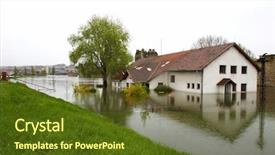
 Presentation with property damage - Slide deck enhanced with flood damaged property background and a tawny brown colored foreground

Flood Damaged Property

The image of flood damaged property is one that can evoke strong emotions and a sense of urgency, as if the very fabric of society is being torn apart by some unseen force. The scene is one of chaos and destruction, with buildings in ruins and people running for their lives. But amidst the devastation, there are glimmers of hope survivors fleeing to higher ground, emergency responders rushing to assist, and the sound of sirens blaring in the distance. As we watch this scene unfold, our minds begin to wander to the insurance policies that protect us from such disasters. How do these policies work? What happens when a policy is filed, and what kind of claims are we entitled to? The details may seem complex, but with the right information, anyone can navigate the process. In this presentation, you'll learn how to tackle some of the toughest challenges facing humanity damage control, defence strategies, and global responses. But first, let's talk about the template that will help bring it all together. The Corner Title design is not just a clever use of typography and layout, but also a masterclass in creating a visually striking background for your presentation. The template itself is a stunning Widescreen image, complete with lush greenery and a bright yellow sky to evoke feelings of hope and resilience. It's the perfect backdrop for showcasing the high resolution images you'll be featuring throughout this presentation. And when you're ready to dive into the nitty gritty, don't worry we've got four How To slides that will get you up and running in no time. But before we begin, let's talk about what makes this template so special. What if I told you that it features a unique Dart on Target Layout slide that's sure to grab your audience's attention? This clever design element allows for some truly innovative uses perhaps even as a teaser for the presentation itself, or as a way to highlight the latest statistics or trends in insurance and disaster relief. Ultimately, this template is about creating an immersive experience for your viewers. It's not just about conveying information it's about evoking emotions, sparking imagination, and inspiring action. And with its sleek design and high resolution images, you'll be well on your way to crafting a

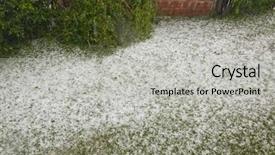
 Presentation with property damage - Cool new slides with hail - summer storm disaster ice backdrop and a light gray colored foreground

Hail Summer Storm Disaster.

The storm is brewing, and the damage is already done but fear not, the insurance world needs heroes like you to help mitigate the effects. In this stunning Widescreen presentation, showcasing high resolution images to capture your audience's attention, you'll be featured as an expert in disaster management. With a color palette that shines bright with Yellow Green hues, you'll have everything you need to tackle the cold front of insurance claims and ice balled bureaucracy. The template is designed to look like it was ripped straight from the pages of a high stakes news broadcast, where the stakes are always high and the danger is real. The Wide Title feature stands out on the screen, its bold font and bright green background making it stand out as the main event. You'll have a theme of action packed drama, with each slide designed to convey the intensity of disaster scenarios. Take the Dart Layout slide for example showcasing 4 visuals in a row that tell a story of damage, ice, danger, and hope. This template is not just any template it's downloadable and compatible with Google Slides, making it easy to incorporate into your presentations without any compatibility issues. With its unique blend of inspiration from disaster scenarios, you'll be able to have a theme of Enhanced With elevating your presentation to the next level.

 Presentation with property damage - Slide set with property damage claims - agent offering car motor insurance background and a sky blue colored foreground

Agent Offering Car Motor Insurance

Imagine you're standing in front of a sleek and modern insurance office, with a powerful agent handing over a key to you. The camera pans across the background, featuring high resolution images of cars driving away, all set against a bold crimson color palette. The agent's voiceover begins, "Welcome to our Corner Title template for Google Slides, where we're here to guide you through the world of car insurance." As the slide loads, you see a crisp, Widescreen shot of a person holding a policy document and smiling, with a cityscape in the background. The text overlays on top, "Agent offering car motor insurance" in bold, crimson font. We've designed this template to be easy to use, even for those who are new to Google Slides. With our 4 quick start slides at the beginning of the deck, you'll be up and running in no time. But don't worry, we won't leave you hanging just featuring a beautiful background with high resolution images, having an enhanced theme that's easy on the eyes, and including a 5 Year Calendar Timeline Layout slide to help you stay organized. On this slide, you can include features like key performance indicators (KPIs) and targets for your insurance agency. As we explore more of this template, you'll notice how it works seamlessly with our Widescreen format, which allows you to easily resize the background images without losing any quality. And, as a bonus, we've also included high resolution images that are ideal for showcasing your product or service on Google Slides. So go ahead and get started today just featuring a powerful template that's easy to use and enhance with our additional features.

 Presentation with property damage - Beautiful slide deck featuring flood damaged property backdrop and a tawny brown colored foreground

Flood Damaged Property

Slide deck featuring flood damaged property

 Presentation with property damage - Slide deck consisting of hail - summer storm disaster ice background and a light gray colored foreground

Hail Summer Storm Disaster.

The stormy weather is brewing, and with it comes the devastating consequences of damage to our precious resources. The icy grip of winter may seem like a distant memory, but its effects can still be felt in the form of destruction and chaos. As we navigate through the treacherous landscape of insurance claims, accidents, and disasters, it's essential to have a template that stands out from the rest. The Wide Title design is perfect for conveying the theme of disaster and damage, with its pale goldenrod color palette that evokes feelings of caution and warning. The high resolution images on the background will transport you to a world of icy landscapes and frozen bals, setting the tone for your presentation. This template is designed to be downloadable and compatible with Google Slides, making it easy to incorporate into your existing workflow. Featuring a bold and modern layout, it's perfect for showcasing key statistics and data in an engaging way. Including a background with a subtle texture will add depth and visual interest to your slides, while having a theme of enhanced visuals will take your presentation to the next level. The template is built on a Widescreen format, ensuring that all elements are perfectly proportioned and easy to read from across the screen. With four How To slides at the start of the deck, you'll be well on your way to getting up and running quickly, with features such as interactive links and animations adding an extra layer of interactivity. The Dart on Target Layout slide is a great example of how this template can be used to present complex data in an easy to understand format. By featuring key statistics and visualizations, you'll be able to convey the severity of the situation in a clear and concise manner. Having a theme of enhanced visuals will make

 Presentation with property damage - Slide set with property damage - man found his house background and a lemonade colored foreground

Man Found House Burglary Robbed

As you step into the Wild West of finance, your eyes are drawn to the scene unfolding before them a house that's been burglarized, and from which it seems, a man has emerged victorious. The sun beats down upon his face as he surveys the damage, frustration etched on his features. But in this moment of triumph, something is off. A figure lurks in the shadows, watching with cold calculation. It's not just any burglar this one's got skills, and a plan that's already been laid. The sound of breaking glass and the hum of sirens fill the air as the authorities close in. The design name for this template is Wide Title, and it's optimized for widescreen formats to give your presentation a cinematic feel. With tan as its base color palette, you'll be able to create a warm and inviting atmosphere that sets the tone for an engaging presentation. Featuring high resolution images throughout the background, our template will transport your audience to this fictional world of insurance related crime. As you start exploring the possibilities, keep in mind that 4 How To slides at the beginning of the deck will help you get up and running quickly getting started with a new presentation is always exciting! But before we dive into those How Tos, let's talk about the Quotation Layout slide. This is where you'll include a background image or graphic with a bold quote that sets the tone for your entire presentation. For example, "Insurance policy: Protecting your assets, one clause at a time." Having a theme of security and protecting your audience from financial harm will enhance their understanding of this vital topic. The tan color palette provides a warm backdrop for showcasing various insurance related images or illustrations throughout the template. You might include images of secure facilities, high tech gadgets, or bold graphics highlighting key terms like vandalism and robbery. Enhanced with high resolution images, these elements will make your presentation truly stand out from the crowd.

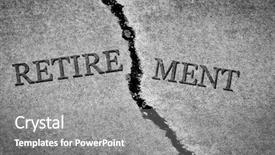
 Presentation with property damage - Cool new slide deck with property damage - old cracked sidewalk broken backdrop and a gray colored foreground

Old Cracked Sidewalk Broken Dangerous

Slide deck with old cracked sidewalk broken and dangerous cement symbol of no retirement

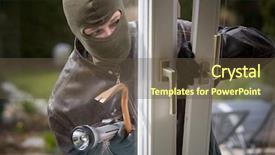
 Presentation with property damage - Cool new presentation theme with property damage - burglar breaks into a residential backdrop and a tawny brown colored foreground

Burglar Breaks Residential Building.

The darkness falls, and the sound of shattering glass echoes through the night, as a burglar's sleek figure slips into the shadows. Corner Title is your go to template for creating engaging presentations that grab attention and convey complex information with ease. This unique widescreen format will transport you to a world of high res images, perfectly enhancing the Olive color palette that sets the tone for this theme. Featuring bold illustrations, Including a Background With stunning 4K footage, and Having a Theme of dramatic lighting effects, Corner Title is sure to captivate your audience. The template's design Name incorporates key words that will give you an edge in insurance presentations, damage, con, bad, breaker related discussions. The template's compatibility with Google Slides ensures seamless integration into your workflow, making it easy to enhance and customize as needed. With its downloadable format, you can easily share your presentation with others without any technical worries. As the examples above demonstrate, Corner Title is perfect for creating visually appealing decks that convey complex ideas in an engaging way. Table of Contents: • Slide 1: "Welcome to Corner Title" • Slide 2: "Get Started With Ease" (How To slides will guide you through setup and customization) • Slide 3: "Presenting with Style Adding Visuals" • Slide 4: "Enhancing Your Slides Customizing Colors and Effects" This template is the perfect companion for anyone looking to enhance their presentations with high quality visuals, Olive color palette, and engaging designs. Corner Title features a powerful theme that combines dynamic illustrations, crisp typography, and stunning visuals, ensuring your presentations stand out from the crowd.

 Presentation with property damage - Presentation design with property damage - wooden blocks with the text background and a violet colored foreground

Wooden Blocks Text Repair

Presentation design with wooden blocks with the text repair

 Presentation with property damage - Presentation theme consisting of property damage - man found his house background and a soft green colored foreground

Man Found House Burglary Robbed

Imagine being in the midst of a frantic situation, with the eerie feeling that you're being watched. Your home is a sanctuary, but to you, it's now a prison after being burglarized by ruthless thieves. The sound of shattering glass and muffled cries echoes through the empty halls. You're left with nothing but an uneasy sense of security as the once peaceful space is turned into a robbery scene. The Corner Title template is designed to immerse your audience in this intense scenario, creating a captivating atmosphere that sets the tone for the rest of the presentation. The Widescreen format allows for maximum visuals, while the Tan color palette brings warmth and coziness to the overall design. Featuring high resolution images as background elements adds depth and visual interest, making it easier to engage your viewers. This template is designed for insurance related presentations, where you want to convey a sense of frustration and concern about securing one's assets. The keywords included are "insurance", "frustrated", "robbery", "secure", and "empty", all of which will resonate with the audience. The Corner Title template includes four How To slides at the start of the deck to help you get up and running quickly, but these slides are not mandatory. You can skip them if needed. The three Pictures + Captions Layout slide is a great place to include background images or illustrations that enhance your message. For example, you could use this layout to showcase a picture of an empty security system, with captions like "Protect Your Assets" or "Stay Vigilant". Having a theme of creating a visual narrative will help keep your audience engaged and interested in what's to come. The Enhanced With effect can be used to add more graphics, animations, or transitions to the slides, making them even more engaging. Google Slides compatibility ensures that your presentation looks great on both desktops and mobile devices.

 Presentation with property damage - Beautiful slide deck featuring property damage - man found his house backdrop and a light gray colored foreground

Man Found House Burglary Robbed

You've got a property that's been burglarized by thieves who seem to have a theme of vandalism and robbery, but your sense of security is shaken to the core when you discover that it has all been exposed. Design Name: Wide Title Template Format: Widescreen Template Color Palette: Tan Template Keywords: frustrated, robbery, secure, vandalism, view High resolution images for the background will showcase a dramatic scene with police sirens blaring and broken glass scattered everywhere. The template is downloadable and compatible with Google Slides. The design has a warm and inviting tone, evoking feelings of frustration and anxiety in those who use it. It's as if you've stumbled upon a dark secret that you can't unsee. Featuring high resolution images for the background, including a bold headline that reads "Discovering the Truth," this template is sure to grab your audience's attention. The template has a simple yet effective design layout with a clear timeline on one side and a main content section at the top. The Timeline Layout slide could feature an image of a clock ticking away or a calendar page turned, emphasizing the sense of urgency that comes with discovering a security breach. To enhance the overall look and feel, you can include a background with a subtle texture or pattern that resembles broken glass or police tape. Having a theme of showcasing real life crime scenes, this template is sure to captivate your audience's interest. Don't worry about getting up and running quickly; in fact, our step by step guide on how to use the template will walk you through each slide with ease. From the initial setup to the final presentation, everything is designed to be easy to navigate and follow along. And when it comes time to create your own content using this template, include a background with a subtle pattern or texture that complements the theme of security breaches and forensic analysis.

 Presentation with property damage - Audience pleasing theme consisting of property damage claims - claim written in search bar backdrop and a white colored foreground

Claim Written Search Bar Virtual

As you launch your business venture, you'll need to gather information on insurance reimbursement and damage repair costs, all of which can be quantified by precise calculations. To make this process more efficient, start by creating a claim in search bar on virtual screen. The template is designed as Widescreen format with a high resolution background that will render beautifully on Google Slides. Featuring a soothing Seashell color palette, it will transport you to a calming ocean environment where your business's financial woes can be alleviated. Including a Background With an assortment of subtle seashells and coral colors, this template is set to enhance your presentation with visual appeal. You'll find four How To slides at the start of the deck that will help you get up and running quickly: "Getting Started", "Data Collection", "Analysis and Reporting", and "Presenting Your Findings". These sections are crucial in guiding users through the process, making it easier for them to navigate your template. When designing the Dart Layout slide, consider including a large map of the world with highlighted areas that are prone to damage or losses, providing valuable context for the data you'll be analyzing. Having a Theme of Insurance and Financial Management, this template is perfect for professionals who need to manage their company's finances effectively. Enhanced With a unique blend of design elements and functionality, it offers more than just a basic layout; it provides everything needed to create an engaging presentation.

 Presentation with property damage - Audience pleasing presentation consisting of real estate and damage backdrop and a dark gray colored foreground

Close Up Hand Keeping Hammer

Presentation consisting of close up of hand keeping hammer over little moneybox concept of real estate and damage backdrop

 Presentation with property damage - Slides enhanced with property damage - burglar breaks into a residential background and a tawny brown colored foreground

Burglar Breaks Residential Building.

Slides enhanced with burglar breaks into a residential building

 Presentation with property damage - Cool new PPT theme with property damage claims - agent offering car motor insurance backdrop and a sky blue colored foreground

Agent Offering Car Motor Insurance

The insurance industry is a complex and dynamic market that requires high quality visual aids to communicate key messages effectively. A well designed template can help agents present their auto motor insurance options in an engaging way, setting them apart from the competition. Corner Title is a stunning Widescreen PowerPoint template designed specifically for insurance professionals like you. This crimson themed template features four engaging slides at the start of your presentation a "How To" deck to get you up and running quickly, but don't worry too much about those just yet. This template includes a Member Bio Layout slide that highlights your expertise in auto motor insurance. Just imagine having a background image of a sleek car with a bold font overlay featuring your name as the agent offering these services. "Featured" this impressive visual element to grab the audience's attention and make your presentation stand out. Including a Background With this template, you'll be able to showcase high resolution images that really pop against your crimson backdrop. Having a Theme of premium insurance products and services will ensure that your message is clear and concise, while Enhanced With Google Slides compatibility gives you peace of mind when sharing your content with colleagues or clients.

 Presentation with property damage - Beautiful PPT theme featuring property damage - house after fire still smoldering backdrop and a gray colored foreground

House Fire Still Smoldering

PPT theme featuring house after fire still smoldering

 Presentation with property damage - Beautiful slides featuring property damage claims - detail of legal papers judgment backdrop and a white colored foreground

Detail Legal Papers Judgment Decree

Slides featuring detail of legal papers judgment and decree pleadings lawyer

 Presentation with property damage - PPT theme consisting of property damage - burglar trying to break background and a gray colored foreground

Burglar Trying Break Door.

Imagine a dramatic scene where the lights are low and the shadows dance on the walls as a determined burglar attempts to break down the door to claim their prize, their eyes fixed intently on the reward inside. The tension builds as they strain against the rusty hinges, but still they refuse to give up. Their fingers grasp for leverage, their muscles flexing with each attempt. The scene is set in stark contrast to the warm and inviting atmosphere of an insurance company's office, where a worried customer sits nervously, holding a policy document and trying to make sense of the complex jargon. But as they scan the image above, they notice that the burglar's face contorts with frustration, their eyes wide with fear of being caught. The template is designed for a Widescreen presentation, with high resolution images that will make your slides look sharp and professional. The Dark Khaki color palette provides a sophisticated backdrop for any information you'd like to include, from insurance terms to policy details. With its theme of Featured Information and Enhanced Visuals, this template includes a Background With High Quality Images slide, where you can showcase an image that complements the content of your presentation. Having a Theme of Insights and Analysis will help drive home complex ideas with clear visuals and concise captions. The template is compatible with Google Slides, making it easy to share and collaborate on your presentations.

 Presentation with property damage - Slide set featuring property-damage-text-written background and a white colored foreground

Property Damage Text Written Typewriter.

Slide set featuring property damage text written with a typewriter

▼Key features of this template

  • They are compatible with both PowerPoint and Google Slides running on either Windows PCs or Macs.

  • They are available in both standard and widescreen slide formats. You can choose your preferred format by clicking on the "Widescreen" check box or icon.

  • Each template includes a beautiful high-resolution background image or video to visually reinforce the theme of your presentation.

  • In addition, each template includes designer-created graphics and modern fonts to give your presentations an up-to-date, professional look.

  • Each template's default design and title text position have been carefully selected to complement its background without covering faces or other key elements.

  • All text includes backdrops whose transparency level is mathematically calculated to maximize text readability while still allowing the background to be seen.

  • And all the text, text backdrops and graphics in every slide are colored with a palette designed to beautifully complement the colors in the background.

  • Our Premium templates (those with the descriptor “Premium” in their subtitle) include over 64 slide layouts to give you maximum flexibility as you create your presentations.

    • Those layouts are available to you whenever you create a new slide or when you want to change the layout of an existing slide.
    • They include everything you need to make all sorts of presentations. In addition to the layouts for the title slide and the usual title and content slide, they include many other layouts for slide types including table of contents slides, org charts, charts, diagrams, infographics, photo slides, thank you slides and more.
    • While creating these layouts our template designers have ensured that all text in every layout adjusts as gracefully as possible to various numbers of words.
  • Customizable templates (those with the descriptor “Customizable” in their subtitle) may be easily modified online before you download them.

    • To modify them, simply click on the pencil editing icon, then select your choice of ready to go designs and title text positions.
    • The editing tool also makes it easy to reposition and scale the background image or video to best suit your needs.

▼FAQs

Please review these FAQs to see if your question is answered. Contact us for more info

  • What is a PowerPoint template?

    • A well designed PowerPoint template is a file that can tell PowerPoint how to make your ordinary templates look extraordinary. They won’t change what your words or numbers say. But they might change their size, color, font and placement. And, overall, they can give your presentations a professionally-designed look that will give your content more credibility and give you more confidence.
  • How many PowerPoint templates do you offer?

    • We have over 32,000 artist-created presentation templates in our PowerPlugs collection With a subscription, PowerPlugs templates are easy to download. Just sign in, find a template and click on the green Download button. ready for you to download. That alone offers you more variety to choose from than any of our competitors can offer. And, as if that weren’t enough, we also offer over 6 million templates in our Crystal collection. Crystal brand templates are our line of templates that have customization options. They have the word "CRYSTAL" on their web page images. You can customize several aspects of the templates. These templates include high-resolution background images from Shutterstock’s vast image collection matched up with artist-created presentation designs customized by our own proprietary AI software.
  • How many templates can I download as a subscriber?

    • You can download an unlimited number of PowerPlugs-brand With a subscription, PowerPlugs templates are easy to download. Just sign in, find a template and click on the green Download button. templates every day for an entire year. (Actually, by default, we set a limit of 25 templates per day to prevent our competitors from stealing our templates. But, if that is not enough, just let us know and we’ll try to accommodate you.) On top of that, with a subscription or an Ultimate Combo, you can also download any 50 Crystal-brand Crystal brand templates are our line of templates that have customization options. They have the word "CRYSTAL" on their web page images. You can customize several aspects of the templates. templates per year selected from our huge Crystal collection. Crystal brand templates are our line of templates that have customization options. They have the word "CRYSTAL" on their web page images. You can customize several aspects of the templates. .
  • Why should I choose your templates instead of the competition’s?

    • We’ve got a larger selection of professionally-designed PowerPoint templates than anyone else in the world.
    • Each template includes a high-resolution background image or video to visually inspire your audiences while reinforcing your message.
    • Each template includes 64 slide layouts to give you maximum flexibility as you create your presentations.
    • Our templates are available in both standard and widescreen slide formats. And our website lets you preview the slides each way.
    • Our free Template Finder™ plugin lets subscribers select and - with a single click - download and insert our templates into their presentations right from within PowerPoint.
    • We’ve been creating designer presentation templates for over 20 years. During that time we’ve won several awards and 5-star ratings for product quality. See About Us for more.
  • Do you offer a money-back guarantee?

    • Yes we do! We offer full 30-day money-back guarantee if you are not 100% satisfied with your purchase.
  • Can I still use my downloaded templates after my subscription runs out?

    • Yes. After your subscription expires, you won't lose any rights or ability to use your PowerPlugs: Templates for PowerPoint. You won't be able to download any new non-watermarked templates. But the non-watermarked templates you've already downloaded will still work and you can still use them as before.
  • Can I share my downloaded templates or passwords with friends or coworkers?

    • Sorry but no. You are authorized to download each paid-for template to up to 3 of your personal devices and to use the templates you download in as many presentations as you want. But you are not authorized to share the templates, themselves, with others. That said, we do offer highly discounted site licenses to suit the needs of both small and large teams. Just tell us your needs and we’ll give you a quote!
  • System requirements:

    • The templates use the standard POTX format. So they are compatible with Google Slides and all PC, Mac and mobile devices running any version of PowerPoint from PowerPoint 2007 up through and including Office 365 desktop.
    • Please note: Google Slides does not currently support background videos. It treats them as still images.
    • For PowerPoint for the Web, first open your template into a desktop version of PowerPoint, then save it back out as a PPTX file. Then you can open that in PowerPoint for the Web.
  • End user license agreement:

    • Click here to view.
  • How will I get my purchased templates?

    • You may download your selected templates as soon as your payment is received by PayPal. If you purchased an individual template, you will be provided with a download link both onscreen and via email. Just click on that link to begin the download process. If you purchased a subscription, you will receive an email containing a password to use along with your email address to sign in to any of the templates pages on CrystalGraphics.com. Once you are signed in, you can immediately start downloading your selected templates.
  • How do I use my templates after I download them?

    • You can either open a template to start a new presentation or you can add a template to an existing presentation. To open a template, just double click on it or use PowerPoint's File > Open tool. To add a template to an existing presentation, on the Design tab, in the Themes group, click Browse for Themes... then browse to select your template.

More Property Damage presentation templates

93% of Fortune 1000
companies use our
PowerPoint Products
Templates Secure

Standing Ovation Award
Winner: Best PowerPoint
Template Collection
Fortune Logos
200,000+ satisfied
customers worldwide!
Guarantee
100% satisfaction guaranteed
- or send it back for a refund!

Sign up for our free newsletter! You'll get news about our PowerPoint-enhancing product line – including free updates, new product announcements and exclusive special offers. Plus you'll get a link to a free PowerPoint template with every newsletter you receive.
Privacy Policy
Loading...


Help

Contact Us
Product FAQs
Product License Agreements

Company Info

About Us
Privacy Policy
CrystalGraphics, Inc. 1999 S. Bascom Avenue Suite 700 Campbell, CA 95008 USA
© 2026 CrystalGraphics, Inc. All rights Reserved.    |     PowerPlugs is a trademark of CrystalGraphics, Inc.
Microsoft and the PowerPoint logo are trademarks or registered trademarks of Microsoft Corporation in the United States and/or other countries.
Loading...
Loading...