www.crystalgraphics.com CrystalGraphics
  • Ultimate Combo
  • Templates
  • Diagrams
  • Characters
  • Quizzes
  • shopping cart
  • Sign Out Sign Out Sign In
Home > Templates > Sargassum Category
search icon
advanced icon

21 Best Sargassum-Themed Templates for PowerPoint and Google Slides

CrystalGraphics creates templates designed to make even average presentations look incredible. Below you’ll see thumbnail sized previews of the title slides of a few of our 21 best sargassum templates for PowerPoint and Google Slides. The text you’ll see in in those slides is just example text. The sargassum-related image or video you’ll see in the background of each title slide is designed to help you set the stage for your sargassum-related topics and it is included with that template. In addition to the title slides, each of our templates comes with 17 additional slide layouts that you can use to create an unlimited number of presentation slides with your own added text and images. And every template is available in both widescreen and standard formats. With over 6 million presentation templates available for you to choose from, CrystalGraphics is the award-winning provider of the world’s largest collection of templates for PowerPoint and Google Slides. So, take your time and look around. You’ll like what you see! Whether you want 1 great template or an ongoing subscription, we've got affordable purchasing options and 24/7 download access to fit your needs. Thanks to our unbeatable combination of quality, selection and unique customization options, CrystalGraphics is the company you can count on for your presentation enhancement needs. Just ask any of our thousands of satisfied customers from virtually every leading company around the world. They love our products. We think you will, too!

Features & Pricing

Widescreen (16:9) Presentation Templates. Change size...

 Presentation with sargassum - Beautiful slide set featuring endangered corals - sargassum triggerfish swimming backdrop and a teal colored foreground

Sargassum Triggerfish Swimming

Sargassum Triggerfish swimming in the crystal clear waters of the Sinai Peninsula, its majestic presence is a testament to the beauty and diversity of this fragile ecosystem that is facing an alarming rate of extinction due to human activities. The Sargassum Triggerfish is one of the most iconic and endangered species in the world's oceans, with only a handful of sightings reported recently, highlighting the urgent need for conservation efforts. The template design Name is "Island of Hope" and it features a stunning high resolution image of the Sargassum Triggerfish swimming against the backdrop of a Dodger Blue gradient. The Dodger Blue color palette provides a soothing and calming background that sets the tone for a serene and peaceful environment, perfect for showcasing conservation efforts and raising awareness about the plight of this endangered species. The template format is Widescreen, ideal for displaying stunning images and videos in full screen mode, making it easy to engage your audience and convey the importance of the issue. The Dodger Blue color palette can be easily customized with various fonts and backgrounds to match different branding needs. The "Island of Hope" template includes 4 How To slides at the start of the deck to help you get up and running quickly, but for now, let's focus on the features that make this template stand out. Featuring a unique comparison layout that allows users to easily compare and contrast information about Sargassum Triggerfish with other endangered species, "Island of Hope" offers an Enhanced With experience that sets it apart from other templates. Having a theme of conservation and sustainability, this template is perfect for organizations and individuals working tirelessly to protect our planet's precious resources. As inspiration, you can include a background image of the Sargassum Trigger

 Presentation with sargassum - PPT theme with hondawara-sargassum-fulvellum-delicious-seaweed background and a tawny brown colored foreground

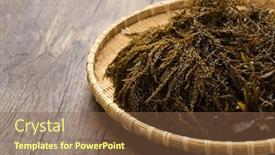
Hondawara (sargassum Fulvellum Delicious Seaweed

The moment you click on your new Corner Title template is like biting into a fresh piece of Hondawara, the delicious seaweed that's been carefully cultivated to bring out its unique flavor. In this template, you'll find yourself surrounded by an atmosphere reminiscent of a sunny south coast, with high resolution images of coral reefs and schools of fish adding depth and dimensionality. The Dark Salmon color palette sets the tone for a sophisticated yet refreshing design, perfect for showcasing your specialty expertise. The Corner Title template is specifically formatted for widescreen presentations, ensuring that every detail is showcased in stunning quality. With its integrated keywords specialty, south, isolated, algae, freshness this template is sure to grab attention and inspire your audience's imagination. From Googel Slides compatibility to Google Drive features, you'll have everything you need right at your fingertips. As you delve into the world of 4 How To slides, expect to discover a streamlined process for launching your presentation quickly and efficiently. Featuring an optional background with customizable templates and having a theme of presenting fresh ideas will enable you to focus on delivering valuable insights. Enhanced with interactive elements and animations, these slides are sure to captivate your audience's attention. The Member Bio Layout slide is where it all comes together showcasing your expertise in the Corner Title template. This layout allows for flexibility, making it easy to include relevant information while maintaining a clean and professional appearance. With its modular design, you can easily customize and arrange your bio content to suit your needs. As an example, featuring a prominent call to action button or including a background image with text overlays will add a dynamic touch to your presentation.

 Presentation with sargassum - Slide set enhanced with japanese-delicious-seaweed-boiled-akamoku background and a tawny brown colored foreground

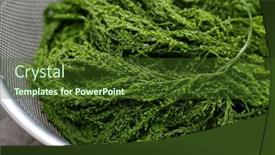
Japanese Delicious Seaweed Boiled Akamoku (

In the heart of Japan's coastal regions, where the sea meets the earth and the air is crisp with the scent of saltwater, lies a delicious secret waiting to be uncovered boiled Akamoku, or Sargassum Horneri, a type of seaweed that's been prized for its nutritional value and unique flavor since ancient times. The traditional Japanese dish featuring this seaweed is often served in a steaming hot bowl, accompanied by a sprinkle of toasted sesame seeds and a drizzle of sweet soy sauce. But have you ever wondered what it would look like to take this culinary delight online? With the Split Title template from CrystalGraphics, you can create a visually stunning presentation that showcases the beauty and essence of boiled Akamoku. This template is specifically designed for Widescreen presentations and features a Dark Olive Green color palette that will transport your audience to the Japanese coast. The high resolution images of the seaweed on the background will surely make your viewers go green with excitement, as they delve into the world of this incredible plant. Featuring intricate details and textures, this template is ideal for showcasing the beauty of boiled Akamoku in all its glory. Including a Background With rich, velvety tones that will enhance the overall visual appeal, making it the perfect fit for presentations that aim to educate and inspire. Having a Theme of highlighting the unique aspects of Japanese culture, this template offers an Enhanced With opportunity to explore other fascinating aspects of Japanese cuisine, from sushi to ramen, all within one cohesive presentation. The Stairs Layout slide is particularly eye catching, with its tiered design featuring multiple levels of stacked images that will engage your audience and keep them captivated throughout the deck. The overall layout is carefully crafted to create a sense of drama and flow, making it an ideal feature for presentations that require visual interest and persuasion. Whether you're creating a presentation about the benefits of boiled Akamoku or simply showcasing its unique flavor profile, this template from CrystalGraphics has everything you need to make your presentation truly unforgettable.

 Presentation with sargassum - PPT theme consisting of japanese-delicious-seaweed-akamoku-sargassum background and a tawny brown colored foreground

Japanese Delicious Seaweed Akamoku Sargassum

In the heart of Japan's scenic coastline, where the ocean meets the sky in a breathtaking dance of light and shadow, lies a treasure trove of natural wonders waiting to be revealed. From the delicate tendrils of isolated seaweed to the majestic forms of algae and marine life, each element is a testament to the intricate beauty of our planet. The traditional art of Japanese ceramics often features this same harmony of nature, elevating it from mere aesthetics to a profound expression of the human experience. The Goldenrod color palette weaves its way through this presentation, transporting you to a world of warmth and serenity, much like the golden hues that dance across the sun kissed hills of rural Japan. As you embark on this journey, you'll discover a rich array of images that will take you on a tour of this captivating subject matter. The Widescreen format provides an immersive canvas for your imagination to run wild, allowing you to lose yourself in the serene beauty of our natural world. High resolution images will make each detail pop, giving you a truly immersive experience. As you delve deeper into the world of Wide Title, you'll notice that the Four Arrows Layout slide plays a starring role. This masterful design combines cutting edge technology with timeless elegance, featuring a stunning background image that sets the tone for the entire presentation. This template is not just a collection of images, but a cohesive whole that incorporates all the key elements of your project, from the Goldenrod color palette to the Four Arrows Layout slide. It's Enhanced With features such as Including A Background With and Having A Theme Of, making it an ideal choice for those looking to elevate their presentation with a touch of sophistication and style. As you navigate through the 4 How To slides at the start of the deck, you'll discover practical tips and tricks that will help you master the art of showcasing your images in a way that's both engaging and informative. With the template downloadable and compatible with Google Slides, you're ready to get started on your project with confidence. So why wait? Get your Wide Title template today and take your presentation to the next level!

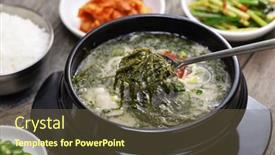
 Presentation with sargassum - Presentation enhanced with momguk-sargassum-seaweed-soup background and a  colored foreground

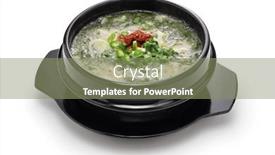
Momguk (sargassum Seaweed Soup Specialty

As you create your new Corner Title template on CrystalGraphics, imagine serving up a steaming bowl of Momguk, a specialty of Jeju Island, South Korea, to your audience and watching them savor the rich flavors and textures. The high resolution images in this template will transport your viewers to the beautiful landscapes and isolated villages of Jeju Island, where the unique combination of ingredients and cooking methods create a truly special culinary experience. The Pale Goldenrod color palette is designed to evoke feelings of warmth and relaxation, perfect for creating an atmosphere that makes your audience feel like they're enjoying a leisurely lunch or a soothing cup of soup. With this template, you can easily enhance the mood with Featuring a warm golden light, Including a Background With a subtle texture to add depth, Having a Theme of Isolation to create a sense of intimacy and closeness. The four How To slides at the start of your deck will help you get up and running quickly by providing valuable resources to help you customize your template. But if you want to make it extra special, consider including a Social Media Concept Layout slide that showcases how you can incorporate Instagram worthy visuals into your presentation. For example, you could use Featuring a beautiful island landscape, Including a Background With a subtle cloud texture, Having a Theme of Blues and Greens to add a touch of calmness. When it comes to formatting, the Widescreen template is designed to be versatile, making it easy to include high resolution images for the background and overlay them with your own text and design elements. This allows you to keep things looking fresh and modern while still maintaining the clean and organized layout that your audience expects from a PowerPoint presentation.

 Presentation with sargassum - Presentation theme having boiled-hondawara-sargassum-fulvellum-delicious background and a tawny brown colored foreground

Boiled Hondawara (sargassum Fulvellum Delicious

The powerpoint template is called "Boiled Hondawara" and features a dark olive green color palette that evokes the unique appearance of boiled sargassum seaweed. The design name is short and to the point, conveying the theme of algae in isolation. This template is specifically designed for presentations with a specialty focus, making it perfect for showcasing innovative or specialized ideas. With its isolated and natural theme, "Boiled Hondawara" has an enhanced sense of sophistication and uniqueness that will set your content apart from more generic slides. As you begin to build out this template, start by creating 4 How To slides at the top of your deck, such as the "Getting Started" slide which could include images of high resolution backgrounds for a detailed look at the template's features. The "Configuring Colors and Themes" slide could showcase how to customize the dark olive green color palette and add special effects like shadows or gradients. The "Creating a Custom Layout" slide is another great example, featuring an 8x10 layout where you can insert images of different organs, such as the heart or liver. The 4 x 4 Org Chart Layout could be used to illustrate a specific organizational structure, while also showcasing how the template's design elements can be applied to real world business models. By incorporating high resolution images and modern design elements like features and including a background with, you'll create a visually stunning presentation that will leave your audience engaged and impressed.

 Presentation with sargassum -

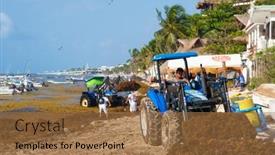
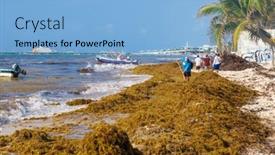
Playa Del Carmen,mexico -

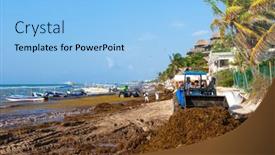
As you begin your PowerPoint presentation, think about how to grab your audience's attention with a visually stunning slide that sets the tone for the rest of your deck. Imagine presenting in front of a beautiful turquoise ocean, with a sun shining down and palm trees swaying gently in the breeze. The Corner Title template is designed to be a work of art, featuring 4 high resolution images at the top of the screen to help you get up and running quickly. But before we dive into those visuals, let's talk about the overall look and feel of the template. The Light Sky Blue color palette provides a calming and serene background that matches the relaxed vibe of a Caribbean beach resort. Featuring a brown sand texture, the table is enhanced with a subtle gradient effect to give it depth and dimension. The keyword keywords "algae," "beach," "brown," "Cancun," and "Caribbean" bring your presentation to life, giving you a clear idea of what to include in your slides. For example, the Slide 1: Featured Background slide could include a stunning image of the beach at Playa del Carmen, Mexico, with the caption "High Resolution Image for Background."

 Presentation with sargassum - Presentation design featuring momguk-sargassum-seaweed-soup background and a  colored foreground

Momguk (sargassum Seaweed Soup Specialty

The art of creating a visually stunning PowerPoint template is not just about clicking a few buttons but rather about crafting a design that will leave a lasting impression on your audience. This Wide Title template is designed to make a statement, with its attention grabbing background image featuring lush greenery and vibrant colors. This Widescreen template is made for those who want to take their presentation to the next level, with a focus on showcasing high resolution images that will be rendered in stunning detail at zoom levels of up to 200%. The Chocolate color palette provides a warm and inviting backdrop, perfect for highlighting the unique flavors and ingredients featured in this specialty soup. The template includes four How To slides that will help you get started quickly, from choosing the perfect background image to customizing your slide layout. But let's be real, getting up and running can be as easy as clicking "Save" on Google Slides. As inspiration for this design came from the iconic Momguk (sargassum seaweed soup) of Jeju Island, South Korea, a specialty that is steeped in tradition and flavor. The template includes an @Pictures With Captions layout slide that allows you to easily add your own photos and descriptions to really bring your presentation to life. This template would be perfect for anyone looking to showcase their unique style or expertise in the world of food and culture. It's a theme of enhancing your brand with engaging visuals, making it stand out from the crowd and leave a lasting impression on your audience.

 Presentation with sargassum -

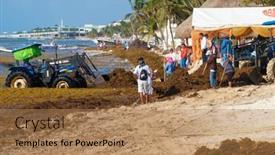
Playa Del Carmen,mexico -

As you dive into the world of tropical paradise retreats, imagine yourself stranded on a pristine beach, surrounded by vibrant greenery as far as the eye can see a perfect setting for relaxation and rejuvenation. The warm sun on your skin, the soothing sound of waves crashing against the shore, and the sweet scent of blooming flowers in full bloom all contribute to an ambiance that's hard to resist. This stunning template is designed to evoke the feeling of playing on one of Mexico's most popular beaches, Cancun or Playa del Carmen. The Light Sky Blue color palette shines bright, perfect for creating a sense of calmness and serenity. A high resolution image for each slide will transport you there instantly, featuring lush greenery and powdery white sand. The template is fully compatible with Google Slides, making it easy to incorporate high quality images directly into your presentation. As you plan your project, you can choose from four introductory slides that offer valuable tips on getting started quickly: "How To: Setting Up Your Template", "How To: Customizing Your Background", "How To: Enhancing Your Image", and "How To: Adding Interactivity to Your Deck". The template itself is a visually stunning showcase of the Cancun beach scene, complete with vibrant algae growth in the water, palm trees swaying gently in the breeze, and a bright blue sky. This beautiful image will feature prominently on each slide, providing a consistent look and feel throughout your presentation. From "How To: Adding Interactivity to Your Deck" to "How To: Enhancing Your Image", these slides offer valuable insights into creating an engaging and effective visual experience for your audience. With its captivating design and enhanced features, this template is the perfect addition to any presentation that showcases tropical beauty and relaxation.

 Presentation with sargassum -

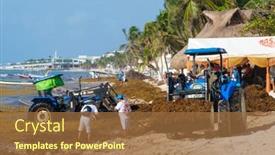
Playa Del Carmen,mexico -

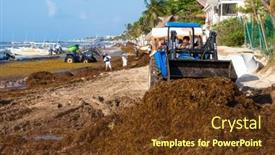
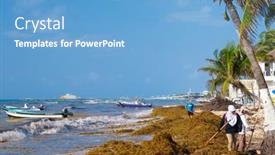
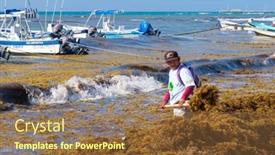
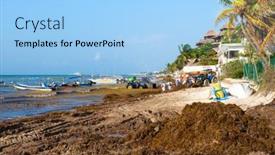
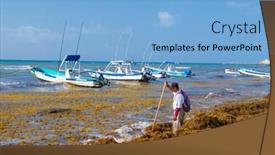
The sun kissed beaches of Cancun, Mexico Playa del Carmen is a vibrant destination where the crystal clear waters and powdery white sand create an idyllic backdrop for an unforgettable vacation. As the battle against sargassum seaweed continues to rage on the beach, locals are working tirelessly to keep their shorelines clean and free of this pesky debris. The Powerpoint template is designed to transport your audience to this beautiful Caribbean coastline, featuring high resolution images that will make them feel like they're standing on the beach, feeling the warm sand between their toes. The Light Sky Blue color palette provides a fresh and calming atmosphere, perfect for showcasing stunning ocean views or vibrant marine life. This template includes four How To slides at the start of the deck to help you get up and running quickly, featuring arrows pointing to each step as if guiding the user through a process. The 4 Arrow Steps Layout slide is designed to make it easy to navigate the content and keep your audience engaged. For example, this slide could feature an image of a beach cleanup crew, with arrows indicating where they need to focus their efforts right up front. Including a Background With this template allows you to add a stunning ocean scene or lighthouse image to each presentation, making it perfect for showcasing stunning visuals. Having a Theme of Beach Cleanups also highlights the importance of this issue and encourages your audience to take action. Enhanced with animations and transitions, this slide will leave your audience in awe, as if watching a movie trailer for an underwater adventure. Featuring a beautiful sun setting over the ocean creates a warm and inviting atmosphere, perfect for capturing attention and keeping your message top of mind.

 Presentation with sargassum -

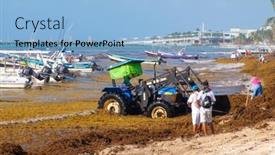
Playa Del Carmen,mexico -

The sun kissed shores of Cancun and the crystal clear waters of the Caribbean have been the backdrop for countless beachside adventures, but one challenge remains elusive: the pesky sargassum seaweed that seems to appear out of nowhere. Playa del Carmen's beaches are a testament to the importance of preserving our planet's natural beauty, and it's high time we take action against this scourge. Design Name : Algae Beach Scene Template Format : Widescreen Template Color Palette : Light Sky Blue Template Keywords : algae, beach, brown, cancun, caribbean As you explore this stunning template, you'll notice the high resolution images of lush greenery and vibrant colors that bring the Caribbean coast to life. The background features a beautiful shot of Playa del Carmen's iconic Hotel Zone, complete with palm trees and powdery white sand. In the foreground, imagine the intricate details of a coral reef teeming with marine life. To enhance your presentation, you can include a Chart with Caption Layout slide that highlights key statistics on sargassum seaweed, its impact on our oceans, and potential solutions. This template is designed to inspire and educate, featuring an engaging image that showcases the beauty of the Caribbean. With its accompanying How To slides at the start of the deck, you'll be well equipped to get up and running quickly and create presentations that are informative, visually stunning, and engaging. When using this template for Google Slides, make sure to include a Background With slide to set the scene and Having a Theme of setting the tone for your presentation. By incorporating these elements into your presentation, you'll be able to showcase your passion for environmental conservation and inspire others to take action against this pressing issue. Enhance your message by including interactive elements that allow your audience to participate in the discussion, such as polls or Q&A sessions. With this template, you're ready to dive into the world of algae beach scenes and make a splash with your presentation.

 Presentation with sargassum -

Playa Del Carmen,mexico -

As you delve into the world of tropical paradises and sun kissed coastlines, imagine yourself standing on the pristine shores of Cancun, Mexico, where the crystal clear waters meet the powdery white sand. The sound of waves gently lapping against the shore, accompanied by the sweet songs of tropical birds, creates a soothing melody that washes away all worries. The design name for this template is Coastal Oasis. It's a Light Sky Blue themed Widescreen image, featuring high resolution images that will transport you to a world of serenity and relaxation. This template is perfect for showcasing stunning photographs of beaches, coral reefs, and lush greenery. Featuring a theme of natural beauty and tranquility, it's sure to inspire your presentations and make them stand out from the crowd. To get started quickly, four How To slides are included at the beginning of the deck, making it easy to launch into your presentation with ease. These sections provide valuable tips on setting up Google Slides for effective use, including how to customize backgrounds and incorporate images seamlessly into your presentations. Having a theme of enhancement and inclusion, this section will show you how to take your slides to the next level. This template is designed to enhance your online presence, making it easily downloadable and compatible with Google Slides. With its soothing Light Sky Blue color palette and high resolution images, Coastal Oasis is the perfect choice for anyone looking to showcase stunning photographs of tropical landscapes.

 Presentation with sargassum -

Playa Del Carmen,mexico -

As you dive into your presentation planning with CrystalGraphics, consider starting with a phrase that immediately captures the attention of your audience, like this: "Get ready to dive into the vibrant world of Cancun and the Caribbean coast, where nature's beauty reigns supreme." The Corner Title template features a stylish design name that perfectly encapsulates its essence. This Widescreen presentation is perfect for showcasing stunning images from various locations around the world, including Playa del Carmen in Mexico, which boasts crystal clear waters and powdery white sand beaches. With an impressive Steel Blue color palette as its foundation, this template is sure to transport your audience to a tropical paradise. The keywords featured throughout the design are "alga, beach, brown," giving it a distinctly Caribbean feel. You can imagine showcasing these gorgeous images in slides featuring a Background With a stunning sunrise over the ocean, highlighting the serene atmosphere of Cancun's Playa del Carmen. Having a Theme of showcasing destinations around the world allows for endless creative possibilities, from exploring hidden gems to immersing your audience in breathtaking scenery. The 5 Level Piramid Layout slide offers a visually appealing structure that helps build anticipation and excitement. The levels range from Low to High, offering an enticing journey through each slide. By including high resolution images at the start of each deck, you'll provide your audience with an instant visual feast. Featuring this template, you can enhance your presentation's impact, making it an ideal choice for Googel Slides users.

 Presentation with sargassum -

Playa Del Carmen,mexico -

As you start designing your PowerPoint template with CrystalGraphics, consider embarking on a project that's as stunning as the crystal clear waters of Cancun's Playa del Carmen. The vibrant colors and serene atmosphere of this Mexican beach town are sure to inspire your design. To bring this tropical paradise to life, you'll want to choose a template format that complements its warm and sunny demeanor Widescreen is the perfect choice. The Light Sky Blue color palette will transport your audience to the turquoise waters and powdery white sand of Playa del Carmen's beaches. Incorporating this palette will give your design a sense of calmness and serenity, making it perfect for an inspirational or educational presentation. With high resolution images that will showcase the beauty of Cancun's coastline, you'll be able to create a template that effectively transports your audience to this Mexican gem. From here, you can explore various design elements such as incorporating a background with palm trees and colorful beach huts, having a theme of tropical islands and marine life. The Bulb Puzzle Layout slide is a great feature to include, allowing users to arrange and customize their design elements in a unique way. This will add an interactive element to your template and make it more engaging for your audience. As you start designing, remember that the key to creating an effective PowerPoint template is to balance aesthetics with usability making sure the design is both visually appealing and easy to navigate. By incorporating these elements and considering how they'll enhance your presentation, you'll be well on your way to creating a stunning template that will leave a lasting impression on your audience.

 Presentation with sargassum -

Playa Del Carmen,mexico -

As you embark on this creative journey, let's begin with a powerful message that sets the tone for your presentation. Imagine standing in front of a stunning Widescreen background featuring high resolution images of sun kissed beaches and lush tropical forests it's the perfect canvas to showcase your Corner Title template. This unique design name is sure to grab attention, don't you think? The Light Steel Blue color palette will transport your audience to the beautiful Cancun beach, a renowned destination known for its crystal clear waters and powdery white sand. With this template, you'll be able to include a Background With stunning images of Playa del Carmen's iconic coves and mangrove forests in Featuring our high resolution images. The Corner Title template is designed with a focus on the Caribbean coast of Mexico, where the ocean meets the shore Creating an AIDA Block Layout that draws your audience in. The four How To slides at the start of the deck will help you get up and running quickly, but what's really enhanced With these slides is the seamless integration of the template into Google Slides. This template is downloadable and compatible with Google Slides, allowing for easy deployment on any device. With its warm Light Steel Blue color palette and lush tropical imagery, this template is sure to become your new favorite canvas a theme of creativity and inspiration that's waiting to be unleashed.

 Presentation with sargassum - Beautiful presentation design featuring playa-del-carmen-mexico-april backdrop and a light blue colored foreground

Playa Del Carmen,mexico -

Imagine standing on a pristine beach in Playa del Carmen, Mexico, with the warm sun on your skin and the sound of waves gently lapping at the shore. As you gaze out at the turquoise waters and powdery white sand, you can't help but feel a sense of serenity wash over you. This template is designed to transport you to a tropical paradise, showcasing the beauty of the Cancun and Caribbean coastlines through high resolution images. The Cornflower Blue color palette will make your slides pop against the warm, sunny background, creating a visually stunning presentation that's sure to impress. The Growth Stages Layout slide is a great starting point for any PowerPoint deck, featuring a clear and concise illustration of the different stages of development. It can be used as a guide to help you organize your content, from the introduction to the conclusion. For example, you could include images of various stages of algae growth, showcasing how it begins with tiny plankton and gradually blooms into an impressive ecosystem. To enhance your presentation, consider featuring high resolution images that showcase the vibrant colors and textures of the beach environment. You can also include a background with a subtle texture to give your slides a more realistic look. Having a theme of "beachy vibes" will add to the overall ambiance, making your presentation feel like a real life experience. By using this template as a starting point, you'll be able to create a visually stunning and engaging presentation that showcases the beauty of the beach environment. Whether you're presenting about algae growth or simply looking for a new look for your slides, this Cornflower Blue template is sure to impress.

 Presentation with sargassum -

Playa Del Carmen,mexico -

The sun kissed beaches and crystal clear waters of Cancun's Caribbean coast have long been a source of inspiration for creatives, beckoning them to capture the essence of this tropical paradise on their screens. The power of a well designed PowerPoint template can transport you to one of these breathtaking destinations, making it an ideal companion for those looking to enhance their presentation with high resolution images and captivating visuals. Wide Title is designed to make a bold statement, its simple yet striking name evoking the sense of a sweeping ocean vista. With a Widescreen format that brings the entire scene into focus, this template is perfect for showcasing stunning images that will leave your audience in awe. In terms of color palette, Light SlateGray provides a calming and serene backdrop, ideal for highlighting the vibrant colors of algae and seaweed in action. The template's keywords are carefully curated to evoke a sense of adventure and exploration, making it an excellent choice for presentations focused on Cancun or beach destinations. Featuring high resolution images of Playa del Carmen at sunset, the template includes a Background With rich texture, evoking the sensation of walking along the beach, Having a Theme of tropical relaxation, highlighting the tranquility of this Mexican paradise.

 Presentation with sargassum -

Playa Del Carmen,mexico -

As you dive into your presentation, imagine yourself standing on the sun kissed shores of Cancun's Playa del Carmen, feeling the warm sand between your toes and the cool ocean breeze in your hair, all while gazing out at the turquoise waters. The vibrant colors of the coral reef and the majestic palm trees sway gently in the trade winds as you take a moment to soak it all in. This stunning image features high resolution images for the background, showcasing the beauty of this Caribbean paradise. This template is perfect for anyone looking to create a visually stunning presentation that captures the essence of tropical destinations. The Light Sky Blue color palette is bright and airy, making it easy to enhance with backgrounds featuring palm trees or beach scenes. You can include a Background With feature by adding a 3D element to your slide, making it stand out from the rest. The Ansoff Matrix Diagram Layout will guide you through a step by step process of creating your presentation's design, ensuring a cohesive and professional look. Featuring a clear outline structure, this layout allows for easy navigation throughout the deck. Including slides on the How To section provides valuable tips and tricks to get you started quickly. As you begin building your template, consider having a Theme of "Island Getaway" or "Beachside Bliss" to guide your design decisions. Having a Focus On Color scheme will also help you create a cohesive look throughout your presentation. Enhanced With the ability to customize backgrounds and add animations, you'll be able to take your presentation to the next level. Including 4 how to slides at the start of the deck can help set the tone for your presentation. These slides can include tips on choosing the right colors, selecting high resolution images, and mastering presentation design principles. By having a clear plan in place, you'll be able to deliver an engaging and informative presentation that leaves your audience feeling inspired and uplifted.

 Presentation with sargassum -

Playa Del Carmen,mexico -

Imagine walking along the sun kissed beaches of Cancun, Mexico, surrounded by vibrant coral reefs and an endless expanse of turquoise waters, as you soak up the warmth and beauty of this tropical paradise. The sound of waves gently lapping against the shore creates a soothing melody that calms the mind and lifts the spirits. The Cornflower Blue color palette brings to life the crystal clear waters and powdery white sand of Playa del Carmen, while incorporating elements of brown and green to evoke the natural surroundings. This template is designed to transport you to this stunning beach destination, with high resolution images used throughout to feature your slides. This template features a dynamic layout that seamlessly blends elements of nature and culture, making it perfect for presentations on Cancun's beach destinations, eco tourism, or even branding materials related to travel and leisure. The 4 How To slides are designed to provide you with the tools and resources needed to get up and running quickly, featuring simple on screen instructions that walk through the setup process. These steps include: * Importing images for your background * Setting up color palettes and themes * Creating a custom layout This template is enhanced with elements such as including a background with a subtle gradient effect, having a theme of coastal landscapes, and featuring an image gallery to showcase your content. The 3 Step Funnel Layout slide provides a clear overview of the template's features, making it easy to use for presentations. You can enhance this layout by adding animations or transitions to create a more engaging experience. The high resolution images used throughout this template ensure that your presentation looks professional and polished, while the Cornflower Blue color palette adds a touch of sophistication.

 Presentation with sargassum -

Playa Del Carmen,mexico -

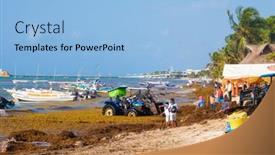
As you click "Get Started" on this crystal clear template, imagine yourself strolling along the pristine shores of Playa del Carmen, Mexico, where the warm light of a tropical sunrise illuminates the turquoise waters and powdery white sand beaches. In this serene and vibrant setting, the battle against sargassum seaweed continues, with local workers tirelessly working to clean the beach. The template is designed in Widescreen format, perfect for showcasing stunning high resolution images that will transport your audience to this picturesque location. The Light Sky Blue color palette adds a touch of warmth and calmness to the design, while incorporating a brown and beige color scheme brings an earthy feel to the overall aesthetic. Featuring the 5 Stages Pentagon Layout slide, you'll have the opportunity to showcase the intricacies of the template's layout in a clear and concise manner. To enhance your presentation, you can include a Background With ocean waves or palm trees in the How To slides, providing a visually appealing contrast to the clean lines and minimalist design. Having a Theme of showcasing beautiful beaches and coral reefs will allow you to highlight the beauty of this location while also emphasizing the importance of marine conservation. To make it even more engaging, you can include animations or effects that simulate the movement of seaweed or waves. By incorporating these features into your presentation, you'll be able to captivate your audience and convey a clear message about the importance of protecting our oceans and coral reefs. The template is downloadable and compatible with Google Slides, making it easy to incorporate into your presentations and projects.

▼Key features of this template

  • They are compatible with both PowerPoint and Google Slides running on either Windows PCs or Macs.

  • They are available in both standard and widescreen slide formats. You can choose your preferred format by clicking on the "Widescreen" check box or icon.

  • Each template includes a beautiful high-resolution background image or video to visually reinforce the theme of your presentation.

  • In addition, each template includes designer-created graphics and modern fonts to give your presentations an up-to-date, professional look.

  • Each template's default design and title text position have been carefully selected to complement its background without covering faces or other key elements.

  • All text includes backdrops whose transparency level is mathematically calculated to maximize text readability while still allowing the background to be seen.

  • And all the text, text backdrops and graphics in every slide are colored with a palette designed to beautifully complement the colors in the background.

  • Our Premium templates (those with the descriptor “Premium” in their subtitle) include over 64 slide layouts to give you maximum flexibility as you create your presentations.

    • Those layouts are available to you whenever you create a new slide or when you want to change the layout of an existing slide.
    • They include everything you need to make all sorts of presentations. In addition to the layouts for the title slide and the usual title and content slide, they include many other layouts for slide types including table of contents slides, org charts, charts, diagrams, infographics, photo slides, thank you slides and more.
    • While creating these layouts our template designers have ensured that all text in every layout adjusts as gracefully as possible to various numbers of words.
  • Customizable templates (those with the descriptor “Customizable” in their subtitle) may be easily modified online before you download them.

    • To modify them, simply click on the pencil editing icon, then select your choice of ready to go designs and title text positions.
    • The editing tool also makes it easy to reposition and scale the background image or video to best suit your needs.

▼FAQs

Please review these FAQs to see if your question is answered. Contact us for more info

  • What is a PowerPoint template?

    • A well designed PowerPoint template is a file that can tell PowerPoint how to make your ordinary templates look extraordinary. They won’t change what your words or numbers say. But they might change their size, color, font and placement. And, overall, they can give your presentations a professionally-designed look that will give your content more credibility and give you more confidence.
  • How many PowerPoint templates do you offer?

    • We have over 32,000 artist-created presentation templates in our PowerPlugs collection With a subscription, PowerPlugs templates are easy to download. Just sign in, find a template and click on the green Download button. ready for you to download. That alone offers you more variety to choose from than any of our competitors can offer. And, as if that weren’t enough, we also offer over 6 million templates in our Crystal collection. Crystal brand templates are our line of templates that have customization options. They have the word "CRYSTAL" on their web page images. You can customize several aspects of the templates. These templates include high-resolution background images from Shutterstock’s vast image collection matched up with artist-created presentation designs customized by our own proprietary AI software.
  • How many templates can I download as a subscriber?

    • You can download an unlimited number of PowerPlugs-brand With a subscription, PowerPlugs templates are easy to download. Just sign in, find a template and click on the green Download button. templates every day for an entire year. (Actually, by default, we set a limit of 25 templates per day to prevent our competitors from stealing our templates. But, if that is not enough, just let us know and we’ll try to accommodate you.) On top of that, with a subscription or an Ultimate Combo, you can also download any 50 Crystal-brand Crystal brand templates are our line of templates that have customization options. They have the word "CRYSTAL" on their web page images. You can customize several aspects of the templates. templates per year selected from our huge Crystal collection. Crystal brand templates are our line of templates that have customization options. They have the word "CRYSTAL" on their web page images. You can customize several aspects of the templates. .
  • Why should I choose your templates instead of the competition’s?

    • We’ve got a larger selection of professionally-designed PowerPoint templates than anyone else in the world.
    • Each template includes a high-resolution background image or video to visually inspire your audiences while reinforcing your message.
    • Each template includes 64 slide layouts to give you maximum flexibility as you create your presentations.
    • Our templates are available in both standard and widescreen slide formats. And our website lets you preview the slides each way.
    • Our free Template Finder™ plugin lets subscribers select and - with a single click - download and insert our templates into their presentations right from within PowerPoint.
    • We’ve been creating designer presentation templates for over 20 years. During that time we’ve won several awards and 5-star ratings for product quality. See About Us for more.
  • Do you offer a money-back guarantee?

    • Yes we do! We offer full 30-day money-back guarantee if you are not 100% satisfied with your purchase.
  • Can I still use my downloaded templates after my subscription runs out?

    • Yes. After your subscription expires, you won't lose any rights or ability to use your PowerPlugs: Templates for PowerPoint. You won't be able to download any new non-watermarked templates. But the non-watermarked templates you've already downloaded will still work and you can still use them as before.
  • Can I share my downloaded templates or passwords with friends or coworkers?

    • Sorry but no. You are authorized to download each paid-for template to up to 3 of your personal devices and to use the templates you download in as many presentations as you want. But you are not authorized to share the templates, themselves, with others. That said, we do offer highly discounted site licenses to suit the needs of both small and large teams. Just tell us your needs and we’ll give you a quote!
  • System requirements:

    • The templates use the standard POTX format. So they are compatible with Google Slides and all PC, Mac and mobile devices running any version of PowerPoint from PowerPoint 2007 up through and including Office 365 desktop.
    • Please note: Google Slides does not currently support background videos. It treats them as still images.
    • For PowerPoint for the Web, first open your template into a desktop version of PowerPoint, then save it back out as a PPTX file. Then you can open that in PowerPoint for the Web.
  • End user license agreement:

    • Click here to view.
  • How will I get my purchased templates?

    • You may download your selected templates as soon as your payment is received by PayPal. If you purchased an individual template, you will be provided with a download link both onscreen and via email. Just click on that link to begin the download process. If you purchased a subscription, you will receive an email containing a password to use along with your email address to sign in to any of the templates pages on CrystalGraphics.com. Once you are signed in, you can immediately start downloading your selected templates.
  • How do I use my templates after I download them?

    • You can either open a template to start a new presentation or you can add a template to an existing presentation. To open a template, just double click on it or use PowerPoint's File > Open tool. To add a template to an existing presentation, on the Design tab, in the Themes group, click Browse for Themes... then browse to select your template.

More Sargassum presentation templates

93% of Fortune 1000
companies use our
PowerPoint Products
Templates Secure

Standing Ovation Award
Winner: Best PowerPoint
Template Collection
Fortune Logos
200,000+ satisfied
customers worldwide!
Guarantee
100% satisfaction guaranteed
- or send it back for a refund!

Sign up for our free newsletter! You'll get news about our PowerPoint-enhancing product line – including free updates, new product announcements and exclusive special offers. Plus you'll get a link to a free PowerPoint template with every newsletter you receive.
Privacy Policy
Loading...


Help

Contact Us
Product FAQs
Product License Agreements

Company Info

About Us
Privacy Policy
CrystalGraphics, Inc. 1999 S. Bascom Avenue Suite 700 Campbell, CA 95008 USA
© 2026 CrystalGraphics, Inc. All rights Reserved.    |     PowerPlugs is a trademark of CrystalGraphics, Inc.
Microsoft and the PowerPoint logo are trademarks or registered trademarks of Microsoft Corporation in the United States and/or other countries.
Loading...
Loading...