www.crystalgraphics.com CrystalGraphics
  • Ultimate Combo
  • Templates
  • Diagrams
  • Characters
  • Quizzes
  • shopping cart
  • Sign Out Sign Out Sign In
Home > Templates > Scary Christmas Category
search icon
advanced icon

15 Best Scary Christmas-Themed Templates for PowerPoint and Google Slides

CrystalGraphics creates templates designed to make even average presentations look incredible. Below you’ll see thumbnail sized previews of the title slides of a few of our 15 best scary christmas templates for PowerPoint and Google Slides. The text you’ll see in in those slides is just example text. The scary christmas-related image or video you’ll see in the background of each title slide is designed to help you set the stage for your scary christmas-related topics and it is included with that template. In addition to the title slides, each of our templates comes with 17 additional slide layouts that you can use to create an unlimited number of presentation slides with your own added text and images. And every template is available in both widescreen and standard formats. With over 6 million presentation templates available for you to choose from, CrystalGraphics is the award-winning provider of the world’s largest collection of templates for PowerPoint and Google Slides. So, take your time and look around. You’ll like what you see! Whether you want 1 great template or an ongoing subscription, we've got affordable purchasing options and 24/7 download access to fit your needs. Thanks to our unbeatable combination of quality, selection and unique customization options, CrystalGraphics is the company you can count on for your presentation enhancement needs. Just ask any of our thousands of satisfied customers from virtually every leading company around the world. They love our products. We think you will, too!

Features & Pricing

Widescreen (16:9) Presentation Templates. Change size...
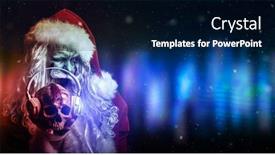
 Presentation with scary christmas - Slide set consisting of christmas-and-halloween-scary-zombie background and a ocean colored foreground

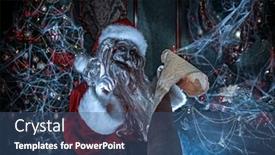
Christmas Halloween Scary Zombie Santa

The curtains open on a dark and ominous room, the walls shrouded in cobwebs, and a monstrous figure stands at the center. The air is thick with malevolence as Scary Zombie Santa Claus, clad in tattered holiday finery, grins maniacally, his eyes glowing red with an otherworldly energy. But amidst the chaos, a festive atmosphere reigns supreme a Christmas decoration hangs precariously from the ceiling, its bright colors a stark contrast to the eerie backdrop. The Split Title template is designed to take your presentation on a wild ride, seamlessly blending Halloween and Christmas themes in a way that's sure to send chills down your audience's spines. The Dodger Blue color palette is both eerie and captivating, drawing attention with each passing slide. Featuring high resolution images for the background, this template is downloadable and compatible with Google Slides, making it easy to bring this creepy cool design to life. As you delve into the world of Halloween themed presentations, using the Split Title template will give your audience a taste of what's to come. And when they need to dive in deeper, the four How To slides at the start of the deck will help get them up and running quickly, setting the stage for an immersive experience that'll leave them screaming for more. Just imagine it: you're delivering a presentation on the dangers of bad influences during Halloween, but instead, you opt for this Split Title design with its ominous zombies, colorful decorations, and dark humor. The contrast between the festive atmosphere and the macabre theme will have your audience's hearts racing from start to finish. Having a theme of blending different genres, like Christmas and Halloween, is sure to grab their attention and leave a lasting impression. The Enhanced With section of this design speaks for itself featuring high quality images that will transport your audience into the world you've created. And with having a background full of cobwebs, zombies lurking in the shadows, and creepy decorations hanging from the ceiling, the possibilities are endless.

 Presentation with scary christmas - Theme featuring halloween-and-christmas-party-scary background and a navy blue colored foreground

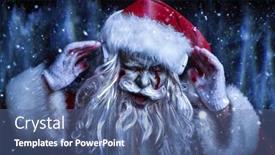
Halloween Christmas Party Scary Cool

Imagine you're walking into a darkened room where a DJ zombie Santa Claus is spinning tracks to a crowd of dancing zombies and cheerleaders all dressed up in their holiday finery. The air is electric with anticipation as the music gets louder and the lights flicker around the room. On one side of the stage, a skull with headphones is held high by a singer who's rocking out to a crowd of screaming fans. But amidst all the chaos and excitement, there's a theme that ties everything together it's an entertainment themed party with a holiday twist. The template for this template features 4 How To slides at the start of the deck to help you get up and running quickly: getting familiar with the layout of the template, learning how to add images, creating text elements, and practicing using the various features. But most importantly, it's designed to be a versatile tool that can enhance your presentations by featuring high resolution images from around the world. The 5 x 5 Org Chart Layout slide is perfect for displaying who's who in your organization. You could include photos of company leaders or departments on one side, or highlight key team members with their roles and responsibilities clearly labeled. The layout is clear and easy to follow, making it simple to create a professional looking org chart. This template is the real deal fully downloadable and compatible with Google Slides. It's perfect for events like Halloween parties, Christmas gatherings, or any other celebrations where you want to add some spooky fun to your presentation. With its high resolution images of zombies, DJ Santa Claus, and other holiday characters, this template is sure to get your audience in the mood.

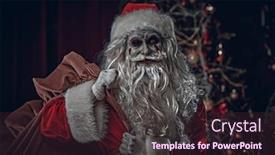
 Presentation with scary christmas - Slide deck having christmas-and-halloween-scary-zombie background and a wine colored foreground

Christmas Halloween Scary Zombie Santa

As you open the Corner Title template from CrystalGraphics, you're immediately transported to a world of eerie delight where the lines between reality and fantasy blur. The design name isCorner Title, a fitting moniker for this ominous creation that exudes an air of malevolence. This template is available in widescreen format, perfect for showcasing high resolution images on your computer or projector. The Sienna color palette sets the tone for a dark and foreboding atmosphere, evoking feelings of danger and unease. The keywords "bad", "make up", "dangerous", "bag", and "holiday" are carefully curated to create a sense of intrigue, fitting for a template that might be used as a Christmas or Halloween backdrop. Featuring a high resolution image of a creepy zombie Santa Claus standing amidst cobweb covered decorations, this template is sure to enhance any presentation. The Corner Title template includes four How To slides to help you get up and running quickly. However, it's worth noting that these slides aren't explicitly listed in the description provided earlier. Rather than listing them, I can suggest an example of what these slides might include. For instance, Slide 1: "Creating a Basic Layout" could feature a template setup guide, explaining how to select a suitable template, customize colors and fonts, and add images. The Content Layout slide would provide a clear outline of the overall design plan, including the placement of key elements such as titles, subheadings, images, and text. Having a theme of "Atmospheric Horror" or "Dark Fantasy", this template is well suited for presentations that aim to create a spooky atmosphere. Including a Background With feature would allow you to easily add or remove background images from the main template, giving you flexibility in terms of customization. Having a Theme of Enhanced With also implies that the template can be tailored further by adding more elements, such as animations, transitions, or effects to enhance its eerie ambiance.

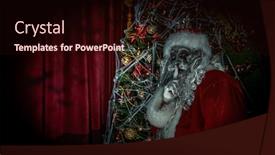
 Presentation with scary christmas - Presentation design consisting of nightmare-at-christmas-halloween background and a wine colored foreground

Nightmare Christmas Halloween Scary Zombie

As you step into the midst of a Nightmare at Christmas, a twisted tale unfolds on screen, beckoning you to join in the mayhem. The scene is set: a darkened room, cobweb covered with tinsel and holly, where a monstrous Santa Claus lurks, his eyes glowing red as he whispers a sinister spell. Featuring high resolution images of a creepy Christmas tree, this template promises to deliver a Halloween themed presentation that's sure to send chills down your spine. The Corner Title template is specifically designed for Widescreen presentations and boasts a Crimson color palette, a theme of magic, and a bold accent of bad, making it the perfect fit for any spooky celebration. The template includes four How To slides to get you up and running quickly: • A quick start guide that dives straight into preparing your presentation, featuring a downloadable guide with essential tips on how to create a compelling narrative. • A Member Bio Layout slide where you can showcase your expertise, complete with a customized background image of a haunted mansion. • An example presentation that demonstrates the enhanced look and feel of this template, showcasing how it can be used to tell a gripping story. • A bonus slide that offers additional design elements, such as customizable banners and title cards, to help elevate your presentation. This template is sure to deliver a Halloween themed presentation that's both terrifying and captivating. With its Crimson color palette, high resolution images, and bold theme of magic, it's the perfect choice for any Googel Slide user looking to create a show stopping display.

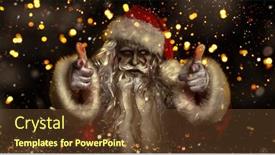
 Presentation with scary christmas - PPT layouts with christmas-and-halloween-scary-zombie background and a tawny brown colored foreground

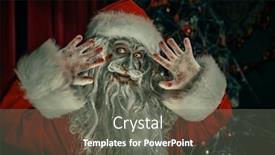
Christmas Halloween Scary Zombie Santa

The darkness descends upon the frozen tundra like a shroud, as a sinister figure emerges from the shadows. A monstrous Zombie Santa Claus stands tall, his once jolly face now twisted into a wicked grin as he gazes out at the northern lights dancing across the dark canvas of the background. His red and green attire is now faded and tattered, revealing hints of a more menacing nature beneath. The high resolution images on the background are frozen in time, capturing the essence of this eerie scene perfectly. Featuring a sinister twist on Christmas and Halloween classics, Corner Title is the perfect template for those who dare to be different. The Saddle Brown color palette is both ominous and inviting, creating a sense of foreboding that's sure to make your slides stand out from the crowd. The four How To slides at the start of the deck will guide you through the process of getting up and running quickly, but don't worry, it's not just about getting started, it's about enhancing your presentation with a unique theme. Including a Background With a dramatic northern lights display that will leave your audience in awe, Having a Theme of blending Christmas and Halloween is sure to be a hit. Enhanced With special effects like 3D animations and sparkles to give your slides an extra boost of excitement, Corner Title is the template that'll take your presentation from ordinary to extraordinary. By using four How To slides at the start, you'll be able to get up and running quickly with minimal fuss, but don't worry if you're not a tech expert, it's all about getting started with style.

 Presentation with scary christmas - Slide deck enhanced with christmas-and-halloween-scary-zombie background and a ocean colored foreground

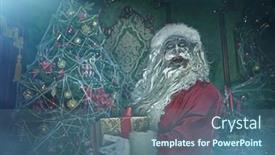
Christmas Halloween Scary Zombie Santa

In the midst of a spooky Halloween evening, a eerie Christmas decoration stands tall amidst cobwebs and twisted metal decorations, a gift wrapped bundle held tightly in its grasp. This bold and ominous scene beckons to all who dare to enter this dark and foreboding world. The room is shrouded in shadows, yet still radiates an otherworldly glow. The Split Title template design Name embodies the stark contrast of Christmas and Halloween, with a striking teal color palette that perfectly complements these two festive holidays. To bring this haunting scene to life, high resolution images for the background will be featured throughout this template, from creepy cobwebs to twisted metal decorations. The template's theme of blending contrasting worlds is enhanced by having a mix of dark and light elements, creating an air of foreboding. The Split Title template includes four How To slides that provide essential guidance on setting up your presentation quickly. The first three slides will help you navigate the basic structure of your deck, including how to add text, images, and transitions. These slides are designed to be easy to follow, making it simple to get started with your presentation. Having a theme of consistency is also enhanced by using consistent layout and design elements throughout the template, ensuring that all elements fit together seamlessly. The final slide will include an example of what the template could look like in action, showcasing how the different components work together to create a visually striking and cohesive presentation. This could be used as a starting point for creating your own unique Halloween themed Christmas gift giving tale.

 Presentation with scary christmas - PPT theme with christmas-party-for-zombies-scary background and a ocean colored foreground

Christmas Party Zombies Scary Cool

The world of Halloween is alive and well in this spooky yet fun PowerPoint template, where zombies come to life with their favorite DJ Santa Claus. The scene is set against a black background that features high resolution images for the snowfall and ice sound waves. As you scroll through the presentation, you'll notice the eerie atmosphere is enhanced by textured textures and glitch effects, giving it a truly chilling feel. The Cornflower Blue template color palette brings all this together with its calming yet captivating tone. Imagine yourself in a darkened room filled with dancing zombies, their black skin glowing under the dim light as they spin and twirl to the infectious beat of DJ Santa's latest tracks. The high resolution images on the background create an immersive experience, making it feel like you're right there in the midst of the action. For those who want to get creative, four How To slides are included at the start of the deck to help you get up and running quickly: a Timeline Layout slide that lets you customize your presentation's flow; a Featured Background section where you can choose from various high resolution images for your background; Having a Theme of Halloween all around you, making it easy to create cohesive presentations; and Including a Background With many more features like animations, transitions, and effects.

 Presentation with scary christmas - Presentation design consisting of horror-christmas-and-new-year background and a gray colored foreground

Horror Christmas New Year Scary

The darkness descends, and the world is frozen in terror as the zombie Santa Claus stands defiantly in the midst of a ruined Christmas wonderland, his once jolly face now twisted into a menacing grin. The room is filled with an eerie green light that casts flickering shadows on the walls, making it seem like the very spirits of the dead are stirring to life. The air is thick with the stench of decay and corruption, but amidst this bleak scene, a hint of danger lurks in every detail. The high resolution images for the background would transport your audience into this twisted world, featuring detailed illustrations of cobwebs, skeletons, and skulls that add an eerie layer to the design. The template is a Widescreen design, perfect for showcasing even the most dramatic elements of your presentation. To enhance its impact, incorporating a Background With feature could include a subtle gradient effect that transitions from darkness to light, creating an unsettling sense of depth. Having a Theme of Fear would allow you to tap into this dark atmosphere and create an immersive experience for your audience. The template's color palette is intentionally darker than usual, with olive tones providing the perfect backdrop for the bold, striking visuals. This contrast between the dark, muted colors and the high resolution images will make your presentation stand out in a crowded digital landscape. Including a Background With Featuring this design, you could create a title slide that showcases a close up of a zombie Santa's face, with glowing eyes staring back at the viewer. As for the How To slides, they can be used to provide a quick and easy to follow guide on how to set up your presentation. For example, Slide 1: Getting Started could include tips on loading the template and adjusting settings, while Slide 2: Customizing Your Design would allow users to personalize their presentation with custom fonts and colors. In addition to these slides, you can also use the 4 Pictures + Captions Layout slide to create a visually stunning image that sets the tone for your entire presentation. By including four different images (e.g. a close up of a zombie's face, a shot of the ruined Christmas tree, a glimpse of Santa's missing eye, and a dramatic shot of the darkened room), you can craft

 Presentation with scary christmas - Audience pleasing PPT layouts consisting of christmas dachshunds in a hat backdrop and a tawny brown colored foreground

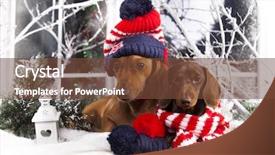
Christmas Dachshunds Hat Scarf

In a world where creativity knows no bounds, and magic happens on screen, imagine a visual feast that will transport you to a winter wonderland of whimsy and charm. The Split Title template is the perfect starting point for your PowerPoint project, featuring a design name that screams sophistication and elegance. This stunning Widescreen template is crafted in Crimson, a rich and bold color palette that evokes feelings of luxury and refinement. At its core, it's all about creating an immersive experience that draws viewers in and refuses to let them go. And with its isolated theme and high resolution images for the background, you'll be able to create a truly unique look that sets your presentation apart from the rest. The Split Title template is not just a pretty face; it also comes with some impressive features. With four How To slides at the start of your deck, you'll have everything you need to get up and running quickly and easily. The Section Header Layout slide will guide you through this process, featuring bold typography and a clean design that makes it easy to navigate. For example, imagine using the Split Title template as the perfect backdrop for showcasing some adorable high resolution images of Christmas Dachshunds. Featuring these charming creatures in a hat and scarf would be a great way to add some personality and whimsy to your presentation. Including a Background With subtle texture effects could enhance the overall look and feel of the image, making it even more captivating. Having a Theme of showcasing a winter wonderland theme could also be enhanced with additional elements such as snowflakes, hot cocoa, or festive holly. The Split Title template is downloadable and compatible with Google Slides, giving you endless possibilities for creative expression and customization.

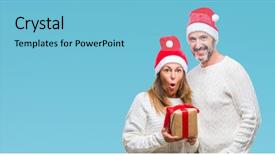
 Presentation with scary christmas - Theme with middle age hispanic couple wearing background and a light blue colored foreground

Middle Age Hispanic Couple Wearing

As you step into the warm and inviting world of the Corner Title template, you're immediately surrounded by a sense of amazement at the simple yet striking design that awaits. The Sky Blue background is like a breath of fresh air, transporting you to a joyful moment in time. This template is perfect for creating a gift worthy presentation, especially when paired with high resolution images of beautiful women and happy couples. Imagine featuring a stunning portrait of a young woman on one slide, alongside a close up shot of the couple's happy faces on another, while an isolated background with a Christmas hat adds to the festive atmosphere. The Sky Blue color palette provides a calming yet uplifting tone that enhances your message. Whether you're showcasing a gift for someone special or celebrating a milestone anniversary, this template is sure to inspire you. The grid layout features 8 pictures in crisp rows, perfectly aligning them across multiple slides for an enhanced visual impact. As you explore the various How To slides, you'll discover how easy it is to create engaging content with this versatile template. Perfectly pairing this template with Google Slides' compatibility means you can easily share your creations on any platform and collaborate in real time. The Sky Blue background and vibrant images will leave your audience feeling delighted and engaged, making it an ideal choice for presentations that feature a gift or celebrate love.

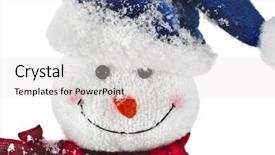
 Presentation with scary christmas - Audience pleasing PPT theme consisting of snowman with scarf and santa backdrop and a  colored foreground

Christmas Snowman Scarf Santa Claus

In a world where winter wonderlands and holiday cheer reign supreme, nothing embodies the magic like a festive snowman gracing the screen with its joyful presence. From childhood memories to cozy afternoons by the fireplace, the image has become an iconic symbol of the season. Featuring high resolution images that will transport you straight into the heart of this winter wonderland, our Corner Title template is designed to evoke emotions and spark imagination. With a crisp Widescreen format in mind, we've crafted a vibrant Crimson color palette that evokes feelings of warmth and coziness. Incorporating the classic snowman with scarf and Santa Claus hat as one of its key design elements, this template showcases craftsmanship at its finest. Having a theme of nostalgia, our Corner Title is sure to delight users of all ages. Incorporating an isolated background with high resolution images will help take your presentation to the next level. This feature allows you to emphasize certain designs or add depth to your visuals without overwhelming your audience. For example, imagine featuring this template as a centerpiece for a holiday party, having a festive atmosphere with friends and family gathered around, enjoying hot cocoa and s'mores. Having a theme of unity, our Corner Title is the perfect companion to any presentation. Its crisp edges and clean lines make it easy to customize, ensuring that your brand is represented in the most professional manner possible. Whether you're looking to include a Background With approach or enhance your slide with additional graphics, this template is always a great option to consider.

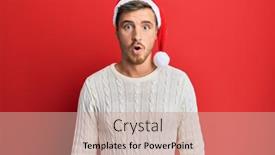
 Presentation with scary christmas - PPT theme with handsome-caucasian-man-wearing-christmas background and a coral colored foreground

Handsome Caucasian Man Wearing Christmas

The moment you've been waiting for introducing the Corner Title template that will leave your audience in awe. Imagine being the center of attention with this stunning centerpiece for your presentation, featuring an handsome Caucasian man wearing a Christmas hat who is scaring and amazed with an open mouth for surprise, disbelief face. This template is a masterpiece crafted from high resolution images that perfectly blend Crimson's vibrant color palette to create an immersive atmosphere. The Corner Title template is designed in Widescreen format, making it perfect for presentations where you want to showcase your content in all its glory. With a theme of "Surprise and Amazement," this template ensures that your audience will be left with a lasting impression. The 4 How To slides at the start of the deck will guide you through getting up and running quickly, providing you with valuable tips and tricks to enhance your presentation skills. However, don't worry these steps are not meant to hold you back, but rather help you reach new heights. Just like the template itself, you have 5 Steps to Success Layout that can be used to create an engaging and interactive experience for your audience. Including a Background With this stunning template featuring high resolution images of Christmas decorations, you'll be able to showcase your content in a visually appealing way. Having a Theme of "Holiday Cheer" adds to the festive atmosphere, making it perfect for presentations where you want to spread joy and warmth. By downloading and incorporating this Corner Title template into your presentation, you'll be able to make a lasting impression on your audience. With its stunning design, vibrant colors, and engaging content, this template is sure to leave a memorable impact. Featuring the theme of "Surprise and Amazement," it's the perfect way to capture your audience's attention and hold onto it for longer than expected.

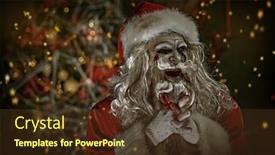
 Presentation with scary christmas - PPT theme with horror-christmas-and-new-year background and a tawny brown colored foreground

Horror Christmas New Year Scary

In a world where even the most jolly of figures can turn sinister, a dark figure stands at attention, a reminder that this is not a festive holiday season. Corner Title, with its sleek and sophisticated design, invites you to enter a realm of eerie wonderland. The template's Saddle Brown color palette, evoking warmth and coziness on a cold winter's night, provides the perfect backdrop for your dark magic. Widescreen in 4:3 ratio, featuring high resolution images that will transport you to a world of Gothic horror, Corner Title is the perfect addition to any presentation. The template includes a "Bad Make Up" theme, with intricate details and textures that add depth and atmosphere to your slides. Featuring a background image of a creepy mansion with cobwebs covering every inch, this template is ideal for showcasing a "Dangerous" New Year's Eve or Christmas countdown. The high resolution images used in Corner Title are perfect for creating a immersive experience. The "Magic Green Light" effect, which shines brightly on the screen, will transport your audience to a world of wonder and awe. Having a theme of horror elements such as zombies, skeletons, and spiders, this template is not just a pretty face but a powerful tool for storytelling. For example, you could use Corner Title to create a "Horror Christmas" presentation, featuring images of a zombie Santa Claus standing in front of a haunted house, surrounded by cobwebs and festive lights. Or, you could have "New Year's Horror" with images of people screaming as they count down the final minutes of the year. As part of your Corner Title package, we've also included a Member Bio Layout slide that showcases your presentation's content in a concise and easy to read format. This slide can be customized to fit your needs, featuring images and text that match the tone and theme of your template. With features like including a Background With image and having a Theme of Enhancing Your Presentation Corner Title is the ultimate tool for creating a compelling and engaging visual identity. The download link for Corner Title is included in our support email.

 Presentation with scary christmas - Presentation consisting of scary-zombie-santa-claus-stands background and a seafoam green colored foreground

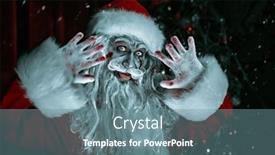
Scary Zombie Santa Claus Stands

In the midst of winter's chill, the darkness can't silence the whispers of magic that lurk in the shadows. The air is electric with anticipation as the countdown to Christmas begins, and one entity stands tall the horror Christmas, where terror meets cheer. A terrifying figure, the zombie Santa Claus, lurks in a room filled with twisted decorations, entangled amidst cobwebs, while his tongue gleams with an otherworldly intensity. His presence is accompanied by the soft glow of high resolution images, featuring intricate details that seem to pulse with malevolent energy. The Steel Blue background palette, reminiscent of moonlit nights and forsaken landscapes, adds a sense of foreboding to this macabre scene. The horror Christmas template features a Two Content Layout slide, allowing users to showcase a dramatic image as the main content, accompanied by additional text or graphics that enhance the overall theme. For example, having a Theme of "Creepy Winter Wonderland" and Including a Background With a faintly glowing orange glow surrounding the zombie Santa Claus will create an immersive experience. This template is Enhanced With high resolution images and a Steel Blue color palette, making it perfect for those looking to create a dark and twisted holiday display.

▼Key features of this template

  • They are compatible with both PowerPoint and Google Slides running on either Windows PCs or Macs.

  • They are available in both standard and widescreen slide formats. You can choose your preferred format by clicking on the "Widescreen" check box or icon.

  • Each template includes a beautiful high-resolution background image or video to visually reinforce the theme of your presentation.

  • In addition, each template includes designer-created graphics and modern fonts to give your presentations an up-to-date, professional look.

  • Each template's default design and title text position have been carefully selected to complement its background without covering faces or other key elements.

  • All text includes backdrops whose transparency level is mathematically calculated to maximize text readability while still allowing the background to be seen.

  • And all the text, text backdrops and graphics in every slide are colored with a palette designed to beautifully complement the colors in the background.

  • Our Premium templates (those with the descriptor “Premium” in their subtitle) include over 64 slide layouts to give you maximum flexibility as you create your presentations.

    • Those layouts are available to you whenever you create a new slide or when you want to change the layout of an existing slide.
    • They include everything you need to make all sorts of presentations. In addition to the layouts for the title slide and the usual title and content slide, they include many other layouts for slide types including table of contents slides, org charts, charts, diagrams, infographics, photo slides, thank you slides and more.
    • While creating these layouts our template designers have ensured that all text in every layout adjusts as gracefully as possible to various numbers of words.
  • Customizable templates (those with the descriptor “Customizable” in their subtitle) may be easily modified online before you download them.

    • To modify them, simply click on the pencil editing icon, then select your choice of ready to go designs and title text positions.
    • The editing tool also makes it easy to reposition and scale the background image or video to best suit your needs.

▼FAQs

Please review these FAQs to see if your question is answered. Contact us for more info

  • What is a PowerPoint template?

    • A well designed PowerPoint template is a file that can tell PowerPoint how to make your ordinary templates look extraordinary. They won’t change what your words or numbers say. But they might change their size, color, font and placement. And, overall, they can give your presentations a professionally-designed look that will give your content more credibility and give you more confidence.
  • How many PowerPoint templates do you offer?

    • We have over 32,000 artist-created presentation templates in our PowerPlugs collection With a subscription, PowerPlugs templates are easy to download. Just sign in, find a template and click on the green Download button. ready for you to download. That alone offers you more variety to choose from than any of our competitors can offer. And, as if that weren’t enough, we also offer over 6 million templates in our Crystal collection. Crystal brand templates are our line of templates that have customization options. They have the word "CRYSTAL" on their web page images. You can customize several aspects of the templates. These templates include high-resolution background images from Shutterstock’s vast image collection matched up with artist-created presentation designs customized by our own proprietary AI software.
  • How many templates can I download as a subscriber?

    • You can download an unlimited number of PowerPlugs-brand With a subscription, PowerPlugs templates are easy to download. Just sign in, find a template and click on the green Download button. templates every day for an entire year. (Actually, by default, we set a limit of 25 templates per day to prevent our competitors from stealing our templates. But, if that is not enough, just let us know and we’ll try to accommodate you.) On top of that, with a subscription or an Ultimate Combo, you can also download any 50 Crystal-brand Crystal brand templates are our line of templates that have customization options. They have the word "CRYSTAL" on their web page images. You can customize several aspects of the templates. templates per year selected from our huge Crystal collection. Crystal brand templates are our line of templates that have customization options. They have the word "CRYSTAL" on their web page images. You can customize several aspects of the templates. .
  • Why should I choose your templates instead of the competition’s?

    • We’ve got a larger selection of professionally-designed PowerPoint templates than anyone else in the world.
    • Each template includes a high-resolution background image or video to visually inspire your audiences while reinforcing your message.
    • Each template includes 64 slide layouts to give you maximum flexibility as you create your presentations.
    • Our templates are available in both standard and widescreen slide formats. And our website lets you preview the slides each way.
    • Our free Template Finder™ plugin lets subscribers select and - with a single click - download and insert our templates into their presentations right from within PowerPoint.
    • We’ve been creating designer presentation templates for over 20 years. During that time we’ve won several awards and 5-star ratings for product quality. See About Us for more.
  • Do you offer a money-back guarantee?

    • Yes we do! We offer full 30-day money-back guarantee if you are not 100% satisfied with your purchase.
  • Can I still use my downloaded templates after my subscription runs out?

    • Yes. After your subscription expires, you won't lose any rights or ability to use your PowerPlugs: Templates for PowerPoint. You won't be able to download any new non-watermarked templates. But the non-watermarked templates you've already downloaded will still work and you can still use them as before.
  • Can I share my downloaded templates or passwords with friends or coworkers?

    • Sorry but no. You are authorized to download each paid-for template to up to 3 of your personal devices and to use the templates you download in as many presentations as you want. But you are not authorized to share the templates, themselves, with others. That said, we do offer highly discounted site licenses to suit the needs of both small and large teams. Just tell us your needs and we’ll give you a quote!
  • System requirements:

    • The templates use the standard POTX format. So they are compatible with Google Slides and all PC, Mac and mobile devices running any version of PowerPoint from PowerPoint 2007 up through and including Office 365 desktop.
    • Please note: Google Slides does not currently support background videos. It treats them as still images.
    • For PowerPoint for the Web, first open your template into a desktop version of PowerPoint, then save it back out as a PPTX file. Then you can open that in PowerPoint for the Web.
  • End user license agreement:

    • Click here to view.
  • How will I get my purchased templates?

    • You may download your selected templates as soon as your payment is received by PayPal. If you purchased an individual template, you will be provided with a download link both onscreen and via email. Just click on that link to begin the download process. If you purchased a subscription, you will receive an email containing a password to use along with your email address to sign in to any of the templates pages on CrystalGraphics.com. Once you are signed in, you can immediately start downloading your selected templates.
  • How do I use my templates after I download them?

    • You can either open a template to start a new presentation or you can add a template to an existing presentation. To open a template, just double click on it or use PowerPoint's File > Open tool. To add a template to an existing presentation, on the Design tab, in the Themes group, click Browse for Themes... then browse to select your template.

More Scary Christmas presentation templates

93% of Fortune 1000
companies use our
PowerPoint Products
Templates Secure

Standing Ovation Award
Winner: Best PowerPoint
Template Collection
Fortune Logos
200,000+ satisfied
customers worldwide!
Guarantee
100% satisfaction guaranteed
- or send it back for a refund!

Sign up for our free newsletter! You'll get news about our PowerPoint-enhancing product line – including free updates, new product announcements and exclusive special offers. Plus you'll get a link to a free PowerPoint template with every newsletter you receive.
Privacy Policy
Loading...


Help

Contact Us
Product FAQs
Product License Agreements

Company Info

About Us
Privacy Policy
CrystalGraphics, Inc. 1999 S. Bascom Avenue Suite 700 Campbell, CA 95008 USA
© 2026 CrystalGraphics, Inc. All rights Reserved.    |     PowerPlugs is a trademark of CrystalGraphics, Inc.
Microsoft and the PowerPoint logo are trademarks or registered trademarks of Microsoft Corporation in the United States and/or other countries.
Loading...
Loading...