www.crystalgraphics.com CrystalGraphics
  • Ultimate Combo
  • Templates
  • Diagrams
  • Characters
  • Quizzes
  • shopping cart
  • Sign Out Sign Out Sign In
Home > Templates > Shopping Malls Category
search icon
advanced icon

31 Best Shopping Malls-Themed Templates for PowerPoint and Google Slides

CrystalGraphics creates templates designed to make even average presentations look incredible. Below you’ll see thumbnail sized previews of the title slides of a few of our 31 best shopping malls templates for PowerPoint and Google Slides. The text you’ll see in in those slides is just example text. The shopping malls-related image or video you’ll see in the background of each title slide is designed to help you set the stage for your shopping malls-related topics and it is included with that template. In addition to the title slides, each of our templates comes with 17 additional slide layouts that you can use to create an unlimited number of presentation slides with your own added text and images. And every template is available in both widescreen and standard formats. With over 6 million presentation templates available for you to choose from, CrystalGraphics is the award-winning provider of the world’s largest collection of templates for PowerPoint and Google Slides. So, take your time and look around. You’ll like what you see! Whether you want 1 great template or an ongoing subscription, we've got affordable purchasing options and 24/7 download access to fit your needs. Thanks to our unbeatable combination of quality, selection and unique customization options, CrystalGraphics is the company you can count on for your presentation enhancement needs. Just ask any of our thousands of satisfied customers from virtually every leading company around the world. They love our products. We think you will, too!

Features & Pricing

Widescreen (16:9) Presentation Templates. Change size...
 Presentation with shopping malls -

Singapore November 08 2015:

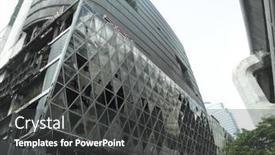
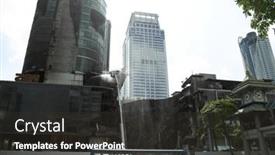
As you start your presentation with a bang, take inspiration from Singapore's iconic Marina Bay Sands and the vibrant atmosphere of its bustling interior, where high resolution images for the background will transport your audience to this stunning luxury shopping mall. The Split Title template is designed to be eye catching and attention grabbing, perfect for presentations that require a dynamic and engaging start. This widescreen template features a medium turquoise color palette that's Both calming and uplifting, making it ideal for conveying complex ideas or showcasing unique images. The template keywords asia, asian, at, bay, cafe are carefully selected to resonate with your audience, ensuring that your presentation feels authentic and relevant. The Split Title template is downloadable and compatible with Google Slides, allowing you to easily edit and customize the content to suit your needs. It's a premium tool that will enhance the visual impact of your presentation, making it Featuring a beautiful background image or Having a theme of luxury and sophistication. For example, if you were to include a high resolution image of The Shoppes at Marina Bay Sands as the background for your template, you could use this space to create a visually appealing slide that showcases the mall's stunning architecture. With 4 easy to follow How To slides at the start of the deck, you'll be able to quickly get up and running with your presentation.

 Presentation with shopping malls - Cool new PPT layouts with interchange - aerial view of highways surface backdrop and a gold colored foreground

Aerial View Highways Surface Streets,

As you step into the heart of America's heartland, where the sun kissed suburbs meet the bustling metropolis, imagine yourself cruising along one of the world's most iconic highways the expressway that connects the country to its shopping centers and strip malls. The Wide Title template is designed to take you on a thrilling ride through this vibrant landscape, featuring aerial views of high resolution images that will leave you breathless. The Widescreen format ensures an immersive experience, with each slide showcasing stunning visuals that transport you to the bustling streets of Northbrook, IL. The Olive Drab color palette brings warmth and coziness to your presentation, while the 3 Step Funnel Layout slide provides a clear roadmap for engaging your audience from the start. The template is compatible with Google Slides, making it easy to download and use in your own presentations. With its high resolution images and seamless design, you'll be able to create a visually stunning slideshow that will leave your viewers wanting more. Featuring a background with a subtle texture, including a background with a cityscape of shopping centers and strip malls, having a theme of showcasing the best of America's suburbs, enhanced with vibrant colors and bold typography, this template is sure to impress. The 4 How To slides at the start of the deck will help you get up and running quickly, providing a solid foundation for your presentation. With these slides guiding you through the process, you'll be able to create a compelling narrative that draws your audience in from the very beginning.

 Presentation with shopping malls - Audience pleasing theme consisting of housekeeping malls - cleaning concept closeup photo backdrop and a  colored foreground

Cleaning Concept Closeup Photo Woman

The sleek design of Corner Title perfectly captures the essence of a cleaning concept, evoking feelings of precision and attention to detail. This stunning widescreen template is specifically crafted for Google Slides, featuring a warm goldenrod color palette that shines like polished gold. Corner Title boasts a unique hand drawn style, with intricate lines and subtle textures that add a touch of sophistication to any presentation. The minimalist approach allows the eye to roam freely, taking in the high resolution images that adorn the background, creating a visually stunning visual landscape. This template is ideal for presentations that require a clean and organized look, such as workshops or training sessions focused on cleaning techniques. It's also perfect for product launches or marketing materials where you want to highlight the importance of cleanliness. The goldenrod color palette adds a touch of elegance, while the Caucasian occupation and woman in focus provide a clear theme. As an inspiration, consider using Corner Title as your base for a presentation about "The Art of Cleaning: A Technique Manual". This could be featured as one of several slides, including a slide with a high resolution image of a person carefully scrubbing a sink. Alternatively, you could include a background image featuring a bustling shopping center to highlight the importance of cleaning in daily life. In terms of layout, Corner Title is designed to feature prominent elements at eye level, creating a clear hierarchy of information. The Dart Layout slide would be an excellent place to include key metrics or statistics related to your topic, such as the number of tasks completed per hour. Having a theme of "Productivity" makes it easy to visualize how cleaning can boost efficiency and effectiveness.

 Presentation with shopping malls -

Singapore November 07 2015:

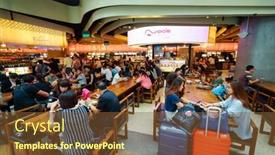
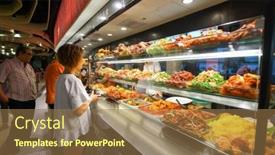
As you embark on your PowerPoint journey with CrystalGraphics' Split Title template, get ready to elevate your presentation game with a striking visual identity that showcases the vibrant culture and stunning landscapes of Asia. Inspired by the bustling streets of Singapore, this template brings together four essential slides to help you build a strong foundation for your content. The template is designed in Widescreen format, perfectly capturing the grandeur of Asia's iconic landmarks like The Shoppes at Marina Bay Sands. Featuring high resolution images of the food court scene, the Split Title template will transport your audience to this bustling market filled with delicious food and lively atmosphere. When it comes to color palette, Dark Goldenrod provides a sophisticated backdrop for showcasing engaging content that highlights Asian culture, from traditional temples to modern skyscrapers. This unique blend of warm tones creates a captivating visual experience that will leave your viewers eager to explore more. From the Comparison with Image Layout slide to the impressive How To slides at the start of the deck, this template is designed to enhance your presentation with visually appealing and dynamic elements. Include a Background With stunning cityscape images or feature a unique layout for each image to create a cohesive and engaging visual flow. Have a Theme of showcasing Asian culture through high quality visuals and crisp text.

 Presentation with shopping malls -

Hong Kong June 01,

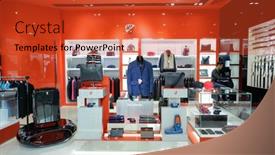
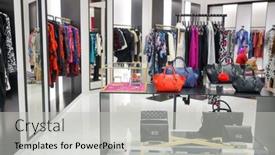
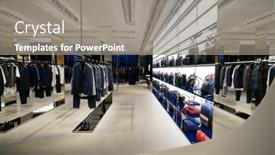
The fashion industry is not just about clothes and garments, but also about showcasing them in the most visually appealing way possible. From runway shows to retail displays, high end boutiques need templates that make a statement. This template features a wide title with a bold font, making it perfect for use on widescreen presentations. The background image of a display window in a shopping mall is already featured prominently. This template is designed to be downloaded and compatible with Google Slides, ensuring seamless integration into your presentations. The theme of this template is centered around showcasing clothes and clothing, making it an ideal choice for designers, entrepreneurs, and anyone looking to enhance their content. A great example of how you can use this template could be in a presentation about the latest fashion trends, where you would include images of high end designer outfits in the background. To get started quickly, four easy to follow slides will guide you through the process of getting your content up and running: "Getting Started", "Designing Your Content", "Customizing Your Template", and "Sharing Your Results". These slides will provide a clear roadmap to help you create high quality presentations that showcase your brand's style.

 Presentation with shopping malls -

Singapore November 08 2015:

Here's a 250 word description that meets your requirements: Get ready to create stunning presentations with the Corner Title template from CrystalGraphics. This design name perfectly captures the essence of luxury and sophistication, which is reflected in its sleek and modern look. The Widescreen format ensures that your slides look incredible, while the Orange Red color palette adds a pop of vibrancy to any presentation. The Asian inspired theme is evident throughout the template, with images of exotic destinations like Singapore's Marina Bay Sands. This beautiful image serves as a great background for showcasing stunning Asian culture and luxury lifestyles. The high resolution images used in the template will ensure that your slides look amazing on any device. And with the high resolution feature included in the download, you'll be able to showcase even more impressive visuals. The Corner Title template is designed with ease of use in mind, featuring four straightforward How To slides to help you get up and running quickly. These slides cover essential topics like setting up your presentation, adding text and images, and choosing a background. However, don't worry if you're new to PowerPoint the template is easy to navigate. The Dart on Target Layout slide is particularly useful for creating engaging presentations that showcase multiple elements at once. Simply drag and drop objects onto the canvas to create an interactive visual experience. For example, you could include a map highlighting key locations, and have the Dart feature highlight important information in bold font. This type of dynamic layout can help draw attention to your main message and keep your audience engaged. The Corner Title template is enhanced with a range of features including Including a Background With and Having a Theme of luxury lifestyles. The template also includes advanced tools like Enhanced With for creating stunning visuals and animations. When paired with the included high resolution images, this template is sure to impress your colleagues and clients alike.

 Presentation with shopping malls -

Singapore November 08 2015:

As you step into the vibrant streets of Asia, where ancient traditions meet modern convenience, imagine yourself walking through The Shoppes at Marina Bay Sands in Singapore. This iconic luxury shopping mall is a treasure trove of experiences waiting to be discovered. The bustling food court, with its diverse range of cuisines and lively atmosphere, is a feast for the senses. But what sets this experience apart? Let's dive into the world of Asia, including a glimpse into four key elements that make it so unique. The Split Title template by CrystalGraphics features a stunning Widescreen format, perfect for showcasing high resolution images of Asian landmarks and icons. The Goldenrod color palette adds a touch of warmth and sophistication to any presentation. The template is designed to be downloadable and compatible with Google Slides, making it easy to incorporate into your own workflow. As you explore the world of Asia, consider featuring stunning images of temples like the iconic Buddha statues or showcasing vibrant street food scenes from bustling cities like Bangkok or Tokyo. Having a theme of travel and exploration could also enhance your presentation by including background images of ancient ruins, modern skyscrapers, or exotic beaches. In this presentation, you'll find four How To slides to help you get up and running quickly. But first, take a moment to appreciate the beauty of Asia in all its glory – from the majestic Taj Mahal to the bustling streets of Mumbai.

 Presentation with shopping malls -

Singapore November 08 2015:

As you design your new presentation, consider starting with a sentence that grabs attention and sets the tone for your stunning slides. The Wide Title "Widescreen Beauty" is sure to draw in your audience and leave them eager to dive into the world of luxury retail. This Widescreen template features a stunning high resolution background image of The Shoppes at Marina Bay Sands, which provides the perfect backdrop for showcasing your designs. The template format is Widescreen, ensuring that every slide has ample room to breathe and be viewed in its entirety. At the heart of this design are a range of keywords that perfectly capture the essence of boutique retail: "at", "bay", "boutique", "center", and "centre". These keywords will help bring your ideas to life and give your audience a clear understanding of what you're trying to convey. High resolution images throughout the template add an extra layer of sophistication, making it feel like you're walking through one of Singapore's most iconic shopping malls. The background features stunning visuals that transport viewers into the heart of luxury retail. As inspiration, consider using this template as a starting point for your own presentation or workshop on boutique retail. The Signpost Layout is where things really come alive, with clear headings and separate slides dedicated to each aspect of your design. This layout provides a seamless flow, making it easy for viewers to follow along and take notes. Featuring a range of interactive elements throughout the template, including including a background with customizable images and having a theme of showcasing individual designs or collections, you'll have everything you need to create an engaging presentation that's sure to impress. In this Widescreen beauty, you can include high resolution backgrounds with customizable images, making it perfect for presentations that require visuals. Having a theme of showcasing individual designs or collections makes it easy to illustrate your key points and keep things organized. Enhanced with modern features like interactive elements and dynamic animations, this template is the ultimate tool for designers looking to create stunning content.

 Presentation with shopping malls -

Bangkok 25 Damage Bangkok

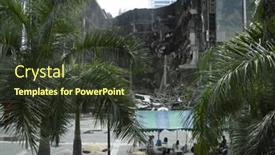
As the massive fires engulfed the CentralWorld shopping complex in Bangkok, the city's residents were left reeling from the devastating blow. The estimated damage was staggering 50 to 60 billion baht, with many wondering how such destruction could have come about. In the aftermath of this tragedy, the images of the devastation would stay etched in people's minds forever. The Sky Blue template is a fitting backdrop for these powerful images. The high resolution images on the background will transport your audience to the heart of Bangkok, allowing them to visualize the scale of the destruction. This wallpaper features stunning images of the damaged buildings and chaos unfolding in the city streets. To enhance the experience further, including a Background With dynamic image zoom feature, making it easy for users to explore different angles and perspectives. The Corner Title template is a visually striking representation of anti government sentiments, with its bold font and contrasting colors drawing attention to key messages. This design concept features Having a Theme of resistance and dissent, emphasizing the negative emotions surrounding this tragic event. The high quality images on the background showcase the dark underbelly of Bangkok's streets, adding an air of tension to the overall mood. Incorporating Member Bio Layout into your presentation will add a personal touch, allowing you to share stories about the people affected by the disaster. Perhaps include a photo of survivors from different walks of life, highlighting their resilience in the face of unimaginable loss. This approach not only humanizes the tragedy but also provides context for why this event is so significant. When it comes to customization options, there are 4 key slides that can be tailored to fit your specific needs: How To Slides, Member Bio Layout, Background With, and Enhanced Features.

 Presentation with shopping malls -

Bangkok 25 Damage Bangkok

The world of art and design is full of hidden gems waiting to be uncovered. Take the iconic image of the Bangkok streets after a devastating fire, for example it's a powerful reminder that even in the face of chaos, beauty can still emerge. This template is designed with style and sophistication in mind, featuring a light slate gray color palette that evokes the calmness of a winter evening. The Widescreen format will ensure that every slide looks stunning on large screens. With this template, you'll be able to create presentations that are both informative and engaging whether you're giving talks about anti government movements, showcasing the bravery of soldiers, or highlighting the destructive power of arson in Asia. The Light SlateGray color palette provides a clean and crisp background for high resolution images, making it easy to include featured shots, including a background with subtle textures. Having a theme of "Bangkok Nights" will give your presentations an urban feel that's hard to resist. Enhanced with Googles Slides compatibility, you can easily share your presentation with the world. When working on this template, you'll find 4 How To slides to help you get up and running quickly featuring useful tips and tricks, including a grid layout slide where you can arrange your images in a neat and organized way. Have a theme of "Bangkok City Streets" will give you an idea of how the image could be used as for example, on one side of the screen you can feature a 5x2 high resolution image with the army marching, while on the other side you can include a larger background image of Bangkok's streets.

 Presentation with shopping malls -

Singapore November 08 2015:

The allure of luxury retail is evident in The Shoppes at Marina Bay Sands, one of Singapore's largest and most opulent shopping malls. Designed to provide an unparalleled shopping experience for discerning customers, this 4 level mega mall offers a world class destination with top shelf fashion, beauty, and lifestyle options. With its rich history as a pioneering luxury shopping destination, The Shoppes at Marina Bay Sands boasts a timeless elegance that sets it apart from other shopping centers. Its interior is clad in rich tan walls, complemented by elegant furnishings and sophisticated décor that exudes refinement and sophistication. Featuring high resolution images of the majestic hotel that shares its name, this stunning image lends an air of grandeur to the overall design. As customers navigate the mall's sprawling corridors, they will encounter a range of luxurious brands and experiences, including boutique and At home offerings showcasing Armani for men and women. For those seeking an authentic taste of Italy, The Shoppes at Marina Bay Sands boasts high end Italian fashion from the renowned house of Versace. The Shoppes at Marina Bay Sands is no ordinary shopping mall; its rich history, impeccable design, and unparalleled luxury make it a true gem in the heart of Singapore. This stunning Widescreen template is perfect for creating a seamless presentation that showcases your brand's unique identity. The Split Title is available as an instant download on Google Slides, giving you the flexibility to customize it to fit your needs, making it easy to enhance with your own branding elements and rich tan backgrounds featuring high resolution images of luxury fashion brands at work.

 Presentation with shopping malls -

Bangkok 25 Damage Bangkok

In the heart of Bangkok, a city of over 8 million people, lies the devastating consequences of an arson attack at CentralWorld shopping complex, estimated to be worth 50 to 60 billion baht. The destruction that ensued on Tuesday, May 25, 2010, left countless residents and visitors in shock, with many seeking answers about the perpetrator's motivations and the subsequent investigation. The scene is set against a dark olive green background, evoking feelings of foreboding and unease. As one takes in the chaos, it becomes clear that this incident was not an isolated event, but rather part of a larger narrative involving anti government sentiment, army involvement, and arson attacks that have plagued Asia in recent years. The template features high resolution images for every background slide, including vibrant colors to bring the scene to life. To enhance the user experience, there are four slides at the start of the deck: "Getting Started Quickly", Featuring a Widescreen View of Bangkok Cityscape, Including Key Locations, and Having a Simple Menu Layout. The first three slides can be used as a starting point for presentations, with each slide providing a unique perspective on the incident. This template is downloadable and compatible with Google Slides, allowing users to easily share and embed it in their own presentations. With its dark olive green color palette and anti government theme, this template stands out from the crowd, making it an ideal choice for anyone looking to create engaging and informative presentations about complex topics like arson attacks and anti government sentiment.

 Presentation with shopping malls -

Singapore November 08 2015:

The cityscape of Singapore at its most vibrant, with towering skyscrapers and bustling streets that never seem to slow down. The iconic Marina Bay Sands hotel stands tall, its gleaming white marble façade reflecting the sun's warm rays towards the turquoise waters of the bay. In this sleek and modern design, Wide Title is the perfect starting point for any presentation or report. Measuring 6 feet wide, it covers the entire slide from left to right, providing ample space for high resolution images that showcase the city's beauty. The Saddle Brown color palette, a harmonious blend of earthy tones and rich browns, will transport your audience to the bustling streets of Asia. Wide Title is fully compatible with Google Slides and features a seamless transition between slides, making it easy to take your audience on a journey through the day at The Shoppes at Marina Bay Sands. With four How To slides included in the template, you'll be well on your way to creating an engaging presentation that gets results. This template is designed to enhance any business or professional slide deck with its theme of showcasing Asian cities and vibrant cultures. From Featuring a stunning image of Tokyo's neon lit streets to Including a background with iconic landmarks, Wide Title helps bring your message to life with high quality visuals. Having a cohesive design that complements the Google Slides interface will also make it easier for your audience to follow along. The Dart on Target Layout slide is designed to be an eye catching centerpiece of your presentation, complete with precise and clean lines that create a sense of dynamism. By including this layout in your template, you'll add an extra layer of sophistication to any slide or deck.

 Presentation with shopping malls -

Singapore November 08 2015:

The art of branding is all about creating an atmosphere that resonates with your target audience. This template is designed to evoke the warmth and sophistication of Asian cultures, perfectly capturing the essence of the region's rich heritage. Featuring high resolution images throughout the background, this template will transport you and your audience to vibrant cities like Singapore, where opulent shopping malls like The Shoppes at Marina Bay Sands reign supreme. With a gold color palette that exudes luxury and refinement, you'll be well on your way to creating a visually stunning presentation that draws people in. The Wide Title format ensures that the most important information stands out prominently at eye level, while the Widescreen aspect maintains a seamless viewing experience across all devices. Whether you're showcasing business presentations or social media updates, this template has got you covered with its elegant and professional design. To help you get started quickly, the four How To slides on the first slide will guide you through the process of creating your own customized presentation, featuring all the necessary tools to ensure a seamless workflow. And with the inclusion of a Background With feature, allowing you to customize your template's background to match your brand or style, you'll be able to enhance your presentation with ease. Having a theme of showcasing Asian cultures and businesses, this template is designed to provide a unique perspective on the region, highlighting its rich history and diverse landscape. Featuring a prominent image of The Shoppes at Marina Bay Sands as the centerpiece, this template offers a wealth of inspiration for creating engaging content that resonates with your audience. Incorporating a background featuring a bustling cityscape, this template will inspire you to create dynamic presentations that captivate your viewers and leave them wanting more.

 Presentation with shopping malls -

Singapore November 08 2015:

In a world where business and luxury meet, businesses like The Shoppes at Marina Bay Sands in Singapore offer a unique blend of style and functionality that appeals to the Asian market. As one of the largest luxury shopping malls in the region, this iconic destination provides an unparalleled experience for its visitors. With high resolution images used throughout, featuring stunning views of the cityscape, this template is sure to enhance your presentations with a rich visual theme. The Wide Title design, formatted in Widescreen mode, will dominate any slide it's featured on, making it stand out from the rest. The Dark Goldenrod color palette provides a sophisticated and professional backdrop for the content within. With four How To slides at the start of the deck to help you get up and running quickly, you'll be able to dive right in and start creating presentations that leave a lasting impression. The template's format is designed with Googel Slides compatibility in mind, ensuring seamless integration into your existing presentation workflow. As a valuable resource for businesses and entrepreneurs alike, featuring high quality images of the Asian market will provide valuable inspiration for your next project. Including a Background With stunning views of Marina Bay Sands, you'll be able to enhance your presentations with a visually appealing theme. Having a Theme of luxury and sophistication, this template is perfect for showcasing business ventures that cater to the Asian market. Enhanced With stunning images of The Shoppes at Marina Bay Sands, you'll be able to create presentations that truly stand out from the crowd.

 Presentation with shopping malls -

Bangkok 25 Damage Bangkok

Imagine walking through the streets of Bangkok on a rainy day, only to witness the destruction caused by an arson attack at one of the city's largest shopping malls. The CentralWorld complex in May 2010 was severely damaged, with estimated losses reaching 50 60 billion baht. This catastrophic event serves as a stark reminder of the devastating consequences of unchecked power and greed. In response to this crisis, authorities took bold measures to counterbalance the negative sentiment and shift the narrative. To promote a more positive message, designers created a striking template that embodies the essence of anti government sentiments, with an underlying theme of resilience and determination. This template is not only visually striking but also provides a framework for creating engaging content. One notable aspect of this template is its seamless integration with Google Slides' high resolution image support. The Widescreen format ensures crisp visuals, while the Alice Blue color palette adds a touch of elegance to any presentation. By including images of the damaged CentralWorld complex in Bangkok, the template provides a powerful visual anchor for the content. The Corner Title design is an excellent choice for creators looking to convey a sense of authority and professionalism. Its stark contrast with the chaotic image layout creates a striking effect, making it ideal for highlighting key messages or features. With this template, you can create presentations that stand out from the crowd and effectively communicate your ideas while maintaining a consistent aesthetic throughout. By leveraging advanced design techniques, such as enhanced backgrounds and incorporating relevant imagery, Corner Title is an exemplary solution for those seeking to convey complex information in a clear and compelling manner.

 Presentation with shopping malls -

Singapore November 08 2015:

As you delve into the world of business and commerce, the importance of creating engaging presentations cannot be overstated. Whether you're an entrepreneur looking to showcase your brand's identity or a marketing professional seeking to promote a new product line, a well designed template is essential in capturing the audience's attention and driving results. The Corner Title template is specifically designed for use on widescreen formats, providing a sleek and modern look that perfectly complements Saddle Brown as its dominant color palette. Featuring high resolution images throughout the template, including stunning vistas of Asia inspired cities like Singapore, will surely leave your viewers in awe. The business oriented design ensures that this template is both professional and versatile enough to be included in various presentations, from proposals to pitches. With a focus on Asian markets, particularly at bustling food courts like those found in Marina Bay Sands, this template offers an ideal starting point for businesses looking to establish themselves as players in the competitive market. Having a theme of "Asian Business" running throughout the template will also enhance its relevance and appeal to your target audience.

 Presentation with shopping malls - Presentation featuring singapore-november-08-2015-interior background and a coral colored foreground

Singapore November 08 2015:

As you create your new PowerPoint template, start with a sentence that grabs attention and sets the tone for the entire presentation. Imagine walking into a luxurious boutique in Asia's largest luxury shopping mall, The Shoppes at Marina Bay Sands, and being surrounded by high end fashion brands. This is what your Split Title template will deliver, featuring a stunning backdrop of these iconic buildings, creating an immersive experience that will leave your audience wanting more. The template you're about to create is designed for widescreen presentations, making it perfect for showcasing images in full detail. The color palette used is Peru, a warm and inviting blend of earthy tones and rich jewel colors that evoke the spirit of Asia. Incorporating these keywords into your design will help users understand its intended theme and aesthetic. High resolution images are an integral part of this template, providing a visually stunning environment for your presentations. These can be accessed from various locations around the world, making it easy to add them to your slides using the included background images. Additionally, having a theme that includes features such as including a background with subtle textures and patterns will enhance the overall visual appeal. The Split Title template has a clean and modern signpost layout that allows for flexibility in presenting information. The four how to slides at the beginning of the deck are designed to get you up and running quickly, providing essential tips and tricks to ensure your presentation is engaging and effective. They include steps such as creating eye catching slide titles, selecting suitable images for each slide, and organizing your content logically. The Signpost Layout slide allows users to set a clear tone for their presentations, guiding them through the key points they want to cover. It's an ideal starting point for any presentation, setting the stage for the rest of the content. For example, you could use this slide to showcase a series of images that illustrate the different aspects of your template, making it easy for users to understand its features and capabilities. When creating the Split Title template, consider including an illustration or image related to Asia's rich culture and history, as well as its vibrant urban landscape. This will not only enhance the visual appeal but also provide a meaningful connection to the subject matter at hand. By doing so, you'll create a more engaging and informative

 Presentation with shopping malls -

Singapore November 08 2015:

As you prepare to launch your new boutique inspired PowerPoint template, "Wide Title", you'll want to make a lasting impression on your audience with its elegant and sophisticated design. This Widescreen template features a Saddle Brown color palette that exudes warmth and luxury, perfect for showcasing high resolution images of Asian style interiors. The 1920s aesthetic is clearly reflected in the intricate patterns, ornate details, and rich textures throughout the template. The Wide Title's stunning background images are sure to impress your viewers, featuring stunning vistas from around Asia including iconic landmarks like the Great Wall of China or Tokyo's neon lit streets. You could include a background with a subtle gradient effect to enhance the visual impact, making it even more captivating for your audience. One of the standout features of this template is its thoughtful incorporation of Asian style elements, such as traditional calligraphy and intricate wood carvings. These details are carefully included in the template's layout to create a cohesive and immersive experience. The Social Media Concept Layout slide could showcase a beautifully styled feed with images featuring high end products and designer brands. The four How To slides at the start of your deck will help you get up and running quickly, but one example of what they could look like is an interactive tutorial on how to customize the template's colors or add new backgrounds. This informative slide can be designed to include a Background With feature, allowing users to easily switch between different templates or create their own custom designs. Overall, "Wide Title" is an exceptional choice for any business or marketing professional looking to elevate their visual content with high quality images and sophisticated design elements. Its unique blend of Asian inspired aesthetics and modern functionality makes it the perfect template for a range of applications, from presentations to social media content.

 Presentation with shopping malls -

Singapore November 08 2015:

Imagine walking into The Shoppes at Marina Bay Sands in Singapore, surrounded by the opulence and grandeur of luxury shopping. The iconic mall is one of the largest in Asia, offering an unparalleled retail experience that's steeped in tradition. The Split Title template features a dark cyan color palette that sets the tone for a sophisticated and modern look. The template is designed to be wide screen ready, with a 16:9 aspect ratio that will ensure your content looks stunning on any screen. The high resolution images included in the background will transport you to the heart of luxury shopping. The Split Title template has a theme of enhancing your brand's identity with a sleek and modern design that features a rich mix of Asian elements, including intricate details and bold typography. With this template, you can create a boutique inspired brand that's synonymous with quality and style. On this template, you'll find four How To slides at the start of the deck to help you get up and running quickly. But if you're looking for inspiration, take a look at the Pictures + Captions Layout slide featuring high resolution images of stunning Asian landscapes, including the majestic skyscrapers of Tokyo or the serene beauty of Bali. To give your presentation an extra boost, consider using the Enhanced With background image on this template to add some visual interest. For example, you could feature a stunning photograph of a Tokyo street market, complete with colorful fabrics and lively vendors, while highlighting the sleek lines and modern design of the Split Title template. By incorporating high resolution images throughout your presentation, you'll create an immersive experience that will leave your audience in awe.

 Presentation with shopping malls -

Singapore November 08 2015:

Slide deck with singapore - november 08 2015 cook prepare food on the food court of the shoppes at marina bay sands the shoppes at marina bay sands is one of singapore's largest luxury shopping malls backdrop

▼Key features of this template

  • They are compatible with both PowerPoint and Google Slides running on either Windows PCs or Macs.

  • They are available in both standard and widescreen slide formats. You can choose your preferred format by clicking on the "Widescreen" check box or icon.

  • Each template includes a beautiful high-resolution background image or video to visually reinforce the theme of your presentation.

  • In addition, each template includes designer-created graphics and modern fonts to give your presentations an up-to-date, professional look.

  • Each template's default design and title text position have been carefully selected to complement its background without covering faces or other key elements.

  • All text includes backdrops whose transparency level is mathematically calculated to maximize text readability while still allowing the background to be seen.

  • And all the text, text backdrops and graphics in every slide are colored with a palette designed to beautifully complement the colors in the background.

  • Our Premium templates (those with the descriptor “Premium” in their subtitle) include over 64 slide layouts to give you maximum flexibility as you create your presentations.

    • Those layouts are available to you whenever you create a new slide or when you want to change the layout of an existing slide.
    • They include everything you need to make all sorts of presentations. In addition to the layouts for the title slide and the usual title and content slide, they include many other layouts for slide types including table of contents slides, org charts, charts, diagrams, infographics, photo slides, thank you slides and more.
    • While creating these layouts our template designers have ensured that all text in every layout adjusts as gracefully as possible to various numbers of words.
  • Customizable templates (those with the descriptor “Customizable” in their subtitle) may be easily modified online before you download them.

    • To modify them, simply click on the pencil editing icon, then select your choice of ready to go designs and title text positions.
    • The editing tool also makes it easy to reposition and scale the background image or video to best suit your needs.

▼FAQs

Please review these FAQs to see if your question is answered. Contact us for more info

  • What is a PowerPoint template?

    • A well designed PowerPoint template is a file that can tell PowerPoint how to make your ordinary templates look extraordinary. They won’t change what your words or numbers say. But they might change their size, color, font and placement. And, overall, they can give your presentations a professionally-designed look that will give your content more credibility and give you more confidence.
  • How many PowerPoint templates do you offer?

    • We have over 32,000 artist-created presentation templates in our PowerPlugs collection With a subscription, PowerPlugs templates are easy to download. Just sign in, find a template and click on the green Download button. ready for you to download. That alone offers you more variety to choose from than any of our competitors can offer. And, as if that weren’t enough, we also offer over 6 million templates in our Crystal collection. Crystal brand templates are our line of templates that have customization options. They have the word "CRYSTAL" on their web page images. You can customize several aspects of the templates. These templates include high-resolution background images from Shutterstock’s vast image collection matched up with artist-created presentation designs customized by our own proprietary AI software.
  • How many templates can I download as a subscriber?

    • You can download an unlimited number of PowerPlugs-brand With a subscription, PowerPlugs templates are easy to download. Just sign in, find a template and click on the green Download button. templates every day for an entire year. (Actually, by default, we set a limit of 25 templates per day to prevent our competitors from stealing our templates. But, if that is not enough, just let us know and we’ll try to accommodate you.) On top of that, with a subscription or an Ultimate Combo, you can also download any 50 Crystal-brand Crystal brand templates are our line of templates that have customization options. They have the word "CRYSTAL" on their web page images. You can customize several aspects of the templates. templates per year selected from our huge Crystal collection. Crystal brand templates are our line of templates that have customization options. They have the word "CRYSTAL" on their web page images. You can customize several aspects of the templates. .
  • Why should I choose your templates instead of the competition’s?

    • We’ve got a larger selection of professionally-designed PowerPoint templates than anyone else in the world.
    • Each template includes a high-resolution background image or video to visually inspire your audiences while reinforcing your message.
    • Each template includes 64 slide layouts to give you maximum flexibility as you create your presentations.
    • Our templates are available in both standard and widescreen slide formats. And our website lets you preview the slides each way.
    • Our free Template Finder™ plugin lets subscribers select and - with a single click - download and insert our templates into their presentations right from within PowerPoint.
    • We’ve been creating designer presentation templates for over 20 years. During that time we’ve won several awards and 5-star ratings for product quality. See About Us for more.
  • Do you offer a money-back guarantee?

    • Yes we do! We offer full 30-day money-back guarantee if you are not 100% satisfied with your purchase.
  • Can I still use my downloaded templates after my subscription runs out?

    • Yes. After your subscription expires, you won't lose any rights or ability to use your PowerPlugs: Templates for PowerPoint. You won't be able to download any new non-watermarked templates. But the non-watermarked templates you've already downloaded will still work and you can still use them as before.
  • Can I share my downloaded templates or passwords with friends or coworkers?

    • Sorry but no. You are authorized to download each paid-for template to up to 3 of your personal devices and to use the templates you download in as many presentations as you want. But you are not authorized to share the templates, themselves, with others. That said, we do offer highly discounted site licenses to suit the needs of both small and large teams. Just tell us your needs and we’ll give you a quote!
  • System requirements:

    • The templates use the standard POTX format. So they are compatible with Google Slides and all PC, Mac and mobile devices running any version of PowerPoint from PowerPoint 2007 up through and including Office 365 desktop.
    • Please note: Google Slides does not currently support background videos. It treats them as still images.
    • For PowerPoint for the Web, first open your template into a desktop version of PowerPoint, then save it back out as a PPTX file. Then you can open that in PowerPoint for the Web.
  • End user license agreement:

    • Click here to view.
  • How will I get my purchased templates?

    • You may download your selected templates as soon as your payment is received by PayPal. If you purchased an individual template, you will be provided with a download link both onscreen and via email. Just click on that link to begin the download process. If you purchased a subscription, you will receive an email containing a password to use along with your email address to sign in to any of the templates pages on CrystalGraphics.com. Once you are signed in, you can immediately start downloading your selected templates.
  • How do I use my templates after I download them?

    • You can either open a template to start a new presentation or you can add a template to an existing presentation. To open a template, just double click on it or use PowerPoint's File > Open tool. To add a template to an existing presentation, on the Design tab, in the Themes group, click Browse for Themes... then browse to select your template.

View more Shopping Malls templates:

previous 1 2 next
93% of Fortune 1000
companies use our
PowerPoint Products
Templates Secure

Standing Ovation Award
Winner: Best PowerPoint
Template Collection
Fortune Logos
200,000+ satisfied
customers worldwide!
Guarantee
100% satisfaction guaranteed
- or send it back for a refund!

Sign up for our free newsletter! You'll get news about our PowerPoint-enhancing product line – including free updates, new product announcements and exclusive special offers. Plus you'll get a link to a free PowerPoint template with every newsletter you receive.
Privacy Policy
Loading...


Help

Contact Us
Product FAQs
Product License Agreements

Company Info

About Us
Privacy Policy
CrystalGraphics, Inc. 1999 S. Bascom Avenue Suite 700 Campbell, CA 95008 USA
© 2026 CrystalGraphics, Inc. All rights Reserved.    |     PowerPlugs is a trademark of CrystalGraphics, Inc.
Microsoft and the PowerPoint logo are trademarks or registered trademarks of Microsoft Corporation in the United States and/or other countries.
Loading...
Loading...