www.crystalgraphics.com CrystalGraphics
  • Ultimate Combo
  • Templates
  • Diagrams
  • Characters
  • Quizzes
  • shopping cart
  • Sign Out Sign Out Sign In
Home > Templates > Accident Category
search icon
advanced icon

206 Best Accident-Themed Templates for PowerPoint and Google Slides

CrystalGraphics creates templates designed to make even average presentations look incredible. Below you’ll see thumbnail sized previews of the title slides of a few of our 206 best accident templates for PowerPoint and Google Slides. The text you’ll see in in those slides is just example text. The accident-related image or video you’ll see in the background of each title slide is designed to help you set the stage for your accident-related topics and it is included with that template. In addition to the title slides, each of our templates comes with 17 additional slide layouts that you can use to create an unlimited number of presentation slides with your own added text and images. And every template is available in both widescreen and standard formats. With over 6 million presentation templates available for you to choose from, CrystalGraphics is the award-winning provider of the world’s largest collection of templates for PowerPoint and Google Slides. So, take your time and look around. You’ll like what you see! Whether you want 1 great template or an ongoing subscription, we've got affordable purchasing options and 24/7 download access to fit your needs. Thanks to our unbeatable combination of quality, selection and unique customization options, CrystalGraphics is the company you can count on for your presentation enhancement needs. Just ask any of our thousands of satisfied customers from virtually every leading company around the world. They love our products. We think you will, too!

Features & Pricing

Widescreen (16:9) Presentation Templates. Change size...
 Presentation with accident - Cool new slides with teenager-calling-for-help backdrop and a tawny brown colored foreground

Teenager Calling Help Getting Accident

Slides with teenager calling for help after getting into an accident backdrop

 Presentation with accident - Audience pleasing slide set consisting of young-employee-after-accident backdrop and a sky blue colored foreground

Young Employee Accident Office

The world of accounting and office work can be a challenging one, especially when faced with unexpected setbacks like injuries or disabilities. But with the right tools and resources, it's easier to navigate through the complexities and stay on top of your game. Imagine being able to create a professional looking presentation that showcases your expertise in accounting, even if you're not feeling 100%. With this template, you can do just that. The "Accountant's Office" theme is perfect for creating a sense of professionalism and authority, while the Dodger Blue color palette adds a touch of sophistication. The template features high resolution images throughout, including a stunning background image of an office space to get your presentation off to a great start. You can also include a Background With feature by adding more images or graphics to enhance the overall look and feel of your slide. The 3 Step Funnel Layout slide is a great way to organize your content and keep your audience engaged. It's easy to follow, with clear headings and concise bullet points that break down the key steps you need to take to create an effective presentation. For example, you could include a slide titled "Step 1: Research and Planning" featuring a background image of a person researching on their computer, followed by a slide titled "Step 2: Content Creation" with a fun illustration of a pen and paper, and finally a slide titled "Step 3: Presentation Delivery" with a confident smile. The template is also downloadable and compatible with Google Slides, making it easy to share with colleagues or clients. With its focus on accounting and office work, this template is perfect for anyone looking to create a professional looking presentation that showcases their expertise in these areas.

 Presentation with accident - Colorful slides enhanced with paramedics-removing-helmet-of-injured backdrop and a yellow colored foreground

Paramedics Removing Helmet Injured Motorcyclist

In the midst of chaos, the Corner Title template emerges as the perfect focal point for any presentation. This stunning design is not just a visual masterpiece but also a key player in setting the tone for your entire slideshow. The Corner Title comes in Widescreen format, making it an ideal choice for showcasing high resolution images that will leave your audience in awe. The Dark Turquoise template color palette adds a sleek and modern touch to this already impressive design, while the German medical occupation theme ensures that the content is both informative and engaging. This template is perfect for presentations about women working as paramedics or nurses in the medical field. The Corner Title features a bold and striking background image of a woman removing her helmet after an accident, perfectly capturing the attention grabbing essence of this design. As you scroll through your slideshow, you'll notice that each slide includes a carefully selected high resolution image to enhance the overall experience. Having a theme of incorporating medical imagery is especially effective in conveying complex information about German or international healthcare systems. The corner title template can be used for numerous occasions such as paramedics removing helmet of injured motorcyclist woman after an accident, medical students presenting research on traffic accidents and their impact, women working in various fields including nursing, medicine, and so forth. Additionally, it can also feature a background with traffic accident images to convey the theme of safety and rescue operations.

 Presentation with accident - Slide set having derailers - train accident background and a gray colored foreground

Train Accident

Slide set having train accident

 Presentation with accident - Colorful presentation theme enhanced with rollover - airbags deployed in a hit backdrop and a dark gray colored foreground

Airbags Deployed Hit Run Accident

Presentation theme enhanced with airbags deployed in a hit and run accident

 Presentation with accident - Amazing presentation having baby accident - foot problems broken toe backdrop and a white colored foreground

Foot Problems Broken Toe Calluses

In a world where foot problems and broken toes are all too common, one often overlooked aspect stands out calluses. These thick, hardened growths on the skin can be painful and unsightly, but what if you could avoid them altogether? Our Corner Title template is here to help. With its attention grabbing design featuring a distressed background of callused skin, this template is perfect for presentations that need to convey a sense of realism. Using high resolution images, including photographs of real life foot problems and broken toes, our template gives your audience an immersive experience. This Corner Title template can be customized with any theme you desire, from a bright pink background to a more muted tone. But what really sets it apart is its ability to seamlessly include a background image featuring calluses on the toe or heel of the user's hand. Just imagine walking through a forest and having this image feature prominently in your presentation it adds an extra layer of realism that will leave your audience engaged. For those just getting started, four easy to use slides can help you get up and running quickly. The Member Bio Layout slide is where we get into the nitty gritty details, providing all the necessary information to establish credibility and trust with your audience. This might include a brief overview of our company's mission and values, as well as any relevant certifications or qualifications. As for a specific example, perhaps you're using this template for a presentation on foot care, and want to feature images of people walking through forests with calluses on their feet. With our Corner Title template, the background image can be easily inserted into each slide to create an immersive experience that will leave your audience talking long after the presentation is over.

 Presentation with accident - Theme featuring young-male-employee-in-work background and a light gray colored foreground

Young Male Employee Work Accident

In the midst of chaos, a young male employee finds himself in a precarious situation, struggling to make sense of the unfolding disaster. The sounds of sirens and screams fill the air as emergency responders rush to the scene. In this high stakes environment, one thing is certain: immediate action is required to mitigate potential damage. The Corner Title template is designed specifically for those who need to bring a sense of urgency to their presentations. With its sleek steel blue color palette and high resolution images throughout, this template provides the perfect backdrop for conveying critical information. The accompanying keywords insurance, emergency, office, employee, danger are carefully curated to ensure that your message is conveyed effectively. The Corner Title template features a striking layout reminiscent of the Ansoff Matrix Diagram Layout slide. With its clear distinction between product lines and market diversification strategies, this design provides a solid foundation for creating effective presentations. The inclusion of a background with subtle textures adds depth and visual interest, making it an excellent choice for showcasing your message. This template is not just a presentation style it's a feature that helps you convey the importance of safety protocols in high pressure situations. It's easy to download and compatible with Google Slides, ensuring seamless integration into your workflow.

 Presentation with accident - Colorful slides enhanced with airplane accident mixed media backdrop and a dark gray colored foreground

Airplane Accident Mixed Media

Slides enhanced with airplane accident mixed media

 Presentation with accident - Colorful theme enhanced with laboral accident - man with pick-axe falling backdrop and a  colored foreground

Man Pick-axe Falling

Theme enhanced with man with pick-axe falling

 Presentation with accident - Theme featuring young-male-employee-in-work background and a light blue colored foreground

Young Male Employee Work Accident

Theme featuring young male employee in work accident concept

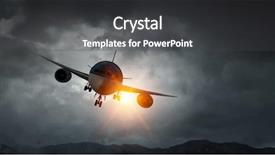
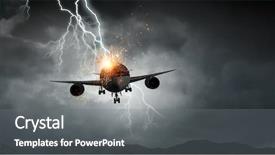
 Presentation with accident - Amazing PPT theme having airplane accident mixed media backdrop and a dark gray colored foreground

Airplane Accident Mixed Media

As the airplane soars through the sky, its path is marked by an atmosphere of excitement and trepidation. The background of this digital template is a stunning combination of high resolution images that will transport you to the clouds. The Corner Title Widescreen template features a saddle brown color palette that exudes warmth and sophistication. It's perfect for creating a big impression, whether you're presenting a commercial or a dramatic aviation scene. This design name combines all these elements to create a unique look that stands out from the crowd. Imagine being in the cockpit of an aircraft as it takes off into the sky, with a stunning backdrop of clouds and mountains. This template is everything Full HD 4K resolution images bring you right there. The layout will guide you through the process of creating your presentation, making it easy to navigate and enhance with other templates. The Growth Stages Layout slide would be an excellent starting point for beginners, showcasing a visual representation of how a project grows from start to finish. By featuring high quality graphics, this slide helps illustrate key points and sets the tone for more in depth content on the template's How To slides.

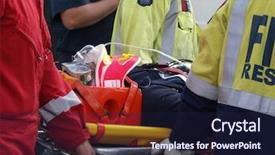
 Presentation with accident - Beautiful slide deck featuring paramedic rescue - accident victim on stretcher backdrop and a  colored foreground

Accident Victim Stretcher

Accidents happen and they can be devastating to both individuals and communities. A graphic that effectively communicates the severity of such incidents is crucial in raising awareness and promoting caution. This template, Wide Title, is designed to provide a striking visual representation of these events that are often accompanied by high resolution images for an immersive experience. The Dark Khaki color palette used throughout this template creates a somber and serious tone that perfectly captures the gravity of accidents. The theme of emergency response is well defined with stretcher based imagery, conveying the urgent need to act swiftly in such situations. This is ideal for featuring important details about accident reporting procedures or having a background image including a doctor or paramedic attending to the scene. The 3 x 3 Org Chart Layout slide can be used to include key personnel involved in emergency responses, providing essential information on roles and responsibilities. For instance, this could feature leaders of rescue teams, hospitals, or emergency services departments, highlighting their crucial contributions to keeping individuals safe during accidents. This layout has an enhanced design element by incorporating subtle icons representing different departmental roles, adding visual interest and clarity. The template is downloadable and compatible with Google Slides, allowing users to easily integrate it into their presentations with ease.

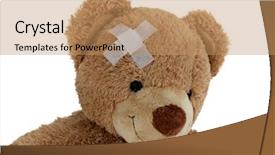
 Presentation with accident - Cool new presentation theme with patient bear with bandage backdrop and a coral colored foreground

Patient Bear Bandage Accident

Imagine starting your presentation with a powerful and motivational message that sets the tone for the entire deck. You're standing in front of a dramatic background featuring high resolution images of a patient recovering from an accident, symbolizing hope and healing. The warm tones of the tan color palette evoke feelings of comfort and support, making your audience feel like they're part of a community. The Corner Title is a versatile design that can be used to lead your presentation with ease. Whether you feature it as a hero slide or include it in a background with subtle animations, this template is sure to grab attention. The layout changes seamlessly from the main content area to the footer, making it easy to navigate and use. Take for example a typical insurance company presentation that needs to cover various stages of recovery for individuals who have been affected by accidents. You could start your deck with a How To slide titled "Growth Stages of Recovery," which outlines each stage in detail, from initial assessment to final rehabilitation. This section can be enhanced with animations and transitions to keep the audience engaged. The template is also available as a downloadable PDF that's compatible with Google Slides, making it easy to share with colleagues or clients who might need it for their own presentations.

 Presentation with accident - Theme enhanced with airplane accident mixed media background and a black colored foreground

Airplane Accident Mixed Media

The air is thick with tension as the plane plummeted towards the earth's surface, its passengers screaming in terror. The stormy weather outside mirrored the turmoil within, making it difficult to distinguish reality from illusion. This is the atmosphere that awaits you on this Corner Title template, a unique blend of plane and altitude that will take your presentations to new heights. This template is designed for Widescreen presentation format, bringing the big picture into focus with high resolution images for a visually stunning background. The Saddle Brown color palette adds a touch of sophistication, while the keywords "atmosphere", "plane", "altitude", "big", and "flight" perfectly capture the essence of this aviation theme. The template is fully downloadable and compatible with Google Slides, making it easy to import into your favorite presentation software. The included images will feature a dramatic stormy sky as the plane takes off and lands, creating an immersive experience for your audience. This template's SWOT Analysis Layout slide is where things get really exciting think of it as a dynamic map that highlights the strengths, weaknesses, opportunities, and threats of your topic. It's the perfect way to present complex information in a clear and concise manner, making it an invaluable tool for any presenter. By including a Background With a subtle gradient effect, you'll have a theme of depth and dimensionality that will leave your audience engaged. The background images are not just static shots they're also interactive, allowing you to hover over objects to reveal additional information or animated GIFs that bring the scene to life. Having a Theme of interactivity and user engagement is what sets this template apart from others in its class.

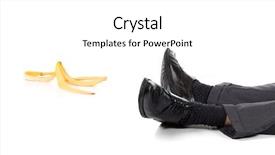
 Presentation with accident - Slides enhanced with slip - accident background and a white colored foreground

Accident

The world of PowerPoint templates has never been more vibrant and dynamic, with designers like CrystalGraphics constantly pushing the boundaries to create stunning visuals that capture our attention. From accidents to unexpected twists, it's all about crafting the perfect narrative to convey your message. Corner Title is a Widescreen template designed specifically for those who want to make a statement in their presentation. With its Blanched Almond Colored color palette, this template exudes a warm and inviting tone that sets the tone for any discussion. The Blanched Almond Color Palette is reminiscent of freshly baked banana bread, evoking feelings of comfort and approachability. This unique color scheme can be featured on the background with the 5 Stages Pentagon Layout slide to create an engaging visual element. The template's layout is carefully designed to guide your audience through a thought provoking journey, much like navigating through a series of twists and turns. The use of 4 How To slides at the start of the deck provides a solid foundation for getting up and running quickly, making it easy to launch into your presentation with confidence. This template is inclusive of a Background With option, allowing you to personalize every aspect of the design, including the colors, fonts, and images. Having a Theme of Enhanced With, this template offers an opportunity to elevate your presentation from ordinary to extraordinary. The result is a visually stunning and engaging visual experience that will leave your audience talking long after the presentation is over.

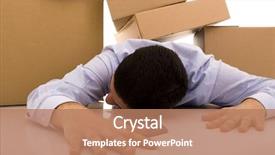
 Presentation with accident - PPT theme having faint - accident with some businessman carrying background and a coral colored foreground

Accident Businessman Carrying Pile Cardboard

Imagine being able to create a visually striking presentation that grabs the audience's attention from the very start. Our design name is "Death by Pile" and our template format is Widescreen, perfect for showcasing high resolution images in all their glory. The Peru color palette brings warmth and energy to your slides, while the concept of stacking elements creates a sense of depth and dimensionality. Our template keywords are carton, stacked, and death, which perfectly capture the essence of the design. With its unique theme and stunning visuals, this template is sure to make a lasting impression on your audience. Featuring high resolution images from our extensive library, "Death by Pile" includes a Background With a striking image of businessmen navigating through a pile of cardboard boxes, creating a dynamic and engaging start to any presentation. This design could be used as the opening slide for a business pitch or conference presentation, where you want to immediately convey your message and grab the audience's attention. The stacked elements will create a sense of movement and energy, drawing the viewer in and making them want to learn more. Having a Theme of "Growth Stages" ensures that each subsequent slide builds upon the previous one, creating a seamless flow from the opening scene. The template is downloadable and compatible with Google Slides, allowing you to easily customize it to fit your specific needs. With four How To slides at the start of the deck, helping you get up and running quickly, "Death by Pile" provides a solid foundation for any presentation. Whether you're using it for a marketing strategy session or an executive meeting, this template is sure to enhance your message and leave a lasting impression on your audience.

 Presentation with accident - Colorful PPT layouts enhanced with accident on the mountain ski backdrop and a light gray colored foreground

Accident Mountain Ski Slope Fallen

The Corner Title PowerPoint template is a stunning creation that offers a unique design experience for your presentations. The design name itself suggests the theme of safety and attention to detail, which aligns perfectly with the subject matter. This template features a widescreen format that will provide an immersive experience for your audience. The Pale Violet Red Colored color palette adds a touch of sophistication and elegance to the overall look. It's perfect for a presentation about winter sports like skiing, or perhaps a discussion on safety protocols in high risk environments. The theme is enhanced with striking images featuring skiers navigating treacherous mountain slopes, creating a sense of urgency and danger. The template is downloadable and compatible with Google Slides, ensuring seamless integration into your existing workflow. This feature allows you to easily customize the design to fit your specific needs. The 4 How To slides at the start of the deck provide a quick kickstart for your presentation, making it easy to get up and running quickly. The Pros of using this template lie in its high resolution images that will leave a lasting impression on your audience. Featuring a clear background with subtle shadows adds depth and dimensionality, while having a theme of natural elements like snow and trees creates a sense of authenticity. The Pale Violet Red Colored color palette is not only visually appealing but also professional and trustworthy. This template would be particularly suitable for presentations about safety protocols in high risk environments, such as skiing or winter sports. Including a Background With subtle textures and patterns adds an extra layer of realism, making the images feel even more immersive. Having a Theme of showcasing extreme sports creates a captivating presentation that will grab your audience's attention instantly.

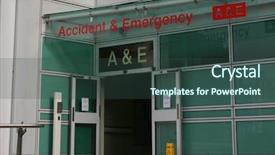
 Presentation with accident - PPT layouts featuring critical care - accident and emergency entrance background and a ocean colored foreground

Accident Emergency Entrance Hospital

In the high stakes world of emergency medicine, attention is a luxury few can afford. The moment of truth arrives when lives hang in the balance, and even the slightest miscalculation can mean the difference between life and death. Amidst this chaos, a well planned template is a beacon of hope, guiding medical professionals through the most critical moments. In this Dark Slate Gray Widescreen template for Accident and Emergency, you're about to experience the thrill of working in high pressure situations. The distressed look and treatment inspired design will transport your audience to the emergency room, where every second counts. From the moment patients are assessed and treated, our template's layout is designed to keep everything organized and within reach. A key feature of this template is its seamless integration with Google Slides, making it easy to add your own high resolution images to create a custom background that matches your unique needs. With its Widescreen format, you can project an image or video onto the screen behind your presentation, creating an immersive experience for your audience. Incorporating this template into your workflow is incredibly straightforward – just follow the 4 introductory slides at the start of the deck to get up and running quickly. These slides provide all the support you need to launch your presentation on a high note, with the template's enhanced theme and distressed look providing an instant visual hook that will leave your audience hooked.

 Presentation with accident - Amazing PPT layouts having airplane accident mixed media backdrop and a gray colored foreground

Airplane Accident Mixed Media

PPT layouts having airplane accident mixed media

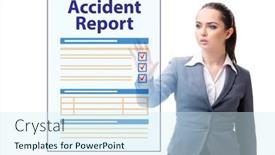
 Presentation with accident - Presentation design consisting of businesswoman-pressing-buttons-on-virtual background and a cool aqua colored foreground

Businesswoman Pressing Buttons Virtual Accident

The Corner Title PowerPoint template is designed to provide a professional and modern look for your presentations on insurance, agents, autos, medical services, and signs. This template features a sleek and contemporary design with a light steel blue color palette that exudes sophistication and elegance. The high resolution images in the background will transport you to a virtual accident report scenario, where a businesswoman is pressing buttons to navigate through the process. The image of her hands on the keyboard creates a sense of control and agency, while the virtual environment adds a touch of futurism. This template is downloadable and compatible with Google Slides, making it easy to incorporate into your presentations. It's also enhanced with a theme of professionalism, featuring a clean and minimalistic design that will help you stand out in any presentation. The Corner Title template includes four How To slides at the start of the deck to help you get up and running quickly. These slides provide valuable tips and tricks for creating engaging presentations, from setting up your slide deck to sharing it with others. The Social Media Concept Layout slide is a great example of how this template can be used to showcase your online presence. The template includes a background image that features a simple yet effective design, making it easy to include in your presentation. You can also have a theme of "Sharing Your Story" and enhance the layout with social media icons and graphics to make your presentation more engaging and interactive.

 Presentation with accident - Presentation with accident bike woman get emergency background and a violet colored foreground

Accident Bike Woman Emergency Help

Presentation with accident bike woman get emergency help paramedics in ambulance background

▼Key features of this template

  • They are compatible with both PowerPoint and Google Slides running on either Windows PCs or Macs.

  • They are available in both standard and widescreen slide formats. You can choose your preferred format by clicking on the "Widescreen" check box or icon.

  • Each template includes a beautiful high-resolution background image or video to visually reinforce the theme of your presentation.

  • In addition, each template includes designer-created graphics and modern fonts to give your presentations an up-to-date, professional look.

  • Each template's default design and title text position have been carefully selected to complement its background without covering faces or other key elements.

  • All text includes backdrops whose transparency level is mathematically calculated to maximize text readability while still allowing the background to be seen.

  • And all the text, text backdrops and graphics in every slide are colored with a palette designed to beautifully complement the colors in the background.

  • Our Premium templates (those with the descriptor “Premium” in their subtitle) include over 64 slide layouts to give you maximum flexibility as you create your presentations.

    • Those layouts are available to you whenever you create a new slide or when you want to change the layout of an existing slide.
    • They include everything you need to make all sorts of presentations. In addition to the layouts for the title slide and the usual title and content slide, they include many other layouts for slide types including table of contents slides, org charts, charts, diagrams, infographics, photo slides, thank you slides and more.
    • While creating these layouts our template designers have ensured that all text in every layout adjusts as gracefully as possible to various numbers of words.
  • Customizable templates (those with the descriptor “Customizable” in their subtitle) may be easily modified online before you download them.

    • To modify them, simply click on the pencil editing icon, then select your choice of ready to go designs and title text positions.
    • The editing tool also makes it easy to reposition and scale the background image or video to best suit your needs.

▼FAQs

Please review these FAQs to see if your question is answered. Contact us for more info

  • What is a PowerPoint template?

    • A well designed PowerPoint template is a file that can tell PowerPoint how to make your ordinary templates look extraordinary. They won’t change what your words or numbers say. But they might change their size, color, font and placement. And, overall, they can give your presentations a professionally-designed look that will give your content more credibility and give you more confidence.
  • How many PowerPoint templates do you offer?

    • We have over 32,000 artist-created presentation templates in our PowerPlugs collection With a subscription, PowerPlugs templates are easy to download. Just sign in, find a template and click on the green Download button. ready for you to download. That alone offers you more variety to choose from than any of our competitors can offer. And, as if that weren’t enough, we also offer over 6 million templates in our Crystal collection. Crystal brand templates are our line of templates that have customization options. They have the word "CRYSTAL" on their web page images. You can customize several aspects of the templates. These templates include high-resolution background images from Shutterstock’s vast image collection matched up with artist-created presentation designs customized by our own proprietary AI software.
  • How many templates can I download as a subscriber?

    • You can download an unlimited number of PowerPlugs-brand With a subscription, PowerPlugs templates are easy to download. Just sign in, find a template and click on the green Download button. templates every day for an entire year. (Actually, by default, we set a limit of 25 templates per day to prevent our competitors from stealing our templates. But, if that is not enough, just let us know and we’ll try to accommodate you.) On top of that, with a subscription or an Ultimate Combo, you can also download any 50 Crystal-brand Crystal brand templates are our line of templates that have customization options. They have the word "CRYSTAL" on their web page images. You can customize several aspects of the templates. templates per year selected from our huge Crystal collection. Crystal brand templates are our line of templates that have customization options. They have the word "CRYSTAL" on their web page images. You can customize several aspects of the templates. .
  • Why should I choose your templates instead of the competition’s?

    • We’ve got a larger selection of professionally-designed PowerPoint templates than anyone else in the world.
    • Each template includes a high-resolution background image or video to visually inspire your audiences while reinforcing your message.
    • Each template includes 64 slide layouts to give you maximum flexibility as you create your presentations.
    • Our templates are available in both standard and widescreen slide formats. And our website lets you preview the slides each way.
    • Our free Template Finder™ plugin lets subscribers select and - with a single click - download and insert our templates into their presentations right from within PowerPoint.
    • We’ve been creating designer presentation templates for over 20 years. During that time we’ve won several awards and 5-star ratings for product quality. See About Us for more.
  • Do you offer a money-back guarantee?

    • Yes we do! We offer full 30-day money-back guarantee if you are not 100% satisfied with your purchase.
  • Can I still use my downloaded templates after my subscription runs out?

    • Yes. After your subscription expires, you won't lose any rights or ability to use your PowerPlugs: Templates for PowerPoint. You won't be able to download any new non-watermarked templates. But the non-watermarked templates you've already downloaded will still work and you can still use them as before.
  • Can I share my downloaded templates or passwords with friends or coworkers?

    • Sorry but no. You are authorized to download each paid-for template to up to 3 of your personal devices and to use the templates you download in as many presentations as you want. But you are not authorized to share the templates, themselves, with others. That said, we do offer highly discounted site licenses to suit the needs of both small and large teams. Just tell us your needs and we’ll give you a quote!
  • System requirements:

    • The templates use the standard POTX format. So they are compatible with Google Slides and all PC, Mac and mobile devices running any version of PowerPoint from PowerPoint 2007 up through and including Office 365 desktop.
    • Please note: Google Slides does not currently support background videos. It treats them as still images.
    • For PowerPoint for the Web, first open your template into a desktop version of PowerPoint, then save it back out as a PPTX file. Then you can open that in PowerPoint for the Web.
  • End user license agreement:

    • Click here to view.
  • How will I get my purchased templates?

    • You may download your selected templates as soon as your payment is received by PayPal. If you purchased an individual template, you will be provided with a download link both onscreen and via email. Just click on that link to begin the download process. If you purchased a subscription, you will receive an email containing a password to use along with your email address to sign in to any of the templates pages on CrystalGraphics.com. Once you are signed in, you can immediately start downloading your selected templates.
  • How do I use my templates after I download them?

    • You can either open a template to start a new presentation or you can add a template to an existing presentation. To open a template, just double click on it or use PowerPoint's File > Open tool. To add a template to an existing presentation, on the Design tab, in the Themes group, click Browse for Themes... then browse to select your template.

View more Accident templates:

previous 1 2 3 4 5 6 7 8 9 10 next
Categories related to Accident:
Child Street
93% of Fortune 1000
companies use our
PowerPoint Products
Templates Secure

Standing Ovation Award
Winner: Best PowerPoint
Template Collection
Fortune Logos
200,000+ satisfied
customers worldwide!
Guarantee
100% satisfaction guaranteed
- or send it back for a refund!

Sign up for our free newsletter! You'll get news about our PowerPoint-enhancing product line – including free updates, new product announcements and exclusive special offers. Plus you'll get a link to a free PowerPoint template with every newsletter you receive.
Privacy Policy
Loading...


Help

Contact Us
Product FAQs
Product License Agreements

Company Info

About Us
Privacy Policy
CrystalGraphics, Inc. 1999 S. Bascom Avenue Suite 700 Campbell, CA 95008 USA
© 2026 CrystalGraphics, Inc. All rights Reserved.    |     PowerPlugs is a trademark of CrystalGraphics, Inc.
Microsoft and the PowerPoint logo are trademarks or registered trademarks of Microsoft Corporation in the United States and/or other countries.
Loading...
Loading...