www.crystalgraphics.com CrystalGraphics
  • Ultimate Combo
  • Templates
  • Diagrams
  • Characters
  • Quizzes
  • shopping cart
  • Sign Out Sign Out Sign In
Home > Templates > Aircraft Category
search icon
advanced icon

255 Best Aircraft-Themed Templates for PowerPoint and Google Slides

At CrystalGraphics, we're passionate about bringing you the most extensive collection of PowerPoint templates that will take your presentations to new heights. Our Aircraft template collection boasts an impressive 6.7 million templates, curated with precision to ensure they cater to every need and style. Whether you're looking for a vibrant theme featuring colorful PPT design elements or a more subtle approach, we've got you covered.

For example, our Aircraft template showcases a stunning sunset sky backdrop set against a beautiful clouds-filled atmosphere on the runway, perfectly complemented by a light blue-colored foreground. Alternatively, our Aircraft: Theme featuring window of an aircraft background and a gray colored foreground template offers a sleek and modern design that's sure to impress.

This Aircraft template collection is designed with you in mind. Each template includes a title slide plus 60+ additional slides, ensuring your presentation is fully prepared and professional-looking from start to finish. Plus, our templates are compatible with Google Slides, so you can easily import them into your favorite productivity tool.

As a bonus, our Aircraft template collection is packed with customizable elements that allow you to add your personal touch. With instant 24/7 download access, you can instantly download and customize this stunning template to suit your unique needs.

So why wait? Dive into our Aircraft template collection today and discover how these incredible templates can elevate your presentations to new heights. Browse through our extensive selection of categories or select the perfect template for your project - we've got you covered!

Features & Pricing

Widescreen (16:9) Presentation Templates. Change size...
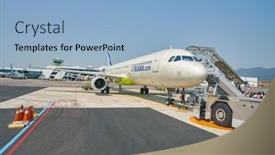
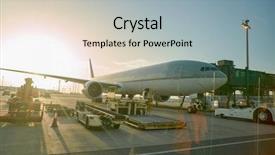
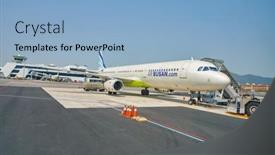
 Presentation with aircraft - PPT layouts featuring aircraft stand on the tarmac background and a light blue colored foreground

Aircraft Stand Tarmac Doha International

As you step into the sleek and modern world of flight planning and aircraft management, you'll be taking in breathtaking views like never before. Imagine standing on the tarmac at Doha International Airport, gazing out at the vibrant landscape of planes soaring through the skies. The distant hum of engines and chatter of aviation professionals create a symphony that's both exhilarating and calming. The Corner Title template is a stunning example of what can be achieved with CrystalGraphics' incredible range of aircraft themed templates. This feature rich presentation includes 60+ layouts to enhance your content, from high resolution images for the background to customized designs and fonts to make your slides truly unique. With our premium templates, you'll have access to this library of ready to use concepts, allowing you to create stunning presentations with ease. Incredible visuals will transport you to a world of unparalleled realism, featuring dynamic plane graphics, detailed aircraft models, and authentic airport scenery. Whether you're creating a comprehensive flight plan or simply want to showcase your organization's expertise in aviation management, this template is sure to impress. With its sky blue color palette and high resolution images, this presentation is the perfect addition to any room. Including a background with dynamic plane graphics and detailed aircraft models will take your slides to new heights of realism. Having a theme of flight planning and aircraft management is also well represented in this template, making it an invaluable resource for anyone looking to enhance their presentations.

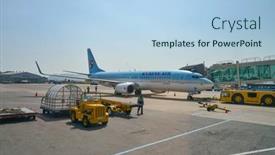
 Presentation with aircraft -

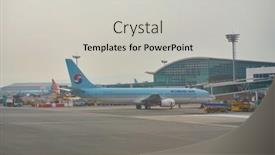
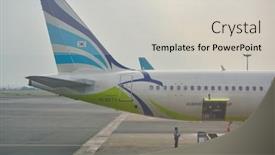
Busan South Korea Circa,

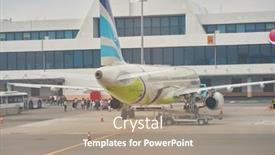
As you enter the world of aviation and airport design, your imagination knows no bounds. From the moment you click "Download" on CrystalGraphics' Wide Title template, you're transported to the bustling tarmac of Gimhae International Airport in Busan, South Korea circa May 2017. This template is a masterclass in showcasing aircraft stand at high resolution images, perfectly capturing the essence of airport life. The Pale Goldenrod color palette provides a sophisticated backdrop for your designs, making it easy to enhance and incorporate into your slides. Whether you're featuring a stunning aerial view or including a background with vibrant airline logos, this template is sure to impress. For instance, imagine having a slide that showcases an impressive grid layout of four high resolution images, each highlighting a unique aspect of airport life such as departure boards, baggage claim areas, aircraft maintenance facilities, and airline staff. You could include a background with the names of top airlines in Korean, or incorporate interactive elements to make it more engaging. Having a theme of showcasing various airport features, this template is versatile enough to be adapted for any type of presentation or slideshow. With its high resolution images and sophisticated color palette, you're sure to create visually stunning presentations that will leave your audience in awe.

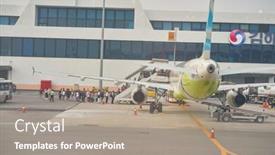
 Presentation with aircraft -

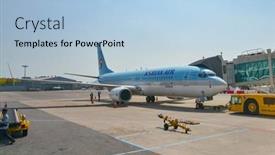
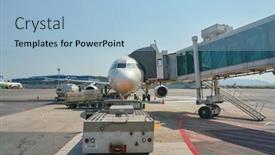
Busan South Korea Circa,

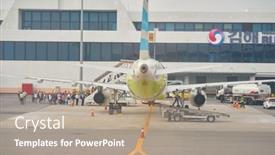
The moment you've been waiting for has finally arrived it's time to unleash your creativity and take your presentation to the next level. Imagine walking into an airport on a crisp morning in Busan, South Korea, as the warm rays of sunlight peek through the steel blue sky, casting a serene glow over the bustling tarmac. The sound of gentle chatter and the hum of engines fill the air as four aircraft stand patiently at the ready, their sleek designs gleaming under the spotlight. As you take your seat in front of this stunning backdrop, you're about to embark on an exciting journey that will showcase the world's most iconic airlines and aircraft through high resolution images. The Steel Blue color palette is sure to transport your audience to a world of sophistication and elegance. With its crisp lines and modern feel, this template is designed to enhance any presentation, whether it's for business or leisure. The Corner Title design name pays homage to the airport, incorporating subtle nods to its rich history and cultural significance. The Arrow Stages Layout slide will feature a cleverly designed background with arrows pointing towards the aircraft, creating an engaging visual effect that draws attention to the main topic at hand. This layout is sure to be a showstopper on any deck. The template's compatibility with Google Slides ensures seamless integration into your presentation workflow, making it easy to customize and enhance as needed. With its high resolution images and steel blue color palette, this template is a must have for anyone looking to create visually stunning presentations that leave a lasting impression.

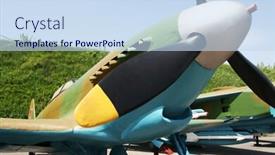
 Presentation with aircraft - Presentation design consisting of firearm - old aircraft background and a sky blue colored foreground

Old Aircraft

Imagine soaring through the skies on a vintage aircraft, with the warm glow of high resolution images illuminating your presentation. This is what you can expect from the Corner Title template, designed to take your audience on a thrilling journey across the globe. The Corner Title template is a widescreen masterpiece, featuring a light steel blue color palette that evokes the feeling of a high flying adventure. The design name itself conveys the sense of excitement and exploration, while also hinting at the global scope of the presentation. Whether you're discussing flight routes or destinations, this template will have your audience riveted. The 4 How To slides will provide guidance on getting up and running quickly with the Corner Title template in Google Slides. But don't worry, they won't overwhelm instead, each slide will offer a clear starting point for creating an engaging presentation. The Arrow Steps Layout is a thoughtful design element that allows you to create a seamless flow between sections, making it easier for your audience to follow along. This template features a stunning background image of an old aircraft in flight, complete with creaking wings and a cockpit window. Adding this visual element will give your presentation a sense of authenticity and dynamism. Don't just take our word for it imagine using the Corner Title template to create a captivating presentation about flying from New York to Tokyo. You can include a background with rich textures and vibrant colors, or have a theme of sleek, modern designs that perfectly capture the essence of commercial air travel. Whatever your style, this template is sure to enhance your presentation with its unique blend of classic aviation imagery and cutting edge design features.

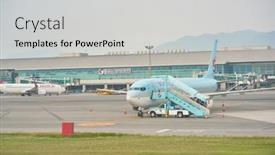
 Presentation with aircraft -

Busan South Korea Circa,

As you step into the world of air travel, you're surrounded by an endless array of options that can take your presentations to new heights. The Wide Title template is here to help you do just that, with its crisp and clean design that's sure to grab attention and leave a lasting impression. This Widescreen version is perfectly suited for showcasing high resolution images of aircraft, airlines, airplanes, and airports the perfect backdrop for any aviation themed presentation. The Light SlateGray color palette provides a sophisticated and modern look that will complement your Google Slides content seamlessly. Whether you're creating a promotional pitch for an airline or a flight information sheet for passengers, this template is sure to impress. The 2 Member Bio Layout slide is a great place to include some key details about yourself, showcasing your expertise in the field of aviation. Imagine presenting to a packed audience at Gimhae International Airport, with high resolution images of aircraft taking center stage that's what you'll get with this template. Featuring cutting edge graphics and clear typography, it's an ideal choice for anyone looking to make their presentation stand out from the crowd. Including a Background With modern design elements, having a Theme of aviation themed visuals, or Enhanced With Googles Slides integration, this template has got everything your presentation needs.

 Presentation with aircraft -

Busan South Korea Circa,

The world's busiest airport in South Korea, Busan International Airport, is a hub for airlines and aircraft alike. As the sun sets over the bustling tarmac, the airport comes alive with activity it's a place where passengers rush to catch their flights, where mechanics work tirelessly to keep the planes running smoothly, and where air traffic controllers guide them through the skies. To create an immersive experience, the template features high resolution images of aircraft taking off and landing on the runway, as well as stunning views of the airport itself. The color palette is a soothing wheat tone that evokes a sense of calm, perfect for enhancing the relaxing atmosphere of the airport. The template's design name is Aerius, a Latin word meaning "relating to the air," reflecting the theme of flight and travel. The background images are carefully chosen to include a mix of modern and industrial elements, blending seamlessly with the Venn Diagram Layout slide which showcases the connections between airlines, airports, and aircraft. As you explore the template, you'll notice how it's designed to be both visually appealing and easy to navigate. Featuring high quality graphics and animations, including a background with a subtle animation that simulates the motion of an airplane in flight, this template is sure to take your presentation to the next level. Having a theme of enhancing user experience, the template includes four How To slides at the start of the deck to help you get up and running quickly, making it easy for viewers to follow along. Including a background with a stunning view of the airport tarmac, this template is perfect for any audience looking to create a compelling presentation on air travel or aviation. With its modern design and high resolution images, Aerius is sure to be a hit with your colleagues and clients alike.

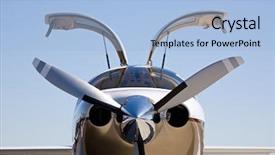
 Presentation with aircraft - Cool new presentation design with small private aircraft with doors backdrop and a light blue colored foreground

Private Aircraft Doors Up Against

With its sleek and luxurious design, Corner Title is the perfect template to elevate your presentation game. This high resides widescreen template features a plane taking off against a stunning blue sky with limited depth of field, leaving the background looking sharp and clean. The corner title at the top sets the tone for an engaging and informative presentation. The Light Steel Blue color palette provides a sophisticated backdrop for showcasing your content, which can be enhanced by adding a subtle gradient or texture to give it a premium feel. This template is also compatible with Google Slides, making it easy to integrate into your workflow. As you begin your presentation, 4 How To slides will come in handy to get you up and running quickly. Featuring high resolution images of planes, these slides provide a quick reference point for any technical or visual aspects of your content. The Content with Caption Layout slide allows for easy captioning and alignment of your text, making it simple to read and understand. This template is perfect for anyone looking to showcase their plane themed presentation in style. It's ideal for business presentations, educational courses, or even marketing materials that require a touch of sophistication. With its luxurious design and high resolution images, Corner Title is sure to leave a lasting impression on your audience.

 Presentation with aircraft -

Busan South Korea Circa,

As you step into the world of high flying visuals, imagine soaring through the skies, taking in the breathtaking views of aircraft at Gimhae International Airport. The warm sunlight casts a golden glow on the tarmac, illuminating the sleek designs of the planes as they wait for takeoff and landing. In this setting, it's easy to get lost in the world of aviation, but with the right template, you can bring that magic onto your Google Slides decks. The Wide Title design name evokes a sense of grandeur, perfect for showcasing aircraft at their most majestic. This Widescreen template is designed to take full advantage of your screen's width, ensuring that your background image or picture is perfectly centered and in focus. The Light Steel Blue color palette provides a sleek and modern contrast to the images featured throughout the template. The 4 How To slides are included on this template for those who need an extra nudge to get started quickly. But don't worry, they're not overwhelming – just helpful tools to get you up and running in no time. These slides will show you how to incorporate the Light Steel Blue color palette, add high resolution images of aircraft, and create a theme centered around aviation. You could even use this template as inspiration for your own project, featuring stunning aerial views or highlighting the unique aspects of specific airlines or airports. This template is an Enhanced With version of the original, incorporating a full fledged background with a modern design element (in this case, the aircraft themselves). The high resolution images ensure that your slides are crisp and clear, making it easy to scan and understand. Whether you're creating presentations for the aviation industry or simply looking for a visually appealing way to showcase your skills, this template is sure to deliver.

 Presentation with aircraft -

Busan South Korea Circa,

As you sit at the helm of your creative journey, imagine yourself standing on the sun kissed tarmac of Gimhae International Airport in Busan, South Korea, surrounded by the hum of aircraft taking off and landing, their majestic silhouettes glistening like diamonds against the light blue sky. The gentle warmth of the setting sun casts a golden glow over the scene, as if the very atmosphere itself is alive and vibrant. In this corner title template design, you will find yourself transported to the bustling streets of Busan, where air, bus, and train all converge in a kaleidoscope of color and energy. The Light Sky Blue palette serves as the perfect backdrop for your inspirational visuals, ensuring that every slide exudes a sense of calm and serenity. High resolution images of aircraft stand proudly on the tarmac, their sleek designs and intricate details waiting to be brought to life on your screens. As you explore this template, you'll notice the Puzzle Pieces Layout slide a beautifully crafted framework that will help you organize and structure your presentation like a pro. Featuring high quality graphics and a seamless layout, this slide is perfect for including a background with your images, having a theme of showcasing the beauty of Busan's airport scene. As you delve into the world of flight, airbus, airlines, airplane, and airport, you'll discover a wealth of creative possibilities. Whether you're looking to enhance your presentation with dynamic animations or add a touch of realism, this template is sure to impress. And with its compatibility with Google Slides, you can confidently share your masterpiece with the world. But that's not all the downloadable version of this Corner Title design comes with four How To slides at the start of your deck, each one designed to help you get up and running quickly. From mastering template settings to creating engaging transitions, these tips will have you crafting a presentation like a pro in no time.

 Presentation with aircraft -

Military Aircraft C-17

The world of military aviation is a fascinating one, and with the right template, you can take your presentations to the next level. Imagine being able to showcase high resolution images of aircraft, such as the C 17 Globemaster III, in stunning detail, without having to rely on static screenshots or awkward graphics. That's exactly what this Wide Title template is all about providing a visually stunning and engaging way to present your data. This template features a Cornflower Blue color palette that evokes feelings of trust, reliability, and professionalism, perfect for any presentation about aerospace or the military aviation industry. The Widescreen format ensures that your images are displayed at their highest quality, without any distortion or loss of detail. And with 17 keywords included in the template's design, you'll be able to easily find what you need when searching for related topics. The Cornflower Blue color palette is a great starting point for creating a cohesive and professional look, while also allowing for some creative freedom to enhance your presentation. For example, you could use this template as a base and add a background image of an aircraft in flight, or include a fun element like a mock up of a military aircraft's cockpit. The possibilities are endless! The 3 Step Funnel Layout slide is a great way to organize your content and keep your audience engaged. By featuring high resolution images throughout the presentation, you'll be able to showcase key points and data in an easy to understand manner. And with Having a Theme of showcasing aircraft and military aviation related topics, this template is sure to impress. By using this template as your starting point, you can create presentations that are both visually stunning and informative. With its Cornflower Blue color palette, Widescreen format

 Presentation with aircraft -

Busan South Korea Circa,

Imagine being in the midst of Busan's bustling Gimhae International Airport, surrounded by the hum of aircraft taking off and landing, as you plan your next trip with this Corner Title PowerPoint template. The high resolution images for the background will transport you to the vibrant city, making you feel like you're right there on the tarmac. This template is designed in a Widescreen format, perfect for showcasing your slides and making them stand out. With a Light Sky Blue color palette that's sure to brighten up any presentation, you'll be able to see every detail of the images. Featuring a theme of aviation and airlines, this template is all about capturing the essence of air travel. The 5 Stages Pentagon Layout slide is where things get really interesting. This classic layout features eight stages, each representing a different aspect of an aircraft's journey from takeoff to landing. Including a Background With smooth curves and clean lines, this slide is perfect for illustrating the various stages of flight. Having a Theme of innovation and technology, this template takes you on a thrilling ride through the world of air travel. As you explore more slides in the template, you'll find that the aircraft stand on the tarmac at Gimhae International Airport circa May, 2017 is just one example of how I've used images to bring the scene to life. Featuring a high resolution image with blurred background and subtle texture, this slide is sure to grab your attention.

 Presentation with aircraft -

Busan South Korea Circa,

In the heart of Korea's bustling city of Busan, where the sun dips into the horizon and paints the sky with hues of pink and orange, a major hub for air travel awaits. Gimhae International Airport is one such destination that showcases the beauty of aviation, with its sleek architecture and modern facilities. The contrast between nature and man made structures creates an intriguing visual narrative that can be beautifully executed through this template. The Corner Title template features a light sky blue background that provides a calming yet vibrant backdrop for your content. This Widescreen format ensures that all elements take center stage, creating a sense of grandeur and importance. The high resolution images for the background will transport you to the bustling airport, making it easy to visualize the scenes being depicted. The template's color palette is reminiscent of a clear summer sky, with shades of light blue and white dominating the design. These soothing colors evoke feelings of serenity and tranquility, perfect for showcasing your content in a visually appealing way. Featuring a rich and vibrant background with crisp lines, the Corner Title template will have you feeling as though you're standing on the tarmac, surrounded by the sights and sounds of flight. The Managed Process Layout slide is particularly noteworthy, allowing for an organized and structured presentation of information. This layout can help to include key points and statistics in a clear and concise manner, making it easier to communicate complex ideas. Having a theme of professionalism and accuracy, this template will have you feeling confident and prepared to share your message with the world. As you delve into the content, you'll notice that the template includes 4 How To slides at the start of the deck, providing a quick and easy setup process for your audience. These slides can help to get everyone up

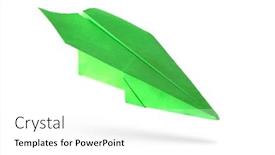
 Presentation with aircraft - Theme featuring green-paper-aircraft-paper-plane background and a white colored foreground

Green Paper Aircraft Paper Plane

The Corner Title PowerPoint template is designed to transport your audience to a world of flight and play. This stunning Widescreen template features high resolution images for the background, creating an immersive experience that will leave viewers in awe. The Pale Green color palette provides a soothing and calming atmosphere, perfect for presentations that require a touch of serenity. The Corner Title template is specifically crafted with the game and symbol themes in mind, making it an ideal choice for presentations that feature high energy visuals. The 1 Picture on left slide showcases a beautiful green paper aircraft soaring through the sky, its wings outstretched as if ready to take off at any moment. This image serves as a perfect example of how the template can be used to create engaging and dynamic content. The Corner Title is downloadable and compatible with Google Slides, making it easy to incorporate into your presentation workflow. The theme of this template is centered around flight and play, featuring high resolution images that will enhance your slides and leave a lasting impression on your audience. With its sleek design and calming color palette, this template is sure to be a hit with your viewers.

 Presentation with aircraft -

Busan South Korea Circa,

The airport runway stretches out before you like a vast canvas waiting to be transformed into a work of art. As the sun sets over Busan, South Korea, casting a warm orange glow over the bustling tarmac, you're invited to take off and explore the world of aircraft and airlines. This template is designed to showcase the beauty of aviation in all its glory, with high resolution images of aircraft stands at Gimhae International Airport serving as the perfect background for this presentation. The Light Steel Blue color palette provides a clean and professional look that complements the theme of air travel. Featured throughout the template are numerous references to airline logos, aircraft parts, and airport infrastructure, all carefully curated to enhance the overall visual appeal. As you delve into the world of airports and airlines, you'll notice the incorporation of advanced design elements such as Gears in Sync Layout, which features a dynamic arrangement of text and images that come together to create a seamless reading experience. This template is not only visually striking but also includes a comprehensive set of slide templates that can be easily downloaded and customized with your own content. With its sleek and modern layout, this template is perfect for creating engaging presentations, reports, or even social media posts about the world of aviation. Having a theme of showcasing the beauty of airports and airlines, Enhanced With stunning images and creative typography, this template offers an ideal starting point to take your presentation to the next level.

 Presentation with aircraft - PPT theme having green-paper-aircraft-paper-plane background and a white colored foreground

Green Paper Aircraft Paper Plane

Imagine soaring through the skies on a paper plane, its wings unfolding like a green oasis amidst a white canvas, leaving a trail of possibility in its wake. This is what the Corner Title template from CrystalGraphics promises an attention grabbing design that will transport you to a world of high flying adventure. With a focus on design name Corner Title and template format Widescreen, this template is tailor made for showcasing your most creative ideas. The Pale Green color palette is soft and calming, evoking feelings of serenity and tranquility. The template keywords plane, play, flight, symbol, game are woven throughout the design, adding depth and meaning to every aspect of the layout. From the high resolution images featured throughout the template to the intricate details included in its Bulb Puzzle Layout slide, this is a comprehensive tool designed for creators who want to bring their visions to life. The Corner Title template is downloadable and compatible with Google Slides, making it easy to import into your favorite presentation software. With its seamless integration and intuitive design, you'll be able to create stunning presentations in no time. As an added bonus, the template includes four valuable How To slides that will help you get up and running quickly, covering topics such as getting started with a new project or learning how to use advanced features.

 Presentation with aircraft -

Busan South Korea Circa,

As you open the Slide deck on your computer, the high resolution image of a busy airport tarmac at Gimhae International Airport in Busan, South Korea instantly grabs your attention, transporting you to the vibrant hub of air travel. The warm tan color palette that dominates this template is not only aesthetically pleasing but also evokes feelings of warmth and hospitality a perfect backdrop for showcasing aircraft and airlines. The Split Title design name reflects the dual focus on airlines and airports, with high resolution images featuring in the background to create a sense of depth and dimension. The tan color palette seamlessly blends into the imagery, creating a harmonious visual experience that is both calming and energetic. Whether you're using this template for presentations or marketing materials, it's clear that attention to detail has gone into creating a theme of "Airport Hubs" that will transport your audience to the heart of air travel. The 3 Member Bio Layout slide features a prominent image of an airport staff member at the center, with supporting images of aircraft and airlines around them. This layout allows for easy identification of key personnel involved in managing airports, while also showcasing the importance of these individuals in shaping the experience for travelers. For example, you could use this template to create a presentation on "Airport Operations" that includes high resolution images of airport staff, aircraft, and major airlines like Korean Air or Asiana Airlines. Having a theme of showcasing the rich history of air travel, this template is sure to enhance your presentations with its comprehensive background and content. Whether you're looking for inspiration for an aviation themed presentation or simply need a versatile template that can be adapted to various purposes, this one's got you covered.

 Presentation with aircraft -

Busan South Korea Circa,

The moment you've been waiting for to elevate your presentation game with CrystalGraphics' Split Title template. This stunning design is the perfect starting point for any aviation themed deck, featuring high resolution images that will transport your audience to the bustling tarmac of Gimhae International Airport in Busan, South Korea. With a sleek and modern aesthetic, this template boasts a Widescreen format that will make your presentation look like it's straight out of a magazine. The Steel Blue color palette is both professional and sophisticated, perfect for showcasing your airline or airport themed content. Featuring a prominent background image of an aircraft stand on the tarmac, this template includes a Background With option to enhance the visual impact even further. The Split Title design is all about balance with four How To slides at the start of the deck, you'll be able to get up and running quickly, from setting up your presentation to creating engaging content. The Signpost Layout slide is particularly noteworthy, offering a clear structure for your content and making it easy to include key points in a concise manner. This template is not only visually stunning but also downloadable and compatible with Google Slides, ensuring that you can easily incorporate the high resolution images into your presentation. With its enhanced theme of aviation and airlines, this template is sure to captivate your audience and leave a lasting impression.

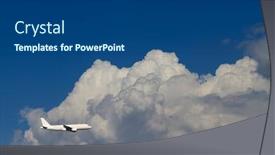
 Presentation with aircraft - Presentation theme having airplane in the sky passenger airliner aircraft background and a ocean colored foreground

Airplane Sky Passenger Airliner Aircraft

As you step into our Corner Title PowerPoint template, you're embarking on a journey that's sure to leave you feeling like you're soaring through the skies literally. The high resolution images for the background will transport you to breathtaking destinations around the world, from sunny beaches to majestic mountain ranges. This sleek and modern template is designed to enhance your presentation with a powerful theme of tourism, featuring stunning visuals of plane, big flight, sunshine, and travel that's sure to capture your audience's attention. With its crisp steel blue color palette, this design is guaranteed to have a theme of sophistication and professionalism. Our goal is to help you deliver an engaging experience for your viewers, and with our Corner Title template, we've got just the thing. To get started quickly, simply head to 4 How To slides at the beginning of the deck that will guide you through setting up your presentation. We're confident that these easy to follow steps will have you up and running in no time. The Our Crystal Clear Goal slide is a great example of how this template can help you drive home your message. By including a background with a bright sunshine theme, we've created a focal point that grabs the viewer's attention and sets the tone for your presentation. This template has all the features and keywords you need to showcase plane, big flight, and tourism in an enhanced way.

 Presentation with aircraft -

Busan South Korea Circa,

The moment you start creating your presentation, the cursor will begin to glow with an inviting blue light, signaling that your inspiration is about to take off. The BUSAN, SOUTH KOREA CIRCA MAY, 2017: aircraft stand on the tarmac at Gimhae International Airport scene serves as a perfect starting point for your PowerPoint template, featuring high resolution images of airplanes and airports in stunning detail. The template's design name is Airplane Airport Hub, a theme that seamlessly weaves together the world of airlines, aircraft, and airports. The template format is Widescreen, providing a broad canvas for showcasing your slides. Its Powder Blue color palette is a soothing complement to the high contrast images, ensuring your presentation stays visually appealing. To enhance your design, you can include a Background With feature by uploading custom graphics or using the pre designed templates provided with the Bulb Puzzle Layout slide. The 4 How To slides at the start of your deck will get you up and running quickly, making it easier for viewers to navigate through your presentation. These slides are crucial as they set the foundation for the rest of your content. To give you a better idea, these slides might include features such as Including a Background With, Having a Theme of Aviation Safety, Enhanced With Real World Images, or Featuring Interactive Elements. The template is downloadable and compatible with Google Slides, allowing you to easily share it with others or use it in your own presentation. You can also customize the font styles and sizes to fit your style preferences. In terms of compatibility, this template is designed for a range of operating systems and devices, ensuring it runs smoothly on any device. The Airplane Airport Hub template is an ideal choice for anyone looking to create a visually stunning presentation that showcases their passion for aviation and travel. Its high resolution images and Powder Blue color palette make it a perfect fit for showcasing your aerial views and airport landscapes.

 Presentation with aircraft -

Busan South Korea Circa,

The aviation industry is a fascinating sector that continues to captivate audiences worldwide with its high speed aircraft, efficient airways, and the thrill of taking off into the unknown. The humble airport stands at the heart of it all, providing a bustling hub for airlines to connect millions of passengers every year. For those looking to create an engaging presentation on this topic, Crystal Graphics offers a stunning Split Title template that is sure to grab attention with its vibrant Peru color palette and aircraft inspired design elements. This high resolution Widescreen template features four distinct sections Featuring the majestic aircraft, Including a Background With vivid images of airports around the world, Having a Theme of efficient airways and airlines, and Enhancing The Storyline With interactive How To slides to help viewers get up and running quickly. The Split Title template is not just visually striking; it's also highly customizable. From the Org Chart Layout slide that organizes your content into four main sections to the four How To slides that provide a step by step guide to creating an engaging presentation, every element is designed to enhance the overall experience. Whether you're looking to showcase the beauty of aircraft or highlight the importance of efficient airways, this template has got you covered. The airport setting provides a unique backdrop for showcasing airlines and aircraft, making it the perfect theme for this topic. With four How To slides, you can include information on how to create engaging presentations, design effective templates, choose the right colors and images, and more. Having a clear structure in place will ensure that your presentation flows smoothly and effectively communicates your message. In terms of use, this template is ideal for anyone looking to create an informative and visually appealing presentation on the aviation industry. Whether you're a student, professional, or simply someone passionate about air travel, the Split Title template offers a unique opportunity to showcase your creativity and knowledge.

 Presentation with aircraft -

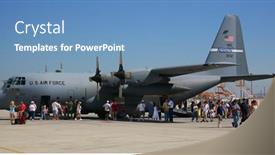
Military Aircraft C-17 Spectators Around.

The military aviation scene is one that never fails to captivate audiences with its dramatic and high stakes action. Imagine a vast field of aircraft taking off and landing in unison, their sleek shapes slicing through the air as they soar towards their destinations. The C 17 Globemaster III, a behemoth of an airplane capable of carrying out countless missions around the world. The template that accompanies this is a stunning Widescreen image featuring 4 high resolution images arranged seamlessly together to create a dynamic and immersive background. This is just one example of what you can expect from this incredible template it's designed to transport you into the cockpit, where you'll be able to feel the rush of adrenaline as you command your aircraft through takeoff, flight planning, and landing. The Steel Blue color palette that dominates the template gives it a sleek and professional tone, perfect for presenting complex information or highlighting key features. This template is more than just a pretty picture it's also incredibly versatile, featuring 17 keywords that will allow you to enhance your presentation with depth and substance. Whether you're working on a project that requires showcasing impressive technical data or simply want to add some visual flair to your slides, this template has got you covered. As part of its enhanced features, the template includes four How To slides at the start of the deck to help you get up and running quickly no fuss or frills required. But what really sets this apart is that it's fully downloadable and compatible with Google Slides, so you can tailor your presentation exactly how you want it to be.

▼Key features of this template

  • They are compatible with both PowerPoint and Google Slides running on either Windows PCs or Macs.

  • They are available in both standard and widescreen slide formats. You can choose your preferred format by clicking on the "Widescreen" check box or icon.

  • Each template includes a beautiful high-resolution background image or video to visually reinforce the theme of your presentation.

  • In addition, each template includes designer-created graphics and modern fonts to give your presentations an up-to-date, professional look.

  • Each template's default design and title text position have been carefully selected to complement its background without covering faces or other key elements.

  • All text includes backdrops whose transparency level is mathematically calculated to maximize text readability while still allowing the background to be seen.

  • And all the text, text backdrops and graphics in every slide are colored with a palette designed to beautifully complement the colors in the background.

  • Our Premium templates (those with the descriptor “Premium” in their subtitle) include over 64 slide layouts to give you maximum flexibility as you create your presentations.

    • Those layouts are available to you whenever you create a new slide or when you want to change the layout of an existing slide.
    • They include everything you need to make all sorts of presentations. In addition to the layouts for the title slide and the usual title and content slide, they include many other layouts for slide types including table of contents slides, org charts, charts, diagrams, infographics, photo slides, thank you slides and more.
    • While creating these layouts our template designers have ensured that all text in every layout adjusts as gracefully as possible to various numbers of words.
  • Customizable templates (those with the descriptor “Customizable” in their subtitle) may be easily modified online before you download them.

    • To modify them, simply click on the pencil editing icon, then select your choice of ready to go designs and title text positions.
    • The editing tool also makes it easy to reposition and scale the background image or video to best suit your needs.

▼FAQs

Please review these FAQs to see if your question is answered. Contact us for more info

  • What is a PowerPoint template?

    • A well designed PowerPoint template is a file that can tell PowerPoint how to make your ordinary templates look extraordinary. They won’t change what your words or numbers say. But they might change their size, color, font and placement. And, overall, they can give your presentations a professionally-designed look that will give your content more credibility and give you more confidence.
  • How many PowerPoint templates do you offer?

    • We have over 32,000 artist-created presentation templates in our PowerPlugs collection With a subscription, PowerPlugs templates are easy to download. Just sign in, find a template and click on the green Download button. ready for you to download. That alone offers you more variety to choose from than any of our competitors can offer. And, as if that weren’t enough, we also offer over 6 million templates in our Crystal collection. Crystal brand templates are our line of templates that have customization options. They have the word "CRYSTAL" on their web page images. You can customize several aspects of the templates. These templates include high-resolution background images from Shutterstock’s vast image collection matched up with artist-created presentation designs customized by our own proprietary AI software.
  • How many templates can I download as a subscriber?

    • You can download an unlimited number of PowerPlugs-brand With a subscription, PowerPlugs templates are easy to download. Just sign in, find a template and click on the green Download button. templates every day for an entire year. (Actually, by default, we set a limit of 25 templates per day to prevent our competitors from stealing our templates. But, if that is not enough, just let us know and we’ll try to accommodate you.) On top of that, with a subscription or an Ultimate Combo, you can also download any 50 Crystal-brand Crystal brand templates are our line of templates that have customization options. They have the word "CRYSTAL" on their web page images. You can customize several aspects of the templates. templates per year selected from our huge Crystal collection. Crystal brand templates are our line of templates that have customization options. They have the word "CRYSTAL" on their web page images. You can customize several aspects of the templates. .
  • Why should I choose your templates instead of the competition’s?

    • We’ve got a larger selection of professionally-designed PowerPoint templates than anyone else in the world.
    • Each template includes a high-resolution background image or video to visually inspire your audiences while reinforcing your message.
    • Each template includes 64 slide layouts to give you maximum flexibility as you create your presentations.
    • Our templates are available in both standard and widescreen slide formats. And our website lets you preview the slides each way.
    • Our free Template Finder™ plugin lets subscribers select and - with a single click - download and insert our templates into their presentations right from within PowerPoint.
    • We’ve been creating designer presentation templates for over 20 years. During that time we’ve won several awards and 5-star ratings for product quality. See About Us for more.
  • Do you offer a money-back guarantee?

    • Yes we do! We offer full 30-day money-back guarantee if you are not 100% satisfied with your purchase.
  • Can I still use my downloaded templates after my subscription runs out?

    • Yes. After your subscription expires, you won't lose any rights or ability to use your PowerPlugs: Templates for PowerPoint. You won't be able to download any new non-watermarked templates. But the non-watermarked templates you've already downloaded will still work and you can still use them as before.
  • Can I share my downloaded templates or passwords with friends or coworkers?

    • Sorry but no. You are authorized to download each paid-for template to up to 3 of your personal devices and to use the templates you download in as many presentations as you want. But you are not authorized to share the templates, themselves, with others. That said, we do offer highly discounted site licenses to suit the needs of both small and large teams. Just tell us your needs and we’ll give you a quote!
  • System requirements:

    • The templates use the standard POTX format. So they are compatible with Google Slides and all PC, Mac and mobile devices running any version of PowerPoint from PowerPoint 2007 up through and including Office 365 desktop.
    • Please note: Google Slides does not currently support background videos. It treats them as still images.
    • For PowerPoint for the Web, first open your template into a desktop version of PowerPoint, then save it back out as a PPTX file. Then you can open that in PowerPoint for the Web.
  • End user license agreement:

    • Click here to view.
  • How will I get my purchased templates?

    • You may download your selected templates as soon as your payment is received by PayPal. If you purchased an individual template, you will be provided with a download link both onscreen and via email. Just click on that link to begin the download process. If you purchased a subscription, you will receive an email containing a password to use along with your email address to sign in to any of the templates pages on CrystalGraphics.com. Once you are signed in, you can immediately start downloading your selected templates.
  • How do I use my templates after I download them?

    • You can either open a template to start a new presentation or you can add a template to an existing presentation. To open a template, just double click on it or use PowerPoint's File > Open tool. To add a template to an existing presentation, on the Design tab, in the Themes group, click Browse for Themes... then browse to select your template.

View more Aircraft templates:

previous 1 2 3 4 5 6 7 8 9 10 11 12 13 next
Categories related to Aircraft:
Cabin Engine
93% of Fortune 1000
companies use our
PowerPoint Products
Templates Secure

Standing Ovation Award
Winner: Best PowerPoint
Template Collection
Fortune Logos
200,000+ satisfied
customers worldwide!
Guarantee
100% satisfaction guaranteed
- or send it back for a refund!

Sign up for our free newsletter! You'll get news about our PowerPoint-enhancing product line – including free updates, new product announcements and exclusive special offers. Plus you'll get a link to a free PowerPoint template with every newsletter you receive.
Privacy Policy
Loading...


Help

Contact Us
Product FAQs
Product License Agreements

Company Info

About Us
Privacy Policy
CrystalGraphics, Inc. 1999 S. Bascom Avenue Suite 700 Campbell, CA 95008 USA
© 2026 CrystalGraphics, Inc. All rights Reserved.    |     PowerPlugs is a trademark of CrystalGraphics, Inc.
Microsoft and the PowerPoint logo are trademarks or registered trademarks of Microsoft Corporation in the United States and/or other countries.
Loading...
Loading...