www.crystalgraphics.com CrystalGraphics
  • Ultimate Combo
  • Templates
  • Diagrams
  • Characters
  • Quizzes
  • shopping cart
  • Sign Out Sign Out Sign In
Home > Templates > Airport > Airport Terminal Category
search icon
advanced icon

243 Best Airport Terminal-Themed Templates for PowerPoint and Google Slides

CrystalGraphics creates templates designed to make even average presentations look incredible. Below you’ll see thumbnail sized previews of the title slides of a few of our 243 best airport terminal templates for PowerPoint and Google Slides. The text you’ll see in in those slides is just example text. The airport terminal-related image or video you’ll see in the background of each title slide is designed to help you set the stage for your airport terminal-related topics and it is included with that template. In addition to the title slides, each of our templates comes with 17 additional slide layouts that you can use to create an unlimited number of presentation slides with your own added text and images. And every template is available in both widescreen and standard formats. With over 6 million presentation templates available for you to choose from, CrystalGraphics is the award-winning provider of the world’s largest collection of templates for PowerPoint and Google Slides. So, take your time and look around. You’ll like what you see! Whether you want 1 great template or an ongoing subscription, we've got affordable purchasing options and 24/7 download access to fit your needs. Thanks to our unbeatable combination of quality, selection and unique customization options, CrystalGraphics is the company you can count on for your presentation enhancement needs. Just ask any of our thousands of satisfied customers from virtually every leading company around the world. They love our products. We think you will, too!

Features & Pricing

Widescreen (16:9) Presentation Templates. Change size...
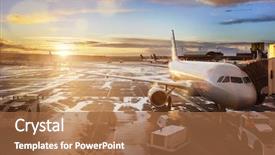
 Presentation with airport terminal - Theme with aircraft carrier - panorama of an airport background and a light gray colored foreground

Panorama Airport Plane Near Gate

In the heart of a bustling airport cityscape, waiting passengers eagerly anticipate their flight, their excitement punctuated by the hum of activity around them. The sounds of announcements and murmured conversations fill the air as weary travelers find comfort in the calm surroundings. Imagine yourself standing before an sleek, modern design for your presentation. This stunning template is a perfect blend of style and functionality, featuring high resolution images that are sure to impress. Take a glance at the background image a breathtaking panorama of an airport with a plane soaring near the gate and part of the terminal under a warm sunset light. The theme of this template is one of sophistication and professionalism, with a cohesive color palette that exudes warmth and energy. The khaki background perfectly complements the palm tree silhouettes scattered throughout, creating a visually appealing and attention grabbing image. As you explore the template's various features, you'll discover key design elements such as Featured Images, Including a Background With dynamic animations and transitions to enhance engagement. The Content with Caption Layout slide is particularly noteworthy, providing a clear overview of the template's capabilities. For example, it could be used to describe the seamless integration of Google Slides, making it an ideal solution for those seeking a hassle free experience.

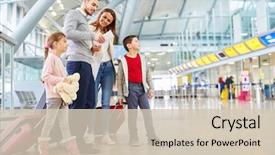
 Presentation with airport terminal - Presentation design having family and children with luggage background and a soft green colored foreground

Family Children Luggage Airport Terminal

Imagine yourself standing at the airport terminal, surrounded by excited family members and siblings as they eagerly await their vacation flight together. The bright sunlight casts a warm glow on the bustling scene, with high resolution images of luggage and travelers filling the background. The vibrant Crimson color palette brings to life the sense of excitement and energy, making it impossible not to feel a rush of anticipation. The Corner Title template, dubbed "Corner Title", is designed for presentations that need to capture attention quickly. Widescreen format ensures an immersive experience for the audience, while high resolution images for the background create a polished look. Featuring a dynamic theme that incorporates airline baggage as a central element, this template is perfect for showcasing exciting travel stories or highlighting memorable moments. A key aspect of this template is its Compatibility with Google Slides, making it easy to import and customize. With four How To slides at the start of the deck, you'll be able to get up and running quickly, setting the tone for a engaging presentation. For example, you could include a Comparison Layout slide that highlights the benefits of using this template, such as having a theme of "family vacation" with images featuring siblings on a trip together. Having a Theme of destination focused storytelling, this template is sure to capture your audience's attention and leave them wanting more. Enhanced With premium design elements like crisp fonts, detailed illustrations, and vibrant colors make it an outstanding choice for presentations that need to grab attention and convey a message effectively.

 Presentation with airport terminal - PPT theme featuring aircraft - airplane being preparing for takeoff background and a coral colored foreground

Airplane Being Preparing Takeoff Terminal

As you prepare to take off into the world of PowerPoint templates, imagine yourself soaring through the skies on a commercial airliner, your destination finally in sight, and the vast expanse of clouds below you. Your plane is packed with high resolution images of air travel at sunrise, and it's time to visualize how these images can be turned into stunning slides that grab attention quickly. The Wide Title template comes to life as a Widescreen presentation, designed to showcase your company or organization in a clear and concise manner. This template features a Light Sky Blue color palette, perfect for creating a welcoming atmosphere that draws users in. The theme of this template is to highlight the various aspects of air travel, from preparation to jet engines, and even includes a subtle hint at the cargo aspect. As you dive deeper into the details, the Ansoff Matrix Diagram Layout slide comes into play. This layout provides a clear visual representation of a product's growth stages, helping you visualize your own business's journey. For example, imagine using this template to showcase an airline's route network, highlighting its expansion plans and features. When it comes to creating engaging slides, incorporating high quality images is essential. The High Resolution images for the background will enhance the overall visual appeal of each slide, making them stand out on your presentation. With the Wide Title and Ansoff Matrix Diagram Layout in place, you're now ready to create a compelling deck that showcases your business's unique aspects. Featuring a consistent theme throughout, having a strong visuals element is key, and with this template, you can include a Background With Light Sky Blue color palette for added depth and visual interest. Having a clear structure will also help keep your audience engaged.

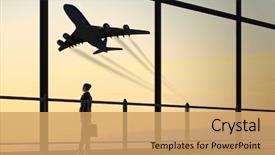
 Presentation with airport terminal - Audience pleasing PPT layouts consisting of terminal - image of businesswoman at airport backdrop and a coral colored foreground

Image Businesswoman Airport Looking Airplane

In the grand gesture to elevate your presentation, create a visual masterpiece that captures the essence of adventure and travel. Welcome to Corner Title, a sleek and modern template featuring a grainy plane image at its core, set against a backdrop of rustic wheat colored hues that evoke the feeling of a vintage travel poster. The Corner Title template is designed in Widescreen format, perfect for showcasing stunning high resolution images that will transport your audience on a thrilling journey. From the bustling airport to the endless plains of adventure, this template takes you on a thrilling ride with its intricate plane design and distressed wheat colored textures. This template is yours to enhance, featuring 8 crisp images in a grid layout that includes a group shot of travelers at an airport, a serene landscape of rolling hills, a dramatic sunset over mountains, a vibrant cityscape, a peaceful countryside scene, a bustling marketplace, a scenic ocean view, and a majestic mountain range. Have fun with the possibilities as you include a background with subtle grain effects or add intricate details to give your slide a unique look. The Corner Title template is compatible with Google Slides and can be downloaded for easy customization at no extra cost. With its high resolution images and stunning design elements, this template is sure to leave your audience in awe of the possibilities.

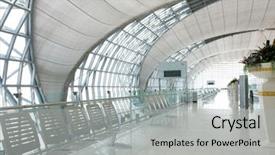
 Presentation with airport terminal - PPT theme featuring airport terminal gate background and a light gray colored foreground

Airport Terminal Gate.

Imagine walking through a bustling airport terminal gate, surrounded by sleek steel pillars and the hum of activity as travelers wait to board their flights. The contrast between the sterile atmosphere and the vibrant colors of the background images creates a visually striking effect that draws the viewer in. The template is designed for Widescreen presentation, with a high resolution image of an empty corridor or waiting area serving as the perfect backdrop for showcasing your brand's identity. The Powder Blue color palette provides a calming yet sophisticated tone, while the steel theme adds a touch of modernity and professionalism. Featuring a subtle texture to give it a sense of depth, this template is sure to enhance any presentation. To make the most of this template, consider including a Background With image that showcases your brand's logo or icon prominently. Having a Theme of showcasing your brand's personality through images can also be beneficial in making the template more engaging and memorable. Enhanced with subtle animations or transitions to give it a dynamic feel, this template is sure to leave a lasting impression on your audience. The four How To slides at the start of the deck will help you get up and running quickly, providing valuable tips and tricks for customizing the template to suit your needs. From selecting the perfect colors and fonts to adding custom images, these slides will guide you through the process with ease.

 Presentation with airport terminal - Audience pleasing presentation theme consisting of superstar - full length of bodyguard helping backdrop and a tawny brown colored foreground

Full Length Bodyguard Helping Elegant

As you step into the world of professional branding, you'll want a template that exudes confidence and sophistication. Introducing Split Title, a stunning widescreen PowerPoint template designed to help you create high quality presentations with ease. This sleek and modern template is perfect for showcasing your best work, whether it's a feature or including a background with a stylish image. Having a theme of professionalism and elegance, Split Title features a light steel blue color palette that will complement any style. With its 5 Steps to Success Layout slide, you'll be able to organize your presentation like a pro, making it easier to get up and running quickly. To get started, simply load Split Title into Google Slides and start adding high resolution images for the background. You can choose from a variety of stunning visuals, such as celebrity profiles or private jet shot. Featuring a beautiful model or agent in a sleek suit, you'll be sure to impress your audience. Including a background with a breathtaking view of the city skyline will add an extra touch of glamour to your presentation. Having a theme of professionalism and sophistication is key when creating a successful PowerPoint presentation. Split Title's elegant design makes it easy to achieve this look, while also featuring four How To slides that will help you get up and running quickly. These slides are designed to guide you through the basics of using the template, including how to customize your text and images. With its enhanced features and customizable layout, Split Title is the perfect tool for anyone looking to take their presentation skills to the next level.

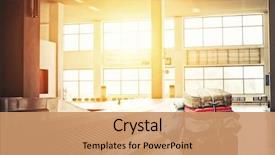
 Presentation with airport terminal - Cool new presentation design with cart at the airport backdrop and a coral colored foreground

Suitcases Cart Airport Arrival Terminal

Imagine arriving at your destination, the excitement and anticipation building as you prepare to embark on your next adventure, whether it's a journey through foreign lands or a domestic escapade. A well crafted PowerPoint template can transport your audience to that same sense of wonder, helping them visualize the possibilities and get ready to take flight. Our design name is Widescreen Suitcases, featuring a calming wheat color palette that evokes a sense of relaxation and tranquility. The template's theme is centered around conveyors, baggage, aircraft, and bag, weaving together a narrative of travel, exploration, and adventure. Each slide has a unique feel, from the high resolution images of luggage carts to the aviation themed illustrations. The background images are rich in texture and detail, with subtle grain that adds depth and realism to each scene. The template is downloadable and compatible with Google Slides, making it easy to import your own content or use our exclusive assets. If you're looking for a template that's both visually striking and user friendly, Widescreen Suitcases is the perfect choice. The Four Arrows Layout slide provides a flexible structure for showcasing different elements of your presentation, from key messages to supporting visuals. It's an ideal starting point for any PowerPoint deck, offering flexibility and room for creativity. For example, you could include a background with a scenic airport landscape, accompanied by a high resolution image of a luggage cart navigating through the arrivals hall. As you build your template, keep in mind that we're committed to providing the highest quality assets, featuring clear branding and crisp text design. With Widescreen Suitcases, you'll be well on your way to creating an engaging presentation that will leave your audience eager for more.

 Presentation with airport terminal - Beautiful slide deck featuring portrait-of-flight-attendant-standing backdrop and a seafoam green colored foreground

Portrait Flight Attendant Standing Airport

As the world continues to grapple with the COVID 19 pandemic and its aftermath, it's more important than ever to bring people together in a way that lifts their spirits. The Corner Title template is designed to be a beacon of hope and positivity, featuring a high resolution image of a happy airport terminal at sunset, complete with a backdrop of a stylized airplane taking off. The Light Steel Blue template format will transport your audience to a world where they can "look at the big picture" – in this case, a bright and airy interior that exudes warmth and hospitality. The template's keywords are spot on it's all about capturing the essence of flight, travel, and adventure, as well as the joy and excitement of being in a new place. The 4 How To slides at the start of the deck will get your audience up and running quickly, providing a solid foundation for creating engaging and effective presentations. But let's not forget about the real star of the show: the template itself. It'll feature a beautifully designed background with a subtle gradient effect, making it easy to "include a background with" the high resolution image of the happy airport terminal. With its theme of flight, travel, and adventure, this template is sure to be a hit at any corporate or educational presentation. And don't worry about having trouble finding compatible software featuring Google Slides as one of our options makes it easy to get started right away.

 Presentation with airport terminal - Amazing PPT layouts having modern airport terminal waiting room backdrop and a sky blue colored foreground

Modern Airport Terminal Waiting Room

The sleek and modern design of this template screams sophistication, evoking the feeling of stepping into a high end waiting room at a busy airport terminal. The Sandy Brown color palette provides a warm yet inviting atmosphere, perfect for creating a cohesive brand identity or personalizing a workspace. As you begin to explore this Split Title template, you'll notice it's specifically designed with widescreen format in mind ideal for presenting multiple images at once. This template is not just another generic design, but rather an expertly crafted one that draws inspiration from the world of architecture and interior design. The high resolution images on the background will transport your audience to a world of luxury and sophistication, where waiting rooms are not just about being patient, but also about being stylish. With its seamless blend of form and function, this template is perfect for anyone looking to elevate their presentation with a touch of elegance. As you delve deeper into this template, you'll discover four valuable How To slides that will help you get up and running quickly Featuring an optimized design workflow, Including a range of customization options, Having a theme of modern minimalism, Enhanced With high resolution images. The Split Title template is not just a tool, but a versatile canvas waiting for your creativity to shine.

 Presentation with airport terminal - Audience pleasing theme consisting of stewardess against private jet backdrop and a sky blue colored foreground

Woman Convertible Waving Hand Pilot

The spotlight is on you as you embark on creating a stunning PowerPoint template that captures the essence of luxury and glamour. Introducing Corner Title, a design name that exudes sophistication and elegance, perfect for showcasing your high end branding or personal style. Corner Title is a Widescreen template featuring a Light Steel Blue color palette that evokes feelings of serenity and tranquility. The background images are high resolution and carefully curated to create a visually stunning atmosphere, making it the perfect canvas for your creative vision. From private jets soaring through the skies to celebrity sightings at airport terminals, this template is sure to impress. The Corner Title template is designed with a focus on showcasing your brand's personality and style, whether you're featuring a small business or a high end lifestyle brand. The Light Steel Blue color palette provides a clean and modern look that complements any design aesthetic. With the four How To slides at the start of the deck, you'll be able to get up and running quickly and easily. The Section Header Layout slide is a great place to include your company logo or branding elements, making it easy to integrate into your presentation. Featuring a background with subtle texture and shading, this slide provides a professional backdrop for showcasing your brand's identity. Having a theme of luxury and sophistication, this section header layout will help you establish credibility and trust with your audience. The enhanced version of the template includes additional design elements, such as custom fonts and graphics, to take your presentation to the next level. Whether you're creating a corporate presentation or a personal branding portfolio, Corner Title is the perfect choice for showcasing your unique style and personality.

 Presentation with airport terminal - Theme with boarding pass - hand holding smartphone against airport background and a violet colored foreground

Hand Holding Smartphone Against Airport

Imagine yourself standing in front of an airport terminal, the hustle and bustle of flight paths and coding languages swirling around you like the pages of a worn leather book. The smartphone in your hand is the trusted companion you reach for when navigating unfamiliar airports just as this template would be with Google Slides. The Wide Title format invites you to take off on a journey through design, with a Widescreen presentation that's perfect for showcasing stunning high resolution images and adding a touch of sophistication. The Medium Turquoise color palette is calm yet vibrant, providing the perfect backdrop for your thoughts and ideas to take flight. This template features four How To slides at the start of the deck to help you get up and running quickly featuring the latest tools and techniques in a clear and concise manner. But what really sets this template apart is the inclusion of a Background With style, showcasing images that transport you to different worlds. For example, what if we featured an image of a young coder working on their laptop by a city skyline? Or what if we included a background with a stunning photo of a smartphone in flight mode? Having a Theme of adding visual interest and personality to your slides is also showcased through the Enhanced With style enhancing your presentation with graphics and animations that bring it all together.

 Presentation with airport terminal - Cool new PPT theme with welcome sign at the airport backdrop and a seafoam green colored foreground

Business Woman Blank Welcome Sign

As you step into the airport terminal, the warm glow of high resolution images illuminates your surroundings, setting the tone for a seamless travel experience. The Wide Title template is designed to make a statement, featuring a striking light steel blue background that evokes feelings of luxury and sophistication. The Widescreen format ensures that every detail is showcased, from the subtle texture of the airport's signage to the intricate patterns on the woman's attire in the high resolution images. This attention to detail will transport your audience to the bustling streets of a foreign city, where they can explore the sights and sounds of a new destination. The Light Steel Blue color palette provides a clean and calming backdrop for the various elements that make up this template, from the bright colors of the flight signs to the warm tones of the airport's interior. This harmonious blend of colors will create a visually appealing atmosphere that is sure to engage your audience. As you delve into the world of tourism, the Wide Title template becomes an invaluable resource for creating stunning presentations and marketing materials. With its high resolution images and customizable design elements, this template is perfect for showcasing destinations around the globe, whether it's a bustling city or a serene natural wonder. The Stairs Layout slide offers a unique opportunity to showcase your creativity, featuring a winding staircase that leads up to a grand welcome sign. This slide can be used to highlight the excitement of arrival, and the possibilities are endless perhaps you could include a background with a subtle gradient effect, or have a theme of "Destination Showcase" and feature images from around the world. The template is also downloadable and compatible with Google Slides, making it easy to incorporate into your workflow. With its enhanced features and customizable design elements, this template is sure to enhance

 Presentation with airport terminal - Audience pleasing theme consisting of building concept - airport terminal backdrop and a light gray colored foreground

Construction Architecture Building Concept -

As you step into the sleek and modern world of architecture and construction, your eyes are drawn to the vast expanse of empty space that stretches out before you. The high resolution images for the background transport you to a world of endless possibility, where the boundaries between building and sky blur into a seamless whole. This is the essence of the Wide Title template, designed specifically for showcasing your most impressive creations in a format that's both visually stunning and easy to navigate. The Widescreen format brings the viewer right up close and personal with your masterpiece, while the Light Sky Blue color palette provides a calming yet vibrant backdrop that perfectly complements the creative energy emanating from every corner of the template. The keywords "parking", "showroom", "show", "hall", and "space" are carefully woven throughout the design to ensure that it's both informative and engaging. This template is not just a pretty face, though its high resolution images for the background are sure to impress, featuring stunning shots of empty rooms, sleek skyscrapers, and expansive open spaces. The Opposite Directional Arrows Layout slide is particularly noteworthy, as it allows you to showcase your creative vision in a unique and dynamic way. With this template, you'll be able to include a Background With the stunning images from the background, having a theme of showcasing your most impressive creations all while enhancing the overall visual impact of the presentation. The Wide Title template is compatible with Google Slides and can be easily downloaded for use in your own presentations. Whether you're a seasoned pro or just starting out, this template is sure to inspire and delight audiences everywhere.

 Presentation with airport terminal - Slide set consisting of travel-airport-woman-using-mobile background and a dark gray colored foreground

Travel Airport Woman Using Mobile

As you're setting up your presentation on travel and technology, imagine yourself standing at the airport, surrounded by the hum of excitement as passengers prepare for their journeys. The sound of planes taking off and landing fills the air, punctuated by the occasional chatter of travelers waiting in lines or rushing to catch their flights. You've got a smartphone clutched tightly in your hand, trying to scroll through social media while waiting for boarding updates, all while wearing a pair of high waisted pants and a crisp business suit with a subtle sheen. You glance down at the background image of an Asian woman on a plane, her eyes fixed intently on her phone as she navigates unfamiliar streets. She's surrounded by luggage carts, each one filled to bursting with bags from international trips. The image is set against a warm and inviting light sky blue color palette that adds to the sense of relaxation and tranquility. As you look around, you notice a group of travelers gathered around a coffee machine, typing away on their laptops as they wait for their morning caffeine fix. The travel theme continues throughout your presentation, featuring images of high speed buses hurtling down highways, bustling air traffic control centers, and sleek modern smartphones that seem to be an integral part of our daily lives. You'll also see the joy of happy passengers boarding their flights with smiles on their faces, as they embark on new adventures around the world. The overall design is crisp and clean, with a focus on showcasing the beauty of travel and technology in all its forms. The grid layout features images that are carefully selected to enhance your message, including high resolution photos of planes, buses, and smartphones that will keep your audience engaged. Whether you're using this template for a presentation or a marketing campaign, it's sure to inspire and delight those who see it.

 Presentation with airport terminal - Audience pleasing slide deck consisting of hand luggage in airport backdrop and a light blue colored foreground

Row Seats Hand Luggage Airport

The moment you step into the grandeur of a majestic building, your gaze is immediately drawn to the spacious interior, where rows of seats and hand luggage are neatly arranged in a harmonious symphony. The steel blue color palette that dominates this template is both soothing and striking, evoking feelings of serenity and sophistication. As you delve deeper into the world of Wide Title, you'll discover its versatility and range of applications. This Widescreen template is perfect for creating stunning presentations that showcase your brand's identity or highlight a specific product or service. With its high resolution images for the background, this template is sure to leave a lasting impression on your audience. The Steel Blue color palette is a masterstroke, providing a clean and professional look that complements any design style. Featuring a theme of grandeur and luxury, this template is ideal for presentations that require an air of sophistication and elegance. Including a Background With stunning high resolution images, you can create visually appealing slides that showcase your brand's personality. Having a Theme of showcasing the pentagon layout, this template allows you to present complex information in a clear and concise manner. The 5 Stages Pentagon Layout slide is particularly useful for illustrating key points or breaking down large datasets into manageable chunks. Enhanced With interactive elements, such as hyperlinks and animations, this template provides an engaging experience for your audience. When it comes to creating presentations that stand out from the crowd, this Wide Title template offers a unique blend of style and functionality. Whether you're showcasing a product launch, a new service introduction, or a company overview, this template is sure to deliver.

 Presentation with airport terminal - Slide deck having business-man-with-luggage background and a coral colored foreground

Business Man Luggage Tablet Computer

The world of travel and tourism has never been more exciting, with millions of people flocking to destinations around the globe to explore new cultures and experience the thrill of adventure. As a professional in this field, it's essential to have a compelling visual identity that showcases your brand's unique personality and style. In this context, we present you with the "Wide Title" template designed specifically for showcasing flight related content, waiting patiently at baggage claim, or getting ready to embark on a journey. This Widescreen format is perfect for creating an immersive experience that draws in viewers and sets the tone for your presentation. The Dark Goldenrod color palette adds a touch of sophistication and elegance to this design, providing a rich backdrop for high resolution images that bring your content to life. The template's keywords flight, wait, baggage, and tourism are prominently featured throughout, making it easy to identify what your presentation is all about. With its enhanced theme of showcasing destinations and travel experiences, the "Wide Title" template includes a Background With interactive element, allowing you to add your own images or videos to create a customized look. Having a Theme of featuring high quality images from around the world ensures that your content is always visually stunning and engaging.

 Presentation with airport terminal - Slide deck enhanced with vip - full length of pilot helping background and a gray colored foreground

Full Length Pilot Helping Woman

As you step off the plane and into your new life, imagine yourself arriving at the private jet terminal where high end beauty services await. The warm glow of soft lighting illuminates the sleek design, perfectly capturing the essence of a celebrity getaway. The background features 4 high resolution images seamlessly integrated to create a dramatic effect, featuring lush greenery with a hint of turquoise water and a distant mountain range. This stunning image showcases the plane's departure, providing a striking visual representation of your journey. Upon arrival at the airport terminal, you step into a world of luxury and sophistication, where you can disembark from your private jet in style. The plane has landed, and it's time to relax, unwind, and indulge in the beauty services provided by the exclusive salon on board. This template is designed to be downloaded and compatible with Google Slides, allowing you to enhance your presentations with a light steel blue color palette that sets the tone for an elegant presentation. The template features plane icons and elements throughout, creating a cohesive and recognizable theme. The Signpost Layout slide showcases a detailed breakdown of the layout, including images and text featuring high resolution backgrounds to showcase your slides. This feature includes a background image of the departure gate with a smooth transition effect, having a theme of presenting information in a clear and concise manner. Each slide is designed to be easy to navigate, allowing you to quickly find what you need and showcasing how to steps at the start of the deck to get up and running quickly. The template includes four slides for an initial introduction to your presentation, with the next three slides focusing on specific aspects of the beauty services provided by the exclusive salon. With this template, you can create a professional and high end presentation that showcases your knowledge and expertise in a unique and engaging way.

 Presentation with airport terminal - Colorful PPT theme enhanced with departures - teen girl using smarthphone while backdrop and a lemonade colored foreground

Teen Girl Using Smarthphone Waiting

The anticipation is building as you prepare to elevate your presentation game with this stunning Corner Title template, specifically designed for the Widescreen format that will take your audience on an immersive journey around the world. This high resolution masterpiece features a Light Blue color palette that perfectly captures the essence of international travel, from bustling airport terminals to scenic plane routes and quaint tourist spots. The template is not just visually stunning but also includes a wide range of keywords such as "plane", "flight", "wait", "smartphone" and "waiting" to help your audience understand the context. As you delve into the details, you'll notice that this template is not only visually appealing but also enhanced with features like high resolution images for the background. This will transport your audience to exciting destinations around the globe. This template is not just a pretty face; it's also downloadable and compatible with Google Slides, making it easy to incorporate into your existing presentation arsenal. To get you started quickly, there are four How To slides that'll help you master this template: "Getting Started", "Customizing Your Template", "Using Enhanced Backgrounds" and "Optimizing for Web". A table of contents slide will guide your audience through the various sections, providing them with a clear understanding of what's expected from each slide. And when it comes to including a background with this template, you'll have plenty of options available, allowing you to tailor the look and feel of your presentation perfectly. This Corner Title template is an excellent choice for anyone looking to create engaging and immersive presentations that leave a lasting impression on their audience. By featuring a unique blend of keywords, high resolution images, and customizable elements, this template will elevate your message and make it more memorable.

 Presentation with airport terminal - Beautiful presentation design featuring towards private jet at airport backdrop and a gray colored foreground

Full Length Rear View Woman

In the heart of every bustling city lies the allure of luxury and exclusivity a private jet that takes one on a journey to destinations beyond the ordinary. As you step into this world of high end travel, your gaze falls upon a stunning image, full length rear view of woman carrying shopping bags while walking towards private jet at airport terminal. The camera pans out to reveal the sleek features of the aircraft, its gleaming metal surface and vibrant colors radiating an air of sophistication. The Corner Title template is designed for a Widescreen format, perfect for showcasing the beauty of flight. With Light Steel Blue as the dominant color palette, you can feature this majestic theme throughout your presentation. The result is a visually stunning backdrop that perfectly complements the high resolution images included in the template think of it as an enhanced with feel to take your audience on an immersive journey. The private jet at the airport terminal becomes the star of the show, and so do the 4 How To slides at the start of the deck. These are no ordinary slides; they're designed to get you up and running quickly with a bang just like that shot in the full length rear view. Table of Contents slides can be as simple as "Getting Started" or "Using the Template", highlighting key elements such as How To slides, Customization Options, and Downloading the template for personal use. As you delve into the world of flight, the image becomes the foundation a plane soaring through clear blue skies, its beauty inspiring awe. The private jet at airport terminal is just one aspect of this stunning scene, showcasing how the Light Steel Blue color palette can be used to create a cohesive and engaging visual identity.

 Presentation with airport terminal - Slide deck enhanced with full-length-profile-shot background and a soft green colored foreground

Full Length Profile Shot Airport

As you step into the world of professional presentations with CrystalGraphics, imagine yourself in the midst of a bustling airport terminal, where the sounds of hum and activity fill the air. The fluorescent lights above cast an eerie glow on the faces of the people rushing to catch their flights, while the wheelchair bound individuals push through the crowds with determination. The design name for this template is Wide Title, a fitting choice given its expansive proportions that dominate the screen. This Widescreen format ensures that every detail is showcased in stunning high definition, making it perfect for showcasing your brand's personality and style. The Dark Khaki color palette provides a sophisticated backdrop for the rich images that feature throughout the template. The keyword "flight" takes center stage on this template, with high resolution images of aircraft taking center stage. Featuring a majestic Boeing 747 in the background, you can include a Background With stunning sunset colors to enhance the mood and atmosphere of your presentation. Having a Theme of aviation, this template is sure to transport your audience to the world of travel and exploration. The Two Content Layout slide is where things get really interesting. You could feature a dramatic aerial view of an airport at night, with the lights reflecting off the wet pavement below. Alternatively, you could include a shot of a young person pushing their wheelchair through the terminal, highlighting the theme of accessibility and inclusivity.

 Presentation with airport terminal - Audience pleasing PPT layouts consisting of airport terminal concrete signs painted backdrop and a gray colored foreground

Airport Terminal Concrete Signs Painted

Imagine walking through an airport terminal where concrete signs painted with vibrant colors and intricate designs stand tall amidst the hustle and bustle, creating an immersive experience that sets the tone for your presentation. The Wide Title template from CrystalGraphics is a stunning offering that will transport your audience to this world of urban landscapes. This Widescreen template features a high resolution background image that showcases concrete structures, making it perfect for showcasing cityscapes or airport terminals. The Peru color palette is rich and vibrant, providing a unique theme for this template. Featuring concrete as the dominant element, this template offers an impressive starting point for your presentation. The Wide Title template includes four How To slides at the beginning of the deck to help you get up and running quickly. With these slides, you can establish a clear structure and provide essential information that will engage your audience. The 3 Step Funnel Layout slide is particularly useful, as it helps to organize your content into sections that cater to different types of viewers. This template also includes an "Including a Background With" feature, allowing you to add visuals or animations to enhance the overall experience. When using this template on Google Slides, having a theme of showcasing cityscapes can be particularly effective. For example, featuring real life airport terminals as part of your presentation can help illustrate key points and keep your audience engaged. Having a Theme of Enhanced With adds an extra layer of creativity, allowing you to experiment with different visual effects or animations to make your content truly stand out. The Wide Title template is designed to be highly customizable, making it easy to adjust the layout and design elements to suit your specific needs. By incorporating this template into your presentation, you can create a memorable experience for your audience that showcases the beauty of urban landscapes through high resolution images and vivid colors.

▼Key features of this template

  • They are compatible with both PowerPoint and Google Slides running on either Windows PCs or Macs.

  • They are available in both standard and widescreen slide formats. You can choose your preferred format by clicking on the "Widescreen" check box or icon.

  • Each template includes a beautiful high-resolution background image or video to visually reinforce the theme of your presentation.

  • In addition, each template includes designer-created graphics and modern fonts to give your presentations an up-to-date, professional look.

  • Each template's default design and title text position have been carefully selected to complement its background without covering faces or other key elements.

  • All text includes backdrops whose transparency level is mathematically calculated to maximize text readability while still allowing the background to be seen.

  • And all the text, text backdrops and graphics in every slide are colored with a palette designed to beautifully complement the colors in the background.

  • Our Premium templates (those with the descriptor “Premium” in their subtitle) include over 64 slide layouts to give you maximum flexibility as you create your presentations.

    • Those layouts are available to you whenever you create a new slide or when you want to change the layout of an existing slide.
    • They include everything you need to make all sorts of presentations. In addition to the layouts for the title slide and the usual title and content slide, they include many other layouts for slide types including table of contents slides, org charts, charts, diagrams, infographics, photo slides, thank you slides and more.
    • While creating these layouts our template designers have ensured that all text in every layout adjusts as gracefully as possible to various numbers of words.
  • Customizable templates (those with the descriptor “Customizable” in their subtitle) may be easily modified online before you download them.

    • To modify them, simply click on the pencil editing icon, then select your choice of ready to go designs and title text positions.
    • The editing tool also makes it easy to reposition and scale the background image or video to best suit your needs.

▼FAQs

Please review these FAQs to see if your question is answered. Contact us for more info

  • What is a PowerPoint template?

    • A well designed PowerPoint template is a file that can tell PowerPoint how to make your ordinary templates look extraordinary. They won’t change what your words or numbers say. But they might change their size, color, font and placement. And, overall, they can give your presentations a professionally-designed look that will give your content more credibility and give you more confidence.
  • How many PowerPoint templates do you offer?

    • We have over 32,000 artist-created presentation templates in our PowerPlugs collection With a subscription, PowerPlugs templates are easy to download. Just sign in, find a template and click on the green Download button. ready for you to download. That alone offers you more variety to choose from than any of our competitors can offer. And, as if that weren’t enough, we also offer over 6 million templates in our Crystal collection. Crystal brand templates are our line of templates that have customization options. They have the word "CRYSTAL" on their web page images. You can customize several aspects of the templates. These templates include high-resolution background images from Shutterstock’s vast image collection matched up with artist-created presentation designs customized by our own proprietary AI software.
  • How many templates can I download as a subscriber?

    • You can download an unlimited number of PowerPlugs-brand With a subscription, PowerPlugs templates are easy to download. Just sign in, find a template and click on the green Download button. templates every day for an entire year. (Actually, by default, we set a limit of 25 templates per day to prevent our competitors from stealing our templates. But, if that is not enough, just let us know and we’ll try to accommodate you.) On top of that, with a subscription or an Ultimate Combo, you can also download any 50 Crystal-brand Crystal brand templates are our line of templates that have customization options. They have the word "CRYSTAL" on their web page images. You can customize several aspects of the templates. templates per year selected from our huge Crystal collection. Crystal brand templates are our line of templates that have customization options. They have the word "CRYSTAL" on their web page images. You can customize several aspects of the templates. .
  • Why should I choose your templates instead of the competition’s?

    • We’ve got a larger selection of professionally-designed PowerPoint templates than anyone else in the world.
    • Each template includes a high-resolution background image or video to visually inspire your audiences while reinforcing your message.
    • Each template includes 64 slide layouts to give you maximum flexibility as you create your presentations.
    • Our templates are available in both standard and widescreen slide formats. And our website lets you preview the slides each way.
    • Our free Template Finder™ plugin lets subscribers select and - with a single click - download and insert our templates into their presentations right from within PowerPoint.
    • We’ve been creating designer presentation templates for over 20 years. During that time we’ve won several awards and 5-star ratings for product quality. See About Us for more.
  • Do you offer a money-back guarantee?

    • Yes we do! We offer full 30-day money-back guarantee if you are not 100% satisfied with your purchase.
  • Can I still use my downloaded templates after my subscription runs out?

    • Yes. After your subscription expires, you won't lose any rights or ability to use your PowerPlugs: Templates for PowerPoint. You won't be able to download any new non-watermarked templates. But the non-watermarked templates you've already downloaded will still work and you can still use them as before.
  • Can I share my downloaded templates or passwords with friends or coworkers?

    • Sorry but no. You are authorized to download each paid-for template to up to 3 of your personal devices and to use the templates you download in as many presentations as you want. But you are not authorized to share the templates, themselves, with others. That said, we do offer highly discounted site licenses to suit the needs of both small and large teams. Just tell us your needs and we’ll give you a quote!
  • System requirements:

    • The templates use the standard POTX format. So they are compatible with Google Slides and all PC, Mac and mobile devices running any version of PowerPoint from PowerPoint 2007 up through and including Office 365 desktop.
    • Please note: Google Slides does not currently support background videos. It treats them as still images.
    • For PowerPoint for the Web, first open your template into a desktop version of PowerPoint, then save it back out as a PPTX file. Then you can open that in PowerPoint for the Web.
  • End user license agreement:

    • Click here to view.
  • How will I get my purchased templates?

    • You may download your selected templates as soon as your payment is received by PayPal. If you purchased an individual template, you will be provided with a download link both onscreen and via email. Just click on that link to begin the download process. If you purchased a subscription, you will receive an email containing a password to use along with your email address to sign in to any of the templates pages on CrystalGraphics.com. Once you are signed in, you can immediately start downloading your selected templates.
  • How do I use my templates after I download them?

    • You can either open a template to start a new presentation or you can add a template to an existing presentation. To open a template, just double click on it or use PowerPoint's File > Open tool. To add a template to an existing presentation, on the Design tab, in the Themes group, click Browse for Themes... then browse to select your template.

View more Airport Terminal templates:

previous 1 2 3 4 5 6 7 8 9 10 11 12 next
93% of Fortune 1000
companies use our
PowerPoint Products
Templates Secure

Standing Ovation Award
Winner: Best PowerPoint
Template Collection
Fortune Logos
200,000+ satisfied
customers worldwide!
Guarantee
100% satisfaction guaranteed
- or send it back for a refund!

Sign up for our free newsletter! You'll get news about our PowerPoint-enhancing product line – including free updates, new product announcements and exclusive special offers. Plus you'll get a link to a free PowerPoint template with every newsletter you receive.
Privacy Policy
Loading...


Help

Contact Us
Product FAQs
Product License Agreements

Company Info

About Us
Privacy Policy
CrystalGraphics, Inc. 1999 S. Bascom Avenue Suite 700 Campbell, CA 95008 USA
© 2026 CrystalGraphics, Inc. All rights Reserved.    |     PowerPlugs is a trademark of CrystalGraphics, Inc.
Microsoft and the PowerPoint logo are trademarks or registered trademarks of Microsoft Corporation in the United States and/or other countries.
Loading...
Loading...