www.crystalgraphics.com CrystalGraphics
  • Ultimate Combo
  • Templates
  • Diagrams
  • Characters
  • Quizzes
  • shopping cart
  • Sign Out Sign Out Sign In
Home > Templates > Anchor Category
search icon
advanced icon

128 Best Anchor-Themed Templates for PowerPoint and Google Slides

CrystalGraphics creates templates designed to make even average presentations look incredible. Below you’ll see thumbnail sized previews of the title slides of a few of our 128 best anchor templates for PowerPoint and Google Slides. The text you’ll see in in those slides is just example text. The anchor-related image or video you’ll see in the background of each title slide is designed to help you set the stage for your anchor-related topics and it is included with that template. In addition to the title slides, each of our templates comes with 17 additional slide layouts that you can use to create an unlimited number of presentation slides with your own added text and images. And every template is available in both widescreen and standard formats. With over 6 million presentation templates available for you to choose from, CrystalGraphics is the award-winning provider of the world’s largest collection of templates for PowerPoint and Google Slides. So, take your time and look around. You’ll like what you see! Whether you want 1 great template or an ongoing subscription, we've got affordable purchasing options and 24/7 download access to fit your needs. Thanks to our unbeatable combination of quality, selection and unique customization options, CrystalGraphics is the company you can count on for your presentation enhancement needs. Just ask any of our thousands of satisfied customers from virtually every leading company around the world. They love our products. We think you will, too!

Features & Pricing

Widescreen (16:9) Presentation Templates. Change size...
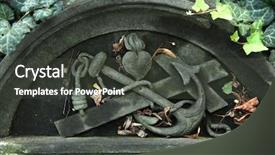
 Presentation with anchor - Presentation with anchor cross and heart depicted background and a dark gray colored foreground

Anchor Cross Heart Depicted Abandoned

In the heart of Prague's historic Malostransky Cemetery, a long forgotten tombstone bears the silhouette of a cross, its intricate stone carving weathered to a warm, earthy tone that seems to glow with an otherworldly light. The tree loomed church in the background adds a touch of grandeur, while the lush foliage surrounding the structure brings in a vibrant flourish, a nod to the natural world often associated with Christianity. The Forest Green template is a masterclass in design and style, providing a cohesive look that seamlessly integrates with any environment. Featuring a prominent central icon, this template works well for presentations that require a strong visual presence. Including a Background With ample space for high resolution images, such as those found on the provided Widescreen template, makes it ideal for showcasing complex data or images. Having a Theme of rustic charm and elegance, this Forest Green palette brings in an air of sophistication while still being grounded in nature. The circular step layout is particularly effective here, allowing for a clean and uncluttered design that draws attention to key elements, such as the title and main content. Enhancing with subtle animations and transitions adds depth and movement, making it easier to engage audiences.

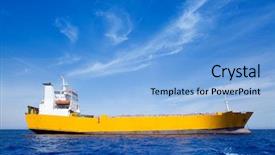
 Presentation with anchor - Beautiful PPT layouts featuring bulk carrier - anchor cargo yellow boat backdrop and a light blue colored foreground

Anchor Cargo Yellow Boat Blue

Imagine sailing through crystal clear waters on a bright summer day, surrounded by a fleet of high res images of iconic ships, each one perfectly positioned to draw your eye into the heart of the template. The Corner Title is a stunning Widescreen design that sets the tone for an impressive presentation with its steel blue color palette, featuring a beautiful anchor cargo yellow boat in the background against a clear summer sky. This high resolution image is sure to grab attention and leave a lasting impression on your audience. The template's horizontal orientation ensures that it is fully featured across all devices, from Googles Slides to MacBooks and more. The Managed Process Layout makes it easy to arrange elements with precision, allowing you to focus on showcasing your content effectively. This design also includes Include A Background With a beautiful high res image of the ship against a clear blue sky for an added visual element. The Corner Title can be easily enhanced with additional elements like maps or illustrations to further enhance its theme and create a cohesive look across all slides. The Managed Process Layout also allows for seamless integration with other templates, making it perfect for professional presentations that need to convey important information quickly and efficiently.

 Presentation with anchor - Beautiful slide deck featuring maritime anchor decoration - cruise - lifeline backdrop and a tawny brown colored foreground

Maritime Anchor Decoration Cruise

From the moment you click on the template, you're drawn to its rugged charm, reminiscent of a distressed sailboat navigating through choppy waters. The Corner Title design is perfect for creating a unique and eye catching look that sets your presentations apart from the rest. This Widescreen Corner Title template features a Saddle Brown color palette, which adds warmth and depth to any slide or presentation. The high resolution images used in the background are sure to grab attention and enhance your message. The theme of this design is centered around the idea of a lifeline, perfect for creating a connection between ideas or conveying important information. Featuring a rope inspired element, this template also includes a sign that adds an extra layer of meaning. At 5 Level Piramid Layout, you're presented with five levels of content, each one building upon the previous to create a sense of depth and hierarchy. This layout is particularly useful for creating complex topics or multiple ideas into easy to understand chunks. Including a Background With a distressed look helps to add visual interest and creates a cohesive look that's sure to make your presentations stand out. Having a Theme of, Enhancing the color palette with warm tones and natural textures like wood and rope adds to the overall aesthetic. This template is also downloadable and compatible with Google Slides, making it easy to import into your existing presentation software. As such, you can simply click on the Corner Title design and start creating your own presentations with ease.

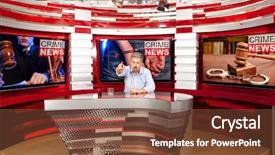
 Presentation with anchor - Amazing theme having anchor - crime news a television anchorman backdrop and a tawny brown colored foreground

Crime News Television Anchorman Studio

In the heat of the moment, a broadcast anchor takes center stage to deliver breaking news to the nation. The camera pans across the studio, the bright lights illuminating the announcer's confident smile as they address the live audience. The Wide Title template is designed for Widescreen formats, allowing you to showcase stunning images that take full advantage of your screen space. With a Saddle Brown color palette that exudes warmth and sophistication, this template will transport you to the world of high definition broadcasting. Featuring a rich, earthy tone that evokes feelings of comfort and reliability, this style is sure to enhance any presentation. The template's keywords are broadcast, studio, tv, announcer, half perfect for creating engaging content that resonates with your audience. High resolution images will be provided at the time of download, ensuring crisp and vibrant visuals that will bring your message to life. Downloadable and compatible with Google Slides, this template is designed to work seamlessly in any environment. The Arrow Stages Layout slide showcases the 4 How To slides at the start of the deck, each one helping you get up and running quickly. Featuring a clear call to action, these slides will guide your audience through the process of setting up your presentation. Having a theme of getting started fresh, this template provides a modern edge to traditional design. Including a Background With stunning high definition images that reflect the world of broadcasting, this template is sure to impress your audience. Enhanced with rich colors and textures, each slide is designed to enhance your content and leave a lasting impression.

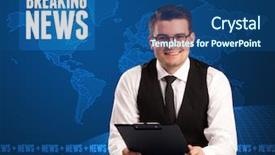
 Presentation with anchor - PPT theme enhanced with picture of tv anchor preparing background and a white colored foreground

Picture Tv Anchor Preparing Telling

PPT theme enhanced with picture of tv anchor preparing for telling news isolated on white

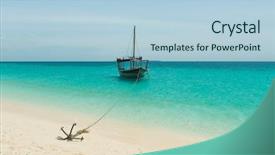
 Presentation with anchor - PPT theme having anchores from touristic boats background and a light blue colored foreground

Anchores Touristic Boats Sandy Beach

In the heart of Zanzibar's warm and inviting waters, a small anchore can harness immense power by being anchored in its surroundings. This powerful combination is what makes it ideal for tourism branding, where one image can represent an entire destination. To create an unforgettable brand identity that embodies this principle, we present "Wide Title" a stunning Widescreen template featuring high resolution images of beaches and tropical islands. The design name pays homage to the anchore's ability to thrive in its environment, while also incorporating its association with tourism. The Light Blue color palette is both calming and vibrant, perfectly capturing the essence of Zanzibar's sunny climate. This soothing background provides a perfect canvas for your branding efforts, making it easy to enhance and include backgrounds with your desired elements. The template's Wide Title format allows you to create an attention grabbing centerpiece that sets the tone for your brand identity. Its Widescreen aspect ratio ensures that your text will appear crisp and clear on any device, whether it's a laptop, tablet, or smartphone screen. The accompanying keywords heat, small, anchore, anchored, tourism add an extra layer of depth to your branding efforts, highlighting the unique aspects of this template. To showcase its capabilities, "Wide Title" is perfect for creating Venn Diagram Layout slides that highlight the intersections between these key concepts. Featuring a background with a subtle gradient or texture can help separate the different areas of discussion, while having a theme of visual organization keeps your content tidy and easy to follow. With 4 How To slides at the start of your deck, you'll be able to quickly get up and running with your branding efforts. This template is also compatible with Google Slides, making it easy to incorporate into your presentation.

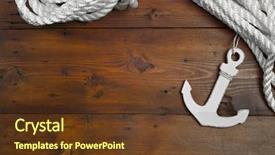
 Presentation with anchor - Cool new slides with nautical decoration with anchor and knot on a wooden background backdrop and a tawny brown colored foreground

Nautical Decoration Anchor Knot Wooden

Slides with nautical decoration with anchor and knot on a wooden background

 Presentation with anchor - Colorful presentation theme enhanced with anchor - television reporter telling breaking news backdrop and a ocean colored foreground

Television Reporter Telling Breaking News

Here's a description that meets your requirements: Imagine standing in front of a sleek studio backdrop, the camera panning across the polished surface before zooming in on you, the announcer's voice booming through the speakers as the breaking news theme song plays. The screen behind you comes alive with high resolution images featuring a Caucasian news anchor sitting at his desk, typing away on his computer, while a graphic of a cityscape flashes by in the corner. The Steel Blue color palette is a dominant feature of this template, providing a sophisticated and modern look that's sure to turn heads. The Widescreen format ensures that every detail is preserved from top to bottom, creating an immersive experience for the viewer. This template is not just any ordinary design; it's a studio setup that invites you to stay on top of the latest news and trends. The four How To slides at the start of the deck will guide you through the process of getting up and running quickly with this template. From optimizing your slide layout to choosing the perfect font, these slides will have everything you need to master the Corner Title design. And with its enhanced theme of modernizing classic graphics, featuring a background with high resolution images for added impact, having a cohesive look that's both professional and stylish, this template is sure to impress. This template has it all a captivating studio setup, a sophisticated Steel Blue color palette, and a Widescreen format that delivers crisp visuals. It's the perfect starting point for anyone looking to update their presentation with something fresh and exciting.

 Presentation with anchor - Theme featuring desk showing the weather forecast background and a light blue colored foreground

Two Weathermen Behind Anchor Desk

Imagine being able to create visually stunning presentations that transport your audience into a world of education and inspiration. The Corner Title is the perfect solution, featuring a high resolution image of two weathermen behind an anchor desk showing the weather forecast. This template format is ideal for creating widescreen presentations that are both engaging and professional. With the Corner Title template, you can create stunning visuals that will leave your audience in awe. The pale violet red colored background palette provides a clean and modern look, while the four How To slides at the start of the deck provide valuable tips to get you up and running quickly. From creating engaging reports to illustrating key concepts, these slides will help you master your presentation skills. The template also includes 5 Stages Pentagon Layout slide that showcases various aspects of creative thinking. Featuring a unique design, this layout is perfect for exploring different angles and perspectives. Having a theme of innovation, this slide is ideal for showcasing innovative ideas or solutions to real world problems. Enhanced with interactive elements, such as animations and transitions, you can take your presentation to the next level. This template is also fully downloadable and compatible with Google Slides, making it easy to import into your existing presentation software.

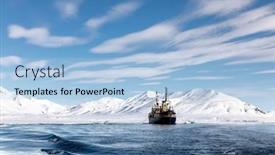
 Presentation with anchor - Audience pleasing PPT layouts consisting of icebreaker-at-anchor backdrop and a light blue colored foreground

Icebreaker Anchor Arctic Waters Svalbard,

The harsh yet breathtaking beauty of Svalbard's arctic landscape is about to come alive on your desktop with the Wide Title template from CrystalGraphics. This stunning design features a crisp blue sky and snowy mountain background, perfectly capturing the essence of an icebreaker at anchor in the distant waters of this remote Norwegian archipelago. This Widescreen template is designed to showcase your expertise in expedition photography by incorporating high resolution images that feature the icy terrain, glaciers, and possibly even the majestic Polar Bears. The Light Steel Blue color palette adds a sense of sleekness and modernity to the overall design. As you explore this template, you'll notice four How To slides at the start of the deck to help you get up and running quickly, no matter what your level of expertise may be. But don't worry, we've left out any complex instructions just get started with these easy to follow guidelines. When showcasing your gallery on slide 6, consider featuring a beautifully high resolution image that showcases the stunning ice formations, perhaps including a dramatic photo of a glacier calving or a majestic polar bear roaming through the arctic wilderness. Having a theme of showcasing images in a grid layout is perfect for highlighting these striking photos and making them easy to view. The Wide Title template from CrystalGraphics is ideal for anyone looking to enhance their presentation with stunning images and a modern design that will make your slides stand out. With its seamless integration with Google Slides, you'll be able to share your beautiful artwork easily and quickly.

 Presentation with anchor - Audience pleasing presentation consisting of boat dock - white yachts on an anchor backdrop and a teal colored foreground

White Yachts Anchor Harbor

Imagine stepping onto a majestic white yacht anchored in a picturesque harbor, surrounded by sailboats gliding effortlessly through the water. The warm sunlight casts a golden glow on the scene, creating an idyllic atmosphere that seems to fade into the background as you gaze upon it. This is what your custom Corner Title PowerPoint template promises to deliver, with its sleek and sophisticated steel blue color palette that evokes feelings of luxury and beauty. The 6 x 6 Org Chart Layout slide is a stunning representation of your organizational structure, featuring a clean and modern design that effectively illustrates the hierarchy of your team. Each section is carefully designed to provide a clear view of who's in charge and what they're responsible for, making it easy to navigate through your organization. The inclusion of high resolution images on top adds a touch of professionalism, while having a theme of "Leadership" ties everything together perfectly. As you explore the template, you'll notice that Featuring sailboats and motorboats seamlessly blend into the steel blue background, adding a sense of movement and dynamism to the design. Including a Background With stunning harbor scenes keeps everything cohesive and visually appealing. Having a Theme of "Sailing Towards Success" adds an extra layer of motivation to get started with your project. The enhanced theme ensures that every element in the template contributes to a cohesive visual identity.

 Presentation with anchor - Presentation having maritime - old rusty anchor background and a coral colored foreground

Old Rusty Anchor Quay

Presentation having old rusty anchor on the quay background

 Presentation with anchor - Beautiful PPT layouts featuring couple-freedive-along-the-anchor backdrop and a dark gray colored foreground

Couple Freedive Along Anchor Chain

As you dive into the world of digital presentations with CrystalGraphics Corner Title, you'll find yourself surrounded by sleek and sophisticated visuals that are sure to captivate your audience. This stunning template is designed to transport your viewers on an adventure through the depths of the ocean, where the horizon stretches far and wide. The Corner Title template features a widescreen format perfect for showcasing high resolution images and videos, setting the tone for an immersive experience. The Steel Blue color palette provides a dramatic backdrop that adds depth and sophistication to any presentation. Including a Background With subtle gradients, shading, and textures, this template has everything you need to create a compelling visual narrative. The anchor chain of the sailing vessel is a nod to the couple freedive, symbolizing the idea that together we can explore even the most challenging terrain. Having a Theme of Adventure, featuring high quality images, such as those of serene ocean landscapes and dramatic underwater scenes, this template has all the ingredients you need to craft a memorable experience. To take your presentation to the next level, consider adding a few more slides to get started quickly, such as the 4 How To slides at the top. Featuring key actions that will help your audience quickly grasp the basics of your content, these slides will save you time and frustration in creating engaging presentations. Having a clear structure with 5 P's of Marketing Diagram Layout, including Pre Launch, Launch, Promotion, Measurement, and Evaluation, this template provides everything you need to create a successful marketing strategy. To give you an idea of the versatility of this template, consider featuring images from popular stock photo websites like Unsplash or Pexels. Having a Theme of Visual Storytelling, these images can be used as background textures, overlays, or even incorporated into your slides for added visual interest.

 Presentation with anchor - Beautiful PPT theme featuring anchor and compass in sand backdrop and a light blue colored foreground

Anchor Compass Sand Blue Background.

PPT theme featuring anchor and compass in sand on blue background columbus day concept backdrop

 Presentation with anchor - Slides consisting of old anchor in sand background and a ocean colored foreground

Old Anchor Sand Blue Background.

Slides consisting of old anchor in sand on blue background columbus day concept

 Presentation with anchor - Presentation design enhanced with icebreaker-at-anchor background and a light blue colored foreground

Icebreaker Anchor Arctic Waters Svalbard,

In the harsh yet breathtakingly beautiful landscape of the Arctic, where crystal clear waters meet the rugged terrain of Svalbard, Norway, lies an expedition that will leave you in awe. The icy grip of the north is tested only by those who dare to challenge it, and for those brave souls willing to venture into this unforgiving environment, a journey across the frozen tundra holds unparalleled rewards. This Widescreen Template is designed with the arctic landscape as its centerpiece, featuring crisp blue backgrounds that evoke the vast expanses of ice and snow. The Steel Blue color palette gives it a sleek, modern feel, perfect for presentations that require a sense of sophistication and adventure. The template's compatibility with Google Slides makes it an ideal choice for professionals who want to create stunning slideshows without breaking the bank. Each slide in this Template is designed to be highly detailed, featuring high resolution images that will transport your audience to the icy shores of Svalbard. From the ship anchored in the distance to the majestic mountains rising up from the snow covered terrain, every detail has been carefully crafted to evoke a sense of grandeur and wonder. The template's theme of expedition is reflected in its use of words like "polar", "expeditionary", and "intrepid". The 5 P's of Marketing Diagram Layout slide are showcased on this page, with the "P" for Product standing for Polar Expeditions, the "P" for Promotion featuring a Background With Iceberg and Snowy Mountains, the "P" for Placement highlighting the Template's Compatibility with Google Slides, the "P" for Pricing emphasizing its Enhanced With features, and the "P" for Performance showcasing its ability to deliver crisp blue skies and snowy landscapes.

 Presentation with anchor - Cool new PPT layouts with picture of tv anchor preparing backdrop and a white colored foreground

Picture Tv Anchor Preparing Telling

PPT layouts with picture of tv anchor preparing for telling news isolated on white

 Presentation with anchor - Colorful presentation design enhanced with front telling breaking news backdrop and a ocean colored foreground

Television Presenter Front Telling Breaking

The spotlight is finally on you as we present to you Corner Title, a stunning template designed specifically with the television presenter in mind. With its sleek steel blue color palette that shines like a bright spotlight, this template will make you feel like the center of attention. Corner Title is perfect for studio settings, where the focus is always on the anchor, and features high resolution images of backgrounds to enhance your visual appeal. The contrast between the warm steel blue and crisp white will create a striking background that grabs the viewer's attention right from the start. This template also has a theme of "studio" in its naming which makes it highly compatible with Googel Slides. You can add some drama with a special Comparison Layout slide, featuring images to compare different options for a smooth transition between slides or for customizing your presentation. You can have a background with a cityscape or any other setting that is relevant to the topic of your announcer and can include a Background With feature making it easy to change to different layouts. Having a Theme of studio would also make you Enhanced With as an anchor, able to present information smoothly and confidently.

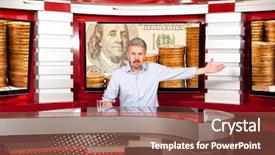
 Presentation with anchor - PPT theme having anchor - business news a television anchorman background and a tawny brown colored foreground

Business News Television Anchorman Studio

The world of television broadcasting is a high stakes game of power and persuasion, where a well crafted title can make all the difference between getting your message heard and being lost in the noise. And that's exactly what our new template design, Wide Title, is all about creating a broadcast worthy presentation that will leave your audience on their feet. This Widescreen template features a warm and inviting color palette of chocolate tones, perfectly capturing the feel of a bustling studio during prime time TV. The high resolution images for the background are sure to transport you and your viewers into the heart of the action. Our template keywords broadcast, studio, tv, announcer, half are carefully woven throughout the design to create a cohesive look that's both sophisticated and engaging. The Wide Title template is downloadable and compatible with Google Slides, making it easy to get started on your presentation quickly. And as you dive deeper into the content of our design, you'll notice a clever Venn Diagram Layout slide featuring a beautiful illustration of two overlapping circles, highlighting the key points that will drive home your message. This slide is a great way to include a background with a clear theme of focus and clarity, making it easy for your viewers to follow along. Having a theme of precision and organization can be incredibly effective in conveying complex ideas in a simple and digestible way and our template is the perfect tool to help you achieve that. Our template is truly enhanced with high quality images and a range of design elements that will make your presentation stand out from the crowd. Whether you're a seasoned presenter or just starting out, this Wide Title template is the perfect starting point for creating a broadcast worthy presentation that will leave your audience talking long after the credits roll.

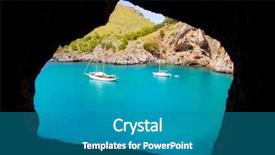
 Presentation with anchor - Presentation design having sollar - escorca sacalobra beach view background and a teal colored foreground

Escorca Sacalobra Beach View Cave

The sun kissed shores of Mallorca beckon you to escape to the warm and crystal clear waters of the Mediterranean. Imagine yourself sailing through crystal clear turquoise seas, surrounded by towering pine forests that rise up like giants from the water's edge. The sound of seagulls fills the air as you drift lazily towards your dream destination. The Escorca Sacalobra beach is a picture perfect spot to relax and unwind, with its gentle slopes and powdery white sand making it an ideal spot for sunbathing, swimming, or simply soaking up the sun. The nearby town of Palma de Mallorca offers a charming mix of modern and traditional Spanish architecture, rich history, and vibrant nightlife. To bring this idyllic scene to life on your PowerPoint presentation, our template is designed to showcase stunning high resolution images that transport you to the Mediterranean. You can use these beautiful photos as the background for your presentation, or add additional images featuring anchor boats in Mallorca to enhance the theme of sailing and adventure. Our Dark Cyan color palette sets a sophisticated and elegant tone for your presentation, perfect for creating a visually appealing atmosphere. The template is also fully downloadable and compatible with Google Slides, making it easy to share and collaborate on your project. With four How To slides at the start of your deck, you'll be up and running quickly, ensuring that your audience gets the most out of your presentation. The template's layout is carefully designed to include a Background With image feature, allowing you to easily add or replace images throughout your presentation without compromising the overall design. And with Having a Theme of showcasing our template in its full glory, you'll be able to enhance and share your presentation with others, making it an ideal choice for conferences, meetings, and any other occasion where visual appeal is key. The @ Pictures With Captions Layout slide showcases individual images with captions, providing a clear and concise way to add context and information to your slides. This layout can be customized to fit your specific needs, featuring or including a background image as desired.

 Presentation with anchor - Slide set consisting of white anchor with a wooden sign in the sand background for cruising holidays background and a lemonade colored foreground

White Anchor Wooden Sign Sand.

In the heart of the desert, where the sun beats down relentlessly and the only sound is the gentle lapping of the waves against the shore, lies the perfect setting for an unforgettable cruise holiday. Imagine standing on the deck, surrounded by the majestic views of a ship sailing majestically across the ocean, with a wooden sign in the sand written in elegant lettering that reads "Welcome to Paradise". The contrast between the stark beauty of nature and the opulence of luxury is simply breathtaking. The template, Corner Title, is designed to evoke this sense of tranquility and wonder. It features high resolution images for the background, created from stunning photos of white anchors, wooden ships, and pristine beaches. The template's color palette is inspired by the Navajo White, a soothing and elegant hue that sets the tone for a chic and sophisticated design. The template includes four How To slides at the start of the deck to help you get up and running quickly: "Setting Up Your Presentation", "Customizing Your Theme", "Adding High Quality Images", and "Creating Custom Animations". However, these are just brief tutorials, as the real magic happens when you unleash your creativity. The Gears in Sync Layout slide is a highlight of this template. With its intricate details and precise angles, it creates an immersive experience that will leave your audience spellbound. It's Featured, Including a Background With A Sophisticated Theme Of Fine Art And Photography That Enhances The Overall Impact Of Your Presentation. This template is perfect for anyone looking to create a memorable presentation that makes a statement. Whether you're a professional presenter or an entrepreneur looking to make a splash in the market, Corner Title has got you covered. It's Having A Theme Of Luxury And Sophistication, With High Resolution Images And The Perfect Blend Of Color And Design Elements To Take Your Presentation To The Next Level.

▼Key features of this template

  • They are compatible with both PowerPoint and Google Slides running on either Windows PCs or Macs.

  • They are available in both standard and widescreen slide formats. You can choose your preferred format by clicking on the "Widescreen" check box or icon.

  • Each template includes a beautiful high-resolution background image or video to visually reinforce the theme of your presentation.

  • In addition, each template includes designer-created graphics and modern fonts to give your presentations an up-to-date, professional look.

  • Each template's default design and title text position have been carefully selected to complement its background without covering faces or other key elements.

  • All text includes backdrops whose transparency level is mathematically calculated to maximize text readability while still allowing the background to be seen.

  • And all the text, text backdrops and graphics in every slide are colored with a palette designed to beautifully complement the colors in the background.

  • Our Premium templates (those with the descriptor “Premium” in their subtitle) include over 64 slide layouts to give you maximum flexibility as you create your presentations.

    • Those layouts are available to you whenever you create a new slide or when you want to change the layout of an existing slide.
    • They include everything you need to make all sorts of presentations. In addition to the layouts for the title slide and the usual title and content slide, they include many other layouts for slide types including table of contents slides, org charts, charts, diagrams, infographics, photo slides, thank you slides and more.
    • While creating these layouts our template designers have ensured that all text in every layout adjusts as gracefully as possible to various numbers of words.
  • Customizable templates (those with the descriptor “Customizable” in their subtitle) may be easily modified online before you download them.

    • To modify them, simply click on the pencil editing icon, then select your choice of ready to go designs and title text positions.
    • The editing tool also makes it easy to reposition and scale the background image or video to best suit your needs.

▼FAQs

Please review these FAQs to see if your question is answered. Contact us for more info

  • What is a PowerPoint template?

    • A well designed PowerPoint template is a file that can tell PowerPoint how to make your ordinary templates look extraordinary. They won’t change what your words or numbers say. But they might change their size, color, font and placement. And, overall, they can give your presentations a professionally-designed look that will give your content more credibility and give you more confidence.
  • How many PowerPoint templates do you offer?

    • We have over 32,000 artist-created presentation templates in our PowerPlugs collection With a subscription, PowerPlugs templates are easy to download. Just sign in, find a template and click on the green Download button. ready for you to download. That alone offers you more variety to choose from than any of our competitors can offer. And, as if that weren’t enough, we also offer over 6 million templates in our Crystal collection. Crystal brand templates are our line of templates that have customization options. They have the word "CRYSTAL" on their web page images. You can customize several aspects of the templates. These templates include high-resolution background images from Shutterstock’s vast image collection matched up with artist-created presentation designs customized by our own proprietary AI software.
  • How many templates can I download as a subscriber?

    • You can download an unlimited number of PowerPlugs-brand With a subscription, PowerPlugs templates are easy to download. Just sign in, find a template and click on the green Download button. templates every day for an entire year. (Actually, by default, we set a limit of 25 templates per day to prevent our competitors from stealing our templates. But, if that is not enough, just let us know and we’ll try to accommodate you.) On top of that, with a subscription or an Ultimate Combo, you can also download any 50 Crystal-brand Crystal brand templates are our line of templates that have customization options. They have the word "CRYSTAL" on their web page images. You can customize several aspects of the templates. templates per year selected from our huge Crystal collection. Crystal brand templates are our line of templates that have customization options. They have the word "CRYSTAL" on their web page images. You can customize several aspects of the templates. .
  • Why should I choose your templates instead of the competition’s?

    • We’ve got a larger selection of professionally-designed PowerPoint templates than anyone else in the world.
    • Each template includes a high-resolution background image or video to visually inspire your audiences while reinforcing your message.
    • Each template includes 64 slide layouts to give you maximum flexibility as you create your presentations.
    • Our templates are available in both standard and widescreen slide formats. And our website lets you preview the slides each way.
    • Our free Template Finder™ plugin lets subscribers select and - with a single click - download and insert our templates into their presentations right from within PowerPoint.
    • We’ve been creating designer presentation templates for over 20 years. During that time we’ve won several awards and 5-star ratings for product quality. See About Us for more.
  • Do you offer a money-back guarantee?

    • Yes we do! We offer full 30-day money-back guarantee if you are not 100% satisfied with your purchase.
  • Can I still use my downloaded templates after my subscription runs out?

    • Yes. After your subscription expires, you won't lose any rights or ability to use your PowerPlugs: Templates for PowerPoint. You won't be able to download any new non-watermarked templates. But the non-watermarked templates you've already downloaded will still work and you can still use them as before.
  • Can I share my downloaded templates or passwords with friends or coworkers?

    • Sorry but no. You are authorized to download each paid-for template to up to 3 of your personal devices and to use the templates you download in as many presentations as you want. But you are not authorized to share the templates, themselves, with others. That said, we do offer highly discounted site licenses to suit the needs of both small and large teams. Just tell us your needs and we’ll give you a quote!
  • System requirements:

    • The templates use the standard POTX format. So they are compatible with Google Slides and all PC, Mac and mobile devices running any version of PowerPoint from PowerPoint 2007 up through and including Office 365 desktop.
    • Please note: Google Slides does not currently support background videos. It treats them as still images.
    • For PowerPoint for the Web, first open your template into a desktop version of PowerPoint, then save it back out as a PPTX file. Then you can open that in PowerPoint for the Web.
  • End user license agreement:

    • Click here to view.
  • How will I get my purchased templates?

    • You may download your selected templates as soon as your payment is received by PayPal. If you purchased an individual template, you will be provided with a download link both onscreen and via email. Just click on that link to begin the download process. If you purchased a subscription, you will receive an email containing a password to use along with your email address to sign in to any of the templates pages on CrystalGraphics.com. Once you are signed in, you can immediately start downloading your selected templates.
  • How do I use my templates after I download them?

    • You can either open a template to start a new presentation or you can add a template to an existing presentation. To open a template, just double click on it or use PowerPoint's File > Open tool. To add a template to an existing presentation, on the Design tab, in the Themes group, click Browse for Themes... then browse to select your template.

View more Anchor templates:

previous 1 2 3 4 5 6 7 next
93% of Fortune 1000
companies use our
PowerPoint Products
Templates Secure

Standing Ovation Award
Winner: Best PowerPoint
Template Collection
Fortune Logos
200,000+ satisfied
customers worldwide!
Guarantee
100% satisfaction guaranteed
- or send it back for a refund!

Sign up for our free newsletter! You'll get news about our PowerPoint-enhancing product line – including free updates, new product announcements and exclusive special offers. Plus you'll get a link to a free PowerPoint template with every newsletter you receive.
Privacy Policy
Loading...


Help

Contact Us
Product FAQs
Product License Agreements

Company Info

About Us
Privacy Policy
CrystalGraphics, Inc. 1999 S. Bascom Avenue Suite 700 Campbell, CA 95008 USA
© 2025 CrystalGraphics, Inc. All rights Reserved.    |     PowerPlugs is a trademark of CrystalGraphics, Inc.
Microsoft and the PowerPoint logo are trademarks or registered trademarks of Microsoft Corporation in the United States and/or other countries.
Loading...
Loading...