www.crystalgraphics.com CrystalGraphics
  • Ultimate Combo
  • Templates
  • Diagrams
  • Characters
  • Quizzes
  • shopping cart
  • Sign Out Sign Out Sign In
Home > Templates > Road > Asphalt Road Category
search icon
advanced icon

365 Best Asphalt Road-Themed Templates for PowerPoint and Google Slides

Imagine transforming your presentations into vibrant works of art that capture the essence of the asphalt road, set against stunning Austrian Alpine backdrops. With CrystalGraphics Asphalt Road template collection, you can create visually stunning slideshows that bring your ideas to life.

Our 60+ Asphalt Road templates are designed to give you a wide range of creative options to explore, from sun-kissed landscapes to dramatic vistas of the sunset horizon. Each template is fully customizable, allowing you to tailor it to fit your unique style and branding. Whether you're presenting data, showcasing projects, or simply want to add some personality to your slides, our Asphalt Road templates have got you covered.

What sets our templates apart? They're not only visually stunning but also compatible with Google Slides, so you can easily import them into your favorite presentation software. Plus, they're available in both widescreen and standard formats, ensuring that your slides fit perfectly on any device. And with our extensive collection of 6.7 million PowerPoint templates, you'll never run out of inspiration or ideas.

Don't just take our word for it - explore the Asphalt Road template collection today and discover how you can elevate your presentations to new heights. Browse through other categories to find the perfect fit for your needs, or select the one that speaks to you. And when you're ready to download and customize with ease, be sure to use our instant 24/7 download access feature - available immediately after purchase. So why wait? Unlock the full potential of your presentations with Asphalt Road templates from CrystalGraphics - the largest PowerPoint template collection in the world.

Features & Pricing

Widescreen (16:9) Presentation Templates. Change size...
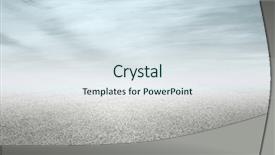
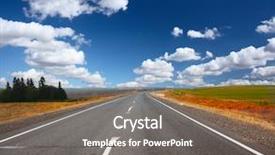
 Presentation with asphalt road - Amazing presentation theme having new asphalt road and sky backdrop and a sky blue colored foreground

New Asphalt Road Sky Background

Presentation theme having new asphalt road and sky background

 Presentation with asphalt road - Audience pleasing presentation theme consisting of empty asphalt road with trees backdrop and a dark gray colored foreground

Empty Asphalt Road Trees Under

The sun's warm rays pierce through the cloudy sky as the empty asphalt road stretches out before you, a seemingly endless expanse of golden light and shadow. The trees that line the shoulder, their branches etched in gentle curves against the vibrant hues of sunrise, seem to whisper secrets to one another. As the morning dew evaporates, the asphalt glistens like polished steel, reflecting the sky's kaleidoscope of colors. The template features a dynamic theme, with high resolution images serving as the perfect backdrop for your presentation. The Goldenrod color palette shines through in its warm tones, evoking feelings of optimism and energy. From the sun kissed landscape to the subtle nuances of light and shadow, every element is carefully designed to enhance the overall visual impact. In a grid layout slide, featuring stunning high resolution images, you could display four key elements: a close up shot of a sunrise hued asphalt stripe, a panoramic view of a bustling freeway in goldenrod sunset hues, a serene landscape of trees and fluffy white clouds against a deep blue sky, an arrow slicing through the atmosphere to point towards a distant mountain range, a close up micro shot of a sunny flower blooming amidst the road's cracks and crevices, and a dramatic aerial view of the asphalt road stretching out into the distance. These images work together to create a visually stunning presentation that showcases your creativity and attention to detail.

 Presentation with asphalt road - Amazing PPT layouts having asphalt road shallow depth backdrop and a tawny brown colored foreground

Asphalt Road Shallow Depth Field

In the vast expanse of the asphalt road, where the hum of engines and the rush of adrenaline combine to create an electric atmosphere, a destination beckons with promise a place that's both familiar and exciting, a fusion of freedom and adventure. The thrill of the open road is palpable as vehicles speed by, their headlights cutting through the darkness like beacons in the night. This template is designed to evoke the feeling of freedom that comes with hitting the open road, whether you're cruising down a rural freeway or speeding along a urban highway. With its dark khaki color palette and rich texture, it's a visual feast for the eyes. The high resolution images featured throughout this design will transport you to different landscapes and environments, from sun kissed deserts to snow capped mountains. The template is available as a downloadable resource for Google Slides, ensuring compatibility with your presentation software of choice. As part of its features and enhancements, this template includes backgrounds that can be used to create the illusion of depth and dimensionality, perfect for creating shallow depth of field effects or simply adding visual interest to your slides. The Puzzle Pieces Layout slide is a versatile tool that allows you to organize your content in a unique way, with separate sections for images, text, and other elements. It's like having multiple pieces of the puzzle fit together seamlessly, creating a cohesive and polished presentation. This template is perfect for creating presentations that need to convey information or ideas in a clear and concise manner. With its dark khaki color palette and rich texture, this template has a sophisticated feel that will elevate your presentation from bland to grand. It's a great starting point when you're looking to create a visually stunning slide deck that leaves a lasting impression on your audience.

 Presentation with asphalt road - Presentation consisting of asphalt road and sky background background and a light gray colored foreground

New Asphalt Road Sky Background

The sky is stretching wide and darkening to a deep shade of blue as the sun sets behind the clouds forming a majestic silhouette on the horizon this breathtaking view will be the perfect backdrop for your Wide Title PowerPoint template. Designed specifically with the Widescreen format in mind, this stunning template features a seamless horizontal layout that showcases your content perfectly from top to bottom. The Light Sky Blue color palette creates a sense of serenity and calmness, making it ideal for presentations that require a peaceful atmosphere. This template is perfect for showcasing high resolution images, featuring beautiful scenery such as new asphalt roads or tranquil landscapes that will leave your audience in awe. The spacious design ensures that all elements are easily readable from a distance, giving you the flexibility to use this template on any presentation. With its easy to read layout and clean lines, this template is a must have for anyone looking to create visually appealing presentations. The Light Sky Blue color palette also lends itself beautifully to including a background with neutral tones such as white or gray, enhancing the overall look and feel of your presentation. Having a theme of showcasing natural scenery can be particularly effective in a business setting where professional and trustworthy is key. Enhanced with high quality images and clean graphics, this template is sure to make any presentation stand out from the crowd. In terms of layout features, you could use the Dart Layout slide to create a visually appealing grid system that showcases your content perfectly. This feature allows you to include different elements such as images, text boxes, and charts all in one place, making it easy to organize your design while keeping your content fresh and engaging. With its spacious design and seamless horizontal layout, this template is the perfect choice for creating presentations that are both visually appealing and informative.

 Presentation with asphalt road - Audience pleasing slide deck consisting of asphalt-road-in-the-countryside backdrop and a gray colored foreground

Asphalt Road Countryside Autumn Landscape

As you embark on your journey to create stunning presentations with CrystalGraphics, imagine yourself standing at the edge of a vast asphalt road in the countryside, surrounded by rolling hills and autumn foliage. The warm light of the setting sun casts a deep orange glow over the landscape, inviting you to explore its secrets. The template is designed for Widescreen presentation, perfect for showcasing high resolution images that will take your audience on an immersive journey through rural landscapes. The Light Steel Blue color palette provides a clean and sophisticated backdrop for your content, while the accompanying keywords through, country, deep, distance, and rural ensure that your message resonates with your target audience. This template is ideal for showcasing high quality images from around the world, featuring breathtaking vistas of distant mountains, serene lakes, or vibrant cityscapes. The Venn Diagram Layout slide allows you to create a visual representation of how different elements relate to each other, making it easy to illustrate complex concepts and ideas. For example, you could use this slide to compare and contrast two seemingly unrelated topics, such as the impact of climate change on rural communities versus the benefits of sustainable tourism. The template is downloadable and compatible with Google Slides, ensuring that your presentation looks and feels professional from start to finish. With its high resolution images, seamless design, and intuitive layout, this template is sure to enhance your presentations and leave a lasting impression on your audience.

 Presentation with asphalt road - Theme with most asphalt road shallow depth background and a red colored foreground

Asphalt Road Shallow Depth Field

The open road unwinds before you, a vast expanse of asphalt stretching out in every direction, a seemingly endless horizon punctuated only by the occasional cluster of buildings or trees. As you wind your way through this rural landscape, the scenery around you shifts and changes, a constant ebb and flow of rolling hills, verdant valleys, and rocky outcroppings. The Corner Title is a template that combines these elements in a unique and captivating way. Widescreen format offers an expansive canvas for showcasing the scenic vistas, while the Dark Slate Blue color palette creates a somber and introspective atmosphere. This theme is perfect for presentations about travel, exploration, or anything that requires a sense of adventure. The template includes high resolution images of rural landscapes to feature prominently in your presentation. These images are carefully curated to showcase the natural beauty of the area, from the towering trees to the rolling hills and sparkling waterfalls. The Dark Slate Blue color palette adds depth and complexity to these images, making them look particularly stunning in a Widescreen format. The Managed Process Layout slide is a great place to start your presentation, as it provides a clear structure for organizing your content and visual elements. This layout can be used to feature your main slides, including the Introduction, Body, and Conclusion, all arranged in a clean and easy to read format. It's also a great opportunity to include interactive elements, such as images or videos, to enhance the viewer's experience. As you work with the Corner Title template, remember that it's not just about showcasing beautiful scenery it's also about creating an immersive experience for your audience. By using high quality images and carefully crafting your slides, you can transport viewers to a world of rural wonder and inspire them to explore the great outdoors.

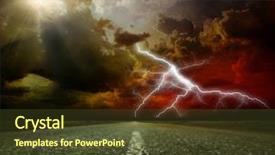
 Presentation with asphalt road - Cool new slides with dirty asphalt road and dark backdrop and a tawny brown colored foreground

Dirty Asphalt Road Dark Thunder

Imagine driving down a rural dirt road on a stormy night, with dark thunder clouds looming overhead and the sound of raindrops hitting the pavement making every step feel like a challenge. The air is crisp and cool, carrying the scent of damp earth and decaying leaves. As you round a bend in the road, a flash of light catches your eye it's a storm cloud, its base a deep plume of grey and white that stretches out as far as the eye can see. The background image is a stunning high resolution photograph of a rural stretch of road, shot from directly above with a low angle perspective that makes the dry earth and leaves look like they're floating in mid air. The storm clouds are depicted in bold, expressive brushstrokes, with flashes of lightning illuminating the dark sky like fiery sparks. This is just one example of what this template could look like it's designed to evoke a sense of rugged adventure and natural beauty, whether you're planning a field trip or simply want to add some visual interest to your presentation. The Dark Goldenrod color palette gives it a warm, earthy feel that's perfect for any theme. The corner title is simple yet effective, featuring the phrase "Through the Storm" in bold, curved lines that draw the viewer's eye down the slide and into the heart of the image. Below this, the template keywords are listed including a Background With feature that allows you to add your own images or graphics, as well as Having a Theme of enhancing your presentation with natural imagery. The stairs layout is a clever way to break up the content and create visual interest. By featuring a staircase leading down into the image, it creates a sense of depth and hierarchy that makes the content more engaging. And having a theme of using natural imagery to enhance your presentation, this template is sure to be a hit with anyone who uses it. Overall, this template is perfect for anyone looking to add some visual interest and personality to their presentation. Whether you're a teacher, a student, or simply someone who wants to make their slides stand out, this template has got you covered.

 Presentation with asphalt road - Slide deck consisting of asphalt road and blue sky background and a violet colored foreground

Asphalt Road Blue Sky Clouds

Slide deck consisting of asphalt road and blue sky with clouds

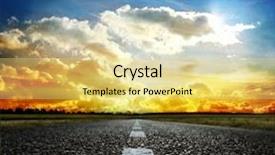
 Presentation with asphalt road - Theme featuring storm cloud - most asphalt road shallow depth background and a tawny brown colored foreground

Asphalt Road Shallow Depth Field

Theme featuring most asphalt road shallow depth of field

 Presentation with asphalt road - Amazing presentation having most asphalt road shallow depth backdrop and a violet colored foreground

Asphalt Road Shallow Depth Field

Presentation having most asphalt road shallow depth of field backdrop

 Presentation with asphalt road - PPT layouts having rain sky - most asphalt road shallow depth background and a yellow colored foreground

Asphalt Road Shallow Depth Field

As you begin to design your presentation with CrystalGraphics' Wide Title template, imagine yourself standing on a rugged asphalt road in the midst of a rural landscape. The sky above is overcast, casting a deep shadow over the scene. You're the photographer capturing the essence of this environment through high resolution images that will be the backbone of your visual narrative. This template is specifically designed for widescreen presentations, perfect for showcasing complex concepts or telling stories with depth and dimensionality. With its steel blue color palette, it's sure to add a professional touch to any slide, whether you're featuring a stunning image from nature or including a background element that complements the content perfectly. The template includes keywords like "through" and "deep" to emphasize the idea of looking through the lens of an objective observer. To enhance your presentation, this template is also compatible with Google Slides, allowing you to easily download it for use in your own designs or incorporate it into existing templates. With its rural theme, you can include a background image that evokes feelings of tranquility and connection to nature, such as a serene landscape shot featuring a winding dirt road with trees lining the edge. The Dart Layout slide is particularly useful for showcasing your visual content, allowing you to easily arrange images in a grid like structure. It's also a great way to include a background element that complements the layout of your slides, such as a subtle gradient or texture that adds depth and interest. Overall, this template offers a versatile and professional solution for creating engaging presentations that convey complex ideas through high quality visuals.

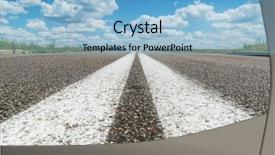
 Presentation with asphalt road - PPT layouts enhanced with two white line on asphalt background and a light blue colored foreground

Two White Line Asphalt Road

PPT layouts enhanced with two white line on asphalt road closeup

 Presentation with asphalt road - Presentation design consisting of view with two yellow line background and a gray colored foreground

Asphalt Road Top View Two

The Split Title template is a stunning addition to any presentation, offering a unique and eye catching design that sets it apart from the rest. This widescreen template features a goldenrod color palette, perfectly capturing the warm and inviting tone of asphalt roads at sunset. The background image is high resolution, providing a crisp and detailed view of the road top view with two yellow lines a perfect representation of the template's theme. The Split Title design is characterized by its use of vertical lines and textures, creating a dynamic and engaging visual effect. This style is sure to grab the audience's attention and leave a lasting impression. The goldenrod color palette adds a touch of warmth and sophistication, making this template an excellent choice for presentations that require a professional yet approachable tone. The 4 How To slides at the start of the deck are designed to help users get up and running quickly, providing a solid foundation for their presentation. These slides feature high resolution images that showcase the template's capabilities, including examples of how it can be used to enhance presentations with a theme of "Asphalt Road" or "Highway Signage". The Member Bio Layout slide is particularly noteworthy, featuring a clear and concise design that showcases the presenter's expertise in creating engaging presentations. This layout is sure to make a strong impression on your audience. The Split Title template is downloadable and compatible with Google Slides, making it easy to incorporate into your presentation workflow. With its unique design elements and high resolution images, this template is sure to enhance any presentation and leave a lasting impression on your audience.

 Presentation with asphalt road - PPT theme consisting of most asphalt road shallow depth background and a gray colored foreground

Asphalt Road Shallow Depth Field

Corner Title Imagine you're standing on the edge of nowhere, with the vast expanse of nothingness stretching out before you. The sky above is a deep shade of indigo, punctuated by the occasional flash of lightning illuminating the dark landscape. The road in front of you is a ribbon of asphalt, winding its way through the emptiness like a snake slithering through the grass. This is what it's like to be in rural America at dusk. The Saddle Brown color palette brings this scene to life, with warm undertones that evoke a sense of cozy comfort. The high resolution images for the background are carefully curated to showcase the textures and colors of the natural world. Featuring rich, earthy tones and intricate details, these backgrounds enhance the sense of place and atmosphere. The Corner Title template is designed to be versatile and easy to use, with a simple layout that allows you to add your own content while still incorporating some of the template's features. The 4 How To slides at the start of the deck are a great starting point for getting up and running quickly, as they provide a solid foundation for creating presentations on a variety of topics. The Corner Title template is also ideal for creating presentations that include a background with a theme of rural landscapes, showcasing stunning images like those featured in National Geographic or Travel + Leisure magazines. Having a background with this style can really help to draw the viewer's eye into the content and make it feel more immersive.

 Presentation with asphalt road - Presentation theme featuring asphalt road with cityscape and skyline of seattle background and a navy blue colored foreground

Asphalt Road Cityscape Skyline Seattle

The cityscape of Seattle rises up from the asphalt road like a steel and concrete giant, its towering skyscrapers piercing the clouds as they stretch towards the distant mountains. In this breathtaking vista, one can almost feel the pulse of the metropolis, with the hum of traffic, the chatter of pedestrians, and the wail of sirens in the distance. As you gaze upon this magnificent scene, your eyes are drawn to the iconic Space Needle, its shiny spires reaching for the clouds like a gleaming crown. The template's design is inspired by the dynamic energy of the city, with bold lines, vibrant colors, and high resolution images that transport you straight to Seattle. The Fire Brick color palette adds a touch of warmth and dynamism to this already stunning scene, while the Widescreen format ensures that every detail is showcased in breathtaking clarity. Whether you're creating promotional materials or social media graphics, this template will give your audience a visual feast they'll never forget. In addition to its stunning visuals, this template also features easy to use design elements that make it simple to enhance and customize. With just a few clicks, you can add bold text, images, and shapes to create a unique look that reflects your brand's personality. Featuring the USA in all its majestic glory, along with iconic landmarks like Mount Rainier and the Columbia River Gorge, this template is sure to impress. Including a background with subtle clouds and city lights will help you set the scene for any project or presentation. Having a theme of capturing the energy and excitement of city life, this template is perfect for those who want to convey a sense of dynamism and possibility.

 Presentation with asphalt road - Beautiful theme featuring comet - asphalt road night bright illuminated backdrop and a tawny brown colored foreground

Asphalt Road Night Bright Illuminated

As you step into the vibrant world of Corner Title, the moment you glance at its stunning design, your attention is immediately piqued by the breathtaking scene that unfolds before your eyes an asphalt road night illuminated by a bright large moon, casting long shadows across the ground. The warm tones of olive green dominate this serene landscape, inviting you to step into a world of beauty and tranquility. To bring this captivating atmosphere to life on your computer screen, Corner Title is available as a downloadable template in widescreen format, complete with features that enhance its horizontal theme. The template's striking color palette, featuring shades of olive, adds depth and richness to the design. Perfect for creating visually appealing presentations or social media posts, Corner Title is ideal for showcasing stunning visuals. With its 4 How To slides at the start of the deck, you'll be well equipped to get up and running quickly and efficiently. The Pros of incorporating a horizontal theme into your presentation are numerous it adds a touch of sophistication and elegance that elevates your content. The design is also incredibly versatile, allowing you to feature high resolution images as backgrounds or add more visuals from your own collection. Having a theme of beauty makes your presentation stand out and leaves a lasting impression on your audience. By including a background with a subtle gradient effect, Corner Title becomes even more engaging and eye catching, drawing the viewer's attention to the content within. Its seamless integration ensures that your message is conveyed clearly and effectively. Enhanced by its high resolution images, this template offers an unparalleled level of visual quality that will leave a lasting impression on your audience.

 Presentation with asphalt road - Presentation theme enhanced with urban city - empty asphalt road with cityscape background and a light gray colored foreground

Empty Asphalt Road Cityscape Skyline

Presentation theme enhanced with empty asphalt road with cityscape and skyline of portland

 Presentation with asphalt road - Presentation design featuring driver riding motorcycle on an asphalt road through forest background and a tawny brown colored foreground

Driver Riding Motorcycle Asphalt Road

Presentation design featuring driver riding motorcycle on an asphalt road through forest

 Presentation with asphalt road - Amazing PPT layouts having asphalt road in modern city backdrop and a arctic colored foreground

Empty Asphalt Road Modern City

The cityscape unfolds before your eyes like a canvas of endless possibilities. The warm glow of the setting sun casts a golden light on the asphalt road, where cars and trucks rumble by with a soothing hum. But amidst this peaceful scene, there's a sense of contrast the urban landscape giving way to the tranquility of nature. And yet, it's in this juxtaposition that we find inspiration for our template design. The Wide Title is at its core, featuring a stylized font and incorporating bold lines that evoke a sense of dynamism. The Sky Blue color palette provides a bright and uplifting background that perfectly captures the essence of the modern cityscape. Our template is designed to be flexible, with keywords like freeway, country, forest, line, rural all included for easy customization. The Widescreen format allows viewers to immerse themselves in the scene, while the high resolution images featuring empty asphalt roads and blue skies add a level of depth and texture that's sure to captivate. This template is compatible with Google Slides, making it easy to incorporate into your presentations. As you explore our design, take note of the Bulb Puzzle Layout slide think of it as a puzzle piece that fits perfectly into your presentation board. With four slides to get started quickly, this layout provides a solid foundation for creating engaging and informative content. And when combined with the Sky Blue color palette and modern theme, your presentations will be the perfect reflection of your creativity.

 Presentation with asphalt road - Theme featuring auto racing - asphalt blurry road and bright background and a lemonade colored foreground

Asphalt Blurry Road Bright Blue

Theme featuring asphalt blurry road and bright blue sky with clouds

 Presentation with asphalt road - Presentation theme having line on asphalt road close background and a sky blue colored foreground

White Line Asphalt Road Close

As you step onto the open road, your eyes are drawn to the vibrant colors and patterns that dance across the screen, evoking the feeling of a high speed journey through the American heartland. The Wide Title "Wide Road Ahead" emblazoned in bold, white letters against a soft blue background beckons you to embark on an exciting adventure. The Widescreen format allows for an immersive experience, with every frame filled to the edge and every detail crystal clear. Your eyes widen as you take in the sweeping vistas of asphalt road, cars whizzing by, and buildings rising up from the horizon. But this isn't just a static image it's dynamic, with subtle effects that give life to the scene. The Light Blue color palette is calming yet energetic, setting the tone for an informative and engaging presentation. As you glance at the template, your mind is drawn to the possibilities of creating a presentation that showcases stunning high resolution images, complete with intricate textures and detailed backgrounds. Featuring these kind of visuals will make your slides stand out in Google Slides. The template's compatibility with this platform means you can easily download and install it on your device, without worrying about compatibility issues. And when you're ready to take your presentation to the next level, you can add some extra flair with Enhanced With or Including a Background With options. As you dive into the world of design, you'll notice that the template has been carefully crafted to follow a clear Growth Stages Layout, from the introductory slides to the final presentation slide. This means you'll have all the elements you need to create an engaging and informative deck, with a clear structure and a cohesive theme that ties everything together. With 4 How To slides at the start of your deck, getting up and running quickly is as easy as pie. These slides will provide you with all the tips and tricks you need to master the template, from quick setup to easy customization. But don't just take their word for it feature these templates in your presentations, and watch how they elevate your message and engage your audience.

▼Key features of this template

  • They are compatible with both PowerPoint and Google Slides running on either Windows PCs or Macs.

  • They are available in both standard and widescreen slide formats. You can choose your preferred format by clicking on the "Widescreen" check box or icon.

  • Each template includes a beautiful high-resolution background image or video to visually reinforce the theme of your presentation.

  • In addition, each template includes designer-created graphics and modern fonts to give your presentations an up-to-date, professional look.

  • Each template's default design and title text position have been carefully selected to complement its background without covering faces or other key elements.

  • All text includes backdrops whose transparency level is mathematically calculated to maximize text readability while still allowing the background to be seen.

  • And all the text, text backdrops and graphics in every slide are colored with a palette designed to beautifully complement the colors in the background.

  • Our Premium templates (those with the descriptor “Premium” in their subtitle) include over 64 slide layouts to give you maximum flexibility as you create your presentations.

    • Those layouts are available to you whenever you create a new slide or when you want to change the layout of an existing slide.
    • They include everything you need to make all sorts of presentations. In addition to the layouts for the title slide and the usual title and content slide, they include many other layouts for slide types including table of contents slides, org charts, charts, diagrams, infographics, photo slides, thank you slides and more.
    • While creating these layouts our template designers have ensured that all text in every layout adjusts as gracefully as possible to various numbers of words.
  • Customizable templates (those with the descriptor “Customizable” in their subtitle) may be easily modified online before you download them.

    • To modify them, simply click on the pencil editing icon, then select your choice of ready to go designs and title text positions.
    • The editing tool also makes it easy to reposition and scale the background image or video to best suit your needs.

▼FAQs

Please review these FAQs to see if your question is answered. Contact us for more info

  • What is a PowerPoint template?

    • A well designed PowerPoint template is a file that can tell PowerPoint how to make your ordinary templates look extraordinary. They won’t change what your words or numbers say. But they might change their size, color, font and placement. And, overall, they can give your presentations a professionally-designed look that will give your content more credibility and give you more confidence.
  • How many PowerPoint templates do you offer?

    • We have over 32,000 artist-created presentation templates in our PowerPlugs collection With a subscription, PowerPlugs templates are easy to download. Just sign in, find a template and click on the green Download button. ready for you to download. That alone offers you more variety to choose from than any of our competitors can offer. And, as if that weren’t enough, we also offer over 6 million templates in our Crystal collection. Crystal brand templates are our line of templates that have customization options. They have the word "CRYSTAL" on their web page images. You can customize several aspects of the templates. These templates include high-resolution background images from Shutterstock’s vast image collection matched up with artist-created presentation designs customized by our own proprietary AI software.
  • How many templates can I download as a subscriber?

    • You can download an unlimited number of PowerPlugs-brand With a subscription, PowerPlugs templates are easy to download. Just sign in, find a template and click on the green Download button. templates every day for an entire year. (Actually, by default, we set a limit of 25 templates per day to prevent our competitors from stealing our templates. But, if that is not enough, just let us know and we’ll try to accommodate you.) On top of that, with a subscription or an Ultimate Combo, you can also download any 50 Crystal-brand Crystal brand templates are our line of templates that have customization options. They have the word "CRYSTAL" on their web page images. You can customize several aspects of the templates. templates per year selected from our huge Crystal collection. Crystal brand templates are our line of templates that have customization options. They have the word "CRYSTAL" on their web page images. You can customize several aspects of the templates. .
  • Why should I choose your templates instead of the competition’s?

    • We’ve got a larger selection of professionally-designed PowerPoint templates than anyone else in the world.
    • Each template includes a high-resolution background image or video to visually inspire your audiences while reinforcing your message.
    • Each template includes 64 slide layouts to give you maximum flexibility as you create your presentations.
    • Our templates are available in both standard and widescreen slide formats. And our website lets you preview the slides each way.
    • Our free Template Finder™ plugin lets subscribers select and - with a single click - download and insert our templates into their presentations right from within PowerPoint.
    • We’ve been creating designer presentation templates for over 20 years. During that time we’ve won several awards and 5-star ratings for product quality. See About Us for more.
  • Do you offer a money-back guarantee?

    • Yes we do! We offer full 30-day money-back guarantee if you are not 100% satisfied with your purchase.
  • Can I still use my downloaded templates after my subscription runs out?

    • Yes. After your subscription expires, you won't lose any rights or ability to use your PowerPlugs: Templates for PowerPoint. You won't be able to download any new non-watermarked templates. But the non-watermarked templates you've already downloaded will still work and you can still use them as before.
  • Can I share my downloaded templates or passwords with friends or coworkers?

    • Sorry but no. You are authorized to download each paid-for template to up to 3 of your personal devices and to use the templates you download in as many presentations as you want. But you are not authorized to share the templates, themselves, with others. That said, we do offer highly discounted site licenses to suit the needs of both small and large teams. Just tell us your needs and we’ll give you a quote!
  • System requirements:

    • The templates use the standard POTX format. So they are compatible with Google Slides and all PC, Mac and mobile devices running any version of PowerPoint from PowerPoint 2007 up through and including Office 365 desktop.
    • Please note: Google Slides does not currently support background videos. It treats them as still images.
    • For PowerPoint for the Web, first open your template into a desktop version of PowerPoint, then save it back out as a PPTX file. Then you can open that in PowerPoint for the Web.
  • End user license agreement:

    • Click here to view.
  • How will I get my purchased templates?

    • You may download your selected templates as soon as your payment is received by PayPal. If you purchased an individual template, you will be provided with a download link both onscreen and via email. Just click on that link to begin the download process. If you purchased a subscription, you will receive an email containing a password to use along with your email address to sign in to any of the templates pages on CrystalGraphics.com. Once you are signed in, you can immediately start downloading your selected templates.
  • How do I use my templates after I download them?

    • You can either open a template to start a new presentation or you can add a template to an existing presentation. To open a template, just double click on it or use PowerPoint's File > Open tool. To add a template to an existing presentation, on the Design tab, in the Themes group, click Browse for Themes... then browse to select your template.

View more Asphalt Road templates:

previous 1 2 3 4 5 6 7 8 9 10 11 12 13 14 15 16 17 18 next
93% of Fortune 1000
companies use our
PowerPoint Products
Templates Secure

Standing Ovation Award
Winner: Best PowerPoint
Template Collection
Fortune Logos
200,000+ satisfied
customers worldwide!
Guarantee
100% satisfaction guaranteed
- or send it back for a refund!

Sign up for our free newsletter! You'll get news about our PowerPoint-enhancing product line – including free updates, new product announcements and exclusive special offers. Plus you'll get a link to a free PowerPoint template with every newsletter you receive.
Privacy Policy
Loading...


Help

Contact Us
Product FAQs
Product License Agreements

Company Info

About Us
Privacy Policy
CrystalGraphics, Inc. 1999 S. Bascom Avenue Suite 700 Campbell, CA 95008 USA
© 2026 CrystalGraphics, Inc. All rights Reserved.    |     PowerPlugs is a trademark of CrystalGraphics, Inc.
Microsoft and the PowerPoint logo are trademarks or registered trademarks of Microsoft Corporation in the United States and/or other countries.
Loading...
Loading...