www.crystalgraphics.com CrystalGraphics
  • Ultimate Combo
  • Templates
  • Diagrams
  • Characters
  • Quizzes
  • shopping cart
  • Sign Out Sign Out Sign In
Home > Templates > Backup Category
search icon
advanced icon

91 Best Backup-Themed Templates
for PowerPoint & Google Slides

CrystalGraphics creates templates designed to make even average presentations look incredible. Below you’ll see thumbnail sized previews of the title slides of a few of our 91 best backup templates for PowerPoint and Google Slides. The text you’ll see in in those slides is just example text. The backup-related image or video you’ll see in the background of each title slide is designed to help you set the stage for your backup-related topics and it is included with that template. In addition to the title slides, each of our templates comes with 17 additional slide layouts that you can use to create an unlimited number of presentation slides with your own added text and images. And every template is available in both widescreen and standard formats. With over 6 million presentation templates available for you to choose from, CrystalGraphics is the award-winning provider of the world’s largest collection of templates for PowerPoint and Google Slides. So, take your time and look around. You’ll like what you see! Whether you want 1 great template or an ongoing subscription, we've got affordable purchasing options and 24/7 download access to fit your needs. Thanks to our unbeatable combination of quality, selection and unique customization options, CrystalGraphics is the company you can count on for your presentation enhancement needs. Just ask any of our thousands of satisfied customers from virtually every leading company around the world. They love our products. We think you will, too!

Features & Pricing

Widescreen (16:9) Presentation Templates. Change size...
 Presentation with backup - Concept of a backup plan using chalkboard, placed on wood texture

A Backup Plan

Concept of a backup plan using chalkboard, placed on wood texture

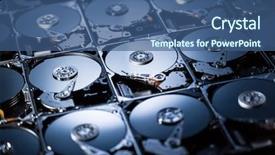
 Presentation with backup - Cool new PPT theme with backup - closeup of the inside backdrop and a ocean colored foreground

Closeup Inside Harddrives

Imagine diving into the world of digital data and electronics without the hassle of losing or backing up important files. The Wide Title template from CrystalGraphics is just what you need to enhance your presentation with stunning visuals and a sleek design that's sure to grab attention. This Widescreen template features a serene Cornflower Blue color palette that sets the tone for a professional and trustworthy look. Inspired by high resolution images of hard drives, this template captures the essence of digital data storage and retrieval. The 4 How To slides at the start of the deck will guide you through the process of getting up and running quickly, featuring clear instructions, helpful tips, and visual aids to ensure your success. The Arrow Stages Layout slide could include images or illustrations of computer circuit boards, highlighting key components such as RAM, hard drives, and processors. This stage would focus on explaining the technical aspects of data backup and storage, showcasing complex concepts in an easy to understand manner. The design features a clear hierarchy with headings, subheadings, and bullet points to enhance readability. This template is not just for presentation purposes; it's also available as a downloadable file that can be easily added to Google Slides, making it a versatile tool for various use cases. With its enhanced theme of digital data and electronics, this template is sure to make your slides stand out and leave a lasting impression on your audience.

 Presentation with backup - PPT layouts with industrial diesel generator for backup background and a teal colored foreground

Industrial Diesel Generator Backup Power

The powerpoint template provided by CrystalGraphics is designed to showcase the sleek and industrial look of a large diesel generator for backup power. The design name is Wide Title, which pays homage to the powerful engine that fuels this machine. This high resolution image gallery showcasing the various components such as control panel, fuel tanks, and gensets will leave viewers in awe. The template format is Widescreen, making it perfect for presentations with large screens or video slides. The Dodger Blue color palette adds a touch of sophistication and professionalism to the overall design. Featuring a prominent background image of a diesel generator, this template combines industrial flair with sleek visual elements. This template is compatible with Google Slides, allowing users to easily import high resolution images and customize them to fit their needs. As part of the initial presentation, there are four How To slides that will quickly guide viewers through setting up their own power backup system. These slides will cover topics such as configuring settings, choosing a generator model, and integrating it with a control panel. The template also includes a Member Bio Layout slide, where you can showcase your company's logo, mission statement, and key team members. This section is perfect for creating a professional look that sets your organization apart. Having a theme of "Industry Leaders" or "Power Solution Providers" would enhance the overall design. With its industrial design, high resolution images, and modern format, this template is sure to impress your audience. Including a Background With dynamic animations can add an extra layer of engagement.

 Presentation with backup - PPT theme with backup cloud word background and a teal colored foreground

Backup Cloud Word Blue Sky

As you embark on your digital journey, it's essential to create a presentation that showcases the power and functionality of your software, while also catering to the needs of your users. Introducing "Backup Cloud Backup" a Widescreen template design that sets the tone for a professional and organized display. Featuring high resolution images of a serene cloudscape with a hint of blue sky, this template is designed to evoke feelings of calmness and focus. The Steel Blue color palette provides a clean and crisp contrast that will make your content stand out. Whether you're showcasing a backup software or highlighting its accessibility features, this template is sure to get the message across. To enhance the user experience, include a Background With high quality images of clouds with varying shades of blue, creating an immersive atmosphere. Having a Theme of Minimalism, this template is designed to be easy on the eyes, making it perfect for presentations where clarity and simplicity are key. For example, you could use this template as a starting point for showcasing your software's features by including a "How To" slide that highlights the benefits of using it to backup important data. Alternatively, you could feature a demo video showcasing its capabilities, featuring animations and graphics that showcase how it can save the day. In terms of layout, the 3 Step Funnel Layout is an excellent way to organize your content. Starting with a hero slide that showcases the software's key features, followed by two step by step guides that walk users through the process of using it, and finally concluding with a call to action that encourages them to take the next step. Overall, "Backup Cloud Backup" is a versatile template that can be tailored to fit your specific needs. With its sleek design, vibrant color palette, and engaging features, you'll be able to create presentations that are both professional and memorable.

 Presentation with backup - Cool new PPT theme with diesel generator for backup power backdrop and a dark gray colored foreground

Diesel Generator Backup Power Control

As you begin to design your new PowerPoint template, get ready to unleash your creativity with Wide Title, a stunning widescreen template inspired by the majestic world of diesel generators. This high resolution template features a royal blue color palette that evokes feelings of power and reliability, making it an ideal choice for presentations, reports, and even marketing materials. Wide Title is specifically designed to work in Widescreen format, ensuring a seamless viewing experience across various devices. The template's Royal Blue color palette is a masterclass in contrasting colors, featuring high contrast hues that will leave a lasting impression on your audience. As the primary theme of this template, Diesel generator for backup power in control room is just one example of how you can showcase it. To get started quickly, four How To slides are included to help you master the basics: Get Started, Mastering Shapes, Creating Textures, and Designing with Icons. However, don't worry if you're new to PowerPoint – these steps will have you feeling confident in no time. The Timeline Layout slide is where things really come together. By featuring a background image of a control room with various power generation systems, this layout showcases the Template's versatility. For example, you could use it as a sneak peek for your upcoming presentation on diesel generators or showcase it as part of a case study on reliability and efficiency. Including a Background With feature allows you to easily insert any image or video you like into the background without having to reformat the entire slide. Having a Theme of setting the tone for your presentation is also evident in the template's use of bold fonts and bright colors, ensuring that your message stands out from the crowd. Enhanced with various icons and graphics throughout, this template is sure to make a lasting impression on your audience. Whether you're looking to create a high end presentation or a more casual meeting, Wide Title has got you covered – download it now and start creating!

 Presentation with backup - Slide deck consisting of data backup key on keyboard background and a gray colored foreground

Data Backup Key Keyboard

The power of data backup is only as strong as its weakest link, and that's where the keyboard comes in just like in this template, featuring a high resolution image of a broken keyboard on a dark sea green background, we want to highlight the importance of proper key management. This template is designed for widescreen presentation, ensuring a seamless viewing experience across devices. The overall style is inspired by 80s style fonts and graphics, with a modern twist to keep things fresh. The Dark Sea Green color palette provides a dramatic contrast, perfect for grabbing attention. The template keywords are clear, including "symbol", "backup", "communicate", "data", and "sign" all important phrases that will resonate with your audience. This high resolution image is sure to bring the message to life, featuring an iconic character or logo in the foreground. The background images included in this template are bold statements, such as a close up of a computer keyboard during data transfer. Having a theme of "digitization" and "information management" throughout the design will help your audience appreciate the importance of effective data backup techniques. As for the How To slides at the start of the deck, they're designed to be easy to get up and running quickly, with clear instructions on how to customize the template to fit your needs. This enhanced feature set is perfect for those who want to save time and focus on what matters most communicating critical data effectively. The template also includes an Arrow Stages Layout slide, featuring a simple diagram showcasing the different stages of the data backup process. This will help you visualize how these steps can be seamlessly integrated into your workflow.

 Presentation with backup - Beautiful slide deck featuring hard drive with text backup backdrop and a white colored foreground

Image External Hard Drive Text

As you start building your PowerPoint template, consider creating a design that stands out from the crowd with the Corner Title template. This versatile and customizable template is perfect for businesses, professionals, and individuals who require a professional yet modern look. The Widescreen format allows users to customize their layout to fit their needs, while the Khaki color palette provides a clean and neutral background that can be enhanced with various themes, including a high resolution image of an external hard drive with text backup serving as a powerful reminder of data management. The template is downloadable and compatible with Google Slides, making it easy to get started. The Hexagon Layout slide offers a unique opportunity for you to incorporate your own designs or features while keeping the overall layout cohesive. You can include a Background With option, such as a textured background that adds visual interest to your slides, or having a Theme of Enhanced With meaning that allows users to customize their template with various colors and fonts. The Corner Title template is ideal for businesses, professionals, and individuals who require a professional yet modern look, featuring a design that can be Enhanced With any theme or layout. By using the template as inspiration, you can create a high quality PowerPoint presentation that is both visually appealing and easy to use.

 Presentation with backup - Beautiful PPT theme featuring businessman-defending-with-umbrella backdrop and a teal colored foreground

Businessman Defending Umbrella Cyber Attack

In a world where cyber threats loom large and data security is everyone's top concern, one need only glance at the statistics to understand the gravity of the situation. The alarming rate of online breaches has led many to seek out solutions that can help safeguard their precious information. And for businesses just starting out or looking to enhance their existing operations, it's a no brainer: investing in robust cybersecurity measures is essential. To mitigate these risks and create a strong defense against cyber attacks, you'll need the perfect tools at your disposal. That's where Corner Title comes in an innovative solution that not only protects your data but also features a powerful logo that stands out from the crowd. This template, built to scale, offers a professional finish with its Deep Sky Blue color palette and comprehensive keywords tailored to insurance, symbols, and more. The visuals are top notch too, thanks to high resolution images that transport you to a world of security and safety. You'll find four How To slides at the start of the deck to help get your setup underway quickly and efficiently these will be essential for any business looking to integrate Corner Title into their daily operations. You can use it to create presentations on insurance, data protection, and cybersecurity best practices – a perfect blend of industry insights and visually stunning images. For instance, you could include a section dedicated to online security concepts, showcasing how to safeguard sensitive information in the digital world. And with its theme of enhanced safety, Corner Title is sure to be a standout in your slides. By incorporating this template into your workflow, you'll be well equipped to defend against cyber threats and keep your business secure. Whether you're a seasoned pro or just starting out, Corner Title's got you covered – and it's downloadable for your Google Slides use case.

 Presentation with backup - Theme featuring disaster-recovery-plan-and-backup background and a white colored foreground

Disaster Recovery Plan Backup Concept

In the midst of a disaster, the most critical step is to have a clear plan in place to ensure data recovery and backup. The Corner Title template from CrystalGraphics provides a sleek and modern design that can be easily integrated into your Google Slides presentation. This template features a dark salmon color palette that exudes professionalism and trustworthiness, perfect for disaster recovery and backup concepts. The high resolution images on the background will make it easy to visualize the importance of having a robust plan in place. The template is downloadable and compatible with Google Slides, making it a convenient choice for businesses and individuals alike. The Corner Title template is a 5 x 5 Org Chart Layout slide that provides a clear structure for presenting your organization's hierarchy. Featuring a background image of a tree growing out of a digital landscape, this layout includes a title card, role cards, department cards, manager cards, and employee cards. Having a theme of "Organizing Your Team" enhanced with the feature of including a background with a subtle gradient effect will add depth and visual interest to your presentation. With its dark salmon color palette and high resolution images, the Corner Title template is perfect for disaster recovery and backup concepts that require a professional and modern look.

 Presentation with backup - Slide set having disaster-recovery-plan-and-backup background and a  colored foreground

Disaster Recovery Plan Backup Concept

With the power to restore and rebuild after catastrophic events, disaster recovery plans are more crucial than ever. In today's digital age, data loss is all too common, and having a reliable system in place can mean the difference between life and death. Our comprehensive template is designed to provide a solid foundation for creating a robust backup strategy featuring high resolution images for the background. The Wide Title template features a light blue color palette that gives it a clean and professional look, making it perfect for a wide screen presentation. The Widescreen format allows for easy viewing on large screens, while the download feature ensures compatibility with Google Slides. This template is built around the idea of data backup and software security, highlighting the importance of having a reliable system in place to handle emergency situations. Featuring high resolution images throughout, this template provides a visually appealing background that enhances the overall experience. Having a theme of modern technology, it's designed to showcase cutting edge features while remaining easy to use. The Our CRystal Clear Goal slide serves as the centerpiece for this presentation, providing context and inspiration for creating a comprehensive disaster recovery plan that includes data backup strategies. Example: Imagine a power outage that leaves your business without electricity, or a cyber attack that compromises sensitive customer information. With our template, you can create a plan to restore and rebuild quickly and efficiently, staying ahead of the curve in today's fast paced digital landscape. This template is enhanced with additional features such as including a background with animations, having a custom design for each slide, and being able to customize the layout to fit your specific needs. Overall, this comprehensive disaster recovery plan template is a valuable resource for anyone looking to create a robust backup strategy that meets their unique requirements.

 Presentation with backup - Presentation theme having backup-plan-isolated-word-abstract background and a coral colored foreground

Backup Plan Isolated Word

In a world where planning and organization are key to success, a backup plan is essential to ensure that you're always prepared. In the midst of chaos, having a solid system in place can be the difference between thriving and struggling. This template features a wide screen design with a Navajo White color palette, perfect for those who want to create a clean and timeless look. The high resolution images on the background will transport you to a world of elegance and sophistication. Imagine a vintage letterpress wood type stained by rich color inks, creating a unique and captivating image that sets the tone for your presentation. The template includes four How To slides to help you get up and running quickly: "Getting Started with Your Backup Plan", "Setting Up Your System", "Organizing Your Files", and "Maintaining Your Backup". These slides are designed to guide you through the process of creating a comprehensive backup plan, from setting up your system to maintaining it over time. The Arrowheads Layout slide is a great example of how this template can be used. Imagine featuring a background image with an arrowhead pattern that incorporates the colors and themes of the Navajo culture. This layout would make for a stunning presentation that showcases your organizational skills and creativity. Having a theme of "Organizational Power" and "Elegance", this slide is sure to impress. The template includes all the necessary elements, including fonts, colors, and images, to enhance its overall look and feel. With its high resolution images and clean design, it's perfect for those who want to create a professional looking presentation that stands out from the crowd.

 Presentation with backup - PPT layouts consisting of disaster-recovery-plan-and-backup background and a ocean colored foreground

Disaster Recovery Plan Backup Concept

This Wide Title template is designed to help organizations create and implement disaster recovery plans and backup concepts with ease. The Medium Orchid color palette adds a touch of professionalism to the template, while the high resolution images for the background will enhance your presentations. As inspiration from the disaster recovery plan and backup concept, this template features four How To slides at the start of the deck to get you up and running quickly. These slides include "Features" such as Google Slides compatibility, ensuring seamless integration with online tools. The 6 x 6 Org Chart Layout slide is a key component of this template. Each box represents a different level of an org chart, with arrows indicating the hierarchy of the organization. The layout allows for easy navigation and understanding of the organizational structure. For example, you could use this feature to include background images or icons representing specific departments or teams within your company. This template is downloadable and compatible with Google Slides, making it perfect for creating presentations on disaster recovery plans and backup concepts. With its Medium Orchid color palette and high resolution images, it's sure to enhance any presentation.

 Presentation with backup - Theme featuring disaster-recovery-plan-and-backup background and a teal colored foreground

Disaster Recovery Plan Backup Concept

In the aftermath of a catastrophic event, a comprehensive disaster recovery plan and backup strategy is crucial to ensure seamless continuity in critical systems. The stakes are high, and every minute counts. In this scenario, the Corner Title template is designed to provide an essential framework for navigating the complexities of data recovery and networking. The Corner Title format, with its widescreen aspect ratio, offers a striking visual backdrop for your presentation. The Steel Blue color palette provides a sophisticated tone that evokes trust and professionalism. The template's keywords are carefully crafted to cater to the needs of professionals in the field, including backup specialists, software developers, and networking engineers. As you begin your PowerPoint journey, be sure to feature high resolution images to enhance the visual impact of your slides. Including a background with subtle animations can add depth and dimensionality, while having a theme of data recovery is particularly relevant for this topic. The 6 x 6 Org Chart Layout slide provides a clear structure for organizing your content, making it easier to navigate and understand. By incorporating these design elements and keywords, the Corner Title template is an ideal starting point for creating a comprehensive disaster recovery plan and backup concept. By having a theme of data recovery and featuring high quality images, you can establish credibility and trust with your audience. Enhanced with relevant keywords and a sophisticated color palette, this template is sure to deliver a professional look that resonates with your viewers.

 Presentation with backup - Beautiful presentation featuring backup word cloud backdrop and a tawny brown colored foreground

Backup Word Cloud Vintage Blackboard

Creating a template that showcases a vintage blackboard setup with chalk and coffee on a rustic wooden table is a great way to convey the theme of backup software. This template is designed in a Widescreen format, which provides ample room for high resolution images to take center stage. The Dark Khaki color palette used throughout the template gives it a sophisticated and professional look, making it suitable for various uses such as presentations, demos, or training sessions. This template features a theme of software backup, with key words like data, concept, and blackboard incorporated into the design. The overall aesthetic is enhanced by the inclusion of high resolution images from the Backup Word Cloud on a Vintage Blackboard Setup model, showcasing the importance of regularly backing up important files and data.

 Presentation with backup - Cool new slides with industrial-diesel-backup-generator backdrop and a gray colored foreground

Industrial Diesel Backup Generator Refrigeration

In a world where downtime is not an option, the Sidebar Title template by CrystalGraphics is the perfect solution. This design name speaks for itself with its industrial diesel backup generator theme, this template is sure to grab your attention and get you back up and running quickly. The Sidebar Title template features a sleek Widescreen format that's perfect for presentations, allowing you to showcase stunning high resolution images on the background. The Chocolate color palette brings warmth and sophistication to the design, making it ideal for offices, workshops, or any space where functionality meets style. Whether you're talking about backup systems, fuel management, emergency preparedness, mechanical equipment, or office operations, this template has got you covered. As you dive into the template, you'll notice four How To slides that feature expert tips and tricks to get you started quickly. But before we get there, let's talk about how you can enhance your presentation with our Ansoff Matrix Diagram Layout slide. This versatile layout allows you to showcase your product or service in a unique and engaging way, whether it's featuring a key product or including a background image that really stands out. Imagine having an enhanced theme for your presentation that incorporates the latest trends in design and functionality, all while keeping things simple and easy to use. That's what this template offers a downloadable and compatible solution for Google Slides that will take your presentations to the next level.

 Presentation with backup - Colorful presentation design enhanced with vhs video cassette tape isolated backdrop and a white colored foreground

Vhs Video Cassette Tape Isolated

In the world of retro technology, where VHS tapes and cassette players reign supreme, there's a nostalgic charm that can't be replicated. Imagine being transported back to the good old days, surrounded by the familiar sounds and visuals of yesteryear. To bring this retro vibe to life on your computer screen, you'll need a template that captures the essence of VHS tapes, cassette players, and the thrill of playing backup copies. The Corner Title template is designed in Widescreen format, perfect for showcasing high resolution images of old technology. The Cornflower Blue color palette adds a touch of elegance to this retro inspired design. Featuring a prominent background image, this template includes a Puzzle Pieces Layout slide that's sure to delight anyone who loves puzzles and brain teasers. The template is downloadable and compatible with Google Slides, making it easy to incorporate into your presentations. With its unique blend of nostalgia and modern functionality, the Corner Title template is an excellent choice for anyone looking to add some retro flair to their slides. Having a theme of "Retro Technology" and Enhanced With a playful touch, this template is sure to bring a smile to your audience's faces.

 Presentation with backup - PPT theme enhanced with disaster-recovery-plan-and-backup background and a light blue colored foreground

Disaster Recovery Plan Backup Concept

The world of disaster recovery and backup is constantly evolving, with new technologies emerging to keep us safe from the unexpected. In today's fast paced digital landscape, having a solid plan in place is crucial for minimizing downtime and ensuring business continuity. A well designed disaster recovery plan and backup concept can be the difference between success and catastrophe. The template we're about to explore features a Khaki color palette that provides a clean and professional base for our design, perfect for presenting complex technical information in an engaging way. The Widescreen format ensures that your content takes center stage on the screen. This template is designed with Googled Slides in mind, featuring high resolution images of important concepts for easy reference. It's downloadable and compatible with a wide range of devices, ensuring compatibility with Google Slides. The core elements of this template are formatted to resemble a real world disaster recovery plan. The 4 How To slides at the start provide an introduction to the concept, guiding users through the process of creating their own backup solution. When it comes to incorporating images into our design, we've thoughtfully included a Grid Layout slide that showcases key pieces of information in a clear and easy to read format. The template is enhanced with a featured background image that adds visual interest and helps draw attention to important details. Having a theme of disaster recovery throughout the template ensures consistency and professionalism, making it an ideal choice for presentations, pitches, or even marketing materials.

 Presentation with backup - Theme consisting of disaster-recovery-plan-and-backup background and a light blue colored foreground

Disaster Recovery Plan Backup Concept

Imagine being in the midst of a disaster, with the lights flickering and the sound of sirens blaring in the background. You need to act fast, but first, you have to get everything back up and running quickly. That's where the Wide Title comes in a template designed to help you create a comprehensive backup and disaster recovery plan. This Widescreen template features high resolution images for its beautiful light sky blue background, setting it apart from other templates. This template is ideal for those who want to include a Background With approach when creating their slide deck. It's a versatile theme that can be Enhanced With various design elements, such as icons and graphics, to make your presentation truly stand out. The template is also compatible with Google Slides, making it easy to share and collaborate on your content. For those who want a simple yet effective layout, this template provides four How To slides at the start of the deck that will get you up and running quickly. But don't worry, these steps are designed to be easy to follow, so you can dive straight into creating your plan without any confusion. This Thank You Layout slide is a great place to start, as it sets the tone for the rest of the presentation. Imagine having all this information Featured in one place, making it easy for your audience to understand and follow along. With this template, you'll have everything you need to create a clear and concise disaster recovery plan that includes backup concepts and emergency procedures.

 Presentation with backup - PPT theme enhanced with disaster-recovery-plan-and-backup background and a cool aqua colored foreground

Disaster Recovery Plan Backup Concept

Imagine a PowerPoint template that serves as a comprehensive guide to disaster recovery and backup strategies, featuring high resolution images for the background that evoke a sense of urgency and focus. This Corner Title template is specifically designed for individuals working with Google Slides and has a Light Blue color palette that provides a clean and professional look. The template is formatted in a Widescreen layout, ideal for presentations that require a full screen view. The design name "Corner Title" suggests a concise and straightforward approach to the topics covered within. The template's keywords are carefully selected to cater to specific industries like backup, data, software, emergency, networking, making it easily searchable. The Light Blue color palette sets a calm yet professional tone, perfect for creating an engaging atmosphere in presentations. This theme can be enhanced with additional elements such as icons or images to make the content stand out. The template is downloadable and compatible with Google Slides, ensuring seamless integration into your workflow. One of the standout features of this template is its feature rich design, which includes a Background With image slide that showcases an essential diagram related to disaster recovery. This layout allows users to include a background with their own images or data. Having a theme of backup and data recovery makes it easier for users to quickly navigate through the content.

 Presentation with backup - PPT theme featuring industrial-diesel-backup-generator background and a ocean colored foreground

Industrial Diesel Backup Generator Refrigeration

The fluorescent lights hummed to life in the dimly lit room, casting an eerie glow on the workspace as employees scrambled to prepare for the backup generator's scheduled maintenance. The air was thick with tension as they gathered around the whiteboard, where a hastily sketched diagram of the mechanical components and high resolution images of the engine lay spread out. The Split Title template, featuring a modern industrial design aesthetic, stood out against the drab backdrop of beige walls and fluorescent lighting. Its Chocolate color palette added a touch of sophistication to the otherwise utilitarian space. With its Theme of Featuring High Quality Graphics and Enhanced with Resolutions up to 3000x1500 pixels, this template promised to deliver crisp and clear visuals that would make all the difference in getting the job done. The template's Compatibility with Google Slides made it an ideal choice for anyone looking to create a professional presentation quickly. The downloadable format ensured seamless integration with other Microsoft Office tools, making it easy to incorporate into presentations and projects alike. As part of the template pack, four How To slides were included to help users get started on their project from getting familiar with the high resolution images featured in the background to customizing the layout for specific uses. In terms of usage, this template would be perfect for presentations that require a mix of technical and visual elements. As an example, a project manager might use it to present the benefits of upgrading to a new backup generator, featuring stunning images of the engine and mechanical components on a high resolution background. With its 5 Year Calendar Timeline Layout slide, users could also plan their projects over time, using the template's layout to visualize long term goals and milestones.

 Presentation with backup - PPT layouts consisting of many cables and backup background and a soft green colored foreground

Room Many Cables Backup Power

The lights are dimmed in a cramped storage room with many cables and backup power systems humming in the background. The air is thick with tension as emergency personnel rush to prepare for a possible disaster. The walls, painted a warm khaki color, seem to absorb the chaos around them. As users begin to explore this template, they'll notice that it features high resolution images galore, showcasing various scenarios that highlight the importance of having a reliable backup system in place. This template is designed to be downloadable and compatible with Google Slides, making it easy to incorporate into your existing presentation style. The Wide Title design offers a sleek and modern look, perfect for adding an extra layer of professionalism to any presentation. The 4 How To slides at the start of the deck will provide valuable guidance on how to get started quickly, featuring essential tools such as high resolution images, customizable backgrounds, and easy to use templates. For instance, this template's Enhanced With Background feature will allow you to include a background with a dynamic animation that showcases key features, making it an ideal choice for showcasing complex information in a visually engaging way. The 4 Org Chart Layout slide is also noteworthy, featuring a clear and concise design that includes essential elements such as employee names, titles, and photos. By incorporating these templates into your presentation style, you'll be able to convey the importance of having a solid backup system in place, while also showcasing your expertise in presenting information in an engaging and effective manner.

More Backup templates for PowerPoint and Google Slides:

previous 1 2 3 4 5 next
93% of Fortune 1000
companies use our
PowerPoint Products
Templates Secure

Standing Ovation Award
Winner: Best PowerPoint
Template Collection
Fortune Logos
200,000+ satisfied
customers worldwide!
Guarantee
100% satisfaction guaranteed
- or send it back for a refund!

Sign up for our free newsletter! You'll get news about our PowerPoint-enhancing product line – including free updates, new product announcements and exclusive special offers. Plus you'll get a link to a free PowerPoint template with every newsletter you receive.
Privacy Policy
Loading...


Help

Contact Us
Product FAQs
Product License Agreements

Company Info

About Us
Privacy Policy
CrystalGraphics, Inc. 1999 S. Bascom Avenue Suite 700 Campbell, CA 95008 USA
© 2025 CrystalGraphics, Inc. All rights Reserved.    |     PowerPlugs is a trademark of CrystalGraphics, Inc.
Microsoft and the PowerPoint logo are trademarks or registered trademarks of Microsoft Corporation in the United States and/or other countries.
Loading...
Loading...