www.crystalgraphics.com CrystalGraphics
  • Ultimate Combo
  • Templates
  • Diagrams
  • Characters
  • Quizzes
  • shopping cart
  • Sign Out Sign Out Sign In
Home > Templates > Bank Building Category
search icon
advanced icon

44 Best Bank Building-Themed Templates for PowerPoint and Google Slides

CrystalGraphics creates templates designed to make even average presentations look incredible. Below you’ll see thumbnail sized previews of the title slides of a few of our 44 best bank building templates for PowerPoint and Google Slides. The text you’ll see in in those slides is just example text. The bank building-related image or video you’ll see in the background of each title slide is designed to help you set the stage for your bank building-related topics and it is included with that template. In addition to the title slides, each of our templates comes with 17 additional slide layouts that you can use to create an unlimited number of presentation slides with your own added text and images. And every template is available in both widescreen and standard formats. With over 6 million presentation templates available for you to choose from, CrystalGraphics is the award-winning provider of the world’s largest collection of templates for PowerPoint and Google Slides. So, take your time and look around. You’ll like what you see! Whether you want 1 great template or an ongoing subscription, we've got affordable purchasing options and 24/7 download access to fit your needs. Thanks to our unbeatable combination of quality, selection and unique customization options, CrystalGraphics is the company you can count on for your presentation enhancement needs. Just ask any of our thousands of satisfied customers from virtually every leading company around the world. They love our products. We think you will, too!

Features & Pricing

Widescreen (16:9) Presentation Templates. Change size...
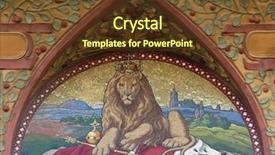
 Presentation with bank building - Amazing theme having narnia - czech two-tailed lion the czech backdrop and a tawny brown colored foreground

Czech Two-tailed Lion Czech National

As you step into the enchanting realm of Narnia, where the sun dips into the horizon and paints the sky with hues of crimson and gold, your imagination comes alive. In this mystical world, the majestic Czech two tailed Lion soars through the skies, its regal presence a symbol of strength and courage. This stunning Wide Title template, featuring the rich color palette of Peru, is perfect for showcasing your brand's identity in high resolution images that will transport your audience to the land of Narnia. With the theme of classical elements incorporated throughout, this template is sure to evoke feelings of serenity and sophistication. High res images of the Czech Republic's stunning architecture, such as the majestic Prague castle or the intricate details of a traditional wooden church, will add depth and visual interest to your presentation. This Widescreen format ensures that every detail is crisp and clear, making it ideal for showcasing products, services, or ideas in a captivating way. Our CRystal Clear Goal slide features a striking image of the Czech two tailed Lion set against a stunning backdrop of Narnian inspired patterns, serving as a powerful reminder of our Our CRystal Clear Goal: to inspire creativity and innovation. This template is designed to enhance your presentation with a background that will make you stand out in the crowd. Including a Background With the rich colors of Peru, Having a Theme of classical elements, and Featuring stunning images from Narnia all come together to create an unforgettable experience for your audience. Whether you're showcasing a new product launch, releasing a new service, or simply sharing your brand's story, this Wide Title template is sure to captivate and engage your viewers.

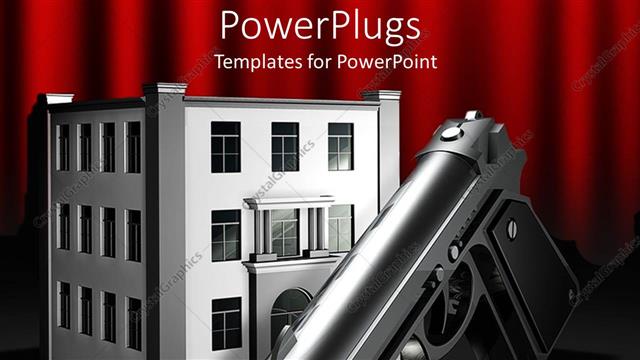
 Presentation with bank building - 3D digital representation of metallic gun in front og three story office building, gun in front of bank building, robbery theme

Work Place Violence

3D digital representation of metallic gun in front og three story office building, gun in front of bank building, robbery theme

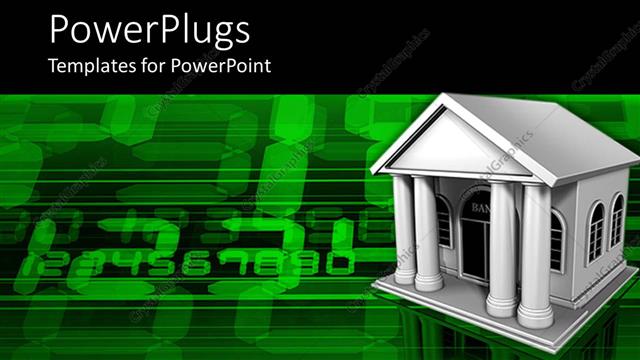
 Presentation with bank building - White bank building on green computer screen

Electronic Bank

White bank building on green computer screen

 Presentation with bank building - Building of bank with keywords and the safe, humanoid with dollars and bag of money in front

Money Bank

Building of bank with keywords and the safe, humanoid with dollars and bag of money in front

 Presentation with bank building - Slide deck enhanced with the-other-side background and a gray colored foreground

Side River Tall Building Surrounded

The world of design is full of endless possibilities and creative expression. Imagine staring at a blank canvas with the task of bringing your ideas to life through visuals that's what you get when working with CrystalGraphics. This Widescreen template features a stunning background image of high resolution photos, capturing the essence of nature in all its glory. The Lavender color palette provides a soothing yet captivating atmosphere, perfect for engaging audiences and drawing them in. With a focus on engraving, typography, and other design elements, this template is sure to impress. As you delve into the world of Wide Title, keep in mind that high resolution images for the background will enhance your design, while the Lavender color palette ensures a cohesive look throughout the template. The template keywords including engraving, line, foreground are carefully incorporated to ensure it meets your specific needs. Featuring a detailed Comparison Layout slide, this template is ideal for showcasing your work and providing a clear overview of what's included. Including a Background With customizable options for text and images, having a theme of versatility that can be easily adapted to different projects, enhanced with modern design elements, and complete with illustrations all within one convenient package.

 Presentation with bank building - Presentation design featuring shanghai-april-7-shanghai-museum background and a coral colored foreground

Shanghai April 7 Shanghai

From the moment you start using Corner Title in your presentation, you'll feel like you're stepping into the bustling streets of Shanghai's iconic People Square, where the grandeur of architecture meets the vibrant energy of Asia. The Sky Blue background, featuring subtle gradient textures that evoke a sense of depth and movement, sets the tone for an immersive experience. The Widescreen template format provides a stunning 16:9 aspect ratio, allowing you to showcase high resolution images that will leave your audience in awe. Featuring intricate details of traditional Chinese architecture, this template is sure to include a Background With striking cityscapes, serene gardens, and majestic skyscrapers all wrapped up in one cohesive design. With Corner Title, you'll have four easy to follow slides at the start of your deck to help you get up and running quickly. The How To slides cover topics such as Importing Images, Customizing Fonts, Adding Interactions, and Exporting Your Template for sharing on Google Slides. Having a Theme of "Widescreen Presentation" will enhance your overall visual style, making it easy to incorporate the Sky Blue color palette throughout your presentation. This template is ideal for showcasing stunning buildings, landmarks, or even cities around the world. Imagine having an Entire Slide Featuring a Panoramic Picture Layout that showcases the majestic Great Wall of China in all its glory? That's what Corner Title has got you covered. By including Background With stunning high resolution images and having a Theme of "Architecture" Incorporating these elements will make your presentation truly stand out. Corner Title is designed to be compatible with Google Slides, so you can share it seamlessly with your audience across different devices. The Widescreen format ensures that the best possible image quality is maintained throughout, making it perfect for showcasing your high resolution images.

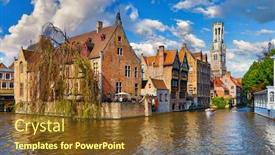
 Presentation with bank building - Slide deck enhanced with bruges-belgium-ancient-medieval-european background and a tawny brown colored foreground

Bruges Belgium Ancient Medieval European

Imagine standing at the edge of Bruges, Belgium's medieval European city, with the majestic Tower Belfort van Brugge towering above and the Rozenhoedkaai channel glinting in the distance as you gaze out over the picturesque setting. The vintage building on the bank seems to be a charming relic from another era, while the river flows lazily by, its gentle ripples creating a soothing melody. The Corner Title template is designed for maximum impact, with a unique blend of design elements that will draw your audience in and make them want more. Widescreen mode brings the scene to life, featuring 16:9 aspect ratio and crisp high resolution images that will transport your viewers to this ancient city. The Dodger Blue color palette adds a sense of sophistication and elegance, perfect for creating a relaxing atmosphere. The template is downloadable and compatible with Google Slides, allowing you to easily share it with others or incorporate it into your own presentations. And the best part? It's incredibly easy to get started just dive straight into the 4 How To slides at the beginning of the deck, where you can learn the basics of using the template in a few short minutes. The Circular Step Layout slide is a great example of what this template could be used for. Imagine having a interactive tour of Bruges, with different views and images popping up to help your audience explore each step of the way. This would be particularly useful when teaching about the city's history or architecture, allowing you to showcase its many wonders in an engaging and immersive way. With the Corner Title template, you're sure to enhance any presentation with its unique blend of design elements and relaxing atmosphere.

 Presentation with bank building - Theme having columns-on-old-building-bank background and a  colored foreground

Columns Old Building Bank Courthouse

The world of education is built on strong foundations, and that's where Wide Title comes in. This stunning template design will transport you to the heart of the matter with its Midnight Blue color palette and bold, concrete inspired visuals that evoke the gritty yet powerful atmosphere of old building bank courthouses. Featuring high resolution images of intricate construction details and rough hewn stone walls, this template is a feast for the eyes. The columns on old buildings are not just structures they're canvases waiting to be adorned with words and images that tell a story. Incorporating a background with subtle shadows and textures adds depth and dimensionality to the design. The style is sleek and modern, yet still grounded in the authenticity of its source material. With four How To slides at the start of the deck, you'll get up and running quickly on your new template. These slides provide valuable tutorials that will help you unlock the full potential of Wide Title From setting up your presentation to creating custom layouts, these slides offer expert advice to ensure you're working with a theme of excellence. A key aspect of this template is its layout. The Pictures + Captions Layout slide is a real showstopper, featuring bold graphics and eye catching visuals that are sure to grab attention. Having a theme of showcasing your work or results will enhance the overall impact of your presentation. This design is perfect for educators who want to convey complex information in an engaging and memorable way. Overall, Wide Title is a powerful template designed to take your educational presentations to the next level. With its clean and modern aesthetic, high resolution images, and features rich layout, this template is sure to impress.

 Presentation with bank building - Beautiful slide deck featuring office-building-and-a-broken backdrop and a light blue colored foreground

Office Building Broken Piggy Bank.

In a world where economic uncertainty has led to increased financial scrutiny, it's essential to have a comprehensive online community management strategy in place. The digital landscape has changed dramatically, and organizations are now more vulnerable than ever to external influences. The design name for this template is Wide Title, a sleek and modern solution that features a high resolution image of an office building with a broken piggy bank on its facade. The background image showcases a vibrant cityscape at sunset, providing a visually appealing setting for the virtual reality elements that will soon be integrated into the design. The template's color palette, Light Steel Blue, provides a neutral and professional foundation, allowing for easy customization and enhancement with various backgrounds. This theme is further enhanced by including a background with a subtle texture, giving it a premium feel that exudes confidence. In the Growth Stages Layout slide, you'll see a dynamic visual representation of your organization's progression through different phases, from startup to maturity. The layout features a clear progression path, making it easy to track your growth and identify areas for improvement. For instance, you could include a section on "Breaking Through" milestones, where you highlight key achievements and accomplishments that led to success. The template is downloadable and compatible with Google Slides, allowing you to easily import high resolution images into your presentation without any compatibility issues. With Wide Title, you'll be able to create engaging online communities that cater to the ever changing needs of modern organizations.

 Presentation with bank building - PPT layouts featuring euro bank - example picture house construction financing background and a coral colored foreground

Example Picture House Construction Financing,

In a world where building societies and financial institutions are more relevant than ever, it's essential to create a presentation that resonates with their target audience young professionals working towards their goals. The Corner Title template is designed to showcase the importance of financing options, loan applications, and note taking in achieving success. This high resolution widescreen template features a classic design with an attention grabbing sky blue color palette that evokes feelings of professionalism and trust. The template is downloadable and compatible with Google Slides, allowing users to easily incorporate high quality images for the background. The Corner Title template includes four key slides at the start of the deck to help users get up and running quickly: How To slides 1 4 provide valuable tips on note taking, Euro related terms, loan applications, and building societies. These slides are formatted with a clean layout, making it easy to navigate through the information. As an example, the Timeline Layout slide could feature a chronological illustration of the financing process, highlighting key milestones such as "Financing Application," "Loan Approval," and "Project Completion." This visual representation would help users understand how their loan application fits into the bigger picture. The Corner Title template also includes a section called "Features" that highlights enhanced backgrounds with sky blue gradients, giving users an idea of what to expect from this high quality presentation.

 Presentation with bank building - PPT theme featuring knowledge bank - save word made with building background and a coral colored foreground

Save Word Made Building Blocks

The powerpoint template you're referring to is likely "Wide Title" by CrystalGraphics. This stunning template features a unique design that blends the rugged beauty of wooden architecture with the vibrant colors and symbols of Latin American culture. This template is specifically tailored for educational settings, where high quality visuals are essential for engaging students and conveying complex ideas in an accessible manner. The Peru color palette provides a warm and inviting atmosphere, perfect for creating a welcoming learning environment. Featuring high resolution images throughout, this template ensures that every slide looks its best on any device. At the heart of this template is the sign making technique, with intricate details and symbols used to create a visually striking background. As you explore the various slides in your presentation, you'll notice the "Pictures With Captions Layout" section a clever layout that showcases an assortment of photos, each accompanied by a brief caption, all set against a vibrant Peru themed background. This template is highly customizable, with 4 key areas to get up and running quickly: How To slides, @ Pictures With Captions Layout, and featuring a Background With theme. Having a Theme of Enhancing Your Visuals, this template will help you create an engaging presentation that sets the tone for your educational content.

 Presentation with bank building - PPT theme enhanced with image-of-statistics-with-data background and a light blue colored foreground

Image Statistics Data Processing Over

In the heart of business and finance, where numbers tell stories and strategies shape reality, Corner Title is the perfect visual representation to spark discussions and ignite inspiration. A bold and eye catching design that seamlessly blends corporate sophistication with innovative flair. At 16:9 format, this template is optimized for widescreen presentation, allowing you to dominate the stage without losing any of your audience's attention. This Corner Title template exudes a sense of trust and reliability, its gentle light steel blue color palette setting the tone for confidence in numbers. Featuring a rich blend of soft blues, whites, and creamy grays, this background is expertly crafted to create a professional and trustworthy atmosphere that invites users to dive into complex financial data. The flexible keywords included in this template are bank, building, business, finance, and high resolution images for the background, creating endless opportunities for creative reuse and enhancement. It's the perfect starting point for a presentation or meeting, featuring a dynamic combination of text, graphics, and imagery that will leave a lasting impression on your audience. As users explore the various components of this template, they'll discover a wealth of features designed to enhance their presentation experience. The Puzzle Pieces Layout slide is particularly noteworthy, providing a clear and organized structure for presenting complex data in an engaging and accessible way.

 Presentation with bank building - Beautiful PPT theme featuring london-uk-may-1-2016 backdrop and a light blue colored foreground

London Uk 1 2016:

In the heart of London's financial district stands the iconic Canary Wharf HSBC bank building, a symbol of modern architecture that dominates the skyline against a brilliant blue sky. This stunning image has been used as the backdrop for countless marketing campaigns and presentations, and now it can be yours with our Corner Title template. This timeless design is perfect for creating a professional look on your PowerPoint slides. The Light Steel Blue color palette features high resolution images of urban landscapes, sleek skyscrapers, and modern buildings that will enhance the impact of any presentation. The template includes two download options: a downloadable version and a compatible Google Slides template. The Corner Title design is ideal for showcasing architecture and banking related content in an engaging way. You can include a background with images of city skylines, financial districts, or even high tech buildings to give your presentation a theme of innovation. Having a template that includes 4 How To slides will make it easy to get up and running quickly, featuring concise instructions on how to customize the design to fit your needs. The Section Header Layout slide is perfect for setting the tone and focus of your presentation. You can include images of buildings or financial institutions to give a sense of scale and importance. With this template, you'll be able to create presentations that are both informative and visually appealing, making it easier to engage your audience and convey complex information in an easy to understand manner. Incorporating a background with images of city skylines can provide a great starting point for your presentation, but feel free to get creative and experiment with different visuals. Having a professional looking template at your fingertips will allow you to enhance the overall appearance of your slides and convey your message in the most effective way possible.

 Presentation with bank building -

Birmingham Uk 6 November

The city of Birmingham is a treasure trove of architectural wonders, with its distinctive building style and rich history evident in every corner. From the iconic HSBC Bank Building to the historic University of Birmingham campus, this city has a way of captivating your attention. Corner Title is designed to showcase the grandeur of these landmarks, with a dark goldenrod color palette that evokes feelings of sophistication and elegance. Widescreen format ensures an immersive experience for your audience, with high resolution images playing a starring role in creating a visually stunning presentation. The template is downloadable and compatible with Google Slides, making it easy to incorporate into your existing workflow. Whether you're looking to feature the exterior of a building or highlight its inner workings, this template has got you covered. The Corner Title template includes two member bio layouts: one showcasing a notable architect and another highlighting a local institution. This allows you to showcase expertise and dedication in a visually appealing way, while also giving your audience a chance to learn more about the people behind the design. To get started quickly, there are four How To slides that provide valuable guidance on how to use this template effectively. For example, slide one could feature a dramatic shot of the HSBC Bank Building's exterior, with a brief description of its history and significance in Birmingham's architecture scene. Slide two might include a detailed breakdown of the design process behind creating such a stunning image. Having a theme of "Architectural Landmarks" or "Birmingham's Iconic Buildings" would enhance the overall aesthetic, while also providing context for your audience. By incorporating high resolution images and interactive elements, Corner Title is an enhanced template that truly showcases its capabilities. Whether you're looking to share your passion for architecture with others or simply want a unique way to showcase your work, this template is sure to impress.

 Presentation with bank building - PPT theme having bamako-mali-february-15-2012 background and a light gray colored foreground

Bamako Mali February 15,

The Bank of Africa headquarters building in Bamako, Mali February 15, 2012 is a stunning example of modern architecture that showcases the financial hub's rich history and cultural significance. Its sleek design and majestic presence make it an ideal subject for creating a visually striking PowerPoint presentation. This template features a tan colored background with high resolution images of iconic landmarks, including the Bank of Africa headquarters building, which would be perfect for showcasing in the slide Featured Image: "The Bank of Africa (BOA) headquarters building". The image could also be Included With other features such as banknotes and ATMs to enhance the theme. With a strong focus on enhancing presentation with dynamic elements like this slide, our template is particularly well suited for presentations that require showcasing financial institutions, business success stories, or economic development projects. Having a theme of "Banking and Finance" would be ideal for such topics, and the Enhanced With option would allow you to add more visual interest and detail. The template format is Widescreen, which means you can create a truly immersive experience with its high resolution images and seamless scrolling. Compatibility with Google Slides makes it Easy To Use, even if you're not an expert in design software.

 Presentation with bank building -

Hong Kong 05 2015:

As you embark on this architectural journey through Asia's most breathtaking landscapes and cosmopolitan cities, imagine yourself standing at the pinnacle of success, with the majestic Bank of China building as your backdrop. From the bustling streets of Hong Kong to the ancient ruins of Asia, each slide will transport you to a world of innovation and growth. The Corner Title template is designed specifically for Widescreen presentations on Googleslide, featuring high resolution images that bring these iconic structures to life. With its unique Peru color palette, this template seamlessly blends traditional Asian aesthetics with modern architectural flair. As the centerpiece of your presentation, the Bank of China building's grandeur will be perfectly captured by the Corner Title design. The subtle details and intricate patterns will transport viewers into a world of high stakes transactions and cutting edge finance. The Growth Layout slide will showcase stunning 4K images that highlight the bank's growth and success stories. As you share your vision for the future, this slide is sure to grab attention and inspire your audience. Featuring an included background with a subtle gradient effect, this slide is perfect for creating an immersive experience. Having a theme of showcasing the progress and achievements of the bank, this slide will leave viewers eager to learn more. The template's versatility makes it an ideal choice for presentations that need to be both informative and engaging. With its Compatibility with Google Slides, you can easily incorporate this stunning Corner Title design into your existing presentations.

 Presentation with bank building -

London July 8 Famous Shell

Imagine you're standing in front of a sleek and modern building, surrounded by high rise apartments and bustling city streets. The sun is setting over the Thames, casting a warm orange glow over everything. You can almost feel the excitement and energy of the city come alive before your eyes. In this template, Corner Title, we'll create a stunning widescreen design that will transport you to the heart of London's architecture. Our Light Steel Blue color palette will add a touch of sophistication and elegance to any presentation. Featuring high resolution images throughout, our template is designed to enhance your content with visuals that bring the city to life. For those who want to dive right in, we've got four easy to follow How To slides to get you up and running quickly, including a Content with Caption Layout slide that shows you how to customize your presentation with ease. Having a theme of building and urban design, our template is perfect for architects, real estate agents, and anyone who needs to showcase beautiful apartments in the city. With its sleek design and modern feel, this template is sure to impress even the most discerning audience. Including a Background With feature, you can easily add or remove images and backgrounds to keep your presentation fresh and engaging. Having a theme of high quality visuals, our template ensures that every slide is enhanced with stunning images that will leave a lasting impression.

 Presentation with bank building -

Los Angeles 1 Los

In the heart of California's iconic cityscape, a stunning skyscraper stands tall as a testament to human ingenuity and architectural excellence. The US Bank Building, completed in 1990, has been a benchmark for innovation and design since its inauguration on May 1, 2010, cementing Los Angeles's reputation as a hub of creativity and progress. The Sidebar Title template, designed by CrystalGraphics, is a visually stunning widescreen presentation that will transport your audience to the City of Angels. With its sleek light steel blue color palette, this theme is sure to impress your viewers and leave them with a lasting impression. As an added touch, Featuring high resolution images of the US Bank Building in action, including dynamic shots of construction and employees working together towards a common goal, will add depth and visual interest to your presentation. The template includes 8 Pictures in a Grid Layout slide, providing ample space for showcasing stunning images that highlight the building's architectural features. These pictures are sure to include images like the main entrance, interior details, exterior views at night, and even shots of the building's iconic clock tower. Having a Theme of "Architecture" will enhance the overall theme of the presentation, reinforcing the connection between the building and its significance in Los Angeles' rich history. The Sidebar Title template is not only visually stunning but also downloadable and compatible with Google Slides, making it an ideal choice for presentations on architecture, design, or any other topic related to California's iconic landmarks.

 Presentation with bank building - Colorful presentation enhanced with hearts on a mirrored background backdrop and a coral colored foreground

Macau China November 2,

The Corner Title PowerPoint template is designed to be a sleek and sophisticated business presentation that perfectly captures the essence of banking and finance. As you gaze out at high resolution images of modern buildings and bustling cityscapes, you can't help but feel drawn into the world of MACAU, CHINA NOVEMBER 2, 2012: The building is the main office of the Bank of China in the central area of modern Macau. In Macau have their offices of many large international banks. The Corner Title template boasts a striking Steel Blue color palette that sets it apart from other presentation designs. This professional aesthetic is sure to impress your audience and leave them wanting more. Featuring an elegant font, high resolution images, and subtle texture effects, this template is the perfect accompaniment to any business slide show or presentation. One of the standout features of this template is its Puzzle Pieces Layout, which offers a unique blend of individual elements coming together to form a cohesive whole. For example, you could include a puzzle piece with a bank logo in one corner, another with a building facade in the adjacent side, and yet another with a financial graph behind it. This innovative layout is sure to spark interesting conversations and connections. Including a Background With this template allows you to add high quality images that showcase the world of banking and finance, providing your audience with a rich and immersive experience. Having a Theme of Banking Finance enhances your presentation's credibility and expertise, making it an ideal choice for professionals in this field. The Corner Title PowerPoint template is downloadable and compatible with Google Slides, making it easy to customize and tailor to your specific needs. By incorporating high resolution images, sleek fonts, and innovative layout features, you'll be well on your way to creating a presentation that truly impresses.

 Presentation with bank building -

London July 8 Famous Shell

As you prepare to create your new Sidebar Title template, take a moment to envision the perfect space that will showcase your creativity and provide valuable insights to your audience. Imagine it now: a captivating and visually appealing presentation that sets the tone for a thought provoking discussion. The Sidebar Title template features a stunning Widescreen format, designed with high resolution images of apartments, architecture, building, business, and city scenes in mind. The Alice Blue color palette adds a touch of sophistication, while the Keywords feature includes relevant terms like "apartments", "architecture", "building", "business", and "city" to ensure your content resonates with your target audience. This template is not only visually stunning but also downloadable and compatible with Google Slides. As you create your presentation, think about how you can enhance the user experience by including a Background With high quality images, such as a majestic view of London's skyline or a photograph of a modern building. Having a Theme of showcasing different aspects of urban life could be an excellent idea. The Content with Caption Layout slide is where you get to tell your story. For example, you might include a photo of a bustling city street, accompanied by captions that highlight the benefits of investing in real estate or the importance of sustainable development. By including high resolution images and creative formatting options, you can make this slide truly shine. The template includes four How To slides at the start of your deck to help you get up and running quickly, but don't worry – we won't delve into those steps here just yet. Just know that with this Sidebar Title template, you'll be well on your way to creating a compelling and engaging presentation that will captivate your audience and leave a lasting impression.

 Presentation with bank building -

Frankfurt Germany December 27,

In the grand tradition of architectural marvels that awe and inspire, the European Central Bank finance building in Frankfurt, Germany, is a majestic example of modern architecture that sets the bar high for design excellence. Designed by Dieter Rippert, this iconic structure was completed in 1969 and has since become synonymous with financial institutions around the world. Its sleek, curved lines and gleaming white stone façade make it a striking sight to behold. The Sidebar Title template is perfect for creatives who want to add a touch of sophistication and elegance to their presentations. This widescreen template is available in Light Sky Blue, a palette that exudes warmth and serenity, making it ideal for exploring the intersection of architecture and banking. With its high resolution images, this template features a stunning image of the European Central Bank finance building at night, with the cityscape of Frankfurt spread out below. To enhance your presentation, you can include a background image of the Bundesplatz, featuring the iconic Main Tower and the vibrant streets of the financial district. The 3 Step Funnel Layout slide is perfect for organizing complex information into clear, easy to follow categories. Imagine presenting to audiences who are already familiar with banking terminology, or using it as an icebreaker to spark discussion among participants. By including a background image of the building's iconic dome, you can create a visually striking visual aid that complements your message. As a downloadable and compatible template for Google Slides, this Sidebar Title template is an excellent choice for creating engaging and informative presentations on architecture, banking, or any other topic that requires inspiration and creativity.

▼Key features of this template

  • They are compatible with both PowerPoint and Google Slides running on either Windows PCs or Macs.

  • They are available in both standard and widescreen slide formats. You can choose your preferred format by clicking on the "Widescreen" check box or icon.

  • Each template includes a beautiful high-resolution background image or video to visually reinforce the theme of your presentation.

  • In addition, each template includes designer-created graphics and modern fonts to give your presentations an up-to-date, professional look.

  • Each template's default design and title text position have been carefully selected to complement its background without covering faces or other key elements.

  • All text includes backdrops whose transparency level is mathematically calculated to maximize text readability while still allowing the background to be seen.

  • And all the text, text backdrops and graphics in every slide are colored with a palette designed to beautifully complement the colors in the background.

  • Our Premium templates (those with the descriptor “Premium” in their subtitle) include over 64 slide layouts to give you maximum flexibility as you create your presentations.

    • Those layouts are available to you whenever you create a new slide or when you want to change the layout of an existing slide.
    • They include everything you need to make all sorts of presentations. In addition to the layouts for the title slide and the usual title and content slide, they include many other layouts for slide types including table of contents slides, org charts, charts, diagrams, infographics, photo slides, thank you slides and more.
    • While creating these layouts our template designers have ensured that all text in every layout adjusts as gracefully as possible to various numbers of words.
  • Customizable templates (those with the descriptor “Customizable” in their subtitle) may be easily modified online before you download them.

    • To modify them, simply click on the pencil editing icon, then select your choice of ready to go designs and title text positions.
    • The editing tool also makes it easy to reposition and scale the background image or video to best suit your needs.

▼FAQs

Please review these FAQs to see if your question is answered. Contact us for more info

  • What is a PowerPoint template?

    • A well designed PowerPoint template is a file that can tell PowerPoint how to make your ordinary templates look extraordinary. They won’t change what your words or numbers say. But they might change their size, color, font and placement. And, overall, they can give your presentations a professionally-designed look that will give your content more credibility and give you more confidence.
  • How many PowerPoint templates do you offer?

    • We have over 32,000 artist-created presentation templates in our PowerPlugs collection With a subscription, PowerPlugs templates are easy to download. Just sign in, find a template and click on the green Download button. ready for you to download. That alone offers you more variety to choose from than any of our competitors can offer. And, as if that weren’t enough, we also offer over 6 million templates in our Crystal collection. Crystal brand templates are our line of templates that have customization options. They have the word "CRYSTAL" on their web page images. You can customize several aspects of the templates. These templates include high-resolution background images from Shutterstock’s vast image collection matched up with artist-created presentation designs customized by our own proprietary AI software.
  • How many templates can I download as a subscriber?

    • You can download an unlimited number of PowerPlugs-brand With a subscription, PowerPlugs templates are easy to download. Just sign in, find a template and click on the green Download button. templates every day for an entire year. (Actually, by default, we set a limit of 25 templates per day to prevent our competitors from stealing our templates. But, if that is not enough, just let us know and we’ll try to accommodate you.) On top of that, with a subscription or an Ultimate Combo, you can also download any 50 Crystal-brand Crystal brand templates are our line of templates that have customization options. They have the word "CRYSTAL" on their web page images. You can customize several aspects of the templates. templates per year selected from our huge Crystal collection. Crystal brand templates are our line of templates that have customization options. They have the word "CRYSTAL" on their web page images. You can customize several aspects of the templates. .
  • Why should I choose your templates instead of the competition’s?

    • We’ve got a larger selection of professionally-designed PowerPoint templates than anyone else in the world.
    • Each template includes a high-resolution background image or video to visually inspire your audiences while reinforcing your message.
    • Each template includes 64 slide layouts to give you maximum flexibility as you create your presentations.
    • Our templates are available in both standard and widescreen slide formats. And our website lets you preview the slides each way.
    • Our free Template Finder™ plugin lets subscribers select and - with a single click - download and insert our templates into their presentations right from within PowerPoint.
    • We’ve been creating designer presentation templates for over 20 years. During that time we’ve won several awards and 5-star ratings for product quality. See About Us for more.
  • Do you offer a money-back guarantee?

    • Yes we do! We offer full 30-day money-back guarantee if you are not 100% satisfied with your purchase.
  • Can I still use my downloaded templates after my subscription runs out?

    • Yes. After your subscription expires, you won't lose any rights or ability to use your PowerPlugs: Templates for PowerPoint. You won't be able to download any new non-watermarked templates. But the non-watermarked templates you've already downloaded will still work and you can still use them as before.
  • Can I share my downloaded templates or passwords with friends or coworkers?

    • Sorry but no. You are authorized to download each paid-for template to up to 3 of your personal devices and to use the templates you download in as many presentations as you want. But you are not authorized to share the templates, themselves, with others. That said, we do offer highly discounted site licenses to suit the needs of both small and large teams. Just tell us your needs and we’ll give you a quote!
  • System requirements:

    • The templates use the standard POTX format. So they are compatible with Google Slides and all PC, Mac and mobile devices running any version of PowerPoint from PowerPoint 2007 up through and including Office 365 desktop.
    • Please note: Google Slides does not currently support background videos. It treats them as still images.
    • For PowerPoint for the Web, first open your template into a desktop version of PowerPoint, then save it back out as a PPTX file. Then you can open that in PowerPoint for the Web.
  • End user license agreement:

    • Click here to view.
  • How will I get my purchased templates?

    • You may download your selected templates as soon as your payment is received by PayPal. If you purchased an individual template, you will be provided with a download link both onscreen and via email. Just click on that link to begin the download process. If you purchased a subscription, you will receive an email containing a password to use along with your email address to sign in to any of the templates pages on CrystalGraphics.com. Once you are signed in, you can immediately start downloading your selected templates.
  • How do I use my templates after I download them?

    • You can either open a template to start a new presentation or you can add a template to an existing presentation. To open a template, just double click on it or use PowerPoint's File > Open tool. To add a template to an existing presentation, on the Design tab, in the Themes group, click Browse for Themes... then browse to select your template.

View more Bank Building templates:

previous 1 2 3 next
93% of Fortune 1000
companies use our
PowerPoint Products
Templates Secure

Standing Ovation Award
Winner: Best PowerPoint
Template Collection
Fortune Logos
200,000+ satisfied
customers worldwide!
Guarantee
100% satisfaction guaranteed
- or send it back for a refund!

Sign up for our free newsletter! You'll get news about our PowerPoint-enhancing product line – including free updates, new product announcements and exclusive special offers. Plus you'll get a link to a free PowerPoint template with every newsletter you receive.
Privacy Policy
Loading...


Help

Contact Us
Product FAQs
Product License Agreements

Company Info

About Us
Privacy Policy
CrystalGraphics, Inc. 1999 S. Bascom Avenue Suite 700 Campbell, CA 95008 USA
© 2026 CrystalGraphics, Inc. All rights Reserved.    |     PowerPlugs is a trademark of CrystalGraphics, Inc.
Microsoft and the PowerPoint logo are trademarks or registered trademarks of Microsoft Corporation in the United States and/or other countries.
Loading...
Loading...