www.crystalgraphics.com CrystalGraphics
  • Ultimate Combo
  • Templates
  • Diagrams
  • Characters
  • Quizzes
  • shopping cart
  • Sign Out Sign Out Sign In
Home > Templates > Battlefield Category
search icon
advanced icon

49 Best Battlefield-Themed Templates for PowerPoint and Google Slides

CrystalGraphics creates templates designed to make even average presentations look incredible. Below you’ll see thumbnail sized previews of the title slides of a few of our 49 best battlefield templates for PowerPoint and Google Slides. The text you’ll see in in those slides is just example text. The battlefield-related image or video you’ll see in the background of each title slide is designed to help you set the stage for your battlefield-related topics and it is included with that template. In addition to the title slides, each of our templates comes with 17 additional slide layouts that you can use to create an unlimited number of presentation slides with your own added text and images. And every template is available in both widescreen and standard formats. With over 6 million presentation templates available for you to choose from, CrystalGraphics is the award-winning provider of the world’s largest collection of templates for PowerPoint and Google Slides. So, take your time and look around. You’ll like what you see! Whether you want 1 great template or an ongoing subscription, we've got affordable purchasing options and 24/7 download access to fit your needs. Thanks to our unbeatable combination of quality, selection and unique customization options, CrystalGraphics is the company you can count on for your presentation enhancement needs. Just ask any of our thousands of satisfied customers from virtually every leading company around the world. They love our products. We think you will, too!

Features & Pricing

Widescreen (16:9) Presentation Templates. Change size...
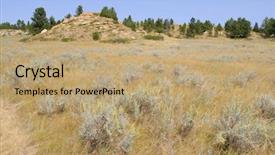
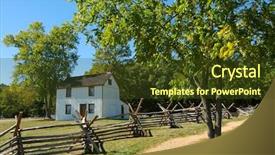
 Presentation with battlefield - PPT theme enhanced with rosebud battlefield grassland background and a coral colored foreground

Rosebud Battlefield Grassland

As you step into the vast expanse of the Rosebud Battlefield grassland, the majesty of nature gives way to a powerful narrative that has been etched into the very fabric of American history. The clash of armies, the sound of cannons firing, and the cries of the wounded are all too real when one thinks of this pivotal battle. Where the girl saved her brother is the site of the Battle of Rosebud, where General George Armstrong Custer's ill fated expedition ultimately came to an end. This template is a visually stunning accompaniment to your presentation, featuring high resolution images that transport you and your audience to the heartland of America. The Cornflower Blue color palette adds a touch of sophistication and elegance, while the Hexagon Layout provides a clean and modern structure for easy navigation. As with any high quality template, Featuring and Including a Background With are two features that set this apart from others in its class. Having a theme of nostalgia, Enhanced With is a fitting choice to create an immersive experience for your viewers. Imagine stepping into the midst of the Battle of Rosebud, surrounded by the rolling hills and wildflowers of the American West. With our template, you can transport your audience to that very moment, using the power of visuals to convey the drama and intensity of this pivotal battle. Having a theme of heroism is also fitting, as the bravery and selflessness of Custer's troops will leave a lasting impression on your viewers. The template includes four How To slides to help you get up and running quickly: Setting Up Your Presentation, Using Images and Graphics, Creating a Slideshow Layout, and Adding Text and Shapes. These features are all seamlessly integrated into the existing template, making it easy for users to create high quality presentations that will leave a lasting impression on your audience. And, as with any downloadable template from CrystalGraphics, you can trust in its compatibility with Google Slides, ensuring that you can showcase your masterpiece on any device.

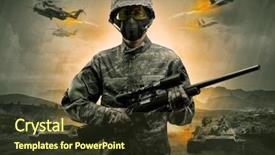
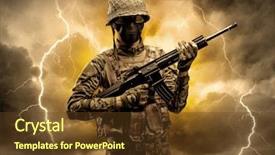
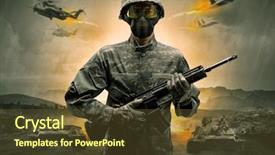
 Presentation with battlefield - PPT theme consisting of battlefield - armed soldier with sniper background and a tawny brown colored foreground

Armed Soldier Sniper Middle War

The world of warfare is not for the faint of heart, and those who dare to take up arms are often rewarded with a badge of strength and bravery. In this template, you'll find an attention grabbing design that brings the heat, featuring high resolution images of planes, soldiers, and the intensity of war. With a Dark Olive Green color palette, this template is ready to bring the grit and grime of battle right into your Google Slides presentation. This template is designed for Widescreen mode, making it ideal for showcasing dramatic skies and intense scenes from the front lines. The Dark Olive Green color scheme provides a rugged, realistic backdrop that will immerse your audience in the world of war. The four How To slides at the start of the deck are there to help you get up and running quickly, but if you're already familiar with the basics, you can skip those and dive straight into creating some amazing content. The template includes a Background With high resolution image of a plane soaring through the skies, Featuring a bold font that reads "Sniper's Eye View" Incorporating a Background With a stunning aerial photo of an officer standing on top of a cruiser boat Enhanced with a theme of War and Freedom. The result is a presentation that's sure to grab your audience's attention and leave them wanting more. As you begin creating your presentation, remember that the Pictures With Captions Layout will provide you with plenty of options for adding context and emotion to each slide. You can include captions that highlight key points or add humor, making your slides more engaging than ever before. And when it comes to style, this template is all about embracing the gritty realism of war, whether you're including a Background With high resolution image of a plane soaring through the skies or having a theme of War and Freedom.

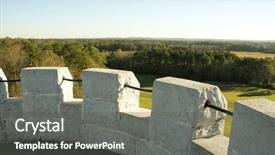
 Presentation with battlefield - Presentation theme having civil register - chickamauga and chattanooga national battlefield background and a dark gray colored foreground

Chickamauga Chattanooga National Battlefield

The moment Congress and American history are on full display in this stunning PowerPoint template, aptly named Split Title. This Widescreen template is designed to transport you to the heart of historical significance with its Powder Blue color palette that evokes the serenity of a crisp spring morning. The design name Split Title itself sets the tone for an engaging and dynamic presentation. As you navigate through the template's various slides, you'll discover four How To slides at the start of the deck to help you get up and running quickly a refreshing start to your presentation. The background images in this template are high resolution and specifically designed to enhance the historical theme. A perfect example is the Chickamauga and Chattanooga National Battlefield, which serves as an inspiration for the template's design. The Split Title template is incredibly versatile and can be customized to fit various conference themes or events by incorporating a Background With a more vibrant color palette or adding a bold, geometric pattern. Having a Theme of historical significance makes this template an excellent choice for any presentation about Congress and American history. The Hexagon Layout slide provides a unique visual element that will add depth and interest to your presentation. This layout is particularly useful when featuring long blocks of text, such as the one on the How To slides. Having a Background With a subtle texture or pattern can also enhance the overall look and feel of the template. By incorporating a Background With a more complex design element, you'll create an engaging visual experience for your audience. The template is downloadable and compatible with Google Slides, making it easy to import into your presentation software. The high resolution images ensure that all content is crisp and clear, even in PowerPoint's standard zoom mode.

 Presentation with battlefield - Slide deck consisting of battlefield - armed soldier with sniper background and a tawny brown colored foreground

Armed Soldier Sniper Middle War

In a world where strength and resilience are paramount, the corner title template is designed to evoke the image of a powerful officer standing strong on the frontlines, surrounded by a team that embodies the unyielding spirit of their mission. This Widescreen template features 4 high resolution images for each background, creating an immersive and dynamic visual experience. The Corner Title template's olive drab color palette is inspired by the earthy tones of war torn landscapes, evoking feelings of stability and fortitude. From the rugged plane graphics to the sleek cruiser designs, every element is carefully crafted to convey a sense of unrelenting power. Including a Background With feature allows users to customize the template with their own images, making it easily adaptable to various themes and branding needs. Having a Theme of Enhanced With takes this further, allowing designers to create unique variations by applying different background colors or textures to each image. The 3 x 3 Org Chart Layout slide is a valuable addition to any Corner Title deck, featuring a clear and concise organizational structure that helps users visualize their team's hierarchy. This layout can be customized with various fonts, colors, and layouts to match the design style of the template.

 Presentation with battlefield - Cool new PPT theme with gettyburg - gettysburg battlefield headquarters backdrop and a tawny brown colored foreground

Gettysburg Battlefield Headquarters

Imagine standing in the midst of one of the most historic battles in American history Gettysburg Battlefield headquarters. The grandeur of the original structure is awe inspiring, but when it comes to visualizing this iconic site for your presentation, you'll want a template that brings it to life. Our Premium Templates features "Wide Title" designed specifically with attention grabbing potential in mind, and our Widescreen format ensures an immersive viewing experience on even the largest screens. This template is rich in detail, with high resolution images of iconic landmarks like the Soldiers' National Cemetery and the Eisenhower Executive Office Building Included a Background With stunning vistas that will transport your audience to the past. The Dodger Blue color palette provides a sophisticated backdrop for your presentation, while our 60+ Layouts slide ensures you can easily switch between different slides or sections. With "Wide Title" as the foundation of this template, we've crafted four How To slides at the start of the deck to help you get up and running quickly. But don't worry with Our Premium Templates, you'll be all set to enhance your presentation and deliver a powerful message to your audience. Whether you're showcasing historical facts or sharing stories about Gettysburg Battlefield headquarters, this template is sure to impress.

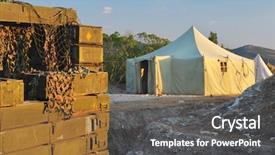
 Presentation with battlefield - Cool new PPT layouts with battlefield - military warehouse tent and weapons backdrop and a dark gray colored foreground

Military Warehouse Tent Weapons Boxes

The battle scarred landscape of war has been captured in stunning detail on this Corner Title template, a masterpiece of digital art that invites you to step into the midst of a high stakes conflict. A military warehouse tent and arsenal of weapons boxes stand tall against the backdrop of an overcast sky, evoking a sense of foreboding and tension. The template's Widescreen format is perfect for showcasing the intricate details of this scene, from the rusted metal to the weathered camouflage patterns. The Light Sky Blue color palette provides a soothing contrast to the gritty realism, while the accompanying keywords ("overcast", "objects", "building", "scene", and "cover") will guide your audience through the world of combat. The template is designed to be showcased at high resolution on Google Slides, making it an ideal choice for those who want to create engaging and immersive presentations. And with its compatibility features, you can ensure seamless integration with your existing presentation software. To get started quickly, the template includes four How To slides that will help you unlock its full potential. These expertly crafted slides feature a Gears in Sync Layout that will enhance the overall impact of your presentation. This layout is designed to showcase key elements, from the main plot to secondary details, all while maintaining a clean and intuitive design. This template is a game changer for anyone who wants to create compelling and visually stunning presentations. Its unique blend of digital artistry and advanced features makes it an ideal choice for military historians, strategists, and anyone looking to add some excitement to their presentations.

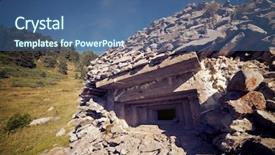
 Presentation with battlefield - Audience pleasing theme consisting of army battlefield - bunker in canfranc valley pyrenees backdrop and a ocean colored foreground

Bunker Canfranc Valley Pyrenees Spain.

Imagine standing at the edge of a rugged Pyrenees valley in Spain, with the majestic mountain range stretching out as far as the eye can see. This is where the Corner Title template was born designed to bring the dramatic beauty of the mountains to your PowerPoint presentations. The Corner Title features a sleek and modern design that perfectly complements the gritty yet refined aesthetic of the Pyrenees region. The Slate Gray background provides a sophisticated backdrop for the concrete like textures, while the accompanying images of high resolution photographs showcase the breathtaking scenery of Canfranc Valley in all its glory. Featuring a prominent image of a ancient bunker perched atop a rocky outcrop, this template is sure to grab your audience's attention. The Two Content Layout option allows you to mix and match different elements to create a unique look that suits your needs. On one hand, the "Text" layout provides an excellent opportunity to include a background image or video with a clear message or theme, as seen in our example where we featured footage of tourists exploring the valley. Having a theme of 'Inspiring Places', this template is perfect for showcasing the diverse range of attractions and activities available in Spain's Pyrenees region. This Corner Title template will enhance your presentations with a cohesive look that showcases the rugged beauty of Spain's mountains, making it an ideal choice for travel and tourism professionals, architects, and designers looking to promote their work.

 Presentation with battlefield - Presentation theme with battlefield - armed soldier standing in rainy background and a tawny brown colored foreground

Armed Soldier Standing Rainy Obscure

In a world where strength and resilience are key to survival, a lone soldier stands tall against the rain soaked landscape, their eyes scanning the horizon for any sign of danger. The air is thick with tension as they prepare for battle, their officer's voice steady as they issue orders to their crew. But amidst the chaos, there's a sense of unease that lingers, like a plane flying low over the horizon a feeling of being constantly on edge. The background of this image is one of high resolution photography, shot in a range of grays and blues that evoke a sense of mystery and foreboding. The soldier stands out against the dull, monochromatic backdrop, their features sharp and defined as they take aim with a sniper's rifle. But what really sets this scene apart is the inclusion of a cruiser ship in the distance, its sleek lines and bright lights a stark contrast to the darkness of the rain soaked landscape. This template is perfect for anyone looking to create a powerful and dynamic presentation that features a plane as a central element. Imagine using it to create an infographic about military operations, or to enhance your presentation on a topic like naval warfare. The Circular Step Layout slide could be used to feature a dramatic aerial view of a city at night, with the cruiser ship and other ships in the distance silhouetted against the stars. With its bold colors and high resolution images, this template is sure to grab attention and leave a lasting impression on your audience. The Wide Title format makes it easy to customize and personalize your presentation, allowing you to add your own text and graphics to match your brand and style. And with its compatibility with Google Slides, you can easily create and share your presentation with others.

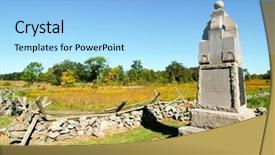
 Presentation with battlefield - Beautiful presentation theme featuring gettyburg - pennsylvania monument and gettysburg battlefield backdrop and a teal colored foreground

Pennsylvania Monument Gettysburg Battlefield Monument

Imagine stepping back in time to one of America's most historic landmarks the Gettysburg Battlefield Monument. This corner title template brings the grandeur and majesty of this iconic site into your PowerPoint presentation, complete with intricate details and historical significance. The Corner Title is a stunning Widescreen image that transports your audience to the rolling hills and battle scarred terrain of Pennsylvania. The Cornflower Blue background provides a soothing yet striking contrast, while the high resolution images for the background ensure that the template looks crisp and detailed even at zoom levels of 150%. The theme of this template is enhanced with a rich history lesson, featuring images such as flags, cannons, and soldiers in action. Each slide includes a 4 Pictures + Captions Layout to keep your presentation engaging and easy to follow. To make it easy for your audience to navigate, four How To slides at the start of the deck will guide them quickly through the process of getting up and running with your template. But don't worry, these steps are designed to be straightforward, making it simple for even the most inexperienced presenter to deliver a compelling presentation. Whether you're creating an informative presentation about history or showcasing stunning images from the battlefield, this Corner Title template is sure to impress. Featuring a dynamic background, including a historic landmark and modern features such as Google Slides integration, Enhanced With technology makes this template truly exceptional.

 Presentation with battlefield - Cool new presentation design with gettyburg - gettysburg battlefield monument backdrop and a light blue colored foreground

Gettysburg Battlefield Monument

Imagine standing in front of one of the most historic battlefields in American history, surrounded by the sounds and sights of war, yet still conveying a sense of serenity and grandeur that transcends time. The Corner Title template is designed to evoke this powerful atmosphere, featuring a stunning high resolution image of the Gettysburg Battlefield monument at its core. This widescreen template is ideal for presentations that require a dramatic and impactful visual representation. The Light Steel Blue color palette provides a clean and modern backdrop that enhances the overall mood of the presentation. To create an immersive experience, we've included four How To slides to help you get started quickly: a "How to Create Your Own Gettysburg Battlefield" slide that showcases expert tips on how to incorporate this theme into your own content, while also providing valuable insights and advice for viewers who are new to the world of presentation design. The 5 x 5 Org Chart Layout slide is where things get really interesting. Featuring a detailed illustration of the organizational structure of a company or organization, including key departments and personnel, it provides an excellent opportunity to showcase your knowledge of HR policies and procedures. Having a theme of "Organizational Structure" in this slide adds an extra layer of depth to your presentation, allowing you to explore topics such as job roles, team dynamics, and communication strategies. This template is not just for the battlefield enthusiast it's also perfect for business presentations that require a strong visual identity and a sense of history. Incorporate a background with the image of a historic landmark or monument to add an extra layer of depth and meaning to your slides. Have a theme of "Historic Landmarks" in this slide, and showcase your knowledge of iconic locations around the world. Enhanced

 Presentation with battlefield - Cool new slide set with gettyburg - gettysburg battlefield monument backdrop and a light blue colored foreground

Gettysburg Battlefield Monument

The Corner Title PowerPoint template is designed to transport your audience to the historic site of Gettysburg Battlefield Monument. This serene and majestic design combines high resolution images with a light sky blue color palette that evokes feelings of serenity and calmness. The Corner Title template features a 16:9 widescreen format, perfect for large screens or presentations. The background image of the Gettysburg monument provides a stunning visual anchor to your presentation, while the surrounding landscape adds depth and context. The template includes four How To slides at the start of the deck to help you get up and running quickly. These slides will guide your audience through setting up their Google Slides environment, customizing the layout and adding images as needed. Featuring a grid layout with icons, including a background with a subtle texture and having a theme of minimalist elegance, these slides provide a solid foundation for creating visually appealing presentations. The Corner Title template is designed to be enhanced with additional graphics and images to enhance your presentation's impact. You can use the high resolution images of the Gettysburg monument or other historical sites as background elements or even create custom illustrations to make your presentation truly unique. Having a cohesive color scheme and consistent design throughout the deck ensures that your message is conveyed clearly and effectively.

 Presentation with battlefield - Amazing presentation design having battlefield of the battle backdrop and a light blue colored foreground

Battlefield Battle Waterloo (1815 Near

In the midst of a lush European landscape, as the sun sets over the majestic Lion's Mound in Brussels, Belgium, the sounds of the past come alive. Imagine yourself standing amidst the Battlefield of the Battle of Waterloo (1815) on this day, surrounded by the grandeur and mystery of history. The Steel Blue color palette shines brightly, evoking a sense of grandeur and sophistication, perfect for creating an immersive destination experience on Google Slides. The Wide Title design name, Wide Title, perfectly captures the essence of this epic battle, while its Widescreen format ensures that the viewer is fully immersed in the action. This template is not just a pretty face; it's a rich source of inspiration, featuring high resolution images to transport you to the heart of Europe. The Steel Blue color palette shines brightly, like the stars on a clear night, illuminating the path ahead. As you delve into this world, you'll discover a 6 Picture grid layout that showcases stunning images, including: A majestic depiction of the Lion's Mound, featuring the iconic Napoleon leading his troops The imposing silhouette of Wellington's army, standing strong against the forces of Napoleon The Battle of Waterloo reenactment scene, bringing history to life in vivid detail Panoramic shots of Brussels, showcasing its charming architecture and picturesque streets A dramatic view of the battlefield at sunset, with the Lion's Mound looming large in the background And a nostalgic image of the Belgian countryside, evoking memories of a bygone era This template is not just for enthusiasts; it's designed to be engaging and interactive. With four How To slides at the start of the deck, you'll be off to a flying start, setting the stage for an unforgettable destination experience on Google Slides.

 Presentation with battlefield - Slides featuring archeology man with metal detector background and a violet colored foreground

Military Archeology Man Metal Detector

Imagine yourself standing amidst the ruins of a long forgotten battlefield, the sound of gunfire and explosions still echoing in your mind as you search for the remnants of a bygone era. The sun beats down upon your skin, casting a dark khaki hue over the desolate landscape. This is where our Corner Title template comes in a powerful and attention grabbing design that will leave a lasting impression on your audience. Our template features a high resolution image of a man with a metal detector on the battlefield of World War 2, Ukraine. The background is a dark khaki color palette, evoking feelings of danger and urgency. The theme of military archeology is woven throughout the design, with bold fonts and graphics that convey a sense of excitement and discovery. The template is designed to be downloadable and compatible with Google Slides, making it easy to incorporate into your presentations. It's also enhanced with features such as animations and transitions, giving your slides an extra boost of energy and engagement. As you delve deeper into the world of military archeology, you'll find that our Corner Title template is more than just a design it's a starting point for exploring this fascinating theme. With its dark khaki color palette and bold graphics, it's the perfect backdrop for featuring high resolution images of ancient artifacts and ruins. The Table of Contents slide will guide your audience through the four How To slides that follow, providing a clear roadmap for getting up and running with our template quickly and easily. And when you're ready to dive in, you'll have access to a range of features and tools to enhance your presentation, including the ability to include background images and animations. In this template, you'll find all the elements you need to create

 Presentation with battlefield - Audience pleasing presentation consisting of skill contest - powerful king and queen pieces backdrop and a navy blue colored foreground

Powerful King Queen Pieces Chess

In the heart of every board game is the battle for supremacy, and that's exactly what this template is designed to deliver a powerful and strategic Corner Title Widescreen PowerPoint presentation that's perfect for showcasing your brand's unique style. With its bold Peru color palette and premium feel, this template is sure to leave a lasting impression on your audience. As you begin your journey with this template, the four How To slides at the start of the deck will guide you through the process of creating your own engaging visual identity. But don't worry, you'll have ample time to get started after all, practice makes perfect! The Table of Contents slide is where things really come together, featuring an enticing background with a hint of sophistication and including a section showcasing the downloadable nature of the template. The Peru color palette is the real star of this show, featuring warm and inviting tones that evoke feelings of creativity and productivity. And when it comes to making your presentation stand out, having a theme of high resolution images on the background is always a great idea after all, who doesn't love a good image? With Googel Slides compatibility in mind, you can rest assured that this template will be easily integratable into your workflow.

 Presentation with battlefield - Amazing theme having battlefield - girl and woman with gaming backdrop and a violet colored foreground

Girl Woman Gaming Guns Outdoor

In a world where technology and nature collide, images that evoke a sense of power and adventure can instantly capture the attention of your audience. Imagine a scene featuring a strong willed woman, clad in sleek gaming gear and sporting an intimidating ski mask, effortlessly conquering the slopes on a crisp winter day. The vibrant red hue of her outfit gives way to snow capped mountains in the background, while high resolution images for the template's stunning 16:9 widescreen format provide an immersive viewing experience. The Split Title template is designed with a striking crimson color palette that sets it apart from its competitors. When featuring an all caucasian group engaging in recreational activities such as skiing or snowboarding, the distinctive red accents add an undeniable edge to their wholesome image. Including a background with subtle infra red lighting enhances this overall aesthetic by imbuing it with warmth and coziness. The Split Title template is compatible with Google Slides, making it easy to download and use on your devices. As part of our premium collection, you can also access over 60 layouts to customize and expand the possibilities for your presentations. Having a theme of sports inspired visuals or business themed images gives you endless creative options to enhance your presentation style.

 Presentation with battlefield - Presentation theme enhanced with battlefield of the battle background and a tawny brown colored foreground

Battlefield Battle Waterloo (1815 Near

The world of destination travel and tourism has been immortalized in countless historical accounts, including the infamous Battle of Waterloo near Brussels, Belgium. The Lion's Mound panorama offers a breathtaking view of the surrounding landscape. In this Split Title template, we aim to transport you back in time to the Napoleonic era, evoking the grandeur of 19th century Europe. The Dark Goldenrod color palette provides a dramatic and sophisticated backdrop for your travel destinations. Widescreen format ensures that every detail is showcased, from high resolution images of historical landmarks to intricate details of traditional Belgian architecture. This Split Title template is designed to enhance your presentation with a theme of storytelling and visual flair. This template features four How To slides at the start of the deck, but for now, let's focus on what makes it truly special. The In Summary Layout slide showcases a beautifully rendered image of Brussels' Grand Place, complete with intricate details and historical landmarks featured prominently. Imagine presenting this image to your audience, accompanied by a brief narrative that weaves together the rich history of Belgium. This template is included in Google Slides, making it easy to download and customize for your presentations. With its sophisticated color palette, high resolution images, and attention grabbing design elements, Split Title is the perfect choice for destination travel and tourism professionals looking to make a lasting impression on their audience.

 Presentation with battlefield - Slide set enhanced with gettysburg battlefield headquarters background and a tawny brown colored foreground

Gettysburg Battlefield Headquarters

Gettysburg Battlefield headquarters. The iconic historic site where the bloodiest battle in American history was fought is now at your fingertips with this stunning widescreen PowerPoint template featuring Cornflower Blue as its signature color palette. This template showcases an attention grabbing image of the Gettysburg battlefield, complete with 4 high resolution images for backgrounds that will elevate any presentation to new heights. This Wide Title template is perfect for business presentations, company meetings, and conferences where you want to convey a sense of grandeur and importance. The Widescreen format ensures that your content remains crisp and clear, even at 16:9 aspect ratios. The Cornflower Blue color palette adds a touch of sophistication and elegance to any presentation. The template is designed with a theme of historic significance, highlighting the importance of the Gettysburg battlefield in American history. Featuring a prominent image of the battlefield, this template includes a Background With rich historical details that will bring your presentations to life. Having a Theme of showcasing the importance of heritage and tradition, this template makes an Enhanced With perfect addition to any project. The 5 x 5 Org Chart Layout is a visually appealing slide that showcases a simple yet effective organizational structure. The template includes a header with 4 main sections (Company, Departments, Teams, and Leaders) as well as a footer with the company logo and contact information. This layout is easy to customize and can be enhanced with additional images or graphics. This stunning template is downloadable and compatible with Google Slides, making it an ideal solution for anyone looking to create professional presentations that showcase their brand's heritage and significance.

 Presentation with battlefield - Slides enhanced with the battle of waterloo background and a coral colored foreground

Lion's Mound Over Battlefield Battle

This PowerPoint template is designed to transport your audience to the rolling hills and scenic landscapes of Belgium during times of historical significance. Imagine yourself standing in the midst of a majestic Belgian landscape, surrounded by towering agricultural fields and the distant sounds of cowbells, as you delve into the complexities of the country's rich history. The Wide Title template features a stunning high resolution image on its background, which showcases the dramatic scene of Lion's Mound over the battlefield of the Battle of Waterloo in 1815. The Cadet Blue color palette adds a touch of elegance and sophistication to this historical landscape. This template is perfect for anyone looking to enhance their presentation with a cohesive and visually appealing design that celebrates Belgium's agricultural heritage. The template includes four easy to follow slides at the beginning, designed to help you get started quickly. However, it also features an Our CRystal Clear Goal slide where you can clearly state your objective, making it easy for others to understand what you're aiming for with this presentation. This slide is perfect for including a background image of a grand and majestic building or structure that represents the theme of your presentation. This template is also designed to be easily integrated into Google Slides, offering seamless compatibility and allowing you to enhance your presentation with high resolution images and customized backgrounds. The wide screen format ensures a stunning visual experience for your audience, making this template an excellent choice for any historical, scenic, or agricultural themed presentation.

 Presentation with battlefield -

Paris January 11 2018:

This Sidebar Title template is designed to showcase the rich history and architecture of Ambroise Pare, the father of surgery and pioneer in medical techniques. The template features a stylish and modern design, perfect for presenting your findings on high resolution images. The Peru color palette adds a warm and inviting touch, making it ideal for presentations that require an artistic and cultured atmosphere. The Sidebar Title template is specifically tailored to Google Slides format, with the Widescreen resolution ensuring that all elements are perfectly aligned and easy to view. The template includes key keywords such as "ambroise", "architecture", "art", "barber", and "building" to enhance its search engine optimization (SEO). The Peru color palette is rich in warm tones, featuring earthy shades of terracotta and golden brown, reminiscent of the French countryside where Pare lived. The high resolution images for the background will transport your audience to the historic city of Paris on January 11, 2018, when Pare gave birth to the first successful human heart transplant. The template includes 4 How To slides at the start of the deck to help you get up and running quickly. These slides provide essential guidance on how to use the Sidebar Title template, including tips on customizing colors and fonts, selecting images, and creating engaging content. However, these steps are not explicitly listed here as they are already provided in the template itself. The 4 Picture Grid Layout slide is a great feature of this template, allowing you to showcase high resolution images that illustrate key points about Pare's life and work. These pictures can be arranged in a grid layout, creating an engaging visual narrative that complements your presentation. For example, you could include images of Pare's surgical techniques, his role in the development of modern surgery, or his contributions to medical research. The Sidebar Title template is easily downloadable and compatible with Google Slides, ensuring that you can seamlessly integrate it into your presentations without any technical issues.

 Presentation with battlefield - PPT theme having battlefield - armed soldier standing in rainy background and a ocean colored foreground

Armed Soldier Standing Rainy Weather

The spotlight shines brightly on the Wide Title template, designed to dominate any presentation with its rugged and powerful look. This Steel Blue behemoth is the perfect canvas for showcasing your most important information, making it an ideal choice for presentations that need to make a strong impression. The template's Widescreen format ensures that every detail is fully rendered, from the subtlest textures to the highest resolution images. This template is not just about looks, it's also a masterclass in functionality. With its comprehensive design features and customizable layout options, you can create presentations that are both visually stunning and highly effective. The Steel Blue color palette provides a sleek and sophisticated backdrop for your content, while the inclusion of a Background With feature ensures that every element is perfectly aligned. The template's keywords might seem obvious plane, strength, officer, thunder, and cruiser but trust us when we say they're just the tip of the iceberg. This template is packed with high resolution images to bring your slides to life, making it the ultimate go to for presentations that require attention grabbing visuals. With its compatibility with Google Slides, you can easily import these images into your presentation and create a cohesive look. In short, this template is an all rounder whether you're looking to enhance your presentation with an added layer of sophistication or simply need a reliable solution for creating eye catching content, the Wide Title has got you covered.

 Presentation with battlefield -

Zurich Switzerland June 23,

In the heart of Zurich's historic Old Town, nestled between the majestic Gothic spires and ornate architecture, lies the Grossmunster church, its 11th century origins showcasing an unparalleled blend of ancient craftsmanship and timeless elegance. The intricate stone carvings on the door, adorned with the iconic Zwingli figure, exude a sense of reverence, while the surrounding streets are lined with quaint shops and cafes, inviting visitors to immerse themselves in the city's rich cultural heritage. The template features a 16:9 widescreen format, providing ample space for high resolution images that bring this historical backdrop to life. The dark khaki color palette, featuring shades of charcoal and muted gold, evokes a sense of sophistication and refinement. The template includes several keywords that will enhance your presentations, such as "1531," "ancient," "antique," "architecture," and "art." With the high resolution images included in the background and the Arrow Stages Layout slide providing a clear visual hierarchy, this template is designed to be both visually stunning and informative. From its dramatic architecture to its historical significance, this template will feature you on your way to creating engaging and informative presentations that showcase your expertise. Perfect for academic, architectural, or art focused projects, this template ensures that you have everything you need to convey complex information in a clear and concise manner. Including a background with high quality images that highlight the unique aspects of the Grossmunster church will enhance its visual appeal, while having a theme of showcasing a specific area of interest such as architecture, art or ancient history will add depth and meaning to your presentations.

▼Key features of this template

  • They are compatible with both PowerPoint and Google Slides running on either Windows PCs or Macs.

  • They are available in both standard and widescreen slide formats. You can choose your preferred format by clicking on the "Widescreen" check box or icon.

  • Each template includes a beautiful high-resolution background image or video to visually reinforce the theme of your presentation.

  • In addition, each template includes designer-created graphics and modern fonts to give your presentations an up-to-date, professional look.

  • Each template's default design and title text position have been carefully selected to complement its background without covering faces or other key elements.

  • All text includes backdrops whose transparency level is mathematically calculated to maximize text readability while still allowing the background to be seen.

  • And all the text, text backdrops and graphics in every slide are colored with a palette designed to beautifully complement the colors in the background.

  • Our Premium templates (those with the descriptor “Premium” in their subtitle) include over 64 slide layouts to give you maximum flexibility as you create your presentations.

    • Those layouts are available to you whenever you create a new slide or when you want to change the layout of an existing slide.
    • They include everything you need to make all sorts of presentations. In addition to the layouts for the title slide and the usual title and content slide, they include many other layouts for slide types including table of contents slides, org charts, charts, diagrams, infographics, photo slides, thank you slides and more.
    • While creating these layouts our template designers have ensured that all text in every layout adjusts as gracefully as possible to various numbers of words.
  • Customizable templates (those with the descriptor “Customizable” in their subtitle) may be easily modified online before you download them.

    • To modify them, simply click on the pencil editing icon, then select your choice of ready to go designs and title text positions.
    • The editing tool also makes it easy to reposition and scale the background image or video to best suit your needs.

▼FAQs

Please review these FAQs to see if your question is answered. Contact us for more info

  • What is a PowerPoint template?

    • A well designed PowerPoint template is a file that can tell PowerPoint how to make your ordinary templates look extraordinary. They won’t change what your words or numbers say. But they might change their size, color, font and placement. And, overall, they can give your presentations a professionally-designed look that will give your content more credibility and give you more confidence.
  • How many PowerPoint templates do you offer?

    • We have over 32,000 artist-created presentation templates in our PowerPlugs collection With a subscription, PowerPlugs templates are easy to download. Just sign in, find a template and click on the green Download button. ready for you to download. That alone offers you more variety to choose from than any of our competitors can offer. And, as if that weren’t enough, we also offer over 6 million templates in our Crystal collection. Crystal brand templates are our line of templates that have customization options. They have the word "CRYSTAL" on their web page images. You can customize several aspects of the templates. These templates include high-resolution background images from Shutterstock’s vast image collection matched up with artist-created presentation designs customized by our own proprietary AI software.
  • How many templates can I download as a subscriber?

    • You can download an unlimited number of PowerPlugs-brand With a subscription, PowerPlugs templates are easy to download. Just sign in, find a template and click on the green Download button. templates every day for an entire year. (Actually, by default, we set a limit of 25 templates per day to prevent our competitors from stealing our templates. But, if that is not enough, just let us know and we’ll try to accommodate you.) On top of that, with a subscription or an Ultimate Combo, you can also download any 50 Crystal-brand Crystal brand templates are our line of templates that have customization options. They have the word "CRYSTAL" on their web page images. You can customize several aspects of the templates. templates per year selected from our huge Crystal collection. Crystal brand templates are our line of templates that have customization options. They have the word "CRYSTAL" on their web page images. You can customize several aspects of the templates. .
  • Why should I choose your templates instead of the competition’s?

    • We’ve got a larger selection of professionally-designed PowerPoint templates than anyone else in the world.
    • Each template includes a high-resolution background image or video to visually inspire your audiences while reinforcing your message.
    • Each template includes 64 slide layouts to give you maximum flexibility as you create your presentations.
    • Our templates are available in both standard and widescreen slide formats. And our website lets you preview the slides each way.
    • Our free Template Finder™ plugin lets subscribers select and - with a single click - download and insert our templates into their presentations right from within PowerPoint.
    • We’ve been creating designer presentation templates for over 20 years. During that time we’ve won several awards and 5-star ratings for product quality. See About Us for more.
  • Do you offer a money-back guarantee?

    • Yes we do! We offer full 30-day money-back guarantee if you are not 100% satisfied with your purchase.
  • Can I still use my downloaded templates after my subscription runs out?

    • Yes. After your subscription expires, you won't lose any rights or ability to use your PowerPlugs: Templates for PowerPoint. You won't be able to download any new non-watermarked templates. But the non-watermarked templates you've already downloaded will still work and you can still use them as before.
  • Can I share my downloaded templates or passwords with friends or coworkers?

    • Sorry but no. You are authorized to download each paid-for template to up to 3 of your personal devices and to use the templates you download in as many presentations as you want. But you are not authorized to share the templates, themselves, with others. That said, we do offer highly discounted site licenses to suit the needs of both small and large teams. Just tell us your needs and we’ll give you a quote!
  • System requirements:

    • The templates use the standard POTX format. So they are compatible with Google Slides and all PC, Mac and mobile devices running any version of PowerPoint from PowerPoint 2007 up through and including Office 365 desktop.
    • Please note: Google Slides does not currently support background videos. It treats them as still images.
    • For PowerPoint for the Web, first open your template into a desktop version of PowerPoint, then save it back out as a PPTX file. Then you can open that in PowerPoint for the Web.
  • End user license agreement:

    • Click here to view.
  • How will I get my purchased templates?

    • You may download your selected templates as soon as your payment is received by PayPal. If you purchased an individual template, you will be provided with a download link both onscreen and via email. Just click on that link to begin the download process. If you purchased a subscription, you will receive an email containing a password to use along with your email address to sign in to any of the templates pages on CrystalGraphics.com. Once you are signed in, you can immediately start downloading your selected templates.
  • How do I use my templates after I download them?

    • You can either open a template to start a new presentation or you can add a template to an existing presentation. To open a template, just double click on it or use PowerPoint's File > Open tool. To add a template to an existing presentation, on the Design tab, in the Themes group, click Browse for Themes... then browse to select your template.

View more Battlefield templates:

previous 1 2 3 next
93% of Fortune 1000
companies use our
PowerPoint Products
Templates Secure

Standing Ovation Award
Winner: Best PowerPoint
Template Collection
Fortune Logos
200,000+ satisfied
customers worldwide!
Guarantee
100% satisfaction guaranteed
- or send it back for a refund!

Sign up for our free newsletter! You'll get news about our PowerPoint-enhancing product line – including free updates, new product announcements and exclusive special offers. Plus you'll get a link to a free PowerPoint template with every newsletter you receive.
Privacy Policy
Loading...


Help

Contact Us
Product FAQs
Product License Agreements

Company Info

About Us
Privacy Policy
CrystalGraphics, Inc. 1999 S. Bascom Avenue Suite 700 Campbell, CA 95008 USA
© 2026 CrystalGraphics, Inc. All rights Reserved.    |     PowerPlugs is a trademark of CrystalGraphics, Inc.
Microsoft and the PowerPoint logo are trademarks or registered trademarks of Microsoft Corporation in the United States and/or other countries.
Loading...
Loading...