www.crystalgraphics.com CrystalGraphics
  • Ultimate Combo
  • Templates
  • Diagrams
  • Characters
  • Quizzes
  • shopping cart
  • Sign Out Sign Out Sign In
Home > Templates > Beef Category
search icon
advanced icon

336 Best Beef-Themed Templates for PowerPoint and Google Slides

Get ready to fire up your presentations with our mouth-watering Beef templates! Our extensive collection of 6.7 million PowerPoint templates features stunning designs that will make your audience go wild - from the sizzling summer nights to the warmth of roasted beef, we've got you covered. Whether you're a foodie looking for inspiration or an educator seeking engaging content, these Beef templates are perfect for creating visually appealing and informative presentations.

Experience the ultimate in presentation design with our Beef template category. Each slide is carefully crafted to provide a seamless user experience, from the title slides that grab attention to the customizable elements that let you bring your vision to life. Plus, with compatibility with Google Slides, you can easily share and collaborate on your templates.

Our Beef templates are not just limited to sizzling summer nights - they're available in both widescreen and standard formats to ensure your presentations look their best across different devices. And when it comes to customization, we've got you covered too! With a wide range of elements at your fingertips, you can make these templates truly unique.

So why wait? Explore our extensive collection today and find the perfect Beef template for your needs. Browse through other categories or select the one that best fits your style - we're confident you'll be thrilled with what you discover. And when it's time to download and customize, don't worry - instant 24/7 access is at your fingertips. So why settle for an ordinary presentation when you can have a culinary masterpiece? Download our Beef templates now and take your presentations to the next level!

Features & Pricing

Widescreen (16:9) Presentation Templates. Change size...
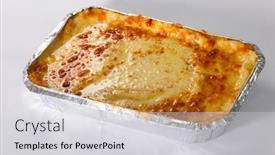
 Presentation with beef - PPT layouts having traditional-lasagna-made-with-minced background and a light gray colored foreground

Traditional Lasagna Made Minced Beef

As you start your culinary journey with gourmet food, think ahead to your next meal and imagine the satisfying crunch of crispy mince served in a portion sized lunch that will leave you wanting more. Now, let's take a closer look at our Corner Title template, featuring a Sandy Brown color palette that evokes the warm, inviting atmosphere of a traditional Italian trattoria. This Widescreen template is designed to enhance your presentation with stunning high resolution images for the background, providing a visually appealing canvas for showcasing your creative content. With its elegant design and gourmet theme, it's perfect for sharing your passion for cooking on Google Slides. The Corner Title template is made up of four easy to follow slides that will get you started quickly: Featuring a beautifully crafted How To slide that walks your audience through the steps to create this mouth watering dish. Including a Background With a dramatic image of freshly baked lasagna, this slide helps set the tone for your presentation. Having a Theme of showcasing high quality images, this slide is sure to impress your viewers. The Oposite Directional Arrows Layout slide can be used to provide visual hierarchy and emphasis on specific points in your content, such as the importance of using fresh ingredients or the benefits of portion control. It's a versatile feature that allows you to create a clear structure and flow to your presentation, making it easier for your audience to follow along.

 Presentation with beef - PPT layouts consisting of carrot in blue plate background and a red colored foreground

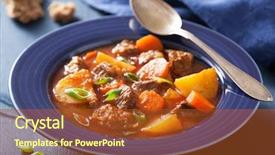
Beef Stew Potato Carrot Blue

PPT layouts consisting of beef stew with potato and carrot in blue plate

 Presentation with beef - Presentation theme enhanced with beef rump steak on black background and a tawny brown colored foreground

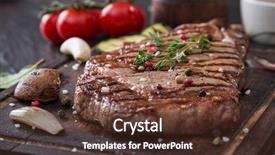
Beef Rump Steak Black Stone

As you step into the world of premium visuals, where sophistication meets elegance, we present to you our latest creation Split Title. This stunning template is designed to elevate your presentations to new heights, with its sleek and modern layout that exudes high end style. Split Title is formatted in widescreen, providing ample room for beautiful images or graphics, making it the perfect canvas for showcasing your brand's identity. The warm brown color palette creates a cozy atmosphere, perfect for conveying warmth and friendliness. This template features pepper, steak, gourmet, spice, and beef imagery, sure to leave your audience craving more. The template is downloadable and compatible with Google Slides, ensuring seamless integration into your workflow. It also includes four How To slides at the start of the deck to help you get up and running quickly: Setting Up Templates, Customizing Your Template, Troubleshooting Common Issues, and Exploring Additional Resources. As you embark on this creative journey, be sure to take advantage of our Stairs Layout slide, which showcases a dramatic table setting with black stone as the backdrop. This layout is perfect for highlighting key information or presenting a visually striking image. For example, imagine featuring this template in a recipe presentation where you want to showcase your culinary creations. This template is enhanced with features like including a background with subtle animations and having a theme of showcasing premium visuals to convey high end style. By incorporating these elements, Split Title will elevate your presentations from good to great, leaving a lasting impression on your audience.

 Presentation with beef - Theme consisting of grill isolated on black background and a wine colored foreground

Beef Steak Grill Isolated Black

In a world where food is more than just sustenance, there's no better way to add some excitement to your presentation than with a visually appealing template that showcases the rich flavors and aromas of the culinary world. Corner Title, our latest creation, takes you on a journey through the savory delights of the grill, from juicy steaks to perfectly portioned meals. The template is designed in a widescreen format, perfect for showcasing high resolution images that bring your presentation to life. The Saddle Brown color palette adds warmth and depth to the design, making it an ideal choice for any slide that requires a classic look. The Corner Title template includes four essential slides that will get you up and running quickly: How To slides 1 4. Featuring a unique 3D effect on each, these slides provide valuable tips and tricks for creating engaging presentations. Including a Background With feature ensures seamless transitions between slides, while Having a Theme of "Food and Grilling" showcases the Corner Title's versatility. The template is available as a downloadable PDF, compatible with Google Slides, allowing you to enhance your presentation with even more features.

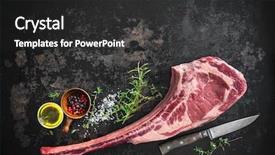
 Presentation with beef - Slides consisting of aged raw tomahawk beef steak background and a dark gray colored foreground

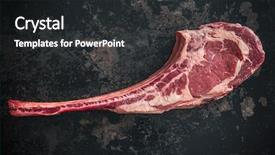
Dry Aged Raw Tomahawk Beef

Imagine savoring a perfectly cooked dry aged raw tomahawk beef steak on a dark background, the rich aroma wafting up to tantalize your taste buds this is what the Corner Title template promises to deliver. With its dramatic design and crimson color palette, this template is sure to turn heads in any presentation or marketing materials. The high resolution images used throughout will transport your audience to a world of luxury and sophistication, where the cutting edge technology meets the gourmet cuisine. The Widescreen format provides an immersive experience, putting your viewers right in the thick of it they can almost feel the heat emanating from the steak as you present your message. This template is perfect for those who want to make a statement with their visuals and stand out from the crowd. Whether you're launching a new product or service, or simply looking to elevate your branding, Corner Title has got you covered. The accompanying Gears in Sync Layout slide will showcase how seamlessly the different elements come together to create a cohesive whole think of it as the engine that drives your presentation forward. This template is designed to be downloadable and compatible with Google Slides, making it easy to get started and work on your project right away. With its high quality images, customizable design, and smooth layout, Corner Title is sure to enhance any presentation or marketing materials you create.

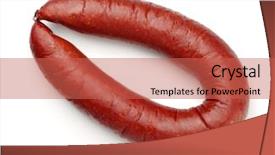
 Presentation with beef - Presentation design featuring view of smoked beef sausage background and a red colored foreground

Top View Smoked Beef Sausage

The moment you click on your new Corner Title template from CrystalGraphics you are immediately immersed in a world of high energy and mouth watering visuals that will transport you to the bustling streets of Krakauer, inspired by the works of photographer Ansel Adams. This stunning design features an attention grabbing centerpiece a top view of smoked beef sausage isolated on a crisp white background accompanied by four essential slides that will get your presentation off to an explosive start. As you begin, take a moment to appreciate the striking use of Indian Red as the primary color palette a bold and vibrant choice that exudes warmth and sophistication. This dynamic template is perfectly suited for showcasing high resolution images, and its seamless integration with Google Slides makes it easy to upload your own content or feature pre made backgrounds featuring stunning culinary delights. The Corner Title template's expertly crafted layout boasts four key slides: "How To Slide 1" a graphic guide on getting started with the template; "How To Slide 2" an interactive tutorial that walks viewers through the basics of customization; "How To Slide 3" a showcase for your unique branding and style; and "How To Slide 4" a final slide highlighting the template's compatibility with Google Slides. Each slide is carefully crafted to enhance the overall user experience, whether you're presenting on a large screen or sharing online with millions of users. As an added bonus, this template comes fully formatted for use in widescreen presentations and offers a range of customization options from selecting your preferred Indian Red accent color to fine tuning the background image. With Corner Title, you'll have all the tools you need to create visually stunning slides that will leave your audience hungry for more.

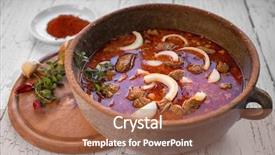
 Presentation with beef - Slide set enhanced with traditional food - beef stew in a pot background and a coral colored foreground

Beef Stew Pot Main Ingredients

In the heart of many German cuisines, there's a hearty dish that's rich in flavors and aromas beef stew. The combination of tender chunks of beef, savory onions, and spices is a perfect blend of flavors that'll make your taste buds dance. To bring this comfort food to life on screen, you need a template that's both stylish and functional. The Split Title design features a warm Sienna color palette that sets the tone for a welcoming atmosphere. The template's Widescreen format will ensure your content is crisp and vibrant, making it perfect for showcasing high resolution images of beef stew or any other German inspired dish. The background images are carefully curated to feature rich textures and bold colors that will enhance the overall look. The Sienna color palette is a great starting point, as it's both earthy and inviting. It's the perfect theme for a prepared meal like beef stew, where warmth and comfort are key. In the Growth Layout slide, you'll have plenty of space to display the main ingredients of your dish beef, onions, and spices in a clear and easy to read format. To get started quickly, there are four How To slides that will guide you through the process of creating your template. These slides will cover everything from downloading and installing the template to customizing the design and adding your own images. Having a theme of "Enhanced With" is perfect for these slides, as it allows you to add more features like animations, transitions, and effects to make your template truly stand out. On a related note, if you're looking for inspiration for your beef stew presentation, try using this example: Imagine presenting a beautifully styled plate of beef stew with a side of crusty bread and a sprig of fresh rosemary. The combination of warm colors, textures, and aromas will transport your audience to the heart of Germany, where hearty meals like beef stew are an integral part of the culture.

 Presentation with beef - Audience pleasing PPT theme consisting of teppanyaki - woman having roasted sliced backdrop and a light blue colored foreground

Woman Having Roasted Sliced Beef

As you click play on this Wide Title PowerPoint template, you're transported to a serene Japanese inspired setting where the warmth of a Wagyu steak is matched only by the passion of a skilled chef in action. The sandy brown color palette exudes comfort and coziness, inviting you to step into a world of fine dining and high end cuisine. This Widescreen template features 4 How To slides that will get you up and running quickly, perfect for those who want to jumpstart their presentation with ease. From the "How To" slide itself, which can be customized to include background images or even feature an animated GIF, to the arrows pointing towards it in the layout slide, this template has thoughtfully considered every detail. As you explore the theme of heat and shop, you'll find yourself drawn into a world where the aromas of roasting meats waft through the air, enticing your taste buds. The inclusion of high resolution images will transport you to a bustling Japanese market, where Wagyu beef is at the center of the action. Whether you're showcasing a photo of a perfectly grilled steak or highlighting the craftsmanship that goes into preparing each slice, this template's warm and inviting color palette will help you convey your message with flair. By Enhancing With high quality visuals and carefully crafted text, this Wide Title PowerPoint template becomes more than just a presentation deck – it becomes an immersive experience that draws your audience in and keeps them engaged.

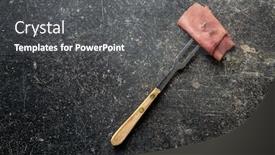
 Presentation with beef - Presentation enhanced with sliced-beef-ham-and-fork background and a dark gray colored foreground

Sliced Beef Ham Fork Black

Presentation enhanced with sliced beef ham and fork on black table top view

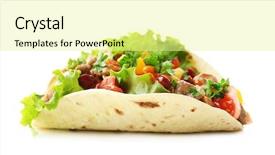
 Presentation with beef - Slide set consisting of homemade beef burrito with vegetables background and a blonde colored foreground

Homemade Beef Burrito Vegetables Tortilla,

Slide set consisting of homemade beef burrito with vegetables and tortilla isolated on white

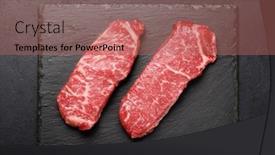
 Presentation with beef - Slides with prime-marbled-beef-steaks-raw background and a coral colored foreground

Prime Marbled Beef Steaks Raw

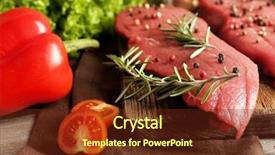
Slides with prime marbled beef steaks raw striploin steak flat lay background

 Presentation with beef - Amazing PPT theme having dark ages - dry aged raw tomahawk beef backdrop and a dark gray colored foreground

Dry Aged Raw Tomahawk Beef

The aroma of charred rib eye beef and the savory seasonings that elevate it to gourmet heights wafts through the air as you gaze upon the majestic cut, the tender steak waiting to be seasoned with your desired flavors. The sizzle of searing meat on a hot grill is music to the senses, beckoning you to take a bite. The wait for the perfect steak has finally come to an end. In this presentation, we will showcase a range of features and enhancements that bring a touch of luxury to your Google Slides decks. The template itself takes inspiration from classic farm to table aesthetics, with a warm Saddle Brown color palette that evokes feelings of comfort and elegance. Featuring high resolution images for the background, each slide is carefully crafted to elevate your presentation and leave a lasting impression. The Widescreen format allows you to create immersive experiences, making it easy to convey complex ideas in an engaging way. The template's compatibility with Google Slides means you can easily integrate this design into your existing content, making it seamless to incorporate into your presentations. With its robust features and enhancements, this template is the perfect tool for showcasing your expertise in a professional and polished manner. High resolution images will be carefully selected to deliver crisp and clear visuals that are sure to impress your audience. Whether you're looking to enhance your presentation with dynamic backgrounds or add a touch of sophistication to your slides, this template has got you covered.

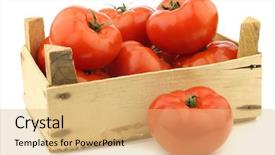
 Presentation with beef - Colorful theme enhanced with tomatoes in a wooden crate backdrop and a coral colored foreground

Fresh Beef Tomatoes Wooden Crate

In a world where gourmet cuisine reigns supreme, and healthy snacking is a matter of great importance, the humble salad takes center stage. This stylish template brings to life the vibrant flavors and textures of fresh beef tomatoes, perfectly preserved in a rustic wooden crate on a crisp white background. The Wide Title, aptly named "Wide Title", sets the tone for an eye catching presentation that will leave your audience wanting more. With its sophisticated design name and Widescreen format, this template is sure to be the star of any presentation. Featuring a rich coral color palette, this template complements high resolution images of beef tomatoes, adding depth and visual appeal to each slide. From the background's warm tones to the crisp white space, every detail has been carefully considered to create a seamless viewing experience. The Wide Title is not just about aesthetics it's also a theme that runs throughout the entire template. With keywords like "beef tomato", "container", "salad", "gourmet", and "snack" all incorporated into its design, this template is sure to resonate with your audience. Whether you're featuring a stunning high res image of fresh beef tomatoes or including a background with a subtle wooden grain texture, the Wide Title's theme will enhance your presentation without overpowering it. With four How To slides at the start of the deck, getting started is easy and quick. But don't worry, these steps are designed to be straightforward no jargon needed! They feature a simple and clear layout that gets you up and running in no time. Having a theme of showcasing your creative potential, these slides are sure to inspire your audience to take their presentations to the next level. The Wide Title template is also downloadable and compatible with Google Slides, making it easy to import into your favorite presentation software. So why wait? Download this stunning template today and elevate your presentations with its unique blend of style, functionality, and ease of use.

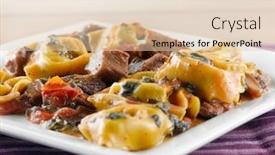
 Presentation with beef - PPT theme having braised-beef-and-portobello-tortelloni background and a lemonade colored foreground

Braised Beef Portobello Tortelloni

Imagine savoring a rich and savory braised beef and portobello tortelloni dish, perfectly balanced with the subtle bitterness of fresh spinach, all wrapped up in a delicate pastry crust. This mouthwatering combination is sure to delight your taste buds, and now you can recreate it at home with ease. The Corner Title template is designed to make your presentations stand out from the crowd, featuring a stunning Widescreen format that will leave your audience in awe. The Sandy Brown color palette adds a warm and inviting touch, perfect for showcasing high resolution images of gourmet food and drink. This template is ideal for anyone looking to enhance their presentation with a theme of fine dining or special occasions. The Corner Title template includes four How To slides at the start of the deck to help you get up and running quickly, but don't worry, we won't reveal all the secrets just yet. The 8 Pictures in the Grid Layout slide will give you an idea of what's to come, featuring a beautiful background with intricate details that will make your presentation truly special. This template is downloadable and compatible with Google Slides, so you can easily import it into your favorite presentation software. With its fancy design elements and gourmet theme, this template is sure to impress your audience and leave them wanting more. Featuring a combination of illustrations and photographs, the Corner Title template is the perfect choice for anyone looking to add some excitement to their presentations. Including a Background With a subtle texture that adds depth and interest, having a Theme of fine dining will make your presentation truly unforgettable. Enhanced with high resolution images of delicious food and drink, this template is sure to be a hit.

 Presentation with beef - Audience pleasing PPT theme consisting of protein structure - raw beef steak with spices backdrop and a tawny brown colored foreground

Raw Beef Steak Spices Greens

PPT theme consisting of raw beef steak with spices and greens on table close up

 Presentation with beef - Beautiful slide deck featuring sliced medium rare grilled beef backdrop and a black colored foreground

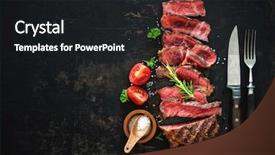
Sliced Medium Rare Grilled Beef

Imagine starting your meal with a perfectly grilled ribeye steak, its charred exterior giving way to a tender and juicy interior. The aroma of sizzling meat wafts through the air, teasing your taste buds and building anticipation for the flavors that are about to come together. This is what you get when you create a presentation that combines high quality visuals with engaging design elements. The Corner Title template is perfect for businesses or individuals who want to elevate their branding and presentation skills. The Widescreen format offers plenty of space to feature your content, making it ideal for showcasing products, services, or ideas. With its rich Brown color palette, this template is sure to stand out in any presentation. Featuring a dark background with high resolution images of sliced beef ribeye steak on the cover, you can create a visually appealing first impression. The theme of the Corner Title is centered around meat, and having a spice rack nearby adds a touch of warmth and hospitality. Including a Background With feature allows for various backgrounds to be inserted seamlessly into the main image. Having a Theme of showcases this idea, highlighting your content in an engaging and attention grabbing way. Enhanced with subtle animations and transitions, you can create a truly immersive experience. In a business setting, this template is perfect for creating sales pitches or proposals that need to persuade and inspire potential clients. With its Two Content Layout slide, you can include two separate sections of text alongside the image, making it easy to present key information while showcasing the meaty theme.

 Presentation with beef - PPT layouts consisting of tofu-with-sauce-and-stir background and a yellow colored foreground

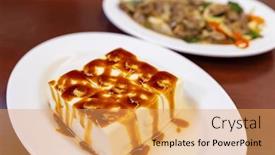
Tofu Sauce Stir Fry Beef

The Corner Title PowerPoint template is a stunning addition to any presentation, with its vibrant orange red color palette and attention grabbing design elements that will leave your audience hooked from the very start. The template features four How To slides at the beginning of the deck to help you get up and running quickly, but these slides are so packed with valuable information that you'll likely find yourself reusing them again and again. This template is a feast for the eyes, with high resolution images throughout that will transport your audience to exotic far flung locations. Whether it's the lush jungle surroundings of a tropical lunch bowl or the bustling streets of a gourmet city, these images are sure to inspire and engage. The orange red color palette adds a pop of excitement to any slide, making even the most mundane topic seem exciting. The Stairs Layout slide is a great place to start, with its winding staircase that leads up to the main content of your presentation. This layout works well for presentations featuring a narrative or a series of linked slides, and it provides a clear visual path for your audience to follow. Including a background image on this slide will add an extra layer of depth and interest, making your presentation feel more immersive. The template is downloadable and compatible with Google Slides, so you can easily incorporate its sleek design elements into your own presentations. Featuring high resolution images that look great in any resolution, and having a theme of showcasing gourmet food, this template is sure to impress even the most discerning audiences. Enhanced with subtle animations and transitions, it's the perfect combination of style and substance.

 Presentation with beef - Presentation design featuring sauerbraten-a-german-national-dish background and a  colored foreground

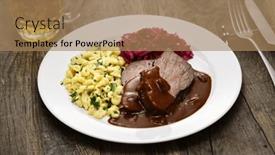
Sauerbraten German National Dish Marinated

Presentation design featuring sauerbraten a german national dish marinated braised beef with rotkohl red cabbage spaetzle small egg pasta

 Presentation with beef - Presentation theme having fried-beef-sirloin-with-french background and a blonde colored foreground

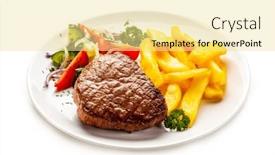
Fried Beef Sirloin French Fries

Create a mouth watering presentation that's sure to tantalize your audience with a delicious combination of savory ingredients and crunchy textures. The Corner Title template is the perfect starting point for any presentation that needs to make a bold statement. Featuring a high resolution image of a juicy beef steak on a rich brown background, this template design will leave viewers craving more. When it comes to creating a visually appealing slide deck, don't be afraid to go big or go home. The Corner Title template is available in widescreen format and comes with a Burly Wood Colored color palette that's sure to add warmth and coziness to any presentation. With its clean lines and bold typography, this template will have your audience feeling like they're about to dig in. This template also includes four valuable How To slides at the start of the deck that will help you get up and running quickly. For example, the Circular Step Layout slide could be used to showcase a beautifully styled image of a salad on a white background, complete with colorful vegetables and juicy fruits. Having a theme of "Getting Started" would ensure that this slide is accessible for viewers who are new to using a presentation software. In terms of compatibility, this template is featuring a Background With a high resolution image of a freshly cut beef steak, Included a Background With a stunning sunset background, Enhanced With a subtle texture effect. Having a theme of "Delicious Food" would make it easy for users to visualize the content and get excited about creating their own presentations. With its unique design elements and high quality images, this template is sure to enhance your presentations with a dash of creativity and flair. Whether you're looking to impress your audience or showcase your culinary skills, Corner Title has got you covered.

 Presentation with beef - Beautiful slide deck featuring fried beef with vegetables backdrop and a coral colored foreground

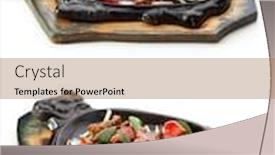
Fried Beef Vegetables

The art of creating a mouth watering presentation that will leave your audience craving for more. Imagine a warm and inviting lunch spread featuring pan fried beef with a medley of sautéed vegetables, all perfectly balanced on a cast iron skillet. The aroma wafting from the dish is nothing short of heavenly, making everyone's stomach growl with anticipation. This Sidebar Title template is designed to transport your audience to a world of culinary delights, where every slide is carefully crafted to enhance the overall experience. With its salmon inspired color palette and gourmet theme, this template is sure to impress even the most discerning foodies. The high resolution images for the background will add a level of sophistication and visual appeal that's simply stunning. The template features four How To slides at the start of the deck, designed to help you get up and running quickly. These slides are carefully laid out to provide a clear and concise guide on how to create your own mouth watering presentation. The Quotation Layout slide is particularly noteworthy, as it showcases a beautifully crafted quote that sets the tone for the rest of the presentation. The template is downloadable and compatible with Google Slides, making it easy to import into your favorite presentation software. With its enhanced features and stunning visuals, this Sidebar Title template is sure to be a hit with anyone looking to elevate their presentation game.

 Presentation with beef -

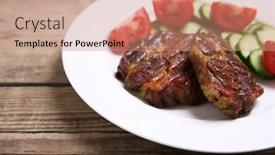
Roasted Beef Fillet Plate Wooden

Slides with roasted beef fillet on plate on wooden background backdrop

▼Key features of this template

  • They are compatible with both PowerPoint and Google Slides running on either Windows PCs or Macs.

  • They are available in both standard and widescreen slide formats. You can choose your preferred format by clicking on the "Widescreen" check box or icon.

  • Each template includes a beautiful high-resolution background image or video to visually reinforce the theme of your presentation.

  • In addition, each template includes designer-created graphics and modern fonts to give your presentations an up-to-date, professional look.

  • Each template's default design and title text position have been carefully selected to complement its background without covering faces or other key elements.

  • All text includes backdrops whose transparency level is mathematically calculated to maximize text readability while still allowing the background to be seen.

  • And all the text, text backdrops and graphics in every slide are colored with a palette designed to beautifully complement the colors in the background.

  • Our Premium templates (those with the descriptor “Premium” in their subtitle) include over 64 slide layouts to give you maximum flexibility as you create your presentations.

    • Those layouts are available to you whenever you create a new slide or when you want to change the layout of an existing slide.
    • They include everything you need to make all sorts of presentations. In addition to the layouts for the title slide and the usual title and content slide, they include many other layouts for slide types including table of contents slides, org charts, charts, diagrams, infographics, photo slides, thank you slides and more.
    • While creating these layouts our template designers have ensured that all text in every layout adjusts as gracefully as possible to various numbers of words.
  • Customizable templates (those with the descriptor “Customizable” in their subtitle) may be easily modified online before you download them.

    • To modify them, simply click on the pencil editing icon, then select your choice of ready to go designs and title text positions.
    • The editing tool also makes it easy to reposition and scale the background image or video to best suit your needs.

▼FAQs

Please review these FAQs to see if your question is answered. Contact us for more info

  • What is a PowerPoint template?

    • A well designed PowerPoint template is a file that can tell PowerPoint how to make your ordinary templates look extraordinary. They won’t change what your words or numbers say. But they might change their size, color, font and placement. And, overall, they can give your presentations a professionally-designed look that will give your content more credibility and give you more confidence.
  • How many PowerPoint templates do you offer?

    • We have over 32,000 artist-created presentation templates in our PowerPlugs collection With a subscription, PowerPlugs templates are easy to download. Just sign in, find a template and click on the green Download button. ready for you to download. That alone offers you more variety to choose from than any of our competitors can offer. And, as if that weren’t enough, we also offer over 6 million templates in our Crystal collection. Crystal brand templates are our line of templates that have customization options. They have the word "CRYSTAL" on their web page images. You can customize several aspects of the templates. These templates include high-resolution background images from Shutterstock’s vast image collection matched up with artist-created presentation designs customized by our own proprietary AI software.
  • How many templates can I download as a subscriber?

    • You can download an unlimited number of PowerPlugs-brand With a subscription, PowerPlugs templates are easy to download. Just sign in, find a template and click on the green Download button. templates every day for an entire year. (Actually, by default, we set a limit of 25 templates per day to prevent our competitors from stealing our templates. But, if that is not enough, just let us know and we’ll try to accommodate you.) On top of that, with a subscription or an Ultimate Combo, you can also download any 50 Crystal-brand Crystal brand templates are our line of templates that have customization options. They have the word "CRYSTAL" on their web page images. You can customize several aspects of the templates. templates per year selected from our huge Crystal collection. Crystal brand templates are our line of templates that have customization options. They have the word "CRYSTAL" on their web page images. You can customize several aspects of the templates. .
  • Why should I choose your templates instead of the competition’s?

    • We’ve got a larger selection of professionally-designed PowerPoint templates than anyone else in the world.
    • Each template includes a high-resolution background image or video to visually inspire your audiences while reinforcing your message.
    • Each template includes 64 slide layouts to give you maximum flexibility as you create your presentations.
    • Our templates are available in both standard and widescreen slide formats. And our website lets you preview the slides each way.
    • Our free Template Finder™ plugin lets subscribers select and - with a single click - download and insert our templates into their presentations right from within PowerPoint.
    • We’ve been creating designer presentation templates for over 20 years. During that time we’ve won several awards and 5-star ratings for product quality. See About Us for more.
  • Do you offer a money-back guarantee?

    • Yes we do! We offer full 30-day money-back guarantee if you are not 100% satisfied with your purchase.
  • Can I still use my downloaded templates after my subscription runs out?

    • Yes. After your subscription expires, you won't lose any rights or ability to use your PowerPlugs: Templates for PowerPoint. You won't be able to download any new non-watermarked templates. But the non-watermarked templates you've already downloaded will still work and you can still use them as before.
  • Can I share my downloaded templates or passwords with friends or coworkers?

    • Sorry but no. You are authorized to download each paid-for template to up to 3 of your personal devices and to use the templates you download in as many presentations as you want. But you are not authorized to share the templates, themselves, with others. That said, we do offer highly discounted site licenses to suit the needs of both small and large teams. Just tell us your needs and we’ll give you a quote!
  • System requirements:

    • The templates use the standard POTX format. So they are compatible with Google Slides and all PC, Mac and mobile devices running any version of PowerPoint from PowerPoint 2007 up through and including Office 365 desktop.
    • Please note: Google Slides does not currently support background videos. It treats them as still images.
    • For PowerPoint for the Web, first open your template into a desktop version of PowerPoint, then save it back out as a PPTX file. Then you can open that in PowerPoint for the Web.
  • End user license agreement:

    • Click here to view.
  • How will I get my purchased templates?

    • You may download your selected templates as soon as your payment is received by PayPal. If you purchased an individual template, you will be provided with a download link both onscreen and via email. Just click on that link to begin the download process. If you purchased a subscription, you will receive an email containing a password to use along with your email address to sign in to any of the templates pages on CrystalGraphics.com. Once you are signed in, you can immediately start downloading your selected templates.
  • How do I use my templates after I download them?

    • You can either open a template to start a new presentation or you can add a template to an existing presentation. To open a template, just double click on it or use PowerPoint's File > Open tool. To add a template to an existing presentation, on the Design tab, in the Themes group, click Browse for Themes... then browse to select your template.

View more Beef templates:

previous 1 2 3 4 5 6 7 8 9 10 11 12 13 14 15 16 next
Categories related to Beef:
Cattle Ground Jerky Roast
93% of Fortune 1000
companies use our
PowerPoint Products
Templates Secure

Standing Ovation Award
Winner: Best PowerPoint
Template Collection
Fortune Logos
200,000+ satisfied
customers worldwide!
Guarantee
100% satisfaction guaranteed
- or send it back for a refund!

Sign up for our free newsletter! You'll get news about our PowerPoint-enhancing product line – including free updates, new product announcements and exclusive special offers. Plus you'll get a link to a free PowerPoint template with every newsletter you receive.
Privacy Policy
Loading...


Help

Contact Us
Product FAQs
Product License Agreements

Company Info

About Us
Privacy Policy
CrystalGraphics, Inc. 1999 S. Bascom Avenue Suite 700 Campbell, CA 95008 USA
© 2026 CrystalGraphics, Inc. All rights Reserved.    |     PowerPlugs is a trademark of CrystalGraphics, Inc.
Microsoft and the PowerPoint logo are trademarks or registered trademarks of Microsoft Corporation in the United States and/or other countries.
Loading...
Loading...