www.crystalgraphics.com CrystalGraphics
  • Ultimate Combo
  • Templates
  • Diagrams
  • Characters
  • Quizzes
  • shopping cart
  • Sign Out Sign Out Sign In
Home > Templates > Burn Category
search icon
advanced icon

145 Best Burn-Themed Templates for PowerPoint and Google Slides

CrystalGraphics creates templates designed to make even average presentations look incredible. Below you’ll see thumbnail sized previews of the title slides of a few of our 145 best burn templates for PowerPoint and Google Slides. The text you’ll see in in those slides is just example text. The burn-related image or video you’ll see in the background of each title slide is designed to help you set the stage for your burn-related topics and it is included with that template. In addition to the title slides, each of our templates comes with 17 additional slide layouts that you can use to create an unlimited number of presentation slides with your own added text and images. And every template is available in both widescreen and standard formats. With over 6 million presentation templates available for you to choose from, CrystalGraphics is the award-winning provider of the world’s largest collection of templates for PowerPoint and Google Slides. So, take your time and look around. You’ll like what you see! Whether you want 1 great template or an ongoing subscription, we've got affordable purchasing options and 24/7 download access to fit your needs. Thanks to our unbeatable combination of quality, selection and unique customization options, CrystalGraphics is the company you can count on for your presentation enhancement needs. Just ask any of our thousands of satisfied customers from virtually every leading company around the world. They love our products. We think you will, too!

Features & Pricing

Widescreen (16:9) Presentation Templates. Change size...
 Presentation with burn - Beautiful slides featuring preventing burn - heart attack concept woman suffering backdrop and a light gray colored foreground

Heart Attack Concept Woman Suffering

Slides featuring heart attack concept woman suffering from chest pain closeup

 Presentation with burn - Slide deck enhanced with incineration - man burn out dry grass background and a gray colored foreground

Man Burn Out Dry Grass

Slide deck enhanced with man burn out dry grass in the garden ukraine

 Presentation with burn - Audience pleasing theme consisting of abandoned-construction-site-of-hospital backdrop and a gray colored foreground

Abandoned Construction Site Hospital Built

Imagine an abandoned construction site of a hospital, once a beacon of hope and healing after the devastating Chernobyl disaster, now a relic of a bygone era. The building's crumbling facade, weathered by time and nature, tells the story of neglect and abandonment. The Wide Title, a stylized font with a distressed look, dominates the screen with its bold message: "Radiation and Burn Injuries". A Saddle Brown color palette brings warmth to this somber topic, contrasting with the stark details. The image is not just a static background, but an immersive experience that sets the tone for what's to come. The template format is Widescreen, perfect for showcasing high resolution images on your Google Slides presentation. The theme of decay and neglect is evident throughout, from the rusting pipes to the overgrown vegetation. Frost etchings add a layer of frosty realism to the scene. The combination of these elements creates an atmosphere of desolation. A 4 slide tutorial provides a primer for getting up and running quickly with this template. "How To" slides include key points on customization, inserting images, and fine tuning the layout. However, some details will be revealed in subsequent slides, such as the Dart on Target Layout slide that showcases how to create precise graphics and animations. Including a Background With feature enables you to easily swap out images or add new ones without affecting the design. Having a Theme of makes it clear what to expect from this template an enhanced experience that combines visuals with innovative presentation tools. Enhanced With is also available, allowing users to take their presentations to the next level with advanced customization options. Incorporating Google Slides' building blocks and features like featuring and having a slide deck made easy, you'll be well on your way to creating engaging and informative presentations. Get started today!

 Presentation with burn - Presentation with burn wound - warning acid background and a white colored foreground

Warning Acid!

The warning signs are flashing, but you're not ready to face them yet. Corner Title is the template that will help you create presentations that command attention and convey your message with ease. This template is designed in Widescreen format, providing a cinematic experience for your audience. It's perfect for creating presentations that are both visually stunning and informative. The Pale Goldenrod color palette is used to evoke a sense of caution and warning, fitting for the theme of corrosion and danger. The template keywords "symbol", "corrosion", "death", "careful", "dangerous" will ensure your presentation stands out from the crowd. High resolution images featuring iconic symbols and imagery will add depth and visual interest to your slides. This template is downloadable and compatible with Google Slides, making it easy to import into your favorite presentation software. Featuring a Background With a high contrast image that sets off the template's colors, this slide can showcase your company logo or branding, giving it an Enhanced With feel. Have a Theme of caution and warning, and Include a background with a subtle gradient that adds depth to your design. The 5 Year Calendar Timeline Layout slide is perfect for visualizing complex information in a clear and concise manner. This template allows you to create stunning infographics that showcase your data in a way that's both engaging and informative. It can be used to display important statistics, timelines, or other data driven content in a clear and easy to read format. The Corner Title template is the perfect solution for creating presentations that are both visually striking and informative. With its Pale Goldenrod color palette, high resolution images, and themed design elements, it's sure to grab your audience's attention and keep them engaged throughout your presentation.

 Presentation with burn - Colorful presentation design enhanced with pray in wenwu temple taiwan backdrop and a coral colored foreground

Traveling Woman Burn Incense Pray

As you embark on your journey to create a stunning presentation featuring Corner Title, a breathtakingly beautiful template that embodies the essence of hope and scenic landscapes, imagine yourself standing in front of the majestic Wenwu temple in Taiwan, surrounded by serene mountains and lush greenery. This template is designed with high resolution images that will transport your audience to a world of tranquility and wonder. The Crimson color palette provides a dramatic backdrop for your travel inspired story, featuring a mix of warm reds, purples, and oranges that evoke feelings of passion and adventure. The Corner Title template is specifically crafted for widescreen presentations, ideal for Google Slides, and can be easily customized to fit your unique style and branding. The Managed Process Layout ensures seamless navigation and organization, making it easy to create a cohesive and engaging presentation. To get started quickly, four How To slides are included, but don't worry – you won't need them all at once. Featuring high quality images and clever design elements, these slides will help you master the basics of creating stunning presentations. Including a Background With bold, 3D effects and animations, these slides will elevate your presentation to the next level. Having a Theme of Building imagery and architecture is enhanced with intricate details and textures that add depth and interest to your slide designs. Enhancing your brand's visual identity with consistent branding elements is made easy with templates like Corner Title, which can be easily downloaded and integrated into your Google Slides presentations. Whether you're presenting to colleagues, pitching an idea, or simply sharing your travel experiences with friends, Corner Title is the perfect template to help you create a compelling and visually stunning presentation that will leave a lasting impression.

 Presentation with burn - Beautiful PPT layouts featuring preventing burn - healthy food dumbbells and mat backdrop and a tawny brown colored foreground

Healthy Food Dumbbells Mat Wooden

PPT layouts featuring healthy food dumbbells and mat on wooden background

 Presentation with burn - Presentation design enhanced with excuses don't burn calories background and a arctic colored foreground

Excuses Don't Burn Calories Placard

The Corner Title template is a stunning visual representation that embodies the essence of achievement and strength. This high resolution widescreen template features a deep sky blue color palette that exudes confidence and professionalism. The design name "Corner Title" perfectly encapsulates the theme of this template, which includes muscular symbols, strong lines, and bold typography. The Corner Title template is designed to make a statement, with its dramatic background images and striking graphics. High resolution images for the background will transport your audience to a world of power and achievement. The template's sleek design ensures that it looks great on any device, whether it's a laptop or tablet. This template is perfect for anyone looking to enhance their presentation skills or create engaging content. With its customizable layout and features, you can tailor it to fit your specific needs. Featuring a background with a subtle gradient effect, the Corner Title template includes a Background With option that allows you to add your own image or text. Having a theme of motivational quotes, this template is ideal for creating inspiring presentations. The 4 How To slides at the start of the deck will help you get up and running quickly, providing valuable tips and tricks to ensure success. These slides are designed to be easy to follow, with clear instructions and concise language that will keep your audience engaged. The Enhanced With option allows you to include additional features such as animations or transitions, making your presentation truly stand out. Whether you're a professional presenter or an aspiring entrepreneur, the Corner Title template is sure to impress. Its muscular symbols, strong lines, and bold typography make it a powerful tool for creating engaging content. So why wait? Download this stunning template today and start achieving your goals.

 Presentation with burn - Colorful PPT theme enhanced with preventing burn - heart attack concept woman suffering backdrop and a lemonade colored foreground

Heart Attack Concept Woman Suffering

PPT theme enhanced with heart attack concept woman suffering from chest pain indoor

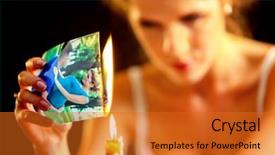
 Presentation with burn - Theme enhanced with love photos love is gone background and a gold colored foreground

Uhappy Girl Burn Love Photos.

As we walk through the pages of this stunning widescreen PowerPoint template inspired by the high resolution images of the Uhappy girl burn love photos series, imagine yourself in a powerful and emotive presentation that captures the essence of heartbreak and longing. This design name, Short Title, perfectly encapsulates the mood and atmosphere that your slides are meant to evoke. The template format is Widescreen, offering an immersive viewing experience for your audience. The theme of love has been carefully crafted with high resolution images that feature beautiful women posing with their shoulders back, conveying confidence and empowerment. These stunning backgrounds will surely leave a lasting impression on your viewers, making them feel like they're experiencing the emotions firsthand. This template is designed to be both visually striking and emotionally resonant, featuring bold typography, vibrant colors, and intricate details that add depth and texture to each slide. With its Saddle Brown color palette, it's easy to create a cohesive look across all your slides, allowing you to enhance the overall aesthetic with ease. Who We Are Bio Layout is a great place to showcase your personality, values, or mission statement. In this example, you could include a short bio that highlights your unique perspective on love and relationships, using bold headings and eye catching graphics to make it stand out. For instance, "As a lover of all things beautiful and strong, I believe that true connection requires vulnerability and trust." The template is also great for including a Background With feature, allowing you to add an extra layer of drama and interest to your slides. This enhanced theme can be particularly effective in presentations where you want to convey a sense of depth or complexity. Have a Theme of showcasing the subject's emotional state by including images that capture their inner turmoil, highlighting how love has been lost and what they're feeling. This template is downloadable and compatible with Google Slides, making it easy to use and customize for your specific needs.

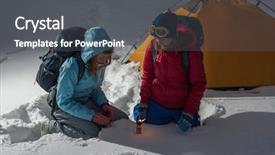
 Presentation with burn - Slides having backpackers burn rescue signal fire background and a dark gray colored foreground

Two Backpackers Burn Rescue Signal

Slides having two backpackers burn rescue signal fire in a winter field with tent on the background background

 Presentation with burn - Beautiful presentation theme featuring metabolic - how to burn fat concept backdrop and a tawny brown colored foreground

Burn Fat Concept Slate

The powerpoint template designed by CrystalGraphics is called Wide Title and it features a unique design that seamlessly integrates the theme of "How to burn fat" with high resolution images that showcase a stark contrast between modernity and rustic charm. The template format is Widescreen, which provides an immersive experience for users as they explore the various slides. The Steel Blue color palette dominates the background, adding a professional touch to the overall design while providing enough flexibility to incorporate other colors and patterns if needed. Incorporating texture plays a significant role in enhancing the visual appeal of the template, particularly with the inclusion of blackboard style backgrounds that give it a weathered and vintage feel. The template includes four slides at the start of the deck to help users get up and running quickly the Dart Layout slide is an interesting feature as it provides a structured and organized approach to designing their presentation. This layout would be perfect for those who are new to creating presentations, featuring a clear hierarchy of information that keeps the user's focus on what matters most. The template is downloadable and compatible with Google Slides, ensuring seamless integration into any presentation software. The Steel Blue color palette makes it easy to incorporate with other colors and themes without compromising its crisp and professional look. This template is ideal for users who want a visually appealing and high quality design that can enhance their message and convey a sense of authority through its clean and modern aesthetic.

 Presentation with burn - Audience pleasing slide set consisting of pray in wenwu temple taiwan backdrop and a coral colored foreground

Traveling Woman Burn Incense Pray

As you embark on your journey to create stunning presentations with CrystalGraphics, I invite you to imagine yourself standing in front of the breathtaking scenery of Wenwu temple in Taiwan. The golden light filtering through the trees, the gentle rustle of incense smoke carrying on the breeze, and the serene atmosphere all combine to evoke a sense of tranquility and inspiration. The Split Title template is designed to captivate your audience with its unique blend of design elements and keywords that reflect the essence of your content. This template is perfect for travel enthusiasts and individuals who seek to convey their message in a visually stunning way. The high resolution images featured throughout this template will transport you and your viewers to exotic destinations, making it an ideal choice for presentations about scenic landscapes or travel experiences. The goldenrod color palette provides a warm and inviting backdrop that complements the high quality images used in the background. This theme of "hope" is perfectly captured in the design elements, from the subtle textures to the carefully selected fonts, which convey a sense of optimism and positivity. The template's compatibility with Google Slides makes it easy to incorporate into your presentations, and its downloadability ensures that you have access to the full range of features. The Pros and Cons Layout slide is an excellent example of how this template can be used effectively. By featuring a split design with two distinct sections, you can clearly highlight the benefits of using this template for your presentation needs. The inclusion of a background with a scenic image adds depth and visual interest, making it easier to draw attention to your key points. In terms of the actual template itself, the Split Title is designed to enhance the storytelling aspect of your presentation. By including high resolution images throughout the design, you can showcase your content in the most visually appealing way possible. Having a theme of "hope" and featuring a warm color palette all contribute to an enhanced visual experience that will leave your audience feeling inspired and motivated. For example, this template could be used to create a presentation about a trip to Japan, where you feature stunning images of Tokyo's skyline at sunset, with the soft focus creating a dreamy atmosphere. The goldenrod background adds warmth and coziness, while the text "Traveling through Japan" is written in a clean,

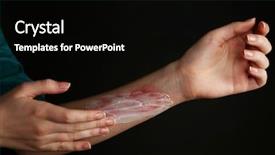
 Presentation with burn - Slide deck consisting of treatment of burns on female background and a red colored foreground

Treatment Burns Female Hand Black

Slide deck consisting of treatment of burns on female hand on black background background

 Presentation with burn - Beautiful slides featuring physical injury blood wound skin backdrop and a coral colored foreground

Physical Injury Blood Wound Skin

In the era of disaster response and medical emergencies, healthcare workers must be equipped with the necessary tools to provide life saving care. A powerpoint template specifically designed for this purpose should feature an attention grabbing design that showcases images of high resolution blood wounds on a skin toned background. The Short Title of this template is "Medical Emergency Response". The template format is Widescreen, which ensures that the content takes up the full width and height of the slide. A tomato colored template color palette adds a pop of visual interest to the design, while maintaining consistency throughout the template. "Medical" keywords are prominent throughout the design, with isolated skin tones used to emphasize areas of concern. Featuring high quality images of medical procedures and equipment is sure to grab the audience's attention. Including a background image of a burn victim on the Timeline Layout slide adds context and highlights the importance of timely action in emergency situations. Having a theme of medical emergencies throughout the template ensures that it remains relevant and useful, even after multiple viewings. Enhanced with detailed instructions for healthcare professionals, this template is sure to be a valuable resource for anyone working in medical or disaster response settings.

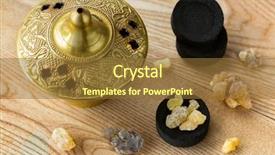
 Presentation with burn - Presentation theme having church offering - aromatic yellow resin gum background and a tawny brown colored foreground

Aromatic Yellow Resin Gum Sudanese

Intriguingly, this Wide Title template is designed to make a bold statement from the very start, setting the tone for an immersive experience that combines high end visuals with a unique blend of natural and aromatic elements. The Widescreen format allows viewers to fully immerse themselves in the world presented, while the Peru Color Palette brings warmth and depth to each slide. This is not just a template it's an invitation to explore the rich heritage of Christianity, as evoked by high resolution images that capture the essence of traditional craftsmanship, such as the intricate patterns found on Arabic charcoals and the aromatic resin gum from Sudanese Frankincense trees. Featuring a background with natural textures, including rubber and Arabian charcoal, this template is sure to evoke a sense of authenticity. As you delve into the world of this Wide Title template, you'll notice that it's optimized for high resolution images, making it perfect for use on Google Slides. The compatibility feature allows you to easily share and collaborate with others. With four How To slides at the start of your deck, getting started quickly is a breeze just glance over these and get up and running in no time. This template has a unique theme that's enhanced by its inclusion of aromatic scents and natural elements, making it an ideal choice for those who appreciate the finer things in life. On a more practical note, having a theme of natural and aromatic elements can be beneficial when working with a specific audience or industry perhaps you're creating content about high end perfumes or traditional crafts? Having a clear theme can help guide your design decisions and ensure that your final product is cohesive and engaging. The Thank You Layout slide showcases the finished template in all its glory, complete with a call to

 Presentation with burn - Presentation design featuring treatment of burns on female background and a black colored foreground

Treatment Burns Female Hand Black

Presentation design featuring treatment of burns on female hand on black background

 Presentation with burn - Slides featuring woman-getting-ems-treatment background and a light gray colored foreground

Woman Getting Ems Treatment Abdomen

This Corner Title template is designed to evoke the high energy spirit of women undergoing abdominoplasty, or "em Tsukido", in Japan, where this type of surgical treatment was first developed and gained popularity. The design features a sleek, modern aesthetic with a dark salmon color palette that evokes the feeling of luxurious spa treatments. The template is optimized for widescreen format, with crisp high resolution images for the background that will transport your audience to a world of beauty and relaxation. The Corner Title template is downloadable and compatible with Google Slides, making it easy to incorporate into your presentation or project. Featuring a dark salmon theme as its basis, the template incorporates several key design elements, including slimming technology, which can be used to convey the idea of shedding unwanted fat and toning the body. This template also includes four How To slides at the start of the deck to help you get up and running quickly. The Section Header Layout slide is designed to give your presentation a professional look, with a subtle gradient that creates depth and dimension. The background can be customized to feature a high resolution image of your audience or any other relevant content. Having a theme of "treatment" in this template allows for enhanced focus on the benefits of undergoing abdominoplasty.

 Presentation with burn - Presentation design featuring caused by deforestation and slash background and a wine colored foreground

Stumps Valley Caused Deforestation Slash

The forest landscape once thriving with life and diversity is now scarred by the devastating effects of deforestation and slash and burn agriculture, leaving behind only remnants of what was once a vibrant ecosystem. The harsh reality is that this theme can be depicted in various ways, one such approach could be to feature high resolution images of stumps on the valley floor, showcasing the destructive power of human activity. As we delve into the world of visuals for this presentation, we'll explore a range of creative options including Using the "forest" keyword to highlight the importance of conservation and Having a Theme of showcasing the impact of human actions on our environment. The Split Title template is designed in Widescreen format, ensuring that every aspect of the slide is perfectly proportioned for maximum visual impact. The Peru color palette adds a warm and earthy tone to the overall design, bringing to life the rich biodiversity found in these regions. This theme is further enhanced with images of mountains, trees, and wildlife, all featuring high resolution backgrounds that transport viewers into the heart of Madagascar's natural beauty. For a memorable start, consider including a Who We Are Bio Layout slide, where you can share your story as an educator or trainer, highlighting your passion for environmental education and conservation. This slide can include images of people from diverse backgrounds working together to protect our planet, creating a sense of community and shared purpose. Including a Background With element would allow you to showcase stunning visuals that complement the text, such as a photo of a person in harmony with nature or an image of a conservation project in action. The high resolution images for the background can be downloaded easily from Google Slides, making it easy to update your presentation without needing to worry about technical issues.

 Presentation with burn - Amazing presentation design having woman applying scars removal cream to heal the first degree - heat burn wound on her hand backdrop and a lemonade colored foreground

Woman Applying Scars Removal Cream

The treatment of skin wounds is a delicate and crucial aspect of medical care. A woman carefully applying scars removal cream to heal the first degree heat burn wound on her hand is a poignant representation of this process. As part of your presentation, you can explore different design approaches by incorporating various elements into your template. For instance, the Widescreen format features high resolution images that will provide an immersive experience for your audience. This style is perfect for showcasing medical procedures and treatment methods. The Salmon color palette used in this template adds a touch of warmth and approachability to the design. The template's keywords can be applied to various slides throughout the presentation, such as "treatment", "infection", "medical", "woman", "bad". Each slide can have its own unique theme, featuring high quality images that enhance the overall message. A possible example for the first slide could be a dramatic image of a doctor examining a patient with a severe burn wound. The Org Chart Layout slide is an ideal opportunity to showcase your expertise and provide context on how your team works together to deliver medical services. This slide can include relevant icons, such as images or graphics, to make it more engaging. Additionally, you can highlight specific roles within the organization, emphasizing the importance of collaboration and teamwork. By incorporating these design elements into your template, you will create a visually appealing and informative presentation that effectively communicates complex medical concepts to your audience.

 Presentation with burn - Colorful presentation theme enhanced with caused by deforestation and slash backdrop and a dark gray colored foreground

Stumps Valley Caused Deforestation Slash

The world's most dramatic deforestation in Madagascar has left behind a landscape eerily devoid of vegetation and teeming with life a true testament to the devastating effects of human activity on our planet. This stunning widescreen image taken from above showcases the harsh reality of a barren valley, where stumps of once thriving trees now lie as reminders of a bygone era. The majestic mountains in the distance serve as a stark contrast to the desolate landscape below, evoking feelings of awe and trepidation. The Saddle Brown color palette brings this imagery to life with earthy tones that evoke a sense of ruggedness and resilience. This template is perfect for creating presentations that feature a compelling narrative about deforestation and its consequences. To enhance the storytelling experience, you can include high resolution images from around the world, showcasing the impact of human activity on ecosystems. The template's format is Widescreen, ideal for displaying stunning visuals like this one. For added depth and context, you can incorporate additional elements such as SWOT Analysis Layouts featuring a custom background with a stylized image of trees regrowing from stumps. This layout would be perfect for highlighting the environmental consequences of deforestation, as well as the efforts towards reforestation and conservation. To make your presentation stand out, consider including Features, Including a Background With, Having a Theme Of, Enhanced With to create a cohesive visual identity that ties everything together.

 Presentation with burn - Presentation theme having woman-getting-ems-treatment background and a lemonade colored foreground

Woman Getting Ems Treatment Buttocks

The world of beauty treatments has never been more visually striking. Whether it's a professional salon or a luxurious at home experience, the visual elements play a crucial role in creating an immersive and captivating atmosphere. To take your presentation to the next level, consider incorporating high resolution images that transport your audience into a world of relaxation and rejuvenation. The Corner Title template is a sleek and modern design that fits perfectly with the Dark Salmon color palette, which provides a sophisticated backdrop for showcasing your visuals. The theme of treatment is evident in the inclusion of powerful images on the left side of the slide, featuring a woman getting ems treatment on her buttocks to burn fat, build muscles and remove cellulite. This striking image will undoubtedly draw attention and grab the viewer's interest. To create an enhanced viewing experience, you can also include a background with a subtle gradient that transitions from dark salmon to a deeper shade of purple, setting the tone for a luxurious and indulgent atmosphere. The content layout slide is particularly noteworthy, as it includes two sections: "Treatment" and "Before and After". This clever design element allows you to showcase dramatic before and after images while also highlighting the various treatment options available. By incorporating these visual elements, you'll be able to create a compelling presentation that engages your audience and leaves a lasting impression.

▼Key features of this template

  • They are compatible with both PowerPoint and Google Slides running on either Windows PCs or Macs.

  • They are available in both standard and widescreen slide formats. You can choose your preferred format by clicking on the "Widescreen" check box or icon.

  • Each template includes a beautiful high-resolution background image or video to visually reinforce the theme of your presentation.

  • In addition, each template includes designer-created graphics and modern fonts to give your presentations an up-to-date, professional look.

  • Each template's default design and title text position have been carefully selected to complement its background without covering faces or other key elements.

  • All text includes backdrops whose transparency level is mathematically calculated to maximize text readability while still allowing the background to be seen.

  • And all the text, text backdrops and graphics in every slide are colored with a palette designed to beautifully complement the colors in the background.

  • Our Premium templates (those with the descriptor “Premium” in their subtitle) include over 64 slide layouts to give you maximum flexibility as you create your presentations.

    • Those layouts are available to you whenever you create a new slide or when you want to change the layout of an existing slide.
    • They include everything you need to make all sorts of presentations. In addition to the layouts for the title slide and the usual title and content slide, they include many other layouts for slide types including table of contents slides, org charts, charts, diagrams, infographics, photo slides, thank you slides and more.
    • While creating these layouts our template designers have ensured that all text in every layout adjusts as gracefully as possible to various numbers of words.
  • Customizable templates (those with the descriptor “Customizable” in their subtitle) may be easily modified online before you download them.

    • To modify them, simply click on the pencil editing icon, then select your choice of ready to go designs and title text positions.
    • The editing tool also makes it easy to reposition and scale the background image or video to best suit your needs.

▼FAQs

Please review these FAQs to see if your question is answered. Contact us for more info

  • What is a PowerPoint template?

    • A well designed PowerPoint template is a file that can tell PowerPoint how to make your ordinary templates look extraordinary. They won’t change what your words or numbers say. But they might change their size, color, font and placement. And, overall, they can give your presentations a professionally-designed look that will give your content more credibility and give you more confidence.
  • How many PowerPoint templates do you offer?

    • We have over 32,000 artist-created presentation templates in our PowerPlugs collection With a subscription, PowerPlugs templates are easy to download. Just sign in, find a template and click on the green Download button. ready for you to download. That alone offers you more variety to choose from than any of our competitors can offer. And, as if that weren’t enough, we also offer over 6 million templates in our Crystal collection. Crystal brand templates are our line of templates that have customization options. They have the word "CRYSTAL" on their web page images. You can customize several aspects of the templates. These templates include high-resolution background images from Shutterstock’s vast image collection matched up with artist-created presentation designs customized by our own proprietary AI software.
  • How many templates can I download as a subscriber?

    • You can download an unlimited number of PowerPlugs-brand With a subscription, PowerPlugs templates are easy to download. Just sign in, find a template and click on the green Download button. templates every day for an entire year. (Actually, by default, we set a limit of 25 templates per day to prevent our competitors from stealing our templates. But, if that is not enough, just let us know and we’ll try to accommodate you.) On top of that, with a subscription or an Ultimate Combo, you can also download any 50 Crystal-brand Crystal brand templates are our line of templates that have customization options. They have the word "CRYSTAL" on their web page images. You can customize several aspects of the templates. templates per year selected from our huge Crystal collection. Crystal brand templates are our line of templates that have customization options. They have the word "CRYSTAL" on their web page images. You can customize several aspects of the templates. .
  • Why should I choose your templates instead of the competition’s?

    • We’ve got a larger selection of professionally-designed PowerPoint templates than anyone else in the world.
    • Each template includes a high-resolution background image or video to visually inspire your audiences while reinforcing your message.
    • Each template includes 64 slide layouts to give you maximum flexibility as you create your presentations.
    • Our templates are available in both standard and widescreen slide formats. And our website lets you preview the slides each way.
    • Our free Template Finder™ plugin lets subscribers select and - with a single click - download and insert our templates into their presentations right from within PowerPoint.
    • We’ve been creating designer presentation templates for over 20 years. During that time we’ve won several awards and 5-star ratings for product quality. See About Us for more.
  • Do you offer a money-back guarantee?

    • Yes we do! We offer full 30-day money-back guarantee if you are not 100% satisfied with your purchase.
  • Can I still use my downloaded templates after my subscription runs out?

    • Yes. After your subscription expires, you won't lose any rights or ability to use your PowerPlugs: Templates for PowerPoint. You won't be able to download any new non-watermarked templates. But the non-watermarked templates you've already downloaded will still work and you can still use them as before.
  • Can I share my downloaded templates or passwords with friends or coworkers?

    • Sorry but no. You are authorized to download each paid-for template to up to 3 of your personal devices and to use the templates you download in as many presentations as you want. But you are not authorized to share the templates, themselves, with others. That said, we do offer highly discounted site licenses to suit the needs of both small and large teams. Just tell us your needs and we’ll give you a quote!
  • System requirements:

    • The templates use the standard POTX format. So they are compatible with Google Slides and all PC, Mac and mobile devices running any version of PowerPoint from PowerPoint 2007 up through and including Office 365 desktop.
    • Please note: Google Slides does not currently support background videos. It treats them as still images.
    • For PowerPoint for the Web, first open your template into a desktop version of PowerPoint, then save it back out as a PPTX file. Then you can open that in PowerPoint for the Web.
  • End user license agreement:

    • Click here to view.
  • How will I get my purchased templates?

    • You may download your selected templates as soon as your payment is received by PayPal. If you purchased an individual template, you will be provided with a download link both onscreen and via email. Just click on that link to begin the download process. If you purchased a subscription, you will receive an email containing a password to use along with your email address to sign in to any of the templates pages on CrystalGraphics.com. Once you are signed in, you can immediately start downloading your selected templates.
  • How do I use my templates after I download them?

    • You can either open a template to start a new presentation or you can add a template to an existing presentation. To open a template, just double click on it or use PowerPoint's File > Open tool. To add a template to an existing presentation, on the Design tab, in the Themes group, click Browse for Themes... then browse to select your template.

View more Burn templates:

previous 1 2 3 4 5 6 7 next
Categories related to Burn:
Fat
93% of Fortune 1000
companies use our
PowerPoint Products
Templates Secure

Standing Ovation Award
Winner: Best PowerPoint
Template Collection
Fortune Logos
200,000+ satisfied
customers worldwide!
Guarantee
100% satisfaction guaranteed
- or send it back for a refund!

Sign up for our free newsletter! You'll get news about our PowerPoint-enhancing product line – including free updates, new product announcements and exclusive special offers. Plus you'll get a link to a free PowerPoint template with every newsletter you receive.
Privacy Policy
Loading...


Help

Contact Us
Product FAQs
Product License Agreements

Company Info

About Us
Privacy Policy
CrystalGraphics, Inc. 1999 S. Bascom Avenue Suite 700 Campbell, CA 95008 USA
© 2025 CrystalGraphics, Inc. All rights Reserved.    |     PowerPlugs is a trademark of CrystalGraphics, Inc.
Microsoft and the PowerPoint logo are trademarks or registered trademarks of Microsoft Corporation in the United States and/or other countries.
Loading...
Loading...