www.crystalgraphics.com CrystalGraphics
  • Ultimate Combo
  • Templates
  • Diagrams
  • Characters
  • Quizzes
  • shopping cart
  • Sign Out Sign Out Sign In
Home > Templates > Burnt Category
search icon
advanced icon

194 Best Burnt-Themed Templates for PowerPoint and Google Slides

CrystalGraphics creates templates designed to make even average presentations look incredible. Below you’ll see thumbnail sized previews of the title slides of a few of our 194 best burnt templates for PowerPoint and Google Slides. The text you’ll see in in those slides is just example text. The burnt-related image or video you’ll see in the background of each title slide is designed to help you set the stage for your burnt-related topics and it is included with that template. In addition to the title slides, each of our templates comes with 17 additional slide layouts that you can use to create an unlimited number of presentation slides with your own added text and images. And every template is available in both widescreen and standard formats. With over 6 million presentation templates available for you to choose from, CrystalGraphics is the award-winning provider of the world’s largest collection of templates for PowerPoint and Google Slides. So, take your time and look around. You’ll like what you see! Whether you want 1 great template or an ongoing subscription, we've got affordable purchasing options and 24/7 download access to fit your needs. Thanks to our unbeatable combination of quality, selection and unique customization options, CrystalGraphics is the company you can count on for your presentation enhancement needs. Just ask any of our thousands of satisfied customers from virtually every leading company around the world. They love our products. We think you will, too!

Features & Pricing

Widescreen (16:9) Presentation Templates. Change size...
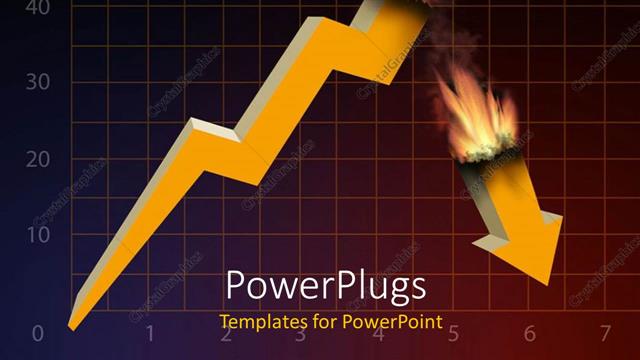
 Presentation with burnt - A burnt growth rate with squares in the background

Financial Crisis

A burnt growth rate with squares in the background

 Presentation with burnt - A fire being burnt with blackish background and place for text

Fire Background

A fire being burnt with blackish background and place for text

 Presentation with burnt - Old brown paper with slightly burnt edges

Old Paper

Old brown paper with slightly burnt edges

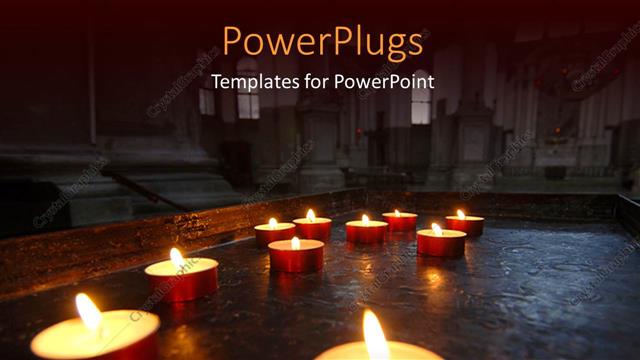
 Presentation with burnt - A lot of candles being burnt with a church in background

Holy Flames

A lot of candles being burnt with a church in background

 Presentation with burnt - Amazing theme having burnout - burnt match between new matchsticks backdrop and a lemonade colored foreground

Burnt Match Between New Matchsticks,

Theme having burnt match between new matchsticks shallow depth of field backdrop

 Presentation with burnt - Colorful slide set enhanced with divine - woman holds burnt rose backdrop and a tawny brown colored foreground

Woman Holds Burnt Rose Hands,

In the heart of mysticism and ancient wisdom, lies the Corner Title PowerPoint template, a mesmerizing blend of magic and symbolism that will transport your audience to a world beyond the ordinary. Designed with high resolution images for the stunning dark slate gray background, this template is the perfect canvas for showcasing your most captivating ideas, featuring a richly textured design that exudes mystery and intrigue. The Corner Title template seamlessly integrates with Google Slides, allowing you to showcase your creativity without any technical constraints. By adding Enhanced Backgrounds With dramatic lighting effects and creative animations, this template becomes an immersive experience that leaves a lasting impression on your viewers. This enchanting theme also comes in handy when creating How To slides, such as the Dart on Target Layout slide, where you can include high resolution images of tarot cards or other divination tools to guide users through the process of enhancing their abilities. The rich color palette and subtle symbolism create an atmosphere that is both captivating and thought provoking. Whether you're a seasoned presenter or an aspiring creator, this Corner Title template offers a unique blend of magic and sophistication, making it an ideal choice for any presentation that requires an air of mystery and allure.

 Presentation with burnt - Beautiful PPT theme featuring old-vertical-paper-or-map backdrop and a lemonade colored foreground

Old Vertical Paper Map Burnt

PPT theme featuring old vertical paper or map with burnt and curved edges isolated

 Presentation with burnt - PPT layouts consisting of decades paper strip with timeline background and a ocean colored foreground

Global Warming Climate Change Concept

Imagine standing on a desolate, earthy landscape, surrounded by a eerie atmosphere that seems to reverberate with the weight of global warming and climate change. As the sun sets behind you, casting a reddish orange glow over the horizon, you can't help but feel a sense of foreboding, as if the very future of our planet is hanging precariously in the balance. The Split Title template takes inspiration from this desolate scene, with its dramatic split title design that splits the screen into two distinct sections. The high resolution images for the background are rich and vibrant, featuring stylized depictions of trees and forests, set against a warm, golden light that evokes a sense of nostalgia for a bygone era. The Chocolate color palette is used throughout, with its deep, rich tones that add depth and warmth to the design. This theme is carried through on the template itself, from the bold red accents that punctuate key elements, to the inclusion of high contrast shadows that create a sense of drama and tension. As you explore the Split Title template, you'll notice that it's designed to be flexible and versatile, with four "How To" slides at the start of the deck that will help you get up and running quickly. These slides feature a range of interactive elements, from simple navigation menus to more complex button based controls. But let's focus on one example, the Arrowheads Layout slide this is where the magic happens, as it brings together all sorts of design elements in a way that creates a cohesive and visually striking whole. This template would be an excellent choice for anyone looking to create a dramatic and thought provoking presentation about global warming or climate change. Whether you're a seasoned designer or just starting out, the Split Title template is sure to impress with its bold colors, high resolution images, and attention grabbing design elements.

 Presentation with burnt - Cool new slide deck with decades paper strip with timeline backdrop and a black colored foreground

Global Warming Climate Change Rising

As the world grapples with the devastating consequences of climate change and rising temperatures, one can't help but feel a sense of urgency and desperation. The alarm bells are ringing loud and clear, warning us that we must act swiftly to mitigate the damage before it's too late. In response to this growing crisis, designers have come up with innovative solutions that not only convey the message of environmental responsibility but also inspire hope and action. The Corner Title template is a stunning representation of our shared concerns, featuring a rich and immersive design that transports viewers to an atmospheric world where nature and human impact are intricately intertwined. As users navigate through the 4 initial How To slides, they'll be guided by high resolution images that highlight key eco friendly practices, making it easy for them to get started on their own sustainability journey. At the heart of this template lies a 3x3 Organ Chart Layout slide, which provides a clear structure and framework for presenting complex information in an easy to understand format. With its custom illustrations and thoughtful typography, this slide will help users visualize the relationships between different eco friendly initiatives and provide valuable insights into how they can make a positive impact. This template is not just visually striking; it's also Enhanced With a theme of sustainability, featuring high quality images that showcase environmentally friendly solutions. It's perfect for anyone looking to share their passion for environmental conservation with others or create engaging content around climate change topics.

 Presentation with burnt - Slide set featuring barbecue-burnt-chuck-beef-ribs background and a dark gray colored foreground

Barbecue Burnt Chuck Beef Ribs

Imagine a vibrant and mouth watering image that showcases your love for beefy snacks, with a rustic twist. A perfectly grilled barbecue browned chuck beef rib on an old metal sheet, smothered in hot chili sauce, takes center stage. The 4 How To slides at the start of the deck will get you up and running quickly, laying the groundwork for a seamless presentation that's enhanced with a theme of fast food favorites. The Split Title template is designed to grab attention with its bold font, orange red color palette, and distressed text effects. Featuring a high resolution image as the background, this template is perfect for Google Slides, allowing you to showcase your visuals in full glory. Having a downloadable format and compatibility with other popular slide makers makes it easy to share with colleagues or clients. The template's Signpost Layout slide sets the tone for the rest of the deck, providing a clear overview of what to expect. It can include a background image, essential slides, and even some interactive elements, such as dropdown menus or hotspots. Having this layout in place will help guide viewers through your content, keeping them engaged from start to finish. As you add more slides to the deck, you can enhance the overall experience by including images, videos, or animations that bring your recipe to life. For example, a live action shot of a chef expertly slicing beef ribs could be included on one of the Slides Featuring high quality visual elements to make your presentation truly compelling.

 Presentation with burnt - Audience pleasing slide set consisting of grunge torn paper isolated backdrop and a yellow colored foreground

Grunge Torn Paper Isolated White

Imagine starting your presentation with a shot of a worn out parchment page, torn at the edges, and featuring high resolution images that will set the tone for the rest of your visuals. This is what you'll be giving your audience a dynamic and visually appealing template that's sure to grab their attention. The design name is "Grungy Parchment" and it's available in a wide screen format perfect for Google Slides, allowing you to include high resolution images on the background. The color palette is tan, which will add warmth and sophistication to your presentation. With a theme of "Fancy but Distressed", this template showcases a unique blend of elegance and rough edges. Incorporating a background with rich textures and warm colors will enhance the overall look and feel of your slides. Having a diverse range of design elements such as icons, graphics, and images will keep your audience engaged. This is where things get interesting you can include a background with subtle patterns that will add depth to your presentation. For instance, you could use this template on a deck about "Grunge Music" and create slides featuring high resolution images of iconic bands like Nirvana or Pearl Jam, set against the backdrop of a torn parchment page. This would be an amazing way to showcase your favorite artists and give your audience a unique perspective on their music history. The Dart Layout is perfect for this template, allowing you to arrange elements in a dynamic and visually appealing way. It's particularly useful when featuring large images or important text, as it enables you to create a clear hierarchy of information that will draw attention to the most important details.

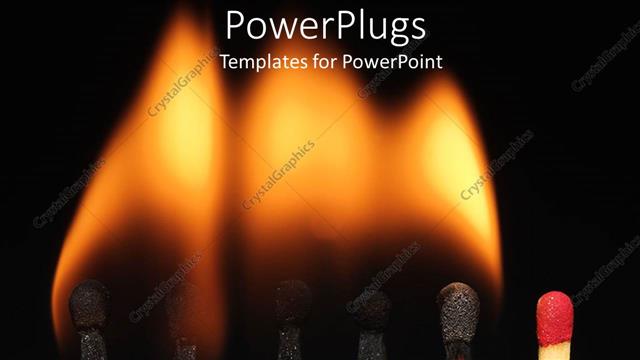
 Presentation with burnt - A number of match sticks being burnt

Stand Out

A number of match sticks being burnt

 Presentation with burnt - Colorful slides enhanced with vintage - barbecue dry aged kobe rib backdrop and a dark gray colored foreground

Barbecue Dry Aged Kobe Rib

In the realm of culinary artistry, where precision meets passion, Corner Title is the ultimate template to elevate your presentation. This stunning widescreen design is perfect for showcasing your most prized creations, from succulent wagyu steaks to rich American beef dishes. Its crimson color palette is both sophisticated and inviting, making it a standout in any slide. The high resolution images featured throughout the template are meticulously crafted to deliver an immersive experience, with each photo carefully selected to take your audience's breath away. As you delve into the details of this exceptional template, you'll discover its compatibility with Google Slides, ensuring seamless integration and effortless collaboration. Featuring a burnt board as the centerpiece, Corner Title is designed to inspire creativity and foster connection among those who gather around it. With its rich theme of fine dining and culinary excellence, it's an ideal starting point for your next project. In terms of layout, the template includes a Content Layout slide that showcases the stunning image on the left hand side. Having a clear separation between text and images will help to enhance the overall visual appeal of your presentation. As you prepare to launch your new content, incorporating this template is easier than ever – simply find the How To slides at the start of the deck and get started quickly with minimal setup time.

 Presentation with burnt - Audience pleasing PPT theme consisting of dangerous goods - short circuit burnt cable backdrop and a wine colored foreground

Short Circuit Burnt Cable Dark

PPT theme consisting of short circuit burnt cable on dark color background

 Presentation with burnt - Amazing PPT layouts having decades paper strip with timeline backdrop and a crimson colored foreground

Global Warming Climate Change Concept

As the world grapples with the pressing issue of global warming and climate change, a stark reminder of the devastating consequences is visible in the very fabric of our environment. The once pristine atmosphere now teeters on the brink of collapse, with rising temperatures marking a decade long trend. A haunting image dominates the landscape: a paper strip with a timeline of the past few decades charred and burnt to a crisp, its final moments a poignant symbol of the fragility of our planet. To combat this crisis, we need to rethink our approach, incorporating innovative solutions that not only reduce emissions but also promote sustainability. This is where Split Title comes in, featuring a richly textured background adorned with high resolution images of fiery landscapes and smoldering ruins. The template's crimson color palette adds a sense of urgency, while its keywords "atmosphere", "year", "eco", "red", and "emission" evoke a sense of foreboding. As you delve into the world of Split Title, you'll notice that this template is more than just a pretty face. With four easy to use How To slides at the start of your deck, you'll be up and running in no time, ready to tackle the complexities of creating an immersive presentation. To give you a better idea of what to expect, let's take a sneak peek at the content layout slide – featuring a stunning image of a pristine forest, set against a beautifully rendered background with subtle shading and highlights that enhance the overall atmosphere. Whether you're an expert in design or just starting out, Split Title is the perfect starting point for your next project. With its cutting edge features, bold color palette, and inspiring keywords, this template will take your presentations to new heights – of creativity, innovation, and environmental awareness.

 Presentation with burnt - Audience pleasing PPT theme consisting of dangerous goods - short circuit burnt cable backdrop and a tawny brown colored foreground

Short Circuit Burnt Cable Dark

PPT theme consisting of short circuit burnt cable on dark color background

 Presentation with burnt - Beautiful PPT theme featuring burnt-spruce-wood backdrop and a coral colored foreground

Burnt Spruce Wood Background

The Warmth of the Wild West Meets Modern Times in CrystalGraphics's Widescreen Template Wide Title Features Burly Wood Colored Design and High Resolution Images This stunning template is perfect for those who want to bring a touch of rustic charm into their digital presentation. The Wide Title design takes inspiration from the natural beauty of burnt spruce wood, with intricate textures and patterns that add depth and interest to any slide. The result is a truly unique look that's sure to grab your audience's attention. The Widescreen format ensures that every detail is crisp and clear, making it perfect for presentations where you want to convey complex information in a visually engaging way. And with Burly Wood Colored as the template color palette, you can rest assured that your presentation will be enhanced with warmth and coziness. To add an extra layer of sophistication, this template comes with four How To slides at the start of the deck to help you get up and running quickly. These slides feature high resolution images that showcase the template's features and capabilities, making it easy for your audience to understand how to use it. For example, one of these slides could be called "Getting Started", and it could include a simple tutorial on how to customize the design and add new elements. The Growth Layout slide is also worth mentioning, as it provides an overview of the template's key features and benefits. This slide can serve as a reminder to your audience of all the exciting things they'll get to explore in your presentation. By including a Background With texture feature, this template ensures that every slide has a unique look and feel, keeping your audience engaged throughout. Having a Theme of Enhancing Your Presentation with Graphics is a central idea behind this template, making it easy for you to add visual interest to any slide or section. Whether you're creating a presentation on business, technology, or any other topic, this template provides the perfect starting point to take your ideas to the next level.

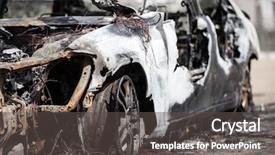
 Presentation with burnt - PPT theme consisting of scorched - road wreck accident or arson background and a dark gray colored foreground

Road Wreck Accident Arson Fire

As the road beneath you comes to a screeching halt, the sound of crunching metal and shattering glass fills the air, and the world around you is reduced to chaos. You're left with a scene that's nothing short of a nightmare a car wrecked beyond recognition, with flames engulfing the wreckage and danger lurking in every corner. The adrenaline rush has given way to an overwhelming sense of fear and uncertainty as you try to process what just happened. But amidst the devastation, there's still beauty to be found. A group of people are rushing to help those trapped inside, while others are taking pictures with their phones to document the scene for social media. In the midst of it all, a nearby fire engine is making its way down the street, sirens blaring as it goes about its duty to save the day. As you try to make sense of what's happening, you notice that there are 4 How To slides at the start of your deck, featuring step by step instructions on how to respond in such a situation. But for now, take a moment to absorb the scene around you before diving into the details. The background is adorned with high resolution images of a burnt out car and flames licking at the edges of the screen, while the template itself is set against a warm tan color palette that exudes a sense of danger and urgency. This Widescreen template for Google Slides is an Enhanced With version of your current image, featuring a Grid Layout slide with a stunning photo of a crashed car in flames. Including a Background With feature, you can easily add or remove elements from the background to create different scenes and enhance the overall impact of the slide. Having a Theme of dramatic crashes and fiery infernos, this template is sure to grab your audience's attention and leave them engaged until the end. And as an added bonus, you'll also have access to four How To slides that provide step by step instructions on how to respond in such situations making it easy for your viewers to follow along and take action.

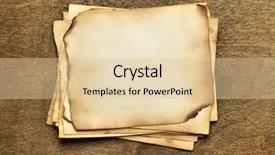
 Presentation with burnt - Presentation consisting of stack old papers background and a lemonade colored foreground

Stack Old Papers Wooden Table

As you settle into your new workspace, take a moment to admire the stack of old papers on the wooden table in front of you, their yellowed edges and faint cracks telling stories of countless ideas that came before. The surface is cluttered with scraps of parchment, torn notes, and faded book pages, a testament to the creative chaos that lies within. The background image for this template is a high resolution photo of an old, worn wooden desk, its surface adorned with intricate carvings of leaves and vines. This warm, earthy tone sets the stage for a design that's rich in texture and character. The Tan color palette features muted shades of brown, beige, and tan, which are expertly blended to create a soothing and inviting atmosphere. The template keywords note, parchment, torn, stack, blank evoke a sense of nostalgia and creativity, hinting at the many ideas waiting to be brought to life. With this design, you can feature high resolution images like those used in real world offices or libraries, where knowledge is power. Incorporating a background with a subtle texture or pattern can enhance the overall look of the template, making it feel more interactive and engaging. Having a theme of "notes" could be achieved by including a table of contents that lists all the different sections you'll find in this template, from blank pages to note taking staves. The Signpost Layout slide is likely something like: at the top, featuring a simple icon or image representing the idea of taking notes or brainstorming, with options for further customization. Having a theme of "stacks" could be incorporated by using images of books, files, or folders to create a sense of organization and structure. This template would be an excellent choice for anyone looking to create a blank canvas that sparks creativity and encourages exploration. Its compatibility with Google Slides makes it easy to access and update, while its high resolution images ensure that the final product looks stunning in print.

 Presentation with burnt - Colorful presentation enhanced with abstract 10 - burnt orange watercolor 10 backdrop and a coral colored foreground

Burnt Orange Watercolor 10

The Corner Title is a stunning powerpoint template that will take your presentations to the next level. Starting with a vibrant and rich dark salmon color palette, this template features a textured background with subtle gradients and intricate details that evoke the warmth of burnt orange watercolors. As you scan through the design, you'll notice the use of scrapbook style elements such as faded paper textures, torn edges, and other distressed effects that give it an authentic feel. The overall aesthetic is both nostalgic and modern, making it perfect for presentations on a wide range of topics. From its high resolution images to its simple yet effective layout, this template is designed to enhance your message without overwhelming it. Featuring a crisp white background, the Corner Title template allows you to add your own text and graphics in bold and colorful accents, while still maintaining a clean and uncluttered look. One of the standout features of this template is its seamless integration with Google Slides, making it easy to download and use on any platform. With its horizontal orientation and textured elements, the Corner Title will make you stand out from the crowd and grab your audience's attention instantly. The Ansoff Matrix Diagram Layout slide is a great starting point for your presentation, as it provides a clear framework for highlighting key points and features of your project or business. By using this layout template, you'll be able to showcase your expertise and creativity while keeping things organized and easy to follow.

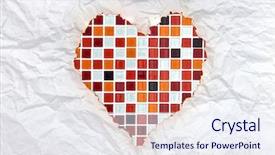
 Presentation with burnt - Audience pleasing presentation design consisting of memory book romance - vintage burnt paper in red backdrop and a sky blue colored foreground

Vintage Burnt Paper Red Mosaic

As you embark on this creative journey, envision yourself surrounded by the warmth and romance of a vintage inspired sanctuary, where notes and symbols take center stage, and the sign of love shines bright. Imagine yourself holding a beautifully crafted wooden sign with a rich, distressed look, adorned with high resolution images of red mosaic hearts, adding a touch of elegance to any setting. The Corner Title template is designed for a Widescreen format, bringing your designs to life in stunning detail, with a Sandy Brown color palette that will transport you to a world of warmth and coziness. Featuring a vintage inspired design motif, this template is sure to enhance your presentation with an authentic feel. For instance, you could include a background image featuring a collage of antique style photographs, with bold red letters and delicate silver accents adding to the overall theme. The Corner Title template includes high resolution images for the background, ensuring that every detail is crisp and clear. It's also downloadable and compatible with Google Slides, making it easy to bring this beautiful design into your own presentation. Whether you're creating a romantic gesture or simply want to add some visual interest to your notes and symbols, this template has got you covered. The Chart with Caption Layout slide will provide you with the perfect canvas for showcasing your vibrant colors and creative flair. With its simple yet effective layout, it's easy to arrange and customize as needed, making it an invaluable tool in enhancing your presentation.

▼Key features of this template

  • They are compatible with both PowerPoint and Google Slides running on either Windows PCs or Macs.

  • They are available in both standard and widescreen slide formats. You can choose your preferred format by clicking on the "Widescreen" check box or icon.

  • Each template includes a beautiful high-resolution background image or video to visually reinforce the theme of your presentation.

  • In addition, each template includes designer-created graphics and modern fonts to give your presentations an up-to-date, professional look.

  • Each template's default design and title text position have been carefully selected to complement its background without covering faces or other key elements.

  • All text includes backdrops whose transparency level is mathematically calculated to maximize text readability while still allowing the background to be seen.

  • And all the text, text backdrops and graphics in every slide are colored with a palette designed to beautifully complement the colors in the background.

  • Our Premium templates (those with the descriptor “Premium” in their subtitle) include over 64 slide layouts to give you maximum flexibility as you create your presentations.

    • Those layouts are available to you whenever you create a new slide or when you want to change the layout of an existing slide.
    • They include everything you need to make all sorts of presentations. In addition to the layouts for the title slide and the usual title and content slide, they include many other layouts for slide types including table of contents slides, org charts, charts, diagrams, infographics, photo slides, thank you slides and more.
    • While creating these layouts our template designers have ensured that all text in every layout adjusts as gracefully as possible to various numbers of words.
  • Customizable templates (those with the descriptor “Customizable” in their subtitle) may be easily modified online before you download them.

    • To modify them, simply click on the pencil editing icon, then select your choice of ready to go designs and title text positions.
    • The editing tool also makes it easy to reposition and scale the background image or video to best suit your needs.

▼FAQs

Please review these FAQs to see if your question is answered. Contact us for more info

  • What is a PowerPoint template?

    • A well designed PowerPoint template is a file that can tell PowerPoint how to make your ordinary templates look extraordinary. They won’t change what your words or numbers say. But they might change their size, color, font and placement. And, overall, they can give your presentations a professionally-designed look that will give your content more credibility and give you more confidence.
  • How many PowerPoint templates do you offer?

    • We have over 32,000 artist-created presentation templates in our PowerPlugs collection With a subscription, PowerPlugs templates are easy to download. Just sign in, find a template and click on the green Download button. ready for you to download. That alone offers you more variety to choose from than any of our competitors can offer. And, as if that weren’t enough, we also offer over 6 million templates in our Crystal collection. Crystal brand templates are our line of templates that have customization options. They have the word "CRYSTAL" on their web page images. You can customize several aspects of the templates. These templates include high-resolution background images from Shutterstock’s vast image collection matched up with artist-created presentation designs customized by our own proprietary AI software.
  • How many templates can I download as a subscriber?

    • You can download an unlimited number of PowerPlugs-brand With a subscription, PowerPlugs templates are easy to download. Just sign in, find a template and click on the green Download button. templates every day for an entire year. (Actually, by default, we set a limit of 25 templates per day to prevent our competitors from stealing our templates. But, if that is not enough, just let us know and we’ll try to accommodate you.) On top of that, with a subscription or an Ultimate Combo, you can also download any 50 Crystal-brand Crystal brand templates are our line of templates that have customization options. They have the word "CRYSTAL" on their web page images. You can customize several aspects of the templates. templates per year selected from our huge Crystal collection. Crystal brand templates are our line of templates that have customization options. They have the word "CRYSTAL" on their web page images. You can customize several aspects of the templates. .
  • Why should I choose your templates instead of the competition’s?

    • We’ve got a larger selection of professionally-designed PowerPoint templates than anyone else in the world.
    • Each template includes a high-resolution background image or video to visually inspire your audiences while reinforcing your message.
    • Each template includes 64 slide layouts to give you maximum flexibility as you create your presentations.
    • Our templates are available in both standard and widescreen slide formats. And our website lets you preview the slides each way.
    • Our free Template Finder™ plugin lets subscribers select and - with a single click - download and insert our templates into their presentations right from within PowerPoint.
    • We’ve been creating designer presentation templates for over 20 years. During that time we’ve won several awards and 5-star ratings for product quality. See About Us for more.
  • Do you offer a money-back guarantee?

    • Yes we do! We offer full 30-day money-back guarantee if you are not 100% satisfied with your purchase.
  • Can I still use my downloaded templates after my subscription runs out?

    • Yes. After your subscription expires, you won't lose any rights or ability to use your PowerPlugs: Templates for PowerPoint. You won't be able to download any new non-watermarked templates. But the non-watermarked templates you've already downloaded will still work and you can still use them as before.
  • Can I share my downloaded templates or passwords with friends or coworkers?

    • Sorry but no. You are authorized to download each paid-for template to up to 3 of your personal devices and to use the templates you download in as many presentations as you want. But you are not authorized to share the templates, themselves, with others. That said, we do offer highly discounted site licenses to suit the needs of both small and large teams. Just tell us your needs and we’ll give you a quote!
  • System requirements:

    • The templates use the standard POTX format. So they are compatible with Google Slides and all PC, Mac and mobile devices running any version of PowerPoint from PowerPoint 2007 up through and including Office 365 desktop.
    • Please note: Google Slides does not currently support background videos. It treats them as still images.
    • For PowerPoint for the Web, first open your template into a desktop version of PowerPoint, then save it back out as a PPTX file. Then you can open that in PowerPoint for the Web.
  • End user license agreement:

    • Click here to view.
  • How will I get my purchased templates?

    • You may download your selected templates as soon as your payment is received by PayPal. If you purchased an individual template, you will be provided with a download link both onscreen and via email. Just click on that link to begin the download process. If you purchased a subscription, you will receive an email containing a password to use along with your email address to sign in to any of the templates pages on CrystalGraphics.com. Once you are signed in, you can immediately start downloading your selected templates.
  • How do I use my templates after I download them?

    • You can either open a template to start a new presentation or you can add a template to an existing presentation. To open a template, just double click on it or use PowerPoint's File > Open tool. To add a template to an existing presentation, on the Design tab, in the Themes group, click Browse for Themes... then browse to select your template.

View more Burnt templates:

previous 1 2 3 4 5 6 7 8 9 10 next
93% of Fortune 1000
companies use our
PowerPoint Products
Templates Secure

Standing Ovation Award
Winner: Best PowerPoint
Template Collection
Fortune Logos
200,000+ satisfied
customers worldwide!
Guarantee
100% satisfaction guaranteed
- or send it back for a refund!

Sign up for our free newsletter! You'll get news about our PowerPoint-enhancing product line – including free updates, new product announcements and exclusive special offers. Plus you'll get a link to a free PowerPoint template with every newsletter you receive.
Privacy Policy
Loading...


Help

Contact Us
Product FAQs
Product License Agreements

Company Info

About Us
Privacy Policy
CrystalGraphics, Inc. 1999 S. Bascom Avenue Suite 700 Campbell, CA 95008 USA
© 2025 CrystalGraphics, Inc. All rights Reserved.    |     PowerPlugs is a trademark of CrystalGraphics, Inc.
Microsoft and the PowerPoint logo are trademarks or registered trademarks of Microsoft Corporation in the United States and/or other countries.
Loading...
Loading...