www.crystalgraphics.com CrystalGraphics
  • Ultimate Combo
  • Templates
  • Diagrams
  • Characters
  • Quizzes
  • shopping cart
  • Sign Out Sign Out Sign In
Home > Templates > Calculator Category
search icon
advanced icon

357 Best Calculator-Themed Templates
for PowerPoint & Google Slides

Experience the power of precision and clarity with CrystalGraphics vast collection of 6.7 million templates, including the iconic Calculator template that brings financial data to life in a way that's both informative and visually stunning. Our expertly crafted template is designed to empower you to take control of your presentations, whether you're tackling complex financial reports or showcasing the latest business trends. With its sleek title slide and 60+ slides of engaging content, this template is sure to spark inspiration for even the most mundane data-driven discussions.

As a versatile and adaptable tool, our Calculator template can be easily customized to fit your unique style and branding. Whether you're a financial analyst, an accountant, or simply someone who appreciates the art of precision, we've got you covered. With its instant 24/7 download access, you'll have all the time in the world to craft a presentation that truly stands out from the crowd.

Explore our vast collection and discover more than just templates - experience the magic of CrystalGraphics unparalleled expertise and creativity. Browse through other categories like Financial Pie Chart, Accounting Concepts, or Business Health to find your perfect match. Select the Calculator template for your needs, download it instantly, and get ready to take your presentations to the next level.

Features & Pricing

Widescreen (16:9) Presentation Templates. Change size...
 Presentation with calculator - Amazing slides having irs - reciept and calculator backdrop and a light blue colored foreground

Reciept Calculator

Create a sleek and modern template that embodies the style of a high end studio, perfect for financial professionals who need to showcase documents, records, and ideas in a professional manner. Introducing "Studio Documents" a Widescreen template that features a light steel blue color palette. This template is specifically designed with Googles Slides in mind, making it easy to download and incorporate into your presentations. The 4 How To slides at the start of the deck will help you get up and running quickly, providing valuable tips and tricks to make the most out of this template. From creating custom backgrounds to enhancing presentation layouts, these slides cover the essential skills needed to take your presentations to the next level. Take inspiration from a recent financial report, where the background features high resolution images of charts and graphs, perfectly complemented by a clean and modern design that showcases the data in an enhanced way. The template's theme is simple yet effective, making it perfect for creating concept driven presentations or showcasing financial records. Including a Background With a subtle texture adds depth to the presentation, while having a Theme of Modern Minimalism ensures the template remains sophisticated even with a simple color palette. This template would be ideal for anyone looking to create professional looking documents and records in Google Slides, from financial analysts to marketing professionals. The features and design make it an excellent choice for creating engaging presentations that inspire and inform.

 Presentation with calculator - Audience pleasing presentation theme consisting of accounting - investor hand with calculator backdrop and a sky blue colored foreground

Investor Hand Calculator

Presentation theme consisting of investor hand with calculator

 Presentation with calculator - Amazing slide set having tax - closeup of a young businessman backdrop and a sky blue colored foreground

Closeup Young Businessman Checking Accounts

Imagine starting your day in the boardroom or office, surrounded by the buzz of activity and the hum of calculators, as you juggle the intricacies of taxes, accounting, and financial management. The Corner Title template is designed to help you stay on top of these high stakes topics, with a deep sky blue color palette that transports you to a world of complexity and sophistication. This Widescreen template features four How To slides at the start of the deck, each one providing a valuable starting point for getting up and running quickly. And when it comes to designing the layout of your presentation, don't be afraid to take inspiration from the closeup image of a young businessman checking accounts with a calculator in his office think bold, modern typography paired with crisp, high resolution images that add depth and visual interest to your slides. The template is downloadable and compatible with Google Slides, making it easy to bring your ideas to life. Featuring a theme of financial management and accounting, the Corner Title template is designed to enhance your presentation with its sophisticated look and feel. Including a Background With deep sky blue gradient that sets the tone for the rest of the deck, Enhanced With images throughout to add visual interest and keep your audience engaged, this template has everything you need to create an engaging and informative presentation. Whether you're preparing for a meeting, a sales pitch, or simply want to stay up to date on industry trends, the Corner Title template is a valuable tool in your arsenal. With its deep sky blue color palette, modern design, and four How To slides to get you started, it's the perfect solution for anyone looking to make a strong impression with their financial management skills.

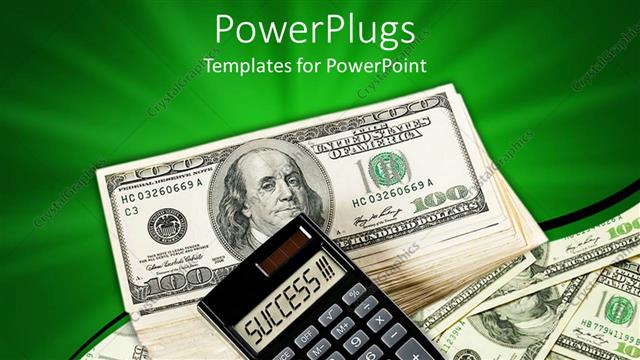
 Presentation with calculator - A calculator on a bundle on dollar notes

Success

A calculator on a bundle on dollar notes

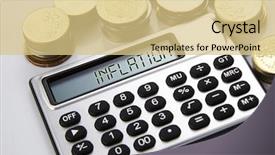
 Presentation with calculator - PPT layouts enhanced with universal system - coins and silver calculator background and a coral colored foreground

Coins Silver Calculator Text Display-earning

PPT layouts enhanced with coins and silver calculator with text on display-earning

 Presentation with calculator - Presentation having tax - businesswoman using a calculator background and a red colored foreground

Businesswoman Using Calculator Desk

In a world where finance and business reign supreme, a corner title is the perfect way to make your presentation stand out from the crowd. This template is designed to be eye catching, with a coral color palette that will grab the attention of any audience. The high resolution images for the background are sure to feature stunning visuals that will leave viewers in awe. The Corner Title template is formatted in widescreen, making it perfect for presentations that require a lot of screen real estate. It's also compatible with Google Slides, so you can easily add your own content and customize it to fit your needs. This template is all about creating a cohesive look and feel that will enhance the message you're trying to convey. The 5 P's of Marketing Diagram Layout slide are featured prominently on this page, providing a clear structure for your presentation. This layout includes the Product, Price, Place, Promotion, and Payoff elements, making it easy to visualize how these concepts work together. The template is also designed to be inclusive, with a background that includes a subtle gradient effect to give it a professional look. Having a theme of finance and business will help you connect with your audience on a deeper level, while the enhanced with feature allows you to add your own custom elements to make the presentation truly unique.

 Presentation with calculator - Cool new theme with economics - closeup of a young man backdrop and a cream colored foreground

Closeup Young Man Checking Accounts

As you sit down to create your new Corner Title PowerPoint template, imagine yourself in the high pressure world of accounting, where every number counts and accuracy is paramount. The Corner Title template is designed with you in mind, providing a clean and modern design that will help you stay organized and focused. This Widescreen template features a Burly Wood Colored color palette, evoking a sense of tradition and professionalism. The template is optimized for high resolution images, making it perfect for presentations where you need to showcase complex data or financial information. The Burly Wood Colored scheme adds a touch of sophistication to any slide, while the inclusion of a background with a subtle texture enhances the overall visual appeal. With its four How To slides, including a Getting Started guide, you'll be equipped with all the tools you need to get up and running quickly. The 4 x 4 Org Chart Layout is a staple in any office setting, providing a clear and easy to understand structure for your team's hierarchy. You can include relevant names and titles, while keeping the focus on key roles and responsibilities. For example, this template could be used to create a simple budgeting process, with sections labeled "Income," "Expenses," "Gains," and "Losses" in a clear and concise manner. To take your presentation to the next level, consider featuring high quality images that showcase real world accounting scenarios or financial data. Having a theme of using real world examples will make your content more relatable and engaging for your audience. Enhanced with premium design features, this template is sure to impress your colleagues and clients alike.

 Presentation with calculator - Slide deck having medical statistics - stethoscope graph chart pen background and a light blue colored foreground

Stethoscope Graph Chart Pen Calculator

Slide deck having stethoscope graph chart pen and calculator on white background

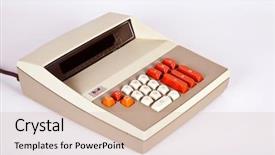
 Presentation with calculator - Presentation theme consisting of large vintage calculator background and a lemonade colored foreground

Vintage Calculator

The Corner Title template is a stunning design that will elevate your presentation to the next level. This Widescreen template features a large vintage calculator as its inspiration, with high resolution images for the background that will transport your audience to a world of mathematical concepts and educational wonders. The Corner Title template boasts a Salmon color palette that exudes warmth and sophistication, perfect for presentations about electronics, education, data, mathematics, and more. The template is designed to be downloadable and compatible with Google Slides, making it easy to incorporate into your existing workflow. This template includes four How To slides at the start of the deck to help you get up and running quickly, but don't worry, we won't reveal their secrets just yet. When you're ready to dive in, the Dart Layout slide will feature a dynamic design that showcases the template's features and allows you to customize it with your own content. The Corner Title template is perfect for presentations that need to convey complex mathematical concepts or educational ideas in an engaging and visually appealing way. With its vintage calculator theme and Salmon color palette, this template is sure to make a statement. Featuring a background with a subtle gradient effect, the template includes a range of design elements, including icons, shapes, and text overlays, all carefully crafted to enhance your presentation's overall look and feel. Having a theme of showcasing educational content, this template is ideal for presentations that include data visualization, charts, and graphs.

 Presentation with calculator - Cool new slide deck with simple mathematics - calculator isolated on white background backdrop and a sky blue colored foreground

Calculator Isolated White Background

Slide deck with calculator isolated on white background

 Presentation with calculator - Presentation theme featuring few stacks of coins background and a lemonade colored foreground

Few Stacks Coins Calculator Text

As people around the world struggle to make ends meet and seek ways to increase their income, the allure of capital and lucrative loans has become an all consuming force for many. The statistics are stark: too many families have fallen victim to the dangers of bribery, leaving them with ruined lives and shattered dreams. In a world where financial struggles seem insurmountable, it's easy to get caught up in the stack of debt and lose sight of the bigger picture. But what if you could break free from these chains? What if you had the power to create your own success story? That's exactly what this template is designed to do. With its warm and inviting tan color palette, Corner Title is the perfect accompaniment to any presentation or marketing campaign. The high resolution images that come with it are a feast for the eyes, featuring stunning backgrounds of coins and calculators that will leave your audience in awe. On this template, you'll find four easy to follow slides at the start of the deck to help you get up and running quickly. These How To slides cover the basics of creating a compelling narrative, selecting the right keywords, and designing an effective layout. And with the theme of "Creating a Winning Story" woven throughout the entire template, you'll be inspired to take your message on to new heights. But what really sets Corner Title apart is its unique Comparison Layout slide. This feature allows you to easily compare different products or services side by side, making it the perfect tool for any market research or competitive analysis project. And with its seamless integration with Google Slides, you can easily share your presentation with others and get feedback in no time. So why wait? Download Corner Title today and start creating your own success story – a compelling narrative that will leave a lasting impression on your audience.

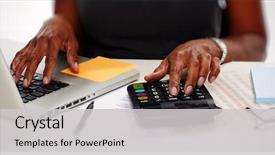
 Presentation with calculator - Audience pleasing slides consisting of finance - hands with calculator backdrop and a light gray colored foreground

Hands Calculator.

Slides consisting of hands with calculator

 Presentation with calculator - Beautiful presentation theme featuring team work discussing open space backdrop and a light gray colored foreground.

Picture Woman Hand Calculator Papers

Presentation theme featuring picture of woman hand with calculator and papers

 Presentation with calculator - Theme consisting of mathmatics - calculator background and a tawny brown colored foreground

Calculator

Theme consisting of calculator

 Presentation with calculator - Presentation theme enhanced with buttons of calculator background and a white colored foreground

Buttons Calculator

The Corner Title PowerPoint template is designed to make a lasting impression on your audience with its vibrant Peach Puff Colored background and high resolution images that will transport them to a world of mathematical concepts. This template features buttons of calculator, symbol, education, accountant, mathematics, and concept icons throughout the design, creating an engaging and interactive experience for viewers. The Corner Title template is available in Widescreen format, perfect for presentations on any device. The Peach Puff Colored color palette adds a touch of warmth and sophistication to the overall design. This theme is ideal for educational institutions, accounting firms, or anyone looking to enhance their presentation with a unique and professional look. As you begin your presentation, you'll notice that there are four How To slides at the start of the deck to help you get up and running quickly. These slides will provide valuable tips on how to create engaging presentations, including features such as including a background with a subtle gradient effect, having a theme of using bright colors, and enhancing your content with interactive elements. The Venn Diagram Layout slide is particularly useful for illustrating complex mathematical concepts in an easy to understand manner. This slide can be used to feature a large image or diagram that showcases the relationships between different variables, making it an ideal tool for presentations on topics such as algebra, geometry, and calculus.

 Presentation with calculator - PPT layouts consisting of divided equally - 3d render of a calculator background and a  colored foreground

3d Render Calculator

PPT layouts consisting of 3d render of a calculator background

 Presentation with calculator - Presentation theme featuring office supplies including a calculator background and a sky blue colored foreground

Office Supplies Including Calculator Stapler,

The world of office supplies is a vast and fascinating realm where creativity knows no bounds. From the humble calculator to the staple of productivity, every item on this shelf holds a story waiting to be told. Corner Title is your gateway to unlocking a world of possibilities, featuring an isolated box with a subtle background that sets the tone for a clean and organized workspace. The template format is Widescreen, perfect for showcasing high resolution images that bring the office supplies to life. The Medium Turquoise color palette provides a soothing backdrop for the various elements that make up this template, from the eraser to the staple, all of which are carefully curated to create a cohesive look and feel. Whether you're looking to enhance your presentation with a unique theme or simply want to add some visual interest to your slides, Corner Title is the perfect choice. The Ansoff Matrix Diagram Layout slide is a great place to start when it comes to creating a visually appealing template. This layout features a simple yet effective design that showcases four key elements: eraser, staple, scissors, and calculator. It's an excellent way to get your creative juices flowing and inspire new ideas for your presentation. As you begin to work with Corner Title, you'll notice the various keywords included in the template, such as "paperwork" and "box", which add a touch of authenticity to the design. The high resolution images used throughout the template are sure to impress, making it an ideal choice for presentations that require a professional and polished look. The downloadable nature of Corner Title means you can work on your presentation from anywhere, without worrying about compatibility issues or software requirements. And with its seamless integration with Google Slides, you'll be able to create stunning slides that showcase the template's features

 Presentation with calculator - Amazing PPT layouts having expense report - young businessman with calculator checking backdrop and a light gray colored foreground

Young Businessman Calculator Checking Bills

PPT layouts having young businessman with calculator checking bills

 Presentation with calculator - Slide deck enhanced with million - calculator pen and filled cheque background and a white colored foreground

Calculator Pen Filled Cheque Wooden

Slide deck enhanced with calculator pen and filled cheque on wooden table

 Presentation with calculator - PPT theme featuring bean counting - funny man with calculator background and a  colored foreground

Funny Man Calculator Abacus

PPT theme featuring funny man with calculator and abacus

 Presentation with calculator - Cool new PPT layouts with us tax form 1040 backdrop and a sky blue colored foreground

Tax Form 1040 Pen Calculator.

PPT layouts with us tax form 1040 with pen and calculator

More Calculator templates for PowerPoint and Google Slides:

previous 1 2 3 4 5 6 7 8 9 10 11 12 13 14 15 16 17 next
93% of Fortune 1000
companies use our
PowerPoint Products
Templates Secure

Standing Ovation Award
Winner: Best PowerPoint
Template Collection
Fortune Logos
200,000+ satisfied
customers worldwide!
Guarantee
100% satisfaction guaranteed
- or send it back for a refund!

Sign up for our free newsletter! You'll get news about our PowerPoint-enhancing product line – including free updates, new product announcements and exclusive special offers. Plus you'll get a link to a free PowerPoint template with every newsletter you receive.
Privacy Policy
Loading...


Help

Contact Us
Product FAQs
Product License Agreements

Company Info

About Us
Privacy Policy
CrystalGraphics, Inc. 1999 S. Bascom Avenue Suite 700 Campbell, CA 95008 USA
© 2025 CrystalGraphics, Inc. All rights Reserved.    |     PowerPlugs is a trademark of CrystalGraphics, Inc.
Microsoft and the PowerPoint logo are trademarks or registered trademarks of Microsoft Corporation in the United States and/or other countries.
Loading...
Loading...