www.crystalgraphics.com CrystalGraphics
  • Ultimate Combo
  • Templates
  • Diagrams
  • Characters
  • Quizzes
  • shopping cart
  • Sign Out Sign Out Sign In
Home > Templates > Car > Car Accident Category
search icon
advanced icon

193 Best Car Accident-Themed Templates for PowerPoint and Google Slides

CrystalGraphics creates templates designed to make even average presentations look incredible. Below you’ll see thumbnail sized previews of the title slides of a few of our 193 best car accident templates for PowerPoint and Google Slides. The text you’ll see in in those slides is just example text. The car accident-related image or video you’ll see in the background of each title slide is designed to help you set the stage for your car accident-related topics and it is included with that template. In addition to the title slides, each of our templates comes with 17 additional slide layouts that you can use to create an unlimited number of presentation slides with your own added text and images. And every template is available in both widescreen and standard formats. With over 6 million presentation templates available for you to choose from, CrystalGraphics is the award-winning provider of the world’s largest collection of templates for PowerPoint and Google Slides. So, take your time and look around. You’ll like what you see! Whether you want 1 great template or an ongoing subscription, we've got affordable purchasing options and 24/7 download access to fit your needs. Thanks to our unbeatable combination of quality, selection and unique customization options, CrystalGraphics is the company you can count on for your presentation enhancement needs. Just ask any of our thousands of satisfied customers from virtually every leading company around the world. They love our products. We think you will, too!

Features & Pricing

Widescreen (16:9) Presentation Templates. Change size...
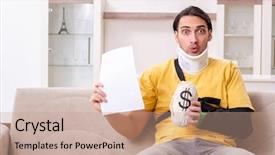
 Presentation with car accident - Amazing slide set having sling bag - young man after car accident backdrop and a coral colored foreground

Young Man Car Accident Suffering

The life of a young man after suffering a car accident at home is one filled with frustration and worry. He struggles to come to terms with the physical and emotional toll it has taken on him, leaving him feeling helpless and trapped in his own reality. The road to recovery is long and arduous, but with determination and perseverance, he can overcome even the most daunting challenges. As he navigates this difficult journey, he needs a solid foundation to build upon, something that will help him stay focused and motivated. That's where the Wide Title template comes in featuring high resolution images of medical facilities and insurance offices, it provides the perfect backdrop for his story. The wheat color palette adds a warm and soothing tone, evoking feelings of comfort and security. The template is designed to be used as a starting point, with four easy to follow slides at the beginning that will help you get up and running quickly. These include "Get Started With Confidence", "Take Control Of Your Recovery", "Find Support And Resources", and "Break Free From Limitations". But don't worry, these can be customized to fit your specific needs. The 5 Steps to Success Layout slide is a great example of how the template can be enhanced with additional features, such as interactive elements or multimedia content. Including a Background With high quality images in the background will help you stay focused on your message and keep your audience engaged. Having a theme of "Overcoming Adversity" sets the tone for the entire presentation, emphasizing the importance of perseverance and resilience. Enhanced With advanced design features, such as animations and transitions, you can create a truly immersive experience that draws your audience in. The template is compatible with Google Slides and comes complete with 4 How To slides to help you get started quickly. You can also customize it further to fit your specific needs, making it the perfect solution for anyone looking to create a compelling presentation on insurance, medical, frustration, sack, suffering.

 Presentation with car accident - Audience pleasing PPT theme consisting of woman after car accident suffering backdrop and a lemonade colored foreground

Woman Car Accident Suffering Home

As you navigate the world of insurance and medical services, it's not uncommon to encounter frustrating situations where individuals face unique challenges, such as joint pain or disabilities that affect their daily lives. The human body is a complex system, and injuries can be just one of many obstacles we face. The Wide Title template from CrystalGraphics stands out with its eye catching design featuring a soothing Peach Puff Colored background that sets the tone for your presentation. This format is perfect for showcasing high resolution images, making it an ideal choice for Google Slides. The template's color palette, characterized by warm tones and pastel hues, adds a touch of elegance to any slide. This design has been specifically tailored to include a Background With feature, allowing you to easily incorporate your own images or graphics into the design. Having a Theme of Enhanced With helps to create a cohesive look and feel that complements your message. The template's Circular Step Layout is an effective way to structure your presentation, providing a clear flow from one slide to the next. Featuring a prominent main slide at the beginning can help draw the audience in, while including additional slides throughout the deck can provide more depth and context. Including a Background With feature also enables you to seamlessly integrate high resolution images that illustrate key points or showcase medical equipment. Whether you're presenting insurance information or discussing medical services, this template offers a versatile solution for creating an engaging and informative presentation.

 Presentation with car accident - Presentation design with young-male-employee-after-car background and a light gray colored foreground

Young Male Employee Car Accident

Imagine starting your day at the office after a devastating car accident, feeling frustrated and struggling to cope with the aftermath. You're exhausted, but also feeling like you've hit rock bottom, staring at the bills piling up as insurance companies demand more from you than ever before. The rehab process has been grueling, and it's hard not to feel like the system is failing you. You're forced to seek help, and that's where Corner Title comes in a powerpoint template designed to feature your story, including a background with a fitting image of a person navigating through the rehabilitation process, having a theme of overcoming adversity enhanced by high resolution images. The template includes 5 P's of Marketing Diagram Layout elements, such as the "Problem" panel, "Perspective" section, "Positioning" box, "Promotion" slide, and "Call to Action" button. This template is designed to be downloadable and compatible with Google Slides, so you can easily incorporate it into your presentations. The high resolution images for the background will give your slides a professional touch, while also helping to convey the emotional depth of your story. You can choose from four How To slides at the start of the deck to help you get up and running quickly, but I'm sure that after working through these steps, you'll be more than ready to dive into the template itself. The Corner Title template is perfect for anyone looking to elevate their presentations with a powerful story. It's not just about presenting facts it's about sharing your personal journey and hope for recovery. With its high quality images and 5 P's of Marketing Diagram Layout elements, this template will help you convey your message in a clear and compelling way, while also making a lasting impression on your audience.

 Presentation with car accident - Theme with woman after car accident suffering background and a soft green colored foreground

Woman Car Accident Suffering Home

The aftermath of a devastating car accident is a picture of desperation and frustration, leaving a woman struggling to cope with the harsh realities of her newfound vulnerability. The world around her seems to be fading into the background as she's left to pick up the pieces of her shattered life. In this context, we present "Corner Title," a stunning PowerPoint template designed for insurance professionals, medical practitioners, and anyone else who needs to convey a sense of urgency and empathy in their work. Featuring a Bisque color palette that evokes warmth and approachability, this template will transport your audience to a place of understanding and compassion. The template is available as a downloadable file, compatible with Google Slides, and ready for use on the fly. Its four How To slides will walk you through a seamless setup process, ensuring you're up and running in no time. On the Corner Title template, you'll find an exquisite background image of a woman sitting amidst wreckage, surrounded by medical equipment and insurance documents. This powerful visual representation of suffering and struggle is sure to grab attention and establish a strong emotional connection with your audience. In this template, there are four Member Bio Layout slides that showcase a profile of your team members, highlighting their expertise in the field of insurance or medicine. Each slide features an impressive image, followed by a brief description, and finally, a call to action that invites your colleagues to explore more resources on the Corner Title website. The Bisque color palette provides a professional yet approachable atmosphere, making it easy to incorporate into various presentations and marketing materials. Enhancing this template further with subtle animations or transitions will add an extra layer of sophistication and engagement, making it ideal for insurance companies and medical organizations seeking to convey their values of empathy and understanding.

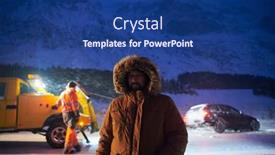
 Presentation with car accident - Theme having rescued-man-after-car-accident background and a ocean colored foreground

Rescued Man Car Accident Winter

As you glance at the breathtaking image of a rescued man after a car accident in the harsh Arctic landscape, your heart goes out to the survivor who is fighting for his life. The dramatic scene is set against a stunning midnight blue background that evokes feelings of danger and uncertainty. The Wide Title, featuring a simple yet bold font with a metallic finish, dominates the top half of the slide, while the Widescreen format ensures that every detail in the image remains crisp and clear. This sleek design creates a cohesive look that sets the tone for the entire presentation. This template is specifically designed to resemble an emergency expedition kit, complete with high resolution images of maps, compasses, and emergency equipment for insurance companies to highlight their commitment to providing protection. The midnight blue color palette also gives it a sense of sophistication and reliability, making it easy to include a background with a dramatic image that sets the scene. Incorporating a key message about having a theme of expedition safety in the presentation can enhance its overall impact. For example, you could include an image of a team of emergency responders trekking through the Arctic wilderness, highlighting their expertise and dedication to saving lives. Having a theme of expedition safety provides a clear direction for the content and reinforces the importance of the topic. The template is also ideal for showcasing insurance companies' expertise in auto accidents, with images featuring cars stranded on icy roads or rescue teams racing against time to save someone's life. Featuring high resolution images from reputable sources such as Getty Images or Unsplash can make these slides truly stand out and increase their visual appeal. Including a background with a dramatic image that sets the scene, such as a stormy Arctic night, can also help to draw attention to key points and enhance engagement. In terms of compatibility, this template is easily readable on Google Slides, allowing users to quickly get up and running and start presenting their content immediately. With its sleek design and high resolution images, it's an ideal tool for insurance companies looking to showcase their expertise in auto accidents and expedition safety.

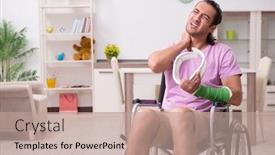
 Presentation with car accident - Colorful presentation theme enhanced with young man suffering at home after car accident backdrop and a coral colored foreground

Young Man Suffering Home Car

Imagine a young man sitting in his living room, staring at a window that reflects the anguish etched on his face after the devastating car accident. The dim glow of the TV lights up only to intensify his frustration and desperation as he struggles to make sense of the new reality. The once serene surroundings now feel like a prison, emphasizing the desperate need for a solution. The template, Wide Title, is designed to transport you to this scene, with its khaki color palette that gradually shifts from warm beige tones to a muted grayish hue. This diverse range will immerse you in the atmosphere of frustration and despair. The layout includes 60+ pre made templates featuring different medical themes. Take for instance, "Emergency Room" which adds an 'Intensive Care Unit' background with a dash of anxious colors. Other options like "Hospital Ward" and "Disaster Relief Center" will take your audience on a journey through the chaos of a crisis. By adding a Background With feature to this template, you can create custom environments for specific scenarios or events within your presentation. Having a Theme of "Medical Emergency" enables you to Include a Background Of hospital corridors with doctors' notes and beeping machines. The enhanced visuals will give your audience an immersive experience. Including Medical Icons like ECG monitors and defibrillators adds depth to the medical theme, making it more engaging for viewers. When utilizing this template, featuring high resolution images that replicate real life scenarios or using pre designed backgrounds of city streets with injured people is a great way to enhance the content. Having access to 60+ layouts, you can quickly switch between options and tailor them to your presentation's specific needs.

 Presentation with car accident - Beautiful slide deck featuring young-man-suffering-at-home backdrop and a coral colored foreground

Young Man Suffering Home Car

Slide deck featuring young man suffering at home after car accident

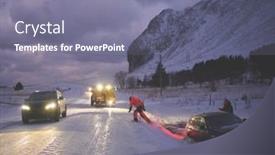
 Presentation with car accident - Presentation consisting of car-being-towed-after-accident background and a gray colored foreground

Car Being Towed Accident Snow

As the snowstorm intensifies and the road ahead becomes treacherous, your organization's image takes a hit with every passing second literally. The insurance company is quick to capitalize on the situation, touting their auto coverage as the solution to prevent accidents and protect against costly damage. But what about those who are already covered? Do they need help navigating the complex world of emergency procedures and seeking reimbursement for repairs? The template you're looking at is a Wide Title, formatted in Widescreen mode with Dark Slate Blue as its primary color palette. The design elements are carefully curated to evoke a sense of urgency and disaster, featuring high resolution images of snow covered landscapes and flickering headlights to create a dramatic atmosphere. This is the kind of background that would be included on the template: a close up shot of a car being towed after an accident in the midst of a snowstorm. The overall look and feel of this template is designed to be downloaded and compatible with Google Slides, making it easy to incorporate into your presentations. The Dark Slate Blue color palette provides a sophisticated backdrop for showcasing key information, such as statistics or data, while the high resolution images add an extra layer of visual interest. With 4 How To slides at the start of the deck, you'll be off and running in no time, helping your audience navigate the process with ease. The @ Pictures With Captions Layout slide would showcase a selection of photos featuring people struggling to get out of cars after being stuck on the side of the road, while also highlighting important information such as insurance policies and emergency contact numbers. This layout provides a clear visual flow, making it easy for your audience to scan and understand key points. The Enhanced With theme of this template is clear: it's designed to be professional, informative, and engaging perfect for presentations about insurance, auto, or emergency procedures. Whether you're presenting on the road to recovery or navigating the complexities of insurance claims, this template has got you covered.

 Presentation with car accident - Slide deck enhanced with rescued-man-after-car-accident background and a ocean colored foreground

Rescued Man Car Accident Winter

As you embark on your Arctic expedition or insurance mission, you'll want to create a captivating presentation that showcases the challenges and triumphs of these adventures. Introducing the Wide Title template, featuring a dark goldenrod color palette that evokes the rugged beauty of the frozen landscape. This Widescreen template is designed for maximum impact, with a high resolution background image at its core. The template's design name "Wide Title" hints at the dramatic storylines and heroic moments that will unfold within these pages. A key element to note is the use of four How To slides at the start of the deck, helping you get up and running quickly on your project. The template's color palette is a deliberate choice, incorporating dark goldenrod tones that create a cozy and inviting atmosphere, perfect for a winter themed presentation. As you delve into the details of each slide, you'll notice the use of key words such as "insurance," "auto," "arctic," "expedition," and "emergency," which will help your audience quickly grasp the context of the content. The background images featured on this template are high resolution, providing a crisp and clear representation of these winter wonderlands. For example, you could include an image of a rescued man after a car accident in the snow covered Arctic landscape, or showcasing a rugged auto repair facility amidst the snowy terrain. Having a theme of "Featuring" the inspirational elements of your project, this template seamlessly integrates high quality images and captions that bring the story to life. The Enhanced With design element allows you to easily customize the layout to match your specific needs, making it an ideal choice for presentations where creativity is key.

 Presentation with car accident - Amazing PPT theme having toy little man and car backdrop and a gray colored foreground

Wooden Toy Man Car Bicycle

Imagine a dramatic scene unfolding on a dark goldenrod background, where a small wooden toy car and bicycle are set against the chaos of a high speed accident. The car screeches to a halt just inches from the cyclist's face, while the little man looks on with a mix of fascination and alarm. The template is designed for a widescreen presentation that will enhance your visual storytelling skills. With its dark goldenrod color palette, it will set the tone for an immersive experience that transports your audience to a world of high stakes drama. Featuring a range of high resolution images throughout the design, this template ensures that your content stands out from the crowd. The Widescreen format is perfect for showcasing large images and icons, giving your presentation a professional and polished look. Additionally, its compatible with Google Slides, making it easy to import and use in your presentations. As you dive into the world of 4 How To slides, you'll find templates that cater to different needs. The Member Bio Layout slide is perfect for displaying key information about yourself or someone else, while a simple title slide can be customized to fit your brand's identity. Including a background with your text and images will create a cohesive look that reinforces the theme of your presentation. Having a theme of storytelling is also evident in this design, where a car accident serves as a powerful metaphor for showcasing an idea or concept. Enhanced by modern graphics and animations, this template provides a visually appealing experience that complements the ideas you're conveying.

 Presentation with car accident - Slides having overturned car after an accident background and a tawny brown colored foreground

Overturned Car Accident

As the sun sets on another day, the scene is set for disaster a bus overturns after a collision, leaving behind a trail of damage and destruction. The scene is one of chaos and devastation, but with this template, you can breathe life back into it and create a dramatic and engaging presentation. This template features a Dark Goldenrod color palette that evokes feelings of professionalism and sophistication, perfect for presenting insurance related information to your audience. The Widescreen format ensures that every detail is showcased in stunning high resolution images for the background. The template includes four How To slides at the start of the deck to help you get up and running quickly Features a clear layout for each slide, including space for text, images, and graphics. Including a Background With plenty of room for customization, having a Theme of High Quality Images ensures that your presentation looks professional and polished. The template is also Enhanced With interactive elements such as links to external websites and images, making it easy to find what you need quickly. The format is compatible with Google Slides, so you can easily add animations and transitions to make your presentation truly engaging. The template comes with a high resolution image of a bus being repaired in the background, providing a visually striking example of what this template could be used for. A Stairs Layout slide would feature a step by step guide on how to create a similar scene, complete with images and text highlighting key points such as location, type of damage, and estimated repair time.

 Presentation with car accident - Slides featuring car accident two car smash background and a tawny brown colored foreground

Car Accident Two Car Smash

In a world where accidents can happen to anyone at any time, it's essential to have a template that speaks to the severity of the situation and provides a clear direction for what to do next. The Wide Title template is designed with you in mind, featuring a striking background image of a car accident scene with flames engulfing the wreckage. The Dark Khaki color palette provides a somber yet professional tone, perfect for an insurance or repair related presentation. This template is specifically tailored for auto enthusiasts and professionals alike, with keywords like "insurance", "damage", "motor", "repair", and "auto" prominently displayed throughout. The design is high resolution and scalable, ensuring that the image appears crisp on any device. The template comes in a Widescreen format, perfect for displaying large images or graphics. Featuring a beautiful background image of a car accident scene with flames engulfing the wreckage, this template includes a variety of layout options to enhance the visual impact. Having a theme of "Accident Scene", this template provides an immediate sense of what to expect. The template is downloadable and compatible with Google Slides, allowing you to easily import it into your presentation software.

 Presentation with car accident - Amazing PPT layouts having scratches scrapes dings and dents backdrop and a light gray colored foreground

Scratches Scrapes Dings Dents Car

Imagine starting your presentation with a vivid and dramatic scene that sets the tone for the rest of the content. This is exactly what you'll get when you begin your PowerPoint template with this exciting design. The Short Title "Rusty Rides" features a distressed background with a warm peach puffed color palette, evoking the feeling of worn out car parts. This template is specifically designed to showcase a wide screen format, giving you ample space to express yourself and convey your message effectively. High resolution images will add depth and visual interest to each slide, making it easy to see what you're talking about. The theme is all about automobiles, with a focus on damaged cars in an accident. The template keywords "automobile", "auto", "car", "damaged", "dings" are prominent throughout the design, giving you a clear idea of what's being featured. With these keywords, you'll be able to create slides that effectively convey your message and grab your audience's attention. A key part of this template is the inclusion of multiple background images for each slide. For instance, on the "How To" slides, you might feature a detailed image of a car with scratches and dings, giving viewers an idea of what it's like to work through those challenges. The Pictures + Captions Layout slide would showcase a beautiful photo of a restored car, highlighting its transformation from damaged to beautiful. This template is also enhanced with a theme of "Transforming," implying that just like cars can be transformed into something new and desirable, your content can too. And with features like "Including a Background With" and having a Theme of, you'll have a versatile toolkit to create engaging presentations on the go. To get started quickly, there are four How To slides at the beginning of the deck that will help you up and running in no time, leaving you free to focus on creating your content.

 Presentation with car accident - Slides featuring damaged car after crash accident background and a white colored foreground

Damaged Car Crash Accident Standing

Slides featuring damaged car after crash accident standing on street

 Presentation with car accident - Slides enhanced with front-of-car-get-damaged background and a white colored foreground

Front Car Damaged Accident Isolated

In the midst of a high stress situation, where the fate of your business hangs in the balance, one glance at your insurance policy can reveal the devastating consequences of damage to your vehicles from dented bumper to shredded upholstery. This is exactly what our Corner Title template is designed to showcase, with its bold and eye catching Crimson color palette that sets it apart from any other background. This template is perfect for showcasing insurance information, particularly in a high resolution format. The 5 x 5 Org Chart Layout slide can feature your company's organizational structure prominently, highlighting key departments such as finance, marketing, and customer service. This layout will help create a clear visual hierarchy, making it easy to scan and understand the different levels of management. The template is downloadable and compatible with Google Slides, allowing you to easily incorporate all the necessary elements into your presentation. The isolated front of a car getting damaged by accident is just one example of how this background can be used consider featuring it on a slide about "Common Insurance Claims" or "Consequences of Vehicle Damage".

 Presentation with car accident - Audience pleasing slide deck consisting of auto body shop - smashed car after a car backdrop and a light gray colored foreground

Smashed Car Car Accident

In the aftermath of a devastating car accident, the scene is one of utter devastation and destruction, leaving behind only questions about who will foot the bill for repairs. The once gleaming door now hangs crookedly from its hinges, a grim reminder of the chaos that has been unleashed. A smashed car lies in shards on the cracked asphalt, its broken windshield a poignant warning of the financial burden that lies ahead. Insurance companies are quick to step in, offering limited support to those who have suffered damage. But what about the motorist's side of the story? Do they get a fair shake, or are their costs skewed unfairly? In this aftermath, it's clear that the true damage runs far deeper than just physical harm. The emotional toll on those affected cannot be overstated. The door to recovery is often left open, waiting for the other shoe to drop and when it does, insurance companies can be quick to take advantage of the vulnerable. But what about the motorist's rights? Do they have a say in how their story is told? Featuring high resolution images that bring this narrative to life, Including a Background With vibrant colors and striking graphics, Having a Theme of transparency and fairness, Enhanced With subtle animations, you can create a compelling presentation that sheds light on the complex issues at play.

 Presentation with car accident - Presentation theme having adjuster inspecting car after accident background and a soft green colored foreground

Loss Adjuster Inspecting Car Accident

Presentation theme having loss adjuster inspecting car after accident background

 Presentation with car accident - Audience pleasing slide set consisting of woman after car accident suffering backdrop and a  colored foreground

Woman Car Accident Suffering Home

The spotlight shines on the insurance companies and medical facilities that struggle to convey their message in a way that resonates with audiences. The Wide Title template is designed to make a lasting impression, standing out from the crowd with its vibrant peach puff colored background and eye catching design elements. This Widescreen template is perfect for professionals who need to convey complex information in a clear and concise manner. Featuring high resolution images of medical facilities and insurance companies throughout the background, this template creates an immersive experience that helps viewers visualize the issues at hand. The Wide Title template is available as a downloadable resource on Google Slides, providing compatibility with various presentation software. With its extensive range of keywords such as "insurance", "medical", "frustrated", "joint", and "disability" included, this template ensures that your content accurately reflects the theme of the subject matter. To get started quickly, four How To slides will guide you through the process, providing a solid foundation for any presentation. Featuring intricate charts with captions layout, these slides offer an enhanced visual experience that supports the narrative. By including a background with subtle animations, having a theme of modern design elements and incorporating Google Slides compatibility, this template is sure to engage your audience and leave a lasting impression.

 Presentation with car accident - PPT theme consisting of adjuster inspecting car after accident background and a dark gray colored foreground

Loss Adjuster Inspecting Car Accident

PPT theme consisting of loss adjuster inspecting car after accident

 Presentation with car accident - Theme enhanced with man suffering with whiplash injury background and a tawny brown colored foreground

Man Suffering Whiplash Injury Car

The devastating effects of car accidents on individuals can leave them feeling helpless and hopeless. The consequences of whiplash injuries can range from mild to severe, impacting not only the victim but also their loved ones. In this presentation, we will explore the importance of insurance coverage for motorists, particularly in the wake of an accident. Featuring a striking image of a person lying on a hospital bed with a bandage around their neck, this background will immediately convey the severity of the situation. Our template is specifically designed to cater to Caucasian audiences, including those who may have been involved in accidents and are struggling to cope with the aftermath. With a Pale Goldenrod color palette that evokes feelings of warmth and compassion, this theme will create a soothing atmosphere that resonates with our audience. The template is compatible with Google Slides and can be easily customized to fit your specific needs. It also features 4 How To slides at the start of the deck to help you get up and running quickly, but don't worry, we won't reveal them just yet. Our template includes a high resolution image on the left hand side of the screen that showcases the aftermath of an accident, complete with broken glass, bloodstains, and a sense of despair. This image will serve as a powerful reminder of the importance of insurance coverage for motorists. The content layout is designed to be engaging and easy to read, with clear headings and bullet points that break down the complex issues surrounding car accidents and insurance. The template also includes a key phrase or tagline on the slide itself, such as "Insurance Coverage: Don't Let Them Win" which will grab your audience's attention. Our goal is to create an enhanced presentation that not only informs but also inspires your audience. With its engaging design, high quality images, and easy to use format, this template is sure to leave a lasting impression on your viewers.

▼Key features of this template

  • They are compatible with both PowerPoint and Google Slides running on either Windows PCs or Macs.

  • They are available in both standard and widescreen slide formats. You can choose your preferred format by clicking on the "Widescreen" check box or icon.

  • Each template includes a beautiful high-resolution background image or video to visually reinforce the theme of your presentation.

  • In addition, each template includes designer-created graphics and modern fonts to give your presentations an up-to-date, professional look.

  • Each template's default design and title text position have been carefully selected to complement its background without covering faces or other key elements.

  • All text includes backdrops whose transparency level is mathematically calculated to maximize text readability while still allowing the background to be seen.

  • And all the text, text backdrops and graphics in every slide are colored with a palette designed to beautifully complement the colors in the background.

  • Our Premium templates (those with the descriptor “Premium” in their subtitle) include over 64 slide layouts to give you maximum flexibility as you create your presentations.

    • Those layouts are available to you whenever you create a new slide or when you want to change the layout of an existing slide.
    • They include everything you need to make all sorts of presentations. In addition to the layouts for the title slide and the usual title and content slide, they include many other layouts for slide types including table of contents slides, org charts, charts, diagrams, infographics, photo slides, thank you slides and more.
    • While creating these layouts our template designers have ensured that all text in every layout adjusts as gracefully as possible to various numbers of words.
  • Customizable templates (those with the descriptor “Customizable” in their subtitle) may be easily modified online before you download them.

    • To modify them, simply click on the pencil editing icon, then select your choice of ready to go designs and title text positions.
    • The editing tool also makes it easy to reposition and scale the background image or video to best suit your needs.

▼FAQs

Please review these FAQs to see if your question is answered. Contact us for more info

  • What is a PowerPoint template?

    • A well designed PowerPoint template is a file that can tell PowerPoint how to make your ordinary templates look extraordinary. They won’t change what your words or numbers say. But they might change their size, color, font and placement. And, overall, they can give your presentations a professionally-designed look that will give your content more credibility and give you more confidence.
  • How many PowerPoint templates do you offer?

    • We have over 32,000 artist-created presentation templates in our PowerPlugs collection With a subscription, PowerPlugs templates are easy to download. Just sign in, find a template and click on the green Download button. ready for you to download. That alone offers you more variety to choose from than any of our competitors can offer. And, as if that weren’t enough, we also offer over 6 million templates in our Crystal collection. Crystal brand templates are our line of templates that have customization options. They have the word "CRYSTAL" on their web page images. You can customize several aspects of the templates. These templates include high-resolution background images from Shutterstock’s vast image collection matched up with artist-created presentation designs customized by our own proprietary AI software.
  • How many templates can I download as a subscriber?

    • You can download an unlimited number of PowerPlugs-brand With a subscription, PowerPlugs templates are easy to download. Just sign in, find a template and click on the green Download button. templates every day for an entire year. (Actually, by default, we set a limit of 25 templates per day to prevent our competitors from stealing our templates. But, if that is not enough, just let us know and we’ll try to accommodate you.) On top of that, with a subscription or an Ultimate Combo, you can also download any 50 Crystal-brand Crystal brand templates are our line of templates that have customization options. They have the word "CRYSTAL" on their web page images. You can customize several aspects of the templates. templates per year selected from our huge Crystal collection. Crystal brand templates are our line of templates that have customization options. They have the word "CRYSTAL" on their web page images. You can customize several aspects of the templates. .
  • Why should I choose your templates instead of the competition’s?

    • We’ve got a larger selection of professionally-designed PowerPoint templates than anyone else in the world.
    • Each template includes a high-resolution background image or video to visually inspire your audiences while reinforcing your message.
    • Each template includes 64 slide layouts to give you maximum flexibility as you create your presentations.
    • Our templates are available in both standard and widescreen slide formats. And our website lets you preview the slides each way.
    • Our free Template Finder™ plugin lets subscribers select and - with a single click - download and insert our templates into their presentations right from within PowerPoint.
    • We’ve been creating designer presentation templates for over 20 years. During that time we’ve won several awards and 5-star ratings for product quality. See About Us for more.
  • Do you offer a money-back guarantee?

    • Yes we do! We offer full 30-day money-back guarantee if you are not 100% satisfied with your purchase.
  • Can I still use my downloaded templates after my subscription runs out?

    • Yes. After your subscription expires, you won't lose any rights or ability to use your PowerPlugs: Templates for PowerPoint. You won't be able to download any new non-watermarked templates. But the non-watermarked templates you've already downloaded will still work and you can still use them as before.
  • Can I share my downloaded templates or passwords with friends or coworkers?

    • Sorry but no. You are authorized to download each paid-for template to up to 3 of your personal devices and to use the templates you download in as many presentations as you want. But you are not authorized to share the templates, themselves, with others. That said, we do offer highly discounted site licenses to suit the needs of both small and large teams. Just tell us your needs and we’ll give you a quote!
  • System requirements:

    • The templates use the standard POTX format. So they are compatible with Google Slides and all PC, Mac and mobile devices running any version of PowerPoint from PowerPoint 2007 up through and including Office 365 desktop.
    • Please note: Google Slides does not currently support background videos. It treats them as still images.
    • For PowerPoint for the Web, first open your template into a desktop version of PowerPoint, then save it back out as a PPTX file. Then you can open that in PowerPoint for the Web.
  • End user license agreement:

    • Click here to view.
  • How will I get my purchased templates?

    • You may download your selected templates as soon as your payment is received by PayPal. If you purchased an individual template, you will be provided with a download link both onscreen and via email. Just click on that link to begin the download process. If you purchased a subscription, you will receive an email containing a password to use along with your email address to sign in to any of the templates pages on CrystalGraphics.com. Once you are signed in, you can immediately start downloading your selected templates.
  • How do I use my templates after I download them?

    • You can either open a template to start a new presentation or you can add a template to an existing presentation. To open a template, just double click on it or use PowerPoint's File > Open tool. To add a template to an existing presentation, on the Design tab, in the Themes group, click Browse for Themes... then browse to select your template.

View more Car Accident templates:

previous 1 2 3 4 5 6 7 8 9 10 next
93% of Fortune 1000
companies use our
PowerPoint Products
Templates Secure

Standing Ovation Award
Winner: Best PowerPoint
Template Collection
Fortune Logos
200,000+ satisfied
customers worldwide!
Guarantee
100% satisfaction guaranteed
- or send it back for a refund!

Sign up for our free newsletter! You'll get news about our PowerPoint-enhancing product line – including free updates, new product announcements and exclusive special offers. Plus you'll get a link to a free PowerPoint template with every newsletter you receive.
Privacy Policy
Loading...


Help

Contact Us
Product FAQs
Product License Agreements

Company Info

About Us
Privacy Policy
CrystalGraphics, Inc. 1999 S. Bascom Avenue Suite 700 Campbell, CA 95008 USA
© 2026 CrystalGraphics, Inc. All rights Reserved.    |     PowerPlugs is a trademark of CrystalGraphics, Inc.
Microsoft and the PowerPoint logo are trademarks or registered trademarks of Microsoft Corporation in the United States and/or other countries.
Loading...
Loading...