www.crystalgraphics.com CrystalGraphics
  • Ultimate Combo
  • Templates
  • Diagrams
  • Characters
  • Quizzes
  • shopping cart
  • Sign Out Sign Out Sign In
Home > Templates > Car > Car Parking Category
search icon
advanced icon

228 Best Car Parking-Themed Templates for PowerPoint and Google Slides

CrystalGraphics creates templates designed to make even average presentations look incredible. Below you’ll see thumbnail sized previews of the title slides of a few of our 228 best car parking templates for PowerPoint and Google Slides. The text you’ll see in in those slides is just example text. The car parking-related image or video you’ll see in the background of each title slide is designed to help you set the stage for your car parking-related topics and it is included with that template. In addition to the title slides, each of our templates comes with 17 additional slide layouts that you can use to create an unlimited number of presentation slides with your own added text and images. And every template is available in both widescreen and standard formats. With over 6 million presentation templates available for you to choose from, CrystalGraphics is the award-winning provider of the world’s largest collection of templates for PowerPoint and Google Slides. So, take your time and look around. You’ll like what you see! Whether you want 1 great template or an ongoing subscription, we've got affordable purchasing options and 24/7 download access to fit your needs. Thanks to our unbeatable combination of quality, selection and unique customization options, CrystalGraphics is the company you can count on for your presentation enhancement needs. Just ask any of our thousands of satisfied customers from virtually every leading company around the world. They love our products. We think you will, too!

Features & Pricing

Widescreen (16:9) Presentation Templates. Change size...
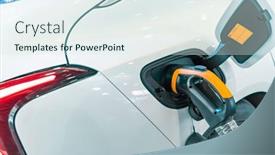
 Presentation with car parking - Presentation theme featuring electric-car-charging-on-parking background and a sky blue colored foreground

Electric Car Charging Parking Lot

Imagine a vibrant cityscape where electric vehicles are the norm, and charging stations are ubiquitous. The sun shines bright on the sleek designs of motorcycles as they speed by, their engines purring smoothly to power them forward. But amidst this urban landscape, one thing stands out the ease of finding a suitable parking spot. The template we have designed is specifically tailored for those who want to create an engaging and informative presentation on electric vehicles. It features a high resolution image of a bustling city street with a large electric car charging station in the center. The background image is beautifully rendered, giving your presentation a professional touch. As you scroll through the slides, you'll notice that each one has a clear purpose starting at the top are four helpful slides to get you up and running quickly, featuring an outline of how to create a stunning presentation with ease. But let's be honest, the real magic happens when we dive into the "Thank You Layout" slide, where you can tailor your design to fit your specific needs. This template is designed to enhance your content with a thoughtfully curated color palette that blends seamlessly with any digital format. The template includes auto generated keywords and descriptions, making it easy for Google Slides to recognize and render the images correctly. With four slides to get you started including an introduction slide to welcome viewers, a section on keyword usage, a detailed explanation of how to create your design, and an advanced layout featuring a background with custom text this template is perfect for anyone looking to create an engaging presentation that showcases the world of electric vehicles. As you explore this template, you'll notice how easy it is to incorporate high resolution images into your slides. And when you're done creating your presentation, don't worry about compatibility issues just download and share it with others. With Google Slides compatible, you can easily showcase your work in a professional setting or share it with colleagues who may not have the latest design software. So why wait? Dive into this template today and discover a whole new level of creativity and productivity!

 Presentation with car parking - Audience pleasing slides consisting of safety traffic laws highway code backdrop and a tawny brown colored foreground

Safety Traffic Laws Highway Code

The thrill of navigating through a crowded city parking lot with the safety of pedestrian crosswalks and road signs in focus is exhilarating. This template features a dark slate blue background that sets the tone for a safe and structured design, perfect for showcasing high resolution images featuring a wide range of elements such as traffic laws, highway code symbols, and city landmarks. As you explore this comprehensive template, you'll notice the Dark Slate Blue color palette provides a sophisticated look that's enhanced with the inclusion of a parking lot scene. The Two Content Layout slide allows you to seamlessly blend text and images together, making it easy to tell your story or highlight key points. The two columns can be combined in different ways to create a visually appealing design. For example, you could feature a close up image of a pedestrian crosswalk on the left column and include a section with road signs and highway code symbols on the right column.

 Presentation with car parking - Slide set enhanced with man-holding-smartphone-showing-white background and a ocean colored foreground

Man Holding Smartphone Showing White

The cityscape at night, with skyscrapers towering above a sea of parked cars, the glow of smartphones casting long shadows on the pavement, and the hum of activity in the background. This is what your new Corner Title template will deliver a high energy design that grabs attention from the start. You'll love working with this template's Widescreen format, which provides ample space to showcase your content without borders or edges getting in the way. The Steel Blue color palette is sleek and modern, perfect for creating a professional look that's both sophisticated and cutting edge. And with its 5 x 5 Org Chart Layout, you'll be able to easily organize your workspace and keep all your information neatly presented. This template is more than just a design it's a blank canvas waiting for your creativity and inspiration. Featuring high resolution images of cityscapes and gadgets, it's the perfect starting point for any presentation or project that requires visual interest and attention grabbing content. And with its compatibility with Google Slides, you can work seamlessly across different devices and platforms. Want to get up and running quickly? Our 4 How To slides will guide you through the process of customizing your template to fit your needs. But don't worry these steps are easy peasy, and before you know it, you'll be creating stunning presentations that will impress anyone. Have a theme of "Urban Landscapes" and include some amazing photos of city skylines and city streets in the background. Having a smooth transition to the next slide, with no clutter or distractions, makes for an enhanced viewing experience.

 Presentation with car parking - Slide set consisting of car parking near the coliseum background and a gray colored foreground

Retro Car Parking Near Coliseum

Imagine yourself cruising down a sun kissed highway, surrounded by the ancient stones of the Coliseum in the background, as a sleek motorcycle whizzes past you. The warm light of the setting sun casts a golden glow on the scene, with the sound of revving engines and distant chatter filling the air. This is the essence of your presentation, a visually stunning visual representation of your ideas. The Wide Title of this template showcases a bold, 3D roman font, set against a Cadet Blue background that's sure to grab attention. The text "Wide Title" is carefully arranged to create a sense of depth and dimensionality, making it the centerpiece of the slide. With four How To slides at the start of the deck, you'll be able to get up and running quickly, with easy to follow instructions for setting up your presentation. The template includes a beautiful background image featuring high resolution details of a retro car parked near the Coliseum under blue skies on sunny days. The image is rich in texture and color, providing plenty of visual interest without being overwhelming. This makes it perfect for presentations that require a strong theme or cohesive look. Gears in Sync Layout could be enhanced with additional elements such as animated transitions, 3D animations, or even a live action video snippet to give your presentation a dynamic feel. You could also include more dynamic images throughout the template to keep viewers engaged. Including a Background With feature would allow you to add a transparent background layer to any of the slides, providing plenty of room for creative graphics and design elements. Having a Theme of "Modern Road Trip" or "Vintage Cityscape" could give your presentation a unique perspective on the Coliseum scene, allowing you to showcase both retro and contemporary styles seamlessly. Enhanced With options include adding custom illustrations, creating interactive charts, or incorporating text based animations to make your presentation truly stand out.

 Presentation with car parking - Cool new presentation theme with parking garage underground interior backdrop and a mint green colored foreground

Parking Garage Underground Interior Car

Presentation theme with parking garage underground interior with car in motion blur

 Presentation with car parking - Audience pleasing presentation consisting of compressed view of parked cars backdrop and a dark gray colored foreground

Compressed View Parked Cars Car

Imagine a cityscape at sunset, with towering skyscrapers and bustling streets, but instead of cars zooming down the road, it's concrete buildings and multi storey car parks that dominate the view. That's what you'll see on screen when you open this widescreen template. The Wide Title design is perfect for presenting your company or organization in a professional and modern way. The Dark Olive Green color palette adds a sense of sophistication and professionalism to the overall look, while the concrete and motor keywords suggest a strong connection to industry trends and technology. This template is ideal for showcasing your shop or car park at high resolution, with crisp lines and sharp edges that will make it stand out on Google Slides. Featuring a background image with a cityscape view of a bustling car park, you can easily include images from around the world in this template. Having a theme of "Urban Landscapes", this design offers a range of opportunities for creative expression, including incorporating logos and graphics that evoke a sense of energy and dynamism. Enhanced with the 5 P's of Marketing Diagram Layout Placement, Proportion, Pattern, Color, and Purpose, this template provides a solid foundation for creating visually appealing presentations that engage audiences. For example, you could use this template to showcase your company's new car park development, featuring high resolution images of the latest building designs and construction progress. The Dark Olive Green color palette would add a sense of sophistication and professionalism to the presentation, while the concrete and motor keywords highlight the focus on industry trends and technology. Having a theme of "Urban Landscapes" allows for creative freedom to incorporate unique and eye catching graphics that set your presentations apart from others in the industry.

 Presentation with car parking - Audience pleasing slide deck consisting of underground-garage-or-modern-car backdrop and a ocean colored foreground

Underground Garage Modern Car Parking

The city's underground garage is a maze of sleek cars and bustling activity as they park their vehicles to access the luxurious high rise apartments above. The sound of revving engines and chatter fills the air as people scurry about, trying to find parking spots amidst the crowded lot. In this dark slate gray template, "Corner Title" provides an immersive experience that transports viewers into the heart of the action. The widescreen format ensures a 16:9 aspect ratio that wraps around the viewer's eyes, drawing them in with a sense of depth and space. The Dark Slate Gray color palette is both dramatic and sophisticated, providing a luxurious backdrop for the vibrant images that will be featured throughout the deck. From high resolution images of sleek vehicles to modern car parking lots, this template brings the city's bustling streets into your presentation. To enhance the overall viewing experience, you can include a panoramic picture layout slide featuring an aerial view of the parking lot from above. This would allow viewers to see the entire scene at once, providing a bird's eye perspective on the action unfolding below. This template is designed to be both informative and engaging, making it easy for your audience to quickly grasp the key points about modern car parking. The high resolution images will ensure that the content is crisp and clear, even at large sizes. As with any Google Slides presentation, this template is downloadable and compatible, allowing you to easily incorporate its features into your own project. A perfect blend of style and functionality, "Corner Title" is sure to make a lasting impression on your audience. By incorporating high quality images and a dark slate gray color palette, this template sets the tone for an immersive and engaging presentation that will leave a lasting impression.

 Presentation with car parking - Colorful PPT layouts enhanced with parking-sensors-on-a-modern backdrop and a sky blue colored foreground

Parking Sensors Modern Car

In the heart of any modern city, there's an indispensable part that makes life easier and more efficient parking sensors. These tiny devices embedded in our cars help us navigate through crowded streets with utmost accuracy, making every journey smoother than ever before. As we all know, finding a spot to park can be a challenge, especially during peak hours when the roads are congested. To make this process even better, designers have created an attention grabbing template for you, featuring cutting edge technology and high resolution images that will transport you into the world of modern automotive innovation. This template is designed with convenience in mind, offering auto measuring tools and features to streamline your workflow. The template's Widescreen format ensures an immersive experience on any device. As you explore this template, you'll notice it's not just about technology; it's also a showcase for the power of ultrasonic sensors, which use sound waves to detect objects in their path. Having a theme of modern convenience and featuring high resolution images will enhance your presentation with visual appeal. For instance, imagine creating an engaging slide that includes a background image of a sleek car navigating through a busy parking lot. The template's horizontal layout is perfect for organizing key information, making it easy to follow along. The template is compatible with Google Slides, and when you're ready to dive in, start by exploring the four How To slides at the beginning of your deck these guides will walk you through getting up and running quickly, ensuring a seamless experience from setup to presentation. The 3 Step Funnel Layout slide serves as an excellent starting point for organizing your content, with each step building upon the last to create a smooth flow. As you work, keep in mind that this template is all about enhancing your presentation, so don't be afraid to get creative and make it your own.

 Presentation with car parking - Slides with car parking in courtyard background and a ocean colored foreground

Car Parking Courtyard Building Built

As you stand in front of a stunning Moscow cityscape at sunset, surrounded by high rise buildings and lush greenery, your eyes are drawn to the perfect blend of modern and traditional elements that make up this incredible house yard it's a place where East meets West and functionality meets beauty. The Split Title template is designed to capture this essence perfectly, with its elegant split title design that sets the tone for an inspiring presentation. This template is specifically formatted for Widescreen presentations on Google Slides, featuring high resolution images of beautiful cityscapes, cozy homes, and vibrant streets at sunset. The Light Sky Blue color palette adds a touch of freshness and airiness to the entire design. The Split Title template is perfect for showcasing your ideas in an engaging way Imagine presenting with a dynamic background image that showcases a stunning Moscow view, or having a theme of "Urban Landscapes" and featuring images of city skylines at night. Having a Background With this template would be incredibly effective in drawing the audience's attention. The High Resolution images are perfect for creating an immersive experience, allowing your viewers to feel like they're right there with you in the midst of the action it's as if you're giving them a tour of this incredible city and showcasing its unique charm. Including a Background With this template would make it even more engaging and interactive. The Split Title template is also enhanced with advanced features such as the AIDA Block Layout slide, which allows you to clearly present your key message, action steps, and call to action in a clear and concise manner. As you start creating your presentation, remember that the first few slides are crucial in setting the tone and engaging your audience it's where you introduce yourself, explain what you're going to cover, and get them excited about the rest of the presentation. Don't forget to include some inspirational words to get your message across, such as "Get ready for an unforgettable journey through the world of urban landscapes" or "Experience the beauty of Moscow in all its glory".

 Presentation with car parking - Colorful theme enhanced with car-is-in-the-parking backdrop and a tawny brown colored foreground

Car Parking Auto Cover Sun.

Imagine showcasing your company's brand identity on a high resolution image that stands out against the background, while protecting both you and others from the harsh sun. The Split Title template is designed to do just that with its sleek steel blue color palette and 3 x 3 Org Chart Layout that makes it easy to organize your team. The template is available for download in Google Slides format, making it compatible with all major platforms. It's also an excellent choice for presentations, as it adds a touch of sophistication to any slide. Featuring high quality images, this template ensures that your presentation looks professional and polished from start to finish. A great example of how you could use the Split Title template is in a sales pitch or marketing strategy presentation. You could have the 3 x 3 Org Chart Layout on slides 1 4, featuring a clear hierarchy of responsibilities for each team member, while also including images and descriptions of specific roles. On slide 5, you could showcase your company's brand image, complete with its logo and color palette. Having a theme of professionalism and expertise would enhance the overall impression of your presentation. The template is designed to be easy to customize and modify, allowing you to add your own personal touch without compromising on the overall look and feel. With its high resolution images and sleek design, this template is sure to make a lasting impression.

 Presentation with car parking - Cool new PPT layouts with underground-garage-or-modern-car backdrop and a tawny brown colored foreground

Underground Garage Modern Car Parking

The world's most advanced parking systems are unfolding before your eyes, taking you on a journey through the intersection of technology and design. In this high resolution, widescreen template, Wide Title is at the forefront, bringing to life an underground garage scene that will leave your audience in awe. With a stunning teal color palette as the foundation, featuring bold accents of electric blue, White, Black and Gray, the template seamlessly blends modernity with sophistication. The keyword "high resolution images" is highlighted prominently on each slide, ensuring crisp and clear visuals that showcase the depth and texture of the background. Including a Background With subtle dynamic blur effects adds an extra layer of realism to the scene. A versatile theme for our purpose, Wide Title can be used to create various parking setups: from classic car garages to trendy electric vehicle parks. Having a Theme of showcasing urban infrastructure with intricate details enhances its appeal and makes it more visually appealing than just another generic template. Featuring Auto and Parking as major keywords highlights the importance of these two industries in our target audience's daily lives. The template includes four How To slides at the start, designed to get you up and running quickly, but for now, let's focus on this incredible design that will transform your presentations with its unique blend of modernity and sophistication.

 Presentation with car parking - Cool new presentation theme with underground-garage-or-modern-car backdrop and a tawny brown colored foreground

Underground Garage Modern Car Parking

Imagine you're standing in front of an underground garage or modern car parking facility, surrounded by rows of sleek black cars and trucks. The sound of engines humming and the glow of neon signs illuminates the space as if it's still bustling with activity even though it's empty inside. The Corner Title template is a dynamic and engaging design that captures the essence of this urban landscape. Featuring high resolution images for the background, this template is sure to grab your attention with its vivid representation of the parking area. The Crimson color palette adds a bold and striking touch, while the theme of "Inside" provides a clever play on words after all, it's an interior space that's still full of cars! Having a focus on auto and parking related keywords, this template is designed to resonate with your audience who work in these industries. The Four How To slides at the start of the deck will help you get up and running quickly. These steps are easy to follow and will guide you through setting up your PowerPoint presentation. But perhaps most excitingly, it's also downloadable and compatible with Google Slides, making it a seamless experience for both professionals and students alike. The Two Content Layout options available include Featured Image and Slide 1, where the first slide showcases the interior of the parking garage, while Slide 2 focuses on the exterior of the facility. With Enhanced Backgrounds, Including Backgrounds With and Having a Theme of car parking, you can customize these slides to fit your specific needs. Whether you're creating a promotional video or an educational presentation, this template is sure to enhance your content with its vibrant images and bold color palette.

 Presentation with car parking - Presentation theme featuring man-holding-smartphone-showing-white background and a violet colored foreground

Man Holding Smartphone Showing White

Imagine you're standing in front of a sleek and modern cityscape, surrounded by the hum of activity as people go about their daily lives. The sound of car horns and chatter fills the air, while the soft glow of streetlights casts a warm light on the scene. In this image, you hold up your smartphone to capture a moment that will make headlines a photo of the city at night, with skyscrapers and landmarks in the foreground and a deserted parking lot in the background. The background is a high resolution image featuring a beautiful cityscape at sunset. The colors are vibrant and rich, with shades of pink and orange that seem to dance across the canvas. As you hold up your phone, the camera captures every detail from the reflections on the wet pavement to the intricate patterns on the buildings' facades. The template is a versatile design that can be used in various contexts perhaps as a parking sign for a busy highway, or as a mockup of a smartphone screen. With its tan color palette and city inspired theme, it's perfect for creating engaging presentations, posters, and social media graphics. This template features a unique Dart Layout slide that allows you to add interactive elements to your presentation. Imagine having an immersive experience in your slides the layout is designed to make your content stand out, with bold fonts and eye catching graphics that draw the viewer in. With this feature, you can enhance your presentation with additional animations or transitions, making it more dynamic and engaging. To get started quickly, our template includes four easy to use slides that will help you get up and running. Featuring a blank background to let your creativity shine, including a selection of high resolution images for inspiration. Having a theme of urban living, enhanced with vibrant colors and graphics that reflect the city's energy. With seamless integration with Google Slides, you can easily add new content and customize your template to suit your needs.

 Presentation with car parking - PPT theme featuring a few parked car background and a ocean colored foreground

Parking Garage Interior Few Parked

The moment you thought you'd never see the parking garage again in your presentation has finally arrived. This template is designed to take your content inside and make it shine with its sleek and modern steel blue color palette that's perfect for adding a touch of sophistication to any presentation. This Widescreen Wide Title design features high resolution images on both sides, giving you plenty of room to create an eye catching sign or corridor that will draw the audience in. The Steel Blue background is adorned with subtle shades of gray and white, providing a clean and professional look that's sure to impress. The template includes four How To slides at the start of the deck to help you get up and running quickly, featuring features like including a Background With fluorescent lighting and having a theme of showcasing modern designs. These slides will give your viewers a taste of what they can expect from this sleek and modern template. The content layout is clean and simple, with plenty of white space to keep your text looking organized and easy to read. The picture on the left features a close up shot of a single parked car in the garage, while the rest of the slide showcases the template's various sections and backgrounds. This template is easily downloadable and compatible with Google Slides, so you can enhance its look with additional images or themes as needed. With its high resolution images and sleek steel blue color palette, this template is sure to add a touch of modernity to any presentation, making it perfect for showcasing parking garages, corridors, signs, and more. By including these features in one slide, the presenter can showcase the entire template at once, giving them an idea of what they're working with. The use of high resolution images on both sides also ensures that the content looks sharp and clear, regardless of the device being used to view it. The template is perfect for presentations where you want to highlight modern designs or interior spaces, as it features a range of backgrounds and themes that are sure to inspire your audience. With its sleek design and high resolution images, this template is sure to make your presentation stand out from the crowd, making it an excellent choice for anyone looking to showcase their knowledge in a professional and modern way.

 Presentation with car parking - Presentation theme consisting of sales pitch - mature car dealer and young background and a ocean colored foreground

Mature Car Dealer Young Couple

In a world where sales and marketing are key to success, a corner title is the perfect way to grab attention and establish credibility. Imagine walking into a sleek and modern dealership, surrounded by high end cars, with a young couple posing proudly in front of them it's the ultimate deal sealer. The Corner Title template is designed to help you stand out from the crowd, featuring a light sky blue color palette that's as refreshing as a cool breeze on a hot summer day. This Widescreen template is perfect for Google Slides and can be easily customized to fit your unique brand. The template includes 4 How To slides at the start of the deck to help you get up and running quickly, featuring high resolution images of cars and sleek designs. But don't worry, these slides are designed to be easy to follow, with clear headings and concise instructions to help you get started on creating your own engaging content. One great example of how this template can be used is in a presentation about the latest trends in car sales featuring a 3 x 3 Org Chart Layout slide that highlights key roles and responsibilities within the dealership. For instance, one section could include "Managing Inventory" with an image of a busy stockroom, while another could feature "Marketing Strategies" with a bold background and colorful graphics. This template is fully compatible with Google Slides, allowing you to create seamless transitions between slides. And with its customizable layout and high resolution images, you can tailor it to your specific needs and brand identity. So why wait? Download the Corner Title template today and elevate your content creation skills!

 Presentation with car parking - Cool new PPT theme with close-up-of-businesswoman-making backdrop and a ocean colored foreground

Close Up Businesswoman Making Contactless

The cityscape at dusk is a breathtaking sight to behold, with the sun's rays casting a warm glow over the towering skyscrapers and bustling streets. As you gaze out at this vibrant scene, you can almost hear the hum of activity, the chatter of pedestrians, and the wail of sirens in the distance. The Deep Sky Blue color palette is a perfect fit for this template, evoking feelings of serenity and calmness. The high resolution images featured throughout the template will transport your audience to the heart of the city, where the hustle and bustle never ceases. This template is designed specifically with parking and pay at meter systems in mind, featuring four key slides that will help you get up and running quickly. The How To slides at the start of the deck are perfect for those who want a head start, providing valuable tips and tricks to enhance their presentation skills. For example, the "How To" slide on "Parking Fees" could include an image of a pay at meter machine with a clear description of how to navigate the system. The opposite directional arrows layout is a great way to add visual interest to your slides, creating a sense of movement and energy. On the "Pay At Meter" slide, for instance, you could feature a dramatic arrow pointing down towards the meter, while on the "Parking Fees" slide, an arrow could be pointing up towards the top of the screen. The template is also designed to include a background with, featuring a stunning image of a cityscape at night. Having a theme of, enhancing your presentation with images and graphics that match your brand or industry, this template is sure to make a lasting impression on your audience.

 Presentation with car parking - PPT layouts consisting of parking garage background and a light gray colored foreground

Parking Garage

The sleek design of this Split Title template is sure to grab your audience's attention from the very first slide. The high resolution images for the background are prominently featured, transporting viewers into the heart of a bustling parking garage at night, its gleaming asphalt and towering pillars a stark contrast to the darkened interior spaces. This stunning template is perfectly suited for presentations on car park interior design, featuring a rich brown color palette that exudes warmth and sophistication. The theme of high resolution images lends itself beautifully to creating visual interest and depth, making it an ideal choice for showcasing stunning layouts and arrangements. The Puzzle Pieces Layout slide is particularly striking, with intricate graphics illustrating how different elements come together to create a cohesive whole, set against the rich brown background. As you delve deeper into your presentation, the How To slides at the start will provide valuable guidance on getting up and running quickly. Each step has been carefully crafted to ensure a smooth and seamless experience for both new and seasoned users. With Google Slides compatible and featuring a download option, this template is perfectly suited for sharing with colleagues or clients who need an expert level solution.

 Presentation with car parking - Beautiful presentation theme featuring abstract blur parking garage backdrop and a soft green colored foreground

Abstract Blur Parking Garage

The world of PowerPoint templates is vast and exciting, offering endless possibilities to create stunning presentations that captivate audiences. Take the Abstract Blur Parking Garage template from CrystalGraphics as your starting point, featuring high resolution images for the background that will transport you to a futuristic urban landscape. This template is designed in Widescreen format, perfect for showcasing your creativity and making a lasting impression on your viewers. The Peach Puff Colored color palette adds a touch of warmth and sophistication, while the spacious design ensures that all elements fit comfortably within the slide. This template is ideal for interior design presentations, showcasing spaces and features with ease. The Abstract Blur Parking Garage template includes four How To slides to help you get up and running quickly: Signpost Layout, Featured Image Showcase, Customizable Text, and Advanced Formatting. These slides will guide you through the process of creating a visually appealing presentation that showcases your creativity and expertise. The signpost layout slide is particularly useful for including background images with text overlays, having a theme of showcasing different parking garage features, or enhancing your presentation with interactive elements. The template is downloadable and compatible with Google Slides, making it easy to import into your preferred presentation software. With its high resolution images and customizable design, this template is sure to impress your audience and leave a lasting impression.

 Presentation with car parking - PPT layouts featuring daughter-giving-high-five background and a teal colored foreground

Daughter Giving High Five Mother

Imagine walking into your college dorm room to find a surprise message from Mother on your mirror, or being reminded to wash your hands with the image of a medical professional in front of you that's what this Corner Title template is all about. This stunning widescreen design combines high resolution images for its breathtaking background, and sets itself apart from other templates by featuring a unique Deep Sky Blue color palette that evokes feelings of serenity and calmness. Created with the college student in mind, this template is the perfect accompaniment to Google Slides, boasting 4 easy to follow slides at the start of your deck to get you up and running quickly. This Corner Title template has a distinct theme all its own, particularly when it comes to images. For example, on the Comparison with Image Layout slide, you can include a background image showcasing different layout options for your template such as how it looks on Google Slides, including text boxes, headers, and footers. Having this feature can help users visualize the possibilities of customizing their template to fit their needs. The medical professional image could be used as an example to demonstrate how this template enhances a presentation with a strong visual identity. Featuring a prominent background image is a great way to make your slide stand out from others, and having it combined with other design elements can result in something truly unique. Having a theme of a college dorm room or study space adds context to the design, highlighting the practicality and relevance of this template for students and faculty alike. This Corner Title template is an excellent starting point for any presentation or poster, whether you're showcasing your research, sharing personal experiences, or simply illustrating your thoughts on COVID 19. Its Deep Sky Blue color palette and high resolution images make it a standout in its class, and with 4 slides to get you started quickly, you can have your template up and running in no time.

 Presentation with car parking - Beautiful slide deck featuring abstract blur parking garage backdrop and a lemonade colored foreground

Abstract Blur Parking Garage

In the heart of any bustling city lies a parking garage that has stood the test of time, its walls adorned with intricate patterns and designs that seem to shift and morph as you glance at it from different angles. The sheer scale of this structure is awe inspiring, a testament to human ingenuity and creativity. Yet, amidst all the hustle and bustle, there lies a hidden gem the parking garage itself. The Corner Title template, featuring a spacious and secure interior that seamlessly blends with any setting, is designed for businesses looking to showcase their brand in an authentic way. With its high resolution images of abstract blur backgrounds, this template is sure to give your presentations a unique and eye catching twist. The Bisque color palette brings warmth and sophistication to the table, making it perfect for corporate events, product launches, or any other occasion where you want to make a statement. The Corner Title has been crafted with multi keyword functionality in mind, making it easy to enhance with animations, transitions, and effects. It also includes four How To slides to help you get up and running quickly all of which can be downloaded as part of the template. The 3 Column Layout slide provides a clear visual structure, featuring a main image, white space, and text elements that work together in harmony to create a visually appealing presentation. Whether you're creating a virtual reality experience or a live event, this template is sure to provide you with the perfect canvas to showcase your creativity and vision. With its spacious design, secure theme, and high resolution images, the Corner Title template is the ultimate solution for businesses looking to make a lasting impression.

 Presentation with car parking - Slide set having smart parking - young handsome man using background and a tawny brown colored foreground

Young Handsome Man Using Smartphone

In a world where style meets sophistication, where happiness is a state of mind and trends never go out of fashion, the perfect template is more than just a tool it's an experience. Introducing Corner Title, a stunning Widescreen template that will take your presentation to the next level. With its sleek Steel Blue color palette, this template is sure to make a statement. Its trendy and modern design is inspired by high resolution images of young handsome men using smartphones in convertible cars, setting the tone for a fun and engaging ride. As you look at this template, you'll notice that it has four How To slides at the start of the deck that will help you get up and running quickly no need to spend hours learning from scratch. But what's truly exciting is how easily you can use Corner Title as your own. It features a background with a road scene that includes a model car, giving you endless possibilities for creative freedom. Having a theme of style and sophistication, this template has everything you need to make a lasting impression on your audience. Whether you're creating a presentation about the latest trends in parking, highlighting happy moments on the road, exploring trendy roads that model cars can conquer, or showcasing high resolution images of models driving their way to success, Corner Title is here to help. With its enhanced capabilities, including being downloadable and compatible with Google Slides, this template will take your content to new heights and make it easy for you to get started right away.

▼Key features of this template

  • They are compatible with both PowerPoint and Google Slides running on either Windows PCs or Macs.

  • They are available in both standard and widescreen slide formats. You can choose your preferred format by clicking on the "Widescreen" check box or icon.

  • Each template includes a beautiful high-resolution background image or video to visually reinforce the theme of your presentation.

  • In addition, each template includes designer-created graphics and modern fonts to give your presentations an up-to-date, professional look.

  • Each template's default design and title text position have been carefully selected to complement its background without covering faces or other key elements.

  • All text includes backdrops whose transparency level is mathematically calculated to maximize text readability while still allowing the background to be seen.

  • And all the text, text backdrops and graphics in every slide are colored with a palette designed to beautifully complement the colors in the background.

  • Our Premium templates (those with the descriptor “Premium” in their subtitle) include over 64 slide layouts to give you maximum flexibility as you create your presentations.

    • Those layouts are available to you whenever you create a new slide or when you want to change the layout of an existing slide.
    • They include everything you need to make all sorts of presentations. In addition to the layouts for the title slide and the usual title and content slide, they include many other layouts for slide types including table of contents slides, org charts, charts, diagrams, infographics, photo slides, thank you slides and more.
    • While creating these layouts our template designers have ensured that all text in every layout adjusts as gracefully as possible to various numbers of words.
  • Customizable templates (those with the descriptor “Customizable” in their subtitle) may be easily modified online before you download them.

    • To modify them, simply click on the pencil editing icon, then select your choice of ready to go designs and title text positions.
    • The editing tool also makes it easy to reposition and scale the background image or video to best suit your needs.

▼FAQs

Please review these FAQs to see if your question is answered. Contact us for more info

  • What is a PowerPoint template?

    • A well designed PowerPoint template is a file that can tell PowerPoint how to make your ordinary templates look extraordinary. They won’t change what your words or numbers say. But they might change their size, color, font and placement. And, overall, they can give your presentations a professionally-designed look that will give your content more credibility and give you more confidence.
  • How many PowerPoint templates do you offer?

    • We have over 32,000 artist-created presentation templates in our PowerPlugs collection With a subscription, PowerPlugs templates are easy to download. Just sign in, find a template and click on the green Download button. ready for you to download. That alone offers you more variety to choose from than any of our competitors can offer. And, as if that weren’t enough, we also offer over 6 million templates in our Crystal collection. Crystal brand templates are our line of templates that have customization options. They have the word "CRYSTAL" on their web page images. You can customize several aspects of the templates. These templates include high-resolution background images from Shutterstock’s vast image collection matched up with artist-created presentation designs customized by our own proprietary AI software.
  • How many templates can I download as a subscriber?

    • You can download an unlimited number of PowerPlugs-brand With a subscription, PowerPlugs templates are easy to download. Just sign in, find a template and click on the green Download button. templates every day for an entire year. (Actually, by default, we set a limit of 25 templates per day to prevent our competitors from stealing our templates. But, if that is not enough, just let us know and we’ll try to accommodate you.) On top of that, with a subscription or an Ultimate Combo, you can also download any 50 Crystal-brand Crystal brand templates are our line of templates that have customization options. They have the word "CRYSTAL" on their web page images. You can customize several aspects of the templates. templates per year selected from our huge Crystal collection. Crystal brand templates are our line of templates that have customization options. They have the word "CRYSTAL" on their web page images. You can customize several aspects of the templates. .
  • Why should I choose your templates instead of the competition’s?

    • We’ve got a larger selection of professionally-designed PowerPoint templates than anyone else in the world.
    • Each template includes a high-resolution background image or video to visually inspire your audiences while reinforcing your message.
    • Each template includes 64 slide layouts to give you maximum flexibility as you create your presentations.
    • Our templates are available in both standard and widescreen slide formats. And our website lets you preview the slides each way.
    • Our free Template Finder™ plugin lets subscribers select and - with a single click - download and insert our templates into their presentations right from within PowerPoint.
    • We’ve been creating designer presentation templates for over 20 years. During that time we’ve won several awards and 5-star ratings for product quality. See About Us for more.
  • Do you offer a money-back guarantee?

    • Yes we do! We offer full 30-day money-back guarantee if you are not 100% satisfied with your purchase.
  • Can I still use my downloaded templates after my subscription runs out?

    • Yes. After your subscription expires, you won't lose any rights or ability to use your PowerPlugs: Templates for PowerPoint. You won't be able to download any new non-watermarked templates. But the non-watermarked templates you've already downloaded will still work and you can still use them as before.
  • Can I share my downloaded templates or passwords with friends or coworkers?

    • Sorry but no. You are authorized to download each paid-for template to up to 3 of your personal devices and to use the templates you download in as many presentations as you want. But you are not authorized to share the templates, themselves, with others. That said, we do offer highly discounted site licenses to suit the needs of both small and large teams. Just tell us your needs and we’ll give you a quote!
  • System requirements:

    • The templates use the standard POTX format. So they are compatible with Google Slides and all PC, Mac and mobile devices running any version of PowerPoint from PowerPoint 2007 up through and including Office 365 desktop.
    • Please note: Google Slides does not currently support background videos. It treats them as still images.
    • For PowerPoint for the Web, first open your template into a desktop version of PowerPoint, then save it back out as a PPTX file. Then you can open that in PowerPoint for the Web.
  • End user license agreement:

    • Click here to view.
  • How will I get my purchased templates?

    • You may download your selected templates as soon as your payment is received by PayPal. If you purchased an individual template, you will be provided with a download link both onscreen and via email. Just click on that link to begin the download process. If you purchased a subscription, you will receive an email containing a password to use along with your email address to sign in to any of the templates pages on CrystalGraphics.com. Once you are signed in, you can immediately start downloading your selected templates.
  • How do I use my templates after I download them?

    • You can either open a template to start a new presentation or you can add a template to an existing presentation. To open a template, just double click on it or use PowerPoint's File > Open tool. To add a template to an existing presentation, on the Design tab, in the Themes group, click Browse for Themes... then browse to select your template.

View more Car Parking templates:

previous 1 2 3 4 5 6 7 8 9 10 11 next
93% of Fortune 1000
companies use our
PowerPoint Products
Templates Secure

Standing Ovation Award
Winner: Best PowerPoint
Template Collection
Fortune Logos
200,000+ satisfied
customers worldwide!
Guarantee
100% satisfaction guaranteed
- or send it back for a refund!

Sign up for our free newsletter! You'll get news about our PowerPoint-enhancing product line – including free updates, new product announcements and exclusive special offers. Plus you'll get a link to a free PowerPoint template with every newsletter you receive.
Privacy Policy
Loading...


Help

Contact Us
Product FAQs
Product License Agreements

Company Info

About Us
Privacy Policy
CrystalGraphics, Inc. 1999 S. Bascom Avenue Suite 700 Campbell, CA 95008 USA
© 2026 CrystalGraphics, Inc. All rights Reserved.    |     PowerPlugs is a trademark of CrystalGraphics, Inc.
Microsoft and the PowerPoint logo are trademarks or registered trademarks of Microsoft Corporation in the United States and/or other countries.
Loading...
Loading...