www.crystalgraphics.com CrystalGraphics
  • Ultimate Combo
  • Templates
  • Diagrams
  • Characters
  • Quizzes
  • shopping cart
  • Sign Out Sign Out Sign In
Home > Templates > Chernobyl Category
search icon
advanced icon

115 Best Chernobyl-Themed Templates for PowerPoint and Google Slides

CrystalGraphics creates templates designed to make even average presentations look incredible. Below you’ll see thumbnail sized previews of the title slides of a few of our 115 best chernobyl templates for PowerPoint and Google Slides. The text you’ll see in in those slides is just example text. The chernobyl-related image or video you’ll see in the background of each title slide is designed to help you set the stage for your chernobyl-related topics and it is included with that template. In addition to the title slides, each of our templates comes with 17 additional slide layouts that you can use to create an unlimited number of presentation slides with your own added text and images. And every template is available in both widescreen and standard formats. With over 6 million presentation templates available for you to choose from, CrystalGraphics is the award-winning provider of the world’s largest collection of templates for PowerPoint and Google Slides. So, take your time and look around. You’ll like what you see! Whether you want 1 great template or an ongoing subscription, we've got affordable purchasing options and 24/7 download access to fit your needs. Thanks to our unbeatable combination of quality, selection and unique customization options, CrystalGraphics is the company you can count on for your presentation enhancement needs. Just ask any of our thousands of satisfied customers from virtually every leading company around the world. They love our products. We think you will, too!

Features & Pricing

Widescreen (16:9) Presentation Templates. Change size...

 Presentation with chernobyl - Presentation design with chernobyl disaster - hdr nuclear tourist background and a light gray colored foreground

Hdr.nuclear Tourist

As you delve into the world of creative presentation design, one thing is certain visuals play a pivotal role in captivating your audience's attention. To set the tone for an engaging and informative presentation, consider incorporating an eye catching background image that sets the stage for the rest of the content. Imagine walking through a bustling Japanese city, surrounded by neon lights and bustling streets, as you present to your audience. The Wide Title design from CrystalGraphics is sure to deliver this immersive experience, with its sleek and modern theme featuring high resolution images that blend seamlessly into the template's light steel blue color palette. This palette provides an excellent backdrop for showcasing various elements such as handsome icons, radiation symbols, and Japan inspired graphics, all carefully curated to create a cohesive and professional look. The Widescreen format ensures a crisp and expansive display, perfect for conveying complex information or showcasing multiple images. Featuring a combination of detailed background images, clear typography, and elegant design elements, this template is sure to delight your audience and leave them eager to learn more. By including the Managed Process Layout slide in the initial deck, you can ensure that all animations and transitions run smoothly without disrupting the flow of information. This streamlined approach will help keep your audience engaged throughout the presentation. Having a theme of customization options available, you can tailor the template's features to perfectly suit your needs, making it an excellent choice for creating engaging presentations that stand out from the crowd. Including high resolution images in various formats such as PNG and JPEG ensures that the background remains crisp and clear throughout the presentation, while keeping file sizes manageable. Featuring a Background With option will allow you to experiment with different image settings and backgrounds, providing endless possibilities for creative expression.

 Presentation with chernobyl - PPT theme enhanced with city near chernobyl nuclear reactor background and a dark gray colored foreground

Playground Pripyat Abandoned City

As you step into the abandoned Playground in Pripyat, a sense of eeriness settles over you, like the faint hum of a forgotten city, its residents long since vanished. The once thriving metropolis was left to decay, a haunting reminder of the catastrophic event that ravaged it 40 years ago the Chernobyl nuclear disaster. The template's design name is Wide Title, conveying a sense of grandeur and drama. Its format is Widescreen, perfectly capturing the expansive feel of this abandoned landscape. The color palette features an Olive Drab scheme, evoking a sense of nostalgia and decay, while the keywords suggest a focus on symbols, forests, and radiation. In high resolution images that will be included with the template, you can find the abandoned city's crumbling buildings, rusted machinery, and overgrown vegetation, all set against a backdrop of gray skies and misty hills. The playground equipment is still visible in the distance, forgotten but not destroyed, serving as a haunting reminder of the joy it once brought to children. This template features an integrated Pictures + Captions Layout slide that showcases the abandoned city's decaying infrastructure. For example, you can include images of crumbling brick walls, overgrown gardens, and rusty rail tracks, all with captions explaining the significance of each element in the context of the Chernobyl disaster. The Enhanced With theme allows you to add more depth and visual interest to your presentation. The template is downloadable and compatible with Google Slides, making it easy to import into your preferred software for seamless integration.

 Presentation with chernobyl - Colorful presentation enhanced with radiation-sign-on-a-graveyard backdrop and a violet colored foreground

Radiation Sign Graveyard Abandoned Pripyat

The stark beauty of the Chernobyl Exclusion Zone's abandoned landscape is a powerful reminder of the devastating effects of radiation exposure. As we gaze upon this eerie scene, our minds are drawn to the symbol of warning that has been emblazoned on the faces of those who suffered from its horrors the radiation sign. The image of a decaying cityscape, once teeming with life and energy, now lies barren and still, a haunting testament to the consequences of playing with forces beyond human control. The Goldenrod color palette adds a warm, sun kissed glow to this somber scene, evoking feelings of nostalgia and unease. The high resolution images for the background are carefully crafted to transport your audience to this desolate world, where they can almost smell the acrid smoke of burning fuel and hear the distant rumble of radiation. As we explore this template, you'll notice a clear theme emerging a sense of decay and neglect that permeates every aspect of this world. But amidst the ruin, there are moments of beauty to be found the intricate patterns on a decaying flower, or the way the light catches the dust motes in the air. The 4 How To slides will guide you through the process of getting up and running quickly with this template. These steps will have your presentation looking polished and professional in no time. And when you're ready to take it to the next level, simply add a Background With the image of a polluted river, or Include a Presentation With a theme of warning signs highlighting the importance of radiation safety. This template is not just for a one time use; it's also downloadable and compatible with Google Slides, making it an excellent choice for businesses, educators, and professionals who need to communicate complex information in an engaging way. By using this template as inspiration, you'll be able to create presentations that are Enhanced With a sense of drama and urgency, and Featuring the importance of radiation safety in your audience's minds. With its unique blend of striking imagery, soothing color palette, and clear theme, this template is sure to make a lasting impression on your viewers. Whether you're presenting at a conference, training for a team meeting, or simply sharing information with colleagues,

 Presentation with chernobyl - Audience pleasing slides consisting of man made disasters - rusty stop sign in pripyat backdrop and a gray colored foreground

Rusty Stop Sign Pripyat Chernobyl

Imagine standing in front of a once bustling cityscape, now reduced to rubble and ash, a eerie reminder of the devastating consequences of unchecked scientific experimentation. The desolate landscape stretches out before you like an open wound, a twisted antenna reaching for the sky as if trying to find some semblance of communication with the world beyond its crumbling walls. In the foreground, a radioactive glow emanates from the abandoned buildings, casting an otherworldly light over the scene. A single arrow pierces through the darkness, symbolizing the trajectory of radiation and the uncertainty that lies ahead. The sky above is painted with hues of crimson and burnt orange, as if the very fabric of reality has been torn apart. As you gaze upon this desolate landscape, you can't help but wonder what secrets lie beneath the surface. The decay of a civilization is a powerful metaphor for the fragility of our own existence. And yet, it's in these moments of darkness that we find the strength to push forward, to find new ways to navigate the unknown. The Sidebar Title template features a bold and striking design, perfect for presentations that require attention grabbing headlines. This widescreen format is ideal for showcasing high resolution images of abandoned cities, radioactive landscapes, or other themes that inspire awe and curiosity. The Crimson color palette provides a dramatic backdrop for these images, while the Keyword list ensures compatibility with Google Slides.

 Presentation with chernobyl - Audience pleasing presentation design consisting of city near chernobyl nuclear reactor backdrop and a light blue colored foreground

Ferris Wheel Pripyat Abandoned

This template is designed to transport your audience to the abandoned city near Chernobyl nuclear reactor in Pripyat, a place of eerie beauty and tragedy. The Corner Title Widescreen template features a stunning high resolution image of the city's ruins, creating an immersive atmosphere that will leave viewers stunned. The Light Steel Blue color palette shines like the steel beams that once supported the crumbling buildings, evoking a sense of melancholy and nostalgia. The template is perfectly suited for presentations where you want to convey a powerful message or evoke a strong emotional response from your audience. Its unique blend of symbolism, forest inspired elements, and radioactive theme makes it an ideal choice for topics such as environmental disasters, nuclear power, or the impact of human activity on fragile ecosystems. Each slide in this template is carefully crafted with our premium templates to provide you with 60+ Layouts slide options that you can use to enhance your presentation. From showcasing stunning images and videos to incorporating a background with subtle animations, every detail has been considered to ensure a seamless viewing experience for your audience. Whether you're looking to create an engaging narrative or simply want to visually convey complex ideas, this template is the perfect starting point. With its featured imagery, including a background with a cityscape rendered in stunning high definition, and having a theme of enhancing your presentation's visual appeal, it's sure to leave a lasting impression on your audience.

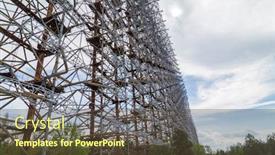
 Presentation with chernobyl - Slide deck enhanced with former military duga radar system in chernobyl exclusion zone ukraine background and a seafoam green colored foreground

Former Military Duga Radar System

The corner title, featuring a striking image of a former military Duga radar system in Chernobyl Exclusion Zone, Ukraine, dominates the widescreen design. The text is rendered in a light steel blue color palette that perfectly complements the rugged theme. This corner title template is perfect for businesses and individuals looking to create attention grabbing presentations. The High Resolution Background images are carefully curated to showcase various military structures such as antenna towers, steel buildings, and chernobyl accident memorials. These images provide a fascinating glimpse into the world of radar systems and their role in modern military operations. For instance, one could feature an image of the Duga system's control center, while another could include a shot of a high tech military base with advanced radar installations. This corner title template is ideal for those looking to enhance their presentation with a unique theme and a plethora of design options. With over 60+ layout slides available in our premium templates section, you're sure to find the perfect combination to suit your needs. By featuring a background image with a contrasting text color scheme, having a theme of military operations or technology, and including high resolution images, this template is sure to captivate your audience and leave a lasting impression.

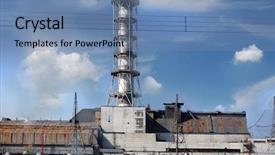
 Presentation with chernobyl - Beautiful slides featuring reactor - chernobyl nuclear power plant kiev backdrop and a coral colored foreground

Chernobyl Nuclear Power Plant Kiev

As you step into the heart of Ukraine's Kiev region, you're transported to the eerie landscape of Chernobyl nuclear power plant, where radioactive fallout blankets the once thriving city. The Widescreen template Wide Title designed for Google Slides takes center stage, showcasing the ominous presence of the plant in its entirety from the twisted metal beams to the cracked concrete and twisted debris filled streets. The Peru color palette, a blend of earthy tones and muted pastels, evokes the sense of decay and neglect that pervades this forsaken place. The template is an absolute must have for anyone looking to create a striking presentation that tells a story of devastation and resilience. With its 5 Year Calendar Timeline Layout slide, you'll have a built in narrative framework to explore the catastrophic events that led up to Chernobyl's infamous meltdown. This feature rich design makes it incredibly easy to include a Background With each slide, enhancing the overall impact of your presentation. To give you an idea of how this template can be used in action, let's take a look at a possible example. Imagine presenting a slideshow on the devastating effects of nuclear power, including images of contaminated areas, nuclear reactors, and the iconic Exclusion Zone. Featuring high resolution images throughout, you'll showcase the raw power of Chernobyl as a testament to human error and nature's fury. Including a Background With each slide will keep your audience engaged and informed, while having a theme of informative storytelling makes this template an invaluable addition to any presentation arsenal.

 Presentation with chernobyl - Slides featuring hdr lost city near chernobyl background and a tawny brown colored foreground

Hdr.lost City Near Chernobyl

The cityscape stretches out before you, a barren wasteland of concrete and rubble, where the remnants of a once thriving metropolis lie in ruin. The wind howls through the desolate streets, carrying the whispers of the past, as the ruins of a bygone era slowly give way to decay. This template is designed for a high resolution image background, perfect for showcasing your slides against a dramatic cityscape. The Saddle Brown color palette adds warmth and depth to the overall design, evoking feelings of nostalgia and foreboding. The concrete and damage keywords are prominent throughout the template, setting the tone for a realistic and intense look. The template is formatted in a widescreen mode, ideal for presentations that require a cinematic feel. With 4 How To slides at the start of the deck, you'll be well on your way to creating an engaging introduction that sets the stage for your presentation. From the Ansoff Matrix Diagram Layout slide, which features a bold and colorful chart highlighting your options, to including a background with a dramatic cityscape image, enhancing your slide with visuals will elevate your message.

 Presentation with chernobyl - PPT theme consisting of hand with fourth chernobyl reactor background and a tawny brown colored foreground

Radiometer Hand Fourth Chernobyl Reactor

As you delve into the world of crystal clear presentations with CrystalGraphics, a stunning new template is waiting to unleash its full potential on your audience. Welcome to Wide Title, a Widescreen design that embodies the essence of danger and pollution, while also showcasing high resolution images for a truly immersive experience. This template format is sure to make a statement, perfect for creating striking visuals in widescreen mode that will grab attention from anywhere. The Goldenrod color palette provides a warm and inviting backdrop for your content, while featuring various radiation symbols and warning signs that add an element of variation to keep things interesting. With its rich textures and atmospheric effects, the Wide Title template is sure to enhance any presentation with its comprehensive design elements, including features like including a background with subtle gradient transitions. Whether you're looking to create educational slides, training sessions, or marketing materials, this template is definitely worth downloading and exploring further. The High Definition images in the template ensure that every detail of your presentation is crisp and clear, from the intricate textures to the bold colors. Featuring a captivating image of a fourth Chernobyl reactor, this template includes a background with subtle glow effects that add depth and dimensionality to the design. Having a theme of environmental awareness, this template is perfect for highlighting the importance of pollution control measures. Having a range of keyword options available to you, including radioactive symbols, warning signs, and environmental labels, will give you complete flexibility in how you want to approach your presentation. With a seamless integration with Google Slides, creating, editing, and sharing presentations has never been easier.

 Presentation with chernobyl - Cool new presentation theme with nuclear - lost city near chernobyl area backdrop and a tawny brown colored foreground

Lost City.near Chernobyl Area.

In the heart of Ukraine's Kiev region lies a mysterious lost city, shrouded in the eerie glow of Chernobyl's radioactive ruins. This ancient settlement, once home to a thriving civilization, now stands as a testament to the devastating consequences of nuclear power. The city's crumbling spires and towering monoliths evoke an air of foreboding, beckoning us to explore its secrets. The Wide Title template from CrystalGraphics is designed to dominate your slides, setting the tone for an immersive experience. With a Widescreen format, you can create a cinematic feel that draws viewers in. The Goldenrod color palette adds a warm, sun kissed glow, reminiscent of the city's forgotten past. This theme is enhanced with the inclusion of high resolution images for the background, creating a stunning visual feast. The template keywords feature symbol, radioactive, fuel, concept, and sign, giving you plenty of opportunities to incorporate these elements into your designs. For example, you could use symbol shaped icons to represent the city's mysterious energy signatures or include a radioactive theme in your font choices. Have a theme of showcasing complex concepts through intricate illustrations is featured on some of the slides. As you delve deeper into the template, consider using the Arrowheads Layout slide as a canvas for visual storytelling. This layout allows you to arrange elements in a dynamic, 3D format, creating a captivating display that draws viewers' attention. Whether it's featuring a dramatic image of the city's ruins or including a background with abstract illustrations, this layout is sure to enhance your designs. The template is downloadable and compatible with Google Slides, making it easy to integrate into your workflow. With its high resolution images and customizable color palette, you can create stunning presentations that engage and inspire your audience.

 Presentation with chernobyl - Presentation consisting of man made disasters - soviet duga radar in pripyat background and a tawny brown colored foreground

Soviet Duga Radar Pripyat Chernobyl

The vast expanse of radioactive energy that once threatened to engulf the city of Pripyat has now given way to a new era of technological advancement with the widespread adoption of Wide Title templates from CrystalGraphics. Our Wide Title template is designed in a format tailored for Widescreen presentations, making it perfect for showcasing high resolution images and graphics. The Olive Drab color palette adds a touch of ruggedness and industrial chic, fitting perfectly with the theme of broadcast technology. Featuring an integrated antenna logo, this template embodies the spirit of innovation that drove the development of modern broadcasting. The cityscape of Chernobyl serves as a poignant reminder of the devastating consequences of neglecting safety protocols. However, it is also a testament to human resilience and the importance of learning from past mistakes. This template captures the essence of growth, transformation, and the pursuit of knowledge. With 4 How To slides at the start of your deck, you'll be well on your way to getting up and running quickly. These features include: * A step by step guide to launching your presentation * An overview of key design elements and layout tips * An example of what a successful broadcast can look like * Practical advice on how to customize the template for your specific needs As you begin creating your own presentations, remember that the right template can make all the difference. Having a theme of innovation and experimentation at heart, this Wide Title template is sure to enhance your visual content and leave a lasting impression on your audience.

 Presentation with chernobyl - Beautiful PPT theme featuring hdr lost city near chernobyl backdrop and a tawny brown colored foreground

Hdr.lost City Near Chernobyl

Imagine standing in the midst of a once thriving city now reclaimed by the harsh realities of nature, where concrete skyscrapers stand as testaments to humanity's destructive past. The sounds of decay and radiation echo through the streets, a haunting reminder of the devastating consequences of unchecked power. This template is designed for those who dare to explore the dark side of human endeavor. It features a Light Steel Blue color palette that evokes a sense of foreboding and unease, perfect for conveying a narrative of damage and decay. The template's background images are high resolution, featuring stunning near chernobyl area photographs that will transport your audience into the heart of this post apocalyptic landscape. The text is perfectly optimized for use on Google Slides, making it easy to download and integrate into your presentation. The Circular Approach Layout slide allows you to feature a prominent image or graphic while also including essential elements such as a title, subtitle, and bullet points. This layout makes it easy to present multiple ideas in a visually appealing way. The template includes four How To slides at the start of the deck to help you get up and running quickly. These slides provide a solid foundation for your presentation and can be used to demonstrate various techniques and best practices. This particular design is an Enhanced Version, Featuring a background with a subtle gradient effect that adds depth and dimensionality to the image.

 Presentation with chernobyl - Presentation design enhanced with chernobyl area lost city pripyat background and a coral colored foreground

Chernobyl Area Lost City Pripyat.

In the heart of a ravaged city, where radioactive ash spreads like a toxic stain, the once thriving metropolis of Pripyat lies abandoned and decaying. The city's steel and concrete towers now stand as skeletal reminders of a catastrophic event that shook the world. Amidst this eerie landscape, a warning sign remains, a beacon of caution that echoes through the desolate streets: "Stop" – in Ukrainian, "Рятуйся" (Ryut'yey). This stark message serves as a poignant reminder of the dangers that lurk within. The Wide Title template is designed to dominate your slides, with its dramatic steel blue background that sets the tone for a narrative of danger and decay. The high resolution images on this template will transport you to the Chernobyl area, immersing you in the ruins of a city in chaos. As you begin your presentation, consider including a Background With feature, where the Widescreen format allows you to showcase breathtaking views of the Ukrainian landscape – perhaps featuring the majestic Carpathian Mountains or the rolling hills of Kiev region. Having a Theme of Enhanced With this template will take your visuals to the next level, creating an engaging and dynamic display. The Signpost Layout slide is particularly worth considering, as it can be customized with various fonts, colors, and designs to match your specific needs. Featuring a prominent warning sign at the center of the layout will undoubtedly grab your audience's attention, while including additional elements such as radiation symbols or emergency exit signs will add an extra layer of realism. The rest of the template is designed to be compatible with Google Slides, ensuring seamless integration into your existing presentation workflow.

 Presentation with chernobyl - Audience pleasing PPT theme consisting of chernobyl nuclear power plant kiev backdrop and a light blue colored foreground

Chernobyl Nuclear Power Plant Kiev

Imagine walking into the Chernobyl nuclear power plant in Kiev region, Ukraine, on a cold winter morning. The dim light casts eerie shadows on the concrete walls as you notice the signs of recent damage and the presence of radioactive symbols etched into the metal beams. The air is thick with an otherworldly aura, a reminder of the devastating accident that occurred here five years ago. The template's design name is Bright Dawn, and it's a Widescreen 16:9 format that showcases stunning high resolution images as the centerpiece. The Light Sky Blue color palette provides a calming yet ominous tone, fitting for a theme that explores the nuclear disaster. This template includes Featuring a Background With a detailed image of the damaged reactor building, Including a Background With a panoramic view of the surrounding landscape, and Having a Theme of Disaster Recovery Enhanced With animations and effects to bring the scene to life. The 5 Level Piramid Layout slide presents a visual hierarchy that helps organize the content, featuring a central background image with increasing levels of detail. The template includes an Elevated Structure slide with a detailed illustration of the power plant's infrastructure, Lowering Images slides showcasing various aspects of the facility, and A Frame sections highlighting key features like the control room.

 Presentation with chernobyl - Colorful PPT theme enhanced with hdr lost city near chernobyl backdrop and a teal colored foreground

Hdr.lost City Near Chernobyl

In a world ravaged by disaster and neglect, the once thriving city of Kiev lies in ruins, its concrete skyscrapers now mere shadows of their former selves. The air is thick with the scent of decay and smoke, while the sound of sirens echoes through the desolate landscape. The Widescreen format allows for an immersive experience, showcasing breathtaking high resolution images that bring this scene to life. The Light SlateGray color palette provides a haunting backdrop for your presentation, evoking feelings of foreboding and unease. As you delve into the template, be prepared to dive into 4 How To slides that will help you get up and running quickly, featuring customizable templates, editable backgrounds, and seamless integration with Google Slides. To enhance your visual experience, a modern theme is included, allowing you to customize your presentation with ease.

 Presentation with chernobyl - Presentation theme enhanced with city abandoned farm near chernobyl background and a dark gray colored foreground

Lost City.abandoned Farm Near

Lost city in ruins, abandoned farm shrouded in secrecy, a haunting reminder of the devastating consequences of human error and neglect, leaving behind only rubble and decay. A once thriving metropolis lies in tatters, its concrete structures reduced to crumbling shells, a testament to the radioactive fallout that has ravaged this now abandoned area. The template name is Wide Title, a bold and striking introduction that sets the tone for the rest of the presentation. Designed specifically for widescreen formats, it's perfect for sharing on YouTube or streaming to your audience. The Widescreen format ensures that the visuals take center stage, drawing attention with dynamic images and graphics that are sure to capture your viewers' imagination. The Peru color palette brings a warm, earthy feel to the template, evoking the rich history of this forgotten city. Featuring high resolution images for the background, the template is downloadable and compatible with Google Slides, making it easy to share on any device. The template keywords are concrete, damage, radioactive, city, decay, which perfectly capture the essence of this tragic scene. The modern design elements give way to a more traditional approach on slides 2 4, showcasing the iconic imagery that defines this abandoned site. These slides include a background with enhanced graphics, allowing you to bring your presentation to life. Including a Background With element, you can easily customize the layout to fit your needs, making it an ideal tool for creating visually striking visuals. On slide 5, the template features a beautifully rendered image of the city's facade, capturing the intricate details and textures that make this place so fascinating. The modern design elements continue on this slide, incorporating a subtle animation to create a sense of movement and energy. Having a Theme of Enhanced With, you can easily customize the layout to fit your needs, making it an ideal tool for creating visually striking visuals. The template is designed to be highly customizable, with ample space for adding your own content and images. Dart Layout slides are perfect for those who want to add interactive elements to their presentation, such as quizzes or games. Incorporating a Background With element, you can easily include animations and transitions to enhance the user experience.

 Presentation with chernobyl - Slide set with former military duga radar system in chernobyl exclusion zone ukraine background and a tawny brown colored foreground

Former Military Duga Radar System

The Corner Title PowerPoint template is a striking and professional choice for any presentation that requires a strong visual identity. Designed to grab the audience's attention with its bold and metallic design, this template features a Light Steel Blue color palette that sets it apart from other templates on offer. The template's focus on antenna, steel structure, Chernobyl accident, radar system, and military base keywords lends itself perfectly to presentations about these topics. The high resolution images in the background will transport your audience to the former military Duga radar system in Chernobyl Exclusion Zone, Ukraine, creating a sense of immersion and drama. The template's seamless integration with Google Slides makes it an ideal choice for users who want to create professional looking presentations without the hassle of complicated formatting. As you build your presentation, keep in mind the 5 x 5 Org Chart Layout slide, which provides a clear structure for organizing your information and showcasing your team's hierarchy. To enhance this element, you could include a background with a radar like grid or add some metallic accents to give it a more dynamic feel. Having a theme of " Corporate Office" will help to reinforce the professional tone of the presentation. The template features four How To slides at the start of the deck, each designed to get your audience up and running quickly. These slides are sure to be a hit with any presenter looking for easy to use templates that deliver results.

 Presentation with chernobyl - PPT layouts enhanced with old-broken-rusty-metal-radioactive background and a tawny brown colored foreground

Old Broken Rusty Metal Radioactive

The city's once vibrant streets have been left in ruins after a devastating breakdown, leaving behind only rubble and the eerie silence of a radioactive environment. The steel blue hue that dominates this template is not just for aesthetics, but also to reflect the somber tone of the scene. High resolution images of old broken rusty metal, abandoned buildings, and the Chernobyl disaster's aftermath are featured throughout, creating an immersive experience. This Widescreen template is designed to capture the essence of a post apocalyptic city, perfect for presentations that require a dramatic and ominous atmosphere. As you explore this downloadable template, you'll notice its compatibility with Google Slides. The Steel Blue color palette sets the tone for a striking visual identity that's both modern and timeless. When it comes to enhancing your presentation, you can choose from various Quotation Layout options, including ones that incorporate 3D elements or feature bold typography. On a more practical note, don't be afraid to add your own illustrations or graphics to give your slide a personal touch. The template includes four key slides to get you started quickly making it an ideal resource for busy presenters who need to create engaging content on the fly. With these slides providing a solid foundation, you can focus on delivering your message with confidence. When designing your presentation, consider featuring a striking image that showcases the city's abandoned beauty, such as a darkened park with abandoned wheel cars scattered around it. Having a theme of contrast is also essential in this case one that highlights the devastating impact of the breakdown and sets the tone for the rest of your presentation. By incorporating a background with atmospheric lighting effects or adding a dramatic shadow, you can create an immersive experience that draws your audience in.

 Presentation with chernobyl - Cool new PPT theme with lost city near chernobyl area backdrop and a light blue colored foreground

Lost City Near Chernobyl Area.

The city's crumbling concrete structures seem to stretch towards the sky like skeletal fingers, a haunting reminder of the devastating effects of radiation and destruction. As you step into this eerie landscape, you're met with an otherworldly atmosphere that's both captivating and unsettling. The Corner Title template is perfect for creating a dramatic and immersive presentation that grabs your audience's attention from the very first slide. Widescreen format allows for maximum visual impact, while the light sky blue color palette evokes a sense of calmness and serenity – contrasting perfectly with the dark, ominous tone of the environment. This template features high resolution images for the background, which can be obtained through CrystalGraphics' extensive library of stock photos. Featuring these stunning visuals will elevate your presentation to new heights, making it an ideal choice for any project that requires a touch of drama and flair. The Ukrainian cityscape is reimagined in this template with precision, having been carefully crafted to transport viewers into the midst of a radioactive wasteland. The Kiev region's modern ruins are presented with enhanced detail, showcasing intricate architecture amidst the devastation. Having a theme of highlighting post apocalyptic environments will add an extra layer of depth to your presentation. Including a background With subtle texture and grain adds depth and visual interest to the images, while having a clear call to action at the end of each slide encourages audience engagement.

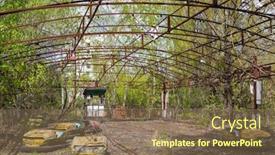
 Presentation with chernobyl - Presentation theme featuring old-broken-rusty-metal-radioactive background and a violet colored foreground

Old Broken Rusty Metal Radioactive

Imagine walking through a desolate cityscape at dusk, surrounded by abandoned buildings and rusty metal debris that seems to hold secrets of the past. The air is thick with an eerie silence, punctuated only by the distant hum of broken machinery and the faint glow of radioactive radiation seeping from the sky. In this bleak landscape, four colorful cars stand as testaments to a forgotten era their bright paint jobs faded to match the decay around them. They are like relics from a bygone age, abandoned and forlorn, yet somehow holding on to a sense of wonder and curiosity. A group of children's electric cars, once vibrant and full of life, now gather in a makeshift playground amidst the ruins of a former park. The swings creak in the wind, the slides are cracked and broken, but the energy of childhood is palpable. In this scene, high resolution images of the damaged cityscape provide the perfect backdrop for these nostalgic vehicles. As you explore this template, think of it as bringing to life a forgotten world, where radioactive pollution has left its mark on an otherwise vibrant community. From the theme of "Chernobyl Disaster" to its inclusion of a Background With an image of Pripyat's abandoned park, every detail is carefully crafted to enhance the overall atmosphere. The template includes a range of design elements, including a Widescreen format and a color palette that features warm hues like olive green and muted tones. The "Damage" keyword suggests a sense of chaos and destruction, while "Symbol" implies a connection to something more profound. And with the addition of the cityscape at dusk as inspiration, you'll find yourself drawn into this world, exploring its secrets and uncovering its hidden treasures. The template is also enhanced with features such as Dart on Target Layout, allowing you to create seamless transitions between slides and keeping your presentation looking polished and professional. With its downloadable compatibility and Google Slides integration, it's the perfect solution for creating engaging presentations that will leave a lasting impression.

 Presentation with chernobyl - Presentation theme featuring chernobyl nuclear power plant kiev background and a teal colored foreground

Chernobyl Nuclear Power Plant Kiev

In the aftermath of the devastating Chernobyl nuclear power plant disaster, a massive cloud of radioactive fallout blanketed the Ukrainian region, leaving in its wake a trail of destruction and devastation. The image of the partially exploded reactor and surrounding landscape is etched into the memories of those who witnessed it firsthand. A similar scene plays out in this template, featuring high resolution images that bring the Chernobyl nuclear power plant to life. The template's design name is Wide Title, with a focus on creating a wide screen experience that showcases dramatic footage and visuals. The Widescreen format ensures an immersive viewing experience, perfect for presentations that require attention grabbing content. This template's Steel Blue color palette adds a sense of sophistication and professionalism, while the keyword "damage" immediately conveys its subject matter. As inspiration for this template, we drew upon the images of the Chernobyl nuclear power plant in the Ukrainian region. The resulting design combines high resolution footage with detailed background images to create a believable and immersive environment. This template is not only visually striking but also functional, featuring an Enhanced With section that highlights its compatibility with Google Slides. The Thank You Layout slide stands out, showcasing a personalized message alongside a beautifully designed graphic. This slide serves as a reminder of the importance of careful planning and execution in creating a successful presentation. This template is specifically designed for presentations and allow you to include background images and add them Featuring a Background With a wide screen aspect ratio. The steel blue color palette provides an elegant backdrop for showcasing your ideas and making a statement with your design choices.

▼Key features of this template

  • They are compatible with both PowerPoint and Google Slides running on either Windows PCs or Macs.

  • They are available in both standard and widescreen slide formats. You can choose your preferred format by clicking on the "Widescreen" check box or icon.

  • Each template includes a beautiful high-resolution background image or video to visually reinforce the theme of your presentation.

  • In addition, each template includes designer-created graphics and modern fonts to give your presentations an up-to-date, professional look.

  • Each template's default design and title text position have been carefully selected to complement its background without covering faces or other key elements.

  • All text includes backdrops whose transparency level is mathematically calculated to maximize text readability while still allowing the background to be seen.

  • And all the text, text backdrops and graphics in every slide are colored with a palette designed to beautifully complement the colors in the background.

  • Our Premium templates (those with the descriptor “Premium” in their subtitle) include over 64 slide layouts to give you maximum flexibility as you create your presentations.

    • Those layouts are available to you whenever you create a new slide or when you want to change the layout of an existing slide.
    • They include everything you need to make all sorts of presentations. In addition to the layouts for the title slide and the usual title and content slide, they include many other layouts for slide types including table of contents slides, org charts, charts, diagrams, infographics, photo slides, thank you slides and more.
    • While creating these layouts our template designers have ensured that all text in every layout adjusts as gracefully as possible to various numbers of words.
  • Customizable templates (those with the descriptor “Customizable” in their subtitle) may be easily modified online before you download them.

    • To modify them, simply click on the pencil editing icon, then select your choice of ready to go designs and title text positions.
    • The editing tool also makes it easy to reposition and scale the background image or video to best suit your needs.

▼FAQs

Please review these FAQs to see if your question is answered. Contact us for more info

  • What is a PowerPoint template?

    • A well designed PowerPoint template is a file that can tell PowerPoint how to make your ordinary templates look extraordinary. They won’t change what your words or numbers say. But they might change their size, color, font and placement. And, overall, they can give your presentations a professionally-designed look that will give your content more credibility and give you more confidence.
  • How many PowerPoint templates do you offer?

    • We have over 32,000 artist-created presentation templates in our PowerPlugs collection With a subscription, PowerPlugs templates are easy to download. Just sign in, find a template and click on the green Download button. ready for you to download. That alone offers you more variety to choose from than any of our competitors can offer. And, as if that weren’t enough, we also offer over 6 million templates in our Crystal collection. Crystal brand templates are our line of templates that have customization options. They have the word "CRYSTAL" on their web page images. You can customize several aspects of the templates. These templates include high-resolution background images from Shutterstock’s vast image collection matched up with artist-created presentation designs customized by our own proprietary AI software.
  • How many templates can I download as a subscriber?

    • You can download an unlimited number of PowerPlugs-brand With a subscription, PowerPlugs templates are easy to download. Just sign in, find a template and click on the green Download button. templates every day for an entire year. (Actually, by default, we set a limit of 25 templates per day to prevent our competitors from stealing our templates. But, if that is not enough, just let us know and we’ll try to accommodate you.) On top of that, with a subscription or an Ultimate Combo, you can also download any 50 Crystal-brand Crystal brand templates are our line of templates that have customization options. They have the word "CRYSTAL" on their web page images. You can customize several aspects of the templates. templates per year selected from our huge Crystal collection. Crystal brand templates are our line of templates that have customization options. They have the word "CRYSTAL" on their web page images. You can customize several aspects of the templates. .
  • Why should I choose your templates instead of the competition’s?

    • We’ve got a larger selection of professionally-designed PowerPoint templates than anyone else in the world.
    • Each template includes a high-resolution background image or video to visually inspire your audiences while reinforcing your message.
    • Each template includes 64 slide layouts to give you maximum flexibility as you create your presentations.
    • Our templates are available in both standard and widescreen slide formats. And our website lets you preview the slides each way.
    • Our free Template Finder™ plugin lets subscribers select and - with a single click - download and insert our templates into their presentations right from within PowerPoint.
    • We’ve been creating designer presentation templates for over 20 years. During that time we’ve won several awards and 5-star ratings for product quality. See About Us for more.
  • Do you offer a money-back guarantee?

    • Yes we do! We offer full 30-day money-back guarantee if you are not 100% satisfied with your purchase.
  • Can I still use my downloaded templates after my subscription runs out?

    • Yes. After your subscription expires, you won't lose any rights or ability to use your PowerPlugs: Templates for PowerPoint. You won't be able to download any new non-watermarked templates. But the non-watermarked templates you've already downloaded will still work and you can still use them as before.
  • Can I share my downloaded templates or passwords with friends or coworkers?

    • Sorry but no. You are authorized to download each paid-for template to up to 3 of your personal devices and to use the templates you download in as many presentations as you want. But you are not authorized to share the templates, themselves, with others. That said, we do offer highly discounted site licenses to suit the needs of both small and large teams. Just tell us your needs and we’ll give you a quote!
  • System requirements:

    • The templates use the standard POTX format. So they are compatible with Google Slides and all PC, Mac and mobile devices running any version of PowerPoint from PowerPoint 2007 up through and including Office 365 desktop.
    • Please note: Google Slides does not currently support background videos. It treats them as still images.
    • For PowerPoint for the Web, first open your template into a desktop version of PowerPoint, then save it back out as a PPTX file. Then you can open that in PowerPoint for the Web.
  • End user license agreement:

    • Click here to view.
  • How will I get my purchased templates?

    • You may download your selected templates as soon as your payment is received by PayPal. If you purchased an individual template, you will be provided with a download link both onscreen and via email. Just click on that link to begin the download process. If you purchased a subscription, you will receive an email containing a password to use along with your email address to sign in to any of the templates pages on CrystalGraphics.com. Once you are signed in, you can immediately start downloading your selected templates.
  • How do I use my templates after I download them?

    • You can either open a template to start a new presentation or you can add a template to an existing presentation. To open a template, just double click on it or use PowerPoint's File > Open tool. To add a template to an existing presentation, on the Design tab, in the Themes group, click Browse for Themes... then browse to select your template.

View more Chernobyl templates:

previous 1 2 3 4 5 6 next
93% of Fortune 1000
companies use our
PowerPoint Products
Templates Secure

Standing Ovation Award
Winner: Best PowerPoint
Template Collection
Fortune Logos
200,000+ satisfied
customers worldwide!
Guarantee
100% satisfaction guaranteed
- or send it back for a refund!

Sign up for our free newsletter! You'll get news about our PowerPoint-enhancing product line – including free updates, new product announcements and exclusive special offers. Plus you'll get a link to a free PowerPoint template with every newsletter you receive.
Privacy Policy
Loading...


Help

Contact Us
Product FAQs
Product License Agreements

Company Info

About Us
Privacy Policy
CrystalGraphics, Inc. 1999 S. Bascom Avenue Suite 700 Campbell, CA 95008 USA
© 2025 CrystalGraphics, Inc. All rights Reserved.    |     PowerPlugs is a trademark of CrystalGraphics, Inc.
Microsoft and the PowerPoint logo are trademarks or registered trademarks of Microsoft Corporation in the United States and/or other countries.
Loading...
Loading...