www.crystalgraphics.com CrystalGraphics
  • Ultimate Combo
  • Templates
  • Diagrams
  • Characters
  • Quizzes
  • shopping cart
  • Sign Out Sign Out Sign In
Home > Templates > Cherry Category
search icon
advanced icon

354 Best Cherry-Themed Templates for PowerPoint and Google Slides

Discover the sweet allure of Cherry PowerPoint templates from CrystalGraphics, the largest collection of over 6.7 million pre-designed templates in the world. With its exclusive cherry blossom template series, you can create an immersive and visually stunning presentation that captures the essence of Japan's iconic Chureito Pagoda at Fujiyoshida. This elegant design combines delicate pink cherry blossoms with a blurred background, set against a vibrant violet foreground, creating a captivating visual experience for your audience.

This Cherry PowerPoint template is not just a pretty face; it's also highly versatile and customizable to suit your unique needs. With its wide compatibility with Google Slides, you can easily integrate this template into your online presentations or offline documents. Plus, the extensive 60+ slide layouts in the title slide plus 60+ additional slides ensure that your presentation is comprehensive and engaging.

To further elevate your visual masterpiece, Cherry templates are available in both widescreen and standard formats, allowing you to tailor them to fit any device or screen size. You can also add your own personal touch with customizable elements, giving you full control over the final product.

Don't settle for a one-size-fits-all approach; explore CrystalGraphics vast collection of Cherry PowerPoint templates that cater to diverse needs and preferences. Browse through our extensive range, and discover the perfect template to make your presentation pop. Download and customize these stunning templates with ease, and unlock the full potential of your visual storytelling.

Features & Pricing

Widescreen (16:9) Presentation Templates. Change size...
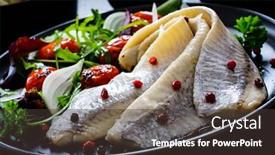
 Presentation with cherry - Amazing PPT theme having marinated-herrings-with-roast-cherry backdrop and a tawny brown colored foreground

Marinated Herrings Roast Cherry Tomatoes

Imagine starting your presentation with a striking image that sets the tone for the entire deck, drawing in your audience like a magnet. The description begins by introducing the design name Wide Title, emphasizing its Widescreen format and Dark Goldenrod template color palette. This combination creates a dramatic backdrop for your message, perfect for grabbing attention. The template is designed to enhance the visual appeal of your slides, featuring a simple yet effective Venn Diagram Layout slide that includes a high resolution image of marinated herrings with roast cherry tomatoes and fresh vegetable leaves on black table. The inclusion of a background with subtle texture adds depth and interest to the design. With this layout, you can easily create custom illustrations or graphics that fit your brand's style. The template keywords herrings, nutrient, onion, snack, garnish are cleverly incorporated into the color palette, providing inspiration for your slides' design. You could include a slide featuring a graphic illustration of a serving plate with a herring garnished on top, complete with chopped onions and fresh herbs. The high resolution images used in the template ensure that all details are crisp and clear, making it easy to visualize and share with your audience. The downloadable nature of the template means you can customize it further to fit your specific needs, adding Background With and Having a Theme Of features to enhance its visual appeal.

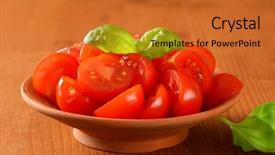
 Presentation with cherry - Slide deck consisting of bioceramic - ceramic bowl of halved cherry background and a  colored foreground

Ceramic Bowl Halved Cherry Tomatoes

Slide deck consisting of ceramic bowl of halved cherry tomatoes with leaves of basil

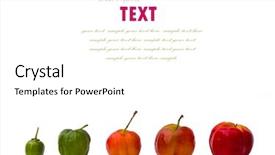
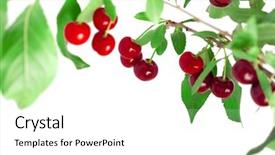
 Presentation with cherry - Slides enhanced with cherry-plum growth isolated background and a white colored foreground

Cherry-plum Growth Isolated White Background

Slides enhanced with cherry-plum growth isolated on white background

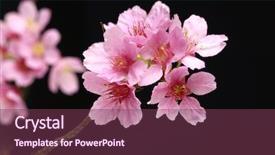
 Presentation with cherry - Amazing slide deck having view of a cherry tree backdrop and a violet colored foreground

Close View Cherry Tree Branch

Imagine starting your presentation on a serene and vibrant note, with a stunning cherry tree branch standing tall against a darkened black background, its delicate branches stretching out like silken fingers towards the sky. This captivating image is just one example of what could be showcased in this Corner Title template. This design name suggests that your presentation will be all about highlighting the importance of corners and the beauty they bring to our lives from fertile ground for growth to the bright, cheerful faces we encounter on our daily walks. The medium violet red color palette adds a touch of warmth and coziness, perfect for conveying a sense of approachability and friendly conversation. The template's features include 4 How To slides at the start of the deck, helping you quickly get up and running, and featuring high resolution images to elevate your presentation. As we explore this template further, we can see how it seamlessly integrates with Google Slides, allowing for seamless transitions between slides and a smooth viewing experience. The Grid Layout slide is where things really come alive featuring 8 pictures, each showcasing a different aspect of the cherry tree branch or related flora, you'll get a clear visual representation of the theme. For example, imagine showing an image of a pink cherry blossom tree, followed by another with a bright yellow flower, and having a section dedicated to the intricate details of a green leaf. Each picture is carefully selected to enhance your message and keep your audience engaged. This template offers a unique blend of style and substance, making it perfect for presentations that need to convey confidence and authority whether you're discussing fertility or simply showcasing bright and beautiful images. With its versatile design elements and easy integration with Google Slides, this Corner Title template is sure to make a lasting impression on your audience.

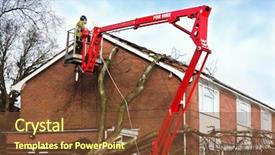
 Presentation with cherry - Cool new presentation theme with top of a residential house backdrop and a tawny brown colored foreground

Tree Surgeon Working Up Cherry

A storm has ravaged the exterior of a residential house, leaving behind a damaged roof and a trail of destruction in its wake. The tree surgeon is seen carefully surveying the damage, taking notes and assessing the situation before getting to work. The stormy weather conditions are reflected on the face of the tree surgeon as they examine the tangled mess of branches and leaves that have been swept up by the wind. In the background, a beautiful cherry blossom tree stands tall, its delicate petals glistening in the morning sun. However, the peaceful scene is quickly interrupted by the sound of hammering and sawing as the tree surgeon begins to repair the damage to the roof. The template features high resolution images throughout, including detailed views of the tree surgeon's workspace and close ups of their tools of the trade. The background color scheme is light steel blue, providing a clean and professional look that complements the theme of the presentation. This template can be enhanced with additional design elements such as textured backgrounds, bold fonts, and subtle gradients to add depth and interest. The Corner Title template is designed for insurance professionals who need to present information about damage caused by natural disasters like storms. The 1 Picture on left slide features a dramatic before and after sequence of the storm damage, showcasing the extent of the destruction. Featuring a close up shot of the tree surgeon's hands as they work to repair the roof is another great way to illustrate this point. Including a Background With feature allows you to add an extra layer of realism to the presentation by overlaying a photo of the damaged house with the repaired one, creating a sense of continuity and flow. Having a Theme of highlights the key message of the presentation, making it more engaging and memorable for your audience. Enhanced With additional design elements such as shadows, highlights, and textures can further enhance the visual impact of the slide.

 Presentation with cherry - Amazing presentation theme having cherry tree - juicy cherries on a branch backdrop and a white colored foreground

Juicy Cherries Branch

In the world of design, a perfect blend of creativity and functionality is key to creating stunning presentations. Take your studio experience to the next level with this Pale Violet Red Colored template, featuring 4 How To slides that will guide you through getting started quickly. This template's background is designed to resemble a juicy cherry nestled in its branch, providing an enticing starting point for your audience. The high resolution images embedded within make it perfect for showcasing vibrant colors and textures. Paired with the Pale Violet Red Colored theme, this template becomes an enhanced canvas waiting for you to add your own unique style. The studio atmosphere is complete with Featuring a Background With, Including a Customizable Title Slide in Place of the Traditional Title Bar and Having a Theme of Creating a Professional Studio Setting, which will elevate any presentation. With its seamless integration into Google Slides, you'll be able to access all the features and tools you need quickly and easily. Get ready to enhance your presentation with this vibrant and versatile template that's sure to leave a lasting impression on your audience.

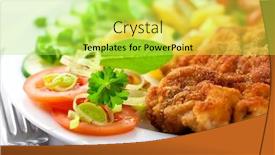
 Presentation with cherry - Colorful slide deck enhanced with schnitzel with roasted potatoes fresh and cherry tomatoes leek cucumber chive spices fresh sage and parsley symbolic image concept for a tasty and hearty meal selective focus close up backdrop and a yellow colored foreground

Schnitzel Roasted Potatoes Fresh Cherry

The Corner Title template is designed to transport your audience to a vibrant corner of the world where flavors and textures come together in perfect harmony. Imagine yourself standing in a bustling market square, surrounded by the sights and smells of a traditional Polish cuisine lunchtime. The warm glow of golden light filters through the windows, casting a cozy ambiance over the scene. The template features high resolution images for the background, showcasing the colorful ingredients that make up this delicious meal. From the crispy wiener schnitzel to the fresh herbs, every detail is carefully crafted to evoke the sensory experience of savoring a mouthwatering salad. The Green Yellow color palette adds a pop of freshness and vitality to the design. The template's theme is centered around polish cuisine, with a focus on nutrient rich ingredients that will leave your audience feeling satisfied and energized. The 5 Level Piramid Layout slide provides a clear structure for presenting this information, featuring a prominent image at its base, followed by a series of smaller images that build up to the main topic. The template is downloadable and compatible with Google Slides, making it easy to incorporate into your presentations. With its attention grabbing design and high quality images, the Corner Title template is sure to enhance any presentation featuring polish cuisine or lunchtime inspiration.

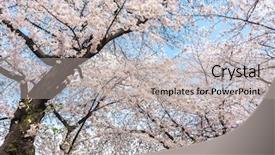
 Presentation with cherry - Presentation theme featuring prunus - cherry blossoms blossming in spring background and a light gray colored foreground

Cherry Blossoms Blossming Spring Seoul

The moment you click on this template, you'll be transported to the breathtaking beauty of cherry blossoms blooming in spring in Seoul South Korea at Seoul Grand Park. The vibrant pink and white hues will instantly lift your spirits, capturing the essence of serulata, or nature's own work of art. This design name, Wide Title, exudes a sense of grandeur and beauty, perfect for showcasing stunning visuals. Our Widescreen template is crafted with 16:9 aspect ratio in mind, offering an immersive experience that complements the high resolution images included in its background image. The Rosy Brown color palette brings warmth and coziness to your presentation, setting it apart from others. Whether you're focusing on beauty or freshness, this theme ensures a cohesive look throughout. Incorporating various keywords like serrulata, focus, and scenic, our template is designed to enhance the visual impact of each slide, making it easier for your audience to follow along. Featuring stunning images of cherry blossoms at Seoul Grand Park as an example, we can already imagine how visually striking this template will be. With a circular step layout featured prominently on many slides, users will appreciate the seamless design flow. Having a theme of showcasing beautiful moments or serene scenes is particularly well suited to this template's focus on nature. Enhanced with Googol Slides' compatibility and resolution support, you can rest assured that your presentation will be clear and crisp.

 Presentation with cherry - Theme featuring cherry background and a seafoam green colored foreground

Cherry

As you delve into the enchanting world of desktop publishing, Crystal Graphics presents to you the Sidebar Title template, a stunningly designed Widescreen layout that will elevate your creations and transport them to a realm of mellow sophistication. Paired with a soft Pale Violet Red Colored scheme, this template is not just aesthetically pleasing but also versatile enough to be Incorporated seamlessly into any Google Slides presentation. The Sidebar Title offers an enhanced theme of high resolution images for the background, carefully Featuring cherry blossoms against a serene green landscape or vibrant berry hues amidst a rich white mist. The mellow tone and muted color palette Ensure that this template Does not compete with your content but rather Enhances it by providing a calming atmosphere. Incorporating the Sidebar Title template into your workflow can help you get up and running quickly, as stated in 4 How To slides at the start of the deck to guide you through the setup process. To add an extra layer of depth, this template is Designed to work seamlessly With Google Slides, Ensuring that it Does not require any additional software or coding. The Puzzle Pieces Layout slide presents a unique opportunity for creativity and customization, allowing you to Include custom images, colors, and fonts to make the layout truly Your own. As an example, you can Feature this template alongside a stunning image of a cherry tree in bloom, Creating a visually appealing combination that captures the essence of springtime. In addition to its sleek design and versatility, the Sidebar Title template is also Compatible with Google Slides, making it an Enhanced choice for those looking to create professional looking presentations on the go.

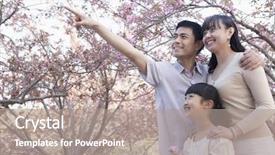
 Presentation with cherry - Colorful PPT theme enhanced with smiling family looking up and admiring the cherry blossoms in the park backdrop and a gray colored foreground

Smiling Family Looking Up Admiring

The moment you've been waiting for has finally arrived to bring your family's love story to life in a stunning visual representation. Imagine a warm and inviting atmosphere where the beauty of nature is on full display, capturing the essence of togetherness and the special bond between loved ones. This Split Title template is designed to transport you to a serene park scene, where cherry blossoms bloom under the gentle gaze of smiling family members. The Dark Salmon color palette provides a sophisticated backdrop for this heartwarming image, while the high resolution images featured throughout the template will elevate your presentation to new heights. The Split Title template is perfect for showcasing your love story in a visually appealing and engaging way. With its casual clothing theme, you can easily incorporate elements of everyday life into your design, making it easy to create a cohesive look that resonates with your audience. The Dark Salmon color palette adds depth and richness to the overall aesthetic, while the Chart with Caption Layout slide provides a clean and modern touch. This template is downloadable and compatible with Google Slides, ensuring you can easily import high resolution images into your presentation. With its four How To slides at the start of the deck, you'll be able to get up and running quickly and confidently, setting the stage for an engaging and effective presentation.

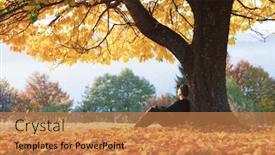
 Presentation with cherry - Beautiful presentation featuring man-sitting-under-majestic-orange backdrop and a coral colored foreground

Man Sitting Under Majestic Orange

Presentation featuring man sitting under majestic orange cherry tree at autumn park at sunset dramatic colorful fall scene landscape photography

 Presentation with cherry - Presentation theme consisting of blush pink plants - cherry background and a ocean colored foreground

Cherry

The art of incorporating cherry blossoms into your design landscape is a delicate balance between aesthetics and functionality. To create a visually stunning and engaging visual identity, designers often employ various techniques to bring forth the beauty of these flowers. In the context of a powerpoint template provided by CrystalGraphics, Corner Title emerges as an ideal solution, offering a unique blend of style and sophistication. The template features a widescreen format, perfect for showcasing intricate details and high resolution images. The Steel Blue color palette provides a sophisticated backdrop against which to bring forth the vibrant cherry blossoms. This is achieved through the inclusion of background images featuring delicate cherry blossoms swaying gently in the breeze, as if bathed in soft pink light. The template keywords Cherry, Pink, Blossom, May, and Inflorescence are prominently featured throughout, ensuring that your design aligns perfectly with the target audience's preferences. The 4 How To slides at the start of the deck provide a head start on getting up and running quickly, while the Level Piramid Layout slide offers a clear structure for organizing information. The template can be enhanced with various features, such as the ability to Featuring or Including a Background With specific images, Having a Theme of cherry blossoms throughout the design process. The intricate details and high resolution images ensure that your design is both visually appealing and informative, making it an ideal solution for designers who want to showcase their creations in style.

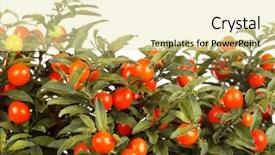
 Presentation with cherry - Audience pleasing slides consisting of poisonous plants - christmas cherry backdrop and a soft green colored foreground

Christmas Cherry

Imagine stepping into a winter wonderland where cherry blossoms bloom and bushy gardens await your discovery, all set against a backdrop of vibrant tomato reds and golden oranges that evoke the warmth of the season. The Split Title template is designed to transport you to this enchanting world with its high resolution images that capture the essence of fruit laden trees and cozy winter evenings. Featuring beautiful cherry blossoms in mid bloom, featuring a background with subtle texture and having a theme of springtime growth, this template is sure to delight your audience. With the Split Title template, you can showcase your creativity and add a touch of warmth to your presentations. The layout of the template includes four How To slides that will help you get up and running quickly, but for now, let's focus on its design and features. The template format is Widescreen, perfect for showcasing large images or graphics. The Template Color Palette Tomato adds a pop of color to any presentation, making it easy to include in your slides. The Split Title template is downloadable and compatible with Google Slides, so you can easily share it with your colleagues or clients. With its vibrant colors and high resolution images, this template will enhance your presentations and leave a lasting impression on your audience. Featuring beautiful cherry blossoms, the template Includes a background with subtle texture that adds depth to any slide, having a theme of springtime growth that ties in perfectly with the fruit filled trees. The Split Title template is enhanced with dynamic graphics and animations that add an extra layer of excitement to your presentations. Whether you're showing off a stunning image or highlighting key information, this template has got you covered. With its Tomato color palette and high resolution images, it's the perfect choice for anyone looking to create engaging and eye catching presentations. As you work with the Split Title template, keep in mind that the AIDA Block Layout slide can help guide your audience through the presentation. Featuring a clear headline, subtitle, and call to action, this layout is designed to capture attention and encourage interaction. Having a theme of organization and structure, it helps establish trust and credibility with your audience. Overall, the Split Title template is a fantastic choice for anyone looking to create visually appealing and engaging presentations. With its vibrant colors

 Presentation with cherry - Cool new PPT theme with cherry flower backdrop and a sky blue colored foreground

Cherry Flower

In the heart of spring, as cherry blossoms start to bloom in Japan, they symbolize beauty and serenity, captivating the hearts of all who lay eyes on them. The gentle petals unfurl, releasing delicate scents that fill the air with an otherworldly charm. It's the perfect time to celebrate life, love, and growth with a stunning presentation. The Corner Title template is designed in Widescreen format, featuring a beautiful pink color palette that will transport your audience to a tranquil Japanese garden scene. The high resolution images for the background are sure to make a striking impression, drawing viewers in and setting the tone for an immersive experience. This template is ideal for showcasing beauty, highlighting floral scenes, or simply creating a lovely atmosphere. This stunning Corner Title template is not only visually stunning but also easy to use. It's downloadable and compatible with Google Slides, making it a convenient choice for anyone looking to create engaging presentations. The high resolution images and pink color palette ensure that the presentation will look vibrant and professional on any screen. The template includes four How To slides that can help you get up and running quickly: Member Bio Layout, Featured Image Slide, Background With Text Slide, and Enhanced Slide. The Member Bio Layout slide is a great opportunity to showcase your brand's identity, while the Featured Image Slide allows you to highlight a specific image from the background. The Background With Text Slide is perfect for adding text or other elements that need to be prominent on the page. Finally, the Enhanced Slide provides an extra layer of customization and flexibility. The Corner Title template will enhance any presentation with its unique blend of beauty, elegance, and springtime charm. Its pink color palette and high resolution images make it a standout choice for anyone looking

 Presentation with cherry - Slides enhanced with lone-cherry background and a white colored foreground

Lone Cherry

As you explore new creative ways to visualize disability and accessibility issues, a bold template design emerges that boldly addresses the complexities of limb loss and its impact on daily life. This Sidebar Title template is designed for maximum impact, featuring a unique circular step layout that adds an extra layer of depth and meaning. The template takes inspiration from the natural world, with a focus on cherry trees that have been shaped by time and circumstance. These illustrations are carefully crafted to bring a sense of warmth and comfort to your presentation. The Olive Drab color palette provides a rich and earthy tone that evokes feelings of stability and security, while also hinting at the challenges faced by those who have undergone limb loss. The template is available for download on Google Slides, making it easy to incorporate into your own presentations. High resolution images are embedded throughout the design, showcasing beautiful cherry blossoms in various settings. Featuring a background image with subtle texture and shading, this template has the potential to enhance your message by providing a visually appealing backdrop. The Circular Step Layout slide is particularly noteworthy, as it offers an opportunity to include additional information or visuals that illustrate the complex relationship between limb loss and daily life. For example, you could feature a photo of someone using assistive devices, such as a walker or prosthetic limb, highlighting the importance of accessibility in everyday activities. Including a background with images of nature adds to the overall theme of this template, emphasizing the natural world's role in our lives. Having a theme of disability and inclusion is at the core of this design, providing a clear message about what the template is all about. Enhanced with high quality graphics, illustrations, and textures, this Sidebar Title template is sure to make your presentation stand out.

 Presentation with cherry - Presentation theme featuring sweet cherry background and a soft green colored foreground

Sweet Cherry

Presentation theme featuring sweet cherry background

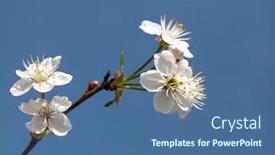
 Presentation with cherry - Presentation theme having cherry tree flower background and a sky blue colored foreground

Cherry Tree Flower

Presentation theme having cherry tree flower background

 Presentation with cherry - Beautiful theme featuring tasty cherry cake backdrop and a blonde colored foreground

Tasty Cherry Cake

The sweet aroma of freshly baked cherry cake wafts through the air as you gaze upon this Sidebar Title template, designed to tantalize your taste buds and transport you to a world of warm hospitality. This Dark Khaki themed template is perfect for showcasing your brand's personality and style, with its rich, earthy tones evoking feelings of comfort and relaxation. The Sidebar Title template features a stunning high resolution image of a cherry pie on the background, complete with crumble topping and juicy berries. The 6 x 6 Org Chart Layout slide showcases your team's structure, highlighting key roles and responsibilities in a clear and concise manner. This layout is perfect for showcasing your company's organizational chart, making it easy to navigate and understand. The template includes four How To slides that will get you up and running quickly, featuring tips and tricks on how to create engaging presentations, including using high resolution images, incorporating background elements, and enhancing with animations. These slides are designed to be informative and helpful, providing valuable insights for anyone looking to improve their presentation skills. This Sidebar Title template is a versatile and customizable solution that can be used in various contexts, from marketing materials to educational resources. Its Dark Khaki color palette and 6 x 6 Org Chart Layout make it an ideal choice for showcasing your brand's personality and style. With its high resolution images and easy to use design, this template is sure to impress and engage your audience.

 Presentation with cherry - Amazing presentation having cherry tree flower backdrop and a sky blue colored foreground

Cherry Tree Flower

Presentation having cherry tree flower backdrop

 Presentation with cherry - PPT layouts enhanced with red cherry background background and a crimson colored foreground

Red Cherry Background

The powerpoint template provided by CrystalGraphics is a stunning creation that exudes energy and dynamism. Starting from the very beginning, let's take a closer look at this incredible design. This template features an attention grabbing background with a crimson red cherry image that dominates the widescreen format, ensuring that your visuals are always front and center. The color palette of Crimson is used extensively throughout the template to create a cohesive and vibrant atmosphere. To enhance the overall look, the template includes specific keywords like studio, cherry, berry, nutrient, and color. The template's design name is Wide Title, which perfectly captures its focus on showcasing your work in a wide format. With this template, you can create stunning presentations that are sure to capture your audience's attention. To give you an idea of the type of content you can feature with this template, consider including high resolution images from your studio or cherry farms for a touch of authenticity. The six x six org chart layout is a great way to organize your team structure in a visually appealing manner. This template includes all the necessary slides to help you get up and running quickly, but it's worth noting that there are four how to slides at the start of the deck to guide you through the process. For example, the "Getting Started" slide could include tips on choosing the right software, setting up your environment, and creating a familiar workflow for easy navigation. The template is downloadable and compatible with Google Slides, making it perfect for sharing your work or presenting to a wider audience.

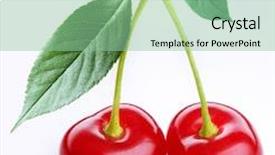
 Presentation with cherry - Presentation design featuring bing-cherry-a-single-bing background and a white colored foreground

Bing Cherry Single Bing Cherry

Imagine yourself as a gourmet chef preparing a feast fit for royalty, with Bing Cherries at the center of the table. The centerpiece is a single cherry, proudly displayed on a white background, inviting you to take a bite into a world of flavor and freshness. The image is high resolution, featuring detailed texture and color, creating an immersive experience that will leave your audience wanting more. The Corner Title template design name suggests elegance and sophistication, perfectly capturing the essence of the "Bing Cherry" inspiration. This Widescreen format allows for seamless transitions between slides, providing a smooth viewing experience. The Indian Red color palette adds a pop of warmth and vibrancy to the design, while the keyword rich theme keywords such as "ginger," "lime," and "lemon" provide a strong foundation for creating engaging visuals. The template is specifically designed to showcase high resolution images in various stages of growth, from seedling to mature plant. For instance, on the How To slides, you might feature an illustration of a young cherry tree with a simple background of green leaves, gradually building up to more detailed shots of blossoms and ripe cherries. This template is truly Enhanced With, featuring dynamic animations and transitions that will elevate your presentation to new heights. Whether you're presenting about the benefits of cherries or showcasing beautiful floral arrangements, this Corner Title template is sure to impress your audience with its captivating visual style and seamless layout.

▼Key features of this template

  • They are compatible with both PowerPoint and Google Slides running on either Windows PCs or Macs.

  • They are available in both standard and widescreen slide formats. You can choose your preferred format by clicking on the "Widescreen" check box or icon.

  • Each template includes a beautiful high-resolution background image or video to visually reinforce the theme of your presentation.

  • In addition, each template includes designer-created graphics and modern fonts to give your presentations an up-to-date, professional look.

  • Each template's default design and title text position have been carefully selected to complement its background without covering faces or other key elements.

  • All text includes backdrops whose transparency level is mathematically calculated to maximize text readability while still allowing the background to be seen.

  • And all the text, text backdrops and graphics in every slide are colored with a palette designed to beautifully complement the colors in the background.

  • Our Premium templates (those with the descriptor “Premium” in their subtitle) include over 64 slide layouts to give you maximum flexibility as you create your presentations.

    • Those layouts are available to you whenever you create a new slide or when you want to change the layout of an existing slide.
    • They include everything you need to make all sorts of presentations. In addition to the layouts for the title slide and the usual title and content slide, they include many other layouts for slide types including table of contents slides, org charts, charts, diagrams, infographics, photo slides, thank you slides and more.
    • While creating these layouts our template designers have ensured that all text in every layout adjusts as gracefully as possible to various numbers of words.
  • Customizable templates (those with the descriptor “Customizable” in their subtitle) may be easily modified online before you download them.

    • To modify them, simply click on the pencil editing icon, then select your choice of ready to go designs and title text positions.
    • The editing tool also makes it easy to reposition and scale the background image or video to best suit your needs.

▼FAQs

Please review these FAQs to see if your question is answered. Contact us for more info

  • What is a PowerPoint template?

    • A well designed PowerPoint template is a file that can tell PowerPoint how to make your ordinary templates look extraordinary. They won’t change what your words or numbers say. But they might change their size, color, font and placement. And, overall, they can give your presentations a professionally-designed look that will give your content more credibility and give you more confidence.
  • How many PowerPoint templates do you offer?

    • We have over 32,000 artist-created presentation templates in our PowerPlugs collection With a subscription, PowerPlugs templates are easy to download. Just sign in, find a template and click on the green Download button. ready for you to download. That alone offers you more variety to choose from than any of our competitors can offer. And, as if that weren’t enough, we also offer over 6 million templates in our Crystal collection. Crystal brand templates are our line of templates that have customization options. They have the word "CRYSTAL" on their web page images. You can customize several aspects of the templates. These templates include high-resolution background images from Shutterstock’s vast image collection matched up with artist-created presentation designs customized by our own proprietary AI software.
  • How many templates can I download as a subscriber?

    • You can download an unlimited number of PowerPlugs-brand With a subscription, PowerPlugs templates are easy to download. Just sign in, find a template and click on the green Download button. templates every day for an entire year. (Actually, by default, we set a limit of 25 templates per day to prevent our competitors from stealing our templates. But, if that is not enough, just let us know and we’ll try to accommodate you.) On top of that, with a subscription or an Ultimate Combo, you can also download any 50 Crystal-brand Crystal brand templates are our line of templates that have customization options. They have the word "CRYSTAL" on their web page images. You can customize several aspects of the templates. templates per year selected from our huge Crystal collection. Crystal brand templates are our line of templates that have customization options. They have the word "CRYSTAL" on their web page images. You can customize several aspects of the templates. .
  • Why should I choose your templates instead of the competition’s?

    • We’ve got a larger selection of professionally-designed PowerPoint templates than anyone else in the world.
    • Each template includes a high-resolution background image or video to visually inspire your audiences while reinforcing your message.
    • Each template includes 64 slide layouts to give you maximum flexibility as you create your presentations.
    • Our templates are available in both standard and widescreen slide formats. And our website lets you preview the slides each way.
    • Our free Template Finder™ plugin lets subscribers select and - with a single click - download and insert our templates into their presentations right from within PowerPoint.
    • We’ve been creating designer presentation templates for over 20 years. During that time we’ve won several awards and 5-star ratings for product quality. See About Us for more.
  • Do you offer a money-back guarantee?

    • Yes we do! We offer full 30-day money-back guarantee if you are not 100% satisfied with your purchase.
  • Can I still use my downloaded templates after my subscription runs out?

    • Yes. After your subscription expires, you won't lose any rights or ability to use your PowerPlugs: Templates for PowerPoint. You won't be able to download any new non-watermarked templates. But the non-watermarked templates you've already downloaded will still work and you can still use them as before.
  • Can I share my downloaded templates or passwords with friends or coworkers?

    • Sorry but no. You are authorized to download each paid-for template to up to 3 of your personal devices and to use the templates you download in as many presentations as you want. But you are not authorized to share the templates, themselves, with others. That said, we do offer highly discounted site licenses to suit the needs of both small and large teams. Just tell us your needs and we’ll give you a quote!
  • System requirements:

    • The templates use the standard POTX format. So they are compatible with Google Slides and all PC, Mac and mobile devices running any version of PowerPoint from PowerPoint 2007 up through and including Office 365 desktop.
    • Please note: Google Slides does not currently support background videos. It treats them as still images.
    • For PowerPoint for the Web, first open your template into a desktop version of PowerPoint, then save it back out as a PPTX file. Then you can open that in PowerPoint for the Web.
  • End user license agreement:

    • Click here to view.
  • How will I get my purchased templates?

    • You may download your selected templates as soon as your payment is received by PayPal. If you purchased an individual template, you will be provided with a download link both onscreen and via email. Just click on that link to begin the download process. If you purchased a subscription, you will receive an email containing a password to use along with your email address to sign in to any of the templates pages on CrystalGraphics.com. Once you are signed in, you can immediately start downloading your selected templates.
  • How do I use my templates after I download them?

    • You can either open a template to start a new presentation or you can add a template to an existing presentation. To open a template, just double click on it or use PowerPoint's File > Open tool. To add a template to an existing presentation, on the Design tab, in the Themes group, click Browse for Themes... then browse to select your template.

View more Cherry templates:

previous 1 2 3 4 5 6 7 8 9 10 11 12 13 14 15 16 17 next
Categories related to Cherry:
Blossom
93% of Fortune 1000
companies use our
PowerPoint Products
Templates Secure

Standing Ovation Award
Winner: Best PowerPoint
Template Collection
Fortune Logos
200,000+ satisfied
customers worldwide!
Guarantee
100% satisfaction guaranteed
- or send it back for a refund!

Sign up for our free newsletter! You'll get news about our PowerPoint-enhancing product line – including free updates, new product announcements and exclusive special offers. Plus you'll get a link to a free PowerPoint template with every newsletter you receive.
Privacy Policy
Loading...


Help

Contact Us
Product FAQs
Product License Agreements

Company Info

About Us
Privacy Policy
CrystalGraphics, Inc. 1999 S. Bascom Avenue Suite 700 Campbell, CA 95008 USA
© 2026 CrystalGraphics, Inc. All rights Reserved.    |     PowerPlugs is a trademark of CrystalGraphics, Inc.
Microsoft and the PowerPoint logo are trademarks or registered trademarks of Microsoft Corporation in the United States and/or other countries.
Loading...
Loading...