www.crystalgraphics.com CrystalGraphics
  • Ultimate Combo
  • Templates
  • Diagrams
  • Characters
  • Quizzes
  • shopping cart
  • Sign Out Sign Out Sign In
Home > Templates > Coal > Coal Mine Category
search icon
advanced icon

27 Best Coal Mine-Themed Templates for PowerPoint and Google Slides

CrystalGraphics creates templates designed to make even average presentations look incredible. Below you’ll see thumbnail sized previews of the title slides of a few of our 27 best coal mine templates for PowerPoint and Google Slides. The text you’ll see in in those slides is just example text. The coal mine-related image or video you’ll see in the background of each title slide is designed to help you set the stage for your coal mine-related topics and it is included with that template. In addition to the title slides, each of our templates comes with 17 additional slide layouts that you can use to create an unlimited number of presentation slides with your own added text and images. And every template is available in both widescreen and standard formats. With over 6 million presentation templates available for you to choose from, CrystalGraphics is the award-winning provider of the world’s largest collection of templates for PowerPoint and Google Slides. So, take your time and look around. You’ll like what you see! Whether you want 1 great template or an ongoing subscription, we've got affordable purchasing options and 24/7 download access to fit your needs. Thanks to our unbeatable combination of quality, selection and unique customization options, CrystalGraphics is the company you can count on for your presentation enhancement needs. Just ask any of our thousands of satisfied customers from virtually every leading company around the world. They love our products. We think you will, too!

Features & Pricing

Widescreen (16:9) Presentation Templates. Change size...
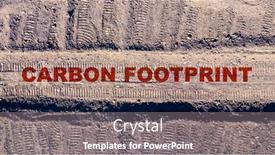
 Presentation with coal mine - Cool new PPT layouts with aerial-view-to-tracks backdrop and a gray colored foreground

Aerial View Tracks Coal Mine

Imagine standing on the edge of a vast, barren landscape, the horizon stretching out before you like an endless canvas waiting to be painted with the strokes of our collective conscience. The sky above is a deep indigo, punctuated by occasional wisps of smoke carrying the whispers of a dying world. In this desolate yet breathtaking scene, the air is thick with the weight of pollution and the promise of a sustainable future. As you gaze upon this landscape, your eyes are drawn to the figure standing in the distance, a coal mine looming large beneath their feet. The rusting hulks of trucks and equipment strewn about like skeletal fingers grasping for something that may never be recovered. This is the face of humanity's addiction to fossil fuels, a problem that has been exacerbated by decades of neglect and denial. The ecosystem at play here is one of destruction, where the very foundations of our planet are being torn apart by human greed and short sightedness. The air is thick with carbon dioxide, a toxic cocktail threatening the health of future generations. And yet, amidst this devastation, there is hope. Welcome to the World Wide Title template provided by CrystalGraphics, featuring an Indian Red background that will make you feel like you're standing at the epicenter of this global crisis. With its high resolution images and dynamic design, this template is not just a static representation of our times, but a call to action for change.

 Presentation with coal mine - Presentation theme consisting of aerial-landscape-with-coal-mine background and a tawny brown colored foreground

Aerial Landscape Coal Mine Environmental

The countdown begins as we embark on this thrilling journey into the world of digital presentation design. The design name is Wide Title, and our template format is Widescreen, perfect for making a lasting impression on your audience. Our Light Sky Blue color palette sets the tone for a professional and calming atmosphere, ideal for conveying serious yet informative content. The Wide Title template features 4 How To slides that will guide you through the process of creating your own presentation, but don't worry, we won't hold it up as a hurdle to overcome. Instead, let's focus on the fantastic What If scenario: what if you could seamlessly integrate high resolution images into your background for an immersive experience? Imagine presenting data or visuals that pop and interact with your audience. The 5 Steps to Success Layout slide is where things really get exciting featuring a clever theme of workflow management, this template includes a clear breakdown of the steps needed to create a stunning presentation. For instance, you could include a background image of a vast landscape with towering skyscrapers in the distance, symbolizing your professional aspirations. To give you an idea of what it's all about, let's say we're featuring a dramatic aerial view of a bustling cityscape at sunset, complete with majestic skyscrapers and a hazy atmosphere that captures the essence of urban life. Having a theme of creativity and self expression is also something this template would embody enhance your presentation with innovative visuals and graphics to keep your audience engaged. The Wide Title template is indeed downloadable and compatible with Google Slides, making it a perfect choice for professionals looking to elevate their presentations.

 Presentation with coal mine - Slides enhanced with aerial-landscape-with-coal-mine background and a tawny brown colored foreground

Aerial Landscape Coal Mine Environmental

As you embark on your journey to create stunning presentations with CrystalGraphics, imagine yourself standing in front of a breathtaking aerial landscape, where the ground beneath your feet is transformed by a coal mine dump landslide. The earthy tones and rugged texture evoke a sense of power and resilience, making it the perfect backdrop for showcasing your creativity. This Sidebar Title template is a masterpiece crafted from the finest materials high resolution images that will transport you to another world. The Powder Blue color palette is a soothing oasis that sets the tone for a calming and professional presentation. Featured on this template are four How To slides that will guide you through the process of creating your own unique presentations. The layout may seem unconventional, but trust us, it's perfect for showcasing your creativity. Have a theme of enhancing your visuals with detailed backgrounds, including a little planet pano that adds depth and dimension to your presentation. Imagine featuring high resolution images from this template in your slideshows, adding an extra layer of realism and engagement to your audience. These features make it easy to create presentations that are both visually striking and engaging, perfect for sharing with others or showcasing at events.

 Presentation with coal mine - Amazing slide set having aerial-landscape-with-coal-mine backdrop and a dark gray colored foreground

Aerial Landscape Coal Mine Environmental

Creating an eye catching template that captures the essence of environmental disaster and industrial development is crucial. The Wide Title design is perfect for conveying a sense of scale and gravity, with its deep steel blue background that evokes feelings of foreboding. This Widescreen template features high resolution images, including powerful aerial views, to bring the devastating landscape to life. The Steel Blue color palette provides a somber backdrop for the rich details that will be included in this design, such as intricate textures and bold typography. Incorporating industry keywords like "landfall" and "industry" reinforces the theme of industrial development gone wrong, while big and deep words like "coal mine dump landslide" emphasize the severity of the environmental disaster. Featuring a background with an image of a ruined river valley or a polluted landscape, this template is sure to grab the audience's attention. The Widescreen format allows for a cinematic feel, making it perfect for dramatic presentations, reports, and even social media posts. It's also downloadable and compatible with Google Slides, making it easy to incorporate into your workflow. Having a theme of "enhanced visualization" this template is designed to take the viewer on a journey through the landscape, providing an immersive experience that leaves a lasting impression. The 4 x 4 Org Chart Layout slide offers valuable insights into the structure of large organizations, with interactive elements and visuals illustrating key roles and responsibilities. This feature makes it easy to visualize the hierarchy and relationships between departments, helping stakeholders make informed decisions. Having a theme of "organizational design" this template provides a solid foundation for building complex organizational structures. Including a Background With an image that represents the inner workings of the organization can also be useful in illustrating how different teams interact and work together. Having a Theme of "corporate presentation" this template is well suited to creating engaging presentations, reports, and infographics that showcase data and insights in a clear and concise manner.

 Presentation with coal mine - Slide deck consisting of coal transport - aerial view of a excavators background and a lemonade colored foreground

Aerial View Excavators Trucks Mine

Slide deck consisting of aerial view of a excavators and trucks in the mine or construction site heavy industry and machinery

 Presentation with coal mine - Beautiful theme featuring tracks-of-crawler-excavators backdrop and a gray colored foreground

Tracks Crawler Excavators Above Aerial

Theme featuring tracks of crawler excavators from above aerial view to coal mine

 Presentation with coal mine - Amazing PPT theme having dirty-diamond-miner-covered backdrop and a violet colored foreground

Dirty Diamond Miner Covered Soot

In a dimly lit coal mine, a rugged diamond miner's face is etched with the harsh realities of his occupation sweat and grime have taken a toll on his skin. The air is thick with dust, and the only light comes from the flickering torches that cast eerie shadows on the walls. The poor man's fingers are stained with soot, a constant reminder of the danger he faces every day. But amidst all this chaos, one precious gem stands out a diamond nestled in the earth, waiting to be uncovered. The background for this image would feature high resolution images of a coal mine, complete with towering walls and a vast expanse of dark earth. The colors would be muted, with shades of grey and brown dominating the palette. A rusty red rock formation could add some contrast, while the diamond itself would be the focal point. This image would be enhanced by having a theme of "Mining for Value" showcasing how hard work and dedication can uncover even the most precious treasures. The template is designed in widescreen format to ensure it looks great on any screen size. The Sandy Brown color palette would bring warmth and coziness to the design, while the opulent jewel theme would feature high end diamonds and luxurious stones. When incorporating a background with this design, you could have some fun with the opposite directional arrows layout instead of pointing inwards towards the center of the slide, you could have arrows pointing outwards from the edges, creating a sense of depth and dimensionality. The template is available for download on Google Slides, compatible with the latest version. With its rugged theme and inclusion of a background with dark earth tones, this design would be perfect for a presentation about geology or gemology perhaps even a tutorial on how to find valuable gems in remote areas. The high resolution images featured throughout the template will ensure that it looks stunning on any screen size, making it an excellent choice for business presentations or academic projects.

 Presentation with coal mine - Cool new presentation theme with aerial-landscape-with-coal-mine backdrop and a tawny brown colored foreground

Aerial Landscape Coal Mine Environmental

As you gaze out upon the ravaged landscape, a haunting reminder of the devastating impact of unchecked industrialization and environmental degradation, it's clear that this aerial view is more than just a metaphor for our world today. The Split Title template features a design name that sets the tone for an informative and engaging presentation. With a widescreen format, viewers are encouraged to immerse themselves in the story unfolding on screen. The Light Sky Blue color palette provides a soothing background hue, allowing the subject matter to take center stage while maintaining a sense of serenity. The 4 How To slides at the start of the deck provide a solid foundation for your presentation, offering actionable steps to help you get up and running quickly. However, don't be discouraged if you're new to Google Slides with these templates, you'll be well on your way to creating stunning presentations in no time. As you build upon this template, consider featuring high resolution images of coal mine landscapes or incorporating a background with striking mountain ranges for added visual interest. Having a theme of 'Landmark' is fitting, as you're highlighting significant events like the 2014 Landfall disaster that devastated communities and sparked widespread debate about environmental regulation. This template lends itself perfectly to showcasing industry specific data, such as statistics on coal mining's environmental impact or information about local regulations affecting land use. Having a theme of 'Industry' ties in nicely with the 'Aerial landscape' background image.

 Presentation with coal mine - Beautiful PPT layouts featuring coal mine helmet - repairman with spade isolated backdrop and a sky blue colored foreground

Repairman Spade Isolated White

PPT layouts featuring repairman with spade isolated on white

 Presentation with coal mine - PPT theme enhanced with coal mine helmet - man in red coveralls background and a red colored foreground

Man Red Coveralls Spade

PPT theme enhanced with man in red coveralls with spade background

 Presentation with coal mine - Slide deck enhanced with old abandoned and rusting building in rural montana building was part of a coal mine back in the 40's background and a light blue colored foreground

Old Abandoned Rusting Building Rural

Slide deck enhanced with old abandoned and rusting building in rural montana building was part of a coal mine back in the 40's

 Presentation with coal mine - Slide deck with coal mine helmet - construction worker portrait holding background and a dark gray colored foreground

Construction Worker Portrait Holding Peak.

Slide deck with construction worker portrait holding a peak

 Presentation with coal mine -

Katowice 16 Coal Miners

The world of energy and fossil fuels is not just about numbers on a page, but about the people who toil in the shadows to keep our lights on. As you slide into this presentation with Corner Title, get ready to immerse yourself in the coal mine that is your audience's imagination. Our template is designed for a widescreen format, perfect for showcasing high resolution images of factories, machinery, and fossil fuels. The brown color palette will transport your viewers to a world of industrial might, where they can almost smell the coal dust in the air. The Corner Title design is not just about making statements, it's about creating an immersive experience that sets the tone for the rest of your presentation. Featuring high resolution images from major cities like Beijing and Shanghai, our template includes a background with a subtle gradient that simulates the look of old factory walls. Having a theme of industrial power, this design will leave your audience in awe. With 4 How To slides at the start of the deck to help you get up and running quickly, you'll be well on your way to delivering an engaging presentation that will keep your viewers hooked from the first slide to the last.

 Presentation with coal mine - Theme consisting of coal mine helmet - man in red coveralls background and a red colored foreground

Man Red Coveralls Spade

Theme consisting of man in red coveralls with spade background

 Presentation with coal mine - Slide deck featuring coal mine helmet - repairman with spade isolated background and a cream colored foreground

Repairman Spade Isolated White

Slide deck featuring repairman with spade isolated on white background

 Presentation with coal mine - Audience pleasing presentation design consisting of coal mine helmet - repairman with spade isolated backdrop and a white colored foreground

Repairman Spade Isolated White

Presentation design consisting of repairman with spade isolated on white

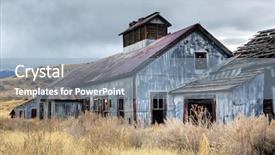
 Presentation with coal mine - Audience pleasing slides consisting of abandoned buildings from an old backdrop and a light blue colored foreground

Abandoned Buildings Old Coal Mine

Slides consisting of abandoned buildings from an old coal mine in rural montana high dynamic range

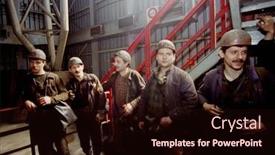
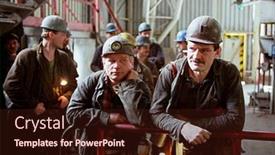
 Presentation with coal mine - PPT theme enhanced with katowice-may-16-coal-miners background and a wine colored foreground

Katowice 16 Coal Miners

PPT theme enhanced with katowice - may 16 coal miners from the katowice ii kwk coal mine await the elevator that will take them 1800 feet below the earth in katowice poland on may 16 2001 background

 Presentation with coal mine - Colorful presentation enhanced with coal mine helmet - man in red coveralls backdrop and a white colored foreground

Man Red Coveralls Spade

Presentation enhanced with man in red coveralls with spade

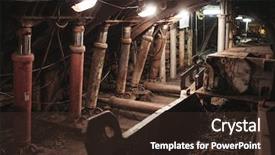
 Presentation with coal mine - Colorful theme enhanced with tunnel engineering - coal mine interior backdrop and a tawny brown colored foreground

Coal Mine Interior

The moment you think your PowerPoint presentation is complete, a new challenge emerges, like the rickety old mining truck rumbling into town suddenly, it's time to buckle up and get creative In this Widescreen template, features a Saddle Brown color palette that transports you straight into the heart of industry and geology, where coal mine interiors come alive with high resolution images for the background, creating an immersive experience that sets the tone for your production focused presentation. This Wide Title is at its best when combined with high contrast imagery, featuring intricate details like mining equipment and pipes, showcasing the raw energy and importance of these processes. Including a Background With industrial landscapes, you'll be able to see yourself in action, fueling growth and development. Having a Theme of production and industry, this template is sure to drive home your message, enhanced with relevant graphics and icons that add depth and complexity. The geology inspired grid layout slide will have you featuring key statistics like mining rates and reserves, showcasing the scale and scope of these operations. And when it comes to having a theme of fueling growth, be sure to include some high energy images of power plants and turbines, highlighting how technology is harnessed to drive progress. Overall, this template combines stunning visuals with engaging storytelling, making it an ideal choice for any presentation that needs to convey industry expertise or promote sustainable development.

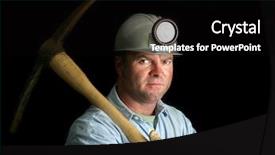
 Presentation with coal mine - Amazing theme having coal miner with his pickax backdrop and a black colored foreground

Coal Miner Pickax Darkness Mine

Theme having coal miner with his pickax in the darkness of a mine shaft backdrop

▼Key features of this template

  • They are compatible with both PowerPoint and Google Slides running on either Windows PCs or Macs.

  • They are available in both standard and widescreen slide formats. You can choose your preferred format by clicking on the "Widescreen" check box or icon.

  • Each template includes a beautiful high-resolution background image or video to visually reinforce the theme of your presentation.

  • In addition, each template includes designer-created graphics and modern fonts to give your presentations an up-to-date, professional look.

  • Each template's default design and title text position have been carefully selected to complement its background without covering faces or other key elements.

  • All text includes backdrops whose transparency level is mathematically calculated to maximize text readability while still allowing the background to be seen.

  • And all the text, text backdrops and graphics in every slide are colored with a palette designed to beautifully complement the colors in the background.

  • Our Premium templates (those with the descriptor “Premium” in their subtitle) include over 64 slide layouts to give you maximum flexibility as you create your presentations.

    • Those layouts are available to you whenever you create a new slide or when you want to change the layout of an existing slide.
    • They include everything you need to make all sorts of presentations. In addition to the layouts for the title slide and the usual title and content slide, they include many other layouts for slide types including table of contents slides, org charts, charts, diagrams, infographics, photo slides, thank you slides and more.
    • While creating these layouts our template designers have ensured that all text in every layout adjusts as gracefully as possible to various numbers of words.
  • Customizable templates (those with the descriptor “Customizable” in their subtitle) may be easily modified online before you download them.

    • To modify them, simply click on the pencil editing icon, then select your choice of ready to go designs and title text positions.
    • The editing tool also makes it easy to reposition and scale the background image or video to best suit your needs.

▼FAQs

Please review these FAQs to see if your question is answered. Contact us for more info

  • What is a PowerPoint template?

    • A well designed PowerPoint template is a file that can tell PowerPoint how to make your ordinary templates look extraordinary. They won’t change what your words or numbers say. But they might change their size, color, font and placement. And, overall, they can give your presentations a professionally-designed look that will give your content more credibility and give you more confidence.
  • How many PowerPoint templates do you offer?

    • We have over 32,000 artist-created presentation templates in our PowerPlugs collection With a subscription, PowerPlugs templates are easy to download. Just sign in, find a template and click on the green Download button. ready for you to download. That alone offers you more variety to choose from than any of our competitors can offer. And, as if that weren’t enough, we also offer over 6 million templates in our Crystal collection. Crystal brand templates are our line of templates that have customization options. They have the word "CRYSTAL" on their web page images. You can customize several aspects of the templates. These templates include high-resolution background images from Shutterstock’s vast image collection matched up with artist-created presentation designs customized by our own proprietary AI software.
  • How many templates can I download as a subscriber?

    • You can download an unlimited number of PowerPlugs-brand With a subscription, PowerPlugs templates are easy to download. Just sign in, find a template and click on the green Download button. templates every day for an entire year. (Actually, by default, we set a limit of 25 templates per day to prevent our competitors from stealing our templates. But, if that is not enough, just let us know and we’ll try to accommodate you.) On top of that, with a subscription or an Ultimate Combo, you can also download any 50 Crystal-brand Crystal brand templates are our line of templates that have customization options. They have the word "CRYSTAL" on their web page images. You can customize several aspects of the templates. templates per year selected from our huge Crystal collection. Crystal brand templates are our line of templates that have customization options. They have the word "CRYSTAL" on their web page images. You can customize several aspects of the templates. .
  • Why should I choose your templates instead of the competition’s?

    • We’ve got a larger selection of professionally-designed PowerPoint templates than anyone else in the world.
    • Each template includes a high-resolution background image or video to visually inspire your audiences while reinforcing your message.
    • Each template includes 64 slide layouts to give you maximum flexibility as you create your presentations.
    • Our templates are available in both standard and widescreen slide formats. And our website lets you preview the slides each way.
    • Our free Template Finder™ plugin lets subscribers select and - with a single click - download and insert our templates into their presentations right from within PowerPoint.
    • We’ve been creating designer presentation templates for over 20 years. During that time we’ve won several awards and 5-star ratings for product quality. See About Us for more.
  • Do you offer a money-back guarantee?

    • Yes we do! We offer full 30-day money-back guarantee if you are not 100% satisfied with your purchase.
  • Can I still use my downloaded templates after my subscription runs out?

    • Yes. After your subscription expires, you won't lose any rights or ability to use your PowerPlugs: Templates for PowerPoint. You won't be able to download any new non-watermarked templates. But the non-watermarked templates you've already downloaded will still work and you can still use them as before.
  • Can I share my downloaded templates or passwords with friends or coworkers?

    • Sorry but no. You are authorized to download each paid-for template to up to 3 of your personal devices and to use the templates you download in as many presentations as you want. But you are not authorized to share the templates, themselves, with others. That said, we do offer highly discounted site licenses to suit the needs of both small and large teams. Just tell us your needs and we’ll give you a quote!
  • System requirements:

    • The templates use the standard POTX format. So they are compatible with Google Slides and all PC, Mac and mobile devices running any version of PowerPoint from PowerPoint 2007 up through and including Office 365 desktop.
    • Please note: Google Slides does not currently support background videos. It treats them as still images.
    • For PowerPoint for the Web, first open your template into a desktop version of PowerPoint, then save it back out as a PPTX file. Then you can open that in PowerPoint for the Web.
  • End user license agreement:

    • Click here to view.
  • How will I get my purchased templates?

    • You may download your selected templates as soon as your payment is received by PayPal. If you purchased an individual template, you will be provided with a download link both onscreen and via email. Just click on that link to begin the download process. If you purchased a subscription, you will receive an email containing a password to use along with your email address to sign in to any of the templates pages on CrystalGraphics.com. Once you are signed in, you can immediately start downloading your selected templates.
  • How do I use my templates after I download them?

    • You can either open a template to start a new presentation or you can add a template to an existing presentation. To open a template, just double click on it or use PowerPoint's File > Open tool. To add a template to an existing presentation, on the Design tab, in the Themes group, click Browse for Themes... then browse to select your template.

View more Coal Mine templates:

previous 1 2 next
93% of Fortune 1000
companies use our
PowerPoint Products
Templates Secure

Standing Ovation Award
Winner: Best PowerPoint
Template Collection
Fortune Logos
200,000+ satisfied
customers worldwide!
Guarantee
100% satisfaction guaranteed
- or send it back for a refund!

Sign up for our free newsletter! You'll get news about our PowerPoint-enhancing product line – including free updates, new product announcements and exclusive special offers. Plus you'll get a link to a free PowerPoint template with every newsletter you receive.
Privacy Policy
Loading...


Help

Contact Us
Product FAQs
Product License Agreements

Company Info

About Us
Privacy Policy
CrystalGraphics, Inc. 1999 S. Bascom Avenue Suite 700 Campbell, CA 95008 USA
© 2025 CrystalGraphics, Inc. All rights Reserved.    |     PowerPlugs is a trademark of CrystalGraphics, Inc.
Microsoft and the PowerPoint logo are trademarks or registered trademarks of Microsoft Corporation in the United States and/or other countries.
Loading...
Loading...