www.crystalgraphics.com CrystalGraphics
  • Ultimate Combo
  • Templates
  • Diagrams
  • Characters
  • Quizzes
  • shopping cart
  • Sign Out Sign Out Sign In
Home > Templates > War > Cold War Category
search icon
advanced icon

37 Best Cold War-Themed Templates for PowerPoint and Google Slides

CrystalGraphics creates templates designed to make even average presentations look incredible. Below you’ll see thumbnail sized previews of the title slides of a few of our 37 best cold war templates for PowerPoint and Google Slides. The text you’ll see in in those slides is just example text. The cold war-related image or video you’ll see in the background of each title slide is designed to help you set the stage for your cold war-related topics and it is included with that template. In addition to the title slides, each of our templates comes with 17 additional slide layouts that you can use to create an unlimited number of presentation slides with your own added text and images. And every template is available in both widescreen and standard formats. With over 6 million presentation templates available for you to choose from, CrystalGraphics is the award-winning provider of the world’s largest collection of templates for PowerPoint and Google Slides. So, take your time and look around. You’ll like what you see! Whether you want 1 great template or an ongoing subscription, we've got affordable purchasing options and 24/7 download access to fit your needs. Thanks to our unbeatable combination of quality, selection and unique customization options, CrystalGraphics is the company you can count on for your presentation enhancement needs. Just ask any of our thousands of satisfied customers from virtually every leading company around the world. They love our products. We think you will, too!

Features & Pricing

Widescreen (16:9) Presentation Templates. Change size...
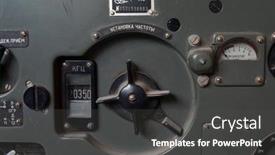
 Presentation with cold war -

Illustrative Editorial Soviet Vintage Military

Slide deck with illustrative editorial soviet vintage military radio r-113 cold war time kiev ukraine october 5 2017 backdrop

 Presentation with cold war -

Illustrative Editorial Soviet Vintage Military

Imagine being immersed in the eerie atmosphere of Chernobyl, the site of one of the most catastrophic nuclear power plant explosions in history. As you gaze out at the darkened landscape, your mind wanders to the brave men and women who risked everything to keep it running, even as the clock ticked down towards disaster. The template is a gritty and intense illustration of life beneath the surface, featuring 6 x 6 Org Chart Layout, with an emphasis on the inner workings of an underground army base. The Dark Goldenrod color palette adds depth and foreboding to the overall design, evoking feelings of danger and unease. This template is designed for a powerful educational presentation, with a focus on conveying complex information in a clear and concise manner. High resolution images are included throughout to enhance the overall visual impact. It's Featured as an accompanying presentation to a news editorial about the Chernobyl disaster, highlighting key points and showcasing real life footage of the devastating event. Including a Background With the 8 x 10 image of the damaged reactor building, and Having a Theme of Nuclear Power, this template showcases the darker side of human history. Enhanced with subtle animations and transitions to convey the sense of urgency and danger, this presentation is sure to leave your audience on edge.

 Presentation with cold war -

Illustrative Editorial Soviet Vintage Military

The Cold War era was a time of stark contrast between the Soviet Union's grip on Eastern Europe and the freedoms enjoyed by Western nations. A devastating disaster unfolded in Ukraine, leaving behind a haunting legacy that continues to shape the region today. As we delve into this story, we can only imagine what it must have been like to be part of the brave men and women who served in the trenches. Theirs was a sacrifice they made all too often, one that would ultimately lead to a catastrophic event that would forever alter the course of history. In stark contrast to the darkness of Chernobyl, a different era unfolded in Kiev, Ukraine. The city's military installations were a labyrinthine network of concrete and steel, designed to withstand the most extreme temperatures imaginable. These fortified structures were the nerve centers of Soviet power, where strategic decisions were made that would shape the fate of nations. The Soviet Union's grip on Eastern Europe was as relentless as it was brutal. Army units patrolled the streets, their presence a constant reminder of the regime's all pervasive control. The air was thick with tension, as paranoia and mistrust ran rampant among the population. Yet, in the depths of this chaos, there were pockets of resistance that dared to defy the odds. In the midst of this turmoil, a beacon of hope emerged: the underground bunker system that would play a pivotal role in the event that unfolded on October 5, 2017. These subterranean sanctuaries were designed to be self sufficient, providing a safe haven for those who sought refuge from the surface world. High resolution images featuring archival footage of Soviet military installations and abandoned bunkers will enhance your presentation, making it clear what life was like during this period. For example, you could include an image of a 1970s era bunker, complete with crumbling concrete walls and rusting steel gates, to illustrate the harsh realities of living in a world under siege. The template's dark goldenrod color palette will transport your audience into the midst of this Cold War era, evoking feelings of foreboding and unease. The grid layout will feature 8 high resolution images in the background, each one carefully selected to tell a part of the story.

 Presentation with cold war -

Illustrative Editorial Soviet Vintage Military

As the world grapples with the remnants of a bygone era, frozen in time like the abandoned ruins of Chernobyl, we find ourselves drawn to the unforgiving landscape of Soviet era military might. The rugged landscape serves as a haunting backdrop for our exploration of the Cold War era, where the stakes were high and the consequences severe. In this Widescreen presentation, featuring 4 How To slides to help you get up and running quickly, we will delve into the world of army bases, bunkers, and military installations. Our theme is rooted in the steel blue color palette that evokes a sense of trust and resilience. From the imposing structure of an army base to the labyrinthine corridors of a bunker, our template's design name "Wide Title" sets the tone for an immersive experience. To set the mood, we'll feature high resolution images that transport us back in time. The background will be rendered in steel blue tones, while strategically placed images bring to life the grim details of military operations. As you explore this template, note how the Oposite Directional Arrows Layout slide provides a unique visual perspective on key events and institutions of the Cold War era. From Featuring "the intricate network of underground tunnels" to Including "a Background With subtle hints of Soviet era propaganda", our template is designed to enhance your understanding of this pivotal moment in history. Having a Theme of " Cold War era military installations" ensures that our presentation stays true to its subject matter, while Enhanced With "4 How To slides for easy access and learning" provides a seamless user experience.

 Presentation with cold war -

Illustrative Editorial Soviet Vintage Military

In a world where the shadows of the past still linger, one story stands out the tale of the Chernobyl disaster, a catastrophic event that would forever change the course of history. As we delve into this narrative, the Soviet military's R 105M radio broadcasts provide an eerie backdrop, offering a glimpse into the lives of those who lived and worked in the surrounding areas. This template, designed to evoke a sense of drama and tension, is perfect for an ILLUSTRATIVE EDITORIAL that delves into the complexities of a bygone era. The Steel Blue color palette, reminiscent of industrial steel and damp concrete, sets the tone for a high stakes narrative. With its grid layout featuring 6 images, this template will transport you to the Cold War era, where the air is thick with tension and the stakes are higher than ever. The 4 How To slides at the start of the deck provide a solid foundation for getting up and running quickly, but let's be honest, we all know that sometimes it's not about the how, but the why. The template itself can be used to enhance presentations on topics such as military bases, Soviet era architecture, or even the devastating effects of nuclear power. By featuring images of abandoned bunkers, crumbling buildings, and eerie landscapes, this template will leave your audience breathless. In a presentation, you might feature the R 105M radio broadcasts in the background, adding an air of authenticity to your narrative. Having a theme of Soviet era military equipment, you could showcase images of Soviet tanks, helicopters, or even the iconic Su 35 fighter jets that patrolled the skies above Chernobyl. With its Steel Blue color palette and industrial aesthetic, this template is sure to make your presentation stand out from the crowd.

 Presentation with cold war -

Illustrative Editorial Soviet Vintage Military

In the midst of a global nuclear crisis, a Soviet era military base in Kiev stands as a haunting reminder of the Cold War's darker moments. The image is stark and ominous, evoking a sense of foreboding that seems to reverberate through time. This desolate landscape is juxtaposed with high resolution images of the Chernobyl disaster, which serves as a poignant reminder of the devastating consequences of human error. The Dark Goldenrod color palette is used to create a somber and introspective atmosphere, reminiscent of a late night news broadcast. The template's design Name Wide Title conveys an air of authority and gravitas, fitting for an editorial piece that aims to inform and educate its audience. As we delve into the world of this template, it becomes clear that features like "Including a Background With" create a sense of depth and context, helping viewers visualize the events being discussed. Having a Theme of Cold War era military bases also adds an extra layer of authenticity to the design. Enhanced with crisp graphics and high resolution images, this template is sure to grab attention and hold it. The five P's of marketing diagram layout come into play when considering how to use this template in Google Slides Primary content, supporting visuals, typography, pattern, and background colors all contribute to a cohesive and engaging design.

 Presentation with cold war -

Illustrative Editorial Soviet Vintage Military

Create an attention grabbing visual representation of the Cold War era, with a powerful image that sets the tone for the rest of the presentation. Imagine a dramatic photo of Soviet soldiers standing guard at a base in Kiev, Ukraine, taken on October 5, 2017 just hours before the Chernobyl nuclear disaster. This iconic image is sure to evoke strong emotions and spark curiosity about the events that unfolded. The Wide Title template features a sleek and modern design, with a large title that stretches across the top of the slide. The text is rendered in a rich slate gray color, providing a sophisticated backdrop for high resolution images of military equipment, bunkers, and other Cold War era landmarks. The background itself is adorned with detailed illustrations, bringing the image to life. The template has a robust theme, with features such as including a background with a grainy texture or having a bold title that contrasts with the muted color palette, all of which will enhance the overall visual impact of your presentation. Furthermore, you can have a diverse set of images and icons to make it more dynamic, such as having a map or satellite image to illustrate a key point. The template is compatible with Google Slides, making it easy to use in conjunction with other tools. For example, you could include a table with links to high resolution images that viewers can download and use on their own devices. Table of Contents slide could include an overview of the presentation's structure, highlighting each section as an opportunity for further exploration. This template would be ideal for illustrating editorials or presentations about the Cold War era, featuring army bases, bunkers, and other military installations.

 Presentation with cold war - Slide deck featuring berlin-germany-may-25-2018 background and a mint green colored foreground

Berlin Germany 25 2018:

As you step into the heart of Berlin, where the remnants of a bygone era still linger, you can't help but feel an air of nostalgia wash over you. The city's rich history and iconic landmarks serve as a poignant reminder of the past, while its vibrant architecture continues to inspire our imaginations. Imagine yourself standing in front of the imposing Berlin Wall Memorial, with the towering structures of the city's modern skyline rising up behind you, creating a striking contrast between the old and new. The Wide Title "Wide" is designed to draw your eye in, with a bold font that sets the tone for an immersive experience. Featuring high resolution images of the Berlin Wall Memorial's iconic remains, this template is sure to captivate your audience from start to finish. With its light sky blue color palette, it evokes feelings of serenity and calm, making it perfect for creating a sense of tranquility in your presentation. The Widescreen format adds to the immersive experience, providing an unobstructed view of the image that's impossible to miss. Featuring a seamless transition between the background image and the title slide, this template is designed to make you feel like you're walking through the city alongside your audience. The light sky blue color palette provides a clean and modern look, making it easy to include text with ease. The Berliner theme runs throughout the template, paying homage to the city's rich history and cultural heritage. With its 3 x 3 Org Chart Layout slide, you can create a customized layout that reflects your organization's structure. For example, imagine having a "Project" section in the top left corner, followed by "Team Members" below it, and finally "Department of Berlin" in the bottom right. As you consider how to use this template, remember that having a theme of "Architecture" will give it an enhanced feel, as if the image is standing alone on its own. With four How To slides at the start of your deck, getting up and running quickly will be a breeze, thanks to the convenient features provided by Google Slides.

 Presentation with cold war -

Illustrative Editorial Soviet Vintage Military

The images you see before you are haunting reminders of the catastrophic power that lies at the heart of nuclear energy. The Soviet Union's atomic bomb tests were a reminder to the world of the devastating consequences of unchecked scientific progress. In the years leading up to the disaster, the Soviets conducted secret tests in various locations around the world, including Chernobyl in Ukraine. The resulting explosion and subsequent radioactive contamination made it one of the worst nuclear disasters in history. As we look at these images, consider how they could be used as a starting point for an article or editorial on the dangers of unchecked scientific progress and the importance of responsible use of nuclear energy. The images are rich with detail, featuring grainy high resolution photos of Soviet era military equipment and personnel. The contrast between the warm tones of the background and the cold, gray tones of the Soviet uniforms creates a striking visual effect. The background images would be enhanced with additional details such as cracks in the buildings or radiation patterns to make it more immersive for your audience. To create an "illusative editorial" feel, consider including text overlays that add context to the images. For example, you could include captions that describe the location of the test site and provide information about the surrounding landscape. The template is designed to be a comprehensive base for creating a wide screen presentation that includes all of the necessary elements. The Saddle Brown color palette provides a professional and neutral background that will not distract from the important content of your presentation. And with its extensive range of military equipment images, you're sure to find something that inspires your creative vision.

 Presentation with cold war -

Illustrative Editorial Soviet Vintage Military

This stunning PowerPoint template is designed to evoke the sense of unease and foreboding that permeates the world of nuclear espionage. The "Wide Title" design features a gritty, high contrast steel blue color palette that perfectly captures the essence of an abandoned bunker on the outskirts of Kiev, Ukraine. The Widescreen format ensures an immersive viewing experience, with 16:9 aspect ratio and detailed graphics that bring the scene to life. This template is not just for PowerPoint, but also compatible with Google Slides, making it a versatile addition to your presentation arsenal. As you delve into this template, you'll discover a wealth of inspiration in its use of vintage military imagery, including high resolution images of Soviet era Geiger counters and eerie photographs of the Chernobyl disaster site. Featuring a grid layout slide that showcases these images with added texture and shadow effects, you'll be able to create an immersive experience for your audience. With its robust design features and versatile compatibility, this template is an enhanced take on the classic " army" theme, incorporating elements of atomic energy, base operations, and clandestine activities. Having a theme of espionage, it's perfect for presentations that require sophistication and intrigue. Enhanced with detailed graphics, animations, and transitions, this template will take your presentation to the next level and leave a lasting impression on your audience.

 Presentation with cold war -

Illustrative Editorial Soviet Vintage Military

The world of military history and technology has a rich tapestry woven from the threads of innovation and danger. One such thread that shines brightly is the legacy of the Soviet Union's atomic bomb testing program, codenamed "Operation Chernobyl," which released a toxic cloud over the city of Pripyat in 1986. The images of crumbling nuclear facilities and abandoned equipment evoke a sense of foreboding and unease. In this Widescreen presentation, you will see the dramatic moment when the world witnessed the devastating effects of an atomic explosion a testament to the destructive power of the Soviet military's experiments with nuclear technology. Featuring high resolution images of the DP 2 model geiger counter, this template is designed to transport you to a bygone era where fear and uncertainty were the norm. This Widescreen presentation will take you on a journey through the Cold War, showcasing the bravery and sacrifice of the Soviet military in their quest for technological superiority. Incorporating a background image with a subtle olive green hue, the layout is carefully crafted to enhance the theme of exploration and discovery. The 6 x 6 Org Chart Layout slide showcases the hierarchical structure of the military, providing a clear visual representation of command and control. This template is downloadable and compatible with Google Slides, allowing you to share it widely online.

 Presentation with cold war -

Illustrative Editorial Soviet Vintage Military

In the heart of the Cold War, a glimpse into the past remains as vivid as ever with this ILLUSTRATIVE EDITORIAL that transports you to the ominous landscape of Soviet Ukraine in October 1957. The iconic image of the DP 1 B Model 1956 Geiger counter, taken by Soviet military officials on October 5th, serves as a striking backdrop for this informative and engaging presentation. The template, designed with a Dark Goldenrod color palette that exudes an air of mystery and secrecy, features intricate details such as bunker designs and military equipment. The high resolution images used in the background add depth and texture to the design, evoking a sense of realism. With a focus on showcasing this unique theme, the template is carefully crafted with the army, atomic, base, and Chernobyl keywords to create an immersive experience. The Widescreen format provides ample space for showcasing dramatic images, making it ideal for presentations that require a lot of visual storytelling. The template can be downloaded and compatible with Google Slides, allowing users to share their creations without any technical issues. Featuring a seamless integration with Microsoft PowerPoint is also made possible by the use of the latest version of the software. The included How To slides at the start of the deck will guide you through the process of setting up your presentation quickly and efficiently. However, some of the steps are left out for brevity, allowing users to dive straight into their creative work without delays. Having a theme of "illustrative editorial" is perfectly encapsulated in this template's design, which seamlessly blends elements of news, photography, and storytelling to create an engaging presentation that enhances your content.

 Presentation with cold war -

Illustrative Editorial Soviet Vintage Military

Imagine stepping into the heart of a Cold War era bunker, where the hum of nuclear reactors and the flicker of fluorescent lights cast an eerie glow over the dimly lit interior. The air is thick with tension as the sound of Geiger counters beeping in the background echoes through the corridors. This is not just any ordinary presentation it's an immersive experience that transports you to a world where fear and paranoia reign supreme. The Corner Title template, featuring a vintage military geiger counter DP 1 B.Model 1956 backdrop, is a stunning showcase of your design skills. The olive colored gradient adds a warm touch to the overall aesthetic, perfectly capturing the essence of this time period. With a focus on bold typography and crisp graphics, this template is sure to leave a lasting impression. The five point five layout featuring an organizational chart at its core, with sections for features, including a background with subtle texture and Having a theme of "Bunker Life" adds depth and context to the design. This template is not just a pretty face; it's an expertly crafted showcase that tells a story about the Cold War era. For example, you could use this template to create a presentation featuring photographs of nuclear power plants during the 1960s. The "Background With" feature would allow you to easily add images of atomic reactors and the surrounding landscape, creating a powerful visual narrative that sets the tone for your presentation.

 Presentation with cold war -

Illustrative Editorial Soviet Vintage Military

As you embark on this journey to create your stunning PowerPoint template, Corner Title, you're about to unlock the doors to showcasing your creative genius. This design name is inspired by the iconic Soviet vintage military geiger counter DP 1 B.Model 1956, a relic of a bygone era that embodies the essence of strength and resilience. Corner Title is an Olive driven template, perfect for conveying a sense of history and gravity. The Widescreen format ensures that your presentation is visually stunning, with crisp images that transport viewers to the world of Cold War era Kiev, Ukraine. Featuring four How To slides at the start of the deck will help you get up and running quickly, but don't worry, we won't spoon feed you instead, let's focus on showcasing some amazing background options. This template is a one of a kind masterpiece that combines the gritty texture of olive green with the eerie glow of an atomic age bunker. You could include a Background With feature by adding subtle shading and gradient effects to give your presentation a sense of depth and dimensionality. Having a Theme of Enhanced With, you can easily incorporate more elements into your design, such as additional geometric shapes or abstract patterns. Enhanced With is the perfect way to bring your creative vision to life without breaking the bank. This template is compatible with Google Slides, making it easy to download and use on any device.

 Presentation with cold war - Slide deck consisting of warsawa - old town of warsaw background and a cobalt blue colored foreground

Old Town Warsaw Cold Winter

In the heart of Poland's majestic capital city, Warsaw, lies a captivating scene of snow covered streets and towering castles, evoking feelings of serenity and grandeur as the sun sets behind the horizon. The dramatic colors of royal blue blend seamlessly with high resolution images of winter landscapes, creating a breathtaking atmosphere that invites you to step into this enchanting world. The Wide Title template is designed to capture the essence of Warsaw's charm, showcasing its rich history and cultural heritage through stunning visuals. With a focus on royal blue as the dominant color palette, this template brings to life the city's majestic castles, snow encrusted streets, and tranquil atmosphere during winter nights. The perfect blend of medieval grandeur and modern technology makes it an ideal choice for presentations that aim to convey a sense of sophistication and elegance. The Widescreen format ensures that your slides are showcased in their entirety, with each element carefully crafted to create a seamless viewing experience. Featuring a combination of high resolution images and subtle animations, this template is sure to impress your audience. Having a theme of showcasing the beauty of Poland's winter landscapes, it offers an enhanced visual experience that can be fully utilized on Google Slides. The Managed Process Layout slide allows for flexibility in design while maintaining organization and structure. It presents a clear overview of the template's key features, making it easier to navigate through your presentation.

▼Key features of this template

  • They are compatible with both PowerPoint and Google Slides running on either Windows PCs or Macs.

  • They are available in both standard and widescreen slide formats. You can choose your preferred format by clicking on the "Widescreen" check box or icon.

  • Each template includes a beautiful high-resolution background image or video to visually reinforce the theme of your presentation.

  • In addition, each template includes designer-created graphics and modern fonts to give your presentations an up-to-date, professional look.

  • Each template's default design and title text position have been carefully selected to complement its background without covering faces or other key elements.

  • All text includes backdrops whose transparency level is mathematically calculated to maximize text readability while still allowing the background to be seen.

  • And all the text, text backdrops and graphics in every slide are colored with a palette designed to beautifully complement the colors in the background.

  • Our Premium templates (those with the descriptor “Premium” in their subtitle) include over 64 slide layouts to give you maximum flexibility as you create your presentations.

    • Those layouts are available to you whenever you create a new slide or when you want to change the layout of an existing slide.
    • They include everything you need to make all sorts of presentations. In addition to the layouts for the title slide and the usual title and content slide, they include many other layouts for slide types including table of contents slides, org charts, charts, diagrams, infographics, photo slides, thank you slides and more.
    • While creating these layouts our template designers have ensured that all text in every layout adjusts as gracefully as possible to various numbers of words.
  • Customizable templates (those with the descriptor “Customizable” in their subtitle) may be easily modified online before you download them.

    • To modify them, simply click on the pencil editing icon, then select your choice of ready to go designs and title text positions.
    • The editing tool also makes it easy to reposition and scale the background image or video to best suit your needs.

▼FAQs

Please review these FAQs to see if your question is answered. Contact us for more info

  • What is a PowerPoint template?

    • A well designed PowerPoint template is a file that can tell PowerPoint how to make your ordinary templates look extraordinary. They won’t change what your words or numbers say. But they might change their size, color, font and placement. And, overall, they can give your presentations a professionally-designed look that will give your content more credibility and give you more confidence.
  • How many PowerPoint templates do you offer?

    • We have over 32,000 artist-created presentation templates in our PowerPlugs collection With a subscription, PowerPlugs templates are easy to download. Just sign in, find a template and click on the green Download button. ready for you to download. That alone offers you more variety to choose from than any of our competitors can offer. And, as if that weren’t enough, we also offer over 6 million templates in our Crystal collection. Crystal brand templates are our line of templates that have customization options. They have the word "CRYSTAL" on their web page images. You can customize several aspects of the templates. These templates include high-resolution background images from Shutterstock’s vast image collection matched up with artist-created presentation designs customized by our own proprietary AI software.
  • How many templates can I download as a subscriber?

    • You can download an unlimited number of PowerPlugs-brand With a subscription, PowerPlugs templates are easy to download. Just sign in, find a template and click on the green Download button. templates every day for an entire year. (Actually, by default, we set a limit of 25 templates per day to prevent our competitors from stealing our templates. But, if that is not enough, just let us know and we’ll try to accommodate you.) On top of that, with a subscription or an Ultimate Combo, you can also download any 50 Crystal-brand Crystal brand templates are our line of templates that have customization options. They have the word "CRYSTAL" on their web page images. You can customize several aspects of the templates. templates per year selected from our huge Crystal collection. Crystal brand templates are our line of templates that have customization options. They have the word "CRYSTAL" on their web page images. You can customize several aspects of the templates. .
  • Why should I choose your templates instead of the competition’s?

    • We’ve got a larger selection of professionally-designed PowerPoint templates than anyone else in the world.
    • Each template includes a high-resolution background image or video to visually inspire your audiences while reinforcing your message.
    • Each template includes 64 slide layouts to give you maximum flexibility as you create your presentations.
    • Our templates are available in both standard and widescreen slide formats. And our website lets you preview the slides each way.
    • Our free Template Finder™ plugin lets subscribers select and - with a single click - download and insert our templates into their presentations right from within PowerPoint.
    • We’ve been creating designer presentation templates for over 20 years. During that time we’ve won several awards and 5-star ratings for product quality. See About Us for more.
  • Do you offer a money-back guarantee?

    • Yes we do! We offer full 30-day money-back guarantee if you are not 100% satisfied with your purchase.
  • Can I still use my downloaded templates after my subscription runs out?

    • Yes. After your subscription expires, you won't lose any rights or ability to use your PowerPlugs: Templates for PowerPoint. You won't be able to download any new non-watermarked templates. But the non-watermarked templates you've already downloaded will still work and you can still use them as before.
  • Can I share my downloaded templates or passwords with friends or coworkers?

    • Sorry but no. You are authorized to download each paid-for template to up to 3 of your personal devices and to use the templates you download in as many presentations as you want. But you are not authorized to share the templates, themselves, with others. That said, we do offer highly discounted site licenses to suit the needs of both small and large teams. Just tell us your needs and we’ll give you a quote!
  • System requirements:

    • The templates use the standard POTX format. So they are compatible with Google Slides and all PC, Mac and mobile devices running any version of PowerPoint from PowerPoint 2007 up through and including Office 365 desktop.
    • Please note: Google Slides does not currently support background videos. It treats them as still images.
    • For PowerPoint for the Web, first open your template into a desktop version of PowerPoint, then save it back out as a PPTX file. Then you can open that in PowerPoint for the Web.
  • End user license agreement:

    • Click here to view.
  • How will I get my purchased templates?

    • You may download your selected templates as soon as your payment is received by PayPal. If you purchased an individual template, you will be provided with a download link both onscreen and via email. Just click on that link to begin the download process. If you purchased a subscription, you will receive an email containing a password to use along with your email address to sign in to any of the templates pages on CrystalGraphics.com. Once you are signed in, you can immediately start downloading your selected templates.
  • How do I use my templates after I download them?

    • You can either open a template to start a new presentation or you can add a template to an existing presentation. To open a template, just double click on it or use PowerPoint's File > Open tool. To add a template to an existing presentation, on the Design tab, in the Themes group, click Browse for Themes... then browse to select your template.
previous 1 2 next

More Cold War presentation templates

Categories related to Cold War:
Second world war
93% of Fortune 1000
companies use our
PowerPoint Products
Templates Secure

Standing Ovation Award
Winner: Best PowerPoint
Template Collection
Fortune Logos
200,000+ satisfied
customers worldwide!
Guarantee
100% satisfaction guaranteed
- or send it back for a refund!

Sign up for our free newsletter! You'll get news about our PowerPoint-enhancing product line – including free updates, new product announcements and exclusive special offers. Plus you'll get a link to a free PowerPoint template with every newsletter you receive.
Privacy Policy
Loading...


Help

Contact Us
Product FAQs
Product License Agreements

Company Info

About Us
Privacy Policy
CrystalGraphics, Inc. 1999 S. Bascom Avenue Suite 700 Campbell, CA 95008 USA
© 2026 CrystalGraphics, Inc. All rights Reserved.    |     PowerPlugs is a trademark of CrystalGraphics, Inc.
Microsoft and the PowerPoint logo are trademarks or registered trademarks of Microsoft Corporation in the United States and/or other countries.
Loading...
Loading...