www.crystalgraphics.com CrystalGraphics
  • Ultimate Combo
  • Templates
  • Diagrams
  • Characters
  • Quizzes
  • shopping cart
  • Sign Out Sign Out Sign In
Home > Templates > Collision Category
search icon
advanced icon

91 Best Collision-Themed Templates for PowerPoint and Google Slides

CrystalGraphics creates templates designed to make even average presentations look incredible. Below you’ll see thumbnail sized previews of the title slides of a few of our 91 best collision templates for PowerPoint and Google Slides. The text you’ll see in in those slides is just example text. The collision-related image or video you’ll see in the background of each title slide is designed to help you set the stage for your collision-related topics and it is included with that template. In addition to the title slides, each of our templates comes with 17 additional slide layouts that you can use to create an unlimited number of presentation slides with your own added text and images. And every template is available in both widescreen and standard formats. With over 6 million presentation templates available for you to choose from, CrystalGraphics is the award-winning provider of the world’s largest collection of templates for PowerPoint and Google Slides. So, take your time and look around. You’ll like what you see! Whether you want 1 great template or an ongoing subscription, we've got affordable purchasing options and 24/7 download access to fit your needs. Thanks to our unbeatable combination of quality, selection and unique customization options, CrystalGraphics is the company you can count on for your presentation enhancement needs. Just ask any of our thousands of satisfied customers from virtually every leading company around the world. They love our products. We think you will, too!

Features & Pricing

Widescreen (16:9) Presentation Templates. Change size...
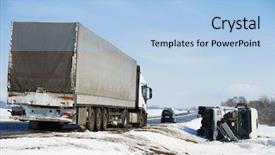
 Presentation with collision - PPT theme enhanced with ship collision - lorry trailer car crash smash background and a light blue colored foreground

Lorry Trailer Car Crash Smash

The moment of truth has arrived your insurance auto ditch sign emergency landing on the Widescreen template "Corner Title" is here to save the day. Designed with a high resolution image of a lorry trailer car crash smash accident on an slippery winter snow interstate road for inspiration, this template is the perfect blend of style and functionality. The Light Steel Blue color palette is inviting, yet professional, making it ideal for insurance, auto, and emergency services. With 4 easy to follow slides at the start of your deck to get you up and running quickly, you'll be navigating through your presentation in no time. But don't worry, with "Corner Title" by your side, you'll have a theme of efficiency and expertise. The template features high quality images that will add depth and visual interest to any PowerPoint presentation, making it an Enhanced With option for you. Having a consistent look and feel throughout the template is also Included a Background With feature, ensuring that every slide has a similar style and sophistication. From the bold typography to the carefully curated icons, every element of "Corner Title" has been designed to enhance your message and grab the audience's attention. The 3 Step Funnel Layout on this template allows you to create a clear hierarchy of information, guiding the viewer through your presentation in an intuitive way. You can Featuring a call to action at the end of each slide, having a Theme of success and results, or Having a landing page for further information. With "Corner Title" by your side, you'll be able to Create engaging and effective presentations that leave a lasting impression on your audience.

 Presentation with collision - Slide deck having collision of two colored powders background and a black colored foreground

Collision Two Colored Powders Isolated

With Corner Title as your go to design for creating visually striking presentations, you're in for a treat. Imagine starting each slide with a thought provoking image that grabs the audience's attention and sets the tone for the rest of the content. A high resolution background featuring a collision of two colored powders isolated on a black background is sure to draw viewers in. The Dark Slate Gray template is a perfect choice for creating a sophisticated yet edgy look that will leave a lasting impression. The 16:9 widescreen format ensures that your presentation looks stunning and engaging, whether you're showcasing a panoramic picture or using the included How To slides. With Corner Title, you can include a background with a subtle texture to add depth and visual interest, enhancing the overall user experience. Having a theme of 'Experimental Art' is perfect for presentations that require a creative spark. For example, consider featuring a dramatic skydiving scene with blurred clouds, colorful parachutes, and a majestic mountain range in the background. The template's color palette, rich in shades of magenta, pink, and powder blue, provides a vibrant yet calming atmosphere that will inspire your audience to engage with your content. You can include a background with subtle splatters to add more visual interest, making it easy to enhance the presentation without overwhelming it.

 Presentation with collision - Colorful presentation theme enhanced with accident on street damaged automobile backdrop and a wine colored foreground

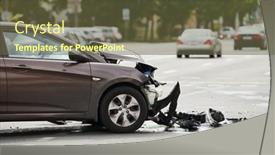
Car Crash Accident Street Damaged

The scene unfolds on a dramatic Widescreen backgrounds shot of a crushed car amidst tangled wreckage and twisted metal, the aftermath of a devastating motor crash accident. The focus shifts to the damaged automobiles, their dented bodies a testament to the force that has left them in shambles. As you delve into this template, you'll discover it's designed with a bold Saddle Brown color palette, evoking a sense of ruggedness and realism. The Widescreen format ensures an immersive viewing experience, ideal for presentations or videos where the audience is likely to be seated at a distance from the screen. This template will feature high resolution images throughout, providing crisp visuals that bring the scene to life. The template's design has been carefully crafted with insurance, damage, dented, motor, and repair related keywords woven throughout its content to provide valuable information for users. A downloadable and compatible with Google Slides, this template is perfect for professionals in the field of insurance who need a professional looking presentation on the go. As you explore this template, you'll notice that it's packed with features. At the start of your deck, you'll find four How To slides to help you get up and running quickly, but don't worry, these aren't exhaustive – they're designed to give you a solid foundation for creating engaging presentations on the fly. With its comprehensive library of images, the Timeline Layout slide is a great starting point. This feature allows you to include a background with a timeline animation that highlights key points throughout your presentation, making it easier for viewers to follow along. Have fun customizing and enhancing your slides to fit your unique needs!

 Presentation with collision - Cool new theme with newton cradle - collision balls in action backdrop and a white colored foreground

Collision Balls Action

As you gaze into the abyss of productivity, where drudgery and monotony reign supreme, your eyes are drawn to a glimmer of hope a template that dares to defy convention and shatter the shackles of boredom. The Corner Title is born from the fusion of design and functionality, crafted with precision to elevate your presentation game. This Widescreen masterpiece boasts an oceanic seashell color palette that transports you to a tranquil haven of tranquility, perfect for presenting data to clients or sharing ideas with colleagues. Featuring intricate details, each element is carefully balanced to create visual harmony that delights the eye. This template's design name encapsulates its essence perpetual motion, where elements never truly settle. The constant flux of imagery and textures keeps your audience engaged, while the office theme injects a sense of familiarity and approachability. Having a theme of dynamic visuals, this template is perfect for showcasing data in an engaging and informative way. The Bulb Puzzle Layout slide showcases the beauty of contrast the stark whites of text against the oceanic backdrop. This layout allows you to easily include key points or calls to action without overwhelming your audience with too much visual noise. Featuring a subtle gradient effect, this design element adds depth and interest to your presentation. This template's high resolution images ensure crisp clarity, making it perfect for sharing complex data sets or demonstrating how your product works. Having a theme of high contrast visuals, featuring dramatic lighting effects, this template is sure to grab attention and leave a lasting impression.

 Presentation with collision - Presentation theme consisting of ship collision - isolated danger mark in mljet background and a ocean colored foreground

Isolated Danger Mark Mljet Channel.

Presentation theme consisting of isolated danger mark in mljet channel yachting sailing shipping concept

 Presentation with collision - PPT theme consisting of aviation risk - drone flying near commercial airplane background and a gray colored foreground

Drone Flying Near Commercial Airplane,

In the midst of flight plans and commercial ventures, one must remain vigilant to avoid collisions that can have devastating consequences. A drone flying near an airplane poses a significant threat to both aircraft and their passengers. The template's design name is "Flight Risk," its widescreen format ensures users are fully engaged from start to finish. The Dark Khaki color palette provides a somber yet professional atmosphere, fitting for any business or commercial endeavor. Incorporating high resolution images of planes, the template features a dynamic background with sleek lines and subtle animations. To enhance their presentation, users can customize "Flight Risk" using various features such as including a Background With modern visual effects or having a Theme of airline travel. This theme allows for creative freedom while maintaining an authentic feel. Users can choose to make their deck stand out by featuring high quality images that showcase planes and commercial aviation in stunning detail.

 Presentation with collision - Presentation design with collision - auto repairman grinding autobody bonnet background and a light blue colored foreground

Auto Repairman Grinding Autobody Bonnet

Imagine walking into a bustling auto repair shop where the sounds of grinding machines and murmurs of hushed conversations fill the air the perfect backdrop for your presentation on "Insurance Damage Repair". Corner Title is here to take you on this journey, featuring stunning high resolution images that bring the scene to life. Our template boasts a light sky blue color palette, effortlessly making it a visually appealing addition to any Google Slides presentation. The Corner Title template is designed specifically with wide screen compatibility in mind, allowing for an immersive viewing experience. With its 4 How To slides at the start of the deck, users are sure to have their questions answered quickly and efficiently. The content layout slide showcases a beautifully styled picture on the left that perfectly complements the theme of automotive repairs. As inspiration for this template, consider using it as a starting point for your presentation on auto body repair, featuring stunning high quality images that showcase the process in detail. For example, you could feature a dramatic before and after split screen comparison between damaged and repaired vehicles, accompanied by easy to understand captions highlighting key steps involved in the repair process. With its comprehensive template features, including enhanced backgrounds with seamless integration of text and images, users will be able to create presentations that truly engage their audience. So why not get started today?

 Presentation with collision - Slides featuring collision - auto repairman grinding autobody bonnet background and a teal colored foreground

Auto Repairman Grinding Autobody Bonnet

Imagine walking into a bustling auto repair shop where the sound of grinding motors and the smell of fresh paint fill the air as you take in the scene before your eyes this is what awaits you with Wide Title's auto repair themed template. This design features a wide screen format that perfectly complements the high resolution images that will be included to showcase the detailed work being done on the vehicles. The Light SlateGray color palette creates a clean and professional atmosphere, while the inclusion of Auto as one of its keywords gives it an edge in showcasing real life scenarios. The template is downloadable and compatible with Google Slides, making it easy to integrate into your presentation workflow. To add a dynamic touch, you could include a Background With image featuring a close up shot of a bonnet being ground, highlighting the attention to detail that this template has to offer. For instance, if you're creating a presentation for an auto insurance company, having a theme of "Protecting Your Vehicle" would be perfect, and having a Chart with Caption Layout slide that includes statistics on car accidents or repair costs could really drive home the importance of this template. By incorporating these features, you can create a visually appealing and informative presentation that will leave your audience engaged. As an added bonus, the How To slides at the start of the deck would provide a clear direction for your users, making it easier for them to get started on their own projects with minimal setup time. Overall, Wide Title's auto repair themed template is sure to be a hit among professionals and enthusiasts alike.

 Presentation with collision - Slide deck having waves-on-the-surface background and a light blue colored foreground

Waves Surface Water Collision Drop

As you dive into the world of creative presentation design, you'll find that a powerful template can elevate your message from mere words on a screen to a mesmerizing visual experience. Introducing the Wide Title template, featuring a captivating sky blue color palette that will leave a lasting impression on your audience. This high resolution Widescreen template is perfect for showcasing dynamic visuals, making it easy to engage your viewers with breathtaking images of drop, droplet, wave, aqua, and fall inspired themes. With its sleek design and intuitive layout, you'll be able to create engaging slides that are both visually stunning and easy to navigate. The sky blue background sets the tone for a serene yet captivating atmosphere, making it ideal for presentations on water, oceanography, or even abstract concepts like waves crashing against the shore. Featuring high resolution images of nature's wonders, this template will give your audience a front row seat to the beauty of the natural world. Imagine presenting your slides with the majestic image of a wave gently lapping at the shore as your background, accompanied by the soothing sounds of ocean waves in the foreground. The sky blue color palette will transport your audience to a tranquil state, making it an ideal choice for presentations that require a calming atmosphere or inspirational quotes about nature and its wonders. The template is downloadable and compatible with Google Slides, allowing you to easily customize it to fit your needs. With its comprehensive theme of "Nature's Wonders" and Enhanced with features like drop, droplet, wave, aqua, and fall inspired elements, this template is sure to impress your audience and leave a lasting impression on their minds.

 Presentation with collision - Cool new slide set with collision - auto mechanic buffing car autobody backdrop and a dark gray colored foreground

Auto Mechanic Buffing Car Autobody

The world of auto repair is a fascinating one, where skilled hands and precision tools come together to transform damaged vehicles into sleek and shiny rides. Corner Title is the perfect template for anyone looking to take their presentation to the next level, featuring high resolution images that will leave your audience in awe. This stunning Widescreen template is designed with insurance companies, damage repair shops, and auto enthusiasts in mind, offering a unique blend of style and functionality. The Crimson color palette provides a bold and attention grabbing backdrop for your content, while the accompanying keywords insurance, damage, repair, auto, hands will help you convey your message effectively. The template is fully downloadable and compatible with Google Slides, making it easy to incorporate into your presentation. With its sleek design and high resolution images, Corner Title is sure to enhance any slide or presentation. The SWOT Analysis Layout slide provides a clear structure for your content, featuring a bold title, key points, and supporting details. This template is perfect for anyone looking to showcase their expertise in the auto repair industry, from insurance companies to damage repair shops. With its unique blend of style and functionality, Corner Title is sure to leave a lasting impression on your audience. Featuring high quality images and a bold color palette, this template is an excellent choice for any presentation or slide deck. Including a background with a dynamic image of a car being repaired will give you the opportunity to showcase your expertise in auto repair. Having a theme of "The Art of Auto Repair" could be used as an example, where you can highlight different aspects of the process and provide examples of how they are executed. Enhancing this template with additional images or graphics could also help to make it more engaging and interactive. With its unique

 Presentation with collision - Audience pleasing presentation theme consisting of two drivers arguing after traffic backdrop and a ocean colored foreground

Two Drivers Arguing Traffic Collision

As you click on "Get Started" with our Wide Title template from CrystalGraphics, imagine two drivers standing side by side in the middle of a crowded highway, their faces etched with frustration as they argue over who is at fault after a traffic collision. The background features a high resolution image of a damaged car, with dents and scratches visible on its sleek exterior. The Steel Blue color palette dominates the design, evoking a sense of trust and reliability. The template is specifically formatted for Widescreen presentation, providing an immersive experience for your audience. Featuring a clean and modern look, this template includes keywords like insurance, damage, dented, repair, and two people, ensuring that it meets your needs. Having a theme of "Getting Started" or "Getting Going", the template provides a solid foundation for any presentation. The 4 How To slides at the start of the deck are designed to help you quickly get up and running with your new template. These slides provide valuable guidance on how to use the template, from downloading it to customizing it to fit your specific needs.

 Presentation with collision - Audience pleasing PPT layouts consisting of brain - two wooden heads with gears backdrop and a coral colored foreground

Two Wooden Heads Gears Coming

Imagine a world where symbols converge with memories to shape our understanding of the physical and mental realm. This concept is the foundation of our template design, "Wide Title", featuring a unique blend of symbolic elements and high resolution images that evoke the idea of collision and convergence. The template's Widescreen format allows for an immersive viewing experience, while the Peru color palette brings warmth and vibrancy to the design. The keywords "symbol", "memory", "psychical", "idea", and "concept" are carefully chosen to reflect the theme, making it clear what this template is about. At its core, "Wide Title" is designed to enhance presentations with a unique blend of creative freedom and professionalism. By including a Background With option, our templates have become an ideal choice for anyone looking to add visual depth and interest to their slides. Whether you're showcasing a groundbreaking research presentation or creating engaging marketing materials, this template is sure to make a lasting impression. With 4 How To slides at the start of the deck, getting started quickly has never been easier. From our Our CRystal Clear Goal slide, which sets the tone for your entire presentation, to featuring high resolution images that bring the concept to life, every detail has been carefully considered to ensure maximum impact.

 Presentation with collision - Slides featuring newton cradle - collision balls side view background and a white colored foreground

Collision Balls Side View White

The game of life is about to become more immersive and realistic with Wide Title's Widescreen template, featuring high resolution images that will leave your audience in awe. This template is designed specifically for the Google Slides platform, making it easily accessible and compatible with all devices. The Tan color palette is a perfect blend of sophistication and warmth, setting the tone for an engaging presentation. To enhance the overall experience, there are four How To slides at the start of the deck to help you get up and running quickly, including a background with a swaying motion that simulates the feeling of weightlessness. The template itself has a unique theme of accuracy, incorporating elements that reflect the principles of physics and Newton's laws. The isolated design ensures that your content takes center stage, while the game inspired keywords will help you convey your message in a engaging way. With this template, you'll be able to showcase high quality images from around the world, including those with complex collision balls side view on white. As an example of how this template could be used, consider creating a presentation that highlights the importance of accuracy and precision in the field of physics. You could include features such as animations, videos, or interactive simulations to make the content more engaging and interactive for your audience. The Widescreen template will provide the perfect backdrop for showcasing these elements, making it an ideal choice for any presentation or educational session.

 Presentation with collision - Presentation theme featuring aviation risk - drone flying near commercial airplane background and a teal colored foreground

Drone Flying Near Commercial Airplane,

Imagine being part of a high stakes commercial flight, where precision and speed are paramount. The plane is navigating through the air with great care to avoid any obstacles that could jeopardize its journey. This serene yet intense scene can be recreated in your presentation using the Corner Title template from CrystalGraphics. The Corner Title template features a sleek design that perfectly captures the essence of an aerial flight. Its Steel Blue color palette provides a sophisticated backdrop for high resolution images that showcase various aspects of commercial aviation, such as planes taking off and landing, cargo being transported, or pilots monitoring their instruments with concentration. These images will be fully rendered in Widescreen format to provide an immersive viewing experience. This template is specifically designed to engage your audience's attention, ensuring they stay focused on the exciting world of flight. Featuring a diverse range of plane designs, from business jets to commercial airliners, and including a background that simulates real world scenarios, this template will be a valuable addition to any presentation or conference. Having a theme of precision and safety, it enhances your content by emphasizing the importance of attention to detail in aviation.

 Presentation with collision - Amazing presentation design having traffic - car crash accident on street backdrop and a gray colored foreground

Car Crash Accident Street Damaged

Imagine you're standing in the midst of a city on a sunny day, surrounded by damaged automobiles and debris scattered all over the street. The sound of sirens can be heard in the background as emergency responders rush to the scene. High resolution images featuring dramatic car crashes and accidents are available for your download, making it easy to enhance with animations and transitions. The Wide Title template is designed specifically for presentations that require a high level of attention and visual interest. This Widescreen format is perfect for showcasing complex ideas or highlighting key points in your presentation. The Cornflower Blue color palette provides a calming yet striking background that sets the tone for a professional looking presentation. With this template, you can create engaging and informative content that will captivate your audience. This template is ideal for insurance related presentations, with keywords such as "damage," "repair," and "auto" included to cater to various industries. The city theme ensures that your slides are relevant to real world scenarios, making it easy to include background images and videos featuring cars in motion or stopped on the side of the road. Featuring high resolution car crash accident footage on our backgrounds, this template will give you an idea of what it's like to navigate through a crowded highway after a collision. The 3 Column Layout slide is perfect for including key statistics, graphs, and images that complement your text. You can include a background with animated text effects, having a theme of dynamic visuals and interactive elements to keep your audience engaged. Having a clear structure and organization will enhance the overall presentation flow. This template includes four How To slides at the start of your deck, providing a solid foundation for getting you up and running quickly. The images included in this template are high resolution and feature dramatic car crashes, making it easy to create engaging and informative content that showcases complex ideas.

 Presentation with collision - Slide deck enhanced with accident on street damaged automobile background and a light gray colored foreground

Car Crash Accident Street Damaged

As you step into the heart of the city, the sound of screeching tires and crunching metal fills the air, creating a sense of unease that sets the tone for what's to come. The camera pans across the damaged automobile, its sleek lines now twisted and battered beyond recognition, as if it too has been put through a devastating collision. The background is a high resolution image of a city street at night, with neon lights reflecting off the wet pavement, adding an extra layer of realism to the scene. The template's design name is Corner Title, and it's a widescreen masterpiece that exudes energy and dynamism. Featuring a rich Bisque color palette, this template is sure to grab your attention from the very first slide. The high resolution images on the background are carefully crafted to enhance the overall mood of the scene, making you feel like you're right there in the midst of the action. The template's keywords are clear: damage, repair, auto, city, breakdown. These words paint a vivid picture of the chaos that unfolds before your eyes. With its 4 How To slides at the start of the deck, you'll be able to get up and running quickly, feeling confident and prepared to tackle any situation that comes your way. The template is downloadable and compatible with Google Slides, making it easy to incorporate into your presentation. The Bisque color palette provides a versatile backdrop for showcasing your content, while the high resolution images ensure that every detail is preserved. Featuring a theme of urban chaos, this template is sure to inspire you to think creatively about how to present your information in a compelling and engaging way.

 Presentation with collision - Audience pleasing PPT theme consisting of transportation and danger of collision backdrop and a soft green colored foreground

Airplane Interior Window View Commercial

As you embark on your journey to create stunning presentations with CrystalGraphics, imagine yourself soaring through the skies in a commercial jetplane, surrounded by breathtaking views of sunrise and sunshine, as the plane takes off from the airport with the destination in sight. Your Corner Title template is here to transport you there, delivering inspiration and design elements that will enhance your travel related content. The Widescreen format features an impressive high resolution background image, set against a stunning Indian Red color palette that exudes warmth and sophistication. The template's design name Corner Title perfectly encapsulates the theme of adding a touch of elegance to any presentation, be it travel related or not. With its 3 Column Layout slide, you'll have ample space to include detailed information about plane maintenance, flight routes, and safety protocols, all while maintaining a visually appealing layout that keeps your audience engaged. This enhanced feature will surely make your content stand out in the crowded digital landscape. Whether you're using it for travel blogs, presentations on airlines, or simply creating visual aids for corporate training sessions, this template is sure to deliver high quality visuals and thought provoking ideas that will leave a lasting impression on your audience. And with its compatibility with Google Slides, you can easily incorporate the template into your existing workflow, making it an ideal choice for those already familiar with this popular presentation software.

 Presentation with collision - Cool new presentation theme with raft building - canoe river collision backdrop and a red colored foreground

Canoe River Collision

As you plan your presentation to showcase the beauty of nature and the thrill of rafting, you need a template that sets the tone for an engaging visual experience. Consider our "Wildflower" PowerPoint Template, which captures the essence of the great outdoors with its pale violet red colored theme. This template is designed in Widescreen format, perfect for showcasing high resolution images that will draw your audience in. At the heart of this template is a design name and keywords: "Wildflower". The template is carefully crafted to include green elements, evoking feelings of nature and growth. Women are prominently featured throughout, conveying a sense of strength and femininity. Nature themed rafting images are also present, showcasing the beauty of adventure on the water. The template's background features 4 high resolution images that will enhance your presentation: a serene lake scene at dawn, a majestic waterfall, a lush forest, and a dramatic mountain landscape. Having a theme of featuring these elements and having them included in the layout can help you tell a story through your visuals. A unique aspect of this template is its ability to enhance with different backgrounds. The high resolution images mentioned earlier can be featured on multiple slides, providing endless possibilities for creative customization. You can also include background images or text, making it seamless to incorporate into your presentation.

 Presentation with collision - Slides with newton cradle - collision balls background and a white colored foreground

Collision Balls.

The Corner Title template is a visually striking and dynamic presentation design that is sure to capture attention. Designed in the Widescreen format, this template features a tan color palette with warm tones that evoke a sense of energy and dynamism. The design name "Corner Title" pays homage to its classic corner title card style, while incorporating modern twists and high resolution images for added depth and visual interest. The template is downloadable and compatible with Google Slides, allowing you to easily import and customize the background images and layout features. Featuring a bold, sans serif font and including a colorful gradient overlay on top of the tan colored text, this template sets itself apart from the crowd. Having a theme of creating engaging presentations that stand out from the ordinary, Corner Title offers endless possibilities for customization. In terms of design elements, you could use high resolution images such as collision balls or firework explosions to add an exciting touch, making your presentation more dynamic and attention grabbing. This template is enhanced with additional design features, including subtle animations and transitions that create a sense of movement and energy. Whether you're looking to launch a new product, promote a service, or simply showcase your skills, Corner Title is the perfect choice for creating an unforgettable visual experience.

 Presentation with collision - PPT theme featuring accident on street damaged automobile background and a soft green colored foreground

Car Crash Accident Street Damaged

As you're trying to tackle one of life's most frustrating experiences car accidents on city streets after a breakdown you might find yourself scrolling through your phone to keep track of the damage and repair costs. The emergency services scene of an accident with damaged vehicles is not something anyone wants to go through, but it's an inevitable part of modern life. The good news is that by using the Wide Title template from CrystalGraphics, you can enhance this experience with a theme of city breakdown and auto accidents. This Widescreen template features high resolution images of a city street with damaged automobiles in the background, creating a dramatic backdrop for your presentation. Featuring a grid layout, you'll have ample space to include important details such as vehicle make and model, repair costs, and damage assessment. Including a Background With feature allows you to easily insert these images into your slide templates, making it easy to present your information in a visually appealing way. Having a Theme of Enhanced With enables you to add extra features such as animations or transitions to enhance the overall experience. With its 8 Pictures grid layout, this template will give you ample space to include additional visuals, making it easier for your audience to understand complex information. You can use these pictures to illustrate the severity of the damage, the number of vehicles involved in the accident, and any relevant statistics. Having a theme of damage and repair will also help keep your presentation focused on this key issue. Having a template compatible with Google Slides makes it easy to share your presentation with others without having to worry about compatibility issues. The high resolution images are sure to be clear and crisp, ensuring that your audience can focus on the message rather than struggling to see what you're trying to convey.

 Presentation with collision - Presentation enhanced with car-crash-accident-collision background and a tawny brown colored foreground

Car Crash Accident Collision City

The moment of truth has arrived, and you're about to unleash your creativity on the world with CrystalGraphics' Split Title template. This stunning Widescreen design is perfect for presentations that need to grab attention, whether it's an accident, air bag, auto, or automobile themed presentation. The Olive Drab color palette adds a touch of sophistication, while the high resolution images for the background will transport your audience to the heart of the action. The template features a dynamic layout that showcases four key elements: Accident, Air Bag, Auto, and Automobile. Each element is carefully crafted to provide context and clarity, making it easy for your viewers to understand the importance of these topics. The Growth Stages Layout slide is particularly noteworthy, as it provides a clear overview of the presentation's structure, featuring a timeline that highlights key milestones. This template is not just a pretty face; it's also incredibly versatile. You can include a Background With feature by adding a high resolution image to one side of the slide, and having a Theme of Adding a sleek, modern design element on the other. Having a Theme of Enhancing Your Presentation with bold, eye catching graphics will elevate your content and leave a lasting impression. The Split Title template is downloadable and compatible with Google Slides, making it easy to integrate into your existing workflow. With its high resolution images and dynamic layout, this template is sure to impress even the most discerning audiences.

▼Key features of this template

  • They are compatible with both PowerPoint and Google Slides running on either Windows PCs or Macs.

  • They are available in both standard and widescreen slide formats. You can choose your preferred format by clicking on the "Widescreen" check box or icon.

  • Each template includes a beautiful high-resolution background image or video to visually reinforce the theme of your presentation.

  • In addition, each template includes designer-created graphics and modern fonts to give your presentations an up-to-date, professional look.

  • Each template's default design and title text position have been carefully selected to complement its background without covering faces or other key elements.

  • All text includes backdrops whose transparency level is mathematically calculated to maximize text readability while still allowing the background to be seen.

  • And all the text, text backdrops and graphics in every slide are colored with a palette designed to beautifully complement the colors in the background.

  • Our Premium templates (those with the descriptor “Premium” in their subtitle) include over 64 slide layouts to give you maximum flexibility as you create your presentations.

    • Those layouts are available to you whenever you create a new slide or when you want to change the layout of an existing slide.
    • They include everything you need to make all sorts of presentations. In addition to the layouts for the title slide and the usual title and content slide, they include many other layouts for slide types including table of contents slides, org charts, charts, diagrams, infographics, photo slides, thank you slides and more.
    • While creating these layouts our template designers have ensured that all text in every layout adjusts as gracefully as possible to various numbers of words.
  • Customizable templates (those with the descriptor “Customizable” in their subtitle) may be easily modified online before you download them.

    • To modify them, simply click on the pencil editing icon, then select your choice of ready to go designs and title text positions.
    • The editing tool also makes it easy to reposition and scale the background image or video to best suit your needs.

▼FAQs

Please review these FAQs to see if your question is answered. Contact us for more info

  • What is a PowerPoint template?

    • A well designed PowerPoint template is a file that can tell PowerPoint how to make your ordinary templates look extraordinary. They won’t change what your words or numbers say. But they might change their size, color, font and placement. And, overall, they can give your presentations a professionally-designed look that will give your content more credibility and give you more confidence.
  • How many PowerPoint templates do you offer?

    • We have over 32,000 artist-created presentation templates in our PowerPlugs collection With a subscription, PowerPlugs templates are easy to download. Just sign in, find a template and click on the green Download button. ready for you to download. That alone offers you more variety to choose from than any of our competitors can offer. And, as if that weren’t enough, we also offer over 6 million templates in our Crystal collection. Crystal brand templates are our line of templates that have customization options. They have the word "CRYSTAL" on their web page images. You can customize several aspects of the templates. These templates include high-resolution background images from Shutterstock’s vast image collection matched up with artist-created presentation designs customized by our own proprietary AI software.
  • How many templates can I download as a subscriber?

    • You can download an unlimited number of PowerPlugs-brand With a subscription, PowerPlugs templates are easy to download. Just sign in, find a template and click on the green Download button. templates every day for an entire year. (Actually, by default, we set a limit of 25 templates per day to prevent our competitors from stealing our templates. But, if that is not enough, just let us know and we’ll try to accommodate you.) On top of that, with a subscription or an Ultimate Combo, you can also download any 50 Crystal-brand Crystal brand templates are our line of templates that have customization options. They have the word "CRYSTAL" on their web page images. You can customize several aspects of the templates. templates per year selected from our huge Crystal collection. Crystal brand templates are our line of templates that have customization options. They have the word "CRYSTAL" on their web page images. You can customize several aspects of the templates. .
  • Why should I choose your templates instead of the competition’s?

    • We’ve got a larger selection of professionally-designed PowerPoint templates than anyone else in the world.
    • Each template includes a high-resolution background image or video to visually inspire your audiences while reinforcing your message.
    • Each template includes 64 slide layouts to give you maximum flexibility as you create your presentations.
    • Our templates are available in both standard and widescreen slide formats. And our website lets you preview the slides each way.
    • Our free Template Finder™ plugin lets subscribers select and - with a single click - download and insert our templates into their presentations right from within PowerPoint.
    • We’ve been creating designer presentation templates for over 20 years. During that time we’ve won several awards and 5-star ratings for product quality. See About Us for more.
  • Do you offer a money-back guarantee?

    • Yes we do! We offer full 30-day money-back guarantee if you are not 100% satisfied with your purchase.
  • Can I still use my downloaded templates after my subscription runs out?

    • Yes. After your subscription expires, you won't lose any rights or ability to use your PowerPlugs: Templates for PowerPoint. You won't be able to download any new non-watermarked templates. But the non-watermarked templates you've already downloaded will still work and you can still use them as before.
  • Can I share my downloaded templates or passwords with friends or coworkers?

    • Sorry but no. You are authorized to download each paid-for template to up to 3 of your personal devices and to use the templates you download in as many presentations as you want. But you are not authorized to share the templates, themselves, with others. That said, we do offer highly discounted site licenses to suit the needs of both small and large teams. Just tell us your needs and we’ll give you a quote!
  • System requirements:

    • The templates use the standard POTX format. So they are compatible with Google Slides and all PC, Mac and mobile devices running any version of PowerPoint from PowerPoint 2007 up through and including Office 365 desktop.
    • Please note: Google Slides does not currently support background videos. It treats them as still images.
    • For PowerPoint for the Web, first open your template into a desktop version of PowerPoint, then save it back out as a PPTX file. Then you can open that in PowerPoint for the Web.
  • End user license agreement:

    • Click here to view.
  • How will I get my purchased templates?

    • You may download your selected templates as soon as your payment is received by PayPal. If you purchased an individual template, you will be provided with a download link both onscreen and via email. Just click on that link to begin the download process. If you purchased a subscription, you will receive an email containing a password to use along with your email address to sign in to any of the templates pages on CrystalGraphics.com. Once you are signed in, you can immediately start downloading your selected templates.
  • How do I use my templates after I download them?

    • You can either open a template to start a new presentation or you can add a template to an existing presentation. To open a template, just double click on it or use PowerPoint's File > Open tool. To add a template to an existing presentation, on the Design tab, in the Themes group, click Browse for Themes... then browse to select your template.

View more Collision templates:

previous 1 2 3 4 5 next
93% of Fortune 1000
companies use our
PowerPoint Products
Templates Secure

Standing Ovation Award
Winner: Best PowerPoint
Template Collection
Fortune Logos
200,000+ satisfied
customers worldwide!
Guarantee
100% satisfaction guaranteed
- or send it back for a refund!

Sign up for our free newsletter! You'll get news about our PowerPoint-enhancing product line – including free updates, new product announcements and exclusive special offers. Plus you'll get a link to a free PowerPoint template with every newsletter you receive.
Privacy Policy
Loading...


Help

Contact Us
Product FAQs
Product License Agreements

Company Info

About Us
Privacy Policy
CrystalGraphics, Inc. 1999 S. Bascom Avenue Suite 700 Campbell, CA 95008 USA
© 2026 CrystalGraphics, Inc. All rights Reserved.    |     PowerPlugs is a trademark of CrystalGraphics, Inc.
Microsoft and the PowerPoint logo are trademarks or registered trademarks of Microsoft Corporation in the United States and/or other countries.
Loading...
Loading...