www.crystalgraphics.com CrystalGraphics
  • Ultimate Combo
  • Templates
  • Diagrams
  • Characters
  • Quizzes
  • shopping cart
  • Sign Out Sign Out Sign In
Home > Templates > Coral Category
search icon
advanced icon

250 Best Coral-Themed Templates for PowerPoint and Google Slides

CrystalGraphics creates templates designed to make even average presentations look incredible. Below you’ll see thumbnail sized previews of the title slides of a few of our 250 best coral templates for PowerPoint and Google Slides. The text you’ll see in in those slides is just example text. The coral-related image or video you’ll see in the background of each title slide is designed to help you set the stage for your coral-related topics and it is included with that template. In addition to the title slides, each of our templates comes with 17 additional slide layouts that you can use to create an unlimited number of presentation slides with your own added text and images. And every template is available in both widescreen and standard formats. With over 6 million presentation templates available for you to choose from, CrystalGraphics is the award-winning provider of the world’s largest collection of templates for PowerPoint and Google Slides. So, take your time and look around. You’ll like what you see! Whether you want 1 great template or an ongoing subscription, we've got affordable purchasing options and 24/7 download access to fit your needs. Thanks to our unbeatable combination of quality, selection and unique customization options, CrystalGraphics is the company you can count on for your presentation enhancement needs. Just ask any of our thousands of satisfied customers from virtually every leading company around the world. They love our products. We think you will, too!

Features & Pricing

Widescreen (16:9) Presentation Templates. Change size...
 Presentation with coral - PPT layouts featuring celebation - diver swimming underwater background and a navy blue colored foreground

Diver Swimming Underwater Coral Reef

PPT layouts featuring diver swimming underwater among the coral reef

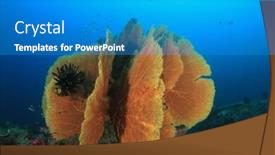
 Presentation with coral - Presentation theme with gorgonian fan coral on ocean reef background and a teal colored foreground

Gorgonian Fan Coral Ocean Reef

Imagine standing on the edge of a vast ocean, surrounded by a kaleidoscope of colors and textures that evoke the majesty of the natural world. The sun casts a warm glow over the scene, illuminating the intricate details of the coral reef below. This is what you'll experience with Corner Title, a stunning PowerPoint template designed to transport your audience to an otherworldly realm. Corner Title is a Widescreen template that features a Deep Sky Blue color palette, evoking the vastness of space and the mystery of the cosmos. The template includes four How To slides at the start of the deck to help you get up and running quickly, but for now, let's focus on the visuals. High resolution images of coral reefs, sunsets, and ocean landscapes will be used throughout the template to create a cohesive look. The Corner Title template is downloadable and compatible with Google Slides, making it easy to incorporate into your presentations. The Deep Sky Blue color palette provides a striking contrast against high contrast backgrounds featuring stunning images of marsa, sub, ningaloo, and other ecosystems. This theme is perfect for showcasing the beauty of our planet's diverse environments. The template includes Enhanced With features such as including a background with a subtle gradient effect to give your presentation a professional finish. Having a theme of showcasing the wonders of nature, Corner Title is sure to captivate your audience and leave them in awe.

 Presentation with coral - Presentation theme having coral reef with fish background and a coral colored foreground

Beautiful View Coral Reef Fishes

Presentation theme having beautiful view of the coral reef with fishes

 Presentation with coral - Beautiful slide deck featuring pair of red tail butterflyfish backdrop and a ocean colored foreground

Pair Red Tail Butterflyfish Coral

Imagine yourself standing on the edge of a vibrant coral reef, surrounded by a kaleidoscope of colors and textures that will transport you to an underwater world of beauty and wonder. The sun shines down upon your skin, casting a warm glow over the scene as you gaze out at the endless expanse of blue. The Corner Title template is designed to take your presentation to the next level with its stunning Deep Sky Blue color palette and high resolution images that will make your slides truly pop. This Widescreen template features 8 beautiful Pictures in a Grid Layout slide, showcasing the intricate details of coral reefs teeming with life. Featuring a pair of Red tail Butterflyfish on coral reef, this image is sure to captivate your audience and leave them wanting more. The Corner Title template is perfect for presentations that focus on subtopics or couples of topics, such as ecosystems and beauty. With its flexible layout and customizable design elements, you can easily include background images with a theme of nature or enhance the overall look and feel of your presentation. Having a theme of color, this template will add an extra layer of depth and visual interest to your slides. The Corner Title template is also compatible with Google Slides, making it easy to download and use in your presentations. With its high resolution images and customizable design elements, you'll be able to create stunning presentations that will leave a lasting impression on your audience.

 Presentation with coral - Cool new PPT theme with underwater-photo-of-woman-snorkeling backdrop and a ocean colored foreground

Underwater Photo Woman Snorkeling Free

PPT theme with underwater photo of woman snorkeling and free diving in a clear tropical water at coral reef

 Presentation with coral - PPT theme featuring pristine coral reef in thailand background and a teal colored foreground

Pristine Coral Reef Thailand

The crystal clear waters of Thailand's pristine coral reef are a sight to behold, teeming with life and beauty. The vibrant colors of the fish, the delicate patterns of the sea fans, and the majestic shape of the scorpionfish all come together to create an ecosystem that is both breathtaking and awe inspiring. This stunning template is designed to transport you to this underwater world, featuring high resolution images for the background that will make your slides look like they were taken on a live dive. The Dodger Blue color palette adds a touch of sophistication and elegance, while the keywords "beauty", "ecosystem", "scorpionfish", "red", and "diving" give it a clear theme. The template is formatted in widescreen, making it perfect for presentations that require a lot of visual space. The design name "Wide Title" sets the tone for this beautiful and informative template. With its high resolution images and Dodger Blue color palette, this template is sure to enhance your slides with a professional look and feel. The template includes four How To slides at the start of the deck to help you get up and running quickly, but don't worry, we won't list them just yet. Instead, let's talk about the Stairs Layout slide it's a great place to include some interactive elements, such as links to external resources or images that showcase different aspects of the ecosystem. For example, you could feature an image of a scorpionfish in its natural habitat, complete with a link to a website that provides more information on this fascinating creature. The template is also compatible with Google Slides, making it easy to import and use in your presentations. With its beautiful Dodger Blue color palette and stunning high resolution images

 Presentation with coral - Presentation featuring surf on the coral reefs background and a teal colored foreground

Surf Coral Reefs Sunny Day

As you step into the crystal clear waters of the harbor, surrounded by vibrant coral reefs teeming with life, your imagination begins to surf on the gentle waves of beauty and tranquility. The warm sunlight dances across the water, casting a mesmerizing glow that seems to highlight every detail of this idyllic scene. The Wide Title, featuring a stylized image of a wave breaking on the shore, sets the tone for an engaging presentation that will draw your audience in and keep them hooked from start to finish. The Widescreen format ensures that every aspect of the slide is showcased, creating a seamless viewing experience that immerses viewers in the world you're about to share. The template's Cadet Blue color palette provides a soothing backdrop for the high resolution images that will be included throughout the presentation, adding depth and visual interest to each slide. The algae inspired design elements add a touch of whimsy and playfulness, making this template an ideal choice for anyone looking to enhance their presentation with a unique and captivating theme. The beauty of this template lies in its ability to evoke a sense of serenity and wonder, making it perfect for showcasing stunning images that will leave your audience in awe. Whether you're featuring a breathtaking sunset over the ocean or highlighting the intricate details of marine life, this template is sure to deliver an enhanced viewing experience that will leave viewers wanting more. Including a Background With feature allows you to add dynamic elements to each slide, such as animated waves or colorful fish, adding an extra layer of visual interest and engagement. Having a Theme of showcases the template's unique design language, making it easy for others to replicate and customize their own presentations with ease. Enhanced With options like including interactive elements, animations, or even custom illustrations

 Presentation with coral - Audience pleasing slides consisting of underwater plants - brain coral stone macro detail backdrop and a tawny brown colored foreground

Brain Coral Stone Macro Detail

Slides consisting of brain coral stone macro detail closeup studio shot

 Presentation with coral - Amazing theme having teenage boy swimming underwater in shallow turquoise water at coral reef backdrop and a teal colored foreground

Teenage Boy Swimming Underwater Shallow

Theme having teenage boy swimming underwater in shallow turquoise water at coral reef backdrop

 Presentation with coral - Beautiful PPT theme featuring young woman scuba diver exploring backdrop and a tawny brown colored foreground

Young Woman Scuba Diver Exploring

PPT theme featuring young woman scuba diver exploring coral reef underwater sport and leasure activities backdrop

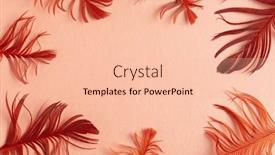
 Presentation with coral - Slide deck with beautiful-red-bird-feathers background and a lemonade colored foreground

Beautiful Red Bird Feathers Coral

Slide deck with beautiful red bird feathers on coral background flat lay with copy space

▼Key features of this template

  • They are compatible with both PowerPoint and Google Slides running on either Windows PCs or Macs.

  • They are available in both standard and widescreen slide formats. You can choose your preferred format by clicking on the "Widescreen" check box or icon.

  • Each template includes a beautiful high-resolution background image or video to visually reinforce the theme of your presentation.

  • In addition, each template includes designer-created graphics and modern fonts to give your presentations an up-to-date, professional look.

  • Each template's default design and title text position have been carefully selected to complement its background without covering faces or other key elements.

  • All text includes backdrops whose transparency level is mathematically calculated to maximize text readability while still allowing the background to be seen.

  • And all the text, text backdrops and graphics in every slide are colored with a palette designed to beautifully complement the colors in the background.

  • Our Premium templates (those with the descriptor “Premium” in their subtitle) include over 64 slide layouts to give you maximum flexibility as you create your presentations.

    • Those layouts are available to you whenever you create a new slide or when you want to change the layout of an existing slide.
    • They include everything you need to make all sorts of presentations. In addition to the layouts for the title slide and the usual title and content slide, they include many other layouts for slide types including table of contents slides, org charts, charts, diagrams, infographics, photo slides, thank you slides and more.
    • While creating these layouts our template designers have ensured that all text in every layout adjusts as gracefully as possible to various numbers of words.
  • Customizable templates (those with the descriptor “Customizable” in their subtitle) may be easily modified online before you download them.

    • To modify them, simply click on the pencil editing icon, then select your choice of ready to go designs and title text positions.
    • The editing tool also makes it easy to reposition and scale the background image or video to best suit your needs.

▼FAQs

Please review these FAQs to see if your question is answered. Contact us for more info

  • What is a PowerPoint template?

    • A well designed PowerPoint template is a file that can tell PowerPoint how to make your ordinary templates look extraordinary. They won’t change what your words or numbers say. But they might change their size, color, font and placement. And, overall, they can give your presentations a professionally-designed look that will give your content more credibility and give you more confidence.
  • How many PowerPoint templates do you offer?

    • We have over 32,000 artist-created presentation templates in our PowerPlugs collection With a subscription, PowerPlugs templates are easy to download. Just sign in, find a template and click on the green Download button. ready for you to download. That alone offers you more variety to choose from than any of our competitors can offer. And, as if that weren’t enough, we also offer over 6 million templates in our Crystal collection. Crystal brand templates are our line of templates that have customization options. They have the word "CRYSTAL" on their web page images. You can customize several aspects of the templates. These templates include high-resolution background images from Shutterstock’s vast image collection matched up with artist-created presentation designs customized by our own proprietary AI software.
  • How many templates can I download as a subscriber?

    • You can download an unlimited number of PowerPlugs-brand With a subscription, PowerPlugs templates are easy to download. Just sign in, find a template and click on the green Download button. templates every day for an entire year. (Actually, by default, we set a limit of 25 templates per day to prevent our competitors from stealing our templates. But, if that is not enough, just let us know and we’ll try to accommodate you.) On top of that, with a subscription or an Ultimate Combo, you can also download any 50 Crystal-brand Crystal brand templates are our line of templates that have customization options. They have the word "CRYSTAL" on their web page images. You can customize several aspects of the templates. templates per year selected from our huge Crystal collection. Crystal brand templates are our line of templates that have customization options. They have the word "CRYSTAL" on their web page images. You can customize several aspects of the templates. .
  • Why should I choose your templates instead of the competition’s?

    • We’ve got a larger selection of professionally-designed PowerPoint templates than anyone else in the world.
    • Each template includes a high-resolution background image or video to visually inspire your audiences while reinforcing your message.
    • Each template includes 64 slide layouts to give you maximum flexibility as you create your presentations.
    • Our templates are available in both standard and widescreen slide formats. And our website lets you preview the slides each way.
    • Our free Template Finder™ plugin lets subscribers select and - with a single click - download and insert our templates into their presentations right from within PowerPoint.
    • We’ve been creating designer presentation templates for over 20 years. During that time we’ve won several awards and 5-star ratings for product quality. See About Us for more.
  • Do you offer a money-back guarantee?

    • Yes we do! We offer full 30-day money-back guarantee if you are not 100% satisfied with your purchase.
  • Can I still use my downloaded templates after my subscription runs out?

    • Yes. After your subscription expires, you won't lose any rights or ability to use your PowerPlugs: Templates for PowerPoint. You won't be able to download any new non-watermarked templates. But the non-watermarked templates you've already downloaded will still work and you can still use them as before.
  • Can I share my downloaded templates or passwords with friends or coworkers?

    • Sorry but no. You are authorized to download each paid-for template to up to 3 of your personal devices and to use the templates you download in as many presentations as you want. But you are not authorized to share the templates, themselves, with others. That said, we do offer highly discounted site licenses to suit the needs of both small and large teams. Just tell us your needs and we’ll give you a quote!
  • System requirements:

    • The templates use the standard POTX format. So they are compatible with Google Slides and all PC, Mac and mobile devices running any version of PowerPoint from PowerPoint 2007 up through and including Office 365 desktop.
    • Please note: Google Slides does not currently support background videos. It treats them as still images.
    • For PowerPoint for the Web, first open your template into a desktop version of PowerPoint, then save it back out as a PPTX file. Then you can open that in PowerPoint for the Web.
  • End user license agreement:

    • Click here to view.
  • How will I get my purchased templates?

    • You may download your selected templates as soon as your payment is received by PayPal. If you purchased an individual template, you will be provided with a download link both onscreen and via email. Just click on that link to begin the download process. If you purchased a subscription, you will receive an email containing a password to use along with your email address to sign in to any of the templates pages on CrystalGraphics.com. Once you are signed in, you can immediately start downloading your selected templates.
  • How do I use my templates after I download them?

    • You can either open a template to start a new presentation or you can add a template to an existing presentation. To open a template, just double click on it or use PowerPoint's File > Open tool. To add a template to an existing presentation, on the Design tab, in the Themes group, click Browse for Themes... then browse to select your template.

View more Coral templates:

previous 1 2 3 4 5 6 7 8 9 10 11 12 next
Categories related to Coral:
Living Reef
93% of Fortune 1000
companies use our
PowerPoint Products
Templates Secure

Standing Ovation Award
Winner: Best PowerPoint
Template Collection
Fortune Logos
200,000+ satisfied
customers worldwide!
Guarantee
100% satisfaction guaranteed
- or send it back for a refund!

Sign up for our free newsletter! You'll get news about our PowerPoint-enhancing product line – including free updates, new product announcements and exclusive special offers. Plus you'll get a link to a free PowerPoint template with every newsletter you receive.
Privacy Policy
Loading...


Help

Contact Us
Product FAQs
Product License Agreements

Company Info

About Us
Privacy Policy
CrystalGraphics, Inc. 1999 S. Bascom Avenue Suite 700 Campbell, CA 95008 USA
© 2026 CrystalGraphics, Inc. All rights Reserved.    |     PowerPlugs is a trademark of CrystalGraphics, Inc.
Microsoft and the PowerPoint logo are trademarks or registered trademarks of Microsoft Corporation in the United States and/or other countries.
Loading...
Loading...