www.crystalgraphics.com CrystalGraphics
  • Ultimate Combo
  • Templates
  • Diagrams
  • Characters
  • Quizzes
  • shopping cart
  • Sign Out Sign Out Sign In
Home > Templates > Crazy Category
search icon
advanced icon

331 Best Crazy-Themed Templates for PowerPoint and Google Slides

Explore the vast collection of 6.7 million PowerPoint templates from CrystalGraphics, featuring a diverse range of themes that cater to various needs and preferences. From Crazy - a theme showcasing a portrait of a crazy funny backdrop with a sky blue colored foreground to more dramatic options like Beautiful PPT Theme: Portrait of a Crazy Funny Backdrop and Amazing Theme: Expression and Arms Raised Frustration Background.

With compatibility guaranteed, these templates are ready to be tailored to your needs in Google Slides. A title slide is included, along with an impressive 60+ additional slides for you to create a unique presentation. The themes can also be easily transformed into both widescreen and standard formats, ensuring flexibility when adapting your design.

Customization is at the core of CrystalGraphics templates, offering full personalization options to match your brand or style. With instant 24/7 download access, you're free to explore, browse through other categories, or select the perfect template for your needs - all without any hassle. Dive into this incredible world of PowerPoint templates and discover how they can elevate your presentation game.

Features & Pricing

Widescreen (16:9) Presentation Templates. Change size...
 Presentation with crazy - Cool new slide deck with young-caucasian-woman-holding-germany backdrop and a mint green colored foreground

Young Caucasian Woman Holding Germany

Slide deck with young caucasian woman holding germany flag and euros banknotes celebrating crazy and amazed for success with open eyes screaming excited

 Presentation with crazy - Colorful theme enhanced with portrait-of-an-angry-crazy backdrop and a ocean colored foreground

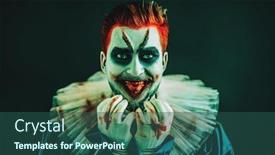
Portrait Angry Crazy Clown Protruding

Theme enhanced with portrait of an angry crazy clown protruding tongue making faces horror film halloween carnival backdrop

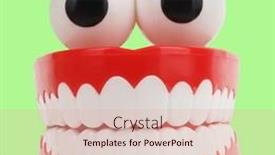
 Presentation with crazy - PPT theme enhanced with crazy-teeth-jaws-with-eyes background and a lemonade colored foreground

Crazy Teeth Jaws Eyes Toy

In a world where laughter is just a smile away, showcasing a ridiculously fun and playful design concept can light up any presentation. Imagine a slide that features crazy teeth jaws with eyes toy hilarious item isolated on bright green background, with funny mouth and eyeballs toys concept idea at the forefront. The result is a vibrant and eye catching visual that grabs attention instantly. The Sidebar Title template format Widescreen is perfect for showcasing your creativity, as it provides a full width design area to get straight into action. With a pale green color palette, you'll be surrounded by a soothing yet energetic atmosphere that complements the playful tone of this slide. The template features high resolution images throughout, including the background, adding depth and texture to each slide. The keywords perfect, hilarious, dentures, denture, smile are woven throughout the design, from the mouth's toothy grin to the eyeball like eyes. These elements showcase a whimsical theme of smiling faces and playful objects, making it an ideal choice for presentations that require a lighthearted tone.

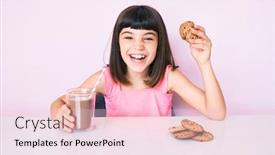
 Presentation with crazy - Presentation with young-little-girl-with-bang background and a lemonade colored foreground

Young Girl Bang Sitting Table

Presentation with young little girl with bang sitting on the table having breakfast smiling and laughing hard out loud because funny crazy joke

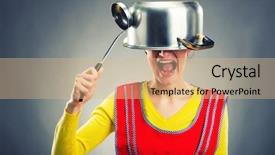
 Presentation with crazy - PPT theme consisting of crazy housewife with sause pan background and a coral colored foreground

Crazy Housewife Sause Pan

PPT theme consisting of crazy housewife with sause pan background

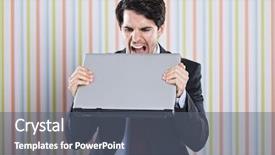
 Presentation with crazy - PPT theme consisting of man unhappy - crazy businessman eating his laptop background and a gray colored foreground

Crazy Businessman Eating Laptop

In the midst of chaos, a lone figure is shown standing in front of a cluttered office desk, surrounded by papers and broken laptops, with a single working laptop beside him, its screen glowing bright blue as he stares intensely at it. The Wide Title template designed specifically for CrystalGraphics offers a unique visual identity that will set your presentations apart from the rest. This sleek and modern template features a Widescreen format, perfect for showcasing high resolution images and videos. The Cornflower Blue color palette provides a calming yet striking background that will enhance your message. To add an extra layer of sophistication, this template incorporates keywords such as "upset", "bizarre", and "frustrated" to cater to the needs of professionals who often face challenging situations. This template is ideal for use in presentations where you need to convey a sense of high energy creativity or modernity. The Caucasian subject matter used in the background will provide a clean and neutral tone, allowing your message to shine through. When working with high resolution images, this template ensures that every detail will be crisp and clear. To get started quickly, our CRystal Clear Goal slide can guide you through the process of setting up your presentation. This feature rich slide provides a comprehensive outline for presenting your concept, including key points, statistics, and visuals to enhance the message. Including a Background With option allows users to easily customize the layout and design to fit their needs. Having a Theme of presentation templates is essential in today's digital age, where users expect high quality content that resonates with their audience. This template features Enhanced With options to add interactive elements, animations, and transitions that will captivate your viewers.

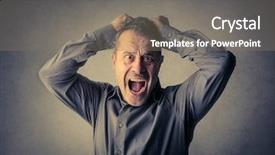
 Presentation with crazy - Slides with anger control - going crazy background and a gray colored foreground

Going Crazy

As the world descends into chaos, the screen erupts in a frenzy of fists clenched and screams that pierce the darkness. The Corner Title template is designed to capture this sense of intensity, with its dark goldenrod background and bold font that seems to scream for attention. This template is perfect for those who want to convey a sense of high energy chaos, whether you're using it to present on anger management or simply to add some drama to your slides. With four easy to follow How To slides at the start of the deck, you'll be up and running in no time. But what makes this template truly stand out is its ability to feature a striking background with high resolution images that are sure to grab your audience's attention. From the bold graphics to the dramatic fonts, every element is designed to enhance the overall message. The Corner Title template is compatible with Google Slides and can be downloaded for free. Whether you're using it in a presentation or a social media post, this template is sure to make a statement. It's got the theme of chaos perfectly captured, from the fists and screams to the dark goldenrod background that adds depth and dimension. With its high quality images and easy to use design, this template is the perfect choice for anyone looking to add some excitement to their slides. As you navigate through the template's various sections, you'll notice a consistent chart with caption layout that will give your presentation or social media post an extra boost of energy. Imagine being able to add graphics, images, and even videos directly into your template all from within Google Slides itself! It's a game changer for anyone who wants to create professional looking content without breaking the bank.

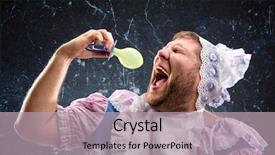
 Presentation with crazy - Audience pleasing theme consisting of crazy man sucking a pacifier backdrop and a  colored foreground

Crazy Man Sucking Pacifier

The world of PowerPoint templates is often a place where creativity knows no bounds. But let's take a look at the Split Title template provided by CrystalGraphics. This unique design name sets the tone for an attention grabbing and eye catching template that will undoubtedly stand out from the crowd. The Split Title template features in a Widescreen format, perfect for showcasing your slides on a large screen. The Dark Khaki color palette is sleek and professional, providing a dramatic backdrop for your high resolution images. The template includes 4 How To slides at the start of the deck to help you get up and running quickly. The Split Title template has a striking theme that leans towards the bizarre side it's featuring bold colors, playful graphics, and illustrations that will surely capture your audience's attention. As if taking inspiration from a crazy man sucking a pacifier, this template is perfect for showcasing your most creative ideas or projects. It includes a Background With high resolution images of abstract shapes, animals, and fantastical creatures giving it a unique and eye catching theme. Having a Theme of showcasing creativity and imagination, the Split Title template is truly enhanced with these visuals. This template can be used to include a Background With the image "A Beautifully Illustrated Unicorn Riding A Spaceship" making for a truly unique presentation style.

 Presentation with crazy - Audience pleasing PPT layouts consisting of euthanasia - crazy doctor looking backdrop and a lemonade colored foreground

Crazy Doctor Looking Syringe

Imagine being handed a syringe filled with liquid anesthetic, the doctor's eyes fixed intently on the patient as they prepare to administer the life saving medication, their hands moving with precision and care. As you gaze at the doctor, your heart sinks this is not a scene from a comedy movie, but a grim reminder of the high stakes in medical practice. The dark salmon color palette that dominates the template seems to suck all the vibrancy out of the room, while the high resolution images for the background add a sense of realism to every frame. The template is designed with an aesthetic that's both haunting and intense, perfect for conveying the gravity and complexity of medical procedures. With "Corner Title" as the design name, this template comes in four pre made slides that will help you get up and running quickly: Firstly, there are a series of How To slides to walk you through the basics of creating the template on Google Slides, including how to incorporate high resolution images into your presentations. The Gears in Sync Layout slide is a great place to start, as it showcases the template's customizable features. This feature allows you to set up a theme for your presentation with a specific color palette and layout, making it easy to enhance your content with pre designed backgrounds. With "Corner Title" by your side, you'll be well equipped to tackle any medical themed topic that comes your way, from explaining anesthetic procedures to addressing the challenges of student life.

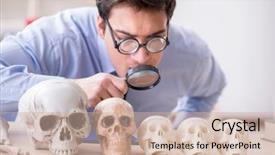
 Presentation with crazy - Slide deck featuring rare history - funny crazy professor studying human background and a soft green colored foreground

Funny Crazy Professor Studying Human

The spotlight is on you as we step into the Corner Title template, where a dash of humor and excitement meets high resolution images to transport you into the world of medical archaeology. This corner title template is designed for educational settings, where the pursuit of knowledge knows no bounds just like our featured professor, who's always eager to share their latest discoveries with students. The medium slate blue color palette provides a calm yet engaging backdrop for your content, perfect for conveying a sense of professionalism and approachability. The four How To slides at the start of the deck are designed to get you started quickly, featuring interactive elements that will have you up and running in no time. Signpost Layout is where things take off, with a dynamic design that showcases key points and calls to action. This template is sure to enhance your presentation style, Incorporating a Background With plenty of space for images and slides, Giving you the room to breathe and add your own flair. Having a Theme of Medical Archaeology, this corner title will transport your audience into the world of paleontology, where every fossil holds a story waiting to be uncovered. A perfect blend of education and entertainment, featuring high resolution images that bring the fascinating world of medical archaeology to life. Whether you're delivering lectures, conducting research, or simply sharing knowledge with others, this Corner Title template is sure to leave a lasting impression.

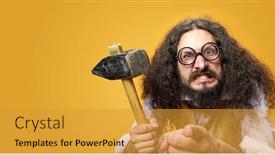
 Presentation with crazy - Theme having crazy bearded man holding hammer background and a gold colored foreground

Crazy Bearded Man Holding Hammer

Imagine a scene where you're standing in front of a massive hammer, its handle wrapped around your hand as you grapple with the weight of something "stupid", but you refuse to back down. The setting is stark and unforgiving, with a goldenrod background that seems to glow from within. In this world, hands are not just tools, they're the instruments of power. The Corner Title template is designed to add an edge to your presentation, making it stand out from the crowd. With its Widescreen format, you can easily get your audience's attention and draw them in with a single glance at the screen. The Goldenrod color palette will have a warm and inviting glow to it, like a sunny day after a long winter. This template is not just for presentation purposes; it's also perfect for creating engaging interactive slides that will enhance your message. For instance, you could use the How To slide to walk your audience through the basics of using the Hammer character in your presentation, or include a Background With feature by adding a high resolution image of a hammer as the background on one of the slides. In terms of content, this template is all about raw energy and unbridled enthusiasm. It's featuring a Caucasian character with a "stupid" attitude that will make you laugh and maybe even provoke some thought. And having a Theme of Hands, which can be used to describe not just the hammer but also your very own hands as you work on your presentation, adds an extra layer of depth to the overall design. In Summary Layout, the template showcases the Corner Title in all its glory, with bold fonts and plenty of whitespace to make it easy to read. You could even include a Background With feature by adding a high resolution image of a hammer as the background on one of the slides. This is an enhanced version of your presentation that will leave a lasting impression on your audience.

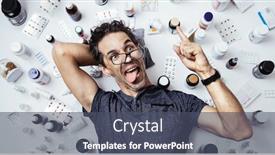
 Presentation with crazy - Audience pleasing slides consisting of crazy-man-isolated-over-pills backdrop and a dark gray colored foreground

Crazy Man Isolated Over Pills

Slides consisting of crazy man isolated over pills background

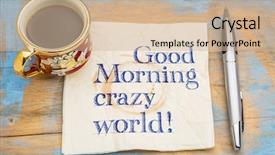
 Presentation with crazy - Beautiful slide set featuring good morning crazy world - handwriting backdrop and a soft green colored foreground

Good Morning Crazy World -

Slide set featuring good morning crazy world - handwriting on a napkin with a cup of espresso coffee backdrop

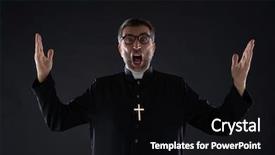
 Presentation with crazy - PPT theme consisting of mad crazy priest surprised expression background and a black colored foreground

Mad Crazy Priest Surprised Expression

The fluorescent lights overhead cast an eerie glow over the dimly lit room, as if trying to penetrate the frustration that had been building inside one of the congregants. The air was thick with tension, and it seemed like just a matter of time before someone let out a loud "Oh God!" The atmosphere was palpable, and it was clear that this would be a sermon unlike any other. The Widescreen template featuring a distressed brown background is perfect for conveying the sense of unease. This high resolution image will add depth and dimension to your presentation, making it feel more immersive than just a static slide. The Wide Title font used throughout the design has a bold, yet menacing quality, perfectly capturing the caucasian and christian themes that permeate this service. The font's aggressive look is sure to grab attention and set the tone for the rest of the presentation. Incorporating elements such as angry expressions and scowling faces can enhance the emotional impact of your slides, making them more engaging for viewers. A simple illustration featuring a frustrated priest with a shocked expression would be an excellent example of how this design could come to life. For instance, you could use this template to create a PowerPoint presentation that includes four How To slides: Slide 1: Getting Started Slide 2: Tips and Tricks Slide 3: Advanced Techniques Slide 4: Troubleshooting The Growth Layout slide is an excellent way to showcase your content, allowing the images and text to come together in a visually appealing way. This layout will give your audience a sense of progression and growth throughout the presentation. The brown color palette used throughout the design is simple yet effective, providing a clean and professional look that's perfect for presentations on Googel Slides. The key is to strike the right balance between colors, ensuring that the images are not too dominant and the text is clear and readable.

 Presentation with crazy - PPT theme consisting of excited young fair haired man - crazy couple standing in red background and a light blue colored foreground

Crazy Couple Standing Red Cabriolet

PPT theme consisting of crazy couple standing in red cabriolet

 Presentation with crazy - Beautiful PPT layouts featuring man's crazy face crushed on transparent glass backdrop and a tawny brown colored foreground

Man's Crazy Face Crushed Transparent

In a world where creativity knows no bounds, there's a template that will take your presentations to the next level Corner Title. This stunning widescreen design is tailored to bring a touch of elegance and sophistication to any presentation, featuring a dark khaki color palette that exudes masculinity and confidence. The template's design name plays on the phrase "corner title" with a nod to the idea of adding a finishing touch to your content. The Corner Title template is specifically designed for use in Google Slides, making it easy to import high resolution images from the official image repository and customize them as needed. Whether you're creating a studio setting or a presentation about a young entrepreneur, this template has got you covered. With its handsome and youthful aesthetic, featuring a Caucasian male model with a determined expression, you'll be sure to make a statement. The dark khaki color palette provides a sophisticated backdrop for your images, and the inclusion of high resolution backgrounds ensures that your slides look sharp and professional. But what really sets Corner Title apart is its theme having a theme of creating stunning presentations that engage and inspire your audience. With this template, you'll have everything you need to take your presentations to new heights. For example, imagine using the "Studio Makeover" section as the main content for a presentation about photography, featuring images from professional photographers around the world. The dark khaki background and handsome male model would create an ideal atmosphere, highlighting the importance of capturing high quality images. As you explore this template further, you'll discover that it's also compatible with other Google Slides add ons, such as animations and transitions, giving you even more flexibility in your creative process. To take it to the next level, consider adding a customized Table of Contents slide featuring key phrases from your presentation, as well as images or icons that represent each section. This will help guide your audience through the content of your presentation and create a cohesive look throughout. With Corner Title, you'll be able to enhance your presentations with ease, making them truly unforgettable.

 Presentation with crazy - Presentation theme enhanced with geek - crazy looking man typing background and a ocean colored foreground

Crazy Looking Man Typing Keyboard

The Corner Title PowerPoint template is here to shake things up with its playful and humorous design. This wildly creative template starts with a sentence that sets the tone: "Imagine a world where productivity meets silliness." It's designed in Widescreen format, perfect for showcasing your high resolution images or other visual content. The Cornflower Blue color palette provides a calm yet eye catching backdrop for your content. The Corner Title keyboard is waiting to be typed upon, and we're including a Background With feature that lets you easily switch between different image grids. For example, you could Include a Background With a funny cartoon character jumping out from behind the keyboard to add some humor to your presentation. Having a Theme of humor and playfulness makes this template an excellent choice for presentations that are meant to be hilarious. The template includes 8 Pictures in a Grid Layout slide, showcasing playful images such as crazy looking men typing on keyboards, silly office workers doing mundane tasks, and even a few cartoon characters getting into mischief. Featuring these colorful and lighthearted elements will enhance the overall aesthetic of your presentation.

 Presentation with crazy - Slide deck consisting of crazy-man-taped-his-mouth background and a ocean colored foreground

Crazy Man Taped Mouth Shut,

The world of mental health can often be shrouded in darkness, but with the right tools and resources, we can find the light. The Split Title template is designed to break free from the monotony of traditional design, instead embracing a bold and edgy aesthetic that's sure to grab your audience's attention. Featuring a striking steel blue color palette, this template is perfect for creating a dramatic and intense atmosphere in your presentations. With its high resolution images of creepy, psychedelic backgrounds, you'll be able to evoke the feelings of unease and anxiety that often accompany mental health struggles. The theme of psychiatry is also woven throughout the design, with subtle references to the complexities of the human mind. The Split Title template is designed for presentation use, making it easy to include a background with stunning images or have a theme of, enhancing your content with a sleek and modern look. For example, you could create a slide featuring a split screen image of two different environments, one representing the world outside and the other representing the complexities of the human mind. The 4 How To slides at the start of the deck will help you get up and running quickly, so you can dive straight into creating content that resonates with your audience. Whether it's featuring a high resolution image or having a theme of, enhancing your presentations with ease, this template is sure to take your skills to the next level. For those looking to create a presentation that stands out from the crowd, the Split Title template is definitely worth considering. With its unique design and focus on mental health, it's the perfect tool for anyone who wants to break free from the ordinary and create something truly memorable.

 Presentation with crazy - Slides with exorcist-casting-out-demons background and a tawny brown colored foreground

Exorcist Casting Out Demons Crazy

Slides with exorcist casting out demons from crazy woman

 Presentation with crazy - Slides enhanced with crazy hipster wearing sunglasses against wooden wall background and a ocean colored foreground

Crazy Hipster Wearing Sunglasses Against

Imagine walking into a vibrant studio where creativity knows no bounds and happiness is contagious. The walls are adorned with wooden accents, creating a warm and inviting atmosphere that's perfect for showcasing your best work. In this scene, a bright eyed and bushy tailed individual steps into the frame, exuding confidence and a sense of fun. The template you're about to explore is carefully designed to capture the essence of creativity and happiness, featuring four key slides that will help get you up and running quickly. These slides are designed to be visually appealing, with high resolution images and clean layouts that make it easy to incorporate them into your Google Slides presentation. One of the standout features is the "Pictures + Captions Layout" slide, where you can include a background image or video with captions to enhance the visual impact. This template is not only visually stunning but also includes a range of keywords that will help you stand out in any creative field. From the steel blue color palette to the high resolution images for backgrounds, this template has been carefully crafted to meet your needs and exceed your expectations. The Steel Blue theme provides a cohesive look that's sure to impress. When it comes to adding some extra flair, you could feature a stunning wooden desk or a colorful painting in one of the slides, while also including a bright white background with subtle texture to add depth. Having a theme of showcasing creativity and self expression is perfectly captured in this template. The "High Resolution Images" section will guide you through selecting high quality images that are essential for your presentation. These images can be from any source, but it's recommended to include a mix of professional and personal photos that showcase your personality and style. Having a theme of showcasing creativity is enhanced with the inclusion of various colors, making it easy to incorporate different elements into one slide. The template includes four key slides to get you started, including a Slide 1 featuring a happy artist at work, a Slide 2 showcasing a studio with a warm glow, a Slide 3 highlighting a colorful art piece, and a Slide 4 that showcases your brand or personal style. These slides can be customized to fit your needs and add a personal touch to your presentation. This template is designed to be used for Google Slides

 Presentation with crazy - PPT theme having crazy hipster wearing sunglasses against wooden wall background and a ocean colored foreground

Crazy Hipster Wearing Sunglasses Against

Imagine yourself in a cozy studio, surrounded by wooden walls and high ceilings, with the warm glow of golden lighting casting a happy ambiance on your face. The steel blue color palette is calming yet vibrant, perfect for showcasing stunning images that will elevate any presentation to new heights. The Corner Title template is available as a Widescreen download, featuring four How To slides to help you get started quickly and easily. However, instead of diving straight into the how to instructions, begin by exploring the Two Content Layout slide it's a great opportunity to create a cohesive look that ties together your branding and design style. Perhaps include a background image with a subtle texture or pattern, and have a theme of showcasing happy moments in creative workspaces to match your studio aesthetic. As you settle into your new template, notice the high resolution images on display they're featuring beautiful blonde haired models amidst vibrant cityscapes, set against a backdrop of sleek modern architecture. Having a Theme of 'Creative Inspiration' this could be showcased through various elements such as inspirational quotes, colorful graphics, or fun illustrations. Enriched with a mix of photographs and graphics, the Corner Title template is Enhanced With unique features like interactive animations, GIFs, and even a 3D effect that will make your presentation truly stand out. This attention grabbing template is sure to bring a smile to your audience's faces and leave them eager for more.

▼Key features of this template

  • They are compatible with both PowerPoint and Google Slides running on either Windows PCs or Macs.

  • They are available in both standard and widescreen slide formats. You can choose your preferred format by clicking on the "Widescreen" check box or icon.

  • Each template includes a beautiful high-resolution background image or video to visually reinforce the theme of your presentation.

  • In addition, each template includes designer-created graphics and modern fonts to give your presentations an up-to-date, professional look.

  • Each template's default design and title text position have been carefully selected to complement its background without covering faces or other key elements.

  • All text includes backdrops whose transparency level is mathematically calculated to maximize text readability while still allowing the background to be seen.

  • And all the text, text backdrops and graphics in every slide are colored with a palette designed to beautifully complement the colors in the background.

  • Our Premium templates (those with the descriptor “Premium” in their subtitle) include over 64 slide layouts to give you maximum flexibility as you create your presentations.

    • Those layouts are available to you whenever you create a new slide or when you want to change the layout of an existing slide.
    • They include everything you need to make all sorts of presentations. In addition to the layouts for the title slide and the usual title and content slide, they include many other layouts for slide types including table of contents slides, org charts, charts, diagrams, infographics, photo slides, thank you slides and more.
    • While creating these layouts our template designers have ensured that all text in every layout adjusts as gracefully as possible to various numbers of words.
  • Customizable templates (those with the descriptor “Customizable” in their subtitle) may be easily modified online before you download them.

    • To modify them, simply click on the pencil editing icon, then select your choice of ready to go designs and title text positions.
    • The editing tool also makes it easy to reposition and scale the background image or video to best suit your needs.

▼FAQs

Please review these FAQs to see if your question is answered. Contact us for more info

  • What is a PowerPoint template?

    • A well designed PowerPoint template is a file that can tell PowerPoint how to make your ordinary templates look extraordinary. They won’t change what your words or numbers say. But they might change their size, color, font and placement. And, overall, they can give your presentations a professionally-designed look that will give your content more credibility and give you more confidence.
  • How many PowerPoint templates do you offer?

    • We have over 32,000 artist-created presentation templates in our PowerPlugs collection With a subscription, PowerPlugs templates are easy to download. Just sign in, find a template and click on the green Download button. ready for you to download. That alone offers you more variety to choose from than any of our competitors can offer. And, as if that weren’t enough, we also offer over 6 million templates in our Crystal collection. Crystal brand templates are our line of templates that have customization options. They have the word "CRYSTAL" on their web page images. You can customize several aspects of the templates. These templates include high-resolution background images from Shutterstock’s vast image collection matched up with artist-created presentation designs customized by our own proprietary AI software.
  • How many templates can I download as a subscriber?

    • You can download an unlimited number of PowerPlugs-brand With a subscription, PowerPlugs templates are easy to download. Just sign in, find a template and click on the green Download button. templates every day for an entire year. (Actually, by default, we set a limit of 25 templates per day to prevent our competitors from stealing our templates. But, if that is not enough, just let us know and we’ll try to accommodate you.) On top of that, with a subscription or an Ultimate Combo, you can also download any 50 Crystal-brand Crystal brand templates are our line of templates that have customization options. They have the word "CRYSTAL" on their web page images. You can customize several aspects of the templates. templates per year selected from our huge Crystal collection. Crystal brand templates are our line of templates that have customization options. They have the word "CRYSTAL" on their web page images. You can customize several aspects of the templates. .
  • Why should I choose your templates instead of the competition’s?

    • We’ve got a larger selection of professionally-designed PowerPoint templates than anyone else in the world.
    • Each template includes a high-resolution background image or video to visually inspire your audiences while reinforcing your message.
    • Each template includes 64 slide layouts to give you maximum flexibility as you create your presentations.
    • Our templates are available in both standard and widescreen slide formats. And our website lets you preview the slides each way.
    • Our free Template Finder™ plugin lets subscribers select and - with a single click - download and insert our templates into their presentations right from within PowerPoint.
    • We’ve been creating designer presentation templates for over 20 years. During that time we’ve won several awards and 5-star ratings for product quality. See About Us for more.
  • Do you offer a money-back guarantee?

    • Yes we do! We offer full 30-day money-back guarantee if you are not 100% satisfied with your purchase.
  • Can I still use my downloaded templates after my subscription runs out?

    • Yes. After your subscription expires, you won't lose any rights or ability to use your PowerPlugs: Templates for PowerPoint. You won't be able to download any new non-watermarked templates. But the non-watermarked templates you've already downloaded will still work and you can still use them as before.
  • Can I share my downloaded templates or passwords with friends or coworkers?

    • Sorry but no. You are authorized to download each paid-for template to up to 3 of your personal devices and to use the templates you download in as many presentations as you want. But you are not authorized to share the templates, themselves, with others. That said, we do offer highly discounted site licenses to suit the needs of both small and large teams. Just tell us your needs and we’ll give you a quote!
  • System requirements:

    • The templates use the standard POTX format. So they are compatible with Google Slides and all PC, Mac and mobile devices running any version of PowerPoint from PowerPoint 2007 up through and including Office 365 desktop.
    • Please note: Google Slides does not currently support background videos. It treats them as still images.
    • For PowerPoint for the Web, first open your template into a desktop version of PowerPoint, then save it back out as a PPTX file. Then you can open that in PowerPoint for the Web.
  • End user license agreement:

    • Click here to view.
  • How will I get my purchased templates?

    • You may download your selected templates as soon as your payment is received by PayPal. If you purchased an individual template, you will be provided with a download link both onscreen and via email. Just click on that link to begin the download process. If you purchased a subscription, you will receive an email containing a password to use along with your email address to sign in to any of the templates pages on CrystalGraphics.com. Once you are signed in, you can immediately start downloading your selected templates.
  • How do I use my templates after I download them?

    • You can either open a template to start a new presentation or you can add a template to an existing presentation. To open a template, just double click on it or use PowerPoint's File > Open tool. To add a template to an existing presentation, on the Design tab, in the Themes group, click Browse for Themes... then browse to select your template.

View more Crazy templates:

previous 1 2 3 4 5 6 7 8 9 10 11 12 13 14 15 16 next
93% of Fortune 1000
companies use our
PowerPoint Products
Templates Secure

Standing Ovation Award
Winner: Best PowerPoint
Template Collection
Fortune Logos
200,000+ satisfied
customers worldwide!
Guarantee
100% satisfaction guaranteed
- or send it back for a refund!

Sign up for our free newsletter! You'll get news about our PowerPoint-enhancing product line – including free updates, new product announcements and exclusive special offers. Plus you'll get a link to a free PowerPoint template with every newsletter you receive.
Privacy Policy
Loading...


Help

Contact Us
Product FAQs
Product License Agreements

Company Info

About Us
Privacy Policy
CrystalGraphics, Inc. 1999 S. Bascom Avenue Suite 700 Campbell, CA 95008 USA
© 2026 CrystalGraphics, Inc. All rights Reserved.    |     PowerPlugs is a trademark of CrystalGraphics, Inc.
Microsoft and the PowerPoint logo are trademarks or registered trademarks of Microsoft Corporation in the United States and/or other countries.
Loading...
Loading...