www.crystalgraphics.com CrystalGraphics
  • Ultimate Combo
  • Templates
  • Diagrams
  • Characters
  • Quizzes
  • shopping cart
  • Sign Out Sign Out Sign In
Home > Templates > Crisis Category
search icon
advanced icon

285 Best Crisis-Themed Templates for PowerPoint and Google Slides

CrystalGraphics creates templates designed to make even average presentations look incredible. Below you’ll see thumbnail sized previews of the title slides of a few of our 285 best crisis templates for PowerPoint and Google Slides. The text you’ll see in in those slides is just example text. The crisis-related image or video you’ll see in the background of each title slide is designed to help you set the stage for your crisis-related topics and it is included with that template. In addition to the title slides, each of our templates comes with 17 additional slide layouts that you can use to create an unlimited number of presentation slides with your own added text and images. And every template is available in both widescreen and standard formats. With over 6 million presentation templates available for you to choose from, CrystalGraphics is the award-winning provider of the world’s largest collection of templates for PowerPoint and Google Slides. So, take your time and look around. You’ll like what you see! Whether you want 1 great template or an ongoing subscription, we've got affordable purchasing options and 24/7 download access to fit your needs. Thanks to our unbeatable combination of quality, selection and unique customization options, CrystalGraphics is the company you can count on for your presentation enhancement needs. Just ask any of our thousands of satisfied customers from virtually every leading company around the world. They love our products. We think you will, too!

Features & Pricing

Widescreen (16:9) Presentation Templates. Change size...

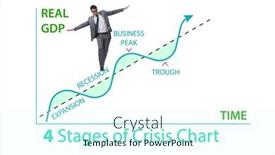
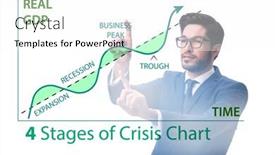
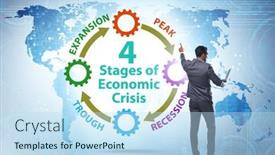
 Presentation with crisis - PPT theme with illustration-of-four-stages background and a cool aqua colored foreground

Illustration Four Stages Crisis

PPT theme with illustration of four stages of crisis background

 Presentation with crisis -

Young Caucasian Woman Wearing White

Slides featuring young caucasian woman wearing white sweater over yellow background worried and stressed about a problem with hand on forehead nervous and anxious for crisis

 Presentation with crisis - Slides having young-caucasian-woman-sitting background and a light blue colored foreground

Young Caucasian Woman Sitting Floor

As you sit in front of your computer screen, staring blankly at the mess on the desk in front of you, a sense of despair washes over you. The weight of frustration is crushing you, and it's clear that something needs to change. You've been struggling with this problem for weeks now, but every solution seems to end in failure. The clock is ticking, and you're running out of time. The background image on your screen is a stark reminder of your current state a jumbled mess of papers and cables, scattered across the floor. It's a constant reminder that things can get messy quickly when you're feeling overwhelmed. You need to create a new atmosphere in your workspace to help you focus and tackle this problem head on. You don't have much time to waste on getting up and running with a basic template, so let's dive straight into the design. The Corner Title template is specifically designed for high resolution images, making it perfect for showcasing your features. The Light Steel Blue color palette provides a clean and professional look that will help you stay organized. The keywords we've included in this template are hands, woman, upset, frustrated, which should give you an idea of what the template could feature or include to create a theme around. You can enhance this with additional images to really drive home the emotions you want to convey. The inclusion of a background with high resolution images will make your presentation stand out in Google Slides. For example, if you were creating a slide about overcoming obstacles, you could use an image of a woman standing on a mountain peak, with a bold quote overlayed in the foreground "You are stronger than you think" or something similar. The words can be formatted to fit the background and add emphasis to the message. By including these elements, you'll create a powerful visual that will engage your audience and make your presentation more impactful.

 Presentation with crisis -

Beautiful Black Woman Standing Over

Presentation design with beautiful black woman standing over blue background worried and stressed about a problem with hand on forehead nervous and anxious for crisis

 Presentation with crisis - PPT layouts with illustration-of-four-stages background and a pink colored foreground

Illustration Four Stages Crisis

As the world grapples with its most pressing challenges, businesses are constantly facing unforeseen setbacks that can leave them reeling. The pressure to maintain efficiency and productivity can be overwhelming, especially when faced with high stakes decisions that have far reaching consequences. It's no wonder that many employees feel frustrated and desperate for solutions. In such situations, a well designed visual template can be a beacon of hope, helping to break down the barriers between crisis and resolution. The Corner Title template is specifically designed to tackle these challenges, providing a versatile framework for creating engaging and informative content. This template's widescreen format offers high resolution images that will transport your audience to different stages of crisis, from the initial shockwave to the eventual resolution. Featuring dramatic graphics, concise text, and attention grabbing visuals, this template is ideal for creating a powerful narrative that resonates with your target audience. To enhance the overall experience, we've included four How To slides that will guide you through getting up and running quickly. However, our expertise goes beyond just providing step by step instructions. Our CRystal Clear Goal slide sets the tone for what's possible, guiding you towards a brighter future. Imagine featuring high resolution images of your team working together to overcome obstacles, having a theme of overcoming adversity, enhanced with vibrant colors that evoke feelings of hope and resilience. Having a clear vision is essential in times of crisis, and our template helps you stay focused on achieving it. Whether you're looking to boost employee engagement or simplify the process of creating engaging content, this template has got you covered. With its modular design and versatility, you'll be able to customize it to fit your specific needs, while maintaining a cohesive look that showcases your brand's unique voice. Incorporating high resolution images and a light steel blue color palette, this template ensures that your visual content stands out from the crowd, even in busy workspaces. Having a theme of simplicity and effectiveness, our CRystal Clear Goal slide empowers you to create a compelling narrative that speaks directly to your audience.

 Presentation with crisis -

Young Hispanic Woman Office Worried

You're about to experience the ultimate design explosion with Corner Title, a stunning PowerPoint template that will capture your audience's attention in an instant. Imagine starting each slide with a powerful message that sets the tone for the entire presentation, and then smoothly transitioning into high resolution images that bring your vision to life. The Corner Title template is designed to work seamlessly across Widescreen formats, ensuring that every element from the background to the font looks crisp and polished on any device. The sleek Slate Blue color palette provides a sophisticated backdrop for showcasing your brand's unique personality, while the high resolution images for backgrounds will take your presentation to new heights. As you begin your project, we'll guide you through four essential slides that will get you up and running quickly: an Introduction Slide with a clear call to action, a Table of Contents Section that makes it easy to navigate your content, a Thank You Layout slide that showcases the final result, and a Feature Showcase slide that highlights the template's core features. This template is truly "enhanced with" Google Slides, featuring the cutting edge technology you need to deliver exceptional presentations. Incorporating a Background With feature, Corner Title will transport your audience into the scene, making them feel like they're right there in the action. Having a Theme of showcases the importance of storytelling in presentation design, while Featuring helps bring your content to life with real world examples and images.

 Presentation with crisis - Slides with young-hispanic-mother-and-kid background and a coral colored foreground

Young Hispanic Mother Kid Using

Slides with young hispanic mother and kid using computer laptop sitting on the floor worried and stressed about a problem with hand on forehead nervous and anxious for crisis

 Presentation with crisis - Slide deck featuring middle-age-woman-with-grey background and a lemonade colored foreground

Middle Age Woman Grey Hair

The Corner Title template is designed to capture your attention and set the tone for a powerful presentation that showcases your expertise in a studio setting. This high resolution widescreen template features a plum color palette that evokes feelings of warmth and professionalism, perfect for conveying a sense of upset or frustration. The pink background adds a touch of sweetness, but don't be fooled it's a subtle nod to the complexities of life. This template is downloadable and compatible with Google Slides, making it easy to incorporate into your presentation flow. When you're ready to get started, simply dive into the corner section at the beginning of the deck. It will provide valuable guidance on how to set up your template for success, from designing a layout that's Enhanced With, Including A Background With, Featuring High Resolution Images For The Background all the essentials you need to create a compelling presentation. The thanks You Layout slide is the perfect place to showcase your gratitude and appreciation for the support of others. Imagine it as a warm and inviting space where you can express your heartfelt thanks, surrounded by the calming images of hands reaching out to offer assistance. It's a beautiful way to close out your presentation on a positive note. The Corner Title template is all about creating a cohesive look that sets the stage for a confident and compelling presentation. With its plum color palette and pink background, you'll be sure to turn heads and leave a lasting impression even in the most frustrating or upsetting moments.

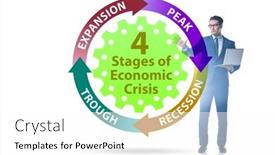
 Presentation with crisis - PPT layouts having illustration-of-four-stages background and a cool aqua colored foreground

Illustration Four Stages Crisis

PPT layouts having illustration of four stages of crisis

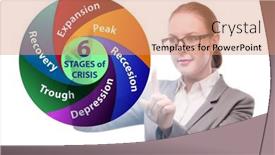
 Presentation with crisis - Presentation having illustration-of-six-stages background and a coral colored foreground

Illustration Six Stages Crisis

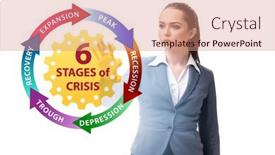
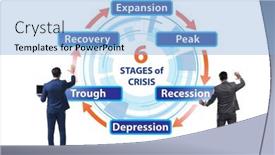
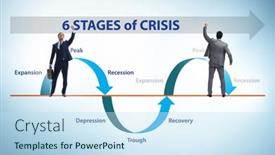
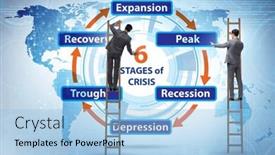
Presentation having illustration of six stages of crisis

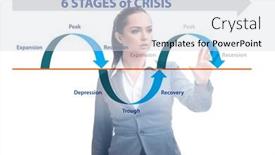
 Presentation with crisis - Slide set with illustration-of-four-stages background and a white colored foreground

Illustration Four Stages Crisis

Slide set with illustration of four stages of crisis

 Presentation with crisis - PPT theme having illustration-of-six-stages background and a light gray colored foreground

Illustration Six Stages Crisis

As you navigate the treacherous waters of office life, where frustration and desperation often prevail, you're in dire need of a visual reset. The stakes are high, the pressure is on, and the clock is ticking – your team's productivity is at an all time low, and it's time to take drastic measures to salvage what's left. In this template, you'll find yourself staring into the abyss, desperately seeking a solution that will save the day. You're at the crossroads, with four key steps ahead of you: How To slide 1, featuring high resolution images on our Widescreen Template; How To slide 2, incorporating a powerful background image to elevate your presentation; How To slide 3, showcasing engaging Chart with Caption Layout elements to drive home your message; and How To slide 4, providing valuable insights to help you stay ahead of the curve. As you embark on this mission, remember that you're not alone. The template is compatible with Google Slides, so you can breathe a sigh of relief knowing it's downloadable and easy to use. With its sleek Sky Blue color palette and theme of "Essential Documents", this template is designed to enhance your presentation and make your message more memorable. Imagine presenting to your team, showcasing the six stages of crisis in an engaging way – featuring stunning images that capture their attention from start to finish. Whether you're looking to launch a new initiative or simply get ahead of the competition, this template is sure to deliver. With its 4 How To slides at the beginning, guiding you through the process quickly and efficiently, you'll be well on your way to success in no time.

 Presentation with crisis - Slide deck consisting of illustration-of-six-stages background and a coral colored foreground

Illustration Six Stages Crisis

The clock is ticking and you're feeling frustrated and desperate as your project hits a speed bump on the road to success. The screen is filled with images that reflect the anxiety and stress of navigating through unfamiliar waters. High resolution images of traffic jams and construction sites are plastered all over the background, making it impossible to focus on what's truly important. The template, Wide Title, is designed to be a visually striking Widescreen presentation that grabs attention from the outset. With its Khaki color palette, it exudes a sense of professionalism and expertise. Featuring a theme of crisis management, this template is perfect for presentations where you need to convey the importance of staying calm and composed under pressure. The 5 Level Piramid Layout slide provides a clear visual hierarchy that helps to organize your thoughts and ideas. Imagine walking up the steep slope of the piramid, from left to right, as you progress through the stages of crisis management. This layout is enhanced with the inclusion of background images featuring chaotic cityscapes and dramatic lighting effects. This template is downloadable and compatible with Google Slides, making it easy to edit and customize to suit your needs. With its high resolution images and comprehensive features, you'll be able to create a presentation that's truly engaging and effective in conveying your message.

 Presentation with crisis - Slide set enhanced with illustration-of-six-stages background and a light blue colored foreground

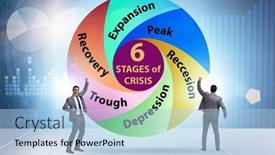
Illustration Six Stages Crisis

In a world that's constantly on the brink of chaos, one has to wonder if we're not running out of time or if we just need to reboot our entire system. The stakes are high, and it feels like the clock is ticking down. A frazzled employee stumbles upon a dark cloud looming in the distance, their desperation growing with each passing moment as they struggle to make sense of the disorienting landscape around them. As the system crashes, the fragments of a shattered mind begin to coalesce into a new reality one that's marked by frustration and despair. But even in the midst of this despair, there's a glimmer of hope a chance to start anew, to rediscover our footing on shaky ground. In the Corner Title template provided by CrystalGraphics, you'll find a design that exudes high stakes drama, paired with an unapologetic dedication to authenticity. The Cornflower Blue color palette is a masterstroke, offering just the right balance of calmness and intensity to convey the sense of crisis brewing in your minds. This isn't just a template it's a call to action, a declaration that you're ready to tackle whatever challenges come your way. And with four easy to follow slides at the start, you'll be able to get up and running quickly, confident that your new presentation is going to be a real showstopper. The Corner Title template boasts a bold and eye catching design that's sure to grab attention, featuring high resolution images of the six stages of crisis from the initial shockwave to the final, victorious moment. This theme is reflected in the downloadable format, making it compatible with Google Slides. Imagine presenting your findings on this very slide, highlighting the most critical moments and using it as a starting point for further analysis. The Cornflower Blue background provides a sophisticated backdrop that elevates the presentation from mere data to compelling visual narrative. As you navigate the 4 Member Bio Layout slide, you'll notice how each individual's story is woven into the larger tapestry of your research. This is where things get really interesting featuring high quality images and showcasing your expertise in a clear and concise manner will make for an engaging presentation that truly resonates with your

 Presentation with crisis -

Young Arab Woman Wearing Casual

The bright and sunny day has finally arrived, but amidst the warmth and happiness, a worried young arab woman wearing casual white t shirt over yellow background is struggling to contain her frustration, her hands cradling her forehead as if trying to ease the tension. The image is high resolution, with a soft focus that adds to the sense of realism, making it impossible not to feel the emotions emanating from the screen. The Corner Title template is perfect for anyone who wants to create a professional and engaging presentation that captures the attention of their audience. With its unique design name and theme, this template is sure to stand out from the crowd. The template features a warm sandy brown color palette that evokes feelings of comfort and coziness, creating an ideal atmosphere for presenting ideas and sharing thoughts. The background images are high resolution and beautifully designed to enhance the overall look and feel of the presentation. A stunning studio environment with exposed brick walls, wooden accents, and modern lighting fixtures creates a sophisticated backdrop for showcasing your message. The template is downloadable and compatible with Google Slides, making it easy to import into your favorite presentation software. The Corner Title template includes four useful slides that will help you get started quickly: "How To Guide", "Quotation Layout Slide", " Featured Background Image", and "Enhanced Text Format". This template is designed to make creating engaging presentations a breeze, and its theme of "studio" perfectly captures the essence of your presentation.

 Presentation with crisis - Presentation design featuring illustration-of-six-stages background and a sky blue colored foreground

Illustration Six Stages Crisis

Imagine walking into a deserted office building on a gloomy day, feeling frustrated and desperate to escape the chaos. The once bustling halls are now empty, and the only sound is the distant hum of machinery that's about to down, sending employees crashing to the floor in a mess of broken dreams and shattered expectations. The Corner Title template is designed to convey this sense of unease, with its light blue color palette that features high resolution images for the background. The design name "Corner Title" pays homage to the classic title card style often found in movies and TV shows, but in this case, it's a bold statement that sets the tone for your presentation. The template is available in Widescreen format and is compatible with Google Slides, making it easy to import into your favorite presentation software. The keywords "frazzled", "frantic", "downward spiral" are all included to help you convey the sense of crisis and desperation that's at the heart of this topic. The background images can be used to create a dramatic effect, with features such as crashing machinery or falling objects adding an extra layer of realism. The In Summary Layout slide is designed to provide a clear overview of your presentation, featuring a simple yet effective design that helps to summarize the key points in a concise and easy to understand way. On this template, you can Include a Background With feature by using a high resolution image as the background, or Having a Theme of "crisis" by incorporating graphics and images that evoke feelings of urgency and importance. Enhanced With features include the addition of animations and transitions to bring your presentation to life, or the use of bold fonts and colors to draw attention to key points.

 Presentation with crisis -

Illustration Six Stages Crisis

As you navigate the uncharted territory of your employee's frustration and desperation, you're about to embark on a journey that will take them from feeling down to soaring. Imagine a high resolution illustration of six stages of crisis, each one more intense than the last, but through perseverance and determination, they'll find their way out of the storm. The Corner Title template is designed for Widescreen presentations, featuring a Medium Aquamarine color palette that will transport your audience to a world of calm waters. This template is downloadable and compatible with Google Slides, making it easy to enhance with additional backgrounds or features. With its flexible design, you can include a Background With feature, having a consistent look across all presentations, or go for a more dynamic approach, Featuring high resolution images that really bring your message to life. Having a Theme of Empowerment in mind, this template is designed to boost motivation and inspire action. The 4 How To slides at the start of the deck will help you get up and running quickly, but the real magic happens once you dive into the template itself. The Arrow Steps Layout slide provides a clear roadmap for your presentation, guiding you through key takeaways and actionable steps.

 Presentation with crisis -

Illustration Six Stages Crisis

The spotlight is shining brightly on the Corner Title template, a design that expertly captures the essence of frustration and desperation in times of crisis. This stunning Widescreen presentation, featuring high resolution images for every detail, takes you through six stages of an employee's journey from down to crash. Each slide is carefully crafted with the Corner Title template's signature Light Sky Blue color palette, evoking a sense of calm amidst the turmoil. The 4 How To slides are designed to help users get up and running quickly, providing a solid foundation for their new presentation skills. But what sets this template apart? The Dart on Target Layout slide is particularly noteworthy, offering a clear and concise visual representation of the employee's struggles. This layout makes it easy to illustrate the six stages of crisis in a single shot. This template is not just a pretty face; it also offers additional features, such as Featuring a Background With high resolution images for every slide, Including a Background With realistic environments that transport you into the employee's world, and Having a Theme of Empathy For users who want to create presentations that truly understand their audience.

 Presentation with crisis -

Illustration Four Stages Crisis

The world is facing a crisis, and it's clear that things have hit rock bottom. The high resolution images on the background are a stark reminder of the chaos that has unfolded, with four stages of crisis unfolding like a twisted puzzle. From the despairing employee to the desperate individual trying to find a way out, we see the human side of this struggle. The Corner Title template is designed to be attention grabbing and thought provoking, featuring a bold and colorful design that sets it apart from other templates on offer. The Light Blue color palette adds a touch of serenity to the overall look, making the template feel more approachable than intimidating. This template is perfect for presenting to an audience who needs a dose of reality check, particularly those in high pressure jobs where stress levels are always running high. For example, you could include a background image of a cityscape at night, with a hint of lightning illuminating the clouds, representing the unpredictable nature of crisis management. The template's Circular Approach Layout ensures that each slide flows seamlessly into the next, creating an immersive experience for your audience. The theme of crisis is clear from the outset, and the inclusion of a Background With logo adds a touch of sophistication to the overall look. Having a Theme of Enhanced With a sense of urgency and importance, the template delivers on its promise to engage your audience and make them feel invested in the discussion. Key features include high resolution images, a downloadable compatibility with Google Slides, and a seamless circular layout that keeps your audience on their toes throughout the presentation.

 Presentation with crisis -

Illustration Six Stages Crisis

Slide set enhanced with illustration of six stages of crisis

 Presentation with crisis -

Illustration Six Stages Crisis

As you navigate through the uncharted territories of your team's productivity, it becomes increasingly clear that something is amiss. The digital landscape has given way to an eerie silence, and the once thriving halls are now shrouded in a sense of desperation. Employees are fed up, their frustration boiling over like a pot left unattended on the stove. It's as if the very fabric of the organization has been torn asunder, leaving behind a trail of shattered dreams and broken promises. The crisis is unfolding at a rapid pace, with high resolution images of six stages of disaster crashing down around us. From the moment we're presented with our first task to the final showdown with our most daunting challenge, every step feels like a downward spiral into chaos. The team's morale has taken a nosedive, leaving them feeling like they're drowning in a sea of uncertainty. The high contrast Dodger Blue background provides an eerie contrast to the growing sense of unease, casting long shadows across the screen that seem to writhe and twist on their own. It's as if we're trapped in a living nightmare, with no escape from the suffocating grip of despair. Quotation Layout slide: Featuring a dramatic quote at the top, "The greatest glory in living lies not in never falling, but in rising every time we fall." However, the words on this screen are met with a sense of disapproval our team members are growing restless, their spirits crushed by the weight of their own frustration. As we struggle to find a way out of this downward spiral, the question becomes: what's driving us towards such desperation? Is it the relentless pursuit of productivity, or is there something more sinister at play?

▼Key features of this template

  • They are compatible with both PowerPoint and Google Slides running on either Windows PCs or Macs.

  • They are available in both standard and widescreen slide formats. You can choose your preferred format by clicking on the "Widescreen" check box or icon.

  • Each template includes a beautiful high-resolution background image or video to visually reinforce the theme of your presentation.

  • In addition, each template includes designer-created graphics and modern fonts to give your presentations an up-to-date, professional look.

  • Each template's default design and title text position have been carefully selected to complement its background without covering faces or other key elements.

  • All text includes backdrops whose transparency level is mathematically calculated to maximize text readability while still allowing the background to be seen.

  • And all the text, text backdrops and graphics in every slide are colored with a palette designed to beautifully complement the colors in the background.

  • Our Premium templates (those with the descriptor “Premium” in their subtitle) include over 64 slide layouts to give you maximum flexibility as you create your presentations.

    • Those layouts are available to you whenever you create a new slide or when you want to change the layout of an existing slide.
    • They include everything you need to make all sorts of presentations. In addition to the layouts for the title slide and the usual title and content slide, they include many other layouts for slide types including table of contents slides, org charts, charts, diagrams, infographics, photo slides, thank you slides and more.
    • While creating these layouts our template designers have ensured that all text in every layout adjusts as gracefully as possible to various numbers of words.
  • Customizable templates (those with the descriptor “Customizable” in their subtitle) may be easily modified online before you download them.

    • To modify them, simply click on the pencil editing icon, then select your choice of ready to go designs and title text positions.
    • The editing tool also makes it easy to reposition and scale the background image or video to best suit your needs.

▼FAQs

Please review these FAQs to see if your question is answered. Contact us for more info

  • What is a PowerPoint template?

    • A well designed PowerPoint template is a file that can tell PowerPoint how to make your ordinary templates look extraordinary. They won’t change what your words or numbers say. But they might change their size, color, font and placement. And, overall, they can give your presentations a professionally-designed look that will give your content more credibility and give you more confidence.
  • How many PowerPoint templates do you offer?

    • We have over 32,000 artist-created presentation templates in our PowerPlugs collection With a subscription, PowerPlugs templates are easy to download. Just sign in, find a template and click on the green Download button. ready for you to download. That alone offers you more variety to choose from than any of our competitors can offer. And, as if that weren’t enough, we also offer over 6 million templates in our Crystal collection. Crystal brand templates are our line of templates that have customization options. They have the word "CRYSTAL" on their web page images. You can customize several aspects of the templates. These templates include high-resolution background images from Shutterstock’s vast image collection matched up with artist-created presentation designs customized by our own proprietary AI software.
  • How many templates can I download as a subscriber?

    • You can download an unlimited number of PowerPlugs-brand With a subscription, PowerPlugs templates are easy to download. Just sign in, find a template and click on the green Download button. templates every day for an entire year. (Actually, by default, we set a limit of 25 templates per day to prevent our competitors from stealing our templates. But, if that is not enough, just let us know and we’ll try to accommodate you.) On top of that, with a subscription or an Ultimate Combo, you can also download any 50 Crystal-brand Crystal brand templates are our line of templates that have customization options. They have the word "CRYSTAL" on their web page images. You can customize several aspects of the templates. templates per year selected from our huge Crystal collection. Crystal brand templates are our line of templates that have customization options. They have the word "CRYSTAL" on their web page images. You can customize several aspects of the templates. .
  • Why should I choose your templates instead of the competition’s?

    • We’ve got a larger selection of professionally-designed PowerPoint templates than anyone else in the world.
    • Each template includes a high-resolution background image or video to visually inspire your audiences while reinforcing your message.
    • Each template includes 64 slide layouts to give you maximum flexibility as you create your presentations.
    • Our templates are available in both standard and widescreen slide formats. And our website lets you preview the slides each way.
    • Our free Template Finder™ plugin lets subscribers select and - with a single click - download and insert our templates into their presentations right from within PowerPoint.
    • We’ve been creating designer presentation templates for over 20 years. During that time we’ve won several awards and 5-star ratings for product quality. See About Us for more.
  • Do you offer a money-back guarantee?

    • Yes we do! We offer full 30-day money-back guarantee if you are not 100% satisfied with your purchase.
  • Can I still use my downloaded templates after my subscription runs out?

    • Yes. After your subscription expires, you won't lose any rights or ability to use your PowerPlugs: Templates for PowerPoint. You won't be able to download any new non-watermarked templates. But the non-watermarked templates you've already downloaded will still work and you can still use them as before.
  • Can I share my downloaded templates or passwords with friends or coworkers?

    • Sorry but no. You are authorized to download each paid-for template to up to 3 of your personal devices and to use the templates you download in as many presentations as you want. But you are not authorized to share the templates, themselves, with others. That said, we do offer highly discounted site licenses to suit the needs of both small and large teams. Just tell us your needs and we’ll give you a quote!
  • System requirements:

    • The templates use the standard POTX format. So they are compatible with Google Slides and all PC, Mac and mobile devices running any version of PowerPoint from PowerPoint 2007 up through and including Office 365 desktop.
    • Please note: Google Slides does not currently support background videos. It treats them as still images.
    • For PowerPoint for the Web, first open your template into a desktop version of PowerPoint, then save it back out as a PPTX file. Then you can open that in PowerPoint for the Web.
  • End user license agreement:

    • Click here to view.
  • How will I get my purchased templates?

    • You may download your selected templates as soon as your payment is received by PayPal. If you purchased an individual template, you will be provided with a download link both onscreen and via email. Just click on that link to begin the download process. If you purchased a subscription, you will receive an email containing a password to use along with your email address to sign in to any of the templates pages on CrystalGraphics.com. Once you are signed in, you can immediately start downloading your selected templates.
  • How do I use my templates after I download them?

    • You can either open a template to start a new presentation or you can add a template to an existing presentation. To open a template, just double click on it or use PowerPoint's File > Open tool. To add a template to an existing presentation, on the Design tab, in the Themes group, click Browse for Themes... then browse to select your template.

View more Crisis templates:

previous 1 2 3 4 5 6 7 8 9 10 11 12 13 14 next
Categories related to Crisis:
Financial Overcoming
93% of Fortune 1000
companies use our
PowerPoint Products
Templates Secure

Standing Ovation Award
Winner: Best PowerPoint
Template Collection
Fortune Logos
200,000+ satisfied
customers worldwide!
Guarantee
100% satisfaction guaranteed
- or send it back for a refund!

Sign up for our free newsletter! You'll get news about our PowerPoint-enhancing product line – including free updates, new product announcements and exclusive special offers. Plus you'll get a link to a free PowerPoint template with every newsletter you receive.
Privacy Policy
Loading...


Help

Contact Us
Product FAQs
Product License Agreements

Company Info

About Us
Privacy Policy
CrystalGraphics, Inc. 1999 S. Bascom Avenue Suite 700 Campbell, CA 95008 USA
© 2026 CrystalGraphics, Inc. All rights Reserved.    |     PowerPlugs is a trademark of CrystalGraphics, Inc.
Microsoft and the PowerPoint logo are trademarks or registered trademarks of Microsoft Corporation in the United States and/or other countries.
Loading...
Loading...