www.crystalgraphics.com CrystalGraphics
  • Ultimate Combo
  • Templates
  • Diagrams
  • Characters
  • Quizzes
  • shopping cart
  • Sign Out Sign Out Sign In
Home > Templates > Cut Category
search icon
advanced icon

342 Best Cut-Themed Templates for PowerPoint and Google Slides

CrystalGraphics Cut category offers a diverse array of PowerPoint templates that cater to various aspects of presentation design. With its vast collection of 6.7 million templates, this platform boasts the largest selection of PowerPoint templates in the world.

At the heart of each template are example titles that provide context and relevance, such as Lots of Paper Cut Human Figures Holding Hands or Slide Set with Cardboard Family Background. These titles serve as a starting point for users to explore the endless possibilities offered by CrystalGraphics Cut category.

The templates themselves are designed to be versatile and customizable, allowing users to make them their own. Whether it's selecting a title slide plus 60+ additional slides from this vast collection or using various pieces of a dollar note with white background as a backdrop, there is no limit to the creative possibilities.

For those looking for inspiration, CrystalGraphics Cut category offers numerous pieces that can be used as starting points, such as Lots of Paper Cut Human Figures Holding Hands in a Circle and Transparent Glass Bowl with Freshly Cut Fruits. The family background slide set, featuring cardboard figures holding hands, adds an element of warmth and approachability.

Ultimately, CrystalGraphics Cut category offers the perfect solution for anyone seeking high-quality PowerPoint templates that can help them create visually appealing and professional presentations. With its extensive collection, customizable elements, and instant download access, users have everything they need to take their presentation game to the next level.

Features & Pricing

Widescreen (16:9) Presentation Templates. Change size...
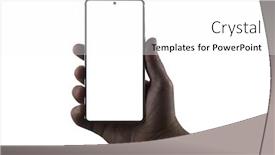
 Presentation with cut - Presentation design with hand-holding-phone-silhouette background and a white colored foreground

Hand Holding Phone Silhouette Male

Presentation design with hand holding phone silhouette of male hand holding bezel-less smartphone isolated on white background screen is cut with clipping path

 Presentation with cut - PPT theme featuring picanha-traditional-brazilian-beef-cut background and a  colored foreground

Picanha Traditional Brazilian Beef Cut

Imagine savoring a perfectly cooked picanha, the rich, buttery flavor and tender texture of this traditional Brazilian beef cut on your plate, all thanks to the precision and care that goes into preparing it. The art of gourmet dining is all about elevating the simple elements to new heights, and what's more quintessential than a high quality picanha? This vision inspires our design for a template that will transport you to the streets of Rio de Janeiro, where the vibrant colors and bold flavors come alive on your screen. Our Wide Title template features a striking Saddle Brown color palette that's sure to make a statement. The Widescreen format ensures that every detail is showcased in stunning high resolution images, bringing the bustling markets and mouthwatering aromas of Brazil into your workspace. The classic American diner aesthetic is updated with a dash of gourmet flair, featuring high quality illustrations of steaks, burgers, and other indulgences. For those looking to enhance their presentation, our template comes fully loaded with design elements like borders, icons, and shapes that will make it easy to add a touch of elegance to your slides. The Venn Diagram Layout slide is where things really start to get interesting imagine including a detailed illustration of the picanha cut on one side, and a beautifully rendered map of Brazil on the other. You could also include a fun fact or two about the rich culinary history of Brazil, perhaps highlighting its influence on global cuisines. The possibilities are endless, making this template the perfect choice for anyone looking to spice up their presentation game.

 Presentation with cut - Cool new slide deck with word fake made up backdrop and a soft green colored foreground

Word Fake Made Up Lots

In the realm of deception, where the truth is blurred and distorted like a scratched record, you need a template that can help you separate fact from fiction. Introducing Split Title, a stunning widescreen template designed to make your presentations stand out from the crowd. Featuring a simple yet elegant design name, Split Title is sure to grab the attention of your audience with its wheat colored background and crisp white text. The high resolution images for the background are carefully curated to provide an immersive experience, making it perfect for Google Slides. With a theme of deception, you'll be able to enhance your content with a subtle nod to the world of mislead, featuring a clever combination of news headlines, cut out newspaper pieces, and other isolated images. The template is compatible with Google Slides, allowing you to seamlessly incorporate features like Background With, having a versatile design that can adapt to any presentation needs. The Split Title is not just a beautiful template, but also a valuable resource for getting up and running quickly. Its 4 How To slides will guide you through the process of customizing your template, ensuring a professional finish from start to finish. Whether you're presenting data driven insights or fiction inspired stories, Split Title has got you covered. Its wheat colored palette is both soothing and sophisticated, making it perfect for any occasion. With its enhanced theme, featuring high resolution images and a clever design layout, this template is sure to impress your audience and leave a lasting impression.

 Presentation with cut - Presentation theme featuring fresh peach fruits with cut background and a lemonade colored foreground

Fresh Peach Fruits Cut Green

As you begin your presentation on creating stunning slides with CrystalGraphics, envisioning a fresh and vibrant atmosphere that immediately grabs the audience's attention. The design name for this template is Peachy Keen, a fitting choice for its warm and inviting color palette, featuring a soothing blend of peach puffs and crisp white accents. This template format is Widescreen, perfectly suited for displaying high resolution images that add depth and dimension to your slides. A high quality image for the background is included on each slide, providing a seamless canvas for creative expressions. The Peach Puff Colored color palette is both visually appealing and user friendly, making it an ideal choice for any presentation. The keywords that this template incorporates are "cut", "half", "fruit", "part", and "isolated", giving you the tools to enhance your content with a focus on these key elements. Whether you're creating engaging titles or showcasing complex data sets, this template is sure to provide a solid foundation for your presentation. Incorporating these keywords will feature prominently throughout each slide, making it easy to navigate through your content and maintain clarity. The keyword "part" in particular can be highlighted as an isolated element within the image, adding context and emphasis to your visual storytelling. The Timeline Layout slide is particularly noteworthy, with a focus on showcasing your progress from start to finish. Having a clear and concise outline will help you stay organized and ensure that all necessary steps are covered. Enhancing this layout with additional slides can include step by step instructions for getting up and running quickly, as well as tips and tricks for customizing the template to meet specific presentation needs. The downloadable format is easily accessible via Google Slides, allowing you to work seamlessly on your presentation throughout the day. By incorporating these elements into your Peachy Keen template, you'll be well on your way to creating engaging slides that captivate your audience and leave a lasting impression.

 Presentation with cut - Beautiful PPT theme featuring phone-in-hand-silhouette backdrop and a white colored foreground

Phone Hand Silhouette Male Hand

The moment you've all been waiting for the perfect centerpiece for your presentation is finally here. This Corner Title template is designed to grab your audience's attention with its striking silhouette of a smartphone, featuring a high resolution image that will leave them wanting more. As you prepare to unleash the power of graphics on your audience, this template is ready to deliver. Widescreen and in a dark salmon color palette, it's the perfect canvas for showcasing your visuals and bringing your message to life. The combination of clipping and electronics elements gives it an edgy feel that's sure to spark curiosity. This template is downloadable and compatible with Google Slides, making it easy to import high resolution images into your presentation. With a focus on smartphones and gadgets, you'll be featuring the latest trends and innovations in no time. The inclusion of background images will also have a theme of enhancing your presentation visuals, giving it depth and dimensionality. The four How To slides at the start of the deck are designed to help you get up and running quickly, providing a solid foundation for your presentation. These slides will cover the basics of using the template, from downloading and customizing it to creating engaging content. As you work on your presentation, consider including a Background With or Having a Theme of feature in your slide design, making it stand out from the crowd and create a memorable impression on your audience. The contrast between the clean and minimalist elements, combined with the bold graphics, will have an Enhanced With theme that sets this template apart. With these unique features and design elements, this Corner Title template is sure to elevate your presentation to new heights.

 Presentation with cut - Slide set featuring cutter - plywood sheet with cut details background and a coral colored foreground

Plywood Sheet Cut Details Engineer

Imagine starting your presentation on a dramatic scene that sets the tone for the entire visual exploration to come. The screen fades in with a high resolution image of a plywood sheet, its rough texture inviting the audience to delve deeper into the world of craft and occupation. The Corner Title template is a sleek and modern design that perfectly complements any widescreen presentation setup. Its steel blue color palette provides a professional backdrop for showcasing various occupations or crafts, from woodworking to laser cutting. The template's keywords are carefully selected to enhance the user experience, including "occupation", "craft", "cutter", "plywood", and "laser cutting" making it an ideal choice for presentations that aim to engage and educate. The Steel Blue color palette features a subtle gradient effect that gives the template a sense of depth and dimensionality. This is particularly evident on the Dart Layout slide, which showcases a detailed, high resolution image of a workshop workspace complete with tools and equipment. The inclusion of a background with a texture resembling wood grain adds to the authenticity of the scene. The high contrast colors used throughout the template ensure that it stands out in any presentation environment, making it an excellent choice for sharing information or presenting findings. With its seamless integration with Google Slides, users can easily download and customize the template to suit their needs.

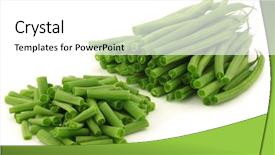
 Presentation with cut - Colorful slides enhanced with small and slender green beans backdrop and a white colored foreground

Cut Slender Green Beans (haricot

Imagine starting your presentation on a vibrant and energetic note, setting the tone for a lively and engaging conversation with your audience. This is exactly what you'll experience when opening your PowerPoint deck featuring the Corner Title template, designed specifically to grab attention and inspire creativity. Widescreen in format, this cutting edge design combines high resolution images of small, slender green beans (haricot vert) on a bright yellow background for a visually striking backdrop that will leave viewers intrigued and eager to learn more. The template's bold color palette of yellow green is both eye catching and inspiring, evoking feelings of freshness and vitality. The keywords included in the design are "small", "cut", "green", "ingredient", "isolated" which all complement the bright and cheerful tone perfectly. This attention grabbing combination will ensure that your audience takes notice and begins to focus on what you have to say. As you delve into the details, you'll discover four valuable slides at the start of your deck that are designed to help you get up and running quickly featuring a simple yet effective layout with plenty of space to write notes and ideas. These slides will guide you through the essentials of creating engaging presentations, helping you establish a strong foundation for communication. Throughout the presentation, consider including a background image or video featuring fresh ingredients, highlighting the importance of using high quality content in your projects. You may also want to include a call to action or a prompt to encourage audience participation and foster interaction. Finally, don't forget to leave space for creative flourishes and visual effects after all, a stunning presentation is only as good as its visuals. The Thank You Layout slide is designed to provide a warm and inviting conclusion to your deck, thanking your audience and reiterating the value of their time and attention. With its clean and minimalist design, this template will leave viewers feeling appreciated and satisfied.

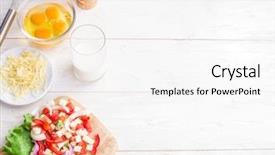
 Presentation with cut - Colorful presentation design enhanced with omellettes - omelette ingredients eggs fresh cut backdrop and a white colored foreground

Omelette Ingredients Eggs Fresh Cut

Presentation design enhanced with omelette ingredients eggs fresh cut vegetables milk and cheese on the wooden table

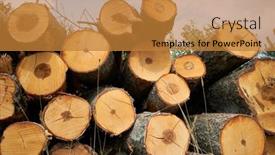
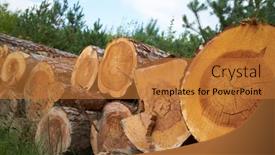
 Presentation with cut - PPT layouts having stacked-logs-of-cut-trees background and a tawny brown colored foreground

Stacked Logs Cut Trees Forest

The forest floor is alive with the sounds of nature's cycles, where trees sway gently in the breeze and wildlife thrives in the lush undergrowth In this Split Title template, you'll find your new design inspiration, perfectly capturing the essence of agriculture, biodiversity, climate, conservation, and cut in a stunning Widescreen format. The Peru inspired color palette will transport you to the heart of South America, evoking feelings of warmth and coziness. The template's high resolution images for the background will feature majestic forests, winding rivers, and rolling hills, setting the scene for an immersive experience. This Split Title template is ideal for Google Slides users, featuring a seamless integration with this popular presentation software. You can easily download it to start creating your own content, or use it as inspiration for your next project. The layout is carefully designed to convey growth stages, with a clear progression from seedling to mature tree. The template includes four How To slides to get you up and running quickly, but be warned: once you're in the zone, you'll want to dive deeper into the details of how this stunning design came together. This Split Title template is not just for visuals; it's also a theme unto itself, featuring an enhanced background with a subtle fade effect that adds depth and dimension to your slides. It includes having a theme of showcasing stunning images, making it perfect for presentations that require high quality content.

 Presentation with cut - Slide deck with stacked-logs-of-cut-trees background and a gold colored foreground

Stacked Logs Cut Trees Forest

Slide deck with stacked logs of cut trees in the forest background

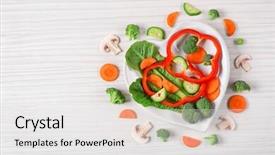
 Presentation with cut - Slide deck enhanced with meal planning - useful cut vegetables background and a white colored foreground

Useful Cut Vegetables Plate Form

Slide deck enhanced with useful cut vegetables on a plate in the form of heart on wooden table top view

 Presentation with cut - PPT layouts enhanced with stacked-logs-of-cut-trees background and a gold colored foreground

Stacked Logs Cut Trees Forest

The Wide Title is ready to make a statement on your slides, featuring stacked logs of cut trees in the forest against a vibrant Peru color palette that exudes warmth and natural beauty. The design name "Wide Title" perfectly captures the essence of this template, evoking feelings of grandeur and attention grabbing impact. Widescreen format is ideal for showcasing high resolution images on your Google Slides, whether it's a dramatic landscape or an illustration that highlights the importance of conservation. The Widescreen feature allows you to display content in a wide aspect ratio, taking full advantage of your slides' vertical space. The Peru color palette is rich and inviting, with earthy tones and bold accents that bring the natural world to life. This theme is perfect for highlighting the beauty of agriculture, biodiversity, climate change, and conservation efforts that protect our planet's precious resources. The Peruvian color scheme includes warm terracottas, vibrant oranges, and deep greens, creating a visually appealing backdrop for your slides. The template keywords are designed to help you highlight key topics such as high resolution images for backgrounds, compatibility with Google Slides, and features like stacked logs of cut trees in the forest. The Peruvian theme is inclusive, featuring a stunning background image that showcases the beauty of nature, including a photograph of a farm or village that highlights agricultural activities. For example, you could include a slide that shares an inspiring story of sustainable agriculture, using images and illustrations to highlight the importance of working together to protect our planet's natural resources. This slide would be formatted in a Member Bio Layout style, with space for sharing your personal story and message. Having a theme of showcasing stunning visuals and immersive experiences is not just beneficial but necessary when it comes to creating engaging content that resonates with audiences worldwide. By incorporating this template into your Google Slides library, you'll be well on your way to crafting compelling presentations that inspire and educate your viewers about the importance of conservation and sustainability.

 Presentation with cut - Theme having swarm-of-bees-in-flight background and a white colored foreground

Swarm Bees Flight Cut Out

The Corner Title PowerPoint template is designed to capture your audience's attention with its striking wheat color palette and high resolution images that feature a swarm of bees in flight cut out on a white background. The combination of these elements creates a dynamic and engaging visual identity that sets you apart from the rest. This stunning template is available for download on Google Slides, making it easy to incorporate into your presentations with minimal fuss. The high quality images are showcased against a crisp white background, ensuring that every element stands out and complements the overall design. From showcasing products or services to highlighting achievements, this template has got you covered. The Corner Title template is perfect for presentations ranging from business meetings to product launches, offering a versatile theme for various applications. The inclusion of a background with a subtle gradient enhances the design, making it more engaging and dynamic. Incorporating a background with a fun pattern or texture can also give your presentation a unique twist. This template features a 3 member bio layout slide that showcases key information about you in a visually appealing way. It's an excellent way to highlight your expertise and accomplishments, particularly when used as a standalone slide or featured prominently on the main slide. This slide is carefully crafted to provide valuable insights into who you are and what you do, making it an essential element of any presentation. With its high resolution images, wheat color palette, and download compatibility with Google Slides, this template offers a wide range of creative possibilities. The Corner Title template is a must have for anyone looking to elevate their presentations with a unique visual identity that sparks engagement and inspires results.

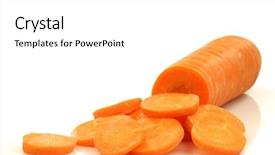
 Presentation with cut - Presentation theme having cutting vegetables - cut winter carrot background and a white colored foreground

Cut Winter Carrot White Background

Presentation theme having cut winter carrot on a white background

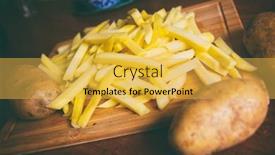
 Presentation with cut - PPT theme consisting of pile-of-fries-potatoes-cut background and a yellow colored foreground

Pile Fries Potatoes Cut Bars

The golden glow of the setting sun casting a warm light on a bustling city street. The aroma of freshly cooked fries wafts through the air as you imagine yourself indulging in a quick lunch treat perhaps a juicy burger and crispy fries from that new fast food joint downtown. Imagine yourself sitting at a cozy table, surrounded by steaming hot potatoes cut into perfect bars, fried to a golden crisp or cooking to perfection in an air fryer. The contrast between the familiar comfort of home cooked meals and the convenience of takeout is what makes life so exciting, don't you think? In this Corner Title template for Google Slides, we've created a visually stunning presentation that captures the essence of everyday life's pleasures. The goldenrod color palette brings to mind warm sunsets on the horizon, while high resolution images for the background add depth and dimensionality. Featuring a beautifully rendered wood board with potatoes and fries prominently displayed, this template is sure to enhance your presentations with its theme of comfort food. Including a background with a subtle gradient that transitions from goldenrod at the top to rich brown towards the bottom, we've created an immersive experience for your viewers. Having a theme of relaxation, this presentation is designed to put your audience in a state of calm contemplation perfect for showcasing a short animation or video clip featuring a serene landscape. Enhanced with bold font and clean typography, this template is sure to grab attention quickly. With four slides at the start of the deck, you'll be able to get up and running quickly, from introducing yourself and your team to sharing your latest achievements. For example, on Slide 2: Member Bio Layout, we've included a beautifully designed photo of each member with their name prominently displayed. Having a theme of teamwork and collaboration, this layout highlights the unique contributions each team member brings to the table whether it's through innovative ideas or exceptional work ethic.

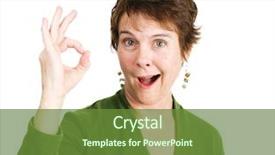
 Presentation with cut - Cool new presentation with rheumatoid arthritis - pretty mature woman backdrop and a tawny brown colored foreground

Pretty Mature Woman Pixie Cut

The Corner Title is a stunning and eye catching design that will undoubtedly grab the attention of your audience. This template features a high resolution image with a pretty, mature woman in the foreground, showcasing her pixie cut hairstyle and giving a thumbs up sign to convey enthusiasm and energy. The template's design name incorporates the idea of cornering an idea or theme, reflecting the interactive nature of this PowerPoint deck. The widescreen format ensures that your content is perfectly proportioned for maximum impact. This template's color palette, featuring a vibrant yellow green, is both appealing and stimulating. As you create your presentation, consider how to enhance the overall look and feel with high resolution images throughout. A background image such as a neutral wall or a subtle cityscape could serve as a great starting point. The Corner Title can be featured prominently on this background, using it as the centerpiece for key slides. Including a Background With a few strategically placed icons or graphics could add visual interest to subsequent slides. Having a Theme of Education and Featuring a clear structure will help guide your audience through the presentation. Using a mix of images that resonate with the subject matter can enhance its effectiveness. Incorporating a Theme of Ethnicity is also an excellent idea, as it provides a rich backdrop for exploring various topics related to education. Having a Theme of Mature Content adds depth and context, reflecting the importance of mature themes in today's world. The Signpost Layout slide can be used to provide a clear call to action or guide your audience through the presentation. This could feature important dates, key takeaways, or highlights from the content being presented. Enhancing this layout with additional graphics, fonts, and images will further enhance its impact. Incorporating educational resources and supporting materials can also strengthen the foundation of your presentation. Including a link to a reliable online resource or providing additional information about the topic at hand can be a great way to engage your audience and encourage participation.

 Presentation with cut - Presentation theme enhanced with word fake made up background and a light gray colored foreground

Word Fake Made Up Lots

The world of data and fiction is about to get a whole lot more interesting with Split Title, the ultimate template that will leave your audience questioning what's real and what's not. This stunning widescreen template features a design name that's as bold as it is eye catching, with a Peach Puff Colored color palette that's sure to grab attention from start to finish. The template format is sleek and modern, perfect for showcasing high resolution images on your Google Slides presentation. The background is designed to feature a stunning image of a cityscape at sunset, complete with towering skyscrapers and a bright blue sky. This will be the perfect starting point for any data driven presentation or project. But what really sets Split Title apart is its theme of deception. With features like "Mislead" and "Deception", this template is sure to leave your audience wondering what's real and what's not. And with its Bulb Puzzle Layout, you'll have plenty of opportunities to create engaging visual elements that will keep your audience on the edge of their seats. This template is also fully downloadable and compatible with Google Slides, making it easy to get started right away. So why wait? Get Split Title today and start creating presentations that are truly one of a kind.

 Presentation with cut - Cool new presentation theme with unity church - cut-out figures standing together backdrop and a  colored foreground

Cut-out Figures Standing Together Over

The moment you click on the Wide Title template from CrystalGraphics, you're transported to a world of limitless possibilities. Imagine a symbol of friendship standing together against a bright light steel blue background, surrounded by intricate shadows that seem to whisper ideas into your ear. This stunning template is not just a backdrop for your presentation, but an immersive experience that will leave your audience wanting more. The Wide Title template features four high resolution images throughout, carefully curated to showcase the best of what CrystalGraphics has to offer. One standout example is featuring a beautiful church in the background, its intricate details and rich textures adding depth and visual interest to any slide. Including a Background With high quality images like this can instantly elevate your presentation, making it feel more engaging and dynamic. The Four Arrows Layout slide is a showstopper, with four curved lines that form a gentle arc around the edges of the screen. Having a Theme of enhancing the overall aesthetic and flow of your presentation, it's an ideal starting point for any new project. Enhanced With custom backgrounds, animations, or even interactive elements can really make this template stand out. With High Resolution images throughout, you'll be able to create slides that look stunning on high end displays and digital screens. And when you're ready to take your presentation to the next level, you can always feature more images from CrystalGraphics' vast library of resources.

 Presentation with cut - Slide set having budget cuts - expenses cut background and a gray colored foreground

Expenses Cut

The old adage "cut expenses" is more than just a financial concept it's a call to action that resonates deeply with anyone looking to streamline their resources and focus on what truly matters. In the midst of a busy day or a tight budget constraint, it's easy to get caught up in the daily grind and lose sight of our priorities. But what if we told you there's a way to break free from the cycle of spending and save? Introducing Split Title, a Widescreen PowerPoint template that's designed to help you cut through the noise and focus on what truly matters. This template is perfect for anyone looking to enhance their financial literacy or simply make their presentations more engaging. With its pale goldenrod color palette, it's the perfect complement to any high resolution image think luxurious backgrounds for your spending reports, stylish graphics for your income graphs, and sleek illustrations for your budget breakdowns. And when you need to include a background with a theme of "financial freedom", Split Title is the way to go. The template features 4 How To slides at the start of the deck that will help you get up and running quickly: how to customize the layout, how to add a quote or testimonial, how to create a custom header slide, and how to include an image or chart in your presentation. But don't worry, these steps are easy peasy just grab a cup of coffee, sit back, and let Split Title do the rest. For example, you could use the Quotation Layout slide to present a bold quote from a financial expert, with a beautifully designed background that complements the pale goldenrod color palette. Or, you could include a Background With theme in your presentation by adding a high res image of a cityscape or a mountain range it's the perfect way to take your visuals to the next level. Whatever you choose, Split Title is here to help.

 Presentation with cut - Theme featuring paper cut of family background and a yellow colored foreground

Paper Cut Family

The world of wedding themes is vast and diverse, but one that has captured the hearts of many is the paper cut of family. This timeless design element can evoke emotions and create a sense of nostalgia, making it perfect for couples looking to make their special day even more meaningful. This stunning template features a Burly Wood Colored background with intricate details that resemble a traditional paper cut. The colors used are warm and earthy, evoking feelings of coziness and warmth. The template is fully Widescreen, allowing you to fill the entire slide with your images. This love themed couple will surely appreciate the inclusion of their names or a special message in the top left corner. It's an easy way to personalize their slideshow without having to add any text. Another option could be featuring a beautiful bouquet of flowers as part of their design, making it more engaging and visually appealing. The theme is enhanced with high resolution images of family members, adding depth and emotion to the template. The parent child relationship is also highlighted through the inclusion of small details such as baby clothes or toys. Having a theme of love and relationships would make this slideshow perfect for couples who want to express their feelings in a unique way. The template includes four How To slides that will help you get started quickly, but these are not listed here. These initial slides will guide your audience through the process of creating their own special slideshow.

 Presentation with cut - Presentation design enhanced with stacked-logs-of-cut-trees background and a violet colored foreground

Stacked Logs Cut Trees Forest

Imagine standing in front of a forest filled with stacked logs of cut trees, their branches stretching towards the sky as the sun filters through the canopy above, highlighting the intricate details of nature's beauty. The air is crisp and clean, filled with the sweet scent of blooming wildflowers and the earthy smell of damp soil. This stunning image is just one of many high resolution backgrounds that can be included in your presentation, helping to set the scene for your audience and leaving a lasting impression long after the presentation is over. The Dark Olive Green color palette adds a sense of drama and contrast to this serene landscape, making it perfect for a wide screen format. The Wide Title "Wide Title" is designed to grab attention from the very start, featuring bold font and vibrant colors that will draw your audience in. When paired with the Dark Olive Green background, the template has a theme of "Conservation" emphasizing the importance of protecting our natural resources. As you delve deeper into your presentation, you can Include a Background With this stunning image as part of a Puzzle Pieces Layout slide, creating a visually engaging and interactive experience for your audience. The Wide Title is also Enhanced With 4 How To slides at the start of the deck to help you get up and running quickly, providing valuable tips and tricks for getting started with your presentation. These slides can be featured on separate pages or included as part of a special "Getting Started" slide.

▼Key features of this template

  • They are compatible with both PowerPoint and Google Slides running on either Windows PCs or Macs.

  • They are available in both standard and widescreen slide formats. You can choose your preferred format by clicking on the "Widescreen" check box or icon.

  • Each template includes a beautiful high-resolution background image or video to visually reinforce the theme of your presentation.

  • In addition, each template includes designer-created graphics and modern fonts to give your presentations an up-to-date, professional look.

  • Each template's default design and title text position have been carefully selected to complement its background without covering faces or other key elements.

  • All text includes backdrops whose transparency level is mathematically calculated to maximize text readability while still allowing the background to be seen.

  • And all the text, text backdrops and graphics in every slide are colored with a palette designed to beautifully complement the colors in the background.

  • Our Premium templates (those with the descriptor “Premium” in their subtitle) include over 64 slide layouts to give you maximum flexibility as you create your presentations.

    • Those layouts are available to you whenever you create a new slide or when you want to change the layout of an existing slide.
    • They include everything you need to make all sorts of presentations. In addition to the layouts for the title slide and the usual title and content slide, they include many other layouts for slide types including table of contents slides, org charts, charts, diagrams, infographics, photo slides, thank you slides and more.
    • While creating these layouts our template designers have ensured that all text in every layout adjusts as gracefully as possible to various numbers of words.
  • Customizable templates (those with the descriptor “Customizable” in their subtitle) may be easily modified online before you download them.

    • To modify them, simply click on the pencil editing icon, then select your choice of ready to go designs and title text positions.
    • The editing tool also makes it easy to reposition and scale the background image or video to best suit your needs.

▼FAQs

Please review these FAQs to see if your question is answered. Contact us for more info

  • What is a PowerPoint template?

    • A well designed PowerPoint template is a file that can tell PowerPoint how to make your ordinary templates look extraordinary. They won’t change what your words or numbers say. But they might change their size, color, font and placement. And, overall, they can give your presentations a professionally-designed look that will give your content more credibility and give you more confidence.
  • How many PowerPoint templates do you offer?

    • We have over 32,000 artist-created presentation templates in our PowerPlugs collection With a subscription, PowerPlugs templates are easy to download. Just sign in, find a template and click on the green Download button. ready for you to download. That alone offers you more variety to choose from than any of our competitors can offer. And, as if that weren’t enough, we also offer over 6 million templates in our Crystal collection. Crystal brand templates are our line of templates that have customization options. They have the word "CRYSTAL" on their web page images. You can customize several aspects of the templates. These templates include high-resolution background images from Shutterstock’s vast image collection matched up with artist-created presentation designs customized by our own proprietary AI software.
  • How many templates can I download as a subscriber?

    • You can download an unlimited number of PowerPlugs-brand With a subscription, PowerPlugs templates are easy to download. Just sign in, find a template and click on the green Download button. templates every day for an entire year. (Actually, by default, we set a limit of 25 templates per day to prevent our competitors from stealing our templates. But, if that is not enough, just let us know and we’ll try to accommodate you.) On top of that, with a subscription or an Ultimate Combo, you can also download any 50 Crystal-brand Crystal brand templates are our line of templates that have customization options. They have the word "CRYSTAL" on their web page images. You can customize several aspects of the templates. templates per year selected from our huge Crystal collection. Crystal brand templates are our line of templates that have customization options. They have the word "CRYSTAL" on their web page images. You can customize several aspects of the templates. .
  • Why should I choose your templates instead of the competition’s?

    • We’ve got a larger selection of professionally-designed PowerPoint templates than anyone else in the world.
    • Each template includes a high-resolution background image or video to visually inspire your audiences while reinforcing your message.
    • Each template includes 64 slide layouts to give you maximum flexibility as you create your presentations.
    • Our templates are available in both standard and widescreen slide formats. And our website lets you preview the slides each way.
    • Our free Template Finder™ plugin lets subscribers select and - with a single click - download and insert our templates into their presentations right from within PowerPoint.
    • We’ve been creating designer presentation templates for over 20 years. During that time we’ve won several awards and 5-star ratings for product quality. See About Us for more.
  • Do you offer a money-back guarantee?

    • Yes we do! We offer full 30-day money-back guarantee if you are not 100% satisfied with your purchase.
  • Can I still use my downloaded templates after my subscription runs out?

    • Yes. After your subscription expires, you won't lose any rights or ability to use your PowerPlugs: Templates for PowerPoint. You won't be able to download any new non-watermarked templates. But the non-watermarked templates you've already downloaded will still work and you can still use them as before.
  • Can I share my downloaded templates or passwords with friends or coworkers?

    • Sorry but no. You are authorized to download each paid-for template to up to 3 of your personal devices and to use the templates you download in as many presentations as you want. But you are not authorized to share the templates, themselves, with others. That said, we do offer highly discounted site licenses to suit the needs of both small and large teams. Just tell us your needs and we’ll give you a quote!
  • System requirements:

    • The templates use the standard POTX format. So they are compatible with Google Slides and all PC, Mac and mobile devices running any version of PowerPoint from PowerPoint 2007 up through and including Office 365 desktop.
    • Please note: Google Slides does not currently support background videos. It treats them as still images.
    • For PowerPoint for the Web, first open your template into a desktop version of PowerPoint, then save it back out as a PPTX file. Then you can open that in PowerPoint for the Web.
  • End user license agreement:

    • Click here to view.
  • How will I get my purchased templates?

    • You may download your selected templates as soon as your payment is received by PayPal. If you purchased an individual template, you will be provided with a download link both onscreen and via email. Just click on that link to begin the download process. If you purchased a subscription, you will receive an email containing a password to use along with your email address to sign in to any of the templates pages on CrystalGraphics.com. Once you are signed in, you can immediately start downloading your selected templates.
  • How do I use my templates after I download them?

    • You can either open a template to start a new presentation or you can add a template to an existing presentation. To open a template, just double click on it or use PowerPoint's File > Open tool. To add a template to an existing presentation, on the Design tab, in the Themes group, click Browse for Themes... then browse to select your template.

View more Cut templates:

previous 1 2 3 4 5 6 7 8 9 10 11 12 13 14 15 16 17 next
93% of Fortune 1000
companies use our
PowerPoint Products
Templates Secure

Standing Ovation Award
Winner: Best PowerPoint
Template Collection
Fortune Logos
200,000+ satisfied
customers worldwide!
Guarantee
100% satisfaction guaranteed
- or send it back for a refund!

Sign up for our free newsletter! You'll get news about our PowerPoint-enhancing product line – including free updates, new product announcements and exclusive special offers. Plus you'll get a link to a free PowerPoint template with every newsletter you receive.
Privacy Policy
Loading...


Help

Contact Us
Product FAQs
Product License Agreements

Company Info

About Us
Privacy Policy
CrystalGraphics, Inc. 1999 S. Bascom Avenue Suite 700 Campbell, CA 95008 USA
© 2026 CrystalGraphics, Inc. All rights Reserved.    |     PowerPlugs is a trademark of CrystalGraphics, Inc.
Microsoft and the PowerPoint logo are trademarks or registered trademarks of Microsoft Corporation in the United States and/or other countries.
Loading...
Loading...