www.crystalgraphics.com CrystalGraphics
  • Ultimate Combo
  • Templates
  • Diagrams
  • Characters
  • Quizzes
  • shopping cart
  • Sign Out Sign Out Sign In
Home > Templates > Danger Category
search icon
advanced icon

153 Best Danger-Themed Templates for PowerPoint and Google Slides

CrystalGraphics creates templates designed to make even average presentations look incredible. Below you’ll see thumbnail sized previews of the title slides of a few of our 153 best danger templates for PowerPoint and Google Slides. The text you’ll see in in those slides is just example text. The danger-related image or video you’ll see in the background of each title slide is designed to help you set the stage for your danger-related topics and it is included with that template. In addition to the title slides, each of our templates comes with 17 additional slide layouts that you can use to create an unlimited number of presentation slides with your own added text and images. And every template is available in both widescreen and standard formats. With over 6 million presentation templates available for you to choose from, CrystalGraphics is the award-winning provider of the world’s largest collection of templates for PowerPoint and Google Slides. So, take your time and look around. You’ll like what you see! Whether you want 1 great template or an ongoing subscription, we've got affordable purchasing options and 24/7 download access to fit your needs. Thanks to our unbeatable combination of quality, selection and unique customization options, CrystalGraphics is the company you can count on for your presentation enhancement needs. Just ask any of our thousands of satisfied customers from virtually every leading company around the world. They love our products. We think you will, too!

Features & Pricing

Widescreen (16:9) Presentation Templates. Change size...
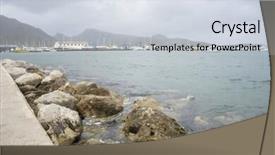
 Presentation with danger - Colorful PPT layouts enhanced with astrelia extreme weather - danger rocks by the mediterranean backdrop and a  colored foreground

Danger Rocks Mediterranean Sea Island

PPT layouts enhanced with danger rocks by the mediterranean sea on the island of mallorca in spain

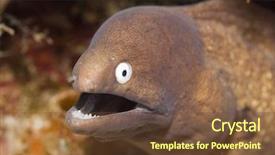
 Presentation with danger - Beautiful presentation theme featuring celebation - moray showing teeth underwater danger backdrop and a tawny brown colored foreground

Moray Showing Teeth Underwater Danger

Presentation theme featuring moray showing teeth underwater danger concept borneo

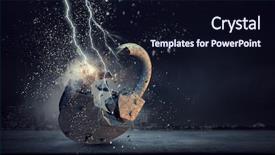
 Presentation with danger - Audience pleasing slides consisting of locker sign - safety danger concept mixed media backdrop and a wine colored foreground

Safety Danger Concept Mixed Media

In the world of high stakes innovation, where breakthrough ideas are being forged and safety protocols must be in place, there's a need for design solutions that convey the essence of cutting edge concepts through thought provoking visual storytelling. That's exactly what Corner Title is all about a dynamic and engaging PowerPoint template designed to transport you into the heart of high resolution images that evoke a sense of danger and unease. Corner Title features a dark slate gray color palette, evoking an atmosphere of foreboding and mystery. The template is optimized for widescreen presentation, with crisp borders and clean lines that provide ample space for maximum impact. Its theme is centered around the idea of 'through access,' highlighting how our greatest discoveries often start with humble beginnings and involve navigating complex systems. For instance, consider a fictional laboratory where scientists are working to unlock the secrets of a revolutionary new material with Corner Title as their trusty companion, you'll be inspired to Include a Background With striking images that showcase the intricacies of this breakthrough concept. As you delve into the world of high resolution images and complex systems, the 'Gears in Sync Layout' slide is sure to impress. This template design allows for seamless integration with various themes and styles, making it an Enhanced With resource for creators looking to craft their own unique narrative. Whether you're presenting research findings or sharing your own innovative ideas, Corner Title will have a Theme of inspiring engagement and sparking curiosity in those around you.

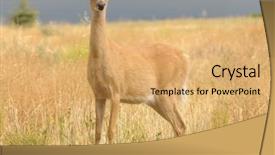
 Presentation with danger - Beautiful theme featuring whitetail or white-tailed doe backdrop and a yellow colored foreground

Whitetail White-tailed Doe (odocoilus Virginianus)

The forest floor is abuzz with life, as a young whitetail deer pads silently through the underbrush, its large brown eyes scanning the surroundings for any sign of danger Featured in this stunning image is an Odocoileus virginianus, one of North America's most iconic and endangered species. As it takes its first steps into the wild, the doe's fur is a thick, warm blanket that provides excellent insulation against the chilly mountain air Having a theme of wildlife conservation, this image is part of a larger series showcasing the beauty and diversity of North America's forests. The rich tan color palette used in this template brings the outdoors to life, while the high resolution images on the background ensure that every detail is preserved. From a design perspective, the Wide Title format allows for dramatic headroom above the content, making it easier to read and understand even when the text is accompanied by detailed illustrations Including a Background With a warm, earthy tone, this template would be perfect for presentations about wildlife conservation or educational materials. The 3 Column Layout slide is particularly effective in conveying the complexity of deer behavior, with separate columns for different aspects of their lives such as mating, habitat, and diet Enhanced With features like animations and transitions to bring the information to life. The forest floor is abuzz with life, as a young whitetail deer pads silently through the underbrush, its large brown eyes scanning the surroundings for any sign of danger. From a design perspective, the Wide Title format allows for dramatic headroom above the content, making it easier to read and understand even when the text is accompanied by detailed illustrations Featuring a high resolution image of a whitetail deer in its natural habitat, this template would be perfect for presentations about wildlife conservation or educational materials. The 3 Column Layout slide is particularly effective in conveying the complexity of deer behavior, with separate columns for different aspects of their lives such as mating, habitat, and diet Enhanced With features like animations and transitions to bring the information to life. The forest floor is abuzz with life, as a young whitetail deer pads silently through the underbrush, its large brown eyes scanning the surroundings for any sign of danger Featuring a high resolution image of a whitetail deer in its natural habitat.

 Presentation with danger - Audience pleasing slides consisting of intensity science - infringement of ecology our environment backdrop and a  colored foreground

Infringement Ecology Environment Danger Foam

Slides consisting of infringement of ecology our environment in danger foam emissions of manufacture

 Presentation with danger - Slides featuring murder outline - danger do not cross background and a  colored foreground

Danger Cross.

In a world where danger lurks around every corner, only those who are clever and resourceful will survive the night. The streets are dark, the alleys are treacherous, and the shadows hide the truth. But in this high stakes game of cat and mouse, the key to success is always just out of reach. The Corner Title template is designed for those who want to make a statement with their presentation, featuring a bold and eye catching design that demands attention. This Widescreen template is perfect for showcasing high resolution images that add depth and dimension to your slides, and the Peru color palette provides a rich and vibrant backdrop for your words. With the Corner Title template, you'll be able to create slides that are not only visually stunning but also easy to read and understand. The 4 How To slides at the start of the deck will help you get up and running quickly, ensuring that your presentation is always polished and professional. But what really sets this template apart is its ability to incorporate a background with a subtle texture, giving your slides a sense of depth and atmosphere. And with the theme of "Peru" as the main color palette, you'll be featuring images that are both exotic and evocative, perfect for adding a sense of excitement and adventure to your presentation. By using Enhanced With, you can take your visuals to the next level by including interactive elements such as links, hyperlinks, or even embeds. This will allow you to create a truly immersive experience for your audience, making them feel like they're right in the midst of the action. The Corner Title template is also highly customizable, with plenty of room to experiment and add your own unique touches. Whether you're creating an evidence presentation or a high stakes thriller, this template has got you covered.

 Presentation with danger - Audience pleasing PPT theme consisting of locker sign - safety danger concept mixed media backdrop and a  colored foreground

Safety Danger Concept Mixed Media

Imagine navigating through a high stakes laboratory where the concept of safety is paramount, and the pursuit of breakthroughs is a never ending journey. The Corner Title PowerPoint template is designed to deliver just that, blending the elements of a cutting edge research facility with the excitement of discovery. The Corner Title template features a versatile midnight blue color palette, providing a sleek and sophisticated backdrop for your presentations. This format is ideal for showcasing 3D graphics, videos, and images, making it perfect for demonstrations and explorations. The widescreen aspect ratio ensures that every detail is showcased, from the high resolution images on the background to the crisp text and shapes used throughout the template. The template keywords "access", "breakthrough", "concept", "part", and "sign" are woven throughout the design, reflecting the themes of exploration, innovation, and discovery. The inclusion of a Comparison Layout slide allows you to easily compare different elements, such as the safety features or breakthrough discoveries, making it easier for your audience to understand the context. The high resolution images on the background will feature dynamic graphics and 3D elements that add depth and visual interest to your presentations. This template is downloadable and compatible with Google Slides, ensuring seamless integration into any presentation software. By featuring a Background With contrasting colors and shapes, you'll be able to create visually striking slides that grab attention and hold it.

 Presentation with danger - Amazing PPT theme having vintage-danger-beware-of-golf backdrop and a tawny brown colored foreground

Vintage Danger Beware Golf Balls

The Corner Title template is a stunning design that beckons you to enter a world of high stakes and thrilling gameplay. Its dark goldenrod color palette, evoking the feel of old school warning signs, sets the tone for an immersive experience. This template features four How To slides at the start of the deck, each designed to help users get up and running quickly. The first slide takes you on a journey through the process of creating your own game design, featuring a detailed breakdown of the necessary steps. As you navigate through the slide, you'll be introduced to various tools and software required for game development, including features like dynamic graphics and sound effects. The SWOT Analysis Layout slide is a standout feature in this template, presenting a comprehensive breakdown of the strengths, weaknesses, opportunities, and threats related to your game design. With clear headings and bullet points, this slide helps users identify areas where they can improve their game, making it an essential tool for developing a successful game. Including high resolution images throughout the template will transport you to a retro style golf course, complete with rusty metal signs warning of impending danger. As you work through each slide, you'll be treated to vibrant graphics and bold typography, enhancing your gaming experience. This template is easily compatible with Google Slides, allowing you to share and collaborate on your game design quickly and efficiently. This template features a classic design that pays homage to the past, while still offering modern enhancements to keep up with current trends. Whether you're developing a new mobile game or an online multiplayer title, this Corner Title template is sure to inspire and motivate you to create something exciting.

 Presentation with danger - Slide set featuring danger sign in thawing ice background and a light gray colored foreground

Close-up Danger Sign Thawing Ice

Slide set featuring close-up of danger sign in thawing ice

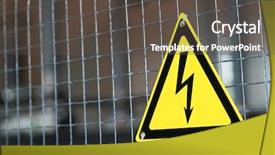
 Presentation with danger - Presentation enhanced with metal mesh and yellow electrical background and a dark gray colored foreground

Metal Mesh Yellow Electrical Danger

The art of creating a striking PowerPoint template that sets the tone for a presentation is a delicate balance of aesthetics and functionality. The Wide Title design shines with its attention grabbing phrase "Unravel the Truth" a powerful declaration that demands attention. This Widescreen template is designed to make an instant impact, featuring a sleek metal mesh background that showcases high resolution images of yellow electrical danger signs adding a touch of edginess to the overall design. The Goldenrod color palette provides a warm and inviting contrast to the dark tones, making it perfect for presentations that require a balance between sophistication and approachability. The theme is reinforced with the inclusion of symbols, particularly the death symbol, which serves as a reminder of the importance of advice in navigating life's challenges. As a result, this template becomes Enhanced With a Theme of Advice, making it an ideal choice for professionals who need to convey complex information in a clear and concise manner. The Managed Process Layout slide takes center stage, featuring a clean and organized design that showcases how the template can be used to structure your presentation with ease. The feature of having a theme of advice sets a tone for the entire deck, making it an ideal choice for presentations that require guidance and support.

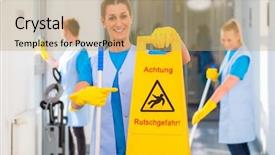
 Presentation with danger - Audience pleasing PPT theme consisting of cleaning lady showing warning sign backdrop and a coral colored foreground

Cleaning Lady Showing Warning Sign

PPT theme consisting of cleaning lady showing warning sign because the floor is wet and there is danger of accidents backdrop

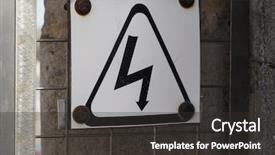
 Presentation with danger - Theme with danger of death by electrical background and a dark gray colored foreground

Danger Death Electrical Shock Warning

Theme with danger of death by electrical shock warning sign

 Presentation with danger - Colorful theme enhanced with locker sign - safety danger concept mixed media backdrop and a black colored foreground

Safety Danger Concept Mixed Media

The Corner Title powerpoint template is designed to grab attention with its striking design and bold statement. This Saddle Brown themed template features high resolution images throughout, setting the tone for a serious yet thought provoking presentation. With an emphasis on mixed media and concept, this template combines safety elements with daring ideas to create a unique visual identity. The background images are carefully selected to enhance the message, perhaps featuring a dramatic image of a breaking wheel or a broken clock face to illustrate the idea of access being blocked. This contrast between high tension and calm visuals will keep your audience engaged. The Corner Title template is downloadable and compatible with Google Slides, making it easy to use as is or customize with your own images and text. As an added touch, the template comes with four How To slides at the start of the deck to help you get up and running quickly, but for now, let's focus on the visuals. The Chart with Caption Layout slide is a standout feature of this template, providing a clean and uncluttered space to present your chart and caption. Imagine using this section to include a background image of a city skyline or a mountain range, with bold fonts and high contrast colors to make the information stand out. This kind of design element can help drive home the idea of breaking through obstacles and finding new breakthroughs. With its Saddle Brown color palette and mixed media theme, Corner Title is sure to inspire your audience with its unique blend of safety and danger concepts.

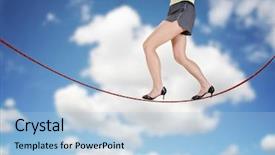
 Presentation with danger - Cool new presentation theme with woman walking on a tightrope backdrop and a light blue colored foreground

Woman Walking Tightrope Made String

Presentation theme with woman walking on a tightrope made of string for the concept of risk or danger in the business corporate world isolated on a cloudy sky background backdrop

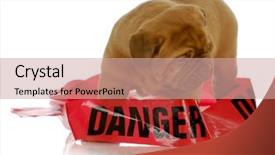
 Presentation with danger - Beautiful slides featuring hindrance - bad puppy - dogue de backdrop and a coral colored foreground

Bad Puppy Dogue De

This Corner Title template is a high energy visual identity that combines distressed textures with bold, Bordeaux inspired colors and the subtle hint of hindering elements to create a dramatic and attention grabbing look. Its Widescreen format invites viewers to immerse themselves in the bold and edgy visuals. The Sandy Brown color palette provides a warm and inviting backdrop for the various icons and images that populate this template. High resolution images for the background will add depth and visual interest, while providing ample space for creative interpretation. Incorporating distressed textures creates a sense of tension, as if the contents are about to burst free from their containment. The distress effect adds an element of unpredictability, reminiscent of the unpredictable puppy dogue de Bordeaux puppy wrapped up in danger tape on white background 4 weeks old. It's not uncommon for people to get caught off guard by the bold and intense style presented here. Even the template itself is not afraid to take a stand with its high resolution images, featuring a classic combination of distressed wood grain textures, adding an industrial touch. The 6 x 6 Org Chart Layout slide would include various icons and illustrations that represent different departments or levels within an organization. It could incorporate the idea of "hinderances" perhaps some obstacles blocking progress or potential bottlenecks in the organizational structure. This template would enable users to visualize their corporate hierarchy in a clear and concise manner, incorporating a background with visual elements that reflect its theme of tackling hindrances head on. This template is downloadable and compatible with Google Slides, making it an ideal choice for professionals looking to enhance their presentations with a modern and engaging visual identity. The distress effect adds an edge, while the Bordeaux inspired colors evoke a sense of luxury and sophistication perfect for high stakes business meetings or presentations that require a level of gravitas and authority.

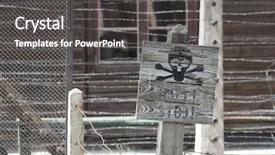
 Presentation with danger - Theme with skull sign warns about danger background and a dark gray colored foreground

Skull Sign Warns Danger Electric

The powerpoint template that CrystalGraphics has provided is designed to present complex concepts in a clear and concise manner, with a focus on visual appeal. The Wide Title design stands out as an attention grabbing opening, with its bold and ominous font choice evoking feelings of warning and danger. This template format, Widescreen, provides a high resolution background that stretches across the full width of the screen, creating a striking visual impact. The Saddle Brown color palette adds warmth and depth to the design, while also providing a suitable contrast for darker elements. This color scheme is inspired by iconic images such as the skull sign or electric fence, serving as a powerful symbol for warning about danger. The template incorporates keywords like "symbol", "death", "line", "annihilation", and "prisoner" in a way that creates visual interest and hierarchy, making it easy to scan and understand. The inclusion of these words is particularly effective on the Background With slide, where it's used to emphasize the theme of danger or warning. The high resolution images for the background provide a sharp contrast against the Saddle Brown color palette, adding depth and dimensionality to the design. These images can be easily replaced or updated to keep the template fresh and engaging. Having a Theme of, Enhanced With slides also provides opportunities to add more visual interest and variety to the presentation. The 4 How To slides at the start of the deck provide a useful starting point for users who want to quickly get up and running with their new template. While not listed here, it's worth noting that these slides can help users familiarize themselves with the template's key features and settings.

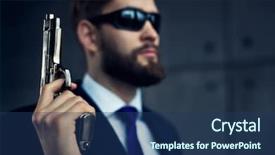
 Presentation with danger - Cool new slide deck with danger man agent with gun backdrop and a ocean colored foreground

Danger Man Agent Gun Sunglasses.

Slide deck with danger man agent with gun and sunglasses focus on gun

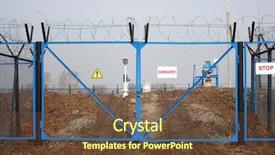
 Presentation with danger - Slides featuring protecting perimeter - industry danger - locked gate background and a tawny brown colored foreground

Industry Danger Locked Gate

Slides featuring industry danger - locked gate with barbed wire background

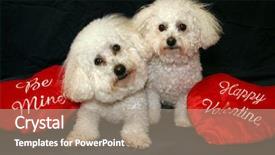
 Presentation with danger - Slides enhanced with portrate - beau and fifi danger both background and a coral colored foreground

Beau Fifi Danger Both Bichon

Slides enhanced with beau and fifi danger both bichon frise's sit with their be mine and happy valentine hearts

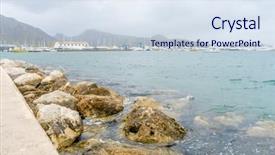
 Presentation with danger - Amazing slide deck having astrelia extreme weather - danger rocks by the mediterranean backdrop and a  colored foreground

Danger Rocks Mediterranean Sea Island

Slide deck having danger rocks by the mediterranean sea on the island of mallorca in spain

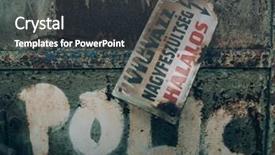
 Presentation with danger - Colorful PPT layouts enhanced with h - danger sign on abandoned factory backdrop and a dark gray colored foreground

Danger Sign Abandoned Factory Hungarian

PPT layouts enhanced with danger sign on abandoned factory hungarian text means danger h

▼Key features of this template

  • They are compatible with both PowerPoint and Google Slides running on either Windows PCs or Macs.

  • They are available in both standard and widescreen slide formats. You can choose your preferred format by clicking on the "Widescreen" check box or icon.

  • Each template includes a beautiful high-resolution background image or video to visually reinforce the theme of your presentation.

  • In addition, each template includes designer-created graphics and modern fonts to give your presentations an up-to-date, professional look.

  • Each template's default design and title text position have been carefully selected to complement its background without covering faces or other key elements.

  • All text includes backdrops whose transparency level is mathematically calculated to maximize text readability while still allowing the background to be seen.

  • And all the text, text backdrops and graphics in every slide are colored with a palette designed to beautifully complement the colors in the background.

  • Our Premium templates (those with the descriptor “Premium” in their subtitle) include over 64 slide layouts to give you maximum flexibility as you create your presentations.

    • Those layouts are available to you whenever you create a new slide or when you want to change the layout of an existing slide.
    • They include everything you need to make all sorts of presentations. In addition to the layouts for the title slide and the usual title and content slide, they include many other layouts for slide types including table of contents slides, org charts, charts, diagrams, infographics, photo slides, thank you slides and more.
    • While creating these layouts our template designers have ensured that all text in every layout adjusts as gracefully as possible to various numbers of words.
  • Customizable templates (those with the descriptor “Customizable” in their subtitle) may be easily modified online before you download them.

    • To modify them, simply click on the pencil editing icon, then select your choice of ready to go designs and title text positions.
    • The editing tool also makes it easy to reposition and scale the background image or video to best suit your needs.

▼FAQs

Please review these FAQs to see if your question is answered. Contact us for more info

  • What is a PowerPoint template?

    • A well designed PowerPoint template is a file that can tell PowerPoint how to make your ordinary templates look extraordinary. They won’t change what your words or numbers say. But they might change their size, color, font and placement. And, overall, they can give your presentations a professionally-designed look that will give your content more credibility and give you more confidence.
  • How many PowerPoint templates do you offer?

    • We have over 32,000 artist-created presentation templates in our PowerPlugs collection With a subscription, PowerPlugs templates are easy to download. Just sign in, find a template and click on the green Download button. ready for you to download. That alone offers you more variety to choose from than any of our competitors can offer. And, as if that weren’t enough, we also offer over 6 million templates in our Crystal collection. Crystal brand templates are our line of templates that have customization options. They have the word "CRYSTAL" on their web page images. You can customize several aspects of the templates. These templates include high-resolution background images from Shutterstock’s vast image collection matched up with artist-created presentation designs customized by our own proprietary AI software.
  • How many templates can I download as a subscriber?

    • You can download an unlimited number of PowerPlugs-brand With a subscription, PowerPlugs templates are easy to download. Just sign in, find a template and click on the green Download button. templates every day for an entire year. (Actually, by default, we set a limit of 25 templates per day to prevent our competitors from stealing our templates. But, if that is not enough, just let us know and we’ll try to accommodate you.) On top of that, with a subscription or an Ultimate Combo, you can also download any 50 Crystal-brand Crystal brand templates are our line of templates that have customization options. They have the word "CRYSTAL" on their web page images. You can customize several aspects of the templates. templates per year selected from our huge Crystal collection. Crystal brand templates are our line of templates that have customization options. They have the word "CRYSTAL" on their web page images. You can customize several aspects of the templates. .
  • Why should I choose your templates instead of the competition’s?

    • We’ve got a larger selection of professionally-designed PowerPoint templates than anyone else in the world.
    • Each template includes a high-resolution background image or video to visually inspire your audiences while reinforcing your message.
    • Each template includes 64 slide layouts to give you maximum flexibility as you create your presentations.
    • Our templates are available in both standard and widescreen slide formats. And our website lets you preview the slides each way.
    • Our free Template Finder™ plugin lets subscribers select and - with a single click - download and insert our templates into their presentations right from within PowerPoint.
    • We’ve been creating designer presentation templates for over 20 years. During that time we’ve won several awards and 5-star ratings for product quality. See About Us for more.
  • Do you offer a money-back guarantee?

    • Yes we do! We offer full 30-day money-back guarantee if you are not 100% satisfied with your purchase.
  • Can I still use my downloaded templates after my subscription runs out?

    • Yes. After your subscription expires, you won't lose any rights or ability to use your PowerPlugs: Templates for PowerPoint. You won't be able to download any new non-watermarked templates. But the non-watermarked templates you've already downloaded will still work and you can still use them as before.
  • Can I share my downloaded templates or passwords with friends or coworkers?

    • Sorry but no. You are authorized to download each paid-for template to up to 3 of your personal devices and to use the templates you download in as many presentations as you want. But you are not authorized to share the templates, themselves, with others. That said, we do offer highly discounted site licenses to suit the needs of both small and large teams. Just tell us your needs and we’ll give you a quote!
  • System requirements:

    • The templates use the standard POTX format. So they are compatible with Google Slides and all PC, Mac and mobile devices running any version of PowerPoint from PowerPoint 2007 up through and including Office 365 desktop.
    • Please note: Google Slides does not currently support background videos. It treats them as still images.
    • For PowerPoint for the Web, first open your template into a desktop version of PowerPoint, then save it back out as a PPTX file. Then you can open that in PowerPoint for the Web.
  • End user license agreement:

    • Click here to view.
  • How will I get my purchased templates?

    • You may download your selected templates as soon as your payment is received by PayPal. If you purchased an individual template, you will be provided with a download link both onscreen and via email. Just click on that link to begin the download process. If you purchased a subscription, you will receive an email containing a password to use along with your email address to sign in to any of the templates pages on CrystalGraphics.com. Once you are signed in, you can immediately start downloading your selected templates.
  • How do I use my templates after I download them?

    • You can either open a template to start a new presentation or you can add a template to an existing presentation. To open a template, just double click on it or use PowerPoint's File > Open tool. To add a template to an existing presentation, on the Design tab, in the Themes group, click Browse for Themes... then browse to select your template.

View more Danger templates:

previous 1 2 3 4 5 6 7 8 next
93% of Fortune 1000
companies use our
PowerPoint Products
Templates Secure

Standing Ovation Award
Winner: Best PowerPoint
Template Collection
Fortune Logos
200,000+ satisfied
customers worldwide!
Guarantee
100% satisfaction guaranteed
- or send it back for a refund!

Sign up for our free newsletter! You'll get news about our PowerPoint-enhancing product line – including free updates, new product announcements and exclusive special offers. Plus you'll get a link to a free PowerPoint template with every newsletter you receive.
Privacy Policy
Loading...


Help

Contact Us
Product FAQs
Product License Agreements

Company Info

About Us
Privacy Policy
CrystalGraphics, Inc. 1999 S. Bascom Avenue Suite 700 Campbell, CA 95008 USA
© 2026 CrystalGraphics, Inc. All rights Reserved.    |     PowerPlugs is a trademark of CrystalGraphics, Inc.
Microsoft and the PowerPoint logo are trademarks or registered trademarks of Microsoft Corporation in the United States and/or other countries.
Loading...
Loading...