www.crystalgraphics.com CrystalGraphics
  • Ultimate Combo
  • Templates
  • Diagrams
  • Characters
  • Quizzes
  • shopping cart
  • Sign Out Sign Out Sign In
Home > Templates > Dark > Dark Ages Category
search icon
advanced icon

25 Best Dark Ages-Themed Templates for PowerPoint and Google Slides

CrystalGraphics creates templates designed to make even average presentations look incredible. Below you’ll see thumbnail sized previews of the title slides of a few of our 25 best dark ages templates for PowerPoint and Google Slides. The text you’ll see in in those slides is just example text. The dark ages-related image or video you’ll see in the background of each title slide is designed to help you set the stage for your dark ages-related topics and it is included with that template. In addition to the title slides, each of our templates comes with 17 additional slide layouts that you can use to create an unlimited number of presentation slides with your own added text and images. And every template is available in both widescreen and standard formats. With over 6 million presentation templates available for you to choose from, CrystalGraphics is the award-winning provider of the world’s largest collection of templates for PowerPoint and Google Slides. So, take your time and look around. You’ll like what you see! Whether you want 1 great template or an ongoing subscription, we've got affordable purchasing options and 24/7 download access to fit your needs. Thanks to our unbeatable combination of quality, selection and unique customization options, CrystalGraphics is the company you can count on for your presentation enhancement needs. Just ask any of our thousands of satisfied customers from virtually every leading company around the world. They love our products. We think you will, too!

Features & Pricing

Widescreen (16:9) Presentation Templates. Change size...
 Presentation with dark ages - Cool new PPT theme with dark ages - old vintage wood texture backdrop and a tawny brown colored foreground

Old Vintage Wood Texture Background

Corner Title is a stunning widescreen PowerPoint template that takes you back in time to the golden age of education. This vintage inspired design features an old, worn out wooden texture as its background, adding a sense of history and nostalgia to your slides. The Saddle Brown color palette provides a warm and inviting atmosphere, perfect for presentations about blackboards, rough surfaces, stained areas, or any rundown elements that need to be highlighted. The template is designed to enhance the importance of these details, making them stand out from the rest of the presentation. Featuring high resolution images of old books, chalkboards, and other retro era items, this template includes a Background With a subtle gradient effect to give it depth and dimension. You can have all your presentations looking like they were created in an antique shop with Having a Theme of Vintage Education. The four How To slides at the start of the deck will help you get up and running quickly, so you can focus on delivering your message. Featuring a picture of a classroom with chalkboards and blackboards, these slides will give you a clear idea of what to expect from this template. Including a Background With a warm color palette, this template is the perfect choice for anyone looking to add some personality to their presentations. Having a theme of Education, it's sure to be well received by your audience.

 Presentation with dark ages - Amazing slide set having dark wooden backdrop backdrop and a black colored foreground

Dark Wooden Backdrop

A dark wooden backdrop sets the tone for this Corner Title PowerPoint template, a design name that evokes a sense of rustic charm. The template is available as a high resolution image, featuring 4 how to slides to help you get up and running quickly. As part of our ongoing effort to provide users with all the tools they need to create stunning presentations, we're including a Managed Process Layout feature in this template. This allows for seamless integration of images, text, and other elements into your presentation without compromising on layout or design. The Corner Title template is available as a widescreen format, perfect for creating immersive experiences that engage your audience. The template's theme is centered around the feeling of being surrounded by natural surfaces, from hardwood to grunge to pine all elements that are sure to add depth and interest to any presentation. Featuring a high resolution background image, this template is ideal for anyone looking to create professional yet approachable content. The Managed Process Layout slide gives you the flexibility to arrange your content in a way that suits your style, making it easy to incorporate images, text, and other elements into your presentation. This feature includes including a background with a subtle wooden texture, enhancing the overall visual appeal of your slides. Having a theme of clean lines and simple shapes, this slide also provides an opportunity to add your own personal touch. Incorporating natural textures and colors is always a great way to add warmth and depth to any presentation. This template includes high resolution images that feature the grain of different types of wood, providing endless opportunities for creative experimentation.

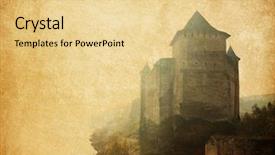
 Presentation with dark ages - Slides enhanced with dark ages - vintage paper textures khotyn fortress background and a lemonade colored foreground

Vintage Paper Textures Khotyn Fortress.

The majestic Khotyn Fortress stands tall as a testament to Ukraine's rich history, its stone walls bearing the scars of centuries past, yet its grandeur still inspires awe in all who lay eyes on it. This template, designed with flair for the dramatic, is perfect for showcasing your creations in a high resolution format that shines like gold, radiating warmth and sophistication. The goldenrod color palette adds a touch of elegance, while the horizontal design ensures that every element fits seamlessly into the space, creating a cohesive look that's sure to impress. The Widescreen format allows you to showcase your most stunning images with ease, featuring high resolution backgrounds that bring the world to life in vivid detail. This is particularly ideal for showcasing large scale images of castles, buildings, or other structures, adding depth and context to your slides. The Goldenrod color palette, meanwhile, provides a versatile backdrop that can be used with or without enhancing with various graphics, images, or illustrations. As you work on your presentation, think about how this template will enhance the overall experience for your audience. What design elements could you include to make it Featuring a Background With? You might want to consider adding some subtle shadows or highlights to create a sense of depth and dimensionality. Perhaps having a Theme of castle architecture would allow you to showcase more images of Khotyn Fortress itself, while still keeping the overall look cohesive. The four How To slides at the start of this deck are designed to help you get up and running quickly, making it easier for users to dive right into their projects. These include Essential Tips For Using The Template, Creating A Customizable Background, Adding Text And Graphics, and Troubleshooting Common Issues.

 Presentation with dark ages - Beautiful slide set featuring dark ages - brown grungy wall great textures backdrop and a gray colored foreground

Brown Grungy Wall Great Textures

The art of creating a visually striking design that exudes a sense of gravitas and nostalgia lies at the heart of this template. It's a powerful combination of dark goldenrod hues and gritty textures that evoke the feeling of crumbling concrete facades, worn stone, and weathered relics that adorn the cityscape. This template is designed to transport you to a world where industrial grandeur meets artistic flair, with intricate patterns and bold fonts at its core. The Wide Title feature sets the tone for this design, showcasing a dramatic font style and ornate brushstrokes that recall old world architectural designs. The contrast between the bold title and the dark background creates a striking visual effect that's sure to grab attention. With a focus on high resolution images of textures and patterns, this template is perfect for anyone looking to add a unique touch to their presentations. Featuring intricate wooden grain patterns as one of its key themes, this template is ideal for showcasing businesses or organizations with a strong connection to the arts or heritage industries. Including a background with subtle shading effects to enhance the overall depth and dimensionality is also a great way to capture the essence of these types of projects. Having a theme of "Revival" in mind, you can use images like this one as a starting point for your design, highlighting how it can be used to create a visually striking presentation that tells a story.

 Presentation with dark ages - PPT theme with dark ages - old room with a brick background and a tawny brown colored foreground

Old Room Brick Wall Floor

This Corner Title template is designed to evoke the feeling of an old, rustic room with a brick wall and floor. The warm, earthy tones and distressed textures will transport you to a bygone era, perfect for presentations that require a unique and attention grabbing visual identity. The template features a high resolution background image, "A Close Up of a Vintage Brick Wall", which provides a beautiful canvas for your content. The Olive color palette is rich and inviting, with shades of brown, green, and tan that will add depth and warmth to your presentation. This template is not just a pretty face; it's also highly versatile. You can use it as the centerpiece of your deck to feature a stunning image or text, or having a theme of "Country Charm" this template has been enhanced with a background featuring rolling hills and picturesque villages. Including a Background With beautiful sunsets over a stone farmhouse will enhance the overall feel of this template. The four How To slides at the start of the deck will help you get up and running quickly, providing a solid foundation for your presentation. This template is downloadable and compatible with Google Slides, making it easy to incorporate into your existing workflow. Featuring high resolution images throughout the deck, this template will add visual interest and keep your audience engaged. Whether you're creating a presentation on country living, damage restoration, or anything in between, this Corner Title template is sure to provide a unique and memorable visual identity.

 Presentation with dark ages - Cool new PPT layouts with dark room with niches urban backdrop and a  colored foreground

Dark Room Niches Urban Background

Imagine stepping into a dimly lit room with exposed concrete walls and worn out niches, set against a city backdrop that exudes urban grit. The air is thick with the scent of dampness and decay, but amidst this bleak atmosphere, a sense of possibility thrums through the space. The Split Title template is designed to elevate your presentation from bland to grand, its Saddle Brown color palette providing a sophisticated backdrop for high resolution images that will leave viewers in awe. The template's widescreen format ensures that every aspect of your design is maximized, whether you're showcasing a sleek cityscape or a rough hewn interior. The template's keywords concrete, blank, and rough are woven throughout the design, giving it an edgy, urban feel. Featuring a stunning background image of a dimly lit alleyway, this template includes a Background With option that lets you add your own images or shapes to create a truly unique look. One of the standout features of this template is its Hexagon Layout slide a clever way to showcase multiple elements and provide visual interest in just one slide. Having a Theme of Enhanced With lets you unlock new possibilities for adding interactive elements, animations, or even video clips to enhance your presentation. Whether you're pitching an idea or presenting to a large audience, this template is sure to grab attention and leave a lasting impression. Download it now and transform your presentations from ordinary to extraordinary.

 Presentation with dark ages - Presentation design having dark ages - old interior vintage background background and a gray colored foreground

Old Interior Vintage Background

Imagine walking into a dusty old interior, where the air is thick with the scent of decay and the walls are adorned with faded frescoes, the once vibrant colors have faded to a deep dark khaki that seems to swallow all light. The floors creak beneath your feet, worn smooth by generations of footsteps, each one telling a story of laughter, tears, and secrets kept. The template you're about to see is not just a presentation, it's a doorway to an entire world of creativity, where imagination knows no bounds. It's a theme that resonates with the idea of "damaged" elegance, where rough edges are softened by rich textures and patterns, and stained glass windows add a pop of color and whimsy. The result is a look that's both eclectic and refined, perfect for any project that requires a dash of personality. Our template features a high resolution image of an old, mysterious room on its background, complete with cobwebs and dusty trinkets. This is where the magic begins, as you get to unleash your creativity and bring this space to life. The Widescreen format ensures that every detail is preserved, while the Dark Khaki color palette provides a sophisticated backdrop for your design. To make it even more engaging, we've included four handy How To slides at the start of the deck to help you get up and running quickly. With our template, you're not just downloading a file – you're unlocking access to a world of creative possibilities. You can include a Background With rich textures, patterns, and colors that add depth and interest to your presentation. Having a Theme of showcasing your unique style and vision is enhanced with the Enhanced With option, allowing you to customize every aspect of your design to reflect your brand identity. Whether you're creating a promotional video, a social media post, or simply a professional looking document, this template is sure to impress. Our goal is to empower you to unleash your creativity and make your ideas shine through in a clear and concise way. With our Widescreen template, featuring high resolution images of an old interior, the possibilities are endless.

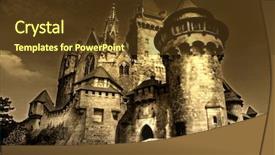
 Presentation with dark ages - Amazing presentation having medieval dark castle backdrop and a tawny brown colored foreground

Medieval Dark Castle

Imagine stepping into a medieval dark castle, its stone walls towering above you, casting long shadows on the dusty floor. The air is thick with the scent of old books and dust as you wander through the musty corridors, your footsteps echoing off the cold stone. The Corner Title template is a stunning Widescreen presentation that will transport your audience to this enchanting world. Designed in Saddle Brown, it features high resolution images for a seamless background experience. The theme is set with Historical Scenery and Destination movie sets as inspiration, ensuring that your content stands out from the crowd. This template is not just a pretty face; it's also highly customizable, making it easy to enhance your presentation with additional elements. Featuring a clear and concise layout, the Venn Diagram Slide provides a detailed breakdown of your message, Including a Background With high quality images and fonts to elevate your content. Having a Theme of making complex information accessible becomes easier with this template, making it an ideal choice for presentations that require visual clarity. Enhanced With advanced design tools, you can create dynamic transitions and animations to take your presentation to the next level.

 Presentation with dark ages - Cool new PPT layouts with medieval times ages - female hand with key backdrop and a gray colored foreground

Female Hand Key Dark Background

PPT layouts with female hand with key on dark background backdrop

 Presentation with dark ages - Presentation having dark ages - smiling mixed race female healthcare background and a coral colored foreground

Smiling Mixed Race Female Healthcare

The Corner Title template is a stunning design that captures the essence of a high quality medical professional's image. It features a smiling mixed race female healthcare worker standing outside a hospital in a crisp steel blue background, exuding confidence and authority. The Steel Blue color palette perfectly complements the high resolution images that make up the majority of this template. With four How To slides to get you started quickly, you'll be able to create engaging content for your audience without feeling overwhelmed. For example, the "Designing Your Template" slide could include a step by step guide on how to customize the Steel Blue color palette and select the perfect images for each slide. The "Member Bio Layout" section could showcase a beautifully designed template that includes space for listing members of your team or organization. The Corner Title template is incredibly versatile, making it easy to enhance with additional design elements such as icons, graphics, or animations to give your content an extra boost. This template Featuring the Steel Blue color palette and crisp white text, including a background With bold headings and eye catching visuals, will undoubtedly make you stand out from the crowd.

 Presentation with dark ages - Cool new slides with agent in a dark room backdrop and a ocean colored foreground

Soldier Agent Dark Room Arms

The Corner Title PowerPoint template is designed to leave a lasting impression on your audience with its striking design and powerful theme. This Widescreen template features a steel blue color palette that exudes sophistication and professionalism, perfect for presentations about agents working in hazardous environments or paralyzing deadly threats. High resolution images of the dark room background will immediately grab the viewer's attention, drawing them into the scene where a soldier agent stands guard with his arms at his sides. The template includes features such as a gas mask, adding an extra layer of realism to the design. The Corner Title template is downloadable and compatible with Google Slides, making it easy to import into your preferred presentation software. As inspiration for this template, imagine featuring high resolution images of a soldier agent in a dark room with arms on his hand and gas mask, showcasing how the template's steel blue color palette can enhance the overall look. This template is also designed to help you get up and running quickly, with 4 How To slides at the start of the deck that will guide your audience through the process of creating their own presentations. The five Steps to Success Layout slide provides a clear and concise overview of the process, from planning and designing to exporting and sharing. For example, this template could be used for a presentation about how to create a hazardous materials site cleanup plan with ease, featuring high resolution images of diagrams and schematics.

 Presentation with dark ages - Beautiful PPT layouts featuring medieval times ages - female hand with key backdrop and a violet colored foreground

Female Hand Key Dark Background

PPT layouts featuring female hand with key on dark background

 Presentation with dark ages - PPT layouts enhanced with agent in a dark room background and a dark gray colored foreground

Bad Agent Dark Room Arms

In a world where danger lurks around every corner, a lone agent must navigate the treacherous landscape with ease, relying on their instincts and training to stay alive. The shadows are dark, the air is thick with tension, and the only way forward is to keep moving. The Corner Title template is designed for those who dare to take on the ultimate challenge. This widescreen masterpiece features a high resolution image of a deadly hazard in the background, perfectly enhancing the agent's focus on the task at hand. The midnight blue color palette is rich and ominous, evoking feelings of fear and uncertainty. The template is downloadable and compatible with Google Slides, making it an excellent choice for those who want to stay up to date with the latest design trends. It also includes 4 How To slides that provide a solid foundation for any project, helping you get started quickly and efficiently. Featuring high resolution images throughout the template, including a bold and dramatic photo of a paralyzing agent in action, this design is sure to grab your attention from the start. Having a theme of "Action Packed" with Incorporating a Background With a dark and gritty environment, it's a visual representation of the intense world you'll be navigating. With Enhanced With modern graphics capabilities, you can add dynamic elements such as animations, transitions, and effects to make your presentation truly stand out.

 Presentation with dark ages - Beautiful PPT theme featuring agent in a dark room backdrop and a ocean colored foreground

Bad Agent Dark Room Arms

The darkness closes in, casting a suffocating shadow over the city's streets. Agent Jameson, clad in a black gas mask and grasping his agent's hand, navigates the desolate terrain with an air of deadly precision. The sirens wail in the distance as he moves through the crowded alleys, his eyes scanning for any sign of danger. The Corner Title template is designed to immerse you in this world of high stakes operations. With a Dark Slate Gray color palette that evokes the feeling of a crime scene, this template will transport you into the heart of the action. Featuring a combination of high resolution images for the background and dynamic graphics, this template is perfect for creating immersive presentations. The layout is carefully crafted to incorporate a theme of danger and urgency, with bold fonts and illustrations adding an air of tension to the design. The template is also enhanced with interactive elements, such as hover effects and animations, making it engaging and dynamic to watch. You can include high resolution images from your own collection or find them on stock image websites like Shutterstock or Unsplash. Having a seamless integration with Google Slides makes it easy to share your presentations with others, while the downloadable format ensures that you have full control over your design.

 Presentation with dark ages - Amazing PPT layouts having agent in a dark room backdrop and a dark gray colored foreground

Bad Agent Dark Room Arms

Imagine yourself standing in the middle of a dark room, surrounded by high walls and steel beams that seem to stretch up to the ceiling. The air is thick with tension as you scan the space around you, your eyes adjusting slowly to the dim light. Suddenly, your gaze falls on a figure slumped against one wall an agent, hooded and face obscured, with arms grasping at his own chest like he's trying to grasp for air. His suit is torn, his tie frayed, and his mask glints in the faint light, giving him a menacing, deadly appearance. The background image that fills this space is a gritty, high resolution photo of an abandoned warehouse on a stormy night. The building looms large, its broken windows like empty eyes staring back at you, while the wind howls through the broken panes like a chorus of restless spirits. In the foreground, you can see the agent's feet dragging across the floor, his movements slow and deliberate as he tries to drag himself away from this deadly fate. The Midnight Blue color palette is used throughout the template, giving it a dark, foreboding feel that's perfect for a presentation about a high stakes, deadly situation. And with its three column layout, you can easily fit in the four How To slides at the start of the deck to help your audience get up and running quickly. For example, you could include a slide featuring a dramatic image of a map or diagram of the warehouse, with arrows and symbols highlighting the potential hazards and paths to take. Or, you might use a section on "Safety Protocols" to outline the precautions that need to be taken in this situation including, for instance, Having a Theme of Emergency Preparedness and Including a Background With Safety Training Programs. The template is also enhanced with additional features such as having a Theme of Realistic Environments and Featuring high resolution images that will make your presentation look like it's straight out of a Hollywood blockbuster. And whether you're presenting to a large audience or just a small group, the Midnight Blue color palette ensures that your presentation looks stylish and professional, perfect for a deadly agent in a dark room scenario.

 Presentation with dark ages - Slide set featuring agent in a dark room background and a  colored foreground

Soldier Agent Dark Room Arms

In the midst of a high stakes mission, a lone agent finds themselves in a dark, foreboding room with no clear escape route, their arms raised in a futile attempt to defend against an unseen threat. The air is thick with tension as they prepare for the worst, their gas mask a necessary precaution against the deadly hazard that lurks just out of sight. As they scan their surroundings, their eyes land on a figure standing at the far end of the room a menacing presence that seems to be watching them with an unblinking gaze. The Corner Title template is designed to evoke a sense of unease and foreboding, perfect for creating a dramatic and intense presentation. The Saddle Brown color palette adds a sense of warmth and danger, while the high resolution images for the background will transport your audience into the heart of the action. Featuring a bold, sans serif font, this template is sure to grab attention and draw your audience in. The Corner Title template includes a range of features that enhance its overall impact, including an included Background With feature that allows you to easily add or remove images from the background, having a Theme of Enhanced With that adds a touch of sophistication and style. This template is designed to be used as part of a larger presentation, with four How To slides at the start to help you get up and running quickly perfect for those who want to dive straight into creating their own engaging content. The Corner Title template is downloadable and compatible with Google Slides, making it easy to incorporate into your existing workflow. With its dark and ominous tone, this template is sure to leave a lasting impression on your audience.

 Presentation with dark ages - Beautiful slide deck featuring agent in a dark room backdrop and a tawny brown colored foreground

Soldier Agent Dark Room Arms

In the midst of a high stakes mission, a lone agent finds themselves in a dark and foreboding room, their eyes scanning the surroundings with a mix of caution and determination. The air is thick with tension as they prepare to face whatever dangers lie ahead. The walls seem to close in around them, making it difficult to think clearly. The Corner Title template is designed to evoke a sense of intensity and urgency, perfect for presentations that require a dramatic and attention grabbing opening. This widescreen format will leave your audience on the edge of their seats, eager to learn more about the mission at hand. The Saddle Brown color palette adds a touch of sophistication and professionalism, making it an ideal choice for any presentation. The template is compatible with Google Slides and features high resolution images throughout, including dramatic background shots that will enhance the overall impact of your presentation. With its defensive theme, this template is sure to give you a sense of security as you navigate the challenges ahead. As you begin your presentation, you'll want to highlight the key elements that make up the Corner Title template. The 4 How To slides at the start of the deck will help you get up and running quickly, providing valuable tips and tricks for creating engaging presentations. But don't worry, we won't list them all just know that they're there to support your efforts. The 3 Member Bio Layout slide is a great way to showcase your team's expertise and experience. It's a simple yet effective way to highlight the key players involved in the project, making it easy for your audience to understand who you are and what you do. Featuring a background image of a high tech laboratory or a sleek office space can add a touch of professionalism to this slide

 Presentation with dark ages - Cool new theme with agent in a dark room backdrop and a  colored foreground

Soldier Agent Dark Room Arms

As you stand at the edge of a deadly operation, your eyes scan the room with a sense of trepidation, sizing up every detail before moving on to the next. The air is thick with tension, and you can feel the weight of the situation bearing down on you. You're an agent, tasked with neutralizing a threat that's been escalating rapidly. Your mission is clear: paralyze the enemy, but first, you need to get into position. The Dark Olive Green template is your home base for this operation, featuring high resolution images of a dark and foreboding landscape at its core. The background images are seamless, creating a smooth transition between slides with minimal distraction from the content. The layout is crisp and clean, making it easy to navigate through the various elements on display. The Corner Title slide is the centerpiece of this presentation, featuring an image that's both dramatic and ominous. With a focus on the agent's face, conveying a sense of intensity and determination, this is the first impression you want viewers to get from your content. Including a background with a cityscape or landscape in the background adds depth and context to this image. The Signpost Layout slide allows for easy navigation through your presentation, featuring clear headings and concise bullet points that make it simple for viewers to follow along. The enhanced theme of "High Tech Operations" sets the tone for what's to come, with a focus on showcasing your skills as an agent in a high stakes environment. As you delve deeper into the world of agents and paralyzing threats, you'll find yourself featuring high resolution images of sleek gadgets and advanced technology. Having a theme of "Advanced Surveillance" adds an extra layer of realism to this presentation, making it more engaging for your audience.

 Presentation with dark ages - Cool new presentation theme with agent in a dark room backdrop and a tawny brown colored foreground

Soldier Agent Dark Room Arms

Imagine yourself standing in a dimly lit room, surrounded by rows of high tech equipment and sleek machinery, with the sound of hums and whirs filling the air as you prepare to face your most deadly mission yet. The fluorescent lights overhead cast an ominous glow on your face, as you adjust your gas mask and scan the area for any signs of threat. The design name is Corner Title, a dramatic and intense template that sets the tone for a serious and high stakes presentation or demo. This widescreen format will showcase 4 stunning slides to help you get up and running quickly, but be warned: it's not just what's on the surface our template is also full of hidden gems waiting to be discovered. The Saddle Brown color palette provides a sophisticated and timeless backdrop for your presentation, while the agent keyword theme is sure to strike fear into the hearts of anyone who lays eyes on it. From agents in dark rooms to deadly hazards lurking in every shadow, this template will make you feel like a high octane operative. And with its seamless integration with Google Slides, you'll be able to share your presentation in style. The Dart on Target Layout slide is a visual masterpiece, featuring a intricate design that includes a background image of a maze filled with obstacles and dangers. It's the perfect way to showcase your skills and experience, while also highlighting the unique features of this template. As an example, you could use it to demonstrate how to effectively "target" key points in your presentation and make them stand out from the crowd. With its Enhanced With capabilities, you can take your presentation to the next level and make a lasting impression on your audience. The Corner Title template is also available as a downloadable file, compatible with Google Slides, so you can showcase it in all its glory without any hassle or technical wizardry. So why wait? Download this powerful template today and get ready to take your presentations to new heights of intensity and sophistication.

 Presentation with dark ages - Presentation design featuring roof with dark aged tiles background and a coral colored foreground

Roof Dark Aged Tiles

From one of the most stunning natural landscapes to breathtaking urban skylines, a perfectly crafted PowerPoint template can transport your audience to a world of wonder and awe. Imagine standing at the edge of a vast desert landscape, surrounded by towering rocks and a majestic mountain range in the distance, with a small, intricately carved stone structure serving as a makeshift shelter, providing a warm glow from within a scene that could be brought to life on your screen. This template is part of our Wide Title series, featuring a design name that evokes a sense of grandeur and sophistication. The Widescreen format offers an immersive viewing experience, with high resolution images for the background that will leave your viewers in awe. The Peru color palette adds warmth and depth to the overall look, with subtle hints of red, yellow, and blue that evoke the rich cultural heritage of the region. The template is perfect for showcasing small, intricate details like a chimney or stained glass windows, creating an enhanced visual experience that draws your audience's eye. Featuring these features in your presentation will surely captivate your audience and leave them engaged. This template can be downloaded directly from Google Slides, making it easy to import into your presentation software of choice. Whether you're creating a training program for construction workers or a conference keynote, this template is sure to impress. For the 2 Member Bio Layout slide, consider including images that highlight the member's professional background and personal story. This could include a photo of the member in their work environment, surrounded by colleagues and machines, with a subtle background texture that represents the industry they're representing. Having a theme of showcasing individual strengths and accomplishments will help your audience connect with you on a more personal level. The 4 How To slides at the start of the deck can be used to get up and running quickly, providing valuable tips and tricks for setting up your presentation. By including these helpful resources, you'll set your viewers up for success and ensure they're able to tackle any challenges that may arise during the presentation.

 Presentation with dark ages - Colorful theme enhanced with agent in a dark room backdrop and a tawny brown colored foreground

Soldier Agent Dark Room Arms

As you delve into the world of PowerPoint templates, one name stands out from the rest Corner Title. This sleek and sophisticated design is perfect for creating a dark and ominous atmosphere that exudes confidence and strength. With its Widescreen format, Corner Title is sure to impress your audience with its high resolution images that will make your slides look sharp and professional. The Dark Olive Green color palette sets the tone for a dramatic and intense presentation, making it ideal for showcasing agent roles, paralyzing agents, or highlighting deadly hazards in various industries. The template's keywords agent, paralyze, deadly, hazard, defensive hint at its potential use cases, from creating a persuasive sales pitch to demonstrating expertise on a specific topic. With high resolution images featuring the soldier agent in a dark room with arms on his hand and gas mask, this template is sure to grab attention. Corner Title can be downloaded and customized for Google Slides, ensuring compatibility and flexibility. Our Premium Templates feature 60+ layouts slide, each designed to elevate your presentation game. Whether you're looking for inspiration or starting from scratch, Corner Title has got you covered. With its dark and ominous theme, Enhanced Backgrounds Featuring a Dramatic Skyline Included in the Template Having a Theme of Industrial Safety it's sure to make a lasting impression on your audience.

▼Key features of this template

  • They are compatible with both PowerPoint and Google Slides running on either Windows PCs or Macs.

  • They are available in both standard and widescreen slide formats. You can choose your preferred format by clicking on the "Widescreen" check box or icon.

  • Each template includes a beautiful high-resolution background image or video to visually reinforce the theme of your presentation.

  • In addition, each template includes designer-created graphics and modern fonts to give your presentations an up-to-date, professional look.

  • Each template's default design and title text position have been carefully selected to complement its background without covering faces or other key elements.

  • All text includes backdrops whose transparency level is mathematically calculated to maximize text readability while still allowing the background to be seen.

  • And all the text, text backdrops and graphics in every slide are colored with a palette designed to beautifully complement the colors in the background.

  • Our Premium templates (those with the descriptor “Premium” in their subtitle) include over 64 slide layouts to give you maximum flexibility as you create your presentations.

    • Those layouts are available to you whenever you create a new slide or when you want to change the layout of an existing slide.
    • They include everything you need to make all sorts of presentations. In addition to the layouts for the title slide and the usual title and content slide, they include many other layouts for slide types including table of contents slides, org charts, charts, diagrams, infographics, photo slides, thank you slides and more.
    • While creating these layouts our template designers have ensured that all text in every layout adjusts as gracefully as possible to various numbers of words.
  • Customizable templates (those with the descriptor “Customizable” in their subtitle) may be easily modified online before you download them.

    • To modify them, simply click on the pencil editing icon, then select your choice of ready to go designs and title text positions.
    • The editing tool also makes it easy to reposition and scale the background image or video to best suit your needs.

▼FAQs

Please review these FAQs to see if your question is answered. Contact us for more info

  • What is a PowerPoint template?

    • A well designed PowerPoint template is a file that can tell PowerPoint how to make your ordinary templates look extraordinary. They won’t change what your words or numbers say. But they might change their size, color, font and placement. And, overall, they can give your presentations a professionally-designed look that will give your content more credibility and give you more confidence.
  • How many PowerPoint templates do you offer?

    • We have over 32,000 artist-created presentation templates in our PowerPlugs collection With a subscription, PowerPlugs templates are easy to download. Just sign in, find a template and click on the green Download button. ready for you to download. That alone offers you more variety to choose from than any of our competitors can offer. And, as if that weren’t enough, we also offer over 6 million templates in our Crystal collection. Crystal brand templates are our line of templates that have customization options. They have the word "CRYSTAL" on their web page images. You can customize several aspects of the templates. These templates include high-resolution background images from Shutterstock’s vast image collection matched up with artist-created presentation designs customized by our own proprietary AI software.
  • How many templates can I download as a subscriber?

    • You can download an unlimited number of PowerPlugs-brand With a subscription, PowerPlugs templates are easy to download. Just sign in, find a template and click on the green Download button. templates every day for an entire year. (Actually, by default, we set a limit of 25 templates per day to prevent our competitors from stealing our templates. But, if that is not enough, just let us know and we’ll try to accommodate you.) On top of that, with a subscription or an Ultimate Combo, you can also download any 50 Crystal-brand Crystal brand templates are our line of templates that have customization options. They have the word "CRYSTAL" on their web page images. You can customize several aspects of the templates. templates per year selected from our huge Crystal collection. Crystal brand templates are our line of templates that have customization options. They have the word "CRYSTAL" on their web page images. You can customize several aspects of the templates. .
  • Why should I choose your templates instead of the competition’s?

    • We’ve got a larger selection of professionally-designed PowerPoint templates than anyone else in the world.
    • Each template includes a high-resolution background image or video to visually inspire your audiences while reinforcing your message.
    • Each template includes 64 slide layouts to give you maximum flexibility as you create your presentations.
    • Our templates are available in both standard and widescreen slide formats. And our website lets you preview the slides each way.
    • Our free Template Finder™ plugin lets subscribers select and - with a single click - download and insert our templates into their presentations right from within PowerPoint.
    • We’ve been creating designer presentation templates for over 20 years. During that time we’ve won several awards and 5-star ratings for product quality. See About Us for more.
  • Do you offer a money-back guarantee?

    • Yes we do! We offer full 30-day money-back guarantee if you are not 100% satisfied with your purchase.
  • Can I still use my downloaded templates after my subscription runs out?

    • Yes. After your subscription expires, you won't lose any rights or ability to use your PowerPlugs: Templates for PowerPoint. You won't be able to download any new non-watermarked templates. But the non-watermarked templates you've already downloaded will still work and you can still use them as before.
  • Can I share my downloaded templates or passwords with friends or coworkers?

    • Sorry but no. You are authorized to download each paid-for template to up to 3 of your personal devices and to use the templates you download in as many presentations as you want. But you are not authorized to share the templates, themselves, with others. That said, we do offer highly discounted site licenses to suit the needs of both small and large teams. Just tell us your needs and we’ll give you a quote!
  • System requirements:

    • The templates use the standard POTX format. So they are compatible with Google Slides and all PC, Mac and mobile devices running any version of PowerPoint from PowerPoint 2007 up through and including Office 365 desktop.
    • Please note: Google Slides does not currently support background videos. It treats them as still images.
    • For PowerPoint for the Web, first open your template into a desktop version of PowerPoint, then save it back out as a PPTX file. Then you can open that in PowerPoint for the Web.
  • End user license agreement:

    • Click here to view.
  • How will I get my purchased templates?

    • You may download your selected templates as soon as your payment is received by PayPal. If you purchased an individual template, you will be provided with a download link both onscreen and via email. Just click on that link to begin the download process. If you purchased a subscription, you will receive an email containing a password to use along with your email address to sign in to any of the templates pages on CrystalGraphics.com. Once you are signed in, you can immediately start downloading your selected templates.
  • How do I use my templates after I download them?

    • You can either open a template to start a new presentation or you can add a template to an existing presentation. To open a template, just double click on it or use PowerPoint's File > Open tool. To add a template to an existing presentation, on the Design tab, in the Themes group, click Browse for Themes... then browse to select your template.

View more Dark Ages templates:

previous 1 2 next
93% of Fortune 1000
companies use our
PowerPoint Products
Templates Secure

Standing Ovation Award
Winner: Best PowerPoint
Template Collection
Fortune Logos
200,000+ satisfied
customers worldwide!
Guarantee
100% satisfaction guaranteed
- or send it back for a refund!

Sign up for our free newsletter! You'll get news about our PowerPoint-enhancing product line – including free updates, new product announcements and exclusive special offers. Plus you'll get a link to a free PowerPoint template with every newsletter you receive.
Privacy Policy
Loading...


Help

Contact Us
Product FAQs
Product License Agreements

Company Info

About Us
Privacy Policy
CrystalGraphics, Inc. 1999 S. Bascom Avenue Suite 700 Campbell, CA 95008 USA
© 2026 CrystalGraphics, Inc. All rights Reserved.    |     PowerPlugs is a trademark of CrystalGraphics, Inc.
Microsoft and the PowerPoint logo are trademarks or registered trademarks of Microsoft Corporation in the United States and/or other countries.
Loading...
Loading...