www.crystalgraphics.com CrystalGraphics
  • Ultimate Combo
  • Templates
  • Diagrams
  • Characters
  • Quizzes
  • shopping cart
  • Sign Out Sign Out Sign In
Home > Templates > Database Category
search icon
advanced icon

179 Best Database-Themed Templates
for PowerPoint & Google Slides

CrystalGraphics creates templates designed to make even average presentations look incredible. Below you’ll see thumbnail sized previews of the title slides of a few of our 179 best database templates for PowerPoint and Google Slides. The text you’ll see in in those slides is just example text. The database-related image or video you’ll see in the background of each title slide is designed to help you set the stage for your database-related topics and it is included with that template. In addition to the title slides, each of our templates comes with 17 additional slide layouts that you can use to create an unlimited number of presentation slides with your own added text and images. And every template is available in both widescreen and standard formats. With over 6 million presentation templates available for you to choose from, CrystalGraphics is the award-winning provider of the world’s largest collection of templates for PowerPoint and Google Slides. So, take your time and look around. You’ll like what you see! Whether you want 1 great template or an ongoing subscription, we've got affordable purchasing options and 24/7 download access to fit your needs. Thanks to our unbeatable combination of quality, selection and unique customization options, CrystalGraphics is the company you can count on for your presentation enhancement needs. Just ask any of our thousands of satisfied customers from virtually every leading company around the world. They love our products. We think you will, too!

Features & Pricing

Widescreen (16:9) Presentation Templates. Change size...

 Presentation with database - Presentation theme enhanced with touching tablet with global database background and a navy blue colored foreground

Finger Touching Tablet Global Database

As you delve into the world of data visualization and software applications, a sleek and modern template emerges that not only enhances your presentation but also showcases the cutting edge technology at its core. Designed with the Corner Title in mind, this template is perfect for anyone looking to bring their passion for mobility and hologram design to life. The Corner Title template is formatted in a widescreen format, ideal for showcasing high resolution images on the screen. A soothing slate blue color palette provides a calm background that complements the innovative theme of software applications and mobile devices. Featuring a touch of sophistication, this template has been carefully crafted to include a background with subtle animations, enhancing the overall visual appeal. With its sleek design language, this template is not only easy on the eyes but also packed with features that will help you create a captivating presentation. Having a theme of clean lines and minimalist elements, it's perfect for showcasing complex data in an intuitive manner. Enriched with various icons and graphics, this template is sure to elevate your slide deck from ordinary to extraordinary. With its four How To slides at the start, helping you get up and running quickly, you'll be able to dive into the world of data visualization and software applications without any hassle. Whether you're a seasoned pro or just starting out, this template has got you covered.

 Presentation with database - Colorful presentation theme enhanced with hand-touching-digital-table backdrop and a navy blue colored foreground

Hand Touching Digital Table Database

Imagine a digital world where data and software converge, creating a seamless experience that transforms screens into interactive canvases. The Corner Title template by CrystalGraphics is designed to bring this vision to life, presenting a stunning steel blue background that sets the tone for an electrifying presentation. This widescreen template features high resolution images of big, bold fonts and sharp digital elements, including a new age security concept that will leave your audience engaged and intrigued. The Steel Blue color palette provides a professional and trustworthy atmosphere, perfect for showcasing innovative software solutions or IoT advancements. With this template, you'll be able to create a comprehensive presentation that showcases your expertise in data and software. The Corner Title is not just a design name; it's also a versatile theme that can be enhanced with various backgrounds featuring inspirational quotes, graphs, and charts. Having a theme of "Big Data" or "IoT", this template will help you establish credibility and authority in your field. By including a background with a cityscape at night or a futuristic landscape, you'll create an immersive experience for your audience. Including interactive elements such as animations or transitions can take your presentation to the next level, making it more engaging and memorable for your viewers. With its sleek design and high quality images, this template is the perfect choice for professionals looking to present their innovative software solutions or data driven insights.

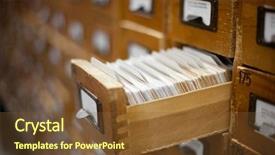
 Presentation with database - Colorful PPT layouts enhanced with index cards - database concept vintage cabinet library backdrop and a tawny brown colored foreground

Database Concept Vintage Cabinet Library

In a world where memories are stored in databases, data is meticulously organized, and records are kept in file cabinets, the concept of a library or repository emerges. A system that allows us to easily access, manage, and share information is essential for productivity and efficiency. This PowerPoint template, Corner Title, is designed to resemble an old vintage cabinet, where each slide represents a specific section of the database. The background images feature high resolution photographs of library shelves, file cabinets, and old computer systems, creating a nostalgic atmosphere that evokes the feeling of exploring a well organized archive. The Saddle Brown color palette provides a warm and inviting ambiance, reminiscent of leather bound books and wooden decorations. As you navigate through the template, you'll discover four How To slides to help you get up and running quickly, each with its own unique layout and design elements that enhance the overall user experience. This template is not just about data visualization, but also about creating a cohesive theme that spans across all slides. The "Thank You" Layout slide serves as a nice touch, offering a visually appealing background that highlights your name or logo while providing valuable information about how to use the template effectively. Having a consistent layout and design throughout the template ensures that it remains professional and polished, even in complex presentations.

 Presentation with database - Theme enhanced with hand using phone with database background and a teal colored foreground

Hand Using Phone Database Reports

Theme enhanced with hand using phone with database reports and online work concept background

 Presentation with database - Presentation design having emerging technologies - hand using laptop with database background and a teal colored foreground

Hand Using Laptop Database Reports

Presentation design having hand using laptop with database reports and online work concept

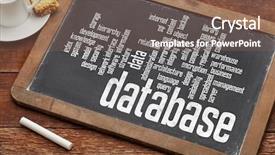
 Presentation with database - Cool new slides with software desihn - database word cloud backdrop and a violet colored foreground

Database Word Cloud Vintage Slate

Slides with database word cloud on a vintage slate blackboard with a chalk and cup of coffee

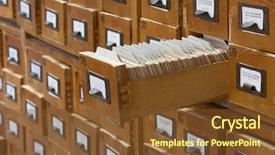
 Presentation with database - Colorful PPT layouts enhanced with alphabetical archive - database concept vintage cabinet library backdrop and a tawny brown colored foreground

Database Concept Vintage Cabinet Library

The Corner Title PowerPoint template is designed to transport your audience into a vintage inspired database concept that seamlessly integrates with Google Slides. Its Saddle Brown color palette evokes the nostalgia of classic libraries and archives, where records are meticulously cataloged and stored. This template features a Widescreen format, perfect for presentations that require ample space to display images and graphics. The high resolution background images are carefully selected to provide a rich visual experience for your audience. As they explore this template, you can include a Background With image that showcases the library's treasured collection of vintage cabinets and books. The Corner Title template is downloadable and compatible with Google Slides, ensuring a smooth transition into your presentation. The Hexagon Layout slide is particularly useful for creating a visually appealing grid system to organize your content. This layout allows you to include clear headings and sections, making it easy to structure your slides effectively. As you explore this template, remember that its Enhanced With theme of vintage inspired design is sure to delight your audience. Featuring the combination of sleek modern elements with classic styles, this template is a perfect blend of functionality and aesthetics. Having a Theme of a library or archive would be particularly fitting, allowing you to showcase the template's integration with Google Slides while highlighting its connection to the world of education and memory.

 Presentation with database - Audience pleasing presentation theme consisting of ict - hand writing the text database backdrop and a dark gray colored foreground

Hand Writing Text Database

Presentation theme consisting of hand writing the text database

 Presentation with database - Amazing theme having concept with printed and code backdrop and a  colored foreground

Database Concept Printed Coded Database

In a world where data reigns supreme, and code is the language of kings, this powerpoint template takes you on a journey to showcase the database concept with printed and coded database records in all its glory. It's a richly textured landscape that invites you to explore the inner workings of high resolution images for the background, the template being downloadable and compatible with Google Slides. The royal blue color palette is the perfect setting for this stunning design, featuring subtle nuances of green and purple that evoke feelings of luxury and sophistication. The template keywords "code", "data", "floppy", "concept", and "isolated" are woven throughout the layout to create a cohesive theme. At the heart of this template lies a 6 x 6 Org Chart Layout slide, which features a clean and modern design that showcases your company's structure. Each level of management is represented by a unique symbol, adding an extra layer of depth and meaning to this already impressive visual hierarchy. With its emphasis on organization and clarity, this layout is sure to impress. The template also includes four How To slides that will get you up and running quickly. These slides provide valuable insights into setting up your database and creating reports, including examples such as "Creating a Database Schema" or "Designing a Data Visualization". By including these slides, you'll be well on your way to becoming an expert in data management. The template's downloadable format is perfect for sharing with colleagues, clients, or even students. Just drag and drop it into Google Slides, and you're ready to go. With its enhanced theme of organization and clarity, this powerpoint template is sure to make a lasting impression.

 Presentation with database - Theme with emerging technologies - hand using laptop with database background and a teal colored foreground

Hand Using Laptop Database Reports

Theme with hand using laptop with database reports and online work concept

 Presentation with database - Slide deck having database - businessman typing on laptop background and a coral colored foreground

Businessman Typing Laptop Linked Reports

Slide deck having businessman typing on laptop with linked reports charts grapghs

 Presentation with database - PPT theme enhanced with network marketing - hand using phone with database background and a coral colored foreground

Hand Using Phone Database Reports

The Corner Title PowerPoint template is designed to revolutionize your presentation style with its unique Sky Blue color palette and high resolution images that will make your slides stand out in today's digital age. This customizable template features a modern design that seamlessly blends the need for quick and effective communication with the importance of showcasing data and reports, all within an office setting where hold is paramount. With four essential slides to help you get up and running quickly including a "How To" section featuring high quality images of phone screens, computer monitors, and even database reports this template is perfect for presenting your ideas in a clear and concise manner. The Sky Blue color palette provides a professional yet approachable look that will leave your audience feeling relaxed and engaged. The Corner Title template also features an enhanced background with a subtle design element, making it easy to incorporate into your slides without looking too cluttered or overwhelming. With its focus on data and screen focused content, you'll be able to showcase your expertise in an impressive way. The high resolution images included are the perfect addition to any presentation, allowing you to include them seamlessly within your slides. This template is fully compatible with Google Slides, making it easy to import into your preferred platform and enhance its features with additional text and design elements as needed. Whether you're creating a presentation for a meeting or conference, this Corner Title template is sure to grab the attention of your audience and leave a lasting impression.

 Presentation with database - Theme featuring holding tablet with global database background and a navy blue colored foreground

Hand Holding Tablet Global Database

Theme featuring hand holding tablet with global database concept

 Presentation with database - Beautiful presentation featuring emerging technologies - hand using laptop with database backdrop and a light blue colored foreground

Hand Using Laptop Database Reports

Presentation featuring hand using laptop with database reports and online work concept

 Presentation with database - Slides enhanced with alphabetical archive - database concept vintage cabinet library background and a coral colored foreground

Database Concept Vintage Cabinet Library

From the moment you open your eyes to the end of another day, memories are etched in our minds like precious documents stored away in a dusty old file cabinet. These recollections shape who we are and what we do they're the building blocks of data that help us navigate life's complexities. A corner title is more than just a phrase on your screen; it's an invitation to explore, to learn, and to connect with others. This template is designed to be visually stunning, featuring high resolution images that bring to life the concept of education, memory, and data. To get started, simply find the 4 How To slides at the beginning of the deck and dive right in. But don't worry if you're new to PowerPoint; once you start using this template, you'll be off to a flying start. The template is compatible with Google Slides, making it easy to import your own images or use their high resolution backgrounds. As you work through the slides, feel free to experiment with different layouts and styles some of these templates have a vintage flair, while others have a modern edge. This corner title template includes all the features you need: a dark goldenrod color palette that evokes feelings of nostalgia and sophistication. With its rich, muted tones, this theme is perfect for presentations about history, technology, or even just everyday life. The high resolution images will make your data look professional and polished, while the Dart Layout slide lets you customize it to fit your needs. The template includes a background with a subtle texture that enhances the overall look and feel of your presentation. Including a Background With feature, you can add more depth and dimension to your slides without overwhelming them. Having a Theme of enhancement allows you to take your presentations to the next level from basic to advanced, this corner title template is sure to impress. As you dive deeper into your content, keep in mind that having a unique and personalized look is key to making your presentation stand out. The enhanced formatting options on some slides allow for a more dynamic feel, while others have a clean and minimalist aesthetic. Whether you're creating a database or just want to make your data pop, this corner title template has got you covered.

 Presentation with database - PPT layouts consisting of hand using phone with database background and a seafoam green colored foreground

Hand Using Phone Database Reports

The world of data visualization is rapidly evolving, and with it comes the need for sleek and powerful tools to bring information to life. If you're looking to create a compelling presentation that stands out from the crowd, look no further than the Corner Title template provided by CrystalGraphics. This stunning Widescreen design is set against a dark cyan background, perfect for delivering high quality visuals to your audience. The template features four key slides designed to help you get up and running quickly: A Step by Step Guide To Creating Your Own Data Visualization , How To Slide To Enhance Presentation Delivery , Design Tips For Customizing The Corner Title , And An Example Of How To Include A Background With Stunning Images . The Corner Title has a high resolution image of people working on their computers, showcasing the office environment where data is being processed and visualized. This design is ideal for presentations about online work or data analysis. With its Dark Cyan color palette and professional keywords such as "quick", "data", "screen", "office", and "hold", this template is sure to make a lasting impression on your audience. The background images are high resolution, ensuring that the details of your slides are visible and clear. The Corner Title features a theme of sleek and modern design, perfect for presentations that require a professional touch. It's an enhanced version with additional features such as animated effects and interactive elements.

 Presentation with database - Beautiful presentation design featuring holding tablet with global database backdrop and a ocean colored foreground

Hand Holding Tablet Global Database

Presentation design featuring hand holding tablet with global database concept

 Presentation with database - Amazing slides having concept with printed and code backdrop and a sky blue colored foreground

Database Concept Printed Coded Database

Slides having database concept with printed and coded database records

 Presentation with database - Presentation theme having databse - hand holding tablet with global background and a navy blue colored foreground

Hand Holding Tablet Global Database

Presentation theme having hand holding tablet with global database concept

 Presentation with database - Cool new PPT theme with database concept with printed and coded database records backdrop and a tawny brown colored foreground

Database Concept Printed Coded Database

The Sidebar Title template is a sleek and modern design that perfectly captures the essence of a database concept with printed and coded database records. This template features a high resolution image of a computer screen displaying a complex database interface, complete with rows and columns of data and code snippets. The background is a warm olive color that evokes feelings of professionalism and expertise. The Sidebar Title template is designed to be downloadable and compatible with Google Slides, making it easy to incorporate into your presentations. It's also optimized for widescreen formats, ensuring that the design looks great on any device. With its rich olive color palette, this template features a theme of "Database Concept" that perfectly complements the high resolution images throughout. The template includes four How To slides at the start of the deck to help you get up and running quickly. These slides feature interactive elements such as buttons and links that allow users to explore the database concept in more depth. The Gears in Sync Layout slide is particularly noteworthy, featuring a cleverly designed layout that showcases the different components of the database interface. This template would be an excellent choice for anyone looking to create engaging presentations about databases or coding concepts. Featuring a background with a subtle gradient effect, this template includes having a theme of "Database Concept" and enhanced with high resolution images throughout.

 Presentation with database - Presentation design featuring hand-touching-digital-table background and a ocean colored foreground

Hand Touching Digital Table Database

Imagine being surrounded by a sea of data, with the latest software and IoT technologies at your fingertips, all presented in a sleek and modern design that's sure to turn heads. The Corner Title template is your key to unlocking this digital wonderland, featuring four easy to follow How To slides that will get you up and running quickly, helping you navigate the complexities of your new digital world. The template boasts a stunning Medium VioletRed color palette that brings warmth and sophistication to any presentation or design project. Its medium violet red hues are reminiscent of high resolution images for the background, elevating the overall look and feel of your content. This custom made template is perfect for Google Slides users, who can feature it as their new standard for presentations and projects, including a Background With stunning illustrations, Featuring a clean and minimalist layout that's free from clutter, Having a Theme of modern tech, Enhancements in font sizes and styles to match your presentation style.

More Database templates for PowerPoint and Google Slides:

previous 1 2 3 4 5 6 7 8 9 next
93% of Fortune 1000
companies use our
PowerPoint Products
Templates Secure

Standing Ovation Award
Winner: Best PowerPoint
Template Collection
Fortune Logos
200,000+ satisfied
customers worldwide!
Guarantee
100% satisfaction guaranteed
- or send it back for a refund!

Sign up for our free newsletter! You'll get news about our PowerPoint-enhancing product line – including free updates, new product announcements and exclusive special offers. Plus you'll get a link to a free PowerPoint template with every newsletter you receive.
Privacy Policy
Loading...


Help

Contact Us
Product FAQs
Product License Agreements

Company Info

About Us
Privacy Policy
CrystalGraphics, Inc. 1999 S. Bascom Avenue Suite 700 Campbell, CA 95008 USA
© 2025 CrystalGraphics, Inc. All rights Reserved.    |     PowerPlugs is a trademark of CrystalGraphics, Inc.
Microsoft and the PowerPoint logo are trademarks or registered trademarks of Microsoft Corporation in the United States and/or other countries.
Loading...
Loading...