www.crystalgraphics.com CrystalGraphics
  • Ultimate Combo
  • Templates
  • Diagrams
  • Characters
  • Quizzes
  • shopping cart
  • Sign Out Sign Out Sign In
Home > Templates > Deadlock Category
search icon
advanced icon

24 Best Deadlock-Themed Templates for PowerPoint and Google Slides

CrystalGraphics creates templates designed to make even average presentations look incredible. Below you’ll see thumbnail sized previews of the title slides of a few of our 24 best deadlock templates for PowerPoint and Google Slides. The text you’ll see in in those slides is just example text. The deadlock-related image or video you’ll see in the background of each title slide is designed to help you set the stage for your deadlock-related topics and it is included with that template. In addition to the title slides, each of our templates comes with 17 additional slide layouts that you can use to create an unlimited number of presentation slides with your own added text and images. And every template is available in both widescreen and standard formats. With over 6 million presentation templates available for you to choose from, CrystalGraphics is the award-winning provider of the world’s largest collection of templates for PowerPoint and Google Slides. So, take your time and look around. You’ll like what you see! Whether you want 1 great template or an ongoing subscription, we've got affordable purchasing options and 24/7 download access to fit your needs. Thanks to our unbeatable combination of quality, selection and unique customization options, CrystalGraphics is the company you can count on for your presentation enhancement needs. Just ask any of our thousands of satisfied customers from virtually every leading company around the world. They love our products. We think you will, too!

Features & Pricing

Widescreen (16:9) Presentation Templates. Change size...
 Presentation with deadlock - Slide deck with deadlock - traffic in the rain background and a dark gray colored foreground

Traffic Rain.

In a world where the rain pours down like a relentless drumbeat on the city streets, where the windshield wipers blur out the view and the GPS guide leads only to deadlocks, and where every highway is a four lane nightmare, there's one thing that stands above the rest the thrill of speed. The Split Title template is a sleek and modern design that captures the essence of high speed driving on the open road. The widescreen format is perfect for showcasing dramatic rain soaked cityscapes with lightning fast cars weaving in and out of the traffic lights. The sky blue color palette, ranging from pale pastels to deep navy, evokes the feeling of a clear day just before a storm hits, while also hinting at the chaos that can erupt when the weather takes its toll on the road. This template is designed with users who want to turn their presentations into a thrilling ride. With 4 How To slides that come out of the box, you're off to a flying start, but don't worry if you need some extra guidance we've got your back. Featuring high resolution images for a truly immersive experience, including a background with dynamic effects and having a theme of seamless transitions, this template is sure to impress. The Split Title template can be customized in various ways, such as adding a custom color scheme or incorporating interactive elements like animations and transitions. Having a design that enhances your content with professional grade graphics and fonts makes it easier for viewers to digest the information being presented. With its clean layout and modern aesthetic, this template is sure to make a lasting impression on your audience both on and off the road.

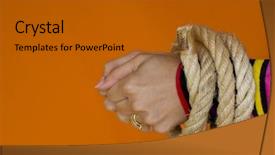
 Presentation with deadlock - Slide deck enhanced with deadlock - hands tied-up background and a  colored foreground

Hands Tied-up

Imagine starting your day with the radiant glow of warm chocolate hues, setting the tone for a sophisticated and stylish morning routine. The Corner Title template from CrystalGraphics is here to revolutionize the way you present yourself on Google Slides, featuring an 8 picture grid layout that showcases four high resolution images that will leave a lasting impression. The design name "Corner Title" exudes elegance, with clean lines and simple typography that creates a sense of luxury and refinement. The template's color palette is rich in warm tones, reminiscent of fine chocolate, which sets the tone for a cohesive and inviting visual identity. At its core, this template is all about enhancing your brand's image, making it perfect for women who want to stand out from the crowd with a polished and sophisticated look. One of the standout features of this template is its ability to incorporate a background with ease, allowing you to easily add or remove elements as needed. Featuring an expertly designed grid layout that showcases four high resolution images, you'll be able to display your favorite products, services, or brand ambassadors in a visually appealing way. The 8 picture grid layout allows for easy customization, making it simple to include a background with ease, having a theme of enhancing the visual identity of your presentation. Adding a personal touch can enhance the overall look and feel of your presentation, and featuring an expertly designed template that makes this process seamless is truly impressive.

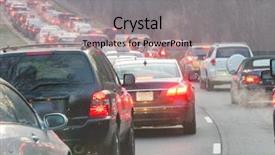
 Presentation with deadlock - Presentation having deadlock - traffic jam during evening rush background and a light gray colored foreground

Traffic Jam During Evening Rush

As you navigate through the winding freeway, the rain pours down on you like a relentless crush, weighing heavily on your windshield as you inch along, desperate to escape the traffic jam. The high resolution images of crowded roads and dimly lit streetlights create an immersive atmosphere that simulates the stressful drive home from work on a drizzly evening. The Steel Blue color palette dominates this design, evoking a sense of professionalism and trustworthiness. However, it's clear that the template is more than just a straightforward PowerPoint presentation it's a captivating visual experience that will draw you in and keep you engaged. One of the standout features of this template is its ability to seamlessly integrate background images, showcasing stunning high resolution photos of rainy days and congested freeways. The Picture on Right With Caption Layout slide could be used to include an image of a cityscape at night, with rain soaked cars crawling along the highway in the foreground. As you glance over at this slide, you can imagine yourself trapped in traffic, feeling the weight of the world bearing down on your shoulders. To enhance the overall experience, the template comes with 4 How To slides that will guide you through the process of creating a custom presentation but for now, let's focus on the inspiration behind it all. This template is designed to be flexible and adaptable, allowing you to incorporate its unique features into your own content while maintaining its core essence. With its high resolution images, Steel Blue color palette, and thematic elements, this template is sure to leave a lasting impression and with its compatibility with Google Slides, you'll have all the tools you need to bring it to life.

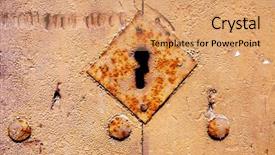
 Presentation with deadlock - Slides with business investment concept of stock and share market with calculator and money note shallow depth of field background and a soft green colored foreground

Closeup Ancient Riveted Door Old

As you delve into the world of digital design, there's one thing that stands out creating a template that truly captures the essence of your brand. Introducing Wide Title, a stunning Widescreen PowerPoint template designed to bring your presentations to life. This template is not just a blank slate waiting for your creativity; it's a high resolution showcase of the Sandy Brown color palette, featuring intricate details and patterns that will leave your audience in awe. With Wide Title, you can create a seamless transition between content and design. The Widescreen format ensures that every slide has ample space to breathe, making it easy to include high quality images and graphics. Whether you're showcasing an ancient riveted door or highlighting a complex deadlock scenario, the Sandy Brown color palette provides a warm and inviting background that will enhance your message. The template is compatible with Google Slides, so you can create stunning presentations on the go. And the best part? It's downloadable, featuring a Background With high resolution images that you can use to create your own unique designs. But what really sets Wide Title apart is its compatibility with other popular presentation software. Having a Theme of, this template is Enhanced With features that make it easy to customize and extend. Imagine presenting a riveted door in all its glory on slide 1, followed by an image of a lock and key combination on slide 2. The grid layout feature allows you to include multiple images seamlessly, making it easy to tell a story or illustrate a concept. Whether you're using the template for a business presentation, a conference, or even just a personal project, Wide Title is the perfect starting point.

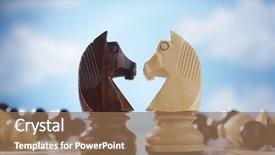
 Presentation with deadlock - PPT layouts consisting of deadlock - two knights face to face background and a coral colored foreground

Two Knights Face Face Chessboard

Imagine a world where strategy and skill reign supreme, where the art of chess comes alive in your presentation. Welcome to the Corner Title template by CrystalGraphics, a masterpiece that will elevate your slides from ordinary to extraordinary. This stunning widescreen design features a light blue color palette that exudes warmth and sophistication, perfect for presenting your game plan. The Corner Title is available as a downloadable template compatible with Google Slides, making it easy to incorporate into your workflow. Its unique design elements include four How To slides that will help you get up and running quickly: Featuring a comprehensive guide to creating engaging titles, Including tips on designing effective slide layouts, Having an emphasis on using eye catching images to draw viewers in, and Enhancing your presentation with a built in theme of "Game On". The Puzzle Pieces Layout slide is particularly noteworthy. With clear illustrations of the chessboard pieces, this slide provides a unique opportunity to showcase your knowledge of the game while adding visual interest to your slides. Imagine presenting a captivating animation featuring two knights facing each other on their respective squares it's a scene that will leave audiences mesmerized and eager to learn more. By incorporating these elements into your presentation, you'll be sure to captivate your audience and leave a lasting impression. So why wait? Get ready to unleash your inner chess champion with the Corner Title template by CrystalGraphics.

 Presentation with deadlock - Presentation theme enhanced with health care health care reform background and a yellow colored foreground

Colorful Capsules Clock Symbolic Photo

The Corner Title template is a dynamic and eye catching design that captures the essence of reforming our healthcare system. This versatile template features a high resolution image of colorful capsules on a clock, symbolizing timekeeping and precision, alongside a symbolic photo for health care, emphasizing the importance of timely interventions. The Burly Wood Colored theme provides a warm and inviting atmosphere, while the four How To slides at the start of the deck are designed to help users get up and running quickly. The template's Quotation Layout slide is enhanced with a clear call to action, featuring a prominent headline that includes the words "Creating Change" and "Empowering Healthcare". This style allows for easy customization and personalization. Including a Background With high resolution images of key statistics, such as mortality rates and disease prevalence, adds credibility to the template. Having a Theme of empowering healthcare and promoting positive change is reflected throughout the design, from the layout and color palette to the overall tone. The Corner Title template's Burly Wood Colored theme provides a unique and eye catching background for a range of uses, including presentations, posters, and even social media graphics. Featuring a clockwork mechanism with multiple gears, this design element suggests precision and innovation, making it an ideal choice for showcasing dynamic data or highlighting key statistics.

 Presentation with deadlock - Slide set with deadlock on the railway background and a tawny brown colored foreground

Deadlock Railway

The scene is set in a dimly lit railroad yard, where the sound of hammering and chatter fills the air as workers scramble to meet the deadline. The walls are lined with steel beams and the smell of grease and concrete wafts through the atmosphere, evoking a sense of urgency and chaos. But amidst the mayhem, a group of engineers gather around a large map of the railway system, poring over maps and blueprints in an attempt to resolve the deadlock on the tracks. The high resolution images for the background are indeed stunning, featuring detailed depictions of locomotives and trains in various stages of operation. The template is downloadable and compatible with Google Slides, ensuring that users can easily incorporate its unique features into their presentations. As a Dark Goldenrod themed template, Wide Title stands out from the crowd, boasting a rich and evocative color palette that perfectly captures the essence of the railway scene. Featuring a striking combination of steel grey, burnt orange, and deep crimson hues, this template is sure to draw attention and evoke strong emotions in those who behold it. The Four Arrows Layout slide is a highlight of the template, offering users a customizable and interactive way to present their information. This innovative design allows for easy editing and rearranging of content, making it an excellent choice for presentations where visuals are key. Having a Theme of "Railway Revival" would enable creators to showcase their unique perspective on this iconic industry. With its Dark Goldenrod color palette, High Resolution images, Four Arrows Layout slide, and more, Wide Title is sure to enhance any presentation or project that features steel, forest, concept, sign elements.

 Presentation with deadlock - Presentation having deadlock - door brass knock hand shape background and a gold colored foreground

Door Brass Knock Hand Shape

The world of PowerPoint templates is vast and wondrous, offering endless possibilities for creativity and self expression. From sleek and modern designs to rustic and charming ones, the options are truly endless. Here's what you can expect from this template: Imagine stepping into a warm Mediterranean villa in Spain, surrounded by lush greenery and vibrant flowers, all set against a stunning sandy brown background that will transport you to the sun kissed beaches of the country. This is exactly what you'll experience with the Wide Title template, designed specifically for showcasing your content in a wide screen format. The Sandy Brown color palette provides a soothing and inviting atmosphere, perfect for presentations that require a touch of elegance or whimsy. The template features high resolution images throughout, adding depth and visual interest to each slide. The design is simple yet sophisticated, making it easy to customize and personalize with your own branding. This Wide Title template is compatible with Google Slides, ensuring seamless integration into your workflow. As you delve into the template's features, you'll discover four How To slides that will help you get up and running quickly. These slides provide valuable tips and tricks for creating stunning presentations, from designing a theme to enhancing visuals. On top of this, we also include a Theme section on the Pro slide where you can customize any elements of the template. The Pros and Cons layout slide is an invaluable resource when deciding whether to use or enhance your design. With its intuitive interface, it allows you to weigh the advantages and disadvantages of each aspect, helping you make informed decisions about your template's final product. This slide is particularly useful for small businesses looking to streamline their workflow or individuals seeking a more tailored solution. Including a Background With feature in this template provides an opportunity to create unique visual effects, adding a touch of drama and flair to your slides. Having a Theme of option allows you to experiment with different design elements without sacrificing flexibility. The Wide Title template is more than just a beautiful design – it's also incredibly versatile. You can use it as the centerpiece for a presentation or incorporate it into various slides throughout your content. With its wide screen format and stunning Sandy Brown background, this template is sure to captivate your audience and leave a lasting impression.

 Presentation with deadlock - PPT theme enhanced with deadlock - hands tied-up background and a gold colored foreground

Hands Tied-up

As you begin to design your Corner Title template, the question on everyone's mind is how to make it truly stand out from the crowd. You want something that will grab attention and leave a lasting impression, and that's exactly what this Dark Goldenrod themed template is all about. The Corner Title template is available in Widescreen format, perfect for showcasing your best work or creating a dynamic presentation. The design name itself hints at the themes of corner title logos and rope knots, giving you a clear idea of what to expect from this template. Featuring high resolution images that will make your slides look like they were printed on real paper is no coincidence these images are designed to enhance your branding and add a touch of professionalism. The Dark Goldenrod color palette is not just a pretty color scheme, it's also the perfect backdrop for any type of content. From strings to ropes, there's something about this color that evokes a sense of strength and durability, making it an ideal choice for presentations that require a bold statement. Ansoff Matrix Diagram Layout slide, featuring a simple yet effective background with rounded corners is just one example of how you can showcase your template in style. Including a Background With rope knots or other creative elements will make your presentation stand out from the crowd and leave a lasting impression on your audience. Having a Theme of creating dynamic presentations that are both visually appealing and easy to use is at the heart of this template, making it an excellent choice for anyone looking to elevate their PowerPoint game. Enhanced with the additional features such as strings or colors, this template is sure to impress.

 Presentation with deadlock - Amazing presentation theme having deadlock - dark empty interior backdrop and a gray colored foreground

Dark Empty Interior

The walls seemed to close in on you as darkness seeped into every corner of the abandoned warehouse. The only sound was the creaking of rusty pipes and the faint hum of fluorescent lights overhead. Imagine walking through a vast, empty space that feels like it's been left untouched for decades, yet somehow still holds a hint of life. This is what you'll experience when you use the Split Title template from CrystalGraphics. The design name captures the essence of this dark and moody atmosphere perfectly. The template format is optimized for widescreen presentation, with a rich dark slate blue color palette that will give your slides a sophisticated look. The theme of this template is heavily inspired by concrete structures and stained glass windows, giving it an industrial chic feel. For instance, you could use a high resolution image of a vintage stained glass window as the background for one of the slide features. The template keywords include "concrete", "stained", "deadlock", "interior", and "gray" to give your slides a cohesive look. With four How To slides at the beginning of the deck, you'll be able to get up and running quickly with minimal setup. However, these slides can serve as inspiration for creating custom slides that showcase how to incorporate background images and colors seamlessly into your presentation. The five Level Piramid Layout slide is designed to provide a clear visual hierarchy within each slide, making it easy to organize your content and ensure that your message stands out on screen. This template also allows you to include a background with a subtle texture or gradient effect, enhancing the overall visual impact of your slides.

 Presentation with deadlock - Theme consisting of deadlock - old grunge interior background and a gray colored foreground

Old Grunge Interior

In the midst of a cluttered, worn down interior, there's an old grunge exterior that seems to be holding on by a thread. But despite the rough around the edges aesthetic, there's something that calls to you a sense of concrete realism that speaks to the harsh realities of modern life. The stained walls and weathered floors seem to tell a story of their own, one of resilience and adaptability in the face of adversity. The Wide Title template is designed to evoke this same feeling, with its bold, block font and distressed texture. The Widescreen format allows for a full screen image to dominate the background, while the Peru color palette brings warmth and depth to the overall design. Featuring high resolution images throughout, the template is fully customizable to fit your unique style. When it comes to incorporating this look into your presentation, the possibilities are endless. You could use it as a backdrop for a dramatic reveal or a key note slide. Having a theme of blending contrasting elements, the Wide Title template pairs perfectly with bold, graphic backgrounds and striking typography. Enhanced with clever animations and transitions, you can create an immersive experience that engages your audience from start to finish. The circular approach layout is also a great way to incorporate this look into your presentation. By featuring a clear focal point in the center of each slide, you can create visual balance and harmony that draws the eye towards your message. This template would be particularly useful for presentations that require a lot of complex information or technical jargon, as it allows you to present data in a clear and concise manner.

 Presentation with deadlock - A person with a lot of deadlocks in the background

Binary Deadlock

A person with a lot of deadlocks in the background

 Presentation with deadlock - Slides featuring deadlock - dark empty interior background and a dark gray colored foreground

Dark Empty Interior

Imagine walking into a dark and empty interior that exudes a sense of grandeur and starkness, like the imposing structure of a modern skyscraper. The air is thick with an air of mystery, and the only sound is the faint hum of electricity in the darkness. This is the aesthetic that awaits you with Wide Title a powerpoint template designed to transport your audience into a world of sleek lines, industrial textures, and moody lighting. The Dark Slate Blue color palette provides a dramatic backdrop for your content, evoking feelings of sophistication and creativity. High resolution images of concrete, stained glass, and metal will add depth and visual interest to the design. Wide Title itself is crafted from a unique blend of fonts, carefully arranged to create a sense of flow and fluidity. The template's structure is designed to enhance your message, with four key slides at its foundation: How To guides to get started, an Arrow Stages Layout slide that provides context for your content, a Featured Image highlighting the power of Wide Title in showcasing your brand or topic, and Including a Background With animations and transitions to bring your presentation to life. Having a Theme of sophistication and creativity, Wide Title is sure to leave a lasting impression on your audience. From the dimly lit interior to the sleek lines and industrial textures, Wide Title is the perfect template for creating visually striking presentations that command attention.

 Presentation with deadlock - Beautiful PPT layouts featuring deadlock - old room retro filtered instagram backdrop and a violet colored foreground

Old Room Retro Filtered Instagram

In the midst of a drab and sterile space, a worn and weathered exterior beckons to be transformed into a vibrant and eye catching sanctuary. The Wide Title is designed to convey this sense of transformation, featuring a distressed brown background with high resolution images that evoke the feeling of aged concrete and rough hewn wood. As you step inside, the stained glass windows add a pop of color, while the intricate patterns on the walls create an immersive atmosphere. The overall effect is one of warmth and personality, making this template a perfect fit for businesses looking to convey their unique brand identity. The Wide Title template format allows for a seamless integration with Google Slides, making it easy to customize and tailor to your specific needs. Whether you're creating a website, social media content, or marketing materials, this template is sure to enhance your visuals and elevate your online presence. With its rich brown color palette, featuring high resolution images that will transport you back in time, this template is the perfect companion for Instagram style filtered backgrounds. The contrast between the rough hewn textures and the bright, bold colors creates a visually striking effect, making it an ideal choice for showcasing products or services. Whether you're looking to create a dramatic entrance or enhance your website's design, the Wide Title template is sure to impress. Its compatibility with Google Slides ensures that you can easily add your own content and customize the layout to suit your needs. In terms of image layout, the Contrast Background feature allows for easy customization, making it simple to swap out high resolution images to match your brand identity. The Stained Glass Effect adds an extra layer of visual interest, while the Patterned Walls create a dynamic and immersive atmosphere. With its rich brown color palette and distressed textures, this

 Presentation with deadlock - Theme featuring deadlock - lonely bicycle has got stuck background and a light blue colored foreground

Lonely Bicycle Stuck Snow Lake

The winter landscape is a frozen canvas, perfectly capturing the essence of a cold and crisp morning. A lone bicycle stands motionless on the snow covered road, its sleek wheels glistening in the pale light. The scenery is serene yet inviting, as if beckoning anyone who dares to venture out into this winter wonderland. This is where Corner Title comes in a stunning PowerPoint template that will transport you and your audience to a world of tranquility and adventure. Corner Title features high resolution images for the background, creating a visually striking experience that's sure to grab attention. The template is specifically designed with light steel blue as its primary color palette, which sets the tone for a refreshing and uplifting atmosphere. This theme is perfect for a tourism focused presentation or any occasion where you want to showcase your creativity. This template includes four How To slides at the start of the deck to help users get up and running quickly, but let's not focus too much on technical aspects just yet. When it comes to Social Media Concept Layout, Corner Title has got you covered imagine a simple yet effective design that complements high quality images with easy to read text, perfect for sharing your content on platforms like Instagram or Facebook. As you navigate through the template, you'll notice a seamless integration of wheels and bicycle imagery throughout. The theme is enhanced with illustrations of snow covered roads and winter landscapes, making it an ideal choice for any presentation that involves tourism or travel. By including a background with dynamic images, you can create a visually engaging experience that will keep your audience engaged and interested in the content. The template is also compatible with Google Slides, ensuring compatibility across different platforms. With Corner Title, you'll be able to showcase stunning visuals and easy to read text, making it an excellent choice for any business or marketing presentation that requires a professional touch.

 Presentation with deadlock - Cool new PPT layouts with deadlock - depression backdrop and a light gray colored foreground

Depression.

In a world where sadness often clouds our perspectives and darkness can descend like a heavy shroud, one must be mindful of the corners that need to be addressed. The corner title template by CrystalGraphics is here to provide the necessary tools for students looking to showcase their creations in a high end way. This stunning Widescreen template features a Royal Blue background that serves as the perfect canvas for displaying a wide range of layouts, from simple and elegant to complex and intricate. The Corner Title template is a versatile piece of content, designed to enhance any presentation or slideshow with its unique blend of style and sophistication. High resolution images are woven throughout the design, creating a visually appealing backdrop that will leave your audience in awe. Whether you're trying to convey the struggles of depression or simply want to add some flair to your slides, this template has got you covered. With 60+ Layouts slide options at your disposal, Corner Title is sure to help students like you get up and running quickly with their content creation. And for those seeking inspiration, we've included several premium templates on our website that offer a range of unique design elements and layouts to explore. Featuring high quality images, intricate details, and bold typography, these templates are perfect for showcasing your work in the best possible light. This template is downloadable and compatible with Google Slides, making it easy to incorporate into your workflow. Having a theme of featuring a captivating background with dynamic graphics and effects, you'll be able to enhance any presentation or slideshow with ease.

 Presentation with deadlock - Cool new presentation theme with deadlock - depression backdrop and a light gray colored foreground

Depression.

The world of mental health is often shrouded in darkness and despair, much like the foreboding landscape that looms on the horizon of our youth. A figure standing alone, lost and consumed by their sorrow, echoing the phrase "feeling trapped" as they struggle to find a way out of this void. The Corner Title, designed with care for students who have been there, understands the pain and complexity of depression, featuring high resolution images that capture the essence of the human experience. Our template is tailored for those who feel like they are drowning in their emotions, seeking solace in the simple things. With a warm tan color palette, evoking feelings of comfort and familiarity, it is perfect for creating a soothing atmosphere that will help you relax and unwind. The Corner Title allows you to include a background with a serene landscape, such as a misty mountain range or a peaceful lake, giving your presentation a sense of calm. At the 5 Stages Pentagon Layout slide, you can showcase the different phases of depression, highlighting the struggles and challenges that students may face along their journey. This layout is enhanced by providing additional information on common symptoms, warning signs, and coping strategies, making it easier for students to navigate this difficult topic. With its user friendly design, the Corner Title makes it simple to get up and running quickly, featuring a downloadable template that can be used with Google Slides. The Corner Title is not just a presentation tool, but also an educational resource that provides valuable insights into mental health. By using high resolution images and incorporating a background with a soothing landscape, you can create a comprehensive and engaging presentation that will help students understand the complexities of depression. Whether you're teaching about anxiety, stress, or trauma, this template is sure to provide a solid foundation for your learning journey.

 Presentation with deadlock - Audience pleasing slide set consisting of deadlock - businesswoman shame backdrop and a gold colored foreground

Businesswoman Shame

In a world where expertise knows no bounds, a businesswoman with a hidden agenda may try to shape the market by entangling others in her web of deceit. But how can you avoid getting stuck in this trap? This template is for those who want to create a powerful and informative presentation that showcases their knowledge of ring, entangle, mislead, deadlock, and expertise. The Goldenrod color palette will transport your audience into a world of sophistication and professionalism. The Corner Title is designed specifically for Widescreen presentations, giving you the flexibility to feature high resolution images in the background. The Goldenrod theme provides a warm and inviting atmosphere that sets the tone for a presentation that's both informative and engaging. You can include a Background With a subtle gradient effect or have a Theme of showcasing 4 High Resolution Images that showcase different aspects of your expertise. This template is not just for presentations, it's also a download and a compatible format with Google Slides, making it easy to enhance its capabilities. The Goldenrod color palette will help you stand out in the crowd while maintaining a professional tone. To get started quickly, follow these 4 How To slides to help you create a compelling presentation that leaves a lasting impression on your audience. This template can be enhanced with Additional Images and Graphics to make it more engaging and interactive. You can also customize the layout and design to fit your specific needs.

 Presentation with deadlock - Slides enhanced with deadlock - old grunge interior with brick background and a tawny brown colored foreground

Old Grunge Interior Brick Walls

The old, gritty world of industrial landscapes and worn concrete a place where the raw material of progress meets the rough around the edges charm of decay. Imagine stepping into a dimly lit, brick walled room that's been left to age, with high resolution images of vintage machinery or crumbling buildings serving as the perfect backdrop for your presentation. The Split Title template is designed to evoke this world, with its warm sienna color palette and distressed textures that evoke a sense of history. The widescreen format ensures that every detail is fully rendered, from the intricate brickwork to the rough hewn concrete floors. A downloadable template compatible with Google Slides makes it easy to incorporate into your presentation. The sienna background also lends itself perfectly to incorporating high resolution images featuring stained glass or metalwork a great way to enhance the visual interest of your slide. And having a theme of "decoration" or "interior design" can be particularly useful when looking for inspiration from old factories or warehouses, with their rough hewn concrete and reclaimed materials. The template is also designed to feature a clear 4x4 org chart layout, complete with names, titles, and levels. This can be particularly helpful in creating a hierarchy of information that's easy to follow, while still allowing for the inclusion of images and graphics. For example, you might include an image of a team working together to accomplish a goal, or a graphic illustrating how different departments work together to achieve a common objective.

 Presentation with deadlock - Beautiful presentation theme featuring deadlock - keys with tag backdrop and a black colored foreground

Keys Tag

The Corner Title template is a stunning digital asset that offers a unique blend of functionality and design elements to help insurance professionals stand out in the market. The Corner Title features a high resolution image of a steel door with a subtle key motif, creating an eye catching visual representation of its purpose. This template is available as a downloadable PowerPoint presentation (in .pptx format) and is compatible with Google Slides. It boasts a versatile design that can be easily customized to suit your branding needs, making it the perfect solution for insurance agents, mortgage brokers, or anyone looking to create professional looking presentations. The Corner Title's olive drab color palette brings warmth and sophistication to any presentation, while its keywords including "insurance," "mortgages," "door," "steel," and "agent" clearly convey the template's focus on this industry. The accompanying high resolution images for the background enhance the overall visual appeal of the template. One of the standout features of the Corner Title is the Quotation Layout slide, which can be used to create professional looking quotes and presentations with ease. This layout allows you to include a background image or text, making it an ideal solution for insurance professionals who need to showcase their services or products. For example, you could use this slide to feature a quote from your agency's latest mortgage deals, complete with a background image of a steel door.

 Presentation with deadlock - PPT theme featuring deadlock - rush hour traffic in heavy background and a tawny brown colored foreground

Rush Hour Traffic Heavy Rainy

The rain pours down on the crowded freeway, casting a gloomy shadow over the already congested traffic. The sounds of honking horns and muffled conversations fill the air as drivers struggle to find a lane. In this scene, high resolution images of rainy days and flooded roads add to the tension, while the template's dark olive green color palette creates an ominous tone. The theme is set with a bold, dramatic style that immediately conveys the sense of urgency and chaos. The Wide Title template, featuring a simple yet striking design, is perfect for showcasing your brand or presentation. Its Widescreen format ensures maximum display space, making it ideal for showcasing images, charts, and graphs. For those new to Google Slides, four How To slides are included to help you get up and running quickly. These slides provide valuable tips on how to customize the template, add custom backgrounds, and even enhance its features with additional graphics and animations. The Table of Contents slide is a great place to start, featuring a concise overview of what's inside the deck, including the featured background image and a call out to the first How To slide.

▼Key features of this template

  • They are compatible with both PowerPoint and Google Slides running on either Windows PCs or Macs.

  • They are available in both standard and widescreen slide formats. You can choose your preferred format by clicking on the "Widescreen" check box or icon.

  • Each template includes a beautiful high-resolution background image or video to visually reinforce the theme of your presentation.

  • In addition, each template includes designer-created graphics and modern fonts to give your presentations an up-to-date, professional look.

  • Each template's default design and title text position have been carefully selected to complement its background without covering faces or other key elements.

  • All text includes backdrops whose transparency level is mathematically calculated to maximize text readability while still allowing the background to be seen.

  • And all the text, text backdrops and graphics in every slide are colored with a palette designed to beautifully complement the colors in the background.

  • Our Premium templates (those with the descriptor “Premium” in their subtitle) include over 64 slide layouts to give you maximum flexibility as you create your presentations.

    • Those layouts are available to you whenever you create a new slide or when you want to change the layout of an existing slide.
    • They include everything you need to make all sorts of presentations. In addition to the layouts for the title slide and the usual title and content slide, they include many other layouts for slide types including table of contents slides, org charts, charts, diagrams, infographics, photo slides, thank you slides and more.
    • While creating these layouts our template designers have ensured that all text in every layout adjusts as gracefully as possible to various numbers of words.
  • Customizable templates (those with the descriptor “Customizable” in their subtitle) may be easily modified online before you download them.

    • To modify them, simply click on the pencil editing icon, then select your choice of ready to go designs and title text positions.
    • The editing tool also makes it easy to reposition and scale the background image or video to best suit your needs.

▼FAQs

Please review these FAQs to see if your question is answered. Contact us for more info

  • What is a PowerPoint template?

    • A well designed PowerPoint template is a file that can tell PowerPoint how to make your ordinary templates look extraordinary. They won’t change what your words or numbers say. But they might change their size, color, font and placement. And, overall, they can give your presentations a professionally-designed look that will give your content more credibility and give you more confidence.
  • How many PowerPoint templates do you offer?

    • We have over 32,000 artist-created presentation templates in our PowerPlugs collection With a subscription, PowerPlugs templates are easy to download. Just sign in, find a template and click on the green Download button. ready for you to download. That alone offers you more variety to choose from than any of our competitors can offer. And, as if that weren’t enough, we also offer over 6 million templates in our Crystal collection. Crystal brand templates are our line of templates that have customization options. They have the word "CRYSTAL" on their web page images. You can customize several aspects of the templates. These templates include high-resolution background images from Shutterstock’s vast image collection matched up with artist-created presentation designs customized by our own proprietary AI software.
  • How many templates can I download as a subscriber?

    • You can download an unlimited number of PowerPlugs-brand With a subscription, PowerPlugs templates are easy to download. Just sign in, find a template and click on the green Download button. templates every day for an entire year. (Actually, by default, we set a limit of 25 templates per day to prevent our competitors from stealing our templates. But, if that is not enough, just let us know and we’ll try to accommodate you.) On top of that, with a subscription or an Ultimate Combo, you can also download any 50 Crystal-brand Crystal brand templates are our line of templates that have customization options. They have the word "CRYSTAL" on their web page images. You can customize several aspects of the templates. templates per year selected from our huge Crystal collection. Crystal brand templates are our line of templates that have customization options. They have the word "CRYSTAL" on their web page images. You can customize several aspects of the templates. .
  • Why should I choose your templates instead of the competition’s?

    • We’ve got a larger selection of professionally-designed PowerPoint templates than anyone else in the world.
    • Each template includes a high-resolution background image or video to visually inspire your audiences while reinforcing your message.
    • Each template includes 64 slide layouts to give you maximum flexibility as you create your presentations.
    • Our templates are available in both standard and widescreen slide formats. And our website lets you preview the slides each way.
    • Our free Template Finder™ plugin lets subscribers select and - with a single click - download and insert our templates into their presentations right from within PowerPoint.
    • We’ve been creating designer presentation templates for over 20 years. During that time we’ve won several awards and 5-star ratings for product quality. See About Us for more.
  • Do you offer a money-back guarantee?

    • Yes we do! We offer full 30-day money-back guarantee if you are not 100% satisfied with your purchase.
  • Can I still use my downloaded templates after my subscription runs out?

    • Yes. After your subscription expires, you won't lose any rights or ability to use your PowerPlugs: Templates for PowerPoint. You won't be able to download any new non-watermarked templates. But the non-watermarked templates you've already downloaded will still work and you can still use them as before.
  • Can I share my downloaded templates or passwords with friends or coworkers?

    • Sorry but no. You are authorized to download each paid-for template to up to 3 of your personal devices and to use the templates you download in as many presentations as you want. But you are not authorized to share the templates, themselves, with others. That said, we do offer highly discounted site licenses to suit the needs of both small and large teams. Just tell us your needs and we’ll give you a quote!
  • System requirements:

    • The templates use the standard POTX format. So they are compatible with Google Slides and all PC, Mac and mobile devices running any version of PowerPoint from PowerPoint 2007 up through and including Office 365 desktop.
    • Please note: Google Slides does not currently support background videos. It treats them as still images.
    • For PowerPoint for the Web, first open your template into a desktop version of PowerPoint, then save it back out as a PPTX file. Then you can open that in PowerPoint for the Web.
  • End user license agreement:

    • Click here to view.
  • How will I get my purchased templates?

    • You may download your selected templates as soon as your payment is received by PayPal. If you purchased an individual template, you will be provided with a download link both onscreen and via email. Just click on that link to begin the download process. If you purchased a subscription, you will receive an email containing a password to use along with your email address to sign in to any of the templates pages on CrystalGraphics.com. Once you are signed in, you can immediately start downloading your selected templates.
  • How do I use my templates after I download them?

    • You can either open a template to start a new presentation or you can add a template to an existing presentation. To open a template, just double click on it or use PowerPoint's File > Open tool. To add a template to an existing presentation, on the Design tab, in the Themes group, click Browse for Themes... then browse to select your template.

View more Deadlock templates:

previous 1 2 next
93% of Fortune 1000
companies use our
PowerPoint Products
Templates Secure

Standing Ovation Award
Winner: Best PowerPoint
Template Collection
Fortune Logos
200,000+ satisfied
customers worldwide!
Guarantee
100% satisfaction guaranteed
- or send it back for a refund!

Sign up for our free newsletter! You'll get news about our PowerPoint-enhancing product line – including free updates, new product announcements and exclusive special offers. Plus you'll get a link to a free PowerPoint template with every newsletter you receive.
Privacy Policy
Loading...


Help

Contact Us
Product FAQs
Product License Agreements

Company Info

About Us
Privacy Policy
CrystalGraphics, Inc. 1999 S. Bascom Avenue Suite 700 Campbell, CA 95008 USA
© 2026 CrystalGraphics, Inc. All rights Reserved.    |     PowerPlugs is a trademark of CrystalGraphics, Inc.
Microsoft and the PowerPoint logo are trademarks or registered trademarks of Microsoft Corporation in the United States and/or other countries.
Loading...
Loading...