www.crystalgraphics.com CrystalGraphics
  • Ultimate Combo
  • Templates
  • Diagrams
  • Characters
  • Quizzes
  • shopping cart
  • Sign Out Sign Out Sign In
Home > Templates > Sea > Deep Sea Category
search icon
advanced icon

107 Best Deep Sea-Themed Templates for PowerPoint and Google Slides

CrystalGraphics creates templates designed to make even average presentations look incredible. Below you’ll see thumbnail sized previews of the title slides of a few of our 107 best deep sea templates for PowerPoint and Google Slides. The text you’ll see in in those slides is just example text. The deep sea-related image or video you’ll see in the background of each title slide is designed to help you set the stage for your deep sea-related topics and it is included with that template. In addition to the title slides, each of our templates comes with 17 additional slide layouts that you can use to create an unlimited number of presentation slides with your own added text and images. And every template is available in both widescreen and standard formats. With over 6 million presentation templates available for you to choose from, CrystalGraphics is the award-winning provider of the world’s largest collection of templates for PowerPoint and Google Slides. So, take your time and look around. You’ll like what you see! Whether you want 1 great template or an ongoing subscription, we've got affordable purchasing options and 24/7 download access to fit your needs. Thanks to our unbeatable combination of quality, selection and unique customization options, CrystalGraphics is the company you can count on for your presentation enhancement needs. Just ask any of our thousands of satisfied customers from virtually every leading company around the world. They love our products. We think you will, too!

Features & Pricing

Widescreen (16:9) Presentation Templates. Change size...
 Presentation with deep sea - Cool new presentation theme with deep blue sea at day backdrop and a light blue colored foreground

Deep Blue Sea Day Nature

As you step into the serene world of Wide Title, the first thing that strikes is the vibrant Cornflower Blue that wraps around your canvas like a soothing aura. This harmonious palette perfectly complements the beautiful scenery that awaits within. The scenic depth and dimensionality of this template are evident in its Widescreen format, which brings to life a stunning representation of nature's finest moments. The Cornflower Blue color palette is carefully crafted to evoke feelings of serenity, tranquility, and harmony, making it an ideal backdrop for your presentation or project. As you explore the Wide Title template, you'll notice that four How To slides at the start of the deck will walk you through getting started quickly and effortlessly. The Four Arrows Layout slide is a standout feature, providing a simple yet effective way to arrange elements on screen while maintaining a cohesive visual flow. This theme is beautifully enhanced by featuring high resolution images for the background, making it an ideal choice for presentations that require stunning visuals. Including a Background With Cornflower Blue color palette and Cornflower Blue text, this template has everything you need to create a breathtaking display. Having a Theme of creating a visually appealing presentation or project with a focus on harmony and beauty is perfectly encapsulated within the Wide Title template's core functionality. This Widescreen format allows for seamless transitions between slides, making it an excellent choice for Google Slides users.

 Presentation with deep sea - Beautiful PPT layouts featuring sea animals - ghostly underside of a stingray backdrop and a black colored foreground

Ghostly Underside Stingray Deep Dark

Imagine yourself standing on the calm surface of a tranquil ocean, surrounded by an eerie silence as the delicate tendrils of seaweed sway gently in the current. The deep blues and purples of the water seem to whisper secrets to you, while the soft luminescence of bioluminescent creatures casts a magical glow throughout the scene. This serene atmosphere is beautifully encapsulated within the Corner Title template from CrystalGraphics, designed for Widescreen presentations on Google Slides. The teal color palette evokes feelings of serenity and tranquility, complementing the oceanic theme perfectly. With its sophisticated design language and intricate details, this template invites you to create visually stunning presentations that leave a lasting impression. The Corner Title template is structured with a clean and modern approach, featuring four How To slides at the start of the deck to help users get up and running quickly. These slides can be used as an excellent starting point for any presentation, providing clear guidance on how to navigate the template's features and ensure that your content flows smoothly. One of the standout features of this template is the @Pictures With Captions Layout slide. This customizable element allows you to add a beautiful background with images, or enhance it with additional design elements such as text overlays or shapes. The possibilities are endless, and it can be used to create stunning visuals that complement your presentation's theme. The Corner Title template includes a range of graphics, including high resolution images featuring animals in their natural habitats. These images can be used to add an extra layer of depth and visual interest to your slides, making the overall design more engaging and effective. Additionally, the background with images can be combined with other elements, such as text or shapes, to create a truly unique look that reflects your brand or personal style. Overall, the Corner Title template is perfect for anyone looking to create high quality presentations that captivate their audience. With its sleek design, seamless layout, and range of customizable features, it's an excellent starting point for any project, from business presentations to academic papers.

 Presentation with deep sea - Theme featuring fishes in caribbean sea background and a teal colored foreground

Shoal Fishes Caribbean Sea Mexico

The vast and mysterious depths of the ocean, teeming with life and beauty, is the perfect inspiration to create this stunning Widescreen template. Imagine standing on the edge of a tranquil Caribbean Sea, surrounded by an endless expanse of deep blues and purples, as a shoal of vibrant fish swim lazily beneath your feet. This Wide Title template features 4 How To slides that will help you get up and running quickly to create breathtaking presentations showcasing your favorite marine life. With a rich Dark Cyan color palette, this template is perfect for any project that requires a dramatic and high contrast look. The Widescreen format ensures that the images take center stage, while the Venn Diagram Layout slide allows for seamless integration of different elements and enhancing of the overall design. The theme is enhanced with dynamic backgrounds featuring stunning marine life images, such as a colorful coral reef or an undersea landscape teeming with sea creatures. To add an extra layer of depth to your presentation, including a background with subtle gradient effects or having a theme of oceanic themes can further emphasize the creative potential of this template. With its simple yet striking design, this template is sure to make any marine themed project stand out and leave a lasting impression on your audience.

 Presentation with deep sea - Presentation theme enhanced with deep space - night sea the ocean background and a ocean colored foreground

Night Sea Ocean Natural Background

Imagine strolling along the misty shores of the night sea, surrounded by waves that gently lap against the shore, their rhythmic melody weaving a soothing atmosphere. The moon casts an ethereal glow on the tranquil scene, illuminating the sky with hues of deep indigo and royal purple, evoking a sense of serenity and wonder. The Corner Title template is designed to transport you to this enchanting world, where the boundaries between reality and fantasy blur. This stunning Widescreen template features a Midnight Blue color palette that will leave you spellbound. The high resolution images for the background are sure to enhance your visuals, creating a sense of depth and dimensionality. The Corner Title is not just a template, it's an immersive experience waiting to be unleashed. To get started, simply head to CrystalGraphics and download the template as needed. With its elegant design and captivating color palette, this template is sure to include a background with unparalleled style, having a theme of showcasing stunning visuals and bringing out the beauty in your presentations. The Puzzle Pieces Layout slide offers a blank canvas for you to arrange your content, featuring a seamless grid system that will help you create a cohesive and visually appealing design. This versatile layout can be used to showcase various elements, such as images, text, or even interactive elements, making it an ideal solution for dynamic presentations.

 Presentation with deep sea - Slide set featuring deep sea divers - scuba diving background and a navy blue colored foreground

Scuba Diving

As you descend into the depths of your presentation, imagine yourself surrounded by the vibrant colors and dynamic imagery that will elevate your message to new heights. The Corner Title template is designed to transport your audience to an underwater world of excitement and adventure, where the thrill of discovery awaits around every corner. This stunning Widescreen template features a steel blue color palette that evokes the sense of high stakes exploration, perfect for showcasing high resolution images of sun kissed beaches, crystal clear waters, or even the majestic grandeur of coral reefs. The 4 How To slides at the start of your deck will help you get up and running quickly, providing a solid foundation for your presentation. The Corner Title template is more than just a pretty face it's also fully downloadable and compatible with Google Slides, making it an ideal choice for anyone looking to create a professional looking presentation on the go. With its sleek design and enhanced features, this template is sure to make a lasting impression on your audience. As you delve deeper into the world of presentation design, consider how the Corner Title template can be used as a starting point for creating a cohesive theme throughout your deck. Featuring a beautiful background image of a sun drenched beach, including a vibrant coral reef and a school of playful fish, this template is sure to enhance your message and leave a lasting impression on your audience. The 4 x 4 Org Chart Layout slide can be used as a visual representation of the team behind you, showcasing the key players in your organization. Having a clear and concise structure will help to keep your audience engaged and focused throughout your presentation, making it easier for them to follow along and understand your message.

 Presentation with deep sea - Cool new PPT layouts with deep blue sea - scuba dive backdrop and a teal colored foreground

Scuba Dive

As you descend into the depths of creativity, imagine yourself on a scuba dive, surrounded by vibrant marine life and breathtaking coral reefs. The warm sunlight barely reaches your skin, but the sheer beauty of the surroundings is enough to take your breath away. The Wide Title design features a stylized font with bold, curved lines that evoke the curves of the ocean's shape. In Steel Blue, our template format is tailored for maximum visual impact, perfect for showcasing high resolution images of scuba gear, coral formations, or even schools of fish swimming in the distance. The 3 Column Layout allows you to easily arrange content within a compact footprint, making it ideal for presentations that require multiple slides and text. This template is designed to enhance your presentation with an immersive experience, featuring stunning visuals and interactive elements. With Google Slides compatibility, you can share your masterpiece with ease. Featuring a vibrant Steel Blue background, the template includes a Background With option allowing you to customize the sky or coral reef colors to fit your style. Having a Theme of Enhancements gives you flexibility in adding animations, transitions, or other multimedia effects to take your presentation to the next level. This scuba dive experience is complete with four How To slides at the start of the deck, providing a solid foundation for your presentation's success.

 Presentation with deep sea - Beautiful slide deck featuring underwater blue ocean background photo backdrop and a navy blue colored foreground

Underwater Blue Ocean Background Photo

The moment you need to elevate your presentation to perfection is now here. Dive into the ultimate visual experience with Wide Title, our stunning Widescreen template that will transport your audience undersea in style. Wide Title boasts a captivating teal color palette, transporting your viewers on an underwater adventure. High resolution images of deep blue ocean background photos are seamlessly featured throughout, elevating your presentation to a breathtaking level. Whether it's an introduction or conclusion, this template is sure to captivate and inspire. The high resolution images can be found in the accompanying Widescreen templates package, which includes four How To slides to get you started quickly. These slides will guide you through the process of customizing your template to fit your unique needs. If you're looking for a theme that sets your presentation apart, look no further. Our teal background is paired perfectly with the crystal clear color palette that features bright turquoise accents. The Two Content Layout slide has just the right amount of white space and text boxes to keep your content organized and easy to read while maintaining a clean and professional aesthetic. It's a perfect place to include key statistics, data, or visuals that will drive home your message. With the inclusion of a Background With feature in the template, you can easily add interactive elements or animations to make your presentation truly stand out. As for having a Theme of style with this template, Wide Title delivers on its promise by including enhanced backgrounds and simple layouts that complement its theme of beauty and bright colors. You'll be able to enhance your presentation with ease, creating a cohesive look that showcases your brand's unique personality. Whether you're showcasing high quality images or data driven insights, this template provides the perfect foundation for success.

 Presentation with deep sea - Slides having deep water - two freedivers finning background and a ocean colored foreground

Two Freedivers Finning Over Sandy

Slides having two freedivers finning over the sandy sea bottom

 Presentation with deep sea - Presentation theme featuring flood light - deep blue water sea texture background and a arctic colored foreground

Deep Blue Water Sea Texture.

Presentation theme featuring deep blue water sea texture nature composition background

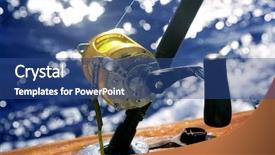
 Presentation with deep sea - Cool new presentation with marlin - big game boat fishing backdrop and a seafoam green colored foreground

Game Boat Fishing Deep Sea

Imagine yourself cruising along in your big game boat, gazing out at the endless expanse of deep sea as you reel in a prize catch. The sun beats down on your skin, and the salty air fills your lungs as you sit back and enjoy the ride. This is what it's like to be on a recreational fishing trip a day of relaxation and adventure with family and friends. The template design is inspired by this idyllic scene, with a focus on clean lines, simple shapes, and high resolution images that are sure to transport your viewers to the world of big game fishing. The Steel Blue color palette provides a professional and trustworthy look, perfect for presentations, pitches, or proposals. This template is ideal for showcasing products, services, or ideas in a comprehensive and easy to follow manner. Featuring a scenic background with high quality images, this template includes a range of keywords that are sure to bring your content to life. Including a seamless transition between slides, the template also ensures that your message flows smoothly. Have a theme of creativity, with enhanced visuals that elevate your presentation. With its focus on clear layouts and easy to read font sizes, this template is perfect for creating engaging presentations that leave a lasting impression. Incorporating a background image or video can really make the template stand out, and having a single column layout ensures that all key elements are easily visible.

 Presentation with deep sea - Presentation theme having deep sea divers - diving breath air background and a ocean colored foreground

Diving Breath Air

The thrill of diving into the unknown, where the air is crisp and the turquoise deep blue waters beckon you to explore. As you gaze out at the vast expanse of water, you can't help but feel a sense of awe and wonder. The gentle ripples on the surface are like a symphony, with the sunlight dancing across the waves in a mesmerizing display. But what lies beneath the surface? What secrets do the deep blue waters hold? This is where your curiosity comes in, and that's exactly why you need to dive into this template. It's not just about creating a simple presentation; it's about crafting an immersive experience that will leave your audience breathless. Take the Corner Title template for example. Featuring a stunning high resolution image of a turquoise ocean scene at its center, the template is sure to grab attention and set the tone for the rest of your content. Including a background with subtle waves and a touch of coral reef, this template has all the elements you need to create a visually appealing presentation. The Arrowheads Layout slide is where things get really interesting. With four columns that are carefully arranged to create a sense of depth, this layout allows you to include just about any element you can imagine. Having a theme of modern and sleek, this template is perfect for creating a clean and professional look. Enhanced with a subtle gradient effect, the result is a truly eye catching design that will leave your audience impressed. As you start building your presentation, remember that there's no such thing as bad branding or poor design choices. It's all about finding the right balance to create an engaging experience for your audience. With this template and a little creativity, you'll be well on your way to crafting a stunning presentation that will leave everyone breathless.

 Presentation with deep sea - Cool new slide deck with deep sea fishing backdrop and a light blue colored foreground

Deep Sea Fishing

As you dive into the world of deep sea fishing, get ready to cast your eyes onto breathtaking images that will transport you to the ocean's depths. The Wide Title template from CrystalGraphics is designed to make you feel like you're standing on the shore, surrounded by the vast expanse of the open sea. This stunning Widescreen template features a Light Sky Blue background that seems to stretch on forever, with subtle hints of the ocean's waves and seaweed swaying gently in the current. The Wide Title itself is easy to read, even at high resolutions, making it perfect for presentations that need clear and concise information. The color palette is carefully crafted to evoke a sense of serenity and wonder, with shades of Light Sky Blue, Sandy Beige, and Misty Grey blending together seamlessly to create a soothing atmosphere. The template includes High Resolution images throughout, showcasing the beauty of seagulls soaring above the waves, schools of fish swimming in schools, and the rugged coastline itself. Each image is carefully crafted to enhance your presentation and engage your audience. The Panoramic Picture Layout slide allows you to include a stunning Background With image that wraps around the entire template, creating an immersive experience for your viewers. To make it even easier to get started, the template includes four How To slides at the beginning of the deck: Getting Started, Choosing Your Images, Adding Media, and Designing Your Slide. Each slide provides valuable tips and tricks to help you create a presentation that's both visually stunning and easy to use.

 Presentation with deep sea - Audience pleasing presentation theme consisting of big game boat fishing backdrop and a ocean colored foreground

Game Boat Fishing Deep Sea

You're embarking on a journey to create a captivating presentation that sets the tone for your entire project with its dramatic theme and stunning visuals. Imagine yourself standing at the helm of a majestic game boat, surrounded by the vast expanse of the deep sea as it stretches out before you like an endless canvas waiting to be explored. The Wide Title is designed to make a statement, featuring a bold and eye catching font that screams "big" and "recreational". The Royal Blue color palette provides a luxurious backdrop for this attention grabbing title, perfect for drawing the viewer's attention in any room. This template is ideal for creating an immersive experience that transports your audience to a world of excitement and adventure. Featuring four How To slides at the start of the deck to help you get up and running quickly, this presentation will be packed with practical advice on how to create stunning visuals using Googel Slides' features. But don't worry, we've got you covered no technical jargon needed! This template is downloadable and compatible with Google Slides, making it easy to import high resolution images for the background. The Wide Title also offers a unique theme of "Scenic Scenery", featuring an interactive Panoramic Picture Layout slide that allows your audience to explore the stunning views you'll be showcasing. Just imagine being able to take your viewers on a virtual tour of their own backyards, or even remote locations around the world all with just a few clicks. This is exactly what the Wide Title will do for you. As you build upon this template, consider including a "Featured Image" that showcases one of the many amazing high resolution images available in the Royal Blue color palette. Having a theme of your own, like "Recreational Activities", could also be an excellent idea think of it as a way to tie everything together and make sure your presentation flows smoothly. By incorporating these elements, you'll be creating a truly immersive experience that will leave a lasting impression on your audience. So why wait? Let's get started!

 Presentation with deep sea - Slides enhanced with big game boat fishing background and a light blue colored foreground

Game Boat Fishing Deep Sea

The moment you click on this template, you're transported to a vast expanse of turquoise water and deep sea surroundings, where the silhouette of a massive game boat glides effortlessly through the waves. The camera pans across the horizon, revealing a breathtaking scenic vista that will leave your audience in awe. As they settle in for an unforgettable experience, their attention is drawn to the template's bold design. This template is designed to make you feel like you're on a real life fishing adventure, with its vast, cinematic backgrounds and high resolution images that transport you to a world of endless possibilities. The Cornflower Blue color palette adds a touch of elegance and sophistication, providing a perfect backdrop for your content. The Widescreen format ensures the entire experience remains immersive, with every detail visible from every angle. From the distant mountains to the sun kissed shores, this template brings you on an incredible journey that will leave a lasting impression. The template's compatibility with Google Slides makes it easy to import high quality images and customize your presentation to fit your unique style. The four How To slides at the start of the deck provide a solid foundation for getting started quickly, but they're more than just instructional guides they set the stage for an engaging experience that will keep your audience hooked. Think "onboarding" rather than tutorial style content, and you'll see what we mean.

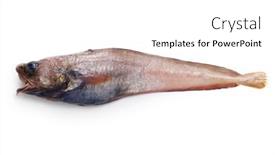
 Presentation with deep sea - Theme featuring delicious-deep-sea-fish background and a white colored foreground

Delicious Deep-sea Fish Famous (physiculus

Theme featuring delicious deep-sea fish that are not yet famous physiculus inbarbatus

 Presentation with deep sea - Beautiful PPT layouts featuring loggerhead-sea-turtle-swimming backdrop and a gray colored foreground

Loggerhead Sea Turtle Swimming Deep

Imagine yourself standing on the sun kissed beach, surrounded by the warm azure waters of the ocean, as you gaze up at the majestic Loggerhead sea turtle swimming majestically in the distance. The gentle lapping of the waves against the shore creates a soothing melody that seems to match the rhythm of your heartbeat. The Corner Title template is designed to transport you to an underwater world, featuring a breathtaking Dodger Blue background with subtle wave ripples that seem to dance across the surface. This theme is not just for looks, but it's also enhanced with a high resolution image of a sea turtle swimming in the deep blue open ocean that will leave a lasting impression on your audience. The template features a seamless design and seamless integration with Google Slides, making it easy to incorporate into any presentation or slide deck. The Dodger Blue color palette is used throughout, complemented by warm golden tones that evoke the feeling of sunset over the ocean. Including a Background With feature allows you to create a dynamic visual effect by overlaying images on top of a solid background, enhancing the overall visual appeal of your slides. Having a Theme of diving and marine life adds an extra layer of meaning and context, making it easier for viewers to relate to the content they're about to learn. The Section Header Layout is designed to be easy to read and understand, with clear headings and concise descriptions that will help you create an engaging narrative for your slides. The template is downloadable and compatible with Google Slides, allowing you to share it easily with others or use it in your own presentations.

 Presentation with deep sea - PPT theme consisting of underwater-selfie-with-friend-scuba background and a teal colored foreground

Underwater Selfie Friend Scuba Diver

Imagine being underwater with your best friend, taking a selfie with a hammerhead shark as you dive into the Caribbean Sea. The sunlight filtering through the water creates an otherworldly glow, and the sound of waves crashing against the boat is like music to your ears. You're surrounded by high resolution images of scuba divers, cars, smartphones, insurance companies, and even sharks it's a unique combination that will leave your audience in awe. The Corner Title template from CrystalGraphics features a Sky Blue background with bold fonts and sharp lines, creating a dynamic and eye catching effect. The template is available as a widescreen format, perfect for presentations, videos, or social media posts. You can download the template immediately and start enhancing it to fit your needs. For example, you could add a prominent image of a diving mask or a smartphone in the bottom left corner, while incorporating a background with palm trees or beachgoers into the sky blue top layer. The Corner Title template is fully compatible with Google Slides, allowing you to easily add high resolution images and seamless transitions to your presentation. The Hexagon Layout slide could be enhanced with additional graphics, such as a map of the Caribbean Sea or a graph showing the growth of smartphones in recent years. Including a background With this slide would allow you to showcase a stunning image related to insurance companies, like an underwater policyholder taking a selfie with their car, while having a Theme of humor adds an element of playfulness to the presentation. Incorporating high resolution images from social media or stock libraries would make this template stand out, and having a theme of humor allows you to inject some fun into your presentation. With its bold Sky Blue color palette and unique design elements, this template is sure to grab attention and leave a lasting impression on your audience. Featuring a prominent use of texture and pattern in the background could add an extra layer of visual interest to the slide, while including additional images or graphics throughout the deck enhances the overall presentation.

 Presentation with deep sea - PPT layouts featuring mediterranean-coast-in-turkey-view background and a light blue colored foreground

Mediterranean Coast Turkey View Butterfly

In the heart of Lycian Valley, where turquoise waters meet powdery white sand beaches, lies a hidden gem waiting to be revealed Butterfly Valley. This breathtaking destination is a haven for nature lovers and photographers alike, offering a kaleidoscope of scenic views that will leave you spellbound. The CrystalGraphics template features a stunning design name "Mediterranean Oasis" that perfectly captures the essence of this idyllic setting. The widescreen format ensures that every detail is magnified, while the light steel blue color palette transports you to a serene and peaceful atmosphere. As you explore the template, you'll notice four essential slides that will get your presentation off to an explosive start. The first two slides, "Getting Started" and "Quick Launch," serve as a warm welcome to your audience, providing them with valuable insights on how to create an engaging slide deck. But don't worry, they won't hold you back there are four How To slides at the beginning of the deck that will help you get up and running quickly. These slides feature a theme of "Exploring the Details," including a background image featuring the majestic views of Butterfly Valley from Lycian Way hiking trail. The 4 x 4 Org Chart Layout slide is particularly useful, as it provides an overview of your organizational structure, making it easy for you to manage your content and keep track of who's responsible for what. As you delve deeper into your presentation, the template will enhance your message with beautiful images, having a theme of "Highlighting the Highlights." This section includes a feature rich background image that showcases the breathtaking scenery of Butterfly Valley. Including a Background With slide is perfect for adding an extra layer of depth to your content and making it more

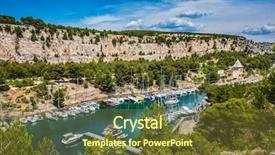
 Presentation with deep sea - Cool new presentation theme with calanques in provence between marseille backdrop and a  colored foreground

Picturesque Fjord Turquoise Water Coast

Presentation theme with picturesque fjord with turquoise water at coast of the mediterranean sea national park of calanques in provence between marseille and kassis graceful sailing yachts in the deep sea gulf backdrop

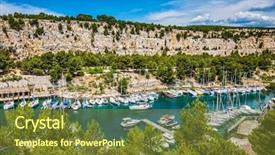
 Presentation with deep sea - PPT layouts having picturesque fjord with turquoise water at coast of the mediterranean sea park of calanques in provence between marseille and kassis white and graceful sailing yachts in the deep sea gulf background and a tawny brown colored foreground

Picturesque Fjord Turquoise Water Coast

Imagine stepping onto a tranquil cliff overlooking the turquoise waters of the Mediterranean Sea, with sailboats gracefully gliding across the horizon, their beauty leaving you breathless. The picturesque landscape has been captured in stunning detail by CrystalGraphics, and now it's your turn to bring this serene scene to life on your own desktop. The Split Title template is a sleek and modern design that will transport you to a world of elegance and refinement. Featuring high resolution images throughout the template, including beautiful sailboats and breathtaking cliffside scenery, this template is sure to inspire your creativity. With its steel blue color palette, you'll be able to enhance the overall ambiance of any presentation with a cohesive look. The wide screen format makes it easy to view the stunning images that make up this template from start to finish. And with its compatibility for use on Google Slides, you can easily incorporate the Split Title into your presentations. For those who want to dive straight in, four How To slides are included at the start of the deck, making it simple to get started and quickly learn the basics of using the template. The Dart Layout slide is particularly useful, allowing you to easily organize your content and create a clear visual hierarchy. Its theme of featuring high quality images will be evident throughout the presentation. The Split Title template is perfect for showcasing sailboats in all their glory, whether it's a majestic yacht or a small pleasure craft drifting lazily through the turquoise waters. With its beautiful background images and easy to use design, this template is sure to enhance any presentation with style and sophistication.

 Presentation with deep sea - Amazing presentation theme having fresh corn cob isolated on white backdrop and a cream colored foreground

Underwater Background Sea

Presentation theme having underwater background in the sea

▼Key features of this template

  • They are compatible with both PowerPoint and Google Slides running on either Windows PCs or Macs.

  • They are available in both standard and widescreen slide formats. You can choose your preferred format by clicking on the "Widescreen" check box or icon.

  • Each template includes a beautiful high-resolution background image or video to visually reinforce the theme of your presentation.

  • In addition, each template includes designer-created graphics and modern fonts to give your presentations an up-to-date, professional look.

  • Each template's default design and title text position have been carefully selected to complement its background without covering faces or other key elements.

  • All text includes backdrops whose transparency level is mathematically calculated to maximize text readability while still allowing the background to be seen.

  • And all the text, text backdrops and graphics in every slide are colored with a palette designed to beautifully complement the colors in the background.

  • Our Premium templates (those with the descriptor “Premium” in their subtitle) include over 64 slide layouts to give you maximum flexibility as you create your presentations.

    • Those layouts are available to you whenever you create a new slide or when you want to change the layout of an existing slide.
    • They include everything you need to make all sorts of presentations. In addition to the layouts for the title slide and the usual title and content slide, they include many other layouts for slide types including table of contents slides, org charts, charts, diagrams, infographics, photo slides, thank you slides and more.
    • While creating these layouts our template designers have ensured that all text in every layout adjusts as gracefully as possible to various numbers of words.
  • Customizable templates (those with the descriptor “Customizable” in their subtitle) may be easily modified online before you download them.

    • To modify them, simply click on the pencil editing icon, then select your choice of ready to go designs and title text positions.
    • The editing tool also makes it easy to reposition and scale the background image or video to best suit your needs.

▼FAQs

Please review these FAQs to see if your question is answered. Contact us for more info

  • What is a PowerPoint template?

    • A well designed PowerPoint template is a file that can tell PowerPoint how to make your ordinary templates look extraordinary. They won’t change what your words or numbers say. But they might change their size, color, font and placement. And, overall, they can give your presentations a professionally-designed look that will give your content more credibility and give you more confidence.
  • How many PowerPoint templates do you offer?

    • We have over 32,000 artist-created presentation templates in our PowerPlugs collection With a subscription, PowerPlugs templates are easy to download. Just sign in, find a template and click on the green Download button. ready for you to download. That alone offers you more variety to choose from than any of our competitors can offer. And, as if that weren’t enough, we also offer over 6 million templates in our Crystal collection. Crystal brand templates are our line of templates that have customization options. They have the word "CRYSTAL" on their web page images. You can customize several aspects of the templates. These templates include high-resolution background images from Shutterstock’s vast image collection matched up with artist-created presentation designs customized by our own proprietary AI software.
  • How many templates can I download as a subscriber?

    • You can download an unlimited number of PowerPlugs-brand With a subscription, PowerPlugs templates are easy to download. Just sign in, find a template and click on the green Download button. templates every day for an entire year. (Actually, by default, we set a limit of 25 templates per day to prevent our competitors from stealing our templates. But, if that is not enough, just let us know and we’ll try to accommodate you.) On top of that, with a subscription or an Ultimate Combo, you can also download any 50 Crystal-brand Crystal brand templates are our line of templates that have customization options. They have the word "CRYSTAL" on their web page images. You can customize several aspects of the templates. templates per year selected from our huge Crystal collection. Crystal brand templates are our line of templates that have customization options. They have the word "CRYSTAL" on their web page images. You can customize several aspects of the templates. .
  • Why should I choose your templates instead of the competition’s?

    • We’ve got a larger selection of professionally-designed PowerPoint templates than anyone else in the world.
    • Each template includes a high-resolution background image or video to visually inspire your audiences while reinforcing your message.
    • Each template includes 64 slide layouts to give you maximum flexibility as you create your presentations.
    • Our templates are available in both standard and widescreen slide formats. And our website lets you preview the slides each way.
    • Our free Template Finder™ plugin lets subscribers select and - with a single click - download and insert our templates into their presentations right from within PowerPoint.
    • We’ve been creating designer presentation templates for over 20 years. During that time we’ve won several awards and 5-star ratings for product quality. See About Us for more.
  • Do you offer a money-back guarantee?

    • Yes we do! We offer full 30-day money-back guarantee if you are not 100% satisfied with your purchase.
  • Can I still use my downloaded templates after my subscription runs out?

    • Yes. After your subscription expires, you won't lose any rights or ability to use your PowerPlugs: Templates for PowerPoint. You won't be able to download any new non-watermarked templates. But the non-watermarked templates you've already downloaded will still work and you can still use them as before.
  • Can I share my downloaded templates or passwords with friends or coworkers?

    • Sorry but no. You are authorized to download each paid-for template to up to 3 of your personal devices and to use the templates you download in as many presentations as you want. But you are not authorized to share the templates, themselves, with others. That said, we do offer highly discounted site licenses to suit the needs of both small and large teams. Just tell us your needs and we’ll give you a quote!
  • System requirements:

    • The templates use the standard POTX format. So they are compatible with Google Slides and all PC, Mac and mobile devices running any version of PowerPoint from PowerPoint 2007 up through and including Office 365 desktop.
    • Please note: Google Slides does not currently support background videos. It treats them as still images.
    • For PowerPoint for the Web, first open your template into a desktop version of PowerPoint, then save it back out as a PPTX file. Then you can open that in PowerPoint for the Web.
  • End user license agreement:

    • Click here to view.
  • How will I get my purchased templates?

    • You may download your selected templates as soon as your payment is received by PayPal. If you purchased an individual template, you will be provided with a download link both onscreen and via email. Just click on that link to begin the download process. If you purchased a subscription, you will receive an email containing a password to use along with your email address to sign in to any of the templates pages on CrystalGraphics.com. Once you are signed in, you can immediately start downloading your selected templates.
  • How do I use my templates after I download them?

    • You can either open a template to start a new presentation or you can add a template to an existing presentation. To open a template, just double click on it or use PowerPoint's File > Open tool. To add a template to an existing presentation, on the Design tab, in the Themes group, click Browse for Themes... then browse to select your template.

View more Deep Sea templates:

previous 1 2 3 4 5 6 next
Categories related to Deep Sea:
Aquarium sea anemone
93% of Fortune 1000
companies use our
PowerPoint Products
Templates Secure

Standing Ovation Award
Winner: Best PowerPoint
Template Collection
Fortune Logos
200,000+ satisfied
customers worldwide!
Guarantee
100% satisfaction guaranteed
- or send it back for a refund!

Sign up for our free newsletter! You'll get news about our PowerPoint-enhancing product line – including free updates, new product announcements and exclusive special offers. Plus you'll get a link to a free PowerPoint template with every newsletter you receive.
Privacy Policy
Loading...


Help

Contact Us
Product FAQs
Product License Agreements

Company Info

About Us
Privacy Policy
CrystalGraphics, Inc. 1999 S. Bascom Avenue Suite 700 Campbell, CA 95008 USA
© 2025 CrystalGraphics, Inc. All rights Reserved.    |     PowerPlugs is a trademark of CrystalGraphics, Inc.
Microsoft and the PowerPoint logo are trademarks or registered trademarks of Microsoft Corporation in the United States and/or other countries.
Loading...
Loading...