www.crystalgraphics.com CrystalGraphics
  • Ultimate Combo
  • Templates
  • Diagrams
  • Characters
  • Quizzes
  • shopping cart
  • Sign Out Sign Out Sign In
Home > Templates > Digital > Digital Library Category
search icon
advanced icon

98 Best Digital Library-Themed Templates
for PowerPoint & Google Slides

CrystalGraphics creates templates designed to make even average presentations look incredible. Below you’ll see thumbnail sized previews of the title slides of a few of our 98 best digital library templates for PowerPoint and Google Slides. The text you’ll see in in those slides is just example text. The digital library-related image or video you’ll see in the background of each title slide is designed to help you set the stage for your digital library-related topics and it is included with that template. In addition to the title slides, each of our templates comes with 17 additional slide layouts that you can use to create an unlimited number of presentation slides with your own added text and images. And every template is available in both widescreen and standard formats. With over 6 million presentation templates available for you to choose from, CrystalGraphics is the award-winning provider of the world’s largest collection of templates for PowerPoint and Google Slides. So, take your time and look around. You’ll like what you see! Whether you want 1 great template or an ongoing subscription, we've got affordable purchasing options and 24/7 download access to fit your needs. Thanks to our unbeatable combination of quality, selection and unique customization options, CrystalGraphics is the company you can count on for your presentation enhancement needs. Just ask any of our thousands of satisfied customers from virtually every leading company around the world. They love our products. We think you will, too!

Features & Pricing

Widescreen (16:9) Presentation Templates. Change size...
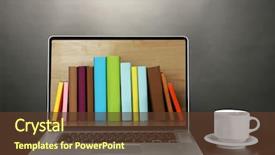
 Presentation with digital library - Presentation enhanced with e-learning concept digital library background and a tawny brown colored foreground

E-learning Concept Digital Library -

Presentation enhanced with e-learning concept digital library - books inside laptop

 Presentation with digital library - Amazing PPT layouts having digital library - woman in casual wear hiding backdrop and a ocean colored foreground

Woman Casual Wear Hiding Face

The woman in casual wear hiding her face behind book is a timeless and powerful image that exudes confidence and intellect. This striking photograph features a woman in a relaxed yet professional setting, surrounded by high resolution images of books, papers, and notes. The goldenrod color palette adds a warm and inviting touch to the overall design. The Corner Title template is designed for college students who want to enhance their study sessions with an engaging and recognizable theme. This stunning widescreen template features a unique combination of design elements that will make your presentations stand out from the crowd. The high resolution images included in this template will surely grab attention, making it perfect for students who want to showcase their academic achievements. The goldenrod color palette adds a touch of sophistication and elegance to the overall design, while the woman in casual wear hiding her face behind book gives the impression that she is unrecognizable from the typical college student. The four How To slides at the start of the deck will help you get up and running quickly, but for now, let's focus on the rest of the template. The Corner Title template is downloadable and compatible with Google Slides, making it easy to integrate into your existing workflow. Featuring a unique combination of design elements, this template includes a Background With high resolution images that enhance the overall visual appeal of your presentations. Having a Theme Of a woman in casual wear hiding her face behind book adds an extra layer of depth and interest to the design.

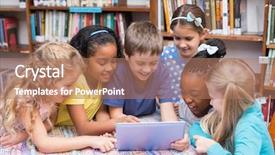
 Presentation with digital library - Beautiful presentation featuring kids using digital tablet backdrop and a lemonade colored foreground

Kids Using Digital Tablet Library

In the world of education, there's nothing more uplifting than seeing young minds grow and thrive. The innocence and curiosity of children are a true inspiration, and it's our pleasure to bring their vision to life through design. Our Wide Title template is specifically crafted with this in mind, featuring a sky blue background that perfectly captures the essence of a happy and studious atmosphere. The Widescreen format ensures that your content fills the entire screen, providing an immersive experience for both you and your audience. With high resolution images throughout, this template is not only visually stunning but also designed to enhance engagement. From the calm waters of nature to the vibrant colors of digital screens, each element has been carefully selected to create a seamless visual flow that's sure to captivate. The Sky Blue color palette adds a touch of freshness and airiness, perfect for conveying a sense of hope and optimism. You can easily include this background with any image or video you'd like, making it the perfect starting point for your presentation. The template is also downloadable and compatible with Google Slides, allowing you to easily share it with colleagues and students alike. As inspiration from our images shows, this template includes a Picture With Captions Layout that allows you to showcase high resolution images of happy young minds at work. This could be used in various How To slides throughout the presentation, such as "Getting Started: Introducing Your New Template" or "Tips for Creating Content on Google Slides".

 Presentation with digital library - Slide deck having tablet in bookshelf in library background and a light blue colored foreground

Hand Student Keeping Digital Tablet

The Corner Title template is a powerful and engaging design that is sure to grab attention from high school students studying for their exams or looking to enhance their education. The Widescreen format allows for maximum visual impact, featuring high resolution images throughout the background, creating a visually appealing atmosphere that draws users in. When it comes to color palette, Light Sky Blue dominates the template, providing a calming and serene environment that is conducive to learning and focus. This soothing color scheme provides a perfect backdrop for the various elements within the design, making it easy to incorporate into Google Slides. The Corner Title template has a unique Circular Approach Layout, which allows users to easily navigate through the different sections of the slide by rotating the document. The layout makes it straightforward for students to find the information they need quickly, enhancing their study experience. Featuring a colorful background with illustrations of books and tablets adds an educational touch, making it easy for students to visualize themselves applying what they've learned. Including a Background With a subtle gradient effect enhances the overall design, giving it a professional look that matches various needs. Having a Theme of "Study Success" showcases how the template can be used to help students achieve their academic goals, by providing them with the tools and inspiration needed to succeed in their studies.

 Presentation with digital library - Beautiful slide deck featuring using digital tablet in library backdrop and a violet colored foreground

Schoolboy Using Digital Tablet Library

As students embark on their educational journey, they need tools that not only aid in learning but also make the process more enjoyable and engaging. That's where this Wide Title template for Google Slides comes in, providing an elevated experience that enhances high school study sessions, education, and student success. This Widescreen template boasts a Sky Blue color palette, which is both calming and stimulating at the same time. The design name "Wide Title" perfectly captures its essence, as it's perfect for presentations that feature high resolution images of backgrounds or book covers on either side of the screen. To add to this experience, consider incorporating a 1 Picture on Right With Caption Layout slide featuring an inspirational quote about learning, such as "The future belongs to those who believe in the beauty of their dreams." This image can be set against a Sky Blue background with white text and a subtle gradient effect. For example, you could use it as a screen saver or a desktop wallpaper to create a visually appealing and engaging start to your presentations. This template is designed for compatibility with Google Slides and features 4 How To slides at the beginning of the deck to help students get up and running quickly. With its Sky Blue color palette and High Resolution images, this template will elevate your presentation game and make it more enjoyable for you and your audience alike.

 Presentation with digital library - Theme enhanced with tablet computer in a library background and a coral colored foreground

Smiling Student Using Tablet Computer

The moment you've been waiting for to unleash your creativity and take your college study sessions to the next level with CrystalGraphics' "Wide Title" PowerPoint template. This stunning design is perfect for students, young women, and anyone who values education and self improvement. The Wide Title template features a rich chocolate color palette that exudes warmth and sophistication, making it an ideal choice for a variety of applications. The high resolution images for the background will transport you to a serene library setting, complete with a smiling student using a tablet computer surrounded by books and study materials. The Chocolate theme is carefully curated to evoke feelings of comfort, trust, and professionalism. This template's Puzzle Pieces Layout slide showcases a beautifully designed grid featuring different sections, each containing various study materials such as textbooks, notes, and worksheets. This layout provides an organized and easy to follow structure for students to plan their studies. You can include a Background With subtle animations to enhance the visual appeal of your slides, or simply feature the background images themselves. With its engaging design elements and interactive templates, "Wide Title" is more than just a PowerPoint template it's a powerful tool that will help you stay focused, productive, and motivated throughout your academic journey.

 Presentation with digital library - Amazing slide deck having library in the e-book backdrop and a teal colored foreground

Library E-book Concept Text Pages

The world of education has long been shaped by the pages of books and the glow of e readers, with the library in the e book concept taking center stage. Imagine yourself standing amidst a vast collection of volumes, each one bursting with knowledge and insights waiting to be devoured. The screens around you are ablaze with words, images, and data, as if the very walls are alive and breathing. The Wide Title is designed for maximum impact, its sleek steel blue color palette evoking the polished surfaces of a high end library. At 2:1 aspect ratio, it's optimized for widescreen monitors, perfectly framed by the crisp resolution that your images will bring to life. This template is a haven for college students, educators, and anyone who's ever struggled to stay organized amidst stacks of research papers, assignments, and notes. Incorporating Venn Diagram Layout, this design lets you visualize relationships between different ideas and concepts with ease. Featuring an elegant blend of geometric shapes and clean lines, it's the perfect accompaniment to your data heavy projects. Having a theme of organization and structure, our template is designed to help you prioritize what matters most – whether that's studying for exams, planning projects, or simply staying on top of assignments. With its four How To slides at the start of the deck, getting started quickly is as easy as possible. They'll walk you through each step with ease, guiding you through the process of creating your own customized library in the e book concept. Featuring a background with a subtle gradient that shifts from steel blue to warm beige as you scroll, our template is carefully designed to enhance the viewing experience on both desktop and laptop screens. Whether you're an educator looking for innovative ways to engage students or a student seeking a unique way to organize your notes, this Wide Title template is sure to inspire. By showcasing four How To slides upfront, we've given you everything you need to get started – all with the ease of use that Google Slides has come to expect.

 Presentation with digital library - Beautiful presentation design featuring using digital tablet in library backdrop and a coral colored foreground

Teacher Kids Lying Floor Using

The scene is set in a bustling elementary school library where students are gathered around a digital tablet as their teacher facilitates a lively discussion on the wonders of mathematics. The sun casts a warm glow through the windows, illuminating the faces of the young minds as they work together to solve complex problems. It's a moment that will stay with them long after the lesson is over, a testament to the power of learning and teamwork. The template, dubbed Wide Title, is designed for maximum impact on any presentation or digital slide show. This widescreen masterpiece boasts a rich Dodger Blue color palette, perfectly capturing the sense of calm and focus required for educational pursuits. The Bulb Puzzle Layout is where things get really interesting think of it as a cleverly arranged collection of puzzle pieces that come together to create something truly stunning. It could feature an image of a classic Rubik's Cube, its colors expertly matched to complement the Dodger Blue scheme. In contrast to more traditional slideshow templates, Wide Title incorporates a theme of "Hands On Learning" with ease. The layout is designed to be inclusive, featuring images of students working together, participating in group activities, and engaging with educational materials in a fun and interactive way. Having a background that includes textures like wood grain or fabric adds an extra layer of depth to the design. As you explore this template further, you'll notice that it's been carefully engineered for compatibility with Google Slides. With its high resolution images and seamless integration with other templates and fonts, Wide Title is sure to impress your audience wherever they are in the world. Whether you're creating a presentation for a classroom setting or sharing it online, this template has got you covered.

 Presentation with digital library - Colorful theme enhanced with digital library - hands with electronic book backdrop and a light gray colored foreground

Hands Electronic Book

Imagine holding a sleek and modern smartphone in your hands, with a high resolution image of a book or e reader as the background, surrounded by vibrant peach puffs that seem to glow from within. The Corner Title template is designed to transport you to a world of digital reading, where every element is carefully crafted to enhance your mobile experience. This stunning Widescreen template features a Peach Puff Colored design that's sure to turn heads. With its bold and playful color palette, it's the perfect fit for any smartphone or tablet user looking to elevate their presentation game. The Corner Title template is downloadable and compatible with Google Slides, making it easy to import into your favorite presentation software. The template includes four How To slides at the start of the deck to help you get up and running quickly. These slides feature an Arrow Stages Layout that showcases a clear call to action, guiding users through the process of customizing their template. The layout is designed to be flexible and adaptable, allowing you to easily incorporate your own branding and design elements. The Corner Title template is more than just a pretty face it's also packed with features that enhance your mobile presentation experience. Featuring a range of pre designed backgrounds and clip art images, including a smartphone and e reader, this template has everything you need to create engaging and interactive presentations on the go. Including a Background With a subtle gradient effect, Having a Theme of a modern and sleek design, Enhanced With a range of customization options, this template is sure to impress your audience.

 Presentation with digital library - Audience pleasing presentation consisting of digital learning - student is studying with tablet backdrop and a coral colored foreground

Student Studying Tablet Pc Study

As you begin your academic journey, you're likely to find yourself surrounded by the familiar comforts of college life the study desks in the library, the tablet PCs at your fingertips, and the warm glow of high resolution images on your screen. But amidst all this familiarity, it's easy to get caught up in the monotony of assignments and education, losing sight of why you started studying in the first place. That's where the Wide Title template comes in a design that will help you stand out from the crowd and make a lasting impression. This Widescreen template features a rich Burly Wood Colored color palette that evokes a sense of classic academia, perfect for showcasing your hard work and dedication to your studies. The high resolution images on the background are carefully curated to create a visually appealing atmosphere, making it easy to get lost in the details. And with its theme of "College Life" and "Education", this template is sure to resonate with anyone who's ever felt like they're just trying to keep up. The AIDA Block Layout slide is a great place to start your presentation, featuring a clear headline that grabs attention, followed by a brief description of what you'll be covering. This will help set the tone for the rest of your deck and give viewers a sense of what to expect. And with its enhanced theme of "Looking Away" as if you're taking a break from studying and looking back on all your hard work it's sure to leave a lasting impression. Including a Background With, Having a Theme Of, Featuring, Including a Background With are just a few more words that can be used to describe this template.

 Presentation with digital library - Amazing slide set having education - students using laptop digital tablet backdrop and a coral colored foreground

Students Using Laptop Digital Tablet

The world of education has never been more vibrant and engaging, with students at the forefront of innovation and creativity. Corner Title is a stunning PowerPoint template designed to bring this enthusiasm to life, featuring high resolution images that will leave your audience smiling. When it comes to creating an attention grabbing presentation, you want something that inspires excitement and curiosity, not just information. That's exactly what Corner Title delivers. This template boasts a sky blue color palette that evokes feelings of serenity and optimism, perfect for conveying a sense of happiness and inclusiveness. The high resolution images used in the background will transport your audience to a sun kissed campus or a bustling library, where students are engaged in lively discussions and collaborative learning. With 4 How To slides at the start of the deck, you'll be able to get up and running quickly and easily, making it perfect for teachers, instructors, and administrators. A masterful blend of design and functionality, Corner Title is tailored to enhance your presentation with a theme that's both educational and engaging. From featuring high quality images to including interactive elements, this template offers everything you need to create an immersive learning experience. Having a professional looking design with easy to use layout makes it simple to include background images, add animations, or even incorporate a simple navigation system, all while having a theme of education that ties everything together seamlessly.

 Presentation with digital library - Amazing presentation design having school with their teacher backdrop and a tawny brown colored foreground

Side View Schoolboys Using Digital

In the heart of every young woman's life lies the power to shape her future through education and self discovery. The Wide Title template is designed to evoke this sense of possibility, featuring a stunning background image that showcases a group of Caucasian boys sitting in a library, surrounded by books and learning materials, with their teacher reading a story to them in the background. This scene is set against a warm and inviting backdrop of Indian Red, creating a cozy and intimate atmosphere. The template's Widescreen format ensures that every aspect of the design is perfectly proportioned, from the high resolution images on the background to the clean and minimalist layout throughout. The Indian Red color palette adds a touch of sophistication and elegance, while also evoking feelings of warmth and approachability. This template is not just for education; it's also an invitation to explore innocence and curiosity. Featuring a theme of learning and growth, the Wide Title template includes a Background With image that showcases a young girl sitting at a desk, surrounded by books and papers, with a bright light shining down on her face. Having a Theme of Discovery, this layout is perfect for creating engaging and interactive presentations. The 3 Pictures + Captions Layout slide is a great way to showcase the template's features in a visually appealing way. This slide includes four images: one featuring the schoolboys from the background image, another showcasing the teacher reading a story to her students, a third highlighting the library setting, and a fourth displaying a close up of a book or a learning material. Captions for each image provide additional context and information, making it easy to understand the scene being depicted. This template is downloadable and compatible with Google Slides, allowing you to easily incorporate it into your presentations. With its high

 Presentation with digital library - Colorful slide deck enhanced with back school elementary reading - kids lying on floor using backdrop and a coral colored foreground

Kids Lying Floor Using Digital

Slide deck enhanced with kids lying on floor using digital tablet in library

 Presentation with digital library - Audience pleasing PPT theme consisting of e-learning concept digital library backdrop and a coral colored foreground

E-learning Concept Digital Library -

PPT theme consisting of e-learning concept digital library - books inside laptop

 Presentation with digital library - Cool new slides with teacher and school kid using backdrop and a teal colored foreground

Teacher School Kid Using Digital

Slides with teacher and school kid using digital table in library at school

 Presentation with digital library - Amazing slide set having students desk against library shelf backdrop and a light gray colored foreground

Students Desk Against Library Shelf

Slide set having students desk against library shelf backdrop

 Presentation with digital library - Slide deck enhanced with group of college students using digital tablet in the library background and a lemonade colored foreground

Group College Students Using Digital

As you begin your educational journey, you're likely to find yourself surrounded by the vibrant colors and lively atmosphere of college campuses. The Corner Title template is designed to capture that essence, featuring a warm and inviting design that sets the tone for a productive and engaging learning experience. This template is perfect for those who want to create a visually appealing presentation that showcases their passion for education. With its pale violet red colored background, it's sure to grab attention and leave a lasting impression on your audience. The high resolution images used throughout the template will provide a crisp and clear visual representation of your content, making it easy to include in your slides. The Corner Title template is downloadable and compatible with Google Slides, ensuring that you can easily import the design into your preferred presentation software. As an added bonus, this template includes four How To slides at the start of the deck to help you get up and running quickly, featuring a clear and concise layout that makes it easy to navigate. The AIDA Block Layout slide is designed to engage your audience from the very beginning, setting the stage for a compelling presentation. Featuring a bold headline, including a background with a subtle texture, having a theme of "Education" and "Learning", enhanced with high quality images of students working on laptops, this slide will leave a lasting impression on your viewers. The Corner Title template is perfect for college students, educators, or anyone looking to create a professional yet approachable presentation. With its unique design and features, it's sure to enhance your content and make it stand out from the crowd.

 Presentation with digital library - Amazing presentation design having digital representation of world map backdrop and a light blue colored foreground

Digital Representation World Map Against

Imagine a world where students from all over the globe come together to learn and grow, their laptops open as they dive into a digital representation of a world map against them, with a warm light shining down from above. This is what the Wide Title template by CrystalGraphics promises to deliver, featuring a captivating design that will grab your attention instantly. The template is specifically tailored for college education, with a Caucasian theme that exudes happiness and positivity. The Light Steel Blue color palette provides a clean and professional look that's perfect for academic presentations. You'll find high resolution images throughout the template, including the background, to give it a dynamic feel. This template is designed to be easy to use and customize, making it a great starting point for anyone looking to create engaging presentations with Google Slides. The Widescreen format ensures that your content takes center stage, while the Light Steel Blue color palette provides a cohesive look throughout. As you work on your presentation, you'll find that the template is compatible with Google Slides, allowing you to enhance it with additional features and animations. The template includes four How To slides at the start of the deck, designed to help you get up and running quickly. These slides will guide you through the process of customizing your template, making it a valuable resource for anyone looking to create professional looking presentations.

 Presentation with digital library - Cool new theme with inovation - book and teblet computer 3d backdrop and a gray colored foreground

Book Teblet Computer 3d Model

Theme with book and teblet computer 3d model isolated on white digital library concept objects with clipping paths

 Presentation with digital library - Beautiful PPT layouts featuring using laptop mobile phone digital backdrop and a ocean colored foreground

Overhead View Students Using Laptop,

In a world where students are constantly connected to their devices, the concept of face to face interaction is taking a backseat. The traditional classroom setting is becoming increasingly irrelevant as technology continues to shape the way we learn and interact with each other. Imagine walking into a library during exam season, surrounded by laptops and mobile phones it's almost surreal. Students are no longer stuck in the same old textbooks or worksheets, but instead are engaging with digital content that challenges their minds and sparks creativity. This is the future of education, and we're excited to help you bring it to life. Our Corner Title template is designed to take your presentations to the next level, featuring a high resolution image of students interacting with technology in a library setting. The Dark Slate Gray color palette provides a sophisticated backdrop for your content, while the Caucasian male model ensures that your template remains inclusive and respectful. Whether you're teaching high school students or focusing on smartphone usage among younger generations, this template is perfect for creating engaging presentations. The Widescreen format allows for seamless visuals and easy transitions between slides, making it an ideal choice for Google Slides users. With the 4 How To slides at the start of the deck helping new users get up and running quickly, you'll be able to focus on delivering your message. For example, perhaps slide one could include a background with a blurred image of students in different settings, showcasing how technology can enhance their learning experience. The Content with Caption Layout slide would highlight the importance of clear communication, while the Having a Theme of section could explore the benefits of incorporating technology into your teaching methods. Additionally, Enhanced With could feature an example of how you've used high quality images to make your presentation stand out.

 Presentation with digital library - Presentation theme with digital learning - cute pupils looking at tablet background and a coral colored foreground

Cute Pupils Looking Tablet Library

Imagine starting your presentation with a scene that sets a warm and inviting tone, transporting your audience to a cozy library where students gather around tables, eagerly awaiting their next lesson. The image depicts four cute pupils looking at tablet in front of them, smiling contentedly as the teacher presents new information on the screen. This idyllic scene is set against a bright background, featuring high resolution images that will add depth and visual interest to your presentation. As you begin to create your template, keep in mind its key characteristics it's designed for wide screen presentations, has a sky blue color palette, and incorporates Caucasian book illustrations and happy backdrops. The template keywords you'll want to feature prominently are education, highlighting the importance of this theme in your content. To enhance your presentation, consider including high resolution images with these elements to bring them to life. The Wide Title design is sleek and modern, featuring clean typography that complements the bright sky blue background. When creating your 1 Picture on Right With Caption Layout slide, try to include a single image that showcases the theme of education, such as an illustration of a stack of books or a teacher lecturing in front of a whiteboard. Having a theme of "Happy Learning" could be achieved by incorporating elements like balloons, confetti, and smiling students into your design. To make the most of this template, consider adding a Background With section to include additional visual elements that enhance your presentation's overall look. Include images or illustrations that feature Caucasian characters, as per your requirements. Having a Theme of "Learning Fun" could be achieved by incorporating colors like bright yellow and green, while also emphasizing the importance of reading and learning. By incorporating these design elements into your template, you'll create a visually appealing and engaging presentation that will capture your audience's attention from the start.

More Digital Library templates for PowerPoint and Google Slides:

previous 1 2 3 4 5 next
Categories related to Digital Library:
Using digital tablet
93% of Fortune 1000
companies use our
PowerPoint Products
Templates Secure

Standing Ovation Award
Winner: Best PowerPoint
Template Collection
Fortune Logos
200,000+ satisfied
customers worldwide!
Guarantee
100% satisfaction guaranteed
- or send it back for a refund!

Sign up for our free newsletter! You'll get news about our PowerPoint-enhancing product line – including free updates, new product announcements and exclusive special offers. Plus you'll get a link to a free PowerPoint template with every newsletter you receive.
Privacy Policy
Loading...


Help

Contact Us
Product FAQs
Product License Agreements

Company Info

About Us
Privacy Policy
CrystalGraphics, Inc. 1999 S. Bascom Avenue Suite 700 Campbell, CA 95008 USA
© 2025 CrystalGraphics, Inc. All rights Reserved.    |     PowerPlugs is a trademark of CrystalGraphics, Inc.
Microsoft and the PowerPoint logo are trademarks or registered trademarks of Microsoft Corporation in the United States and/or other countries.
Loading...
Loading...