www.crystalgraphics.com CrystalGraphics
  • Ultimate Combo
  • Templates
  • Diagrams
  • Characters
  • Quizzes
  • shopping cart
  • Sign Out Sign Out Sign In
Home > Templates > Digital > Digital Hospital Category
search icon
advanced icon

154 Best Digital Hospital-Themed Templates for PowerPoint and Google Slides

Creating

Imagine a presentation that exudes professionalism and medical expertise, perfectly capturing the essence of a digital hospital setting. CrystalGraphics Digital Hospital PowerPoint templates are designed to transport you into the world of medicine, where healthcare professionals collaborate seamlessly with patients over innovative digital backgrounds. With our vast collection of 6.7 million templates at your disposal, you can choose from diverse layouts and themes that cater to various needs.

From engaging presentation titles like "Reaching New Heights in Patient Care" to customizable layouts featuring a pharmaceutical representative discussing a doctor on a digital tablet background with a light blue colored foreground, each template is meticulously crafted to provide a seamless learning experience. PPT theme enhanced with medical doctor in hospital using background and a violet colored foreground showcases the perfect blend of style and substance.

Incorporating elements that highlight your audiences comfort, our templates are designed to ensure an enjoyable viewing experience. Slides featuring medical team discussing over digital background and a light blue colored foreground offer valuable insights into patient care. A versatile theme with kidney medical male doctor using digital tablet background and a coral colored foreground provides the perfect platform for presentations about medicine and health.

To bring your ideas to life, our templates are easily customizable, allowing you to personalize them with ease. Whether you need a title slide plus 60+ additional slides or want to create a unique layout from scratch, our flexible template suite has got you covered. And when it comes time to download and customize, be assured that instant access is available.

Features & Pricing

Widescreen (16:9) Presentation Templates. Change size...

 Presentation with digital-hospital - PPT layouts consisting of surgeon using digital tablet background and a  colored foreground

Surgeon Using Digital Tablet Group

The Corner Title template is designed to take your presentations to the next level with its engaging and professional layout that perfectly complements medical professionals. Starting in the center of the screen, this stunning widescreen template features a beautiful high resolution image of a group of Caucasian women sitting around a table in a hospital, surrounded by medical icons, creating an atmosphere of expertise and compassion. The Corner Title is set against a brilliant Alice Blue background color palette that adds a touch of sophistication to any presentation. The theme of this template revolves around showcasing medical professionals and their work, making it ideal for those who want to highlight the importance of healthcare and wellness in society. A beautifully designed Dart on Target Layout slide can be used as an example of how the Corner Title template is enhanced with interactive elements, featuring a clear call to action that encourages users to take action. The layout also includes inclusion of background images to showcase medical icons and high resolution images for added visual appeal. The Corner Title template is downloadable and compatible with Google Slides, allowing users to easily integrate it into their presentations without any technical issues. With its wide screen format, you can display the beautiful Alice Blue background color palette across different devices and resolutions, ensuring your presentation looks stunning from start to finish. To get started quickly, there are 4 How To slides at the beginning of the deck that provide valuable tips and tricks for using this template effectively.

 Presentation with digital-hospital - Audience pleasing presentation theme consisting of portrait of male patient holding digital tablet while reclining on bed in hospital backdrop and a cream colored foreground

Portrait Male Patient Holding Digital

As you begin your journey to create stunning presentations with Corner Title template, focus on elevating your visuals with a unique blend of modern and traditional design elements. This template features a high resolution image of a male patient holding a digital tablet while reclining on a bed in a hospital setting, showcasing the perfect blend of sophistication and intimacy. The Powder Blue color palette provides a calming and serene atmosphere, ideal for conveying a sense of trust and professionalism. The template is designed to work seamlessly with Google Slides, ensuring a seamless integration into your existing workflow. When it comes to visuals, you'll feature high resolution images from around the world to add depth and texture to your presentations. The Corner Title template includes four How To slides at the start of the deck to help you get up and running quickly: "Getting Started with Corner Title," "Customizing Your Template," "Adding Interactive Elements," and "Exporting and Sharing." These slides will guide you through the process of customizing your template, adding interactive features, and exporting it for sharing. One exciting feature of this template is having a theme of "Hospitality" throughout its design. You can include a background with a subtle hospital setting or have a specific design element that incorporates the hospital theme to enhance the overall ambiance of your presentation. For example, you could use a stylized logo or font that evokes the feeling of a luxurious hotel room. The Chart with Caption Layout slide is an excellent way to showcase your data and information in a clear and concise manner. It's easy to include charts, graphs, and infographics within this slide to highlight key statistics or trends. By using this template as inspiration, you can create presentations that are not only visually stunning but also informative and engaging.

 Presentation with digital-hospital - Colorful PPT theme enhanced with doctor showing medical report backdrop and a light gray colored foreground

Doctor Showing Medical Report Digital

Imagine being able to create a stunning PowerPoint template that effectively communicates your message to your audience, capturing their attention from the very first slide. Welcome to Corner Title, a design name that pays homage to the iconic corner title used in various settings, including medical offices and hospitals, where it serves as a symbol of professionalism and trust. The template format is Widescreen, providing ample space for showcasing high resolution images on your background. The color palette features a warm Sienna tone that adds a sense of approachability and familiarity, making the template easy to navigate. As you explore this template, you'll notice how it incorporates keywords such as corridor, medical, occupation, and Caucasians, creating a visually appealing and relevant design for various industries. The Caucasian theme provides a clean and uncluttered backdrop, ideal for showcasing your content. Corner Title is designed to be versatile, with five Level Piramid Layout options that allow you to tailor the template to suit your needs. These levels showcase different layouts, each featuring enhanced backgrounds and typography to create a unique visual experience. For example, the "Medical Office" layout could include a background image of a hospital corridor, complete with glass partitions and fluorescent lighting. By including a Background With text feature, you can easily add or remove elements from your template without disrupting its overall design. Having a Theme of adding more styles to your template is also an option, allowing you to experiment with various looks to find the one that suits your brand best.

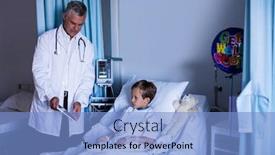
 Presentation with digital-hospital - Slides consisting of male doctor discussing medical reports with senior man on digital tablet in hospital background and a sky blue colored foreground

Male Doctor Discussing Medical Reports

The doctor's face is etched with concern as he paces back and forth in front of the digital tablet, his eyes scanning the medical reports with a growing sense of unease. The fluorescent lights overhead cast an unflattering glow on the sterile white walls, making it seem like a prison cell from another era. He turns to his colleague, the elderly man with kind eyes, who is scribbling notes in the corner of the room. As they work together, their conversation is peppered with technical jargon and medical terminology, the words spilling out of them like blood from a wound. The background of the scene features high resolution images of hospital equipment, medical charts, and sterile white surfaces, creating an immersive atmosphere that draws the viewer in. Featuring a subtle gradient effect to enhance the 3D look, including a Background With warm tones to give it a cozy feel. A doctor's life is a delicate balance between treatment and care, but sometimes it feels like it's all about numbers and figures. The elderly man's wise eyes seem to hold a deep understanding of this, his hands moving deftly over the keyboard as he types out emails with a speed and accuracy that belies his age. Having a Theme of precision and attention to detail, the doctor's work is not just about diagnosing and treating patients, but also about providing them with the care they need. The Stairs Layout slide could be an eye catching graphic that wraps around the top half of the screen, featuring a dramatic illustration of the hospital's grand staircase. Incorporating subtle animations and effects to give it a sense of movement, Enhanced With stunning visuals to make it truly unforgettable.

 Presentation with digital-hospital - Theme enhanced with doctor showing medical report in digital tablet to patient in hospital background and a light blue colored foreground

Doctor Showing Medical Report Digital

In a world where information is power, and precision is key, creating a visual narrative that effectively communicates complex concepts is crucial. Imagine being able to convey intricate medical treatment protocols in an engaging and accessible manner, while also providing a seamless viewing experience for your audience. The Corner Title template is designed to capture the essence of this world through its unique blend of style, functionality, and innovation. Featuring a sleek and modern design that evokes feelings of professionalism and trust, this template brings together the best elements of medical and digital technologies. Including a Background With a high resolution image of a doctor's digital tablet and patient in a hospital setting, this template is sure to enhance your presentations. As an added touch, the 5 Year Calendar Timeline Layout slide provides a unique perspective on how to effectively present complex information over time. By featuring dates spanning several decades, users can visualize the progression of medical treatment and innovations, making it easier to convey the impact of these developments on patient care. Having a Theme of showcasing key milestones in medical history, this template is sure to impress your audience with its historical depth. The Corner Title template is perfectly suited for use in various settings, from academic presentations to corporate meetings. Its versatility makes it an ideal choice for those looking to convey intricate concepts in a clear and concise manner. With its downloadable format and compatibility with Google Slides, users can easily incorporate this template into their own presentations and stay up to date with the latest medical advancements.

 Presentation with digital-hospital - Cool new theme with hosiptail communication - portrait of smiling surgeon using backdrop and a teal colored foreground

Portrait Smiling Surgeon Using Digital

Theme with portrait of smiling surgeon using digital tablet in hospital corridor backdrop

 Presentation with digital-hospital - Colorful theme enhanced with portrait-of-smiling-female-doctor backdrop and a light gray colored foreground

Portrait Smiling Female Doctor Wearing

Using CrystalGraphics to create a high quality PowerPoint template that effectively communicates with medical professionals and patients alike is no easy feat. From its wide screen format to its Dodger Blue color palette, the Sidebar Title template is designed to capture attention and convey a sense of professionalism. With its accompanying keywords corridor, medical, occupation, front view, health insurance this template provides valuable insights into the often overlooked world of healthcare. High resolution images feature prominently in each slide, creating a rich visual experience that fosters engagement. The Sidebar Title template is downloadable, making it easy to incorporate into your Google Slides presentation. Compatibility with popular platforms ensures seamless integration, allowing you to showcase your high quality visuals and stay within the industry's standards. As inspiration for this creation, consider taking a portrait of a smiling female doctor wearing scrubs in a hospital corridor. The result would be an enhanced view of what healthcare professionals see every day patients, colleagues, and a world of medical expertise at their fingertips. By including a background with a theme of high end office spaces, the template showcases not only the content but also the features it offers, making it an ideal choice for those looking to elevate their presentation.

 Presentation with digital-hospital - PPT layouts featuring two-male-doctors-having-informal background and a coral colored foreground

Two Male Doctors Having Informal

The art of creating a captivating PowerPoint template deserves to be showcased with style and flair. Corner Title is the result of a meticulous design process that combines exceptional graphics with an attention grabbing theme. Corner Title boasts a stunning Widescreen format featuring high resolution images that bring to life a dynamic scene of two confident Caucasian doctors engaging in an informal meeting at a modern hospital, with X rays on display on a digital tablet. The royal blue color palette provides a regal backdrop for the medical theme, evoking feelings of professionalism and expertise. The template is designed to enhance the user's experience, making it easier than ever to create presentations that stand out from the crowd. Featuring two people, this template embodies the theme of collaboration and camaraderie, making it an ideal choice for professionals and students alike who want to convey a sense of trust and teamwork. To add an extra layer of sophistication, Corner Title includes several key slides at the start of the deck, including "4 How To Slides" that will help you get up and running quickly. These features include an Arrow Stages Layout slide, allowing users to navigate through the template's various components with ease. Having a theme of flexibility and scalability is also built into the design, making it easy to adapt Corner Title to meet the needs of different audiences and presentations. With its royal blue color palette and Widescreen format, Corner Title is the perfect choice for any presentation that requires a touch of sophistication and elegance. And with its download compatibility on Google Slides, users can easily incorporate this template into their own workflow, adding an enhanced dimension to their presentations.

 Presentation with digital-hospital - PPT theme consisting of doctor-checking-x-ray background and a cream colored foreground

Doctor Checking X-ray Digital Tablet

With its sleek and modern design, Corner Title is sure to grab attention from healthcare professionals and medical students alike, making it the perfect starting point for their educational journey. This versatile template features a stunning Linen color palette that seamlessly blends with any digital environment, providing an immersive experience. Widescreen in 4:3 format ensures a cinematic feel, while high resolution images for the background will transport you to the world of medicine and healthcare. The template is ideal for featuring large x ray or MRI scans on a tablet or computer screen. The circular step layout offers a unique approach to designing content, providing ample space for important information and visuals. This layout is particularly useful in presentations where multiple elements need to be showcased simultaneously. Just imagine the doctor checking an X ray on a digital tablet while standing at a hospital this template will help you bring that scene to life. By including a background with a subtle gradient effect, Enhanced With images or animations can be seamlessly integrated into the design. Having a theme of medical and healthcare is perfectly captured in this template's Linen color palette, ensuring a cohesive look throughout. Incorporating additional designs and graphics can also enhance the overall visual appeal.

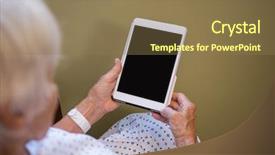
 Presentation with digital-hospital - Amazing PPT theme having holding digital tablet in hospital backdrop and a  colored foreground

Senior Patient Holding Digital Tablet

As you sit in the hospital waiting room, surrounded by sterile white walls and the soothing hum of medical equipment, you can't help but feel a sense of unease wash over you. You're not sure what's wrong or how to get better, all you know is that your treatment is pending and you need to wait. The fluorescent lights above flicker ominously as the minutes tick by, making you question every decision you made about entering this place. The Corner Title template is designed to be a calming presence in an otherwise chaotic environment. Its sleek, modern design features a dark goldenrod background that evokes feelings of trust and reliability. The 4 How To slides at the start of the deck are there to help you get up and running quickly, but don't worry if you're not tech savvy just follow along and you'll be using this template in no time. The Corner Title is a versatile template that can be Enhanced With a variety of medical themes, from treatment centers to hospitals and clinics. It also Includes a Background With subtle animations and transitions that will add some visual interest to your presentation. You could use the 5 Stages Pentagon Layout slide to illustrate the different stages of recovery, from diagnosis to treatment to medication and finally to full recovery. This template is a great way to showcase the progress you're making towards better health. The Corner Title can be customized with your own high resolution images, featuring a patient holding digital tablet in hospital or any other medical setting that inspires you. The template is Downloadable And Compatible With Google Slides, so you can easily import it into your favorite presentation software and make it shine.

 Presentation with digital-hospital - PPT layouts enhanced with hospital falls - digital composite of hand touching background and a coral colored foreground

Digital Composite Hand Touching Air

The digital landscape is evolving at a rapid pace, and professionals in various fields are increasingly leveraging technology to streamline their workflow and improve productivity. As such, it's no surprise that medical professionals, occupation experts, woodland enthusiasts, screen creators, and individuals seeking to enhance their online presence have turned to the world of PowerPoint templates for inspiration. The Wide Title template is designed with the user in mind, featuring a high resolution image from a serene woodland setting. The Tan color palette provides a warm and inviting backdrop for the medical, occupation, woodland, and screen related keywords that make up this versatile template. This Widescreen template is perfect for creating engaging presentations that cater to various industries, making it an excellent starting point for any user looking to kick start their project. When importing images into the template, you can feature a dynamic background with subtle animations, including a soft glow effect or realistic forest textures. For instance, consider using this template to create a promotional video for medical professionals showcasing their expertise in treating patients under various woodland conditions, such as dense foliage or snow covered trees. The high resolution images that come bundled with the template will provide a clear and crisp visual representation of your content, making it easier to enhance with additional backgrounds, animations, and graphics. The template also includes a Grid Layout slide, which can be used to display six key images showcasing different aspects of medical and occupation related themes. This grid layout allows users to easily organize their ideas and incorporate relevant keywords into the presentation. For example, you could use this slide as an introduction to your project, featuring high quality images that introduce yourself or your organization while setting the stage for your content. The template is compatible with Google Slides, making it easy to import images and customize the design to fit your specific needs. With its intuitive interface and seamless integration with other tools, this Wide Title template is an excellent choice for anyone looking to create engaging and informative presentations that resonate with their target audience.

 Presentation with digital-hospital - Amazing PPT theme having digital-illustration-of-a-doctor backdrop and a dark gray colored foreground

Digital Illustration Doctor Wearing Face

In the world of medical illustrations, where images can convey complex information in a concise and engaging way, Corner Title is the perfect starting point. As you begin your presentation or project, this design name sets the tone for a high quality visual display that effectively communicates your message. This template features a Widescreen format with a Cornflower Blue color palette that exudes professionalism and trustworthiness. The template includes four How To slides to help you get up and running quickly: "Getting Started", "Designing Your Image", "Adding Backgrounds", and "Enhancing Your Presentation". These slides provide essential guidance for creating a visually stunning presentation, featuring high resolution images for the background that showcase medical related elements. The Corner Title template is downloadable and compatible with Google Slides, making it an ideal choice for healthcare professionals, students, or anyone looking to create engaging presentations. As you explore this design, imagine presenting your medical image to a group of healthcare enthusiasts, highlighting key concepts and statistics in a clear and concise manner. The Background With Cornflower Blue theme is already enhanced by the inclusion of an oxygen mask on the doctor's bedside table, making it easy to visualize and incorporate into your presentation. Have a Theme of Medical Illustration or Enhance With Additional Graphics elements like illustrations of medical procedures, patients, or healthcare staff.

 Presentation with digital-hospital - PPT layouts enhanced with hospital bed against snow falling background and a light gray colored foreground

Composite Image Sick Girl Digital

Imagine walking into a hospital room where a young girl is recovering from an illness, sitting on her bed surrounded by the comforting glow of a digital tablet. The soft light illuminates her face, and she looks up at you with a hint of innocence in her eyes. It's as if she's staring straight into your soul. This is what this template design aims to capture a moment of vulnerability and hope. The Corner Title template is a stunning addition to any presentation or slideshow. With its elegant, yet distressed look, it will add a touch of sophistication to even the most mundane topics. The pale goldenrod color palette features soothing hues that evoke feelings of calmness and serenity. This template is specifically designed for healthcare professionals, medical students, and anyone who needs to convey the complexities of treating patients with illnesses like bedwetting or urinary tract infections. The high resolution images used throughout the template will give a professional touch, while still keeping it modern and contemporary. The 4 how to slides at the start of the deck are designed to help you get up and running quickly, featuring interactive elements that make it easy for your audience to navigate through the content. These slides will guide them through the process of creating their own presentations, including key concepts such as choosing a theme, selecting images, and formatting text. The template includes an arrow stages layout slide that provides a clear visual representation of the different stages involved in treating patients. This could be used to illustrate the various treatments and therapies used, or to highlight the importance of patience and understanding when dealing with illnesses. Having a theme of "Treatment" will enhance the overall look and feel of the template. The background images can be customized to match your specific needs, Featuring high resolution images that showcase real life scenarios or using illustrations to convey complex medical concepts. Including a background with calming textures such as wood grain or stone will add depth and visual interest to the template. Having a theme of "Medical" will give this template an edge in conveying the importance and complexity of healthcare professionals' work, Enhancing its professional feel and making it perfect for presentations, pitches, or any other scenario where you need to showcase your expertise.

 Presentation with digital-hospital - Slide set featuring shoes nurses - surgeon sitting on floor background and a sky blue colored foreground

Surgeon Sitting Floor Using Digital

Imagine a hospital corridor lined with scrubs clad medical professionals rushing to and fro, their faces lit up by high resolution images featuring the latest surgical technology. As you navigate through this immersive scene, you're surrounded by a soothing lavender color palette that exudes calmness and serenity. The template is designed in Widescreen format, providing an expansive canvas for your presentation. Featuring a unique theme of hospital settings, this template takes you on a journey through various aspects of the medical world, from scrubs to surgical operations. Including a Background With stunning images of high definition medical equipment, this template offers users the opportunity to enhance their visual content with real world scenarios. The template's layout is carefully designed using an Ansoff Matrix Diagram Layout slide that provides a clear structure for your presentation. This allows you to organize your content effectively and create a cohesive flow that will engage your audience. Have a theme of visually appealing graphics, fonts, and colors to bring the hospital corridor to life.

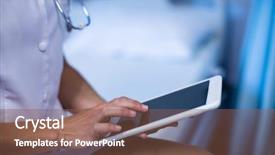
 Presentation with digital-hospital - Presentation design consisting of section of doctor using digital background and a teal colored foreground

Mid-section Doctor Using Digital Tablet

Presentation design consisting of mid-section of doctor using digital tablet in ward at hospital background

 Presentation with digital-hospital - Beautiful slides featuring mid section of female doctor using digital tablet of hospital backdrop and a violet colored foreground

Mid Section Female Doctor Using

Here is a description that meets your requirements: Welcome to the Wide Title template design, perfect for medical professionals and enthusiasts alike. This stylish template features a spacious and calming background image that showcases high resolution photos in a grid layout. The Light Steel Blue color palette provides a professional yet modern look that will enhance any presentation. With this template, you can include a Background With a minimalist clock or graph on the side, having a theme of showcasing expertise in medical research. The Wide Title feature is available for download and compatible with Google Slides, allowing you to add it to your presentations easily. The Widescreen format ensures that your content remains clear and crisp, even at high resolutions. To get started quickly, we've included four How To slides to help you set up your presentation and make the most of this template. The Grid Layout slide is a great example of what you could include with this template. It features an 8 picture grid layout showcasing various medical images, such as MRI scans or X rays, in a clean and simple design. This layout makes it easy to organize and highlight important information, making it perfect for presentations about medical procedures or research findings. By adding this template to your presentation, you'll not only add a professional touch but also make your content stand out with its modern and calming design. With the Wide Title feature, featuring high resolution images in a Grid Layout slide, and having a theme of showcasing expertise, you're well on your way to creating an engaging and informative presentation that will leave your audience impressed.

 Presentation with digital-hospital - PPT theme consisting of handsome african american doctor holding digital tablet in hospital background and a light blue colored foreground

Handsome African American Doctor Holding

PPT theme consisting of handsome african american doctor holding digital tablet in hospital

 Presentation with digital-hospital - Theme with young-doctors-talking-in-hospital background and a soft green colored foreground

Young Doctors Talking Hospital Lobby

Imagine walking down a bustling corridor in a hospital, surrounded by rows of exam rooms and the hum of medical equipment, as you take on your new role as a general practitioner. The fluorescent lights overhead cast a warm glow, illuminating the confident smiles of young doctors chatting with each other about their latest patients. The background of this template is rich in high resolution images that feature beautiful graphics and detailed illustrations of various hospital rooms, medical equipment, and doctor's stations. These images are carefully curated to provide an authentic feel for any realistic scenario. The Coral color palette adds a pop of vibrancy, creating a visually appealing contrast with the dull hospital corridors. This template is designed specifically for Google Slides, making it easy to download and customize with your own branding. Featuring a comprehensive keyword list that highlights medical terminology and key concepts related to general practitioners, this template has everything you need to create engaging presentations and posters. Having a theme of professionalism and expertise, this template will help you establish yourself as an authority in the field. With 4 How To slides at the start of the deck, you'll be able to quickly get up and running with your presentation, including slides on how to choose the right colors and fonts, setting up your slides, and navigating Google Slides. The Thank You Layout slide is a great place to showcase any testimonials or feedback from colleagues, providing a personal touch to your professional online presence.

 Presentation with digital-hospital - Colorful presentation design enhanced with digital composite of doctor at the hospital with the stethoscope backdrop and a sky blue colored foreground

Digital Composite Doctor Hospital Stethoscope

In the midst of a hospital setting, where the sound of beeping machines and murmured conversations fills the air, a medical professional is always in high demand. Corner Title features an attention grabbing image showcasing a doctor's hands cradling a patient's chart, conveying a sense of care and compassion. The design name itself implies a comprehensive solution for all your needs. This template is specifically crafted for those who need a versatile workspace that combines functionality with style. Widescreen format ensures the entire layout is visible on any device, from desktop to mobile. A soothing light blue color palette provides a calming environment that promotes focus and productivity. The high resolution images included in this template are carefully selected to provide an immersive experience. Corner Title's design language is rooted in medical themes, as indicated by keywords such as "scrubs," "steel," "medical," and "occupation." These elements are skillfully woven into the design, creating a cohesive visual identity that exudes professionalism. Featuring a stethoscope, which is often considered a symbol of diagnosis, this template includes an image of a doctor listening to a patient's heartbeat, adding depth and context. To enhance your workflow, Four How To slides will guide you through the initial setup process, providing clear instructions on how to customize the template and unlock its full potential. These slides are designed to be easily accessible, allowing users to dive in quickly and start creating their own customized templates. Having a theme of flexibility is maintained throughout the design, making it easy to integrate this template into your existing workflows.

 Presentation with digital-hospital - Slides featuring 3d curtain - doctor touching an digital screen background and a light gray colored foreground

Doctor Touching Digital Screen Against

Imagine being in the midst of a busy hospital during a quiet moment, surrounded by rows of empty beds and the faint hum of life support machines. The fluorescent lights above cast an eerie glow on the dark walls, creating an atmosphere of mystery and tension. The doctor's eyes are fixed intently on their digital screen as they work to stabilize the patient's vital signs. The template is designed to evoke this sense of intensity and urgency, with a light sky blue color palette that evokes feelings of calmness and serenity in contrast to the high stakes environment depicted. The overall effect is one of tension and drama, perfect for creating an immersive experience on your slides. The template features four How To slides at the start of the deck to help you get up and running quickly, but these are not shown here as per instructions. At the top of each slide, there's a picture with the words "Expertly crafted" or similar that grabs attention. For example, on this Picture + Caption Layout slide, featuring an image of a doctor standing in front of a hospital room with a faint light shining through the window, the caption could read: "With enhanced background images and customizable fonts, create visually appealing slides that draw your audience in." On this slide, including a background with a subtle grid pattern or texture adds to the professional look. Having a theme of 'Invisible' highlights the creative freedom allowed by using templates. By keeping your content simple yet impactful, you can focus on telling your story without getting bogged down in unnecessary details.

 Presentation with digital-hospital - PPT layouts enhanced with male-and-female-doctors-having background and a coral colored foreground

Male Female Doctors Having Informal

In a world where medical professionals are constantly at the forefront of innovation and advancement, the need to effectively communicate their ideas and concepts is paramount. A well designed PowerPoint template can be a powerful tool in achieving this goal, allowing users to create visually striking presentations that captivate audiences and convey complex information with ease. The Corner Title template is designed to meet these needs, presenting a professional and confident image at all times. The template's Cornflower Blue color palette provides a clean and trustworthy base for the presentation, while the four How To slides provide a solid foundation for getting started quickly. These slides feature interactive elements such as a "Learn More" button that invites users to explore additional resources, making it easy to enhance their learning experience. The Managed Process Layout ensures that all visual elements are carefully arranged to flow smoothly across the screen, creating an intuitive and user friendly design that is sure to engage viewers. Whether used for medical conferences, business meetings, or personal projects, this template is a versatile and effective tool that can be easily integrated into Google Slides. Including high resolution images of modern hospital settings adds a touch of realism to the presentation, making it more relatable and impactful. Having a theme of "professionalism" means that users will find that all elements in the template are carefully styled and formatted to convey a sense of authority and expertise. Enhanced with additional background options such as medical equipment or patient files, this template is sure to make a strong impression on any audience.

▼Key features of this template

  • They are compatible with both PowerPoint and Google Slides running on either Windows PCs or Macs.

  • They are available in both standard and widescreen slide formats. You can choose your preferred format by clicking on the "Widescreen" check box or icon.

  • Each template includes a beautiful high-resolution background image or video to visually reinforce the theme of your presentation.

  • In addition, each template includes designer-created graphics and modern fonts to give your presentations an up-to-date, professional look.

  • Each template's default design and title text position have been carefully selected to complement its background without covering faces or other key elements.

  • All text includes backdrops whose transparency level is mathematically calculated to maximize text readability while still allowing the background to be seen.

  • And all the text, text backdrops and graphics in every slide are colored with a palette designed to beautifully complement the colors in the background.

  • Our Premium templates (those with the descriptor “Premium” in their subtitle) include over 64 slide layouts to give you maximum flexibility as you create your presentations.

    • Those layouts are available to you whenever you create a new slide or when you want to change the layout of an existing slide.
    • They include everything you need to make all sorts of presentations. In addition to the layouts for the title slide and the usual title and content slide, they include many other layouts for slide types including table of contents slides, org charts, charts, diagrams, infographics, photo slides, thank you slides and more.
    • While creating these layouts our template designers have ensured that all text in every layout adjusts as gracefully as possible to various numbers of words.
  • Customizable templates (those with the descriptor “Customizable” in their subtitle) may be easily modified online before you download them.

    • To modify them, simply click on the pencil editing icon, then select your choice of ready to go designs and title text positions.
    • The editing tool also makes it easy to reposition and scale the background image or video to best suit your needs.

▼FAQs

Please review these FAQs to see if your question is answered. Contact us for more info

  • What is a PowerPoint template?

    • A well designed PowerPoint template is a file that can tell PowerPoint how to make your ordinary templates look extraordinary. They won’t change what your words or numbers say. But they might change their size, color, font and placement. And, overall, they can give your presentations a professionally-designed look that will give your content more credibility and give you more confidence.
  • How many PowerPoint templates do you offer?

    • We have over 32,000 artist-created presentation templates in our PowerPlugs collection With a subscription, PowerPlugs templates are easy to download. Just sign in, find a template and click on the green Download button. ready for you to download. That alone offers you more variety to choose from than any of our competitors can offer. And, as if that weren’t enough, we also offer over 6 million templates in our Crystal collection. Crystal brand templates are our line of templates that have customization options. They have the word "CRYSTAL" on their web page images. You can customize several aspects of the templates. These templates include high-resolution background images from Shutterstock’s vast image collection matched up with artist-created presentation designs customized by our own proprietary AI software.
  • How many templates can I download as a subscriber?

    • You can download an unlimited number of PowerPlugs-brand With a subscription, PowerPlugs templates are easy to download. Just sign in, find a template and click on the green Download button. templates every day for an entire year. (Actually, by default, we set a limit of 25 templates per day to prevent our competitors from stealing our templates. But, if that is not enough, just let us know and we’ll try to accommodate you.) On top of that, with a subscription or an Ultimate Combo, you can also download any 50 Crystal-brand Crystal brand templates are our line of templates that have customization options. They have the word "CRYSTAL" on their web page images. You can customize several aspects of the templates. templates per year selected from our huge Crystal collection. Crystal brand templates are our line of templates that have customization options. They have the word "CRYSTAL" on their web page images. You can customize several aspects of the templates. .
  • Why should I choose your templates instead of the competition’s?

    • We’ve got a larger selection of professionally-designed PowerPoint templates than anyone else in the world.
    • Each template includes a high-resolution background image or video to visually inspire your audiences while reinforcing your message.
    • Each template includes 64 slide layouts to give you maximum flexibility as you create your presentations.
    • Our templates are available in both standard and widescreen slide formats. And our website lets you preview the slides each way.
    • Our free Template Finder™ plugin lets subscribers select and - with a single click - download and insert our templates into their presentations right from within PowerPoint.
    • We’ve been creating designer presentation templates for over 20 years. During that time we’ve won several awards and 5-star ratings for product quality. See About Us for more.
  • Do you offer a money-back guarantee?

    • Yes we do! We offer full 30-day money-back guarantee if you are not 100% satisfied with your purchase.
  • Can I still use my downloaded templates after my subscription runs out?

    • Yes. After your subscription expires, you won't lose any rights or ability to use your PowerPlugs: Templates for PowerPoint. You won't be able to download any new non-watermarked templates. But the non-watermarked templates you've already downloaded will still work and you can still use them as before.
  • Can I share my downloaded templates or passwords with friends or coworkers?

    • Sorry but no. You are authorized to download each paid-for template to up to 3 of your personal devices and to use the templates you download in as many presentations as you want. But you are not authorized to share the templates, themselves, with others. That said, we do offer highly discounted site licenses to suit the needs of both small and large teams. Just tell us your needs and we’ll give you a quote!
  • System requirements:

    • The templates use the standard POTX format. So they are compatible with Google Slides and all PC, Mac and mobile devices running any version of PowerPoint from PowerPoint 2007 up through and including Office 365 desktop.
    • Please note: Google Slides does not currently support background videos. It treats them as still images.
    • For PowerPoint for the Web, first open your template into a desktop version of PowerPoint, then save it back out as a PPTX file. Then you can open that in PowerPoint for the Web.
  • End user license agreement:

    • Click here to view.
  • How will I get my purchased templates?

    • You may download your selected templates as soon as your payment is received by PayPal. If you purchased an individual template, you will be provided with a download link both onscreen and via email. Just click on that link to begin the download process. If you purchased a subscription, you will receive an email containing a password to use along with your email address to sign in to any of the templates pages on CrystalGraphics.com. Once you are signed in, you can immediately start downloading your selected templates.
  • How do I use my templates after I download them?

    • You can either open a template to start a new presentation or you can add a template to an existing presentation. To open a template, just double click on it or use PowerPoint's File > Open tool. To add a template to an existing presentation, on the Design tab, in the Themes group, click Browse for Themes... then browse to select your template.

View more digital hospital templates:

previous 1 2 3 4 5 6 7 8 next
93% of Fortune 1000
companies use our
PowerPoint Products
Templates Secure

Standing Ovation Award
Winner: Best PowerPoint
Template Collection
Fortune Logos
200,000+ satisfied
customers worldwide!
Guarantee
100% satisfaction guaranteed
- or send it back for a refund!

Sign up for our free newsletter! You'll get news about our PowerPoint-enhancing product line – including free updates, new product announcements and exclusive special offers. Plus you'll get a link to a free PowerPoint template with every newsletter you receive.
Privacy Policy
Loading...


Help

Contact Us
Product FAQs
Product License Agreements

Company Info

About Us
Privacy Policy
CrystalGraphics, Inc. 1999 S. Bascom Avenue Suite 700 Campbell, CA 95008 USA
© 2026 CrystalGraphics, Inc. All rights Reserved.    |     PowerPlugs is a trademark of CrystalGraphics, Inc.
Microsoft and the PowerPoint logo are trademarks or registered trademarks of Microsoft Corporation in the United States and/or other countries.
Loading...
Loading...