www.crystalgraphics.com CrystalGraphics
  • Ultimate Combo
  • Templates
  • Diagrams
  • Characters
  • Quizzes
  • shopping cart
  • Sign Out Sign Out Sign In
Home > Templates > Directors Chair Category
search icon
advanced icon

27 Best Directors Chair-Themed Templates for PowerPoint and Google Slides

CrystalGraphics creates templates designed to make even average presentations look incredible. Below you’ll see thumbnail sized previews of the title slides of a few of our 27 best directors chair templates for PowerPoint and Google Slides. The text you’ll see in in those slides is just example text. The directors chair-related image or video you’ll see in the background of each title slide is designed to help you set the stage for your directors chair-related topics and it is included with that template. In addition to the title slides, each of our templates comes with 17 additional slide layouts that you can use to create an unlimited number of presentation slides with your own added text and images. And every template is available in both widescreen and standard formats. With over 6 million presentation templates available for you to choose from, CrystalGraphics is the award-winning provider of the world’s largest collection of templates for PowerPoint and Google Slides. So, take your time and look around. You’ll like what you see! Whether you want 1 great template or an ongoing subscription, we've got affordable purchasing options and 24/7 download access to fit your needs. Thanks to our unbeatable combination of quality, selection and unique customization options, CrystalGraphics is the company you can count on for your presentation enhancement needs. Just ask any of our thousands of satisfied customers from virtually every leading company around the world. They love our products. We think you will, too!

Features & Pricing

Widescreen (16:9) Presentation Templates. Change size...

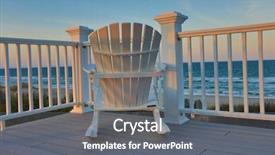
 Presentation with directors chair - Beautiful slide deck featuring adirondack chair sitting backdrop and a gray colored foreground

Adirondack Chair Sitting Deck Balcony

Slide deck featuring adirondack chair sitting on a deck balcony overlooking the ocean and beach at sunset this location is in the outer banks of north carolina

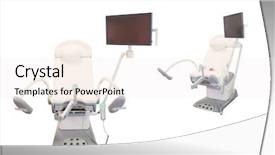
 Presentation with directors chair - Presentation theme featuring obstatric surgery - gynecological chair under the white background and a  colored foreground

Gynecological Chair Under White Background

You're looking to elevate your presentation game with a stunning Corner Title template that's sure to grab the audience's attention. Imagine walking into a high end obstetrics clinic under the gentle glow of medical equipment, with a soft and inviting background featuring 6 beautiful high resolution images showcasing the beauty of childbirth. The warm tones and soothing colors will transport your viewers to a serene world of healthcare. The Corner Title template is designed for widescreen presentations, with a crisp and clear format that's perfect for conveying complex information in an easy to follow manner. The Rosy Brown color palette adds a touch of sophistication and elegance, while the keywords "medical", "woman", "medic", "obstetric", and "mother" will give you a clear idea of what your presentation is about. This template is also fully downloadable and compatible with Google Slides, making it easy to share and collaborate on. The image grid layout slide will feature four prominent images that showcase the theme of the Corner Title. The first row will include two high quality pictures of medical equipment under the white background, while the second row features a beautiful portrait of a woman in a nurse's uniform, highlighting the expertise of medical professionals. The third row showcases a stunning image of a birth, with a soft focus effect to emphasize the emotional connection between mother and child. And the final row includes three images of happy families enjoying quality time together, reinforcing the idea that healthcare is about more than just treating patients – it's about nurturing lives. The Corner Title template will enhance your presentation with its stunning visuals, clear typography, and professional design elements, making it an excellent choice for any gynecological or medical related presentation. With its download feature and compatibility with Google Slides, you can share this template quickly and easily with your audience, showcasing the best of obstetrics and women's healthcare in a visually striking way.

 Presentation with directors chair - PPT theme enhanced with office prank with sharp thumbtacks background and a teal colored foreground

Office Prank Sharp Thumbtacks Chair

Imagine walking into your office on a sunny April morning, greeted by a cheerful coworker who has cleverly transformed the day with a playful stool and happy memories all thanks to a well crafted PowerPoint template. This is exactly what you can experience with Wide Title, featuring a sleek steel blue background that sets the tone for a humorous yet engaging presentation. The Widescreen format allows for an immersive viewing experience, making it perfect for sharing ideas or showcasing visual content. The template's Steel Blue color palette is a great starting point for any office themed presentation, providing a professional and modern look without being too serious. For instance, you could use Wide Title to create an engaging slideshow about successful business strategies featuring high resolution images of the most effective tools used in the industry like sharp thumbtacks on chairs as we saw earlier. The Growth Layout slide is where things get really interesting, offering a unique opportunity to showcase your ideas and creativity. You can use it to include a background with a subtle texture or pattern, having a theme of growth and expansion, while also highlighting key points and statistics related to office productivity. The enhanced visuals will surely grab the attention of your audience and leave a lasting impression. To take it to the next level, you could include some witty examples or anecdotes from past presentations using Wide Title, making it easy for others to relate and engage with your content. With its download able compatibility on Google Slides, this template is sure to be a hit among professionals looking to spice up their presentation game so why wait?

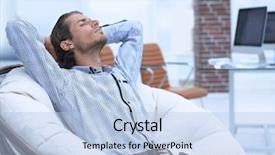
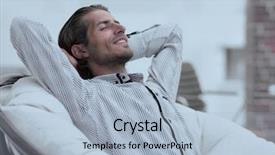
 Presentation with directors chair - Colorful presentation theme enhanced with relaxing in a comfortable chair backdrop and a  colored foreground

Businessman Relaxing Comfortable Chair

Imagine sitting back in a comfortable chair, feeling relaxed and at ease as you take in the world around you. The stresses of your busy life melt away, replaced by a sense of calm and focus. This is what a career of success looks like a masterful blend of leadership, expertise, and dedication. This template features a stunning Light Steel Blue background that will transport you to a world of sophistication and elegance. The Widescreen format ensures that every detail is showcased in high definition, from the sharp lines of the typography to the vibrant colors that dance across the screen. But this isn't just any ordinary template it's a versatile platform that can be tailored to showcase your unique personality. The template has been designed with mature professionals in mind, incorporating elements of leadership and career success that will resonate with anyone looking to take their business to the next level. The Light Steel Blue color palette provides a clean and crisp look that's perfect for creating a professional yet approachable atmosphere. Including a Background With rich textures, natural colors, and unique patterns, this template is sure to enhance your slides and make them truly stand out from the crowd. Having a Theme of Success and Growth, it can be customized to include inspirational quotes, images, and illustrations that will motivate your audience and inspire their own personal growth. The Wide Title feature allows you to create a striking title slide that sets the tone for your entire presentation. You can choose from four How To slides to get started quickly, featuring high resolution images of professional settings and inspiring success stories. The Table of Contents slide provides valuable insights into what's included in each section, helping you stay focused and on track.

 Presentation with directors chair - PPT theme with office prank with sharp thumbtacks background and a lemonade colored foreground

Office Prank Sharp Thumbtacks Chair

Imagine being part of an office prank that's been up and running for months, with the stapler counter on the chair top and the computer mouse attached to the ceiling fan by hundreds of sharp thumbtacks. That's what this Corner Title powerpoint template is all about a humorous take on the typical office setting that will have your audience laughing. With its bright yellow green color palette and playful design, this template is sure to bring some humor to your presentation or marketing materials. The template features four high resolution images of a quirky stool at different angles, showcasing a workspace with a dash of personality. The 5 x 5 Org Chart Layout slide is designed to be colorful and visually appealing, featuring a bold headline that emphasizes the importance of teamwork and collaboration. This layout will help you create an engaging visual hierarchy, making it easy for your audience to follow along. The template is downloadable in Google Slides format, ensuring compatibility with your favorite presentation software. You can even feature high resolution images from our extensive library, including those from Google's own collections. The yellow green color palette is a great match for any office setting, and the playful design will have you laughing out loud featuring a background with colorful doodles and fun shapes.

 Presentation with directors chair - Presentation theme enhanced with sitting in chair and dreaming background and a  colored foreground

Young Businessman Sitting Chair Dreaming

A young businessman sits in his chair, looking upwards with a confident gaze as he begins to conceptualize the next big idea. The air is thick with anticipation, and the silence is only broken by the faint hum of a computer screen. As he stares into space, his eyes scan the possibilities, eager to explore new avenues of thought. The world outside may be dull and mundane, but in here, anything is possible. The Sidebar Title template is designed to provide a sleek and modern backdrop for your presentations, with a dark cyan color palette that exudes sophistication and professionalism. The full screen format ensures that every element takes center stage, while the high resolution images embedded in the background add depth and visual interest. This theme is perfect for educational settings, where clarity and precision are key. Imagine presenting to a packed auditorium of students, filled with an enthusiastic audience eager to learn from your ideas. The Sidebar Title template includes four quick start slides to help you get up and running quickly "Getting Started", "Idea Generation", "Data Analysis", and "Conclusion". But for the main presentation, the template features a stunning background image, showcasing a modern cityscape at night. This enhanced experience will leave your audience impressed. The theme of confidence is woven throughout the design, with subtle cues suggesting success and achievement. The use of dark cyan adds a hint of sophistication, while the high resolution images guarantee that every detail is crisp and clear. Whether you're presenting to colleagues or sharing ideas with friends, this template has got you covered it's designed to inspire and engage.

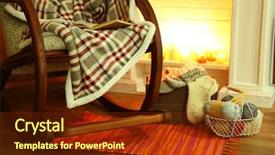
 Presentation with directors chair - Presentation theme enhanced with rocking chair with plaid near background and a tawny brown colored foreground

Rocking Chair Plaid Near Fireplace

Presentation theme enhanced with rocking chair with plaid near fireplace

 Presentation with directors chair - Presentation theme with rocking chair with plaid near background and a soft green colored foreground

Rocking Chair Plaid Near Fireplace

Presentation theme with rocking chair with plaid near fireplace

 Presentation with directors chair - Presentation theme having problem solver - young handsome businessman sitting background and a light gray colored foreground

Young Handsome Businessman Sitting Chair

Presentation theme having young handsome businessman sitting in chair and reading book background

 Presentation with directors chair - Beautiful presentation theme featuring office prank with sharp thumbtacks backdrop and a lemonade colored foreground

Office Prank Sharp Thumbtacks Chair

Presentation theme featuring office prank with sharp thumbtacks on chair backdrop

 Presentation with directors chair - Beautiful slides featuring businessman sitting in a chair backdrop and a  colored foreground

Businessman Sitting Chair Lobby

In a world where career advancement is key, individuals must navigate a complex landscape of professional expectations and responsibilities. It's not just about holding onto one's goals, but also about being adaptable and confident in the face of uncertainty. To help you achieve this in your own life or to inspire others to do so, CrystalGraphics has created a stunning PowerPoint template specifically designed for career driven professionals like yourself. This template is available for download as a compatible addition to Google Slides. The Corner Title template features a captivating design that embodies the spirit of professionalism and leadership. The Light Steel Blue color palette provides a sleek and modern backdrop for your content, while the Caucasian theme ensures a balanced representation of all characters and elements in the design. This template is perfect for showcasing your career journey and accomplishments to both yourself and others. It's a powerful way to communicate your professional aspirations and demonstrate your commitment to excellence. You can enhance this visual identity with 4 How To slides that will guide you through getting started quickly, featuring high resolution images as the background to showcase your success. These slides would include the "Hold the Line" slide, which showcases how you've managed challenges in your career journey; the "Professional Growth" slide, highlighting your achievements and responsibilities in various aspects of your career. This template is a versatile tool that can be customized with different backgrounds, colors, and text to fit your unique needs. With its sleek design and professional theme, it's an excellent choice for anyone looking to present their expertise or inspire others to do the same. Including a Background With modern layout and themes such as Executive and Professional, you'll be able to showcase your company data and add some professionalism with Arrow Stages Layout. Having a Theme of showcases corporate design elements that fit well together which will give your presentation more visual appeal. Having a professional image from real life like business meetings with customers or in interviews would make the template truly stand out as a valuable asset for showcasing career progressions, leadership skills and expertise

 Presentation with directors chair - Beautiful PPT theme featuring restructuring - office with rocking chair backdrop and a soft green colored foreground

Office Rocking Chair Parquet Renovated

As you step into this sophisticated and renovated office space, you're immediately struck by the warm and inviting atmosphere that pervades every corner. The rich wood tones and plush parquet flooring create a cozy ambiance that's perfect for productivity and relaxation alike. The room is dominated by a stunning image of a classic rocking chair, situated in front of a beautiful wooden door adorned with intricate carvings. The chair is placed against the wall, creating a natural focal point that draws your eye towards it. Just as a charming parquet floor can add character to any room, this particular piece of furniture has been carefully chosen to create a sense of warmth and comfort. In the background, you'll find high resolution images that showcase the dark orange color palette, which features deep oranges, muted reds, and rich browns. These colors work beautifully together to create a sophisticated and refined look that's perfect for any office setting. The template is designed to be easy to use, with four helpful slides to get you up and running quickly. On the first slide, you'll find "Getting Started", featuring a clear call to action to dive into your presentation with confidence. This layout will guide you through the process of creating a stunning slideshow that showcases your personality. On the next slide, "Design Inspiration" takes center stage, including images of high quality graphics and visual elements that inspire creativity and imagination. From classic typography to modern patterns, this slide is designed to showcase the most effective ways to enhance your presentation with visuals. The Dart on Target Layout provides a clean and simple design element that adds depth and interest to your slides. This layout is perfect for creating a balanced and engaging visual flow, making it easy to follow along with your message.

 Presentation with directors chair - PPT theme featuring office prank with sharp thumbtacks background and a cream colored foreground

Office Prank Sharp Thumbtacks Chair

Imagine walking into your office on April Fool's Day and finding that all the chairs in the room have been covered in sharp thumbtacks, leaving you to wonder how someone would even think of such a thing. But what if I told you it's not just a prank it's the perfect addition to any PowerPoint template? The Corner Title is designed with you in mind, featuring high resolution images of stools and smartphones that will enhance your presentations and make them instantly recognizable. The template format is widescreen, ready for use on whatever device you have at hand. And when it comes to color palette, we've chosen cornflower blue as the dominant hue a soothing and professional choice that will feature seamlessly throughout the template. But what really sets Corner Title apart is its humorous theme, perfect for lighthearted office humor or even more playful presentations. To get started with your presentation, you'll begin with four How To slides to help you quickly get up and running. However, we encourage you to explore the template's features beyond these basics including a Background With a fun image of an office workspace that includes a stool and smartphone, Featuring a detailed layout diagram showcasing the five P's (Product, Price, Place, Promotion, and Packaging) that make for a successful marketing strategy. Having a Theme of corporate humor that incorporates office supplies as props adds another layer of interest to the template. In terms of design principles, we've used the Powerpoint 5 P's Product: showcasing key products or services; Price: highlighting pricing strategies; Place: emphasizing location and geography; Promotion: featuring marketing initiatives; and Packaging: demonstrating product variety. And of course, no presentation would be complete without a Background With image that sets the tone for your entire slide deck. The template is downloadable and compatible with Google Slides, allowing you to easily share it with others or take it on the go. So why settle for a dull, generic template when you can have something truly unique? Get creative, get Corner Title, and make your presentations stand out from the crowd.

 Presentation with directors chair - Beautiful PPT theme featuring relaxing in a comfortable chair backdrop and a light blue colored foreground

Businessman Relaxing Comfortable Chair

As you begin your professional journey, you'll want to establish a strong foundation in creating engaging content that showcases your personality and expertise. Introducing the Sidebar Title template from CrystalGraphics, designed specifically with this goal in mind. This stunning Widescreen template is perfect for career professionals looking to make a lasting impression. TheSidebar Title features a comfortable chair setup, providing an inviting atmosphere for relaxation and inspiration. The 1 Picture on left showcases high resolution images of a businessman relaxing in a cozy space, surrounded by books and notes, highlighting the importance of downtime for creativity and productivity. This design seamlessly incorporates a theme of personal growth and self improvement. The template is available in various resolutions and can be easily integrated into Google Slides, ensuring compatibility with this popular presentation software. To get started quickly, you'll find 4 How To slides that will guide you through the process of customizing your Sidebar Title to fit your unique style. These slides will walk you through the process of adding images, text, and other elements to make your template truly one of a kind. When designing your Sidebar Title, think about how you want to present yourself professionally while also showcasing your personality. By featuring a clean and modern design, including a background with subtle textures and a comfortable color palette, you'll be well on your way to creating an enhanced visual identity that will make a lasting impression on your audience.

 Presentation with directors chair - Cool new PPT theme with young handsome man repairing chair backdrop and a coral colored foreground

Young Handsome Man Repairing Chair

You're stuck in a rut, feeling frustrated with the state of your craft projects and need to get back on track. Maybe you've got a vision for a beautiful handmade chair, but the cluttered workspace is holding you back from bringing it to life. In this template, we'll help you take your skills to the next level by featuring a high resolution image of a traditional carpenter at work in his workshop, surrounded by tools and half finished projects. The Dark Khaki color palette will give your design a professional and rugged feel, perfect for an office or workshop setting. This Widescreen template is designed to showcase your creations with ease, allowing you to add a Managed Process Layout to make the most of its features. Imagine having a dedicated slide for each How To step, featuring high resolution images that bring your ideas to life. The layout will allow you to include background images with a clear theme, and having a theme of "A Carpenter's Workshop" adds an extra layer of authenticity to the design. You can use this template to enhance your presentation with images from other sources, such as Google Slides, featuring high resolution images that showcase your handiwork. With its Widescreen format, you'll be able to include a variety of backgrounds and add text overlays in the Design Name section to highlight your brand identity.

 Presentation with directors chair - Slides consisting of office prank with sharp thumbtacks background and a sky blue colored foreground

Office Prank Sharp Thumbtacks Chair

The office furniture has been up to its old tricks again The latest prank involves sharp thumbtacks stuck firmly into a chair seat, leaving employees scrambling to find the culprit's identity The prankster has perfected the art of hiding evidence in plain sight with cleverly placed notes and reminders featuring witty humor and sarcastic remarks As you start creating your own template, remember that it needs to be showcased on a high resolution background so it looks sharp and professional the Light Sky Blue color palette is sure to bring a sense of calmness and serenity to any presentation while also adding a touch of whimsy with the humorous theme Imagine presenting a "Stool Surprise" slide Featuring an image of a chair seat covered in thumbtacks, accompanied by a playful title that reads "April Fool's Day Prankster" Having a theme of humor and wit is always on point for this type of template it can be enhanced with additional design elements such as subtle animations or effects to add some extra visual interest The Widescreen format will ensure that your presentation looks great whether you're showing it in person or online the Light Sky Blue color palette provides a clean and neutral background that won't distract from any content that features high resolution images

 Presentation with directors chair - Audience pleasing slides consisting of boss day - portrait of businessman sitting backdrop and a light blue colored foreground

Portrait Businessman Sitting Chair Typing

The world of business can be a daunting and intimidating place, especially when trying to convey confidence and leadership on the big stage. This template is designed to help you break through the noise and stand out from the crowd with a clear and concise message that resonates with your audience. With its sleek and modern design, this Widescreen template features high resolution images that will transport your slides to life, giving your presentation an air of sophistication and professionalism. The Light Steel Blue color palette is both calming and energizing, setting the tone for a confident and upbeat presentation. The template includes four key slides that can help you get up and running quickly: four How To slides, Member Bio Layout slide, Featuring Background With images, Having a Theme of Leadership. On this member bio layout example, imagine a high res image of a successful entrepreneur or business leader sitting on a luxurious chair, typing away on their laptop. The background features a subtle gradient that transitions to a vibrant light steel blue, creating a striking visual effect that sets the tone for confidence and success. This template is designed to be downloadable and compatible with Google Slides, making it easy to customize and enhance your presentation without breaking a sweat. Featuring high resolution images, including a Background With design elements, having a theme of leadership adds an extra layer of sophistication and professionalism to your slides.

 Presentation with directors chair - Theme with office prank with sharp thumbtacks background and a lemonade colored foreground

Office Prank Sharp Thumbtacks Chair

Imagine a scene where your corner office is filled with laughter and the occasional prank, but nothing quite like the real thing a chair turned into a prank site. The Corner Title template designed specifically for you is here to transport you to a world that's both humorous and recognizable, featuring high resolution images of 4 different scenarios showcasing this style perfectly. When working on your presentation, you can enhance the theme of this office prank with a background image of a stool in front of a whiteboard filled with sticky notes and sharp objects. This will give you an idea of how to include it in your presentation without having to be too technical. Having a clear direction is crucial when designing a PowerPoint template, and the 4x4 Organ Chart Layout slide is just one example of how this can be achieved. This stunning Corner Title template allows for easy integration into Google Slides, making it compatible with all versions. You can download it and get started right away, featuring high resolution images that will bring your presentation to life without needing any additional design skills.

 Presentation with directors chair - Colorful presentation theme enhanced with young handsome man repairing chair backdrop and a mint green colored foreground

Young Handsome Man Repairing Chair

As you start your woodworking project, you begin to envision the craftsmanship that will come together in perfect harmony. The intricacies of a well crafted chair are a testament to the skill and dedication of the carpenter. To bring this vision to life, we've created a stunning Widescreen template designed specifically for laptops Corner Title. This high resolution image features an inspiring backdrop of a young handsome man repairing a chair at home. His focused attention is captivating, showcasing his expertise in every detail. The warm tones and cozy atmosphere evoke a sense of comfort, perfect for any crafting or DIY enthusiast. The tan color palette adds depth and sophistication to the design, making it ideal for both personal use and professional projects. Featuring an emphasis on leg profiles, this template includes intricate details that will enhance your presentations. Incorporating a background with an earthy tone, you'll have plenty of room to include various graphics and images, such as 3D models or real life photographs of wooden crafts. Having a theme of showcasing the evolution of woodworking techniques over time is particularly noteworthy, as it highlights how craftsmanship has evolved over the years. Enhanced by its compatibility with Google Slides and high resolution images, this template ensures seamless integration into your digital workflow.

 Presentation with directors chair - Amazing theme having relaxing in a comfortable chair backdrop and a  colored foreground

Businessman Relaxing Comfortable Chair

The corporate world demands leadership and expertise. In this captivating template, you can showcase your career accomplishments in style, featuring high resolution images of the serene atmosphere where business leaders unwind. Widescreen photography is seamlessly integrated into the background, creating an immersive experience that immerses your audience. This template is designed to evoke feelings of comfort and relaxation, perfect for a morning routine or as a centerpiece for a networking event. With its light steel blue color palette, it sets the tone for professionalism and sophistication. The accompanying keywords will help you highlight the mature and Caucasian persona of your presentation. Featuring a warm and inviting background, including a subtle texture that enhances with visual effects, this template is ideal for creating an engaging brand identity. For those new to Google Slides, four handy slides are included at the start of the deck to guide you through getting started quickly. These modules cover essential topics such as presenting confidently, using animations, and customizing your template's layout. The 4 Member Bio Layout slide is a beautiful feature that allows users to add their name, photo, and brief bio in an elegant manner, making it easy for viewers to connect with you on LinkedIn. The included high resolution images can be used as backgrounds or overlays throughout the presentation. By incorporating these enhancements, this template creates a seamless user experience, setting your brand apart from others in the corporate world.

 Presentation with directors chair - Presentation theme enhanced with relaxing in a comfortable chair background and a  colored foreground

Businessman Relaxing Comfortable Chair

Presentation theme enhanced with businessman relaxing in a comfortable chair background

▼Key features of this template

  • They are compatible with both PowerPoint and Google Slides running on either Windows PCs or Macs.

  • They are available in both standard and widescreen slide formats. You can choose your preferred format by clicking on the "Widescreen" check box or icon.

  • Each template includes a beautiful high-resolution background image or video to visually reinforce the theme of your presentation.

  • In addition, each template includes designer-created graphics and modern fonts to give your presentations an up-to-date, professional look.

  • Each template's default design and title text position have been carefully selected to complement its background without covering faces or other key elements.

  • All text includes backdrops whose transparency level is mathematically calculated to maximize text readability while still allowing the background to be seen.

  • And all the text, text backdrops and graphics in every slide are colored with a palette designed to beautifully complement the colors in the background.

  • Our Premium templates (those with the descriptor “Premium” in their subtitle) include over 64 slide layouts to give you maximum flexibility as you create your presentations.

    • Those layouts are available to you whenever you create a new slide or when you want to change the layout of an existing slide.
    • They include everything you need to make all sorts of presentations. In addition to the layouts for the title slide and the usual title and content slide, they include many other layouts for slide types including table of contents slides, org charts, charts, diagrams, infographics, photo slides, thank you slides and more.
    • While creating these layouts our template designers have ensured that all text in every layout adjusts as gracefully as possible to various numbers of words.
  • Customizable templates (those with the descriptor “Customizable” in their subtitle) may be easily modified online before you download them.

    • To modify them, simply click on the pencil editing icon, then select your choice of ready to go designs and title text positions.
    • The editing tool also makes it easy to reposition and scale the background image or video to best suit your needs.

▼FAQs

Please review these FAQs to see if your question is answered. Contact us for more info

  • What is a PowerPoint template?

    • A well designed PowerPoint template is a file that can tell PowerPoint how to make your ordinary templates look extraordinary. They won’t change what your words or numbers say. But they might change their size, color, font and placement. And, overall, they can give your presentations a professionally-designed look that will give your content more credibility and give you more confidence.
  • How many PowerPoint templates do you offer?

    • We have over 32,000 artist-created presentation templates in our PowerPlugs collection With a subscription, PowerPlugs templates are easy to download. Just sign in, find a template and click on the green Download button. ready for you to download. That alone offers you more variety to choose from than any of our competitors can offer. And, as if that weren’t enough, we also offer over 6 million templates in our Crystal collection. Crystal brand templates are our line of templates that have customization options. They have the word "CRYSTAL" on their web page images. You can customize several aspects of the templates. These templates include high-resolution background images from Shutterstock’s vast image collection matched up with artist-created presentation designs customized by our own proprietary AI software.
  • How many templates can I download as a subscriber?

    • You can download an unlimited number of PowerPlugs-brand With a subscription, PowerPlugs templates are easy to download. Just sign in, find a template and click on the green Download button. templates every day for an entire year. (Actually, by default, we set a limit of 25 templates per day to prevent our competitors from stealing our templates. But, if that is not enough, just let us know and we’ll try to accommodate you.) On top of that, with a subscription or an Ultimate Combo, you can also download any 50 Crystal-brand Crystal brand templates are our line of templates that have customization options. They have the word "CRYSTAL" on their web page images. You can customize several aspects of the templates. templates per year selected from our huge Crystal collection. Crystal brand templates are our line of templates that have customization options. They have the word "CRYSTAL" on their web page images. You can customize several aspects of the templates. .
  • Why should I choose your templates instead of the competition’s?

    • We’ve got a larger selection of professionally-designed PowerPoint templates than anyone else in the world.
    • Each template includes a high-resolution background image or video to visually inspire your audiences while reinforcing your message.
    • Each template includes 64 slide layouts to give you maximum flexibility as you create your presentations.
    • Our templates are available in both standard and widescreen slide formats. And our website lets you preview the slides each way.
    • Our free Template Finder™ plugin lets subscribers select and - with a single click - download and insert our templates into their presentations right from within PowerPoint.
    • We’ve been creating designer presentation templates for over 20 years. During that time we’ve won several awards and 5-star ratings for product quality. See About Us for more.
  • Do you offer a money-back guarantee?

    • Yes we do! We offer full 30-day money-back guarantee if you are not 100% satisfied with your purchase.
  • Can I still use my downloaded templates after my subscription runs out?

    • Yes. After your subscription expires, you won't lose any rights or ability to use your PowerPlugs: Templates for PowerPoint. You won't be able to download any new non-watermarked templates. But the non-watermarked templates you've already downloaded will still work and you can still use them as before.
  • Can I share my downloaded templates or passwords with friends or coworkers?

    • Sorry but no. You are authorized to download each paid-for template to up to 3 of your personal devices and to use the templates you download in as many presentations as you want. But you are not authorized to share the templates, themselves, with others. That said, we do offer highly discounted site licenses to suit the needs of both small and large teams. Just tell us your needs and we’ll give you a quote!
  • System requirements:

    • The templates use the standard POTX format. So they are compatible with Google Slides and all PC, Mac and mobile devices running any version of PowerPoint from PowerPoint 2007 up through and including Office 365 desktop.
    • Please note: Google Slides does not currently support background videos. It treats them as still images.
    • For PowerPoint for the Web, first open your template into a desktop version of PowerPoint, then save it back out as a PPTX file. Then you can open that in PowerPoint for the Web.
  • End user license agreement:

    • Click here to view.
  • How will I get my purchased templates?

    • You may download your selected templates as soon as your payment is received by PayPal. If you purchased an individual template, you will be provided with a download link both onscreen and via email. Just click on that link to begin the download process. If you purchased a subscription, you will receive an email containing a password to use along with your email address to sign in to any of the templates pages on CrystalGraphics.com. Once you are signed in, you can immediately start downloading your selected templates.
  • How do I use my templates after I download them?

    • You can either open a template to start a new presentation or you can add a template to an existing presentation. To open a template, just double click on it or use PowerPoint's File > Open tool. To add a template to an existing presentation, on the Design tab, in the Themes group, click Browse for Themes... then browse to select your template.

View more Directors Chair templates:

previous 1 2 next
93% of Fortune 1000
companies use our
PowerPoint Products
Templates Secure

Standing Ovation Award
Winner: Best PowerPoint
Template Collection
Fortune Logos
200,000+ satisfied
customers worldwide!
Guarantee
100% satisfaction guaranteed
- or send it back for a refund!

Sign up for our free newsletter! You'll get news about our PowerPoint-enhancing product line – including free updates, new product announcements and exclusive special offers. Plus you'll get a link to a free PowerPoint template with every newsletter you receive.
Privacy Policy
Loading...


Help

Contact Us
Product FAQs
Product License Agreements

Company Info

About Us
Privacy Policy
CrystalGraphics, Inc. 1999 S. Bascom Avenue Suite 700 Campbell, CA 95008 USA
© 2026 CrystalGraphics, Inc. All rights Reserved.    |     PowerPlugs is a trademark of CrystalGraphics, Inc.
Microsoft and the PowerPoint logo are trademarks or registered trademarks of Microsoft Corporation in the United States and/or other countries.
Loading...
Loading...