www.crystalgraphics.com CrystalGraphics
  • Ultimate Combo
  • Templates
  • Diagrams
  • Characters
  • Quizzes
  • shopping cart
  • Sign Out Sign Out Sign In
Home > Templates > Forest > Dry Forest Category
search icon
advanced icon

83 Best Dry Forest-Themed Templates for PowerPoint and Google Slides

CrystalGraphics creates templates designed to make even average presentations look incredible. Below you’ll see thumbnail sized previews of the title slides of a few of our 83 best dry forest templates for PowerPoint and Google Slides. The text you’ll see in in those slides is just example text. The dry forest-related image or video you’ll see in the background of each title slide is designed to help you set the stage for your dry forest-related topics and it is included with that template. In addition to the title slides, each of our templates comes with 17 additional slide layouts that you can use to create an unlimited number of presentation slides with your own added text and images. And every template is available in both widescreen and standard formats. With over 6 million presentation templates available for you to choose from, CrystalGraphics is the award-winning provider of the world’s largest collection of templates for PowerPoint and Google Slides. So, take your time and look around. You’ll like what you see! Whether you want 1 great template or an ongoing subscription, we've got affordable purchasing options and 24/7 download access to fit your needs. Thanks to our unbeatable combination of quality, selection and unique customization options, CrystalGraphics is the company you can count on for your presentation enhancement needs. Just ask any of our thousands of satisfied customers from virtually every leading company around the world. They love our products. We think you will, too!

Features & Pricing

Widescreen (16:9) Presentation Templates. Change size...
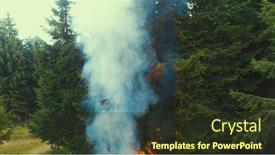
 Presentation with dry forest - Audience pleasing presentation consisting of fire-flames-starting-to-ignite backdrop and a tawny brown colored foreground

Fire Flames Starting Ignite Try

In a world where danger lurks in the shadows, and the dry forest is just minutes away from engulfing itself in flames, one must always be prepared. The scene unfolds with a sense of foreboding, as the camera pans over a vast expanse of burning trees, their branches like skeletal fingers reaching for the sky. A lone drone soars above, its rotors whirring fiercely as it scans the horizon for any signs of life. In this dramatic landscape, the elements are in perfect harmony, each one playing a crucial role in the unfolding drama. The high resolution images that make up the background add depth and texture to the scene, while the dark sea green color palette creates a sense of foreboding and unease. This is the essence of the Wide Title template, designed to transport your audience into the heart of the bushfire. This template features an intricate hexagon layout, where each shape is carefully crafted to create a visually striking effect. The background images are carefully arranged to create a sense of movement and energy, while the text is styled in a bold, modern font that adds contrast to the darker colors. This theme of featuring high resolution images and having a theme of enhanced with will take your presentation to the next level. For example, you could use this template as the background for a presentation about bushfires, featuring dramatic footage of flames engulfing trees and the sounds of crackling fire. The hexagon layout can be customized to fit your specific needs, while the dark sea green color palette creates a sense of drama and tension. With these four slides at the start of your deck, you'll be well on your way to creating an engaging and informative presentation that will leave your audience speechless.

 Presentation with dry forest - Presentation design having wildfire - fire in the forest background and a gray colored foreground

Fire Forest Dry Grass Burns

As flames lick the dry underbrush, the forest comes alive with the eerie glow of burning trees, fueling an emergency response. To create a visually striking and immersive presentation, designers can utilize the Wide Title template from CrystalGraphics. Featuring high resolution images for the background, this Widescreen template is designed to transport viewers into a dramatic forest setting. The Slate Gray color palette provides a somber yet ominous tone, perfect for conveying danger or urgency. This theme is ideal for emergency response slides, natural disasters, or any scenario where you need to convey a sense of crisis. The Ansoff Matrix Diagram Layout slide can be enhanced with animated graphics and subtle animations to make the data more engaging. For example, a pie chart representing the percentage of damage in different regions could feature a stylized forest landscape on one side and a map of affected areas on the other. The contrasting colors would create visual interest, making it easier for viewers to understand the severity of the situation. Incorporating this template into your Google Slides presentation is simple and convenient, featuring a Background With seamless integration with pre built slides. Have a theme of enhanced visuals by including interactive elements such as hover effects or zoom functionality. This template is designed to be easily customizable, allowing you to add your own text, images, and colors to create a unique look that suits your needs.

 Presentation with dry forest - Colorful presentation theme enhanced with dry tropical forest madagascar backdrop and a tawny brown colored foreground

Endemic Fossa (cryptoprocta Ferox Dry

As you embark on your journey to create stunning presentations with CrystalGraphics, imagine yourself standing in the midst of a dense tropical forest in Madagascar, surrounded by the eerie sounds and shadows cast by the flickering light of ancient trees. The air is thick with the scent of exotic flora and fauna, and the ground beneath your feet is covered in a rich, emerald green carpet. The Corner Title template features a design name that perfectly captures the essence of this dramatic setting: Saddle Brown, a warm and earthy color palette that evokes feelings of comfort and adventure. The high resolution images for the background will transport you to this tropical paradise, while the template's keywords cunning, forest, fur, ferocious, dangerous hint at the danger and excitement that lies within. The Corner Title is designed specifically with widescreen format in mind, making it perfect for creating immersive presentations that draw your audience in. The theme of featuring a stunning image as the centerpiece will allow you to showcase your creativity and expertise, while having a "theme of" feature highlights the importance of context in enhancing your design. With 5 Steps to Success Layout, you'll be able to create a visually striking presentation from the ground up, with each step building upon the previous one. The template is downloadable and compatible with Google Slides, making it easy to incorporate into your workflow. Featuring high resolution images and customizable fonts, this template is sure to impress even the most discerning audiences.

 Presentation with dry forest - PPT layouts having yellow-dry-grass-around background and a tawny brown colored foreground

Yellow Dry Grass Around Shallow

As you step into the heart of nature's splendor, imagine yourself amidst a serene landscape where the majestic Rocky Mountains of Canada come alive, with the gentle rustle of dry grass beneath your feet and the crystal clear waters of a lake reflecting the vibrant hues of the Goldenrod sky. This breathtaking scene is set against the stunning backdrop of wetlands in this beautiful region, inviting you to explore the concept of ecological, active, and photo tourism. The template features 4 How To slides at the start of the deck, each designed to help you quickly get up and running, but with a special emphasis on showcasing your unique style. The Circular Approach Layout slide is an excellent example of how this can be done, allowing for seamless transitions between different elements and ideas. This theme emphasizes being true to yourself while still offering something new and innovative. The Goldenrod color palette provides a warm and inviting atmosphere, perfectly capturing the essence of this idyllic setting. Incorporating high resolution images from various angles adds depth and texture to the background, giving you the perfect starting point for your creative journey. This template is designed with downloadable compatibility in mind, ensuring that your unique touch shines through on Google Slides. By embracing the beauty of natural landscapes, you can enhance your presentation with a theme of showcasing the wonders of the outdoors, featuring high quality images, and including a background with lush greenery and vibrant colors to elevate your message.

 Presentation with dry forest - Presentation design featuring wetland-in-the-forest-rocky background and a tawny brown colored foreground

Wetland Forest Rocky Mountains Canada.

As you stand at the edge of the forest, surrounded by towering trees and the majestic Rocky Mountains of Canada, your imagination begins to wander. The serene atmosphere sparks an idea what if we could bring this breathtaking landscape into our own homes? Imagine having a piece of nature in every room, without leaving the house. That's exactly what you'll get with Split Title, a stunning PowerPoint template that captures the essence of ecological, active and photo tourism. This template is designed to transport you to the wild, featuring high resolution images of wetlands, rocky landscapes and vibrant forests, all set against a warm goldenrod background. The perfect blend of nature and technology, Split Title will have your audience feeling as if they're right there with you, exploring the Rocky Mountains. With its unique theme of ecological, active and photo tourism, this template stands out from the crowd. The design is simple yet sophisticated, making it easy to customize and add your own personal touch. The goldenrod color palette adds a warm and inviting feel to the entire package, while the keywords "forest", "mirror", "concept", "rockies" and "yellow" evoke a sense of wonder and excitement. This template is not just a presentation tool, but a travel inspiration, featuring a background with imagery that will transport you to new destinations around the world. Imagine having a theme of eco friendly tourism at the start of your deck, using images from national parks and protected areas, such as Yellowstone or Yosemite. You could also include a comparison with image layout slide, highlighting how Split Title enhances the user experience by providing a seamless transition between slides. The result is a cohesive and engaging presentation that will leave your audience feeling inspired and motivated to take action. In contrast to some other templates available on Google Slides, where the background may be too busy or distracting, Split Title presents a clean and uncluttered design that lets the images shine. This makes it easy for your audience to focus on the content and visualize the destination you're promoting. With its unique blend of nature and technology, this template is sure to grab attention and leave a lasting impression.

 Presentation with dry forest - Amazing PPT theme having old-dry-wooden-stub backdrop and a tawny brown colored foreground

Old Dry Wooden Stub Forest

In the depths of a forgotten forest, where the trees stand tall and worn, a lone wooden beam lies strewn across the cracked earth. The fading sunlight casts long shadows, and the air is heavy with an eerie silence that seems to reverberate deep within one's chest. This, my friends, is the aesthetic we're creating for our template Corner Title. Our design name revolves around this decaying wooden relic, juxtaposed against a dark goldenrod color palette that evokes the feeling of aged wood and damp earth. The contrast between the worn beauty of the forest and the stark atmosphere created by this color scheme will leave audiences mesmerized. To bring this to life, we'll start with four How To slides that provide an invaluable primer on getting started quickly. These slides serve as a foundation for any presentation, setting the stage for further exploration into the intricate details that make our template truly special. For instance, the 'Compared to Image Layout' slide would delve into the differences between using images versus text in your design, giving you a better understanding of how to effectively incorporate visual elements into your work. Perhaps we could even include an example of what it might look like if we're using images instead of text? One illustration could feature a beautiful, high resolution image of a forest with some carefully placed wooden textures and other natural elements. Let's also talk about the 'Adding a Theme of' slide we can explore different ways to create depth and meaning in our design. For instance, perhaps we'd include an example of how we can use images and text together to tell a story or convey a message. By incorporating a background with subtle details that reflect the theme, we can enhance the overall impact of our presentation. By emphasizing these key aspects, we can create a template that truly stands out from the crowd one that is both visually striking and thought provoking.

 Presentation with dry forest - Colorful PPT theme enhanced with dry-alone-leaf-on-oak backdrop and a gray colored foreground

Dry Alone Leaf Oak Twig

As the winter landscapes begin to transform into a kaleidoscope of colors, the forest stands tall with bare branches stretching towards the sky like nature's own cathedral. The vibrant hues of red and orange dance across the canvas, while the soft glow of sunrise illuminates the shadows, casting an ethereal light upon the landscape. The Corner Title template is designed to complement this breathtaking backdrop, offering a sophisticated and timeless design that exudes elegance and sophistication. Widescreen format ensures that every detail is showcased in stunning clarity, making it ideal for sharing with colleagues or clients who appreciate high quality visuals. The Dark Slate Blue color palette provides a dramatic and atmospheric tone, perfect for featuring images of serene landscapes and natural wonders. Incorporating this template into your presentation will enhance the overall visual appeal, allowing you to showcase your beautiful winter landscape in an engaging and immersive way. Its compatibility with Google Slides makes it easily accessible, while the accompanying high resolution background images guarantee that every slide is a masterpiece waiting to be shared. From the 'Growth Stages Layout' slide to the 'Featured Backgrounds' gallery, this template offers endless opportunities for creative expression.

 Presentation with dry forest - Presentation enhanced with little sad plush rabbit background and a red colored foreground

Closeup Photo Sad Plush Rabbit

A desperate little rabbit sits alone in the forest, its once fluffy fur now dull and matted with dry tree leaves, a poignant reminder of all that has been lost. The background image is high resolution, providing a clear and detailed view of the melancholy scene unfolding before our eyes. The template's design name is Wide Title, a fitting moniker given the rabbit's downtrodden demeanor. The Widescreen format ensures that every aspect of this template is presented at its largest and most immersive size, from the tiny details to the expansive background images. The Crimson color palette provides a bold and eye catching backdrop for our theme, drawing attention with its deep, rich tones. Featuring an inclusion of high resolution images throughout will ensure that your presentation looks stunning. A small but crucial element to consider is the template's compatibility with Google Slides. This makes it accessible to users worldwide, regardless of their preferred platform. Having a theme of "Forest Elegy" or "Downfall in Bloom" could be an excellent choice for this content, as it evokes a sense of melancholy and loss. The Hexagon Layout slide would make a perfect starting point for your presentation, providing a clear visual structure and organization of the content. This feature, along with Having a Background With crisp white space to separate sections and Enhance With additional graphics or images to break up the flow, will keep your audience engaged from start to finish.

 Presentation with dry forest - Presentation theme featuring fire-flames-starting-to-ignite background and a gray colored foreground

Fire Flames Starting Ignite Try

The flames are starting to ignite, and the dry forest is being consumed by the fierce blaze of fire. The branches are swaying in the gentle breeze, while the aerial drone soars above, capturing the chaos with its high resolution camera. This template design name Wide Title is a fitting choice for this dramatic scene, evoking feelings of danger and urgency as the fire spreads rapidly. The medium aquamarine color palette provides a calming contrast to the intense colors of the flames, creating a sense of balance and harmony. Featuring a background image with a subtle gradient effect, adding depth and dimensionality to the design. The Widescreen format is ideal for showcasing this dramatic scene, ensuring that it fills the entire slide while maintaining a seamless transition between images. The template keywords small, fuel, danger, bushfire, trees are all relevant, but feel free to experiment with different text overlays to add more context and meaning. With 4 How To slides at the start of the deck, users will be able to get up and running quickly, leveraging the template's compatibility with Google Slides to enhance their workflow. The Bulb Puzzle Layout slide is a great example of how this template can be used to create a visually appealing and organized design. Having a theme of showcasing dramatic visuals, the template would make an excellent addition to any presentation or marketing material that requires a bold and eye catching approach. The enhanced formatting options available in this template include the ability to add custom backgrounds with images, including a full screen view of the flame's destruction. Having a theme of Featuring a Background With a dynamic image, users can create presentations that look professional and polished without having to manually insert any additional content.

 Presentation with dry forest - Presentation enhanced with fire-flames-starting-to-ignite background and a tawny brown colored foreground

Fire Flames Starting Ignite Try

This stunning Corner Title PowerPoint template is sure to grab your audience's attention with its fiery and dynamic design. The all over Widescreen format will make you feel like you're right in the midst of a raging bushfire, with flames licking at the edges of your screen. But don't worry, this isn't just any ordinary template it's featuring a beautiful lime green color palette that adds a burst of freshness and energy to your presentation. As you look around, you'll notice that high resolution images are woven throughout, including dramatic aerial shots of drones flying through the sky, as well as lush trees swaying in the breeze. This template is downloadable and compatible with Google Slides, so you can enhance its features and customize it to fit your specific needs. And the best part? It's entirely included within our template, meaning you don't have to worry about a thing. With four How To slides at the start of your deck, you'll be off to a flying start right from the very beginning no need to get bogged down in complicated steps or jargon. Whether you're just starting out or looking for a bit of inspiration, this template is sure to have all the answers.

 Presentation with dry forest - Amazing presentation theme having fire-flames-starting-to-ignite backdrop and a tawny brown colored foreground

Fire Flames Starting Ignite Try

The Corner Title PowerPoint template is designed to ignite your audience's imagination with its dramatic steel blue background and fiery forest landscape. The high resolution images for the background will transport you and your viewers into a world of danger and excitement. This template is downloadable and compatible with Google Slides, making it easy to implement in any presentation or video content. Its Steel Blue theme provides a bold and modern look that will complement any visual style. Featuring a striking image of flames starting to ignite try branches in dry forest aerial drone, this template is sure to pique your viewers' interest. With the Corner Title template, you'll be able to enhance your slides with interactive elements, making it easier for your audience to engage with the content. Having a theme of high energy visuals and action packed imagery, this template is perfect for presentations that need to convey urgency or excitement. The 5 Stages Pentagon Layout slide will provide a clear structure for your presentation, breaking down complex ideas into manageable chunks. By including a background with dynamic flames and trees, you can illustrate key points in a way that's both informative and visually appealing. With the Corner Title template, you'll be able to include the image of the fire flames starting to ignite try branches in dry forest aerial drone on this slide, creating a striking visual aid. The four How To slides at the start of the deck will provide valuable assistance to your viewers, helping them get up and running quickly with the template. By featuring these steps as the first elements of the deck, you can establish trust and convey confidence in your abilities.

 Presentation with dry forest - PPT theme having yellow birches and dry background and a coral colored foreground

Autumn Forest Yellow Birches Dry

As you click on the "Wide Title" template from CrystalGraphics, you're immediately immersed in a tranquil autumn forest scene teeming with warm golden light and vibrant hues of yellow birches that stand majestically against a backdrop of dry herb. The serene atmosphere is set to perfection as 4 high resolution images are included, showcasing a stunningly beautiful landscape that will transport you to the heart of nature. This template features a unique color palette that perfectly captures the essence of Peru, with warm earthy tones and rich shadows that evoke feelings of depth and dimensionality. The entire design is enhanced with a theme of purity, reflecting the natural beauty and simplicity of the autumn forest scene. To add an extra layer of realism to your presentation, you can include these 4 pictures in a grid layout on the "Grid Layout" slide: Picture 1: A wide angle shot of the yellow birches against a sunny sky with a few wispy clouds Picture 2: A close up of one of the birch trees, showcasing its intricate branches and foliage Picture 3: A dramatic shadow cast across the forest floor, accentuating the textures of the dry herb and leaves Picture 4: A serene reflection pool on a nearby rocky outcropping, surrounded by lush vegetation This grid layout will provide a visually striking representation of your autumn forest scene, showcasing multiple angles and perspectives that will keep your audience engaged.

 Presentation with dry forest - Cool new presentation theme with fire-flames-starting-to-ignite backdrop and a ocean colored foreground

Fire Flames Starting Ignite Try

As flames flicker to life in the desolate forest landscape, the air is thick with tension, hinting at the danger that lies ahead. The camera pans over a vast expanse of dry underbrush, the small trees struggling to stay aloft amidst the inferno. The sound system kicks into high gear, pulsating beats and screams of those fleeing the burning bushfire rising in the distance. The Wide Title template is an expertly crafted design that perfectly captures the essence of this dramatic scene. The Widescreen format offers a cinematic feel, with each element playing a crucial role in creating the immersive experience. The teal color palette provides a striking backdrop for the high resolution images featured throughout the template, from the crackling flames to the darkening sky. The 4 How To slides at the start of the deck are designed to be swift and efficient, allowing users to quickly get up and running with their new presentation. These slides can help users create engaging content, set a professional tone, and establish credibility for their presentations. As you begin working on your project, consider incorporating these elements into your design. For example, you could include a background image of the Australian bushfire in 2019 2020, featuring a dramatic aerial shot of the flames engulfing the landscape. This visual element can help set the tone for your presentation and provide context for your key points. The five year calendar timeline layout slide is a great way to visualize your content and make it easy to navigate. You could include sections highlighting major events leading up to the bushfire, such as droughts or climate change, to demonstrate the importance of these factors in creating this devastating disaster. By using this template, you can create a compelling presentation that showcases your expertise and provides valuable insights into the causes and consequences of this tragic event. In terms of compatibility, this template is easily integratable with Google Slides, allowing users to customize it to fit their specific needs without losing any of its key features.

 Presentation with dry forest - Beautiful presentation featuring fire-flames-starting-to-ignite backdrop and a dark gray colored foreground

Fire Flames Starting Ignite Try

In the heart of a ravaged forest, a small village lies in peril, surrounded by towering trees that seem to stretch up to the sky like skeletal fingers. The air is thick with smoke and ash as a massive bushfire rages on, fueled by dry underbrush and flammable vegetation. A lone drone soars through the flames, its camera capturing the chaos with high resolution clarity. As the fire crackles and spits, a small clearing forms amidst the trees, revealing a makeshift fuel depot where desperate people gather to collect precious supplies. This stark scene is set against a breathtaking sky blue background, featuring a subtle gradient that evokes the fiery orange glow of sunset. The overall aesthetic is one of high tension and danger, as if the very fate of the village hangs in the balance. The Sky Blue color palette adds a sense of depth and atmosphere to the design. The template includes four How To slides that will help you get up and running quickly. These include: * "Setting Up Your Template" featuring a step by step guide to installing and customizing your template * "Creating Your First Slide" including an example of how to create a simple slide with bold fonts and colorful images * "Using Our Unique Layouts" highlighting the versatility of our Arrowheads Layout, which allows you to customize the grid size and orientation of your slides * "Enhancing Your Template With Backgrounds And Themes" showcasing the various backgrounds and themes we offer, from realistic landscapes to futuristic cityscapes.

 Presentation with dry forest - Presentation theme featuring dry tropical forest madagascar background and a tawny brown colored foreground

Endemic Fossa (cryptoprocta Ferox Dry

The Corner Title template is a high resolution widescreen design that embodies the essence of Madagascar's endemic Fossa in a dry tropical forest. This dynamic template features a rich color palette that transports you to the heart of the island, complete with warm tones of Saddle Brown and earthy hues reminiscent of tree bark. As you delve into the Corner Title template, you'll notice its versatility. It's designed to be Featured, Including a Background With, Having a Theme of Forested Terrain, and Enhanced With high resolution images that will bring your presentation to life. The accompanying 4 How To slides at the start of the deck provide a solid foundation for getting up and running quickly. This template is perfect for those who want to create a visually striking presentation without having to spend hours designing from scratch. With its customizable layout, you can Include a Background With any image or graphic, making it an ideal choice for presentations that require a dynamic touch. The Saddle Brown color palette adds a sense of depth and warmth, while the forest inspired keywords will help you convey a ferocious and dangerous tone to your audience. The template is also compatible with Google Slides, ensuring seamless integration into your workflow. When it comes to visuals, this Corner Title template has got you covered Featuring high resolution images for backgrounds, charts, and infographics can be easily Included With to enhance the overall impact of your presentation.

 Presentation with dry forest - Presentation theme having fire-flames-starting-to-ignite background and a wine colored foreground

Fire Flames Starting Ignite Try

The Corner Title template is designed to grab your audience's attention with its dramatic and intense design. The teal color palette provides a striking contrast against the high resolution images that feature small, fuel filled flames starting to ignite in a dry forest landscape, accompanied by aerial drone footage. The background of the image is rendered at 4K resolution for an immersive experience. The Corner Title template is available as a widescreen format and can be easily integrated into Google Slides. It's a versatile design that can be enhanced with various themes, including featuring a bold and dynamic title, including a background with a subtle gradient effect, or having a theme of showcasing a stunning image with added text overlays. The template includes four How To slides to help you get up and running quickly. These slides are designed to provide valuable information on how to create engaging presentations, but they're not listed here for brevity. The three Member Bio Layout slide is a great opportunity to showcase your expertise and add a personal touch to the presentation. The Corner Title template is perfect for creating presentations that highlight the importance of safety in bushfires or any other emergency situation. It's an ideal choice for professionals, educators, and anyone looking to convey a sense of urgency and importance. With its sleek design and high resolution images, this template will leave a lasting impression on your audience.

 Presentation with dry forest - Slides having halloween-minimal-concept-with-dry background and a gray colored foreground

Halloween Minimal Concept Dry Autumn

The darkness of autumn descends upon us like a shroud, casting a mystical spell over the forest floor. The trees stand tall, their leaves rustling softly in the gentle breeze as they whisper secrets to one another under the light of the full moon. It's a time for treats and indulgences, a season of celebration and delight. And what better way to capture this essence than with aSidebar Title template that transports you to a world of eerie elegance? This Sidebar Title template is designed in a widescreen format, perfect for showcasing your most creative ideas on the big screen. The template features an olive color palette that evokes feelings of warmth and coziness, while also hinting at the darker, more mysterious undertones of the forest. High resolution images throughout will transport you to a world of autumnal wonder, where dry leaves crunch beneath your feet and the sound of crickets provides a soothing background hum. The template is downloadable and compatible with Google Slides, making it easy to import into your presentation software. The 5 Year Calendar Timeline Layout slide is particularly enhanced by this design, as it allows you to visualize the passage of time in a unique and captivating way. Imagine featuring a stunning image of a forest at sunset, complete with towering trees and a full moon hanging low in the sky. This template is perfect for creating a visually striking presentation that will leave your audience spellbound. As you begin creating your presentation, don't worry about getting started quickly – there are four How To slides to help you get up and running in no time. But trust us, once you're underway, you'll be hooked on the aesthetic vibe of this template. With its focus on enhancing your content with a theme of spooky elegance, you'll be

 Presentation with dry forest - Slide deck having pile of dry leaves background and a tawny brown colored foreground

Closeup Caucasian Man Pile Dry

Slide deck having closeup of a caucasian man with a pile of dry leaves in his hands on the forest background

 Presentation with dry forest - Audience pleasing slide set consisting of coniferous-evergreen-forest-among-shallow backdrop and a tawny brown colored foreground

Coniferous Evergreen Forest Shallow Lakes

The powerpoint template featuring Wide Title is designed to transport you to the majestic coniferous evergreen forest among shallow lakes and swamps of the Rocky Mountains of Canada. High resolution images for the background will showcase the serene beauty of this natural wonderland. The Dark Goldenrod color palette, rich in warm tones, brings a sense of coziness and comfort to the design. The template is downloadable and compatible with Google Slides, making it easy to use as is or customize with your own content. It's perfect for showcasing ecological, active, and photo tourism concepts in a visually appealing way. Featuring a high resolution background image featuring a lake surrounded by trees, this template can be used to highlight the importance of preserving our natural resources. The coniferous evergreen forest landscape is a great backdrop for showcasing how we can work together to protect and preserve these stunning environments. Having a theme of eco tourism and outdoor recreation, this template would be ideal for presentations that focus on promoting environmentally friendly travel practices. A Two Content Layout slide could be used to highlight the key points of the presentation, such as "The Importance of Sustainable Tourism" or "Planning an Eco Friendly Trip". Alternatively, it could feature a background image with a quote related to nature and conservation, setting the tone for the rest of the presentation. Having a theme of showcasing unique natural attractions in different regions would also be enhanced with this template. Including a Background With section could include a high resolution image of a specific location within the forest or mountain range, such as a scenic overlook or a picturesque lake. Featuring a Dark Goldenrod color scheme throughout would tie everything together and create a cohesive look and feel for the presentation. Having a Theme of showcasing photo tourism would allow you to highlight unique aspects of different destinations, from landscapes to wildlife.

 Presentation with dry forest - Beautiful presentation featuring coniferous-evergreen-forest-among-shallow backdrop and a tawny brown colored foreground

Coniferous Evergreen Forest Shallow Lakes

Immerse yourself in the breathtaking landscape of the Rocky Mountains, where coniferous evergreen forests stretch towards the sky, and shallow lakes shimmer like mirrors on the water's surface. The misty veil of morning rises, and the sun casts a warm glow over this serene environment, as if beckoning you to step into its tranquility. This template is designed to evoke a sense of awe and wonder, perfect for showcasing your concept of ecological, active, and photo tourism in stunning detail. Widescreen format provides an immersive experience, with high resolution images that will transport your audience to the heart of this beautiful environment. Dark Goldenrod as the primary color palette creates a rich and dramatic atmosphere, while incorporating elements of forest, mirror, mountains, and concept adds depth and complexity. The template's theme is enhanced with a focus on realistic landscapes, featuring detailed textures and subtle lighting effects that will make your content shine. Including a background with a repeating pattern of rocks or pebbles adds visual interest, while Having a theme of showcasing travel destinations makes it easy to integrate into presentations about photography, tourism, or outdoor activities. The template is designed for high end use, making it perfect for Google Slides users. As you dive deeper into the design, you'll notice four How To slides at the start of the deck to help you get up and running quickly, with features such as easy to use tools, customizable templates, and seamless integration with other Microsoft Office applications.

 Presentation with dry forest - Beautiful presentation theme featuring beautiful waterfall in autumnal park dry orange foliage in the river flowing on stones in forest autumn season concept backdrop and a gold colored foreground

Beautiful Waterfall Autumnal Park Dry

The sweet serenity of nature's splendor is on full display in this breathtaking Corner Title template, carefully crafted to transport your audience to an enchanting autumnal paradise. Imagine yourself standing amidst the lush greenery of a serene forest, surrounded by the vibrant colors of beautiful orange and red foliage that dance gently in the breeze, as the sound of a soothing waterfall creates a sense of calm and tranquility. The Corner Title template is designed in Widescreen format, perfect for showcasing stunning images that take center stage on your slides. The Sienna color palette brings warmth and depth to every aspect of this beautiful landscape, from the rich earth tones of the forest floor to the golden hues of the sun kissed foliage. The high resolution images featured throughout the template are truly breathtaking, with crisp clarity that invites your audience to step into the scene. The template's theme is centered around beauty, flora, and scenic wonders, making it an ideal choice for presentations that celebrate the natural world. From the serene atmosphere of a forest glade to the majestic grandeur of a waterfall cascading down a rocky cliff, this Corner Title template has something to offer every type of presentation. It includes background images with Enhanced With animations, featuring dynamic transitions and effects that enhance the overall viewing experience. The Content with Caption Layout slide showcases the template's key elements in a clear and concise manner, making it easy for your audience to navigate through your slides and engage with each image. And when you need to create something new, don't worry – there are 4 How To slides at the start of the deck that will have you up and running quickly, providing valuable tips and tricks to help you master this stunning template.

▼Key features of this template

  • They are compatible with both PowerPoint and Google Slides running on either Windows PCs or Macs.

  • They are available in both standard and widescreen slide formats. You can choose your preferred format by clicking on the "Widescreen" check box or icon.

  • Each template includes a beautiful high-resolution background image or video to visually reinforce the theme of your presentation.

  • In addition, each template includes designer-created graphics and modern fonts to give your presentations an up-to-date, professional look.

  • Each template's default design and title text position have been carefully selected to complement its background without covering faces or other key elements.

  • All text includes backdrops whose transparency level is mathematically calculated to maximize text readability while still allowing the background to be seen.

  • And all the text, text backdrops and graphics in every slide are colored with a palette designed to beautifully complement the colors in the background.

  • Our Premium templates (those with the descriptor “Premium” in their subtitle) include over 64 slide layouts to give you maximum flexibility as you create your presentations.

    • Those layouts are available to you whenever you create a new slide or when you want to change the layout of an existing slide.
    • They include everything you need to make all sorts of presentations. In addition to the layouts for the title slide and the usual title and content slide, they include many other layouts for slide types including table of contents slides, org charts, charts, diagrams, infographics, photo slides, thank you slides and more.
    • While creating these layouts our template designers have ensured that all text in every layout adjusts as gracefully as possible to various numbers of words.
  • Customizable templates (those with the descriptor “Customizable” in their subtitle) may be easily modified online before you download them.

    • To modify them, simply click on the pencil editing icon, then select your choice of ready to go designs and title text positions.
    • The editing tool also makes it easy to reposition and scale the background image or video to best suit your needs.

▼FAQs

Please review these FAQs to see if your question is answered. Contact us for more info

  • What is a PowerPoint template?

    • A well designed PowerPoint template is a file that can tell PowerPoint how to make your ordinary templates look extraordinary. They won’t change what your words or numbers say. But they might change their size, color, font and placement. And, overall, they can give your presentations a professionally-designed look that will give your content more credibility and give you more confidence.
  • How many PowerPoint templates do you offer?

    • We have over 32,000 artist-created presentation templates in our PowerPlugs collection With a subscription, PowerPlugs templates are easy to download. Just sign in, find a template and click on the green Download button. ready for you to download. That alone offers you more variety to choose from than any of our competitors can offer. And, as if that weren’t enough, we also offer over 6 million templates in our Crystal collection. Crystal brand templates are our line of templates that have customization options. They have the word "CRYSTAL" on their web page images. You can customize several aspects of the templates. These templates include high-resolution background images from Shutterstock’s vast image collection matched up with artist-created presentation designs customized by our own proprietary AI software.
  • How many templates can I download as a subscriber?

    • You can download an unlimited number of PowerPlugs-brand With a subscription, PowerPlugs templates are easy to download. Just sign in, find a template and click on the green Download button. templates every day for an entire year. (Actually, by default, we set a limit of 25 templates per day to prevent our competitors from stealing our templates. But, if that is not enough, just let us know and we’ll try to accommodate you.) On top of that, with a subscription or an Ultimate Combo, you can also download any 50 Crystal-brand Crystal brand templates are our line of templates that have customization options. They have the word "CRYSTAL" on their web page images. You can customize several aspects of the templates. templates per year selected from our huge Crystal collection. Crystal brand templates are our line of templates that have customization options. They have the word "CRYSTAL" on their web page images. You can customize several aspects of the templates. .
  • Why should I choose your templates instead of the competition’s?

    • We’ve got a larger selection of professionally-designed PowerPoint templates than anyone else in the world.
    • Each template includes a high-resolution background image or video to visually inspire your audiences while reinforcing your message.
    • Each template includes 64 slide layouts to give you maximum flexibility as you create your presentations.
    • Our templates are available in both standard and widescreen slide formats. And our website lets you preview the slides each way.
    • Our free Template Finder™ plugin lets subscribers select and - with a single click - download and insert our templates into their presentations right from within PowerPoint.
    • We’ve been creating designer presentation templates for over 20 years. During that time we’ve won several awards and 5-star ratings for product quality. See About Us for more.
  • Do you offer a money-back guarantee?

    • Yes we do! We offer full 30-day money-back guarantee if you are not 100% satisfied with your purchase.
  • Can I still use my downloaded templates after my subscription runs out?

    • Yes. After your subscription expires, you won't lose any rights or ability to use your PowerPlugs: Templates for PowerPoint. You won't be able to download any new non-watermarked templates. But the non-watermarked templates you've already downloaded will still work and you can still use them as before.
  • Can I share my downloaded templates or passwords with friends or coworkers?

    • Sorry but no. You are authorized to download each paid-for template to up to 3 of your personal devices and to use the templates you download in as many presentations as you want. But you are not authorized to share the templates, themselves, with others. That said, we do offer highly discounted site licenses to suit the needs of both small and large teams. Just tell us your needs and we’ll give you a quote!
  • System requirements:

    • The templates use the standard POTX format. So they are compatible with Google Slides and all PC, Mac and mobile devices running any version of PowerPoint from PowerPoint 2007 up through and including Office 365 desktop.
    • Please note: Google Slides does not currently support background videos. It treats them as still images.
    • For PowerPoint for the Web, first open your template into a desktop version of PowerPoint, then save it back out as a PPTX file. Then you can open that in PowerPoint for the Web.
  • End user license agreement:

    • Click here to view.
  • How will I get my purchased templates?

    • You may download your selected templates as soon as your payment is received by PayPal. If you purchased an individual template, you will be provided with a download link both onscreen and via email. Just click on that link to begin the download process. If you purchased a subscription, you will receive an email containing a password to use along with your email address to sign in to any of the templates pages on CrystalGraphics.com. Once you are signed in, you can immediately start downloading your selected templates.
  • How do I use my templates after I download them?

    • You can either open a template to start a new presentation or you can add a template to an existing presentation. To open a template, just double click on it or use PowerPoint's File > Open tool. To add a template to an existing presentation, on the Design tab, in the Themes group, click Browse for Themes... then browse to select your template.

View more Dry Forest templates:

previous 1 2 3 4 next
93% of Fortune 1000
companies use our
PowerPoint Products
Templates Secure

Standing Ovation Award
Winner: Best PowerPoint
Template Collection
Fortune Logos
200,000+ satisfied
customers worldwide!
Guarantee
100% satisfaction guaranteed
- or send it back for a refund!

Sign up for our free newsletter! You'll get news about our PowerPoint-enhancing product line – including free updates, new product announcements and exclusive special offers. Plus you'll get a link to a free PowerPoint template with every newsletter you receive.
Privacy Policy
Loading...


Help

Contact Us
Product FAQs
Product License Agreements

Company Info

About Us
Privacy Policy
CrystalGraphics, Inc. 1999 S. Bascom Avenue Suite 700 Campbell, CA 95008 USA
© 2025 CrystalGraphics, Inc. All rights Reserved.    |     PowerPlugs is a trademark of CrystalGraphics, Inc.
Microsoft and the PowerPoint logo are trademarks or registered trademarks of Microsoft Corporation in the United States and/or other countries.
Loading...
Loading...