www.crystalgraphics.com CrystalGraphics
  • Ultimate Combo
  • Templates
  • Diagrams
  • Characters
  • Quizzes
  • shopping cart
  • Sign Out Sign Out Sign In
Home > Templates > Electric Category
search icon
advanced icon

330 Best Electric-Themed Templates for PowerPoint and Google Slides

Imagine transforming your presentations into electrifying spectacles that captivate your audience and leave a lasting impression. With our vast collection of 6.7 million PowerPoint templates from CrystalGraphics, you can create stunning slides that are both visually striking and expertly crafted.

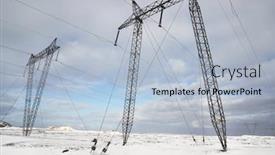
Our Electric template category is designed to take your presentation to the next level with its electrifying blue wave patterns on cobalt backgrounds, evoking a sense of dynamism and energy. From business presentations to risk management reports, our templates have got you covered with topics ranging from electric blue waves on navy backgrounds to high voltage electric poles with breathtaking sunset visuals.

What sets our Electric template apart? The comprehensive collection includes 60+ slides, all optimized for compatibility with Google Slides, ensuring seamless integration into your workflow. Plus, each slide can be easily resized and customized to fit your unique style. Browse through our extensive library of templates in both widescreen and standard formats, allowing you to tailor them to your specific needs.

And when you're ready to take it to the next level, our Electric templates offer instant 24/7 download access, ensuring you have all the tools you need to create stunning presentations on demand. Whether you're a seasoned pro or just starting out, our Electric template collection is the perfect blend of quality and versatility explore our vast library today and discover how we can help you electrify your presentations!

Features & Pricing

Widescreen (16:9) Presentation Templates. Change size...
 Presentation with electric - Beautiful slides featuring hot pot - little child playing with pan backdrop and a coral colored foreground

Child Playing Pan Electric Stove

Slides featuring little child playing with pan and electric stove in the kitchen

 Presentation with electric - Beautiful PPT theme featuring choosing electric blender in home backdrop and a gold colored foreground

Young Woman Choosing Electric Blender

PPT theme featuring young woman choosing electric blender in home appliance shopping mall supermarket

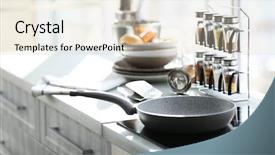
 Presentation with electric - PPT theme featuring water vapor - metal saucepan on electric stove background and a light gray colored foreground

Metal Saucepan Electric Stove Kitchen

PPT theme featuring metal saucepan on electric stove in kitchen

 Presentation with electric - PPT layouts enhanced with boiling water in pan background and a dark gray colored foreground

Boiling Water Pan Electric Stove

PPT layouts enhanced with boiling water in pan on electric stove in the kitchen background

 Presentation with electric - Colorful presentation theme enhanced with electric-skylight-with-daylight backdrop and a gray colored foreground

Electric Skylight Daylight Hallway Attic

The moment you step into your newly designed office space, you're immediately struck by the bright and electric atmosphere that permeates every corner. The Light Steel Blue color palette is carefully crafted to evoke feelings of serenity and energy, perfectly capturing the essence of this high tech workspace. As you gaze upon the sleek Widescreen template, you can't help but be drawn in by its dynamic design. Featuring a striking Electric Skylight with daylight pouring in from an attic, this background image sets the tone for a space that's both functional and visually stunning. The 5 x 5 Org Chart Layout slide is a great place to start, as it provides a clear structure for organizing your team and showcasing your company's organizational chart. The template itself is downloadable and compatible with Google Slides, making it easy to import into your existing presentation software. With its high resolution images, you'll be able to create a truly immersive experience that will leave your audience engaged and inspired. Whether you're looking to boost productivity or simply add some visual flair to your slides, this template has got you covered. The Light Steel Blue color palette is carefully crafted to evoke feelings of serenity and energy, perfectly capturing the essence of this high tech workspace. The 5 x 5 Org Chart Layout slide is a great place to start, as it provides a clear structure for organizing your team and showcasing your company's organizational chart. This template is perfect for anyone looking to enhance their presentation with a fresh new look and feel.

 Presentation with electric - Presentation with plugged into a white electricity background and a white colored foreground

Black Electric Chord Plugged White

The Corner Title template is a stunning visual representation that's sure to grab your audience's attention instantly. With its sleek design and modern aesthetic, this template is the perfect addition to any presentation or slide show. As you step into the world of Corner Title, you'll notice the dramatic lighting setup high resolution images in the background perfectly capturing the vibrant atmosphere. The overall theme is set with a medium purple color palette that exudes sophistication and professionalism. From an industrial chic perspective, you can find yourself featuring large white electricity sockets on a sleek black backdrop. As a versatile template, Corner Title offers a range of powerful features and functionalities. You'll notice the inclusion of line, insert, source, supply, network keywords in its many design elements. This is truly Enhanced With to enhance your presentation's overall visual appeal. On the high resolution images for the background, you can find these images displayed prominently in each quadrant of the template creating a clean and organized layout that's perfect for complex data sets or presentations on various subjects. You may also notice 5 x 5 Org Chart Layout slide showcasing organizational structure with several different titles. Including all sorts of shapes to highlight employee positions, this feature is particularly useful in demonstrating line divisions within organizations. The template also includes key performance indicators (KPIs) that can help you track progress and enhance your presentation's overall theme. And when it comes to having a theme of data visualization, Corner Title seamlessly integrates into various scenarios for presentations on finance, marketing, or technology. In addition to these impressive features, the download feature ensures compatibility with Google Slides making it easy to integrate into your existing workflow.

 Presentation with electric - Presentation theme with electricity market - color photos of coins background and a light blue colored foreground

Color Photos Coins Electric Lamp

Presentation theme with color photos of coins and an electric lamp on white background

 Presentation with electric - Presentation theme enhanced with dentist-adjusting-electric-light background and a light blue colored foreground

Dentist Adjusting Electric Light Patient

Presentation theme enhanced with dentist adjusting electric light while patient sitting on chair at dental clinic

 Presentation with electric - PPT theme featuring electric rice cooker isolated background and a coral colored foreground

Electric Rice Cooker Isolated White

PPT theme featuring electric rice cooker isolated on a white background with clipping path

 Presentation with electric - Presentation with family riding an electric mini background and a ocean colored foreground

Modern Family Riding Electric Mini

As you embark on this creative journey with CrystalGraphics' Sidebar Title template, imagine yourself as part of a modern family riding high resolution images of an electric mini hoverboard through the serene landscape of a park, surrounded by lush greenery and vibrant flowers. The warm tones of the Pale Goldenrod color palette will transport you to a world of eco friendliness, perfect for showcasing your brand's commitment to sustainability. The template is designed in a widescreen format, providing an expansive canvas for you to craft your presentation. The Pale Goldenrod color palette brings a sense of balance and harmony to the design, while also incorporating a theme of warmth and approachability. The sidebar title "Sidebar Title" stands out with its clean and modern font, adding a touch of sophistication to your presentation. The 4 How To slides at the start of the deck are designed to help you get up and running quickly, featuring interactive elements that will engage your audience. But first, it's essential to familiarize yourself with the different layout options available for each slide, such as the Picture + Caption Layout, which can be customized to include a background image and thoughtful captions. As you explore the template, you'll notice that it seamlessly integrates high resolution images from Googel Slides, ensuring a professional finish. But don't worry if you're not familiar with Google Slides; CrystalGraphics provides a comprehensive documentation and tutorial to get you started on your journey. The Sidebar Title template is available for download, allowing you to customize the design to fit your unique needs. And when it comes to creating a visually appealing presentation, CrystalGraphics offers enhanced features such as text to image conversion, ensuring that your content looks stunning, even in the highest resolutions.

 Presentation with electric - Colorful slide set enhanced with building-is-decorated-with-electric backdrop and a gold colored foreground

Building Decorated Electric Garlands Light

Slide set enhanced with building is decorated with electric garlands light colored spots on the facade festive background blurred image

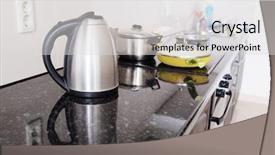
 Presentation with electric - Presentation with kitchen close-up electric kettle background and a light gray colored foreground

Interior Modern Kitchen Close-up Electric

Presentation with interior of a modern kitchen close-up electric kettle

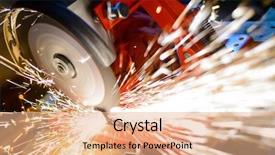
 Presentation with electric - Amazing theme having craftsmanship - close-up of electric grinder cutting backdrop and a coral colored foreground

Close-up Electric Grinder Cutting Metal

Imagine walking into a workshop where the air is electric and the machines are whirring to life. The lights are bright, casting a warm glow on the rows of metal grinders and cutting tools that line the walls. The sound of sparks flying through the air fills your ears as you take in the scene before you. The Wide Title font dominates the screen with its bold, cursive style, featuring a stylized orange red color palette that gives it a dynamic and energetic feel. This template is specifically designed for widescreen presentations, making it perfect for showcasing high resolution images of machinery or industrial equipment. The background is rich in texture, with intricate patterns and designs that add depth and visual interest to the design. The template includes four How To slides at the start of the deck to help you get up and running quickly: "Get Started", "Configure Your Settings", "Add Custom Graphics", and "Save and Export". These sections provide a solid foundation for creating your presentation, from choosing colors and fonts to selecting images and graphics. The Growth Layout slide is particularly noteworthy, featuring a dynamic background that showcases the template's capabilities in action. This template is fully compatible with Google Slides and can be easily downloaded and imported into your preferred presentation software. With its focus on industrial machinery and cutting tools, it makes an excellent choice for presentations on topics like manufacturing, engineering, or construction. Featuring bright, vibrant colors and high resolution images, this template is sure to grab the audience's attention from the very first slide. Including a background with a metallic theme and having a theme of "Industrial Power" Enhanced With cutting edge graphics and animations, it's an ideal choice for presentations on topics like machinery, equipment, or DIY projects.

 Presentation with electric - Cool new PPT theme with close-up of electric grinder backdrop and a wine colored foreground

Close-up Electric Grinder Cutting Metal

PPT theme with close-up of electric grinder cutting metal with bright sparks

 Presentation with electric - PPT layouts enhanced with woman having had an electric background and a sky blue colored foreground

Woman Having Electric Shock

As you step into the world of electrical engineering, you're likely to come across women who have bravely faced the shock of electricity. Their stories are a testament to their strength and resilience, and it's no wonder that they've become icons in the industry. The Corner Title template is designed to evoke this sense of power and innovation, with its sleek design and high resolution images that will transport you into the world of electricians. The Corner Title template features a light slate gray color palette that exudes sophistication and professionalism. It's perfect for creating presentations that convey a sense of authority and expertise in electrical engineering. The background images are high resolution and feature stunning visuals that will enhance your presentation without overpowering it. This template is downloadable and compatible with Google Slides, making it easy to incorporate into your workflow. With its AIDA Block Layout slide, you'll be able to create a clear structure for your presentation that grabs the audience's attention from the start. The slide features a bold headline, an engaging image, and a concise summary of what you'll cover in the next slides. The template is also designed to include a background with a subtle electric circuit pattern, adding an extra layer of depth and visual interest to your presentation. Having a theme of "Electricity" throughout the template ensures that it remains relevant and cohesive as you progress through your presentation. Enhanced with high quality images and graphics, this template is sure to make a lasting impression on your audience. The Corner Title template is perfect for anyone looking to create a professional and engaging electrical engineering presentation. Whether you're an electrician or just starting out in the industry, this template will help you convey your message with confidence and style.

 Presentation with electric - Presentation theme enhanced with electric-appliances-such-as-espresso background and a light gray colored foreground

Electric Appliances Such Espresso Coffee

Imagine walking into a sleek and modern kitchen where appliances are showcased in all their glory, creating a visually striking backdrop that is perfect for bringing your designs to life. The Split Title template is designed to take you on a journey through the world of domestic interiors, showcasing high resolution images of electric appliances such as espresso coffee makers, sandwich makers, and ovens against a dark khaki background. This dark and sophisticated color palette provides a professional backdrop that exudes style and elegance. The template format is Widescreen, ideal for presentations where you want to showcase multiple elements in one slide. The Dark Khaki color palette is tailored for domestic interiors, featuring kitchens, showrooms, appliances, and interior design elements, giving your presentation a cohesive look. This theme is enhanced with the addition of high resolution images that bring your designs to life. The Split Title template includes four How To slides at the start of the deck to help you get up and running quickly. However, these slides are not about providing step by step instructions but rather setting the tone for your presentation. Instead, they provide inspiration and guidance on how to create a visually appealing design that showcases your creativity. For example, this template could be used as a starting point to design an eye catching infographic showcasing various kitchen appliances, their features, and benefits. By incorporating Arrowheads Layout, which is characterized by a striking composition of elements arranged in a circular pattern, the Split Title template creates a visually captivating presentation that draws attention away from the screen. Featuring high quality images, this layout is ideal for presentations where you want to emphasize key points and make them stand out. Having a theme of showcasing modern kitchen design, Enhanced With dynamic graphics and text effects, the template provides an unparalleled level of visual interest that complements your domestic interior designs. As you create your presentation, remember that the Split Title template is just the beginning. Incorporate it into your design process to elevate your message and engage your audience.

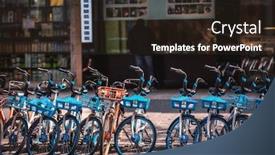
 Presentation with electric - Slides enhanced with share-electric-bikes-parked background and a violet colored foreground

Share Electric Bikes Parked Sidewalk,

As you begin your presentation on innovative transportation solutions, imagine yourself standing amidst a vibrant cityscape in Hangzhou, China the bright sun casts its warm glow over the bustling streets lined with electric bikes parked on the sidewalk. The sounds of happy chatter and gentle hums from these eco friendly vehicles fill the air as people of all ages stop to admire the sleek designs. The scene is set against a backdrop of a Goldenrod color palette, evoking feelings of luxury and sophistication. This attention grabbing image sets the tone for an engaging presentation that delves into the world of sustainable transportation, featuring a rich theme of innovation, mobility, and community involvement. For those who want to enhance their experience, the Wide Title template is available as a downloadable resource, ideal for Google Slides users. The high resolution images on the background will give your audience a clear sense of what they're about to discuss, providing an immersive experience that goes beyond static slides. Incorporating a Background With dynamic elements, Including a Visual Theme Throughout the presentation, you can have a seamless blend of text and image that ties everything together. By doing so, you'll be able to present your findings with confidence, showcasing your expertise in the field.

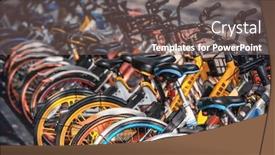
 Presentation with electric - PPT layouts with rental-electric-bikes-parked background and a wine colored foreground

Rental Electric Bikes Parked Sidewalk,

Here's a 250 word description that meets your requirements: Imagine cruising down a winding road in a sleek, high tech rental electric bike, the wind whipping through your hair as you navigate the crowded sidewalks of Hangzhou, China. This image is just one example of what your template could look like. The Wide Title, designed to grab attention and set the tone for your presentation, features a bold and eye catching font in Dark Cyan, with the words "Rental Electric Bikes" emblazoned across the top in a modern sans serif style. The template is specifically formatted for Widescreen presentations, ensuring that every slide will fill the screen and provide ample space to showcase your images. The Dark Cyan color palette provides a sophisticated and professional look, perfect for conveying a sense of innovation and forward thinking. As you explore this template, you'll notice that it's packed with keywords related to parking, bike sharing, rent, and Chinese culture all carefully chosen to enhance the overall theme. With 4 How To slides at the start of your deck, users will be able to get up and running quickly, getting a taste of what their presentation could look like. But don't worry, the Timeline Layout slide is designed to give you a clear sense of how everything fits together think of it as a roadmap for your journey. You can use this template to create engaging and informative presentations that showcase the benefits of bike sharing or rental electric bikes in urban areas. With its dark cyan color palette and modern font, this template is sure to make a lasting impression.

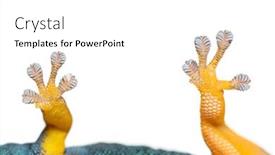
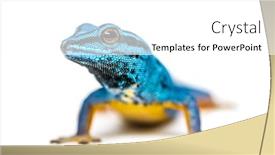
 Presentation with electric - Presentation theme consisting of bottom-view-of-gecko-toe background and a white colored foreground

Bottom View Gecko Toe-pads Electric

Presentation theme consisting of bottom view of gecko toe-pads electric blue gecko showing isolated on white

 Presentation with electric - Theme consisting of electric-blue-gecko-looking background and a white colored foreground

Electric Blue Gecko Looking Camera,

Imagine a vibrant studio where creativity and simplicity coexist, bringing the unique charm of William's dwarf gecko to life in a stunning high resolution image. The Corner Title template is designed for those who want to elevate their presentation with a touch of electric blue hues and a dash of excitement. This widescreen template features a sky blue background that will transport your audience to a world of wonder, perfect for showcasing the fascinating world of vertebrates. The template color palette showcases the calming yet vibrant tones of the cloudless night sky, featuring shades of indigo, turquoise, and pink, all perfectly balanced to provide an engaging visual experience. For instance, include a high resolution image of a Lygodactylus williamsi (William's dwarf gecko) in its natural habitat – it will be a stunning addition to your presentation. The Corner Title template is customizable and downloadable, making it easy to tailor the look to suit your needs while maintaining compatibility with Google Slides. The accompanying high resolution images will not only elevate your visuals but also enhance the overall theme of the studio. When creating your deck, consider featuring these beautiful images as a starting point for your discussion on vertebrates. Having a theme of showcasing unique creatures and providing a clean canvas for creative expression is always enhanced with incorporating detailed backgrounds that bring your subject to life. The template has four How To slides at the start of the deck to help you get up and running quickly: Setting Up, Creating Customizations, Adding Text, and Finalizing Your Presentation. These streamlined steps will ensure you're on track to delivering a presentation that's both engaging and informative. The timeline layout slide is an ideal opportunity to showcase a dynamic image, such as a close up of William's dwarf gecko or its intricate patterns, highlighting the unique features of this fascinating creature.

 Presentation with electric - Amazing presentation theme having electrical toothbrush isolated on white backdrop and a white colored foreground

Electrical Toothbrush Isolated White Background

Presentation theme having electrical toothbrush isolated on white background backdrop

▼Key features of this template

  • They are compatible with both PowerPoint and Google Slides running on either Windows PCs or Macs.

  • They are available in both standard and widescreen slide formats. You can choose your preferred format by clicking on the "Widescreen" check box or icon.

  • Each template includes a beautiful high-resolution background image or video to visually reinforce the theme of your presentation.

  • In addition, each template includes designer-created graphics and modern fonts to give your presentations an up-to-date, professional look.

  • Each template's default design and title text position have been carefully selected to complement its background without covering faces or other key elements.

  • All text includes backdrops whose transparency level is mathematically calculated to maximize text readability while still allowing the background to be seen.

  • And all the text, text backdrops and graphics in every slide are colored with a palette designed to beautifully complement the colors in the background.

  • Our Premium templates (those with the descriptor “Premium” in their subtitle) include over 64 slide layouts to give you maximum flexibility as you create your presentations.

    • Those layouts are available to you whenever you create a new slide or when you want to change the layout of an existing slide.
    • They include everything you need to make all sorts of presentations. In addition to the layouts for the title slide and the usual title and content slide, they include many other layouts for slide types including table of contents slides, org charts, charts, diagrams, infographics, photo slides, thank you slides and more.
    • While creating these layouts our template designers have ensured that all text in every layout adjusts as gracefully as possible to various numbers of words.
  • Customizable templates (those with the descriptor “Customizable” in their subtitle) may be easily modified online before you download them.

    • To modify them, simply click on the pencil editing icon, then select your choice of ready to go designs and title text positions.
    • The editing tool also makes it easy to reposition and scale the background image or video to best suit your needs.

▼FAQs

Please review these FAQs to see if your question is answered. Contact us for more info

  • What is a PowerPoint template?

    • A well designed PowerPoint template is a file that can tell PowerPoint how to make your ordinary templates look extraordinary. They won’t change what your words or numbers say. But they might change their size, color, font and placement. And, overall, they can give your presentations a professionally-designed look that will give your content more credibility and give you more confidence.
  • How many PowerPoint templates do you offer?

    • We have over 32,000 artist-created presentation templates in our PowerPlugs collection With a subscription, PowerPlugs templates are easy to download. Just sign in, find a template and click on the green Download button. ready for you to download. That alone offers you more variety to choose from than any of our competitors can offer. And, as if that weren’t enough, we also offer over 6 million templates in our Crystal collection. Crystal brand templates are our line of templates that have customization options. They have the word "CRYSTAL" on their web page images. You can customize several aspects of the templates. These templates include high-resolution background images from Shutterstock’s vast image collection matched up with artist-created presentation designs customized by our own proprietary AI software.
  • How many templates can I download as a subscriber?

    • You can download an unlimited number of PowerPlugs-brand With a subscription, PowerPlugs templates are easy to download. Just sign in, find a template and click on the green Download button. templates every day for an entire year. (Actually, by default, we set a limit of 25 templates per day to prevent our competitors from stealing our templates. But, if that is not enough, just let us know and we’ll try to accommodate you.) On top of that, with a subscription or an Ultimate Combo, you can also download any 50 Crystal-brand Crystal brand templates are our line of templates that have customization options. They have the word "CRYSTAL" on their web page images. You can customize several aspects of the templates. templates per year selected from our huge Crystal collection. Crystal brand templates are our line of templates that have customization options. They have the word "CRYSTAL" on their web page images. You can customize several aspects of the templates. .
  • Why should I choose your templates instead of the competition’s?

    • We’ve got a larger selection of professionally-designed PowerPoint templates than anyone else in the world.
    • Each template includes a high-resolution background image or video to visually inspire your audiences while reinforcing your message.
    • Each template includes 64 slide layouts to give you maximum flexibility as you create your presentations.
    • Our templates are available in both standard and widescreen slide formats. And our website lets you preview the slides each way.
    • Our free Template Finder™ plugin lets subscribers select and - with a single click - download and insert our templates into their presentations right from within PowerPoint.
    • We’ve been creating designer presentation templates for over 20 years. During that time we’ve won several awards and 5-star ratings for product quality. See About Us for more.
  • Do you offer a money-back guarantee?

    • Yes we do! We offer full 30-day money-back guarantee if you are not 100% satisfied with your purchase.
  • Can I still use my downloaded templates after my subscription runs out?

    • Yes. After your subscription expires, you won't lose any rights or ability to use your PowerPlugs: Templates for PowerPoint. You won't be able to download any new non-watermarked templates. But the non-watermarked templates you've already downloaded will still work and you can still use them as before.
  • Can I share my downloaded templates or passwords with friends or coworkers?

    • Sorry but no. You are authorized to download each paid-for template to up to 3 of your personal devices and to use the templates you download in as many presentations as you want. But you are not authorized to share the templates, themselves, with others. That said, we do offer highly discounted site licenses to suit the needs of both small and large teams. Just tell us your needs and we’ll give you a quote!
  • System requirements:

    • The templates use the standard POTX format. So they are compatible with Google Slides and all PC, Mac and mobile devices running any version of PowerPoint from PowerPoint 2007 up through and including Office 365 desktop.
    • Please note: Google Slides does not currently support background videos. It treats them as still images.
    • For PowerPoint for the Web, first open your template into a desktop version of PowerPoint, then save it back out as a PPTX file. Then you can open that in PowerPoint for the Web.
  • End user license agreement:

    • Click here to view.
  • How will I get my purchased templates?

    • You may download your selected templates as soon as your payment is received by PayPal. If you purchased an individual template, you will be provided with a download link both onscreen and via email. Just click on that link to begin the download process. If you purchased a subscription, you will receive an email containing a password to use along with your email address to sign in to any of the templates pages on CrystalGraphics.com. Once you are signed in, you can immediately start downloading your selected templates.
  • How do I use my templates after I download them?

    • You can either open a template to start a new presentation or you can add a template to an existing presentation. To open a template, just double click on it or use PowerPoint's File > Open tool. To add a template to an existing presentation, on the Design tab, in the Themes group, click Browse for Themes... then browse to select your template.

View more Electric templates:

previous 1 2 3 4 5 6 7 8 9 10 11 12 13 14 15 16 next
Categories related to Electric:
Charging Current Meter Pole Poles Scooter Transmission Utility Vehicle
93% of Fortune 1000
companies use our
PowerPoint Products
Templates Secure

Standing Ovation Award
Winner: Best PowerPoint
Template Collection
Fortune Logos
200,000+ satisfied
customers worldwide!
Guarantee
100% satisfaction guaranteed
- or send it back for a refund!

Sign up for our free newsletter! You'll get news about our PowerPoint-enhancing product line – including free updates, new product announcements and exclusive special offers. Plus you'll get a link to a free PowerPoint template with every newsletter you receive.
Privacy Policy
Loading...


Help

Contact Us
Product FAQs
Product License Agreements

Company Info

About Us
Privacy Policy
CrystalGraphics, Inc. 1999 S. Bascom Avenue Suite 700 Campbell, CA 95008 USA
© 2025 CrystalGraphics, Inc. All rights Reserved.    |     PowerPlugs is a trademark of CrystalGraphics, Inc.
Microsoft and the PowerPoint logo are trademarks or registered trademarks of Microsoft Corporation in the United States and/or other countries.
Loading...
Loading...