www.crystalgraphics.com CrystalGraphics
  • Ultimate Combo
  • Templates
  • Diagrams
  • Characters
  • Quizzes
  • shopping cart
  • Sign Out Sign Out Sign In
Home > Templates > Emergency > Emergency Department Category
search icon
advanced icon

26 Best Emergency Department-Themed Templates
for PowerPoint & Google Slides

CrystalGraphics creates templates designed to make even average presentations look incredible. Below you’ll see thumbnail sized previews of the title slides of a few of our 26 best emergency department templates for PowerPoint and Google Slides. The text you’ll see in in those slides is just example text. The emergency department-related image or video you’ll see in the background of each title slide is designed to help you set the stage for your emergency department-related topics and it is included with that template. In addition to the title slides, each of our templates comes with 17 additional slide layouts that you can use to create an unlimited number of presentation slides with your own added text and images. And every template is available in both widescreen and standard formats. With over 6 million presentation templates available for you to choose from, CrystalGraphics is the award-winning provider of the world’s largest collection of templates for PowerPoint and Google Slides. So, take your time and look around. You’ll like what you see! Whether you want 1 great template or an ongoing subscription, we've got affordable purchasing options and 24/7 download access to fit your needs. Thanks to our unbeatable combination of quality, selection and unique customization options, CrystalGraphics is the company you can count on for your presentation enhancement needs. Just ask any of our thousands of satisfied customers from virtually every leading company around the world. They love our products. We think you will, too!

Features & Pricing

Widescreen (16:9) Presentation Templates. Change size...
 Presentation with emergency department - Female nurse in scrubs and surgical mask standing outside emergency department in front of two ambulances

Nurse

Female nurse in scrubs and surgical mask standing outside emergency department in front of two ambulances

 Presentation with emergency department - Cool new presentation with urgent care - red emergency department entrance sign backdrop and a dark gray colored foreground

Red Emergency Department Entrance Sign

Presentation with red emergency department entrance sign

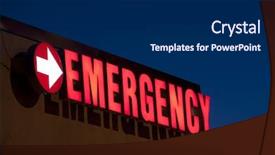
 Presentation with emergency department - Theme enhanced with entrance sign to an emergency background and a violet colored foreground

Front Entrance Sign Emergency Room

The moment you click on the Corner Title template from CrystalGraphics, the vibrant steel blue background immediately pops out, evoking the feeling of a high stakes city hospital emergency room where life hangs in the balance. This stunning Widescreen template features a retro inspired Instagram filter effect that adds a touch of nostalgia to your presentations. The high resolution images for the background are sure to grab attention, and with just one click, you can easily add this premium look to any Google Slides presentation. The Corner Title template is designed to convey a sense of urgency and importance, making it perfect for medical or emergency related content that requires a strong visual statement. Its 4 How To slides at the start of the deck will help you quickly get up and running, covering essential topics such as styling your slide designs with a theme of ' Medical Emergency' and showcasing how to incorporate high resolution images Featuring a custom background. A perfect example of what this template could be used for is creating a social media post or Instagram story announcing an urgent medical update or alert. The bright steel blue color will catch the eye, while the retro inspired filter adds a unique twist. With its high resolution images and customizable layout, you can create visually stunning content that stands out from the crowd. The template's accompanying words, such as 'symbol', 'medical', 'sign', 'emergency', and 'Instagram' keywords, add an extra layer of meaning to your presentation, making it more engaging and informative for your audience. And with Google Slides compatibility, you can easily share your stunning slides with others.

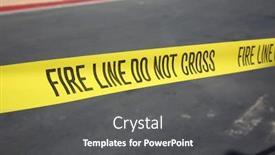
 Presentation with emergency department - Slides enhanced with fire line - do not cross fire department yellow caution tape warning tape fire line tape fire department warning work site emergency site do not enter background and a dark gray colored foreground

Fire Line Cross Fire

As you step onto the scene, are you prepared to face the challenges that lie ahead? The world is watching as flames engulf the landscape, and emergency responders must act swiftly to contain the damage. The situation calls for a clear and concise visual representation, one that conveys the urgency and gravity of the matter at hand. The design name "FIRE LINE DO NOT CROSS" embodies this theme perfectly, featuring a stark image of yellow caution tape and lines that crisscross the screen like a boundary, emphasizing the idea that crossing this line is not an option. The template format is Widescreen, ensuring a clear and unobstructed view of the action unfolding behind the scenes. The Dark Khaki color palette provides a somber and ominous tone, perfect for conveying danger and warning. This theme is enhanced with high resolution images of fire trucks, sirens, and emergency vehicles to create an immersive experience. As you move around this template, you'll notice that it's Compatible With Google Slides, making it easy to use and integrate into your presentations. The Two Content Layout slide is a fantastic example of how the template can be used effectively. Featuring a high resolution image of a fire scene with bold lines and bright colors, this layout showcases the versatility of the Fire Line Do Not Cross design. Including a Background With Dark Khaki text on top of the image adds an extra layer of depth and emphasizes the warning message. Having a Theme of Enhanced with a clear call to action (such as "Stay Safe") can help to reinforce the importance of the template in your presentations. The damage to property and human life is real, but by presenting this information in a clear and concise manner, we can help to prevent unnecessary harm. With the Fire Line Do Not Cross template, you can create a powerful visual representation that will grab attention and convey the message.

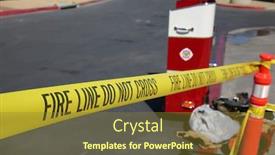
 Presentation with emergency department - Amazing theme having fire line - do not cross fire department yellow caution tape warning tape fire line tape fire department warning work site emergency site do not enter backdrop and a tawny brown colored foreground

Fire Line Cross Fire

Theme having fire line - do not cross fire department yellow caution tape warning tape fire line tape fire department warning work site emergency site do not enter

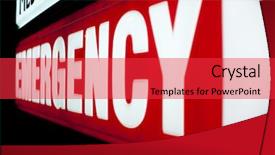
 Presentation with emergency department - Beautiful presentation featuring urgent care - red emergency department entrance sign backdrop and a red colored foreground

Red Emergency Department Entrance Sign

The Corner Title PowerPoint template is designed to grab attention with its bold and eye catching crimson color palette, perfect for emergency or help related presentations. Widescreen format ensures that the design takes center stage on your slides. This template features high resolution images for the background, creating a dynamic and engaging visual experience. The Crimson theme provides a striking contrast against any content, making it ideal for presentations that require attention grabbing visuals. The crimson color palette is both bold and sophisticated, conveying a sense of importance and urgency. Featuring red emergency department entrance signs as inspiration, this template offers a unique blend of style and functionality. The 6 x 6 Org Chart Layout slide provides a clear structure to your presentation, helping you organize your content in a logical and easy to follow manner. This layout is perfect for showcasing your team's hierarchy, making it easier for viewers to understand the organization. Having a theme of "Organizing Your Team" or "Hierarchical Structure" could be an excellent example of how this slide can be used. The template is downloadable and compatible with Google Slides, ensuring that you can easily import the images and customize them to fit your needs. With its high resolution background images and crimson color palette, this template is sure to make a statement in any presentation.

 Presentation with emergency department - Amazing presentation theme having emergency action - firemen of the fire department backdrop and a red colored foreground

Firemen Fire Department Extinguish Fire

Presentation theme having firemen of the fire department extinguish fire

 Presentation with emergency department - Cool new PPT layouts with young-african-man backdrop and a light gray colored foreground

Young African Man Surgeon Surgical

PPT layouts with young african man as a surgeon with surgical mask in front of the emergency department of the clinic

 Presentation with emergency department - Presentation theme enhanced with urgent care - red emergency department entrance sign background and a dark gray colored foreground

Red Emergency Department Entrance Sign

Presentation theme enhanced with red emergency department entrance sign

 Presentation with emergency department - Slide deck with entrance sign to an emergency background and a tawny brown colored foreground

Front Entrance Sign Emergency Room

The stark facade of a city hospital's emergency room department is more than just a utilitarian design it's a beacon of hope in times of crisis. Corner Title's Widescreen template is inspired by the iconic front entrance sign that greets visitors to this very institution, providing an instantly recognizable and emotive backdrop for your presentation. The Royal Blue color palette is a masterstroke, transporting your audience to the calm yet intense atmosphere of the emergency room. Featuring high resolution images of medical equipment, hospital corridors, and emergency vehicles throughout, this template will have your audience feeling like they're standing alongside the professionals who risk their lives every day to save others. The contrast between the drab institutional colors and the vibrant royal blue creates a dynamic visual effect that grabs attention without being overwhelming. Including a background with a subtle texture adds depth and tactility to the design, making it feel more immersive than a plain grid of squares. Having a theme of medical equipment and signs is particularly fitting, as the template seamlessly integrates these elements into its layout. Enhanced With Googles Slides feature is included in this package, providing you with easy access to all the images, designs, and interactive features needed to create an engaging and professional presentation.

 Presentation with emergency department - Slides featuring doctors-emergency-team-quickly-runs background and a teal colored foreground

Doctors Emergency Team Quickly Runs

The world of medical professionals is one that requires attention to detail and precision, as every moment counts in the emergency department where doctors are on high alert at all times. The team quickly springs into action, rushing to respond to an urgent situation, their movements swift and decisive. In this template, you can create a striking presentation that perfectly encapsulates the dynamic nature of medical professionals. Design Name: Wide Title an attention grabbing phrase that sets the tone for your deck's bold and vibrant style. This Widescreen template is specifically designed for use with Google Slides, allowing you to showcase high resolution images in full color for a truly immersive experience. The Steel Blue background palette provides a sleek and professional foundation, while the medical theme injects a sense of authenticity and realism into your presentation. Featuring a comprehensive set of keywords tailored to scrub culture, this template is sure to attract attention from your audience. Incorporating a Background With a subtle gradient effect creates a cohesive visual experience that will keep viewers engaged throughout your presentation. Enhance Your Presentation with the addition of a Bulb Puzzle Layout slide that provides an interactive and dynamic way to present your information. Including a few high resolution images throughout the template can help illustrate key points and add visual interest, while having a Theme Of showcasing real medical scenarios can provide valuable insights into the complexities of these critical situations.

 Presentation with emergency department - Amazing PPT theme having urgent care - red emergency department entrance sign backdrop and a wine colored foreground

Red Emergency Department Entrance Sign

PPT theme having red emergency department entrance sign backdrop

 Presentation with emergency department - PPT theme with parked outside of hospital emergency background and a violet colored foreground

Ambulance Vehicle Parked Outside Hospital

PPT theme with ambulance vehicle parked outside of hospital emergency department

 Presentation with emergency department - Beautiful slide set featuring nurses standing in the hospital backdrop and a sky blue colored foreground

Group Doctors Nurses Standing Hospital

Slide set featuring group of doctors and nurses standing in the hospital accident and emergency department

 Presentation with emergency department - Presentation theme with african-doctor-as-an-emergency background and a teal colored foreground

African Doctor Emergency Medic Clipboard

Presentation theme with african doctor as an emergency medic with clipboard in front of the emergency department of the clinic background

 Presentation with emergency department - Amazing presentation design having blue-police-emergency-light-blue backdrop and a navy blue colored foreground

Blue Police Emergency Light Blue

In the midst of chaos, a corner title emerges to grab attention with its bold design and high resolution images. This Corner Title template is inspired by the iconic police lights that guide us through the darkest corners of our city, providing a sense of safety and security. As we step into the world of PowerPoint templates, this corner title showcases a steel blue color palette that exudes professionalism and authority. The template's design name suggests a connection to the siren sounds that signal danger, while its keywords like auto, arrest, cop, and city evoke a sense of law enforcement. Featuring a high resolution image for the background, this template is designed to be visually striking, with a unique layout that makes it stand out from the crowd. The steel blue color palette provides a cohesive look, with shades ranging from light sky blue to deep navy, creating a professional atmosphere. This contrast between light and dark tones adds depth to the design, making it easy to read and understand. As you explore this template further, you'll notice that the comparison layout slide offers an opportunity to include a background image or pattern, enhancing the overall experience. This corner title is not just for show; it's a versatile template that can be customized with images and colors to match your unique needs. With 4 how to slides at the start of the deck, you'll have a solid foundation to get up and running quickly, ensuring you're well on your way to creating engaging presentations that leave a lasting impression. Including a background image or pattern, this template can be used in various scenarios, such as presenting safety tips for children or highlighting important statistics related to law enforcement. Having a theme of law enforcement, this design showcases the importance and relevance of public safety initiatives. Enhanced with additional features like dynamic backgrounds, animations, or interactive elements, this corner title template is sure to captivate audiences and spark interest.

 Presentation with emergency department - Theme having no-parking-fire-lane-red background and a white colored foreground

Parking Fire Lane Red Parking,

Theme having no parking fire lane red no parking fire lane curb in a parking lot emergency no parking lane fire department and police access only area red fire lane warning sign isolated on white

 Presentation with emergency department - Slides enhanced with fire line - do not cross isolated on white fire department yellow caution tape warning tape fire line tape fire department warning work site emergency site do not enter background and a blonde colored foreground

Fire Line Cross Isolated

Creating a template that embodies the spirit of safety and caution, particularly in high risk situations like emergency work sites, is a crucial consideration when designing a PowerPoint presentation. The Split Title format is inspired by iconic warning signs such as FIRE LINE DO NOT CROSS, which serves as a visual representation of the importance of adhering to safety guidelines. The template features a Khaki color palette that provides a neutral background for conveying messages of caution and importance. The design incorporates bold, high resolution images of yellow tape, boundary lines, and other safety related elements to reinforce the theme. This attention grabbing setup is sure to draw viewers in and prompt them to take notice. The template's overall look and feel are enhanced with a focus on clear typography, crisp white space, and an easy to read layout. The use of specific keywords such as "boundary", "damage", and "do not cross" adds depth and relevance to the design, making it more effective at conveying safety messages.

 Presentation with emergency department - Amazing theme having fire line - do not cross isolated on white fire department yellow caution tape warning tape fire line tape fire department warning work site emergency site do not enter backdrop and a white colored foreground

Fire Line Cross Isolated

The boundaries are being pushed, and the damage is being done. It's time to take control and create a visual representation that exudes warning and caution, setting the tone for a high stakes situation. The Split Title template is designed to be a striking focal point, drawing attention with its stark contrast and bold typography. This template is perfect for use in the context of emergency management or disaster response, where clear communication is key. The pale goldenrod color palette creates a sense of neutrality, allowing the critical information to take center stage. Featuring high resolution images for backgrounds, this template is downloadable and compatible with Google Slides, making it an excellent choice for presentations on Googler. The template includes four How To slides that provide guidance on getting up and running quickly, but these are not shown here. Instead, let's dive into the specifics of the Split Title design. The Circular Approach Layout provides a visually appealing foundation, with a clear hierarchy of information and a prominent title strip. This layout enhances the overall look and feel of the template. Including a Background With yellow tape on the image background adds an element of danger and urgency, while having a theme of warning signs creates a sense of familiarity and authenticity. Enhanced with caution tape lines dividing key areas, this template is more than just a visual representation – it's a powerful tool for conveying critical information to those who need it most. The Split Title can be used in various scenarios, such as emergency response teams or disaster management organizations, where clear communication is crucial. By featuring high quality images and using a striking color scheme, this template will make your presentations stand out from the crowd.

 Presentation with emergency department - PPT layouts consisting of fire line - do not cross fire department yellow caution tape warning tape fire line tape fire department warning work site emergency site do not enter background and a violet colored foreground

Fire Line Cross Fire

The dynamic landscape of high pressure situations calls for visuals that are both informative and attention grabbing. In the midst of chaos, clear communication is key to keeping everyone safe. This is where our Wide Title template comes in its bold font and striking imagery will leave a lasting impression on your audience. Our Widescreen template features a stunning background image of a fiery landscape, with flames licking at the edges and smoke billowing into the air. The Peru color palette provides a rich and warm tone, evoking feelings of safety and security. Featuring a prominent yellow tape running along the edge, this design has become synonymous with emergency situations. The Yellow Tape line is carefully crafted to define the boundaries of the work site, making it clear that this area is off limits to unauthorized personnel. In keeping with this theme, our template also includes high resolution images of warning signs and boundary markers, adding a layer of realism to the design. This Enhanced With imagery will help your audience understand the gravity of the situation. In addition to these key elements, we've included four How To slides that offer valuable tips and tricks for getting up and running quickly with our template. Featuring an iconic image of a fire department rescue truck, these slides provide inspiration and guidance on how to tailor your presentation to fit your needs. Having a clear theme throughout the design is also important in this case, it's all about conveying a sense of urgency and importance. This Enhanced With imagery will help reinforce that message, ensuring that your audience stays focused on the key issue at hand. Having a theme of safety and security is one thing, but being able to deliver it with style and panache is something else entirely. That's what we're offering a high quality template that's sure to impress.

 Presentation with emergency department - Hand holding stethoscope against emergency department background

Medical

Hand holding stethoscope against emergency department background

More Emergency Department templates for PowerPoint and Google Slides:

previous 1 2 next
93% of Fortune 1000
companies use our
PowerPoint Products
Templates Secure

Standing Ovation Award
Winner: Best PowerPoint
Template Collection
Fortune Logos
200,000+ satisfied
customers worldwide!
Guarantee
100% satisfaction guaranteed
- or send it back for a refund!

Sign up for our free newsletter! You'll get news about our PowerPoint-enhancing product line – including free updates, new product announcements and exclusive special offers. Plus you'll get a link to a free PowerPoint template with every newsletter you receive.
Privacy Policy
Loading...


Help

Contact Us
Product FAQs
Product License Agreements

Company Info

About Us
Privacy Policy
CrystalGraphics, Inc. 1999 S. Bascom Avenue Suite 700 Campbell, CA 95008 USA
© 2025 CrystalGraphics, Inc. All rights Reserved.    |     PowerPlugs is a trademark of CrystalGraphics, Inc.
Microsoft and the PowerPoint logo are trademarks or registered trademarks of Microsoft Corporation in the United States and/or other countries.
Loading...
Loading...