www.crystalgraphics.com CrystalGraphics
  • Ultimate Combo
  • Templates
  • Diagrams
  • Characters
  • Quizzes
  • shopping cart
  • Sign Out Sign Out Sign In
Home > Templates > Factory Category
search icon
advanced icon

313 Best Factory-Themed Templates for PowerPoint and Google Slides

Introducing Factory, a vast collection of 6.7 million PowerPoint template options from CrystalGraphics, the largest PowerPoint template library in the world. Our templates are designed to inspire creativity and facilitate innovation, with a range of themes that cater to various industries and purposes.

Imagine starting each presentation on a vibrant blue background, evoking the sense of a sunny horizon, or ending it with a dramatic sunset backdrop that sets the tone for inspiration. Alternatively, our Factory template series takes you through the highs and lows of industrial manufacturing, from pipes at work to smog-filled pollution and saving the planet.

With a title slide plus 60+ additional slides in your choice of widescreen or standard format, you can customize every aspect of your presentation to fit your unique style. Our templates are built to be used across multiple platforms, including Google Slides, ensuring seamless integration with your existing workflow.

From generalist inspiration to tailored solutions for specific needs, our Factory collection has something for everyone. Explore our extensive library today and discover the perfect template to elevate your presentations. Browse through other categories or select the one that best suits your requirements. Download and customize with ease, and experience the confidence in CrystalGraphics quality, variety, and usability.

Features & Pricing

Widescreen (16:9) Presentation Templates. Change size...
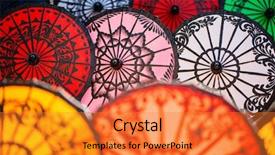
 Presentation with factory - Colorful presentation theme enhanced with colorful traditional parasols handmade backdrop and a gold colored foreground

Colorful Traditional Parasols Handmade Factory

This template is designed to transport your audience on a vibrant journey through traditional Myanmar craftsmanship featuring stunning high resolution images showcasing handmade parasols and colorful textile patterns. The Wide Title's curved edges and ornate details evoke the intricate designs found in traditional Burmese textiles, setting the tone for an immersive experience. In Widescreen format, this attention grabbing template is optimized to showcase multiple elements at once, perfect for presentations, projects, or any digital medium where a dynamic atmosphere is desired. This template's Template Color Palette, Tomato inspired hues, blends warmth with pop of brightness, creating a unique visual identity that will undoubtedly add an element of excitement and engagement. For instance, you can Incorporate a Background With vibrant colors and playful patterns to create a visually appealing slide for showcasing product demos or tutorials. The contrasting colors of the background and font will Enhance With clear readability and provide ample space for text. When it comes to incorporating the desired keywords, the template is Featuring a Theme Of, Including A Color Palette That Meets Your Requirements in various aspects such as backgrounds, fonts, and even color schemes. Having A Theme Of Traditional Myanmar Crafts And Textiles ensures that your content stays within this specific context while still being Relevant To Your Audience's Interests. For example, you can Include A Background With traditional Burmese architecture to create a stunning slide for showcasing products or services related to cultural heritage. This will not only Enhance The Visual Appeal Of The Slide But Also Provide An Opportunity For Creative Storytelling By Incorporating Intricate Details From Traditional Crafts And Textiles.

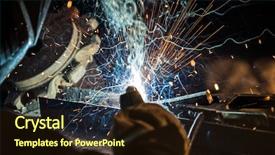
 Presentation with factory - Slide set with erection equiments - welder working at the factory background and a wine colored foreground

Welder Working Factory Made Metal,

The power of a well designed template can elevate your presentation to new heights. Imagine showcasing the inner workings of a factory, highlighting the craftsmanship that goes into creating high quality products. In this context, the "Wide Title" design is the perfect fit, featuring a sturdy font with a rugged feel that evokes a sense of durability and reliability. This Widescreen template boasts an earthy tone palette reminiscent of Saddle Brown, creating a warm and inviting atmosphere that's both calming and stimulating. The overall aesthetic is enhanced by the inclusion of high resolution images throughout the template, which add depth and texture to the design. The background itself features stylized illustrations of machinery and metalwork, giving the impression of a factory floor in action. The "Wide Title" design also takes advantage of Section Header Layouts, where the title slide can be customized with a prominent headline, subheadlines, and even images that showcase the template's various features. For example, the "Section Header Layout" could include a dramatic image of a welder at work, accompanied by bold fonts and colorful icons to draw attention to key information. The template is also designed to be easily integratable with Google Slides, making it compatible for seamless integration into your presentation. Furthermore, this enhanced template comes with four How To slides that provide valuable insights and tips for getting the most out of your "Wide Title" design, allowing you to focus on delivering an exceptional learning experience for your audience. Incorporating a theme of showcasing the creative process, the "Wide Title" design offers a seamless blend of functionality and visual appeal. Whether it's featuring a showcase slide that highlights the template's customization options or including background images that transport viewers to a vibrant factory environment, this template is sure to leave a lasting impression on your audience.

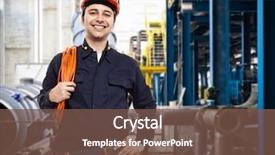
 Presentation with factory - Presentation theme with oil gas - portrait of an industrial worker background and a light blue colored foreground

Portrait Industrial Worker Factory

The industrial landscape is alive with steel and machinery, where workmen toil diligently in the pursuit of production perfection. A man stands tall amidst the chaos, his rugged features etched against the backdrop of a bustling factory. A wide title with bold font and a distressed design catches the eye, set against a warm background that evokes the comfort of leather bound books and vintage machinery. The Peru color palette brings the industrial atmosphere to life, with earthy tones and deep red accents that add depth and warmth. The Widescreen format ensures that the stunning images are preserved at their highest resolution, providing an immersive experience for the viewer. As they delve into the template's features, a high resolution background featuring a cityscape at sunset can be included with each slide, giving it an extra layer of realism. The template is downloadable and compatible with Google Slides, making it easy to integrate seamlessly into any presentation. With its comprehensive keywords steel, workman, production, architect, mechanic the Wide Title template is sure to captivate the attention of architects, engineers, and anyone who values industrial design. As inspiration for your own creations, this template serves as a benchmark, providing a theme and style that can be enhanced with various backgrounds and images.

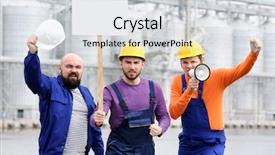
 Presentation with factory - PPT layouts with labor strike - group of protesting young men background and a light gray colored foreground

Group Protesting Young Men Factory

PPT layouts with group of protesting young men and factory on background

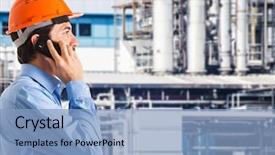
 Presentation with factory - Colorful PPT theme enhanced with engineering - portrait of male engineer backdrop and a soft green colored foreground

Portrait Male Engineer Factory Floor

PPT theme enhanced with portrait of male engineer on factory floor of busy workshop

 Presentation with factory - Colorful presentation design enhanced with erection equiments - welder working at the factory backdrop and a tawny brown colored foreground

Welder Working Factory Made Metal,

Presentation design enhanced with welder working at the factory made metal close-up backdrop

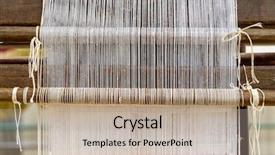
 Presentation with factory - Cool new PPT theme with textile weaving row looms - traditional hand loom backdrop and a mint green colored foreground

Traditional Hand Loom Rug Factory

PPT theme with traditional hand loom in a rug factory

 Presentation with factory - Presentation enhanced with portrait of female engineer on factory floor of busy workshop background and a soft green colored foreground

Portrait Female Engineer Factory Floor

Presentation enhanced with portrait of female engineer on factory floor of busy workshop

 Presentation with factory - Cool new slide deck with cartoon plants - business man looking at factory backdrop and a gray colored foreground

Business Man Looking Factory Makes

Slide deck with business man looking at factory that makes money from ideas concept

 Presentation with factory - Amazing slide deck having cartoon plants - business man looking at factory backdrop and a gray colored foreground

Business Man Looking Factory Makes

In the heart of any successful business lies the power of innovation and creativity. A well designed template can help entrepreneurs and professionals alike bring their ideas to life, making it easier to visualize and execute their vision. The Wide Title template is designed to capture this essence, featuring a dark khaki background that exudes professionalism and sophistication. This Widescreen template is perfect for presentations that require a high level of detail and technical expertise, such as production planning or financial analysis. Its Dark Khaki color palette provides a sleek and modern look, while the inclusion of high resolution images on the background ensures that the design stays sharp and crisp. The theme of this template is centered around conveying a sense of industry and expertise, making it an ideal choice for professionals in technical fields. The 4 How To slides at the start of the deck are designed to help users get up and running quickly, featuring interactive elements such as clickable links and animations that enhance the user experience. These slides can be customized to fit specific needs and goals, providing a seamless learning curve for those new to the template. One notable feature of this template is its ability to include a background with images, making it easy to add visual interest to presentations without compromising on design quality. For example, you could use this feature to create a visually striking slide that showcases a conveyor belt of success, featuring high resolution images and animations that bring your idea to life. The Enhanced With theme of the template is further enhanced by its ability to incorporate additional elements such as icons and graphics, making it easy to add visual flair without overwhelming the design. This template is perfect for businesses looking to make a strong impression on their audience, whether they're presenting at industry events or pitching to investors.

 Presentation with factory - Slide deck having workpiece with disk grinder spark background and a dark gray colored foreground

Worker Metal Factory Grinding Workpiece

As you begin to create your powerpoint template, take note of the key elements that will make this design stand out. The Split Title template name stands out for its simplicity and focus on breaking down complex titles into separate, yet still cohesive pieces. This design approach is perfect for a wide screen format, as it creates a sense of depth and space that makes your content feel more immersive. The Saddle Brown color palette is rich and earthy, evoking the feeling of traditional craftsmanship and industry. High resolution images will add to this warm tone, giving your slides a tactile quality that invites viewers to explore. The German inspired keywords like "cut", "hands", "occupation", and "production" are carefully chosen to reflect the theme of the template. High quality visuals featuring metal factories or industrial settings provide a great backdrop for these keywords. For example, you could include an image of a production line with workers at various stages of assembly, highlighting different aspects of production. This setup will not only enhance the overall aesthetic but also make it easy to navigate through your slides. As you begin creating, remember to keep your template design flexible and adaptable. The four How To slides at the start of your deck can be used as a launchpad for new ideas or projects. However, they should not overshadow the core content that makes this template truly unique. By using the Ansoff Matrix Diagram Layout slide, you'll be able to showcase your creative vision while providing clear instructions on how to use the Split Title design. Including a Background With feature can help keep your slides organized and make it easier for viewers to distinguish between different elements. Having a Theme of makes it easy to recognize this template as a high end PowerPoint design that's perfect for professionals or businesses looking to establish an impressive brand presence. Enhancing with images and graphics will take your template from good to great, making it the envy of others in your industry.

 Presentation with factory - Colorful PPT theme enhanced with factory on a purple sunset backdrop and a crimson colored foreground

Factory Purple Sunset Background

As you step into the heart of industry production, where steel meets efficiency and fuel for growth flows through every corner, your eyes are drawn to a factory on a vibrant purple sunset background, where machines hum along with purposeful precision. The warm tones evoke a sense of accomplishment, as if every detail is carefully crafted to meet the demanding standards of production. In this Widescreen template, you'll find that designing has never been so engaging. The Wide Title design name sets the tone for an attention grabbing experience, making it clear what your presentation will be about. This template is specifically formatted with a large aspect ratio in mind, ideal for showcasing high resolution images on the screen. A theme of steel runs through every element, from the industrial background to the carefully arranged keywords that highlight production and fuel. The result is a look and feel that's both striking and informative perfect for conveying complex ideas with ease. As you work through your presentation, featuring stunning images like the one in this template can help bring your message to life. Including a Background With rich texture gives depth to the design, making it easier to visualize the factory setting. Having a Theme of steel enhances the industrial feel, while Enhanced With vibrant colors add an extra layer of impact. Whether you're working on a project that requires precision or simply need to make a statement, this template is sure to deliver. With its high resolution images and sleek design, this Widescreen template is downloadable and compatible with Google Slides, making it easy to incorporate into your workflow. So why wait? Get ready to showcase your production prowess in style featuring stunning visuals that will leave your audience in awe.

 Presentation with factory - Cool new PPT theme with production management - full length portrait backdrop and a dark gray colored foreground

Full Length Portrait Factory Manager

Imagine yourself standing in front of a bustling factory, surrounded by rows of steel machinery and electricians hard at work, as the sound of humming equipment fills the air. The camera pans across the room, showing off the sleek, modern design of the facility, with high resolution images of production lines and manufacturing processes displayed prominently on the background. The Corner Title template is a stylish and professional choice for any presentation or marketing material that requires a touch of industrial chic. This widescreen template features a medium sea green color palette that exudes a sense of sophistication and reliability. The keywords "handsome", "steel", "electrician", "technical", and "production" are all prominent throughout the design, giving it an enhanced theme of showcasing expertise in these fields. The template includes four How To slides to help you get up and running quickly, but for now, let's focus on what makes this template so special. The Who We Are Bio Layout slide is a great place to start, featuring a full length portrait of a factory manager with a warm smile and a confident air about them. This image could be used as the background for a presentation about your company or organization, highlighting your values and mission. The Corner Title template is downloadable and compatible with Google Slides, making it easy to incorporate into any presentation or project. With its sleek design and industrial feel, this template is sure to make a statement in any setting.

 Presentation with factory - Colorful PPT theme enhanced with welder-working-in-factory backdrop and a ocean colored foreground

Welder Working Factory Lots Sparks

As you gaze out at the dark slate gray landscape of industry and production, the sounds of sparks flying and machinery humming fill the air, evoking the image of a welder working tirelessly in a factory. The Corner Title template is designed to capture this essence perfectly, with its dramatic font and bold imagery that sets the tone for a presentation that's both functional and informative. This widescreen format template is perfect for showcasing high resolution images of industrial settings, from factories to production lines, and has been carefully crafted to incorporate these elements into the design. The dark slate gray color palette provides a somber yet sophisticated backdrop for your content, while the inclusion of German inspired keywords like "caucasian" adds a touch of nuance and context. The template's downloadability and compatibility with Google Slides make it an ideal choice for presentations that need to be shared widely. And with four How To slides at the start of the deck, you'll have everything you need to get up and running quickly – from establishing your brand identity to refining your messaging. On a more creative note, the template's Growth Layout slide could include examples like a before and after comparison of different production processes, highlighting the efficiency gains that can be achieved with this design. For instance, featuring a dramatic transformation of an old factory into a modern, sleek workspace would showcase the benefits of incorporating the Corner Title template into your presentation. Having a theme of showcasing how technology and industry come together to drive innovation could also be explored in more depth. In terms of visuals, you could include images like high resolution photos of German factories or production lines, as well as illustrations of welding equipment or machinery, to really bring the design to life. And with the Enhanced With feature, you can add additional elements

 Presentation with factory - Amazing PPT layouts having diligent worker in factory working backdrop and a yellow colored foreground

Diligent Worker Factory Working Wood,

PPT layouts having diligent worker in factory working on wood in the background his colleague is cutting a piece

 Presentation with factory - Presentation enhanced with protein engineering - young smiling fish factory worker background and a tawny brown colored foreground

Young Smiling Fish Factory Worker

Presentation enhanced with young smiling fish factory worker in protective uniform looking at camera during work

 Presentation with factory - PPT layouts consisting of management - portrait of an industrial worker background and a tawny brown colored foreground

Portrait Industrial Worker Factory

The industrial landscape of steel and wires, where workers toil in dedication and precision, their labor imbued with the essence of production and innovation. In this majestic portrait, an architect's vision takes shape amidst the machinery, emphasizing the fusion of design and functionality. The Goldenrod color palette redefines the industrial ambiance, evoking a sense of refinement and expertise. The Wide Title template is designed to dominate the screen, its Widescreen format offering ample space for images that feature prominent graphics, showcasing the steel beams that crisscross the factory floor. High resolution background images are used extensively, creating an immersive experience that leaves viewers drawn into the world of heavy industry. The Goldenrod color palette perfectly complements these backgrounds, imbuing them with warmth and character. The template's keywords resonate with architects and designers who appreciate the fusion of form and function. It is a versatile tool for creating presentations that convey expertise in production and industrial design. In this case, it can be used as a starting point to create an engaging production process flowchart, featuring intricate wireframes and colorful icons that highlight the key elements involved. The template's design language pays homage to the Ansoff Matrix Diagram Layout, which categorizes companies based on their growth potential. The diagram layout ensures clear visual hierarchy, allowing viewers to quickly grasp the different stages of product development and production. Featuring a prominent "Production Stage" with accompanying icons, this example illustrates how the Goldenrod template can be enhanced with colorful graphics to visualize the business strategy of an electrician or architect. Including a Background With bold fonts and additional visual elements adds depth and complexity, having a theme of detailed diagrams that capture the intricate details of industrial production. Having a Theme of industry specific illustrations creates a cohesive look that reinforces the overall brand identity. Enhanced with high resolution images, this template allows designers to showcase their expertise in industrial design and presentation skills.

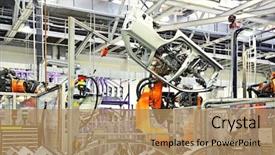
 Presentation with factory - Amazing slides having robotic arms in a car backdrop and a coral colored foreground

Robotic Arms Car Factory

Imagine yourself standing in front of a bustling car factory, surrounded by rows of sleek robotic arms stretching up towards the sky as they work tirelessly to assemble the latest electric cars. The sound of whirring motors and humming machinery fills the air, while the scent of freshly painted metal lingers in the background. As you gaze out at the scene unfolding before your eyes, you can't help but feel a sense of excitement and wonder. This is where it all begins with a stunning Widescreen template designed to take your presentations to the next level. Featuring an bold color palette inspired by Peru's vibrant culture, this template brings to life the dynamic atmosphere of a high tech factory on wheels. The wide format ensures that every detail is showcased in stunning high resolution, making for an engaging and immersive experience for your audience. The template itself is full of exciting elements, including conveyer belts that seem to roll down from the ceiling, steel beams that stretch across the background, and sparks flying everywhere as the machinery whirs to life. You'll feel like you're right there in the midst of it all, working alongside the robotic arms as they bring your ideas to life. But what really sets this template apart is its seamless integration with Google Slides. The Widescreen format makes it easy to incorporate 4 How To slides at the start of your deck, each one featuring a different element from the factory layout. And because the template includes a background that can be styled and customized to match your needs, you'll always have a theme in place, enhanced with features like including a Background With a seamless transition between slides. Having a Theme of, you could use this template as the backdrop for an entire presentation on the evolution of electric cars featuring images from around the world, showcasing the different designs and technologies that make them possible. Or, you might use it to illustrate the process of designing a new vehicle from start to finish, with each slide highlighting a different stage of development. The possibilities are endless, and with this template at your disposal, you'll be well on your way to creating presentations that captivate and inspire.

 Presentation with factory - PPT layouts enhanced with grungy warehouse or factory interior background and a gray colored foreground

Grungy Warehouse Factory Interior Wall

In the dimly lit grungy warehouse or factory interior, a sense of melancholy settles over the space as fluorescent lights flicker overhead casting an eerie glow on the dirt floor. The air is thick with dust and the smell of something ancient, foreboding. Yet amidst this bleak backdrop, there's a sense of possibility waiting to be tapped. The Split Title template is designed for those who want to take their presentation to the next level with its unique blend of contrasting elements. This wide screen format brings the grungy atmosphere to life in high definition. Featuring an olive drab color palette that evokes feelings of gloom and decay, this template is a perfect fit for presentations that require a sense of unease or discomfort. The textured background images featuring dimly lit warehouses, worn concrete floors, and rusted machinery add depth and visual interest to the design. The space element is incorporated into the layout with the inclusion of an empty wall and floor on either side of the main content area. Having a theme of " Industrial Decay", this template is enhanced with illustrations of old factories, smokestacks, and industrial equipment. The gloomy tone is maintained throughout the template, from the high resolution images to the simple yet effective typography. It's the perfect choice for presentations that require a sense of sophistication but still have an edge. With its unique blend of contrast and texture, this template will elevate your presentation to new heights and leave a lasting impression on your audience.

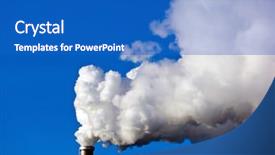
 Presentation with factory - Theme with co2 - smoking chimneys of a factory background and a cobalt blue colored foreground

Smoking Chimneys Factory Against Blue

Imagine standing at the edge of a factory, surrounded by a wall of smoke and grime, but on a clear blue day with not a cloud in sight. The image is breathtaking, yet devastating, as the high resolution background features the smoking chimneys against a bright blue sky, contrasting starkly against the industrial landscape. The Steel Blue color palette that follows is clean and minimalist, providing a sophisticated backdrop for your presentation. This theme allows you to feature the industry shaking imagery in all its glory, creating a cohesive look that's both striking and professional. Incorporating this template into Google Slides will enhance the overall visual appeal of your presentations, making them stand out from the crowd. The Grid Layout slide includes a background with high resolution images of chimneys and smoke rising from factories, providing a dynamic element to the presentation. You could include these images in various ways, such as displaying multiple chimneys side by side or using a circular layout to showcase different aspects of the industry. For example, you could include an image of a massive factory chimney spewing forth clouds of white smoke, accompanied by a bold headline that emphasizes the devastating effects of pollution. This template has it all: inspiration from dramatic images, a sophisticated color scheme, and interactive elements that will engage your audience.

 Presentation with factory - Cool new slide deck with glassblowing - glass blower interacting with each backdrop and a wine colored foreground

Glass Blower Interacting Each Glass

In the heart of a bustling glassblowing factory, where the air is thick with the sweet scent of molten glass and the sound of gentle hissing fills the air, a group of skilled craftsmen gather around a large furnace, their faces aglow with concentration as they work together to create something truly extraordinary. The room is dimly lit, but the warm glow of the furnaces and the soft light of the overhead lamps cast a cozy atmosphere, making it feel like a warm hug on a cold winter's day. The Wide Title template features a stunning image of a glassblower carefully shaping a delicate vase in front of a roaring furnace. The background is a rich brown color that seems to glow from within, giving the impression of molten lava flowing through the scene. The text is set against this warm backdrop, creating a sense of depth and dimensionality. The template format is Widescreen, which means it's designed to be viewed on large screens with plenty of room to breathe. It's perfect for presentations, videos, or any other content that needs to be showcased in its entirety. The high resolution images used throughout the template are sure to impress your audience, and the brown color palette adds a warm and inviting touch. The template keywords include occupation (glassblowing), Caucasian features, elderly individuals, and interactive elements, making it perfect for presentations that need to engage and captivate an audience. The theme of the template is clear: showcasing the art and craftsmanship of glassblowing in all its glory. With this template, you'll be able to create a stunning presentation that's sure to impress your colleagues and clients. The downloadable version of the template includes high resolution images for the background, making it easy to enhance any slide with

▼Key features of this template

  • They are compatible with both PowerPoint and Google Slides running on either Windows PCs or Macs.

  • They are available in both standard and widescreen slide formats. You can choose your preferred format by clicking on the "Widescreen" check box or icon.

  • Each template includes a beautiful high-resolution background image or video to visually reinforce the theme of your presentation.

  • In addition, each template includes designer-created graphics and modern fonts to give your presentations an up-to-date, professional look.

  • Each template's default design and title text position have been carefully selected to complement its background without covering faces or other key elements.

  • All text includes backdrops whose transparency level is mathematically calculated to maximize text readability while still allowing the background to be seen.

  • And all the text, text backdrops and graphics in every slide are colored with a palette designed to beautifully complement the colors in the background.

  • Our Premium templates (those with the descriptor “Premium” in their subtitle) include over 64 slide layouts to give you maximum flexibility as you create your presentations.

    • Those layouts are available to you whenever you create a new slide or when you want to change the layout of an existing slide.
    • They include everything you need to make all sorts of presentations. In addition to the layouts for the title slide and the usual title and content slide, they include many other layouts for slide types including table of contents slides, org charts, charts, diagrams, infographics, photo slides, thank you slides and more.
    • While creating these layouts our template designers have ensured that all text in every layout adjusts as gracefully as possible to various numbers of words.
  • Customizable templates (those with the descriptor “Customizable” in their subtitle) may be easily modified online before you download them.

    • To modify them, simply click on the pencil editing icon, then select your choice of ready to go designs and title text positions.
    • The editing tool also makes it easy to reposition and scale the background image or video to best suit your needs.

▼FAQs

Please review these FAQs to see if your question is answered. Contact us for more info

  • What is a PowerPoint template?

    • A well designed PowerPoint template is a file that can tell PowerPoint how to make your ordinary templates look extraordinary. They won’t change what your words or numbers say. But they might change their size, color, font and placement. And, overall, they can give your presentations a professionally-designed look that will give your content more credibility and give you more confidence.
  • How many PowerPoint templates do you offer?

    • We have over 32,000 artist-created presentation templates in our PowerPlugs collection With a subscription, PowerPlugs templates are easy to download. Just sign in, find a template and click on the green Download button. ready for you to download. That alone offers you more variety to choose from than any of our competitors can offer. And, as if that weren’t enough, we also offer over 6 million templates in our Crystal collection. Crystal brand templates are our line of templates that have customization options. They have the word "CRYSTAL" on their web page images. You can customize several aspects of the templates. These templates include high-resolution background images from Shutterstock’s vast image collection matched up with artist-created presentation designs customized by our own proprietary AI software.
  • How many templates can I download as a subscriber?

    • You can download an unlimited number of PowerPlugs-brand With a subscription, PowerPlugs templates are easy to download. Just sign in, find a template and click on the green Download button. templates every day for an entire year. (Actually, by default, we set a limit of 25 templates per day to prevent our competitors from stealing our templates. But, if that is not enough, just let us know and we’ll try to accommodate you.) On top of that, with a subscription or an Ultimate Combo, you can also download any 50 Crystal-brand Crystal brand templates are our line of templates that have customization options. They have the word "CRYSTAL" on their web page images. You can customize several aspects of the templates. templates per year selected from our huge Crystal collection. Crystal brand templates are our line of templates that have customization options. They have the word "CRYSTAL" on their web page images. You can customize several aspects of the templates. .
  • Why should I choose your templates instead of the competition’s?

    • We’ve got a larger selection of professionally-designed PowerPoint templates than anyone else in the world.
    • Each template includes a high-resolution background image or video to visually inspire your audiences while reinforcing your message.
    • Each template includes 64 slide layouts to give you maximum flexibility as you create your presentations.
    • Our templates are available in both standard and widescreen slide formats. And our website lets you preview the slides each way.
    • Our free Template Finder™ plugin lets subscribers select and - with a single click - download and insert our templates into their presentations right from within PowerPoint.
    • We’ve been creating designer presentation templates for over 20 years. During that time we’ve won several awards and 5-star ratings for product quality. See About Us for more.
  • Do you offer a money-back guarantee?

    • Yes we do! We offer full 30-day money-back guarantee if you are not 100% satisfied with your purchase.
  • Can I still use my downloaded templates after my subscription runs out?

    • Yes. After your subscription expires, you won't lose any rights or ability to use your PowerPlugs: Templates for PowerPoint. You won't be able to download any new non-watermarked templates. But the non-watermarked templates you've already downloaded will still work and you can still use them as before.
  • Can I share my downloaded templates or passwords with friends or coworkers?

    • Sorry but no. You are authorized to download each paid-for template to up to 3 of your personal devices and to use the templates you download in as many presentations as you want. But you are not authorized to share the templates, themselves, with others. That said, we do offer highly discounted site licenses to suit the needs of both small and large teams. Just tell us your needs and we’ll give you a quote!
  • System requirements:

    • The templates use the standard POTX format. So they are compatible with Google Slides and all PC, Mac and mobile devices running any version of PowerPoint from PowerPoint 2007 up through and including Office 365 desktop.
    • Please note: Google Slides does not currently support background videos. It treats them as still images.
    • For PowerPoint for the Web, first open your template into a desktop version of PowerPoint, then save it back out as a PPTX file. Then you can open that in PowerPoint for the Web.
  • End user license agreement:

    • Click here to view.
  • How will I get my purchased templates?

    • You may download your selected templates as soon as your payment is received by PayPal. If you purchased an individual template, you will be provided with a download link both onscreen and via email. Just click on that link to begin the download process. If you purchased a subscription, you will receive an email containing a password to use along with your email address to sign in to any of the templates pages on CrystalGraphics.com. Once you are signed in, you can immediately start downloading your selected templates.
  • How do I use my templates after I download them?

    • You can either open a template to start a new presentation or you can add a template to an existing presentation. To open a template, just double click on it or use PowerPoint's File > Open tool. To add a template to an existing presentation, on the Design tab, in the Themes group, click Browse for Themes... then browse to select your template.

View more Factory templates:

previous 1 2 3 4 5 6 7 8 9 10 11 12 13 14 15 next
Categories related to Factory:
Cement Farming Steel Workers
93% of Fortune 1000
companies use our
PowerPoint Products
Templates Secure

Standing Ovation Award
Winner: Best PowerPoint
Template Collection
Fortune Logos
200,000+ satisfied
customers worldwide!
Guarantee
100% satisfaction guaranteed
- or send it back for a refund!

Sign up for our free newsletter! You'll get news about our PowerPoint-enhancing product line – including free updates, new product announcements and exclusive special offers. Plus you'll get a link to a free PowerPoint template with every newsletter you receive.
Privacy Policy
Loading...


Help

Contact Us
Product FAQs
Product License Agreements

Company Info

About Us
Privacy Policy
CrystalGraphics, Inc. 1999 S. Bascom Avenue Suite 700 Campbell, CA 95008 USA
© 2026 CrystalGraphics, Inc. All rights Reserved.    |     PowerPlugs is a trademark of CrystalGraphics, Inc.
Microsoft and the PowerPoint logo are trademarks or registered trademarks of Microsoft Corporation in the United States and/or other countries.
Loading...
Loading...