www.crystalgraphics.com CrystalGraphics
  • Ultimate Combo
  • Templates
  • Diagrams
  • Characters
  • Quizzes
  • shopping cart
  • Sign Out Sign Out Sign In
Home > Templates > Fire > Fire Damage Category
search icon
advanced icon

37 Best Fire Damage-Themed Templates for PowerPoint and Google Slides

CrystalGraphics creates templates designed to make even average presentations look incredible. Below you’ll see thumbnail sized previews of the title slides of a few of our 37 best fire damage templates for PowerPoint and Google Slides. The text you’ll see in in those slides is just example text. The fire damage-related image or video you’ll see in the background of each title slide is designed to help you set the stage for your fire damage-related topics and it is included with that template. In addition to the title slides, each of our templates comes with 17 additional slide layouts that you can use to create an unlimited number of presentation slides with your own added text and images. And every template is available in both widescreen and standard formats. With over 6 million presentation templates available for you to choose from, CrystalGraphics is the award-winning provider of the world’s largest collection of templates for PowerPoint and Google Slides. So, take your time and look around. You’ll like what you see! Whether you want 1 great template or an ongoing subscription, we've got affordable purchasing options and 24/7 download access to fit your needs. Thanks to our unbeatable combination of quality, selection and unique customization options, CrystalGraphics is the company you can count on for your presentation enhancement needs. Just ask any of our thousands of satisfied customers from virtually every leading company around the world. They love our products. We think you will, too!

Features & Pricing

Widescreen (16:9) Presentation Templates. Change size...
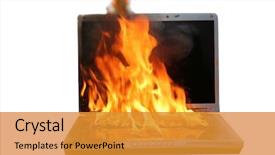
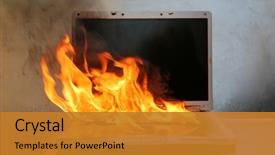
 Presentation with fire damage - PPT theme consisting of wildfire - genuine laptop computer on fire background and a tawny brown colored foreground

Genuine Laptop Computer Fire Isolated

Imagine being at the forefront of innovation, with a laptop computer on fire and the internet ablaze as you witness the dawn of a new era. This is what the Corner Title template promises to deliver a high energy design that sets the tone for your presentation like nothing else can. The Corner Title template is designed in Widescreen format, featuring stunning Burly Wood Colored backgrounds that will transport your audience to a world of blazing possibilities and fiery passions. The template's Quotation Layout slide allows you to feature your most compelling quotes or messages, making it easy to convey the importance of data, fuel, and inspiration. The Corner Title template is more than just a design it's an experience that combines cutting edge visuals with interactive elements, includingIncluding a Background With a 3D effect and Having a Theme of Blazing Passion. With its high resolution images and seamless integration, you'll be able to create a truly immersive presentation that leaves a lasting impression on your audience. The template is downloadable and compatible with Google Slides, so you can easily share it with colleagues or clients and enhance their experience with Enhanced With the Corner Title's rich design elements. When you're ready to get started, simply head to our website and follow the easy to follow instructions to begin creating your presentation Featuring a seamless and efficient onboarding process that will help you hit the ground running in no time.

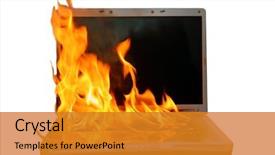
 Presentation with fire damage - Amazing slide deck having laptop computer on fire isolated backdrop and a gold colored foreground

Laptop Computer Fire Isolated White.

As you glance at the screen, your eyes are drawn to the corner title that seems to blaze with intensity, a fiery warning sign that dares you to take action. This is not just any ordinary template design, but a Widescreen presentation that's sure to ignite your senses. It's a Burly Wood Colored masterpiece that transports you to a world of data and fire, where the stakes are high and the graphics are fierce. The Corner Title template format is a showstopper, with crisp 16:9 proportions and a seamless blend of elements that create a cohesive whole. The theme is set by the Background image a dramatic high resolution photograph of a laptop computer engulfed in flames, isolated on a pristine white background. This is the perfect starting point for your presentation. As you delve deeper into the template, you'll discover four How To slides at the start of the deck that will guide you through the process of getting up and running quickly. The Template Color Palette featuring a rich Burly Wood Colored scheme is a masterstroke, evoking feelings of warmth and coziness while still conveying a sense of urgency. The template includes a range of enhanced features, such as including a Background With subtle animations and Having a Theme of incorporating visually striking graphics that will enhance your message. This Corner Title template is the perfect way to present data in style, with its fiery theme and blazing visuals sure to grab attention and hold it.

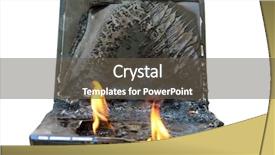
 Presentation with fire damage - Slide deck featuring electronics - laptop damage laptop on fire background and a gold colored foreground

Laptop Damage Laptop Fire Flames.

As you explore the world of emergency repair, your eyes widen with a sense of urgency and danger, just like in the movie laptop damage where flames engulf the screen as it burns from the inside out. You're about to embark on a journey that will ignite your passion for data and technology, all while navigating through the fiery landscape of emergency situations. The Corner Title template is designed to be versatile and adaptable, featuring high resolution images of laptops in peril, with flames licking at the edges of the screen. The goldenrod color palette adds a warm and inviting tone to the design, making it a perfect fit for a template that's both dramatic and engaging. When you open the Corner Title template, you'll notice that it includes four How To slides that will help you get up and running quickly. But before we dive into those, let's take a closer look at what this template has to offer. The Comparison Layout slide allows you to showcase your skills and expertise by including a background with multiple icons and elements, giving you the feature to highlight your most valuable assets. Imagine using this template to create a presentation on laptop repair, featuring high quality images of computers in various stages of restoration, from flames engulfing the screen to gleaming screens that shine like new. The enhanced with theme allows you to add a personal touch by including a custom background image that reflects your brand or style. In terms of compatibility, this template is perfect for Google Slides users who are looking for a visually appealing and easy to use option. With its goldenrod color palette and high resolution images, it's sure to turn heads and enhance the overall presentation. So why wait? Download Corner Title today and get ready to ignite your passion for data and technology!

 Presentation with fire damage - PPT theme consisting of laptop computer on fire isolated background and a gold colored foreground

Laptop Computer Fire Isolated White.

In a burst of flames engulfing a laptop screen on a cluttered workbench, the world's most powerful computing system is reduced to ashes. The room around it is bathed in an eerie glow, with only the laptop's screens and wires casting any light. A fiery explosion rages across the screen as data streams in from multiple sources, creating a mesmerizing display of chaos. The Corner Title template is designed to capture this intensity, featuring a dramatic 5x5 Org Chart Layout that showcases your team's structure. Starting with a vast high resolution image of a burning cityscape, the background transforms into a fiery landscape that wraps around your logo and key elements. This bold design approach sets the tone for an empowering and dynamic presentation. The template is formatted in widescreen, providing ample room to arrange text and visuals in a clear and concise manner. The Burly Wood Colored color palette adds depth and warmth, creating an immersive experience that transports the viewer into the heart of your data driven world. When used with a high resolution image of a laptop or computer, it can be Featured as a standalone element on its own. Including a Background With this template is simply Enhanced With to create any presentation that needs a bold statement. Having a Theme of data analysis and management means you're always focused on the key takeaway that your team's work is the foundation for a brighter future.

 Presentation with fire damage - Audience pleasing slides consisting of world on fire computer damage backdrop and a coral colored foreground

Genuine Laptop Computer Fire Isolated

Imagine yourself standing behind a powerful laptop computer on fire, surrounded by flames that illuminate the isolated white background, creating a dramatic and intense atmosphere that represents Hot Love. The fiery scene is set ablaze, with sparks flying upwards, conveying energy, passion, and creativity. As you gaze upon this breathtaking landscape, your heart beats faster, symbolizing the power of data and fuel to ignite innovation. The laptop computer at the center of the scene represents burning hot ideas, ones that can transform industries and revolutionize the world. The fiery flames evoke a sense of urgency, as if the very fate of the digital realm is at stake. The Burly Wood Colored theme dominates this template, with rich tones of oak and walnut evoking a sense of warmth, coziness, and tradition. This palette provides a solid foundation for your visuals, setting the tone for an engaging and immersive experience. On the background, high resolution images featuring blazing flames, fiery sparks, and glowing screens will add depth and visual interest to your presentation. The Grid Layout slide showcases eight key elements including a laptop computer with a burst of flame, a data center with a molten lava effect, and a cityscape with flickering lights providing an excellent starting point for creating a compelling narrative. These images can be used to convey the essence of blazing data, driving innovation and progress. The template is downloadable and compatible with Google Slides, ensuring seamless integration into your workflow. With 4 How To slides at the start of the deck, you'll be well on your way to producing an engaging and informative presentation that will captivate your audience.

 Presentation with fire damage - Theme having laptop damage laptop on fire background and a gold colored foreground

Laptop Damage Laptop Fire Flames.

In the heat of a high intensity situation, a laptop can quickly become a liability but that's exactly why you need a powerful template like Corner Title, designed to ignite your presentation and draw attention with its bold, fiery theme. This Widescreen template is perfect for showing off your company's logo or branding, while featuring a dramatic background image of flames engulfing a computer. The Goldenrod color palette adds a warm and inviting touch, evoking feelings of comfort and reliability. The high resolution images in the background can be used to create a dramatic contrast with the clean lines and simple text on screen, making for an engaging visual experience. The template keywords include ignite, data, fiery, fire wall icon, emergency giving you the perfect blend of functionality and flair. As you create your presentation, you'll want to have a Theme Of, Featuring, Including a Background With design elements that work seamlessly together to enhance your message. For example, you could include a dramatic flame graphic or a fire wall icon in the background, while keeping the text clean and easy to read on screen. Having a Contrast Ratio of high contrast between light and dark can also help draw attention to important information. By using Corner Title as your starting point, you'll be able to create a template that's both visually striking and functional perfect for those who need to get up and running quickly or showcase their company's brand in style. And with its compatibility with Google Slides, you can share it easily and access it from anywhere.

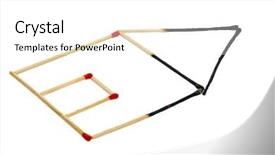
 Presentation with fire damage - PPT layouts featuring buildings insurance and fire background and a white colored foreground

Burned House Made Matches Photo

As a homeowner, you understand that damage can happen to your property in an instant, causing financial losses and emotional distress. However, with the right protection, you can be fully insured against such risks. That's where Corner Title comes in a modern powerpoint template designed specifically for insurance related presentations. The Corner Title template is available in widescreen format, providing ample space to feature high resolution images of buildings, including photo icons that showcase property damage and insurance related matters. The Light Coral color palette gives the template a bright and inviting feel, perfect for conveying the idea of protection and security. The template includes a range of key words, such as "insurance", "damage", "loan", "insured", and "housing", which are relevant to various aspects of property management. By incorporating these keywords into the design, you can ensure that your presentation is comprehensive and effectively communicates your message. One feature of this template is its inclusion of a Background With slide, where you can showcase a burning image of a house made of matches, complete with flames and smoke. This striking visual element will grab attention and provide an engaging starting point for your presentation. Having a theme of enhancement is also evident in the use of bright colors and simple shapes to create a visually appealing design. The template is compatible with Google Slides and can be downloaded easily, making it perfect for sharing with colleagues or clients who require high quality presentations on insurance related topics. With its unique combination of features and versatility, Corner Title is an ideal choice for anyone looking to enhance their presentation skills and communicate effectively about property management.

 Presentation with fire damage - Cool new presentation with water damage - burning fire smoke firefighter emergency backdrop and a gray colored foreground

Burning Fire Smoke Firefighter Emergency

As you step into the world of high pressure situations where the stakes are high and the urgency is palpable, one thing remains constant the importance of clear communication. And that's exactly what Corner Title delivers with its comprehensive powerpoint template designed to tackle even the most complex insurance related topics from a firefighter's perspective. This stunning Widescreen template features a striking Peru color palette that sets the tone for an immersive experience. The design name itself is evocative, conjuring up images of a blazing fire signifying danger and emergency, while also highlighting the occupation of firefighting in this bold and attention grabbing title. The template is rich in high resolution imagery, including dramatic aerial shots of burning buildings and fire trucks racing to the scene. The background is made to look like smoke billowing from a fiery blaze, perfectly capturing the intensity of an emergency situation. Featuring a striking image of a firefighter standing heroically amidst flames, this design will leave your audience in awe. The Peru color palette lends itself perfectly to enhancing the theme of insurance and firefighting, while also Including a Background With bold typography and dynamic graphics that add an air of excitement to the presentation. Having a Theme of conveying high stakes information and keeping it engaging is definitely one of its standout features.

 Presentation with fire damage - PPT theme enhanced with water damage - burning fire smoke firefighter emergency background and a gray colored foreground

Burning Fire Smoke Firefighter Emergency

As you click on the Corner Title template, a dramatic image of a firefighter battling flames erupts from the background, drawing your attention to the task at hand. The text "Burning Fire" in bold, fiery letters seems to leap off the screen, conveying an sense of urgency and importance. The Widescreen format ensures that every detail is showcased, including the four How To slides that come with this premium template a must have for anyone looking to elevate their presentation game. Whether you're creating promotional materials for your insurance company or occupation specific presentations, Corner Title is the perfect choice to make a lasting impression. The Light SlateGray color palette provides a clean and professional background that complements the bold design elements, making it easy to find a theme of "Professional" that works perfectly. The template's extensive use of high resolution images for the background ensures that your presentation looks sharp and polished, even at high zoom levels. Featuring an impressive fire truck or smoke bill as one of the many stock images included in this template will surely grab attention and make you stand out from the crowd. Including a Background With dynamic graphics and animations can enhance the overall visual experience and have a theme of "Adding Depth" that adds complexity to your presentation. Having a Theme of a striking image with text overlays that convey key information will always be an Enhanced With feature in any template, making it easier for you to present complex data and statistics.

 Presentation with fire damage - Presentation design with woods-fire-damage-white-birch background and a dark gray colored foreground

Woods Fire Damage White Birch

In the heart of the forest, a devastating fire has ravaged the woods, leaving behind a charred and barren landscape. But even in the midst of destruction, nature's resilience is evident the trees have begun to regrow, their branches stretching towards the sky like withered fingers. This dramatic contrast serves as a powerful reminder that even in the darkest moments, there is always hope for renewal and rebirth. The Wide Title feature allows you to add a touch of drama and flair to your presentation, setting the tone for what's to come. With its Widescreen format, this template will give your slides a cinematic feel that's sure to engage your audience. The Brown color palette provides a natural and earthy backdrop for showcasing high resolution images of damaged forests, regrowing trees, and other elements that evoke a sense of power and majesty. For those who are new to creating presentations, the four How To slides at the start of the deck will provide valuable guidance on getting up and running quickly. Featuring a dynamic slide transition between each step, these templates walk you through the process of designing your own presentation, from selecting colors and fonts to adding images and formatting text. The 5 Steps to Success Layout slide serves as a roadmap for success, providing a clear structure and organization that will help you stay on track. This template includes spaces for notes, references, and other supporting materials, making it easy to reference and explore related information in greater depth. As you delve into the world of presentation design, consider incorporating elements such as including a background with dynamic images or having a theme of showcasing your personal style. With the right visuals and layout, you can create a presentation that is both visually striking and informative.

 Presentation with fire damage - Colorful slides enhanced with laptop computer damage fire backdrop and a wine colored foreground

Laptop Computer Damage Fire Water

This PowerPoint template is designed to deliver a powerful and engaging visual presentation that sparks inspiration and ignites action. To create a captivating slide, imagine yourself standing in front of a laptop computer damaged by fire and water, the screen lit up with flames and smoke, but your eyes fixed on the screen as you assess the situation and begin to analyze the data being displayed. The template features a high resolution image of a damaged laptop computer with a fiery background, set against a Cornflower Blue theme that provides a striking contrast. The Cornflower Blue color palette is a perfect fit for this template, evoking feelings of calmness and serenity while still conveying a sense of intensity and urgency. The Circular Step Layout slide is a great starting point for your presentation, featuring a central image or graphic that sets the tone for the rest of the deck. It could be an image such as a fire wall icon with flames and sparks surrounding it, representing the "fire wall" that needs to be addressed in order to ensure data security. Including a Background With a dynamic image or graphic can enhance the overall visual appeal of your presentation, making it more engaging and interactive for your audience. Having a Theme of High Resolution Images ensures that your template is compatible with various devices and can deliver crisp, clear visuals even at high resolutions. This template is downloadable and compatible with Google Slides, allowing you to easily integrate it into your presentations. With its focus on data analysis, emergency preparedness, and cybersecurity, this PowerPoint template is perfect for professionals and enthusiasts alike who need to present complex information in a clear and concise manner.

 Presentation with fire damage - Beautiful slide set featuring woods-fire-damage-white-birch backdrop and a dark gray colored foreground

Woods Fire Damage White Birch

As flames engulfed the once pristine meadows in darkness, the forest was left scarred and barren, a testament to the devastating power of wildfire. The trees, normally standing tall and proud, now stood as skeletal sentinels, their branches etched against the grey sky like delicate pen and ink drawings. The image is captured at an incredibly high resolution, with every detail preserved in stunning clarity. The Midnight Blue background, featuring a subtle gradient that gives it depth and dimensionality, provides the perfect canvas for this haunting scene. The forest floor, littered with debris and ash, adds texture to the composition, inviting the viewer's eye to wander through the devastation. In the foreground, a single tree stands frozen in time, its branches twisted and bent in a desperate attempt to hold onto a dying branch. This is just one example of how this template can be used to convey the message of regrowth and natural renewal. On the Chart with Caption Layout slide, we see a detailed breakdown of the forest ecosystem, with various elements featured prominently throughout. The chart layout allows for easy navigation and comparison between different data sets, making it an essential tool for any presentation on the topic. Featuring a background image of a misty forest dawn, this slide provides a serene backdrop to further emphasize the theme of natural renewal. In terms of compatibility, this template is specifically designed to work seamlessly with Google Slides, providing users with access to high resolution images and ensuring that their presentations look and feel professional. The Widescreen format ensures that the presentation remains uninterrupted, even at high zoom levels.

 Presentation with fire damage - Colorful theme enhanced with water damage - burning fire smoke firefighter emergency backdrop and a dark gray colored foreground

Burning Fire Smoke Firefighter Emergency

The iconic image of flames engulfing a burning building has long fascinated artists and designers alike, inspiring generations to create stunning visuals that capture the intensity and drama of this powerful scene. At CrystalGraphics, we have crafted an attention grabbing template that embodies the spirit of fire and smoke, perfectly capturing the essence of the firefighter emergency service theme. This Wide Title template is specifically designed for Widescreen displays, boasting a high resolution background image that features a dramatic heat map overlay. The Steel Blue color palette, reminiscent of a stormy night sky, adds a touch of sophistication to this striking design. The keywords "heat", "insurance", "occupation", "exterior", and "sign" are expertly woven throughout the template, providing a compelling narrative for anyone looking to elevate their presentation with an immersive experience. From the dramatic fire scene in the background to the Stairs Layout slide that features a beautifully crafted staircase layout, this template is packed with engaging elements. The accompanying How To slides provide valuable guidance on how to get up and running quickly, offering tips on optimizing performance and ensuring seamless interaction with users. Featuring a richly textured background image, having a theme of enhanced realism, and including a Background With high resolution images for the 3D visualization are just a few ways this template stands out from the crowd. The template is downloadable and compatible with Google Slides, making it an ideal choice for anyone looking to create stunning presentations that leave a lasting impression.

 Presentation with fire damage - Beautiful presentation theme featuring water damage - burning fire smoke firefighter emergency backdrop and a gray colored foreground

Burning Fire Smoke Firefighter Emergency

In a world where danger lurks around every corner, one must stand out from the crowd to grab attention and convey a message effectively. The Corner Title template is designed with you in mind, featuring a bold design name that screams urgency, while its widescreen format will keep your audience engaged from start to finish. This template's color palette takes inspiration from the rich tones of sienna, evoking feelings of warmth and approachability. As if it were a firefighter's helmet, this theme is inclusive and features a sign with bold fonts making it perfect for an insurance or occupation related presentation. When it comes to keywords, "emergency", "danger", and "firefighter" are naturally included, offering a clear direction on what your audience can expect from the content. By using high resolution images as backgrounds, you'll be able to showcase professional visuals that are enhanced with rich textures and detailed graphics. This template is downloadable and compatible with Google Slides, allowing you to add it to any presentation. The Corner Title template's design name effectively conveys a sense of importance and danger, making it perfect for an emergency service related presentation or any situation where you need to grab attention quickly. With its four How To slides at the start of the deck, getting started is easier than ever featuring clear instructions on setting up your slideshow, choosing fonts and colors, selecting images, and more. This template provides a comprehensive guide on how to enhance your presentation with relevant features, including having a theme of "Burning fire smoke firefighter emergency service" which could be showcased in the background as an image. The inclusion of high resolution images will add professionalism to any presentation and make it stand out from the crowd.

 Presentation with fire damage - Presentation theme having water damage - burning fire smoke firefighter emergency background and a light gray colored foreground

Burning Fire Smoke Firefighter Emergency

In a world where danger lurks around every corner, the Corner Title template by CrystalGraphics is the perfect choice to grab attention and convey a sense of urgency. The design name suggests a fiery blaze that consumes everything in its path, setting the tone for an emergency service inspired presentation. This template features high resolution images that will elevate your slide deck to new heights. The template format is Widescreen, providing ample space for detailed background graphics and text. The Peru color palette adds warmth and depth to the design, with rich tones of red, orange, and yellow evoking a sense of warning and caution. As inspiration, consider the Four Arrows Layout slide, which showcases a stylized representation of the Four Directions – East, West, North, and South. This layout is perfect for showcasing multiple elements on one slide, making it ideal for presentations that require visual hierarchy and organization. When including a Background With feature, you can enhance your template with stunning high resolution images, such as a dramatic sunset or a fiery explosion, adding drama and impact to your presentation. Having a Theme of, in this case, Firefighter Emergency Service, will help tie together the various elements on your slide deck, creating a cohesive look and feel that's sure to engage your audience. The template is downloadable and compatible with Google Slides, making it easy to incorporate into your existing workflows.

 Presentation with fire damage - Amazing theme having woods-fire-damage-white-birch backdrop and a light blue colored foreground

Woods Fire Damage White Birch

The forest after a devastating wildfire has been reduced to a barren landscape of charred trees and blackened earth, a stark reminder of the fury of nature's power. Corner Title is a stunning PowerPoint template designed to transport your audience into this natural world, featuring high resolution images that bring the beauty of the forest to life. The Sky Blue color palette provides a serene backdrop for the damage and destruction that has occurred, while the Forest keywords suggest the regrowth and renewal that will come from this devastation. The template is specifically formatted for widescreen presentation, ensuring that all content is displayed with ease. It includes an Enhanced Background With image of the forest at dawn, Featuring a soft pink sky and warm sunlight, Including a subtle gradient effect to enhance the natural colors. The Forest keyword also suggests a theme of nature, emphasizing the connection between humans and the environment. Corner Title is designed for use in presentations that require a visually striking and informative format. It can be used to showcase beautiful images, statistics, or even dramatic footage, all presented in a clean and professional manner. The Quotation Layout slide adds an extra layer of sophistication, featuring a quote from the forest itself, highlighting its resilience and ability to recover from adversity. With 4 How To slides at the start of the deck, users can quickly get up and running with their presentation, creating a seamless transition between content and visuals. Featuring a subtle animation effect on the How To slide, it appears as if the user is being guided through the template, making it an engaging and interactive experience.

 Presentation with fire damage - Presentation theme enhanced with computer burned in a fire background and a coral colored foreground

Laptop Computer Burned Fire Represents

A laptop computer burned in a fire, representing computer damage, loss of data, emergency and more. The screen is cracked, the keyboard is broken, and the CPU overheated, as if the system had succumbed to despair. But amidst the devastation, a glimmer of hope emerges a chance to restore order and revive the digital life. This is where Corner Title comes in, a stunning Widescreen template designed to enhance your presentation with a theme of "Rescue Mode" Featuring an immersive background with high resolution images, including a dramatic fire scene, to grab attention and transport your audience into a world of crisis. Corner Title is a downloadable template compatible with Google Slides, featuring a Burly Wood Colored color palette that exudes warmth and ruggedness. The template is complete with four How To slides at the start of the deck "Get Started", "Designing Your Template", "Customizing Your Theme", and "Using Your Templates" to help you get up and running quickly, no matter how complex your presentation may be. The Chart with Caption Layout slide will allow you to include key data points and statistics in a clear and concise manner. For example, you could use it to present the alarming rate of cybersecurity threats, highlighting the importance of maintaining digital security in today's fast paced world. With its Enhanced Design and Including a Background With graphics capabilities, Corner Title is the perfect solution for your next presentation, helping you convey complex information in a visually stunning way. Whether you're presenting on data loss, emergency preparedness, or any other topic that requires attention grabbing visuals, Corner Title is sure to impress. Its Burly Wood Colored theme and Widescreen format make it an ideal choice for both business and educational presentations, while its Compatibility with Google Slides ensures seamless integration into your digital workflow.

 Presentation with fire damage - Presentation theme consisting of burning-laptop-eyeballs-watching background and a tawny brown colored foreground

Burning Laptop Eyeballs Watching Computer

As the world teeters on the brink of chaos, a fiery inferno erupts from the depths of our screens, threatening to engulf us all in a blaze of destruction. The laptop in front of you is no longer just a tool, but a ticking time bomb waiting to unleash a devastating data loss, sparking a chain reaction of emergencies that can have far reaching consequences. Yet, amidst the chaos, there are those who dare to ignite hope, finding solutions to these mounting dangers. This template, Wide Title, is designed to transport you into the heart of the action, where danger lurks around every corner and the stakes are high. With its Sienna color palette, featuring bold accents of orange and red, this theme is sure to set your audience ablaze with excitement. The Widescreen format ensures a cinematic experience that will keep viewers on the edge of their seats. The template includes 4 How To slides at the start of the deck, designed to get you up and running quickly: "Unlocking Data", "Safety First", "Troubleshooting Tactics", and "Emergency Response Plans". But what truly sets this template apart is its Thank You Layout slide. This visually stunning page showcases a dramatic image, such as a laptop burning in flames or a computer screen going dark, accompanied by a caption that reads: "We hope you found our guide helpful in navigating the world of data protection and emergency preparedness." Featuring a beautiful background with a subtle gradient effect, this layout provides a seamless transition to the next slide. Having a theme of Enhanced With, this design is anything but ordinary. With its high resolution images for the background, this template is perfect for creating a dramatic and engaging presentation that will leave your audience spellbound. And the best part? You can easily download it on Google Slides, making it an ideal choice for anyone looking to add a touch of flair to their slideshows.

 Presentation with fire damage - Presentation design having burning-laptop-laptop-computer background and a  colored foreground

Burning Laptop Laptop Computer Fire.

Imagine waking up to a scene from a fiery disaster movie where a laptop computer is engulfed in flames, the screen displaying a warning sign that reads "No Smoking" as the air fills with smoke and ash. The image is accompanied by a burning laptop on fire, a severe hazard that can have devastating consequences, including losing valuable data. This image sets the tone for a presentation that takes a dramatic turn from a potentially catastrophic situation to a serious safety alert. The template features a Widescreen design with a Sienna color palette that exudes warmth and caution. The background is made up of 8 high resolution images featuring firefighters battling to contain a wildfire, while the keypad in the foreground adds a sense of urgency. These images are arranged in a grid layout, creating a visually striking effect. The template's compatibility with Google Slides ensures seamless integration into any presentation format. It also includes an additional section that features four How To slides at the start of the deck to help users get up and running quickly, including a demonstration of how to create custom slides using various features. However, these steps are not explicitly detailed in this description. The Sienna color palette can be enhanced with gold accents and darker shades of brown, giving it a sophisticated and ominous tone. The theme is solidified by featuring images of emergency responders in action, along with hazard signs and warning symbols to emphasize the importance of safety. Including a background with a subtle gradient effect adds depth and dimensionality, while having a theme of cautionary storytelling helps convey the message of the presentation. The template can be customized to fit various needs, but it does not include any dynamic elements that would require extensive scripting or coding. However, this could be enhanced with additional features such as animations, transitions, or interactive effects. Overall, this template is designed to engage and inform audiences about serious safety concerns, making it an excellent choice for presentations on crisis management, emergency response, or data protection.

 Presentation with fire damage - Slide set enhanced with burning-laptop-eyeballs-watching background and a tawny brown colored foreground

Burning Laptop Eyeballs Watching Computer

As you step into the world of data analysis and emergency response, the importance of having a powerful template to ignite your creativity cannot be overstated. Introducing Wide Title, a stunning widescreen template designed specifically for Google Slides that features a fiery theme and a backdrop that sets the tone for an intense presentation. With its rich Sienna color palette, this template is sure to evoke feelings of urgency and danger. The template's design name, Wide Title, perfectly captures its essence, with its bold and attention grabbing title blocks and accompanying graphics that ignite your audience's curiosity. The high resolution images in the background add a level of detail and depth that makes the template truly immersive. To get started quickly, four essential slides are included How To, Dart Layout, Data Visualization, and a special slide featuring an example: "Data Analysis Dashboard". These slides will guide you through the basics of creating effective data visualizations, highlighting how to effectively present complex information in a clear and concise manner. Each step is designed to be easy to follow, even for those new to Google Slides. The Dart Layout slide showcases a flexible and responsive template that allows you to easily adapt it to any presentation style or layout. It's an excellent feature, especially when combined with the included how to slides, which provide valuable tips on customizing your template to suit your needs. Wide Title is designed to be enhanced with additional features such as including a background with customizable colors and having a theme of showcasing data visualizations, making it perfect for data analysis presentations or emergency response scenarios.

 Presentation with fire damage - Colorful theme enhanced with laptop fire and water damage backdrop and a tawny brown colored foreground

Laptop Fire Water Damage Isolated

As you click "launch" on the Corner Title template provided by CrystalGraphics, you're transported to a world of high energy visuals that ignite your imagination. The Peruvian inspired color palette sets the tone for a dramatic and intense presentation, featuring warm tones that evoke feelings of passion and urgency. This template is designed in widescreen format, perfect for showcasing graphics, animations, or video clips. When it comes to the background, you'll find stunning high resolution images that will leave your audience gasping. From laptop fire and water damage scenarios to bold, fiery icons, this template has got everything you need to create a visually stunning presentation. Featuring a sleek 6 x 6 Org Chart Layout slide, this template provides structure and organization for your content. Each element is carefully crafted to enhance the overall visual impact of your presentation, making it perfect for emergency situations or high pressure situations. The theme is clearly defined by the fire wall icon, which adds an extra layer of intensity to your visuals. Including a Background With feature, you can easily add text overlays and animations to create a dynamic presentation that grabs attention. Having a Theme of adds a cohesive touch to your design, making it easy to incorporate into any existing branding or theme. With Enhanced With options available, you can take your presentation to the next level by adding interactive elements, transitions, and effects. This template is downloadable and compatible with Google Slides, allowing you to create a seamless visual experience for your audience.

▼Key features of this template

  • They are compatible with both PowerPoint and Google Slides running on either Windows PCs or Macs.

  • They are available in both standard and widescreen slide formats. You can choose your preferred format by clicking on the "Widescreen" check box or icon.

  • Each template includes a beautiful high-resolution background image or video to visually reinforce the theme of your presentation.

  • In addition, each template includes designer-created graphics and modern fonts to give your presentations an up-to-date, professional look.

  • Each template's default design and title text position have been carefully selected to complement its background without covering faces or other key elements.

  • All text includes backdrops whose transparency level is mathematically calculated to maximize text readability while still allowing the background to be seen.

  • And all the text, text backdrops and graphics in every slide are colored with a palette designed to beautifully complement the colors in the background.

  • Our Premium templates (those with the descriptor “Premium” in their subtitle) include over 64 slide layouts to give you maximum flexibility as you create your presentations.

    • Those layouts are available to you whenever you create a new slide or when you want to change the layout of an existing slide.
    • They include everything you need to make all sorts of presentations. In addition to the layouts for the title slide and the usual title and content slide, they include many other layouts for slide types including table of contents slides, org charts, charts, diagrams, infographics, photo slides, thank you slides and more.
    • While creating these layouts our template designers have ensured that all text in every layout adjusts as gracefully as possible to various numbers of words.
  • Customizable templates (those with the descriptor “Customizable” in their subtitle) may be easily modified online before you download them.

    • To modify them, simply click on the pencil editing icon, then select your choice of ready to go designs and title text positions.
    • The editing tool also makes it easy to reposition and scale the background image or video to best suit your needs.

▼FAQs

Please review these FAQs to see if your question is answered. Contact us for more info

  • What is a PowerPoint template?

    • A well designed PowerPoint template is a file that can tell PowerPoint how to make your ordinary templates look extraordinary. They won’t change what your words or numbers say. But they might change their size, color, font and placement. And, overall, they can give your presentations a professionally-designed look that will give your content more credibility and give you more confidence.
  • How many PowerPoint templates do you offer?

    • We have over 32,000 artist-created presentation templates in our PowerPlugs collection With a subscription, PowerPlugs templates are easy to download. Just sign in, find a template and click on the green Download button. ready for you to download. That alone offers you more variety to choose from than any of our competitors can offer. And, as if that weren’t enough, we also offer over 6 million templates in our Crystal collection. Crystal brand templates are our line of templates that have customization options. They have the word "CRYSTAL" on their web page images. You can customize several aspects of the templates. These templates include high-resolution background images from Shutterstock’s vast image collection matched up with artist-created presentation designs customized by our own proprietary AI software.
  • How many templates can I download as a subscriber?

    • You can download an unlimited number of PowerPlugs-brand With a subscription, PowerPlugs templates are easy to download. Just sign in, find a template and click on the green Download button. templates every day for an entire year. (Actually, by default, we set a limit of 25 templates per day to prevent our competitors from stealing our templates. But, if that is not enough, just let us know and we’ll try to accommodate you.) On top of that, with a subscription or an Ultimate Combo, you can also download any 50 Crystal-brand Crystal brand templates are our line of templates that have customization options. They have the word "CRYSTAL" on their web page images. You can customize several aspects of the templates. templates per year selected from our huge Crystal collection. Crystal brand templates are our line of templates that have customization options. They have the word "CRYSTAL" on their web page images. You can customize several aspects of the templates. .
  • Why should I choose your templates instead of the competition’s?

    • We’ve got a larger selection of professionally-designed PowerPoint templates than anyone else in the world.
    • Each template includes a high-resolution background image or video to visually inspire your audiences while reinforcing your message.
    • Each template includes 64 slide layouts to give you maximum flexibility as you create your presentations.
    • Our templates are available in both standard and widescreen slide formats. And our website lets you preview the slides each way.
    • Our free Template Finder™ plugin lets subscribers select and - with a single click - download and insert our templates into their presentations right from within PowerPoint.
    • We’ve been creating designer presentation templates for over 20 years. During that time we’ve won several awards and 5-star ratings for product quality. See About Us for more.
  • Do you offer a money-back guarantee?

    • Yes we do! We offer full 30-day money-back guarantee if you are not 100% satisfied with your purchase.
  • Can I still use my downloaded templates after my subscription runs out?

    • Yes. After your subscription expires, you won't lose any rights or ability to use your PowerPlugs: Templates for PowerPoint. You won't be able to download any new non-watermarked templates. But the non-watermarked templates you've already downloaded will still work and you can still use them as before.
  • Can I share my downloaded templates or passwords with friends or coworkers?

    • Sorry but no. You are authorized to download each paid-for template to up to 3 of your personal devices and to use the templates you download in as many presentations as you want. But you are not authorized to share the templates, themselves, with others. That said, we do offer highly discounted site licenses to suit the needs of both small and large teams. Just tell us your needs and we’ll give you a quote!
  • System requirements:

    • The templates use the standard POTX format. So they are compatible with Google Slides and all PC, Mac and mobile devices running any version of PowerPoint from PowerPoint 2007 up through and including Office 365 desktop.
    • Please note: Google Slides does not currently support background videos. It treats them as still images.
    • For PowerPoint for the Web, first open your template into a desktop version of PowerPoint, then save it back out as a PPTX file. Then you can open that in PowerPoint for the Web.
  • End user license agreement:

    • Click here to view.
  • How will I get my purchased templates?

    • You may download your selected templates as soon as your payment is received by PayPal. If you purchased an individual template, you will be provided with a download link both onscreen and via email. Just click on that link to begin the download process. If you purchased a subscription, you will receive an email containing a password to use along with your email address to sign in to any of the templates pages on CrystalGraphics.com. Once you are signed in, you can immediately start downloading your selected templates.
  • How do I use my templates after I download them?

    • You can either open a template to start a new presentation or you can add a template to an existing presentation. To open a template, just double click on it or use PowerPoint's File > Open tool. To add a template to an existing presentation, on the Design tab, in the Themes group, click Browse for Themes... then browse to select your template.

View more Fire Damage templates:

previous 1 2 next
93% of Fortune 1000
companies use our
PowerPoint Products
Templates Secure

Standing Ovation Award
Winner: Best PowerPoint
Template Collection
Fortune Logos
200,000+ satisfied
customers worldwide!
Guarantee
100% satisfaction guaranteed
- or send it back for a refund!

Sign up for our free newsletter! You'll get news about our PowerPoint-enhancing product line – including free updates, new product announcements and exclusive special offers. Plus you'll get a link to a free PowerPoint template with every newsletter you receive.
Privacy Policy
Loading...


Help

Contact Us
Product FAQs
Product License Agreements

Company Info

About Us
Privacy Policy
CrystalGraphics, Inc. 1999 S. Bascom Avenue Suite 700 Campbell, CA 95008 USA
© 2026 CrystalGraphics, Inc. All rights Reserved.    |     PowerPlugs is a trademark of CrystalGraphics, Inc.
Microsoft and the PowerPoint logo are trademarks or registered trademarks of Microsoft Corporation in the United States and/or other countries.
Loading...
Loading...