www.crystalgraphics.com CrystalGraphics
  • Ultimate Combo
  • Templates
  • Diagrams
  • Characters
  • Quizzes
  • shopping cart
  • Sign Out Sign Out Sign In
Home > Templates > Floating Category
search icon
advanced icon

268 Best Floating-Themed Templates for PowerPoint and Google Slides

CrystalGraphics creates templates designed to make even average presentations look incredible. Below you’ll see thumbnail sized previews of the title slides of a few of our 268 best floating templates for PowerPoint and Google Slides. The text you’ll see in in those slides is just example text. The floating-related image or video you’ll see in the background of each title slide is designed to help you set the stage for your floating-related topics and it is included with that template. In addition to the title slides, each of our templates comes with 17 additional slide layouts that you can use to create an unlimited number of presentation slides with your own added text and images. And every template is available in both widescreen and standard formats. With over 6 million presentation templates available for you to choose from, CrystalGraphics is the award-winning provider of the world’s largest collection of templates for PowerPoint and Google Slides. So, take your time and look around. You’ll like what you see! Whether you want 1 great template or an ongoing subscription, we've got affordable purchasing options and 24/7 download access to fit your needs. Thanks to our unbeatable combination of quality, selection and unique customization options, CrystalGraphics is the company you can count on for your presentation enhancement needs. Just ask any of our thousands of satisfied customers from virtually every leading company around the world. They love our products. We think you will, too!

Features & Pricing

Widescreen (16:9) Presentation Templates. Change size...

 Presentation with floating - Colorful slide deck enhanced with japanese - miyajima hiroshima japan backdrop and a lemonade colored foreground

Miyajima Hiroshima Japan Floating Gate

Imagine standing on the weathered wooden steps of a centuries old shrine in Japan, surrounded by towering cliffs and serene waters, as the sun sets behind you casting a warm golden light on the intricate carvings that adorn the gates of its famous Itsukushima Shrine. The combination of natural beauty and rich history is sure to captivate your audience. This template features a stunning Widescreen design, with high resolution images of Japan's iconic landmarks and historical sites serving as the perfect background for your slides. The Coral color palette adds a touch of warmth and vibrancy, perfectly capturing the essence of this destination. Whether you're showcasing breathtaking landscapes or highlighting a specific aspect of Japanese culture, this template is sure to enhance your presentation with style and sophistication. For inspiration, consider featuring stunning images of Japan's ancient castles, temples, and villages on slides that showcase different sides of the country. The high resolution backgrounds will transport your audience to these breathtaking destinations, while the Coral color palette will keep everything feeling fresh and vibrant. Having a theme of showcasing the best of Japan, this template is sure to delight your viewers. Each slide in this template has a clear purpose from the introductory slides that set the tone for your presentation to more detailed content on historical sites or famous landmarks. The design elements, such as the incorporation of images with intricate details and subtle animations, add an extra layer of depth and visual interest to each slide. This template is not just about showcasing pretty pictures, but also enhancing your message with engaging visuals. The Stairs Layout slide is a great example of how this template can be used effectively. Featuring high resolution images that showcase multiple levels of the staircase, you can create a visually appealing slide that demonstrates your expertise and passion for Japan's culture and history. Have fun showcasing these stunning photos to your audience!

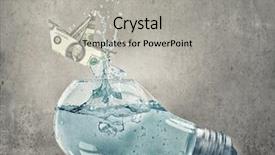
 Presentation with floating - Colorful PPT theme enhanced with light bulb filled with water backdrop and a light gray colored foreground

Glass Light Bulb Filled Water

The moment you gaze upon this stunning template, your mind is transported to a world of limitless possibilities where the boundaries of creativity are pushed to new heights. Imagine yourself standing on the deck of a majestic ship, surrounded by the sleek curves and elegant lines of luxury vessels as they glide effortlessly across the horizon. This Widescreen template features a captivating design that perfectly captures the essence of innovation and vision, as seen in a striking image of a glass light bulb filled with water and a dollar ship floating inside. The vibrant Tan color palette adds warmth and sophistication to this already breathtaking visual, while the 2 Member Bio Layout slide provides a thoughtful touch to enhance your presentation's professionalism. This template is designed to make you feel like a mastermind, featuring a high resolution image that will leave your audience in awe. Its elegant design and sophisticated color scheme ensure that it will seamlessly integrate with any presentation software, including Google Slides. Whether you're presenting on a futuristic theme or showcasing the latest advancements in technology, this template is sure to impress. The 4 How To slides at the start of the deck provide quick and easy solutions to get you started, covering topics such as setting up your SlideShowMaster software, enhancing your presentation with animations, and creating engaging transitions. But don't worry – these steps will be well worth the time invested, as they'll help you unlock the full potential of this stunning template. As a bonus feature, you can include a background with images or videos that match your theme, making it easy to enhance the look and feel of your presentation. And when you're ready to take your show on the road, having a theme of professional and engaging slides will help establish trust with your audience from the start.

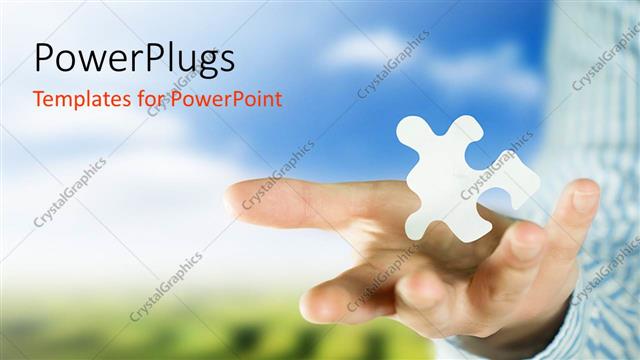
 Presentation with floating - Adult male hands holding a white floating puzzle piece

Man Holding Puzzle

Adult male hands holding a white floating puzzle piece

 Presentation with floating - Amazing PPT theme having outer space - abstract collage floating island backdrop and a ocean colored foreground

Abstract Collage Floating Island Baloons. .

Imagine being transported to a world where magic and wonder await in every corner, a realm where the ordinary becomes extraordinary. Welcome to Corner Title, a stunning template designed for your presentation needs. This template features a Dark Slate Gray color palette that evokes feelings of sophistication and elegance, perfect for creating a mesmerizing atmosphere on your screen. The high resolution images for the background will transport you to a floating island with balloons, adding an element of whimsy and fun to your presentation. The Corner Title template is a downloadable package available exclusively on Google Slides, ensuring that it can be easily integrated into your online presence. Its compatibility extends beyond desktop devices, making it an ideal solution for those who need to share their content across various platforms. As you begin your journey, we've prepared 4 easy to follow slides to get you up and running quickly: How To Slide 1, featuring a clear outline of the template's features; Stages Pentagon Layout, where you can visualize the different elements that make up this unique template; 3D Background Features to enhance your presentation with depth and dimensionality; and Interactive Elements to engage your audience. We've also included a downloadable version, allowing you to share your presentation across various screens. The Corner Title template is more than just a design – it's an immersive experience waiting to be explored. Featuring a stunning background with high resolution images, Having a theme of sophistication and elegance, Enhanced With advanced features like dynamic text animations and interactive effects, this template will elevate your presentation to new heights, making it perfect for any occasion or topic.

 Presentation with floating - Slide deck with ocean - miyajima hiroshima japan floating shrine background and a light blue colored foreground

Miyajima Hiroshima Japan Floating Shrine.

Imagine standing on the tranquil shores of Miyajima, surrounded by the serene beauty of nature and the historic grandeur of Japan's famous temples. The soft blue glow of the setting sun casts a warm ambiance over this idyllic scene, as the majestic architecture rises from the water like sentinels guarding ancient secrets. In this breathtakingly beautiful image, you are free to create your own masterpiece, showcasing the serene and majestic beauty of Miyajima in all its glory. The Wide Title template is perfect for conveying a sense of drama and grandeur, with a title that dominates the background and elevates it to new heights. The Widescreen format ensures that every element is showcased in stunning detail, whether it's the intricate carvings on ancient temples or the majestic skyscrapers of modern cities. The Cornflower Blue color palette offers a soothing and calming atmosphere, perfect for creating a sense of serenity and tranquility. This versatile palette can be used to enhance any design, whether it's featuring a beautiful sunset over Tokyo Bay or including a majestic mountain range in a scenic landscape. With the Wide Title template, you can create an stunning slideshow that showcases your creativity and skill. Featuring a high resolution image as the background, this template is ideal for Google Slides and includes a Background With option to customize the layout to suit your needs. Enhancing with historical and religious themes, this template offers endless possibilities for creating visually striking presentations. To get started quickly, you can create four How To slides to help your viewers navigate the template's features. These slides will cover the basics of using the template, including how to customize the colors and fonts to match your brand or style. The Chart with Caption Layout slide provides an example of how to effectively use charts and graphs in your presentation, while also having a theme of data visualization that adds an extra layer of depth to your content. With this stunning template at your disposal, you can create presentations that are truly unique and memorable. Having a theme of historical landmarks, you could feature a majestic Eiffel Tower as the centerpiece of your slideshow, with intricate details and historic significance featured in each slide.

 Presentation with floating - Amazing slides having girl floating on beach mattress backdrop and a teal colored foreground

Girl Floating Beach Mattress Eating

As you step onto the sun kissed beach, a sense of relaxation washes over you. The sound of waves gently lapping at the shore creates a soothing melody that seems to match the rhythm of your heart beating with excitement. A picturesque view unfolds before your eyes a girl floating on a beach mattress, surrounded by vibrant tropical flowers and lush greenery, her face tilted upwards towards the brilliant blue pool in front of her, watermelon slices clutched tightly in her hands. The sky above is a brilliant blue, with just a few wispy clouds scattered about. The air is filled with the sweet scent of blooming flowers, and the warm sun shines down upon your skin, making you feel carefree and alive. You're on top of the world, or at least that's what it feels like. Now, let's talk about how to make this look even more amazing in Google Slides. Imagine featuring a high resolution image of a serene beach scene as the background for your presentation. Adding a subtle gradient effect can enhance the visual appeal and create a sense of depth. The template format is designed to be sleek and slim, making it perfect for showcasing your ideas in a clean and professional way. The Medium Turquoise color palette is a great choice for this project it's both calming and vibrant at the same time, just like the tropical fruits and flowers that add a pop of color to our design. The template keywords are clear: weekends, slim, red, aqua, view, high resolution images, Google Slides compatible. As you work on your presentation, you might want to think about how to include relevant elements such as a Stairs Layout slide, which can feature a dramatic shot of the beach scene from above. Or maybe you could have a theme of "Summer Vibes" and incorporate fun animations and transitions to match the energetic feel of the project. Overall, this template is designed to be easy to use and customize, making it perfect for anyone looking to create a stunning presentation in just a few clicks.

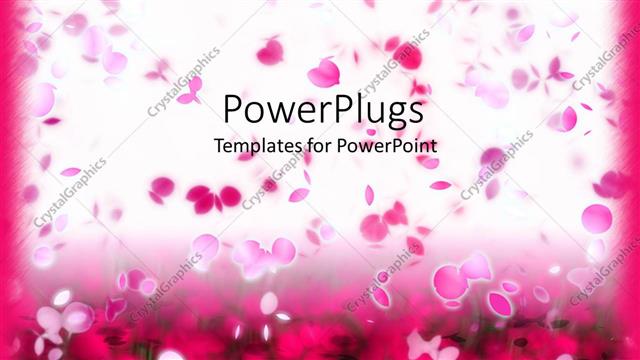
 Presentation with floating - Lots of pink colored flower petals floating on a white background

Snowfall Petals

Lots of pink colored flower petals floating on a white background

 Presentation with floating - Beautiful slide deck featuring man-in-pajamas-sleeping backdrop and a light blue colored foreground

Man Pajamas Sleeping Mattress Floating

The Corner Title PowerPoint template is designed to evoke a sense of relaxation and tranquility with its soothing light slategray color palette that evokes the feeling of a warm summer morning. The design name "Corner Title" conveys a cozy atmosphere, perfect for presentations that require a touch of sophistication without being too formal. The Widescreen format allows users to seamlessly transition between scenes, making it ideal for creating engaging visual content. The high resolution images featured on the background will transport viewers to a serene bed and mattress scene where one can literally float in the sky surrounded by clouds, symbolizing a sense of weightlessness and freedom. This template is downloadable and compatible with Google Slides, ensuring seamless integration into your existing workflows. To enhance the overall user experience, consider featuring high quality images that showcase the comfort and relaxation associated with this theme. For instance, imagine presenting data insights or statistics on the importance of sleep patterns among Caucasian individuals, all while incorporating a background with subtle clouds and a serene bed scene. The Content Layout slide will allow users to customize their template's layout to fit their specific needs, whether it's featuring a single image or creating a more comprehensive design. With this versatile template, you can easily create presentations that promote relaxation, self care, and mental well being. The theme of this template is perfect for educational materials, workshops, or any type of content that requires a calming and approachable tone.

 Presentation with floating - Slide set with group-of-jellyfish-floating background and a navy blue colored foreground

Group Jellyfish Floating Coastal Waters.

As you dive into the world of underwater exploration, one of the most breathtaking environments to capture is the vibrant ecosystem of coral reefs. Imagine yourself floating amidst an ocean of turquoise waters teeming with marine life this is what our Corner Title template brings to life. The design Name Corner Title pays homage to the iconic title used on logo's and icons representing the opening phrase that sets the tone for your presentation. The Widescreen format captures the expansive views of coastal landscapes, perfect for showcasing high resolution images of coral reefs, sea life, and marine animals. This template is a stunning showcase for diving into the world of wildlife conservation with steel blue as its primary color palette. The template keywords Ecosystem, Fauna, Caribbean, Diving, Coral are woven throughout, complemented by the high quality images that will take your audience on an immersive journey. Featuring large chunks of coral and schools of fish in the background, this template is sure to have a theme of excellence with its detailed marine life depiction. Incorporating a Background With a seamless transition between slides featuring stunning photographs and graphics, you'll be able to enhance your presentation without disrupting the flow. Having a modern twist on traditional designs, our Corner Title template also includes an enhanced version for those who want to take their project to the next level. For example, in one of the How To slides, you could use this template as the base and include a Background With some text overlay with a subtle gradient effect to give your presentation a touch of elegance.

 Presentation with floating - Slides having floating in the frozen ocean background and a teal colored foreground

Mountain Panorama Antarctica Shoreline Amazing

Take a moment to gaze out at the breathtaking panorama unfolding before your eyes, as you step into a world of winter wonder and endless possibility. Imagine standing atop an icy pole, gazing out at the frozen landscape stretching out before you like a vast, untouched canvas. The sky above is a deep royal blue, with wispy clouds scattered across it like feathers in the wind. Our Wide Title template is designed to evoke this sense of awe inspiring grandeur, with its sweeping curves and majestic proportions that seem to draw you in and transport you to another world. The Royal Blue color palette is rich and regal, evoking feelings of luxury and sophistication. Whether you're planning a destination themed presentation or simply looking for inspiration for your next travel blog post, this template has got you covered. Panoramic views like this one are the perfect way to showcase breathtaking landscapes at their most dramatic and awe inspiring. With its high resolution images for the background, our template is the ideal choice for showcasing stunning vistas that will leave your audience breathless. And because it's available in Google Slides format, you can easily create seamless transitions between slides and enhance the overall viewing experience. This template is perfect for featuring a polar bear as a main subject, including a beautiful image of one against the icy background. Having a theme of winter wonderland, with its snow covered landscapes and frozen lakes, this template will transport your audience to a magical realm, making it ideal for travel, nature, or destination themed presentations.

 Presentation with floating - Slide deck consisting of rocky land piece floating background and a gray colored foreground

Rocky Land Piece Floating Space

The world is full of stunning landscapes that can transport us to new heights, especially when we're looking at something like rocky land pieces floating in the space isolated on white background. This striking image has been captured and transformed into a versatile template that can be used for various purposes, making it perfect for presentations, posters, or even social media graphics. The Split Title template is designed with a mix of rough and collage elements to create a unique and eye catching visual identity. The high resolution images featured in the background will enhance your content and give it a professional touch, while the tan colored template palette provides a warm and inviting atmosphere that's perfect for conveying a sense of natural surroundings. This template is specifically formatted for widescreen screens and can be easily integrated into Google Slides to take full advantage of its features. The compatibility with the platform ensures that you can share your presentation instantly without any issues. When it comes to incorporating the template, you can feature high resolution images from various sources or create a custom background with your own design. The template also includes a theme of 'Isolation' and 'Elevation', making it an excellent choice for presentations about remote workspaces, virtual offices, or even solo projects. The content layout slide will provide valuable information on how to get started with the template quickly, including four helpful slides that guide you through this process. For example, the first slide could be titled "Getting Started" and feature a screenshot of the template in action, highlighting its compatibility with Google Slides and easy integration into presentations. The second slide might include information about popular image sources for high resolution backgrounds or tips on how to enhance your template's visual appeal. The third slide could focus on customizing the background further or exploring other design elements to make the template truly unique.

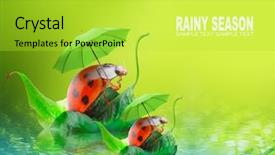
 Presentation with floating - Amazing slide deck having natural background from rainy season backdrop and a yellow colored foreground

Natural Background Rainy Season Two

The Corner Title template is designed to bring a touch of springtime magic to any presentation or slide deck. This warm and inviting Widescreen template features high resolution images of natural elements, such as raindrops glistening on water or ladybugs dancing above the pond's surface. A perfect blend of design and functionality, this template includes a yellow green color palette that perfectly complements the feel good atmosphere it embodies. Whether you're an outdoor enthusiast, a traveler, or simply someone who loves the beauty of nature during the rainy season, this template will transport your audience to a tranquil world. The Corner Title is the perfect starting point for any slide deck, featuring four How To slides that will help you get up and running quickly. The Managed Process Layout ensures a seamless and organized design flow, making it easy to create a professional looking presentation. From the Managing slide with its theme of "Getting Started", to showcasing your content, this template is designed to enhance the user experience. With Featuring ladybugs floating above the pond's surface or having a background image of a beautiful spring landscape, you can include a Background With element that adds an extra layer of depth and visual interest. Having a Theme of Incorporating high resolution images for the background ensures your presentation stands out from the crowd.

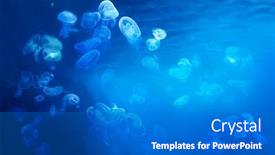
 Presentation with floating - Colorful PPT layouts enhanced with group-of-jellyfish-floating backdrop and a gray colored foreground

Group Jellyfish Floating Coastal Waters.

In the warm waters of the Caribbean, a vibrant ecosystem teems with life. From the majestic coral reefs to the delicate sea fans and colorful fish, every element is meticulously crafted to showcase the beauty and diversity of this underwater world. The serene atmosphere invites you to relax and indulge in a tranquil experience, perfect for diving into your creativity. This stunning template features high resolution images that bring the Caribbean's marine life to life. The Dodger Blue background provides a sense of calmness and serenity, while the coral reef scene is rich in color and detail. From the intricate patterns on the fish scales to the soft pink hues of the sea anemones, each element is carefully designed to enhance your presentation. The Corner Title template offers a unique opportunity to highlight the beauty of our planet's marine life. By featuring high quality images, including a background with a subtle gradient effect, you can create a visually stunning slide that sets the tone for your presentation. Having a theme of showcasing the importance of preserving our oceans and their inhabitants, this template is sure to inspire and educate. The Our CRystal Clear Goal slide provides an opportunity to share your vision and passion for conservation. By featuring a high resolution image of the coral reef at sunset, you can showcase the beauty and majesty of this underwater world. Including a Background With subtle texture and color gradations, you can create a stunning visual that showcases your goals. Having a theme of showcasing the impact of human actions on our environment, this slide is sure to motivate and engage your audience. The template is fully customizable, with four How To slides to help you get started quickly. Featuring high quality images, clear instructions, and easy to follow steps, these slides will guide you through the process of creating a stunning presentation that showcases the beauty of marine life.

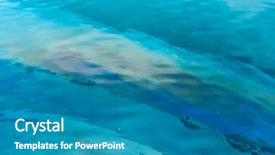
 Presentation with floating - Beautiful presentation theme featuring pollution - polluting oil slick floating backdrop and a teal colored foreground

Polluting Oil Slick Floating Water

Imagine a dark cyan background that evokes a sense of foreboding and danger as a massive oil slick floats menacingly on the surface of a polluted body of water. The template is designed to convey a sense of urgency and chaos, perfect for presentations about the devastating effects of pollution in the industry. This Dark Cyan Widescreen template features high resolution images that will enhance your presentation with dramatic visuals. You can download and incorporate these stunning backgrounds into your slideshow effortlessly using Google Slides. For instance, you could include an image of a massive oil spill on the surface of the water, followed by a shot of a polluted industrial site in the distance. As you begin to build out your slides, you'll notice that the template is organized around a 5 x 5 Org Chart Layout slide. This visual structure will help you organize your content and keep your audience focused on the key points you want to make about damage caused by diesel fueling pollution in the industry. The layout features prominent text boxes for each level of the org chart, making it easy to highlight important relationships between different parties involved. A showcase for innovative solutions to mitigate this issue could include a slide that highlights a successful example of how companies are incorporating green technologies into their operations. You might also consider including images and statistics to illustrate the impact of pollution on human health and the environment.

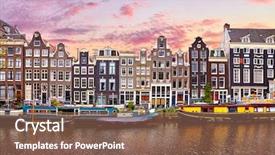
 Presentation with floating - Slide deck consisting of banking - amsterdam netherlands floating houses background and a violet colored foreground

Amsterdam Netherlands Floating Houses Houseboats

In the heart of Amsterdam's canals stands a unique community of floating houses and houseboats, their wooden facades weathered to perfection as they sway gently in the breeze. The traditional Dutch architecture is a testament to the city's rich history, with intricate details and ornate carvings adding a touch of elegance to each building. As dusk falls, the streets are bathed in a warm orange glow, casting long shadows across the water. The sound of laughter and music carries from the channels, where boats and houseboats gather to dance under the stars. High resolution images of these vibrant scenes will elevate your presentation, showcasing the beauty of Amsterdam's nightlife. The Wide Title template is designed for widescreen presentations, with a warm tan color palette that evokes the feeling of traditional Dutch architecture. The high resolution images used as backgrounds add depth and texture to the template, creating an immersive experience for your audience. This Widescreen format ensures that every aspect of the presentation is scaled correctly, from the background image to the text. The template features a cohesive theme, where dancing and capital letters blend seamlessly together to create a sense of movement and energy. The dusk scene is enhanced with clouds and pink sunset sky, creating an atmosphere that's both captivating and relaxing. This evening street will transport your audience to Amsterdam, Netherlands, in just a few clicks. As for the How To slides at the start of the deck, they'll provide valuable tips and tricks to help you get up and running quickly. These tutorials will cover everything from setting up the template to customizing its colors and fonts, giving you the flexibility to create a unique presentation that reflects your brand's personality.

 Presentation with floating - Colorful PPT theme enhanced with origami paper boat floating backdrop and a light blue colored foreground

Origami Paper Boat Floating Sea

The world of design is full of endless possibilities, and with the Wide Title template from CrystalGraphics, you can create stunning presentations that capture your audience's attention. This template features a deep sky blue color palette that evokes feelings of serenity and tranquility, perfect for showcasing your ideas and concepts. The Widescreen format ensures that your content is displayed in full resolution, making it ideal for high quality images and graphics. The template includes four How To slides at the start of the deck to help you get up and running quickly, but don't worry, they're not as daunting as they sound just a few simple steps to get you started. The @ Pictures With Captions Layout is a great way to showcase your high resolution images with captions that add context and meaning to your presentation. For example, you could include an image of a sailboat on the How To slide, featuring a caption like "Sail the seas of creativity" or "Unfold your ideas like origami paper". This layout allows you to highlight key points while also adding visual interest to your presentation. The template is downloadable and compatible with Google Slides, making it easy to import into your favorite presentation software. With its deep sky blue color palette and Widescreen format, this template is sure to make a statement in any presentation.

 Presentation with floating - Beautiful presentation theme featuring pipelayer works at the construction backdrop and a sky blue colored foreground

Image Floating Pipelayer Works Construction

The construction site is where steel meets boulder as a pipelayer works tirelessly to bring fuel and freight to the forefront. The image of this scene is etched in our minds, a testament to the power and precision that goes into building something from scratch. This template is designed for a Widescreen presentation with an Alice Blue color palette, featuring high resolution images throughout to enhance the visual impact. The template keywords are steel, boulder, passage, fuel, freight, and construction, making it perfect for any project that requires a strong foundation. The template is downloadable and compatible with Google Slides, allowing you to easily import your own images or use one of CrystalGraphics' high quality backgrounds. With its sleek design and modern feel, this template is sure to make a statement in any presentation. To get started quickly, the 4 How To slides at the beginning of the deck will guide you through the process of setting up your presentation. These slides are designed to be easy to follow and feature clear instructions on how to use the template. The 5 P's of Marketing Diagram Layout slide is a great place to start when designing your presentation, as it provides a framework for organizing your content in a logical and visually appealing way. By featuring a background with a theme of construction, including a high resolution image of a pipeline or crane, having a cohesive color palette, enhancing the overall design with textures and patterns, and using clear headings and bullet points to break up the text, you'll be well on your way to creating an engaging and effective presentation. This template is perfect for anyone looking to create a professional looking presentation that showcases their expertise in construction or engineering. Whether you're presenting to clients, colleagues, or students, this template will help

 Presentation with floating - Slides enhanced with thai culture - floating market background and a forest green colored foreground

Floating Market

Imagine stepping into a vibrant floating market, teeming with life and energy as you wander through the stalls selling exotic fruits and colorful handicrafts. The sound of merchants calling out their daily specials fills the air, drawing in passersby like a magnet. In this enchanting scene, a beautiful woman stands proudly behind her stall, smiling warmly at potential customers. Her bright smile and colorful outfit make her stand out among the crowd. As you watch, she expertly juggles several transactions while maintaining a warm demeanor, making you feel welcome and eager to buy. The atmosphere is lively and engaging, drawing in customers from all walks of life. This captivating scene can be recreated with high resolution images for the background, creating a unique and memorable experience for your audience. A combination of 4 How To slides will help attendees get up and running quickly, but let's focus on what you can expect to see on those first few slides before diving into more detailed instructions. Featuring a lively and colorful market scene as the main theme, including a background with rolling hills, tall palm trees, and vibrant fruit stalls. The image could also be enhanced with a subtle overlay of the seller's logo or a prominent call to action, such as "Buy Now" to create an immersive experience. For instance, this setup can make for a great comparison layout slide, allowing you to showcase multiple market scenes side by side, each highlighting a different aspect of your product or service. This approach will give your audience a sense of what they're getting into and encourage them to explore further.

 Presentation with floating - Amazing slide deck having industrial-landscape-with-chimneys-floating backdrop and a sky blue colored foreground

Industrial Landscape Chimneys Floating

Imagine standing in the heart of an industrial cityscape at dawn, surrounded by towering chimneys that stretch towards the sky like giant metal giants, their smoke billowing upwards as they exhale a toxic cloud of pollution into the air. The landscape is one of contrasts, where sleek and modern buildings stand alongside crumbling factories and dilapidated warehouses. This image serves as the perfect backdrop for our Corner Title template, designed to grab your attention from the very first glance. With its light blue color palette and high resolution images for the background, this template is not just a visual feast, but also an immersive experience that will transport you into the heart of the industrial landscape. As you delve deeper into the template, you'll notice the emphasis on building and manufacturing concepts throughout. The "High Resolution Images" feature makes it easy to include real life images of chimneys, factories, and other industrial features to enhance your presentation and make it more engaging for your audience. The template's compatibility with Google Slides ensures seamless integration into your existing workflow. With its 5 P's of Marketing Diagram Layout (Product, Price, Place, Promotion, and Payment), you'll be able to create a comprehensive marketing strategy that will leave a lasting impression on your viewers.

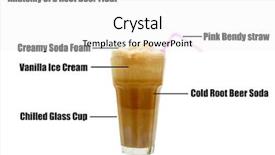
 Presentation with floating - Amazing slides having floating restaurant - anatomy of a rootbeer float backdrop and a white colored foreground

Anatomy Rootbeer Float Isolated White

Slides having anatomy of a rootbeer float isolated on white backdrop

 Presentation with floating - Audience pleasing PPT theme consisting of floating-shiny-cube-network-mixed backdrop and a ocean colored foreground

Floating Shiny Cube Network Mixed

PPT theme consisting of floating shiny cube network mixed media

▼Key features of this template

  • They are compatible with both PowerPoint and Google Slides running on either Windows PCs or Macs.

  • They are available in both standard and widescreen slide formats. You can choose your preferred format by clicking on the "Widescreen" check box or icon.

  • Each template includes a beautiful high-resolution background image or video to visually reinforce the theme of your presentation.

  • In addition, each template includes designer-created graphics and modern fonts to give your presentations an up-to-date, professional look.

  • Each template's default design and title text position have been carefully selected to complement its background without covering faces or other key elements.

  • All text includes backdrops whose transparency level is mathematically calculated to maximize text readability while still allowing the background to be seen.

  • And all the text, text backdrops and graphics in every slide are colored with a palette designed to beautifully complement the colors in the background.

  • Our Premium templates (those with the descriptor “Premium” in their subtitle) include over 64 slide layouts to give you maximum flexibility as you create your presentations.

    • Those layouts are available to you whenever you create a new slide or when you want to change the layout of an existing slide.
    • They include everything you need to make all sorts of presentations. In addition to the layouts for the title slide and the usual title and content slide, they include many other layouts for slide types including table of contents slides, org charts, charts, diagrams, infographics, photo slides, thank you slides and more.
    • While creating these layouts our template designers have ensured that all text in every layout adjusts as gracefully as possible to various numbers of words.
  • Customizable templates (those with the descriptor “Customizable” in their subtitle) may be easily modified online before you download them.

    • To modify them, simply click on the pencil editing icon, then select your choice of ready to go designs and title text positions.
    • The editing tool also makes it easy to reposition and scale the background image or video to best suit your needs.

▼FAQs

Please review these FAQs to see if your question is answered. Contact us for more info

  • What is a PowerPoint template?

    • A well designed PowerPoint template is a file that can tell PowerPoint how to make your ordinary templates look extraordinary. They won’t change what your words or numbers say. But they might change their size, color, font and placement. And, overall, they can give your presentations a professionally-designed look that will give your content more credibility and give you more confidence.
  • How many PowerPoint templates do you offer?

    • We have over 32,000 artist-created presentation templates in our PowerPlugs collection With a subscription, PowerPlugs templates are easy to download. Just sign in, find a template and click on the green Download button. ready for you to download. That alone offers you more variety to choose from than any of our competitors can offer. And, as if that weren’t enough, we also offer over 6 million templates in our Crystal collection. Crystal brand templates are our line of templates that have customization options. They have the word "CRYSTAL" on their web page images. You can customize several aspects of the templates. These templates include high-resolution background images from Shutterstock’s vast image collection matched up with artist-created presentation designs customized by our own proprietary AI software.
  • How many templates can I download as a subscriber?

    • You can download an unlimited number of PowerPlugs-brand With a subscription, PowerPlugs templates are easy to download. Just sign in, find a template and click on the green Download button. templates every day for an entire year. (Actually, by default, we set a limit of 25 templates per day to prevent our competitors from stealing our templates. But, if that is not enough, just let us know and we’ll try to accommodate you.) On top of that, with a subscription or an Ultimate Combo, you can also download any 50 Crystal-brand Crystal brand templates are our line of templates that have customization options. They have the word "CRYSTAL" on their web page images. You can customize several aspects of the templates. templates per year selected from our huge Crystal collection. Crystal brand templates are our line of templates that have customization options. They have the word "CRYSTAL" on their web page images. You can customize several aspects of the templates. .
  • Why should I choose your templates instead of the competition’s?

    • We’ve got a larger selection of professionally-designed PowerPoint templates than anyone else in the world.
    • Each template includes a high-resolution background image or video to visually inspire your audiences while reinforcing your message.
    • Each template includes 64 slide layouts to give you maximum flexibility as you create your presentations.
    • Our templates are available in both standard and widescreen slide formats. And our website lets you preview the slides each way.
    • Our free Template Finder™ plugin lets subscribers select and - with a single click - download and insert our templates into their presentations right from within PowerPoint.
    • We’ve been creating designer presentation templates for over 20 years. During that time we’ve won several awards and 5-star ratings for product quality. See About Us for more.
  • Do you offer a money-back guarantee?

    • Yes we do! We offer full 30-day money-back guarantee if you are not 100% satisfied with your purchase.
  • Can I still use my downloaded templates after my subscription runs out?

    • Yes. After your subscription expires, you won't lose any rights or ability to use your PowerPlugs: Templates for PowerPoint. You won't be able to download any new non-watermarked templates. But the non-watermarked templates you've already downloaded will still work and you can still use them as before.
  • Can I share my downloaded templates or passwords with friends or coworkers?

    • Sorry but no. You are authorized to download each paid-for template to up to 3 of your personal devices and to use the templates you download in as many presentations as you want. But you are not authorized to share the templates, themselves, with others. That said, we do offer highly discounted site licenses to suit the needs of both small and large teams. Just tell us your needs and we’ll give you a quote!
  • System requirements:

    • The templates use the standard POTX format. So they are compatible with Google Slides and all PC, Mac and mobile devices running any version of PowerPoint from PowerPoint 2007 up through and including Office 365 desktop.
    • Please note: Google Slides does not currently support background videos. It treats them as still images.
    • For PowerPoint for the Web, first open your template into a desktop version of PowerPoint, then save it back out as a PPTX file. Then you can open that in PowerPoint for the Web.
  • End user license agreement:

    • Click here to view.
  • How will I get my purchased templates?

    • You may download your selected templates as soon as your payment is received by PayPal. If you purchased an individual template, you will be provided with a download link both onscreen and via email. Just click on that link to begin the download process. If you purchased a subscription, you will receive an email containing a password to use along with your email address to sign in to any of the templates pages on CrystalGraphics.com. Once you are signed in, you can immediately start downloading your selected templates.
  • How do I use my templates after I download them?

    • You can either open a template to start a new presentation or you can add a template to an existing presentation. To open a template, just double click on it or use PowerPoint's File > Open tool. To add a template to an existing presentation, on the Design tab, in the Themes group, click Browse for Themes... then browse to select your template.

View more Floating templates:

previous 1 2 3 4 5 6 7 8 9 10 11 12 13 next
93% of Fortune 1000
companies use our
PowerPoint Products
Templates Secure

Standing Ovation Award
Winner: Best PowerPoint
Template Collection
Fortune Logos
200,000+ satisfied
customers worldwide!
Guarantee
100% satisfaction guaranteed
- or send it back for a refund!

Sign up for our free newsletter! You'll get news about our PowerPoint-enhancing product line – including free updates, new product announcements and exclusive special offers. Plus you'll get a link to a free PowerPoint template with every newsletter you receive.
Privacy Policy
Loading...


Help

Contact Us
Product FAQs
Product License Agreements

Company Info

About Us
Privacy Policy
CrystalGraphics, Inc. 1999 S. Bascom Avenue Suite 700 Campbell, CA 95008 USA
© 2026 CrystalGraphics, Inc. All rights Reserved.    |     PowerPlugs is a trademark of CrystalGraphics, Inc.
Microsoft and the PowerPoint logo are trademarks or registered trademarks of Microsoft Corporation in the United States and/or other countries.
Loading...
Loading...